Independent software guides, verified deal paths, and buyer-safe checkout notes.
DB DealBestDaily Curated software deals and buyer paths
Best tools guide AI Design

Best AI Product Photography Tools

Compare AI product photography tools by ecommerce workflow fit, pricing path, image-control risk, and buyer-safe checkout next steps before choosing a visual production tool.

Published May 11, 2026Updated May 11, 2026AI Design5 picks 5 shortlist picks
Affiliate disclosure. Some links on this page are affiliate links. We may earn a commission at no extra cost to you. Editorial guidance remains independent of commercial relationships. How we review →
Quick picks

Start with the shortlist, not the whole article

These cards turn the long “best tools” decision into practical routes. Pick the workflow first, then open the full mini-review or checkout path.

Best dedicated product-photo workflow

Claid AI

1

Claid AI is the strongest first pick when the buyer needs repeatable ecommerce product-photo cleanup, background generation, enhancement, and catalog-oriented image workflows.

Best forecommerce product-photo cleanup
Price pathTrial path
Best broader creative product scenes

Aitubo

2

Aitubo is better for sellers and creators who want broader AI image, background, and video experimentation around product visuals rather than a strict product-photo production suite.

Best forcreative product-scene exploration
Price pathFree path
Best for concept-led image generation

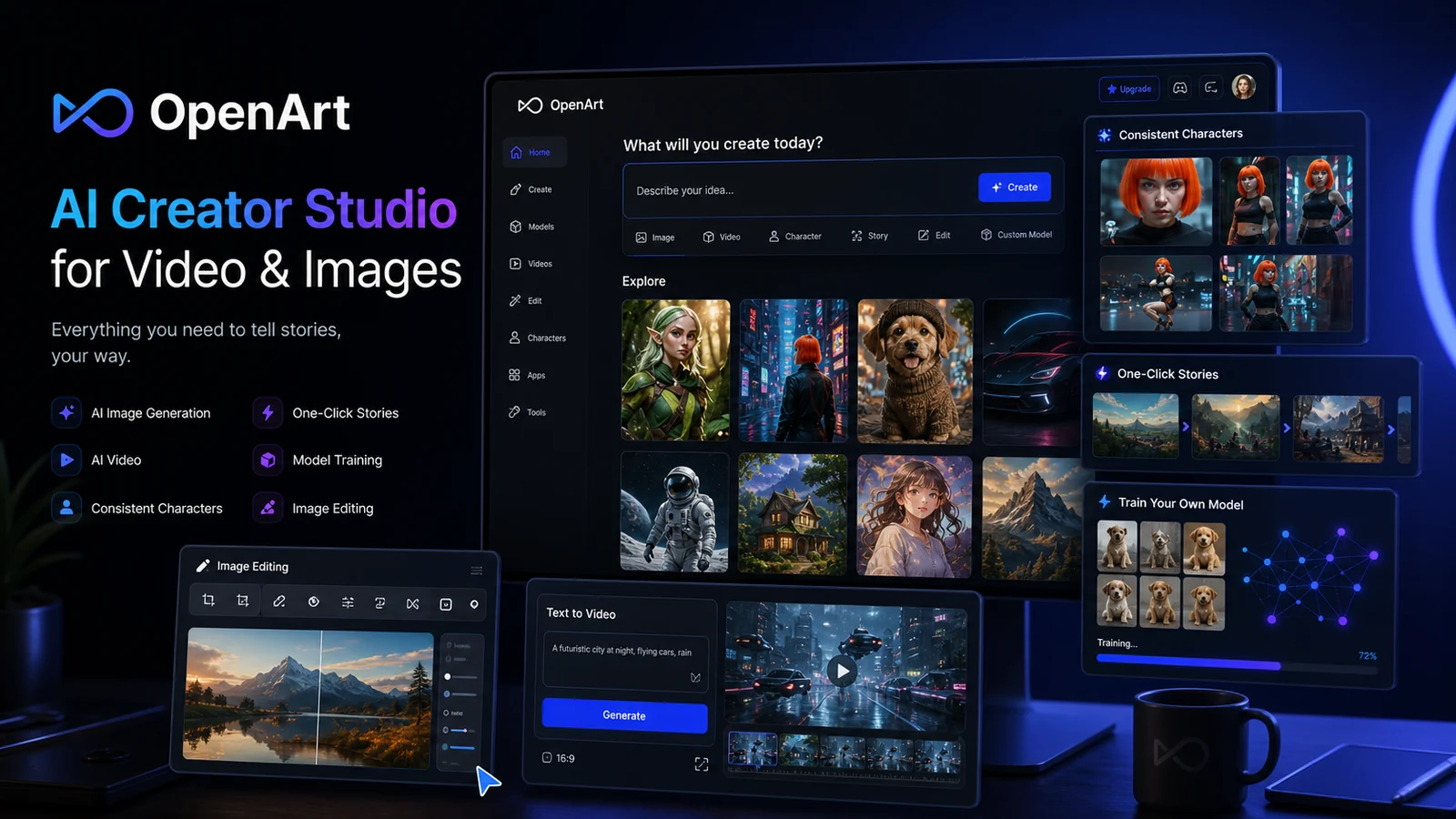
OpenArt

3

OpenArt is a stronger fit when the buyer wants flexible image generation, editing control, and creative exploration for product campaigns rather than a narrow product-photo utility.

Best forproduct campaign concepts
Price pathFree path
Best for launch and social product graphics

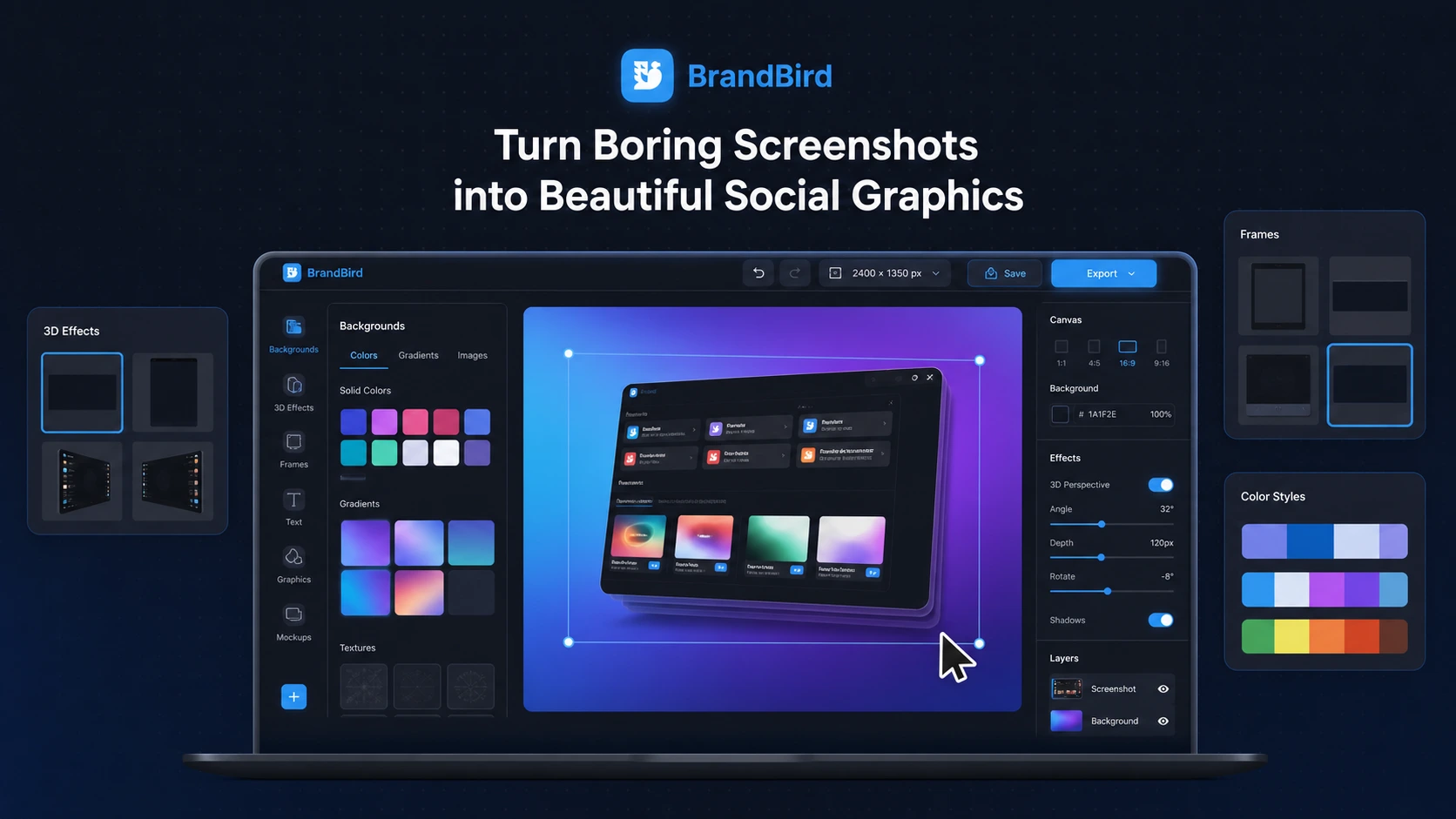
BrandBird

4

BrandBird is best when the product image problem is not the product photo itself, but the surrounding launch graphic, screenshot, mockup, or social-media visual.

Best forproduct launch graphics
Price pathFree path
Best lifetime-style creative route

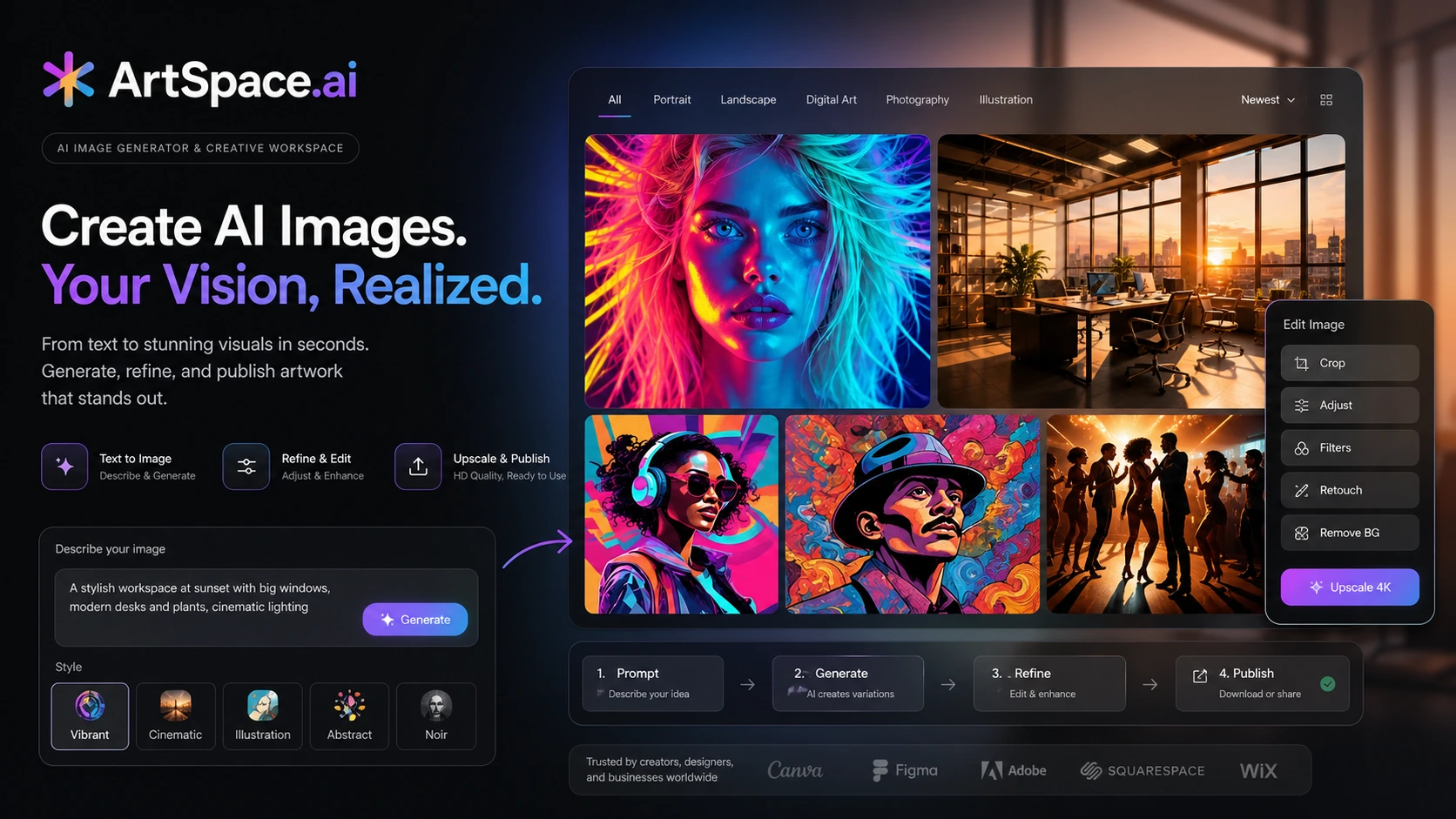
ArtSpace.ai

5

ArtSpace.ai is the most relevant when the buyer wants a lower-friction creative image generator for product-inspired visuals, campaign ideas, and broader marketing artwork.

Best forbroader marketing image generation
Price pathPaid path
Compare before checkout

Shortlist comparison table

Use this table to narrow the list before opening review, coupon, or store pages. Price and discount paths still need live checkout verification.

ToolBest fitFree pathPricing signalMain cautionNext step
Claid AI#1ecommerce product-photo cleanupTrial$15/moyou only need one occasional image edit
Aitubo#2creative product-scene explorationFree plan$0/moyou need a dedicated product-photo editor first
OpenArt#3product campaign conceptsFree plan$0/moyour first need is fast catalog cleanup
BrandBird#4product launch graphicsFree plan$0/moyou need AI-generated product photos from raw item images
ArtSpace.ai#5broader marketing image generationNo free entry$3.99your core need is accurate product-image cleanup
How to choose

Use the shortlist like a buyer, not a browser

You do not need to inspect every tool equally. Start with the workflow you repeat most, check the tradeoff that could matter later, then use the store, review, coupon, or comparison route that matches your next decision.

1Pick the workflow

Choose the tool that matches the job you repeat most often.

2Check the tradeoff

Read the caution before treating a tool as the obvious winner.

3Verify the deal

Use coupon and store pages only after the product fit is clear.

Editorial context

How to use this shortlist

The best AI product photography tools are not all trying to solve the same ecommerce problem.

Some tools are built for product-photo cleanup, generated backgrounds, enhancement, upscaling, and catalog workflows. Others are broader creative generators that help with product scenes, ad concepts, launch graphics, or campaign visuals. That difference matters because a tool that creates an impressive product-style image is not automatically the safest tool for final product listings.

Use this page as a buying filter. Start with the tool that matches your real visual job, then check pricing, credits, trial limits, and the current DealBestDaily store or coupon path only after the workflow fit is clear.

What matters most in this category

Product photography has a higher trust standard than casual AI image generation.

A social graphic can be a little stylized. A campaign concept can be exploratory. But a product listing image has to represent the item honestly. Color, scale, fabric texture, packaging text, edges, shadows, and material details all affect buyer trust.

That is why the safest shortlist question is not simply “which tool makes the prettiest image?” A better question is: which tool helps you produce useful ecommerce visuals without creating product-accuracy problems?

For most ecommerce buyers, the decision breaks into four jobs:

  1. Cleaning or improving existing product photos.
  2. Creating product scenes, lifestyle backgrounds, or campaign visuals.
  3. Turning product assets into launch graphics, screenshots, or social posts.
  4. Testing whether credits, tokens, export quality, and review time make the tool worth paying for.

A dedicated product-photo tool is usually the safer starting point when final listing accuracy matters. A broader creative generator can still be useful, but it belongs earlier in the ideation or marketing workflow.

How these picks are different

Claid AI is the closest match for the core product-photography job. It is the first tool to check if you need product-image cleanup, AI photoshoots, background work, enhancement, or catalog-style image operations.

Aitubo is more useful when product visuals overlap with creative generation, ads, backgrounds, and image-to-video experiments. It is better treated as a creative visual tool than as a strict ecommerce photo editor.

OpenArt is a good fit for concept-led image generation and visual variation. It can support campaign ideas and product-inspired scenes, but final product accuracy still needs close review.

BrandBird is different. It is more about product presentation graphics than product photography itself. It makes sense when the buyer needs polished screenshots, mockups, launch visuals, or social graphics around a product.

ArtSpace.ai is a broader creative route. It may help with product-inspired marketing artwork and visual concepts, but it should not be treated as a catalog-ready ecommerce photography system without careful checking.

Pricing and deal path notes

Do not choose an AI product photography tool from the discount first.

The better sequence is: test the visual workflow, check image accuracy, understand credits or tokens, verify export quality, then compare the current deal route. A tool with a coupon can still be a poor buy if it distorts the product, burns credits too quickly, or does not fit your listing workflow.

For product-photo tools, pay special attention to usage math. Background cleanup, upscaling, AI photoshoots, image-to-video, batch processing, and API operations may not behave like the same unit of work. If the tool uses credits or tokens, test one realistic product-image workflow before choosing annual billing or a larger plan.

If a DealBestDaily coupon page is available, treat it as a final checkout checkpoint rather than the reason to choose the product.

Final buyer note

For ecommerce product-photo work, start with Claid AI because it is the most directly aligned with the category. If your need is broader campaign generation, Aitubo or OpenArt may make more sense. If you are creating launch graphics or product presentation assets, BrandBird is the more practical adjacent pick. If you want a creative image generator with a lifetime-style route, ArtSpace.ai is worth checking carefully.

The important part is not picking the most visually exciting tool. It is picking the tool that fits the image you actually need to publish, the workflow you can repeat, and the checkout terms you can verify before paying.


Full shortlist

The picks, with practical buying context

Each pick below works as a mini decision card. Open the direct deal only when the fit is already clear; otherwise use the review, store, or comparison route first.

#1 shortlist pick Best dedicated product-photo workflow

Claid AI

Claid AI is the strongest first pick when the buyer needs repeatable ecommerce product-photo cleanup, background generation, enhancement, and catalog-oriented image workflows.

Claid AI product view
Why it made the list

Claid AI belongs at the top because it is the most directly aligned with product photography rather than broad creative generation. It is especially useful when product images are already a bottleneck and the buyer needs to test real catalog photos before choosing a paid plan.

Good fit when

  • ecommerce product-photo cleanup
  • product backgrounds and lifestyle scenes
  • catalog teams comparing web editing and API paths

Be careful when

  • you only need one occasional image edit
  • you dislike credit-based usage planning
  • your product visuals require strict human retouching before publishing

Strengths

  • Stronger product-photo focus than broad AI art tools
  • Useful for background removal, image enhancement, and AI photoshoot workflows
  • Free trial path helps buyers test real product images before paying
  • API route can matter for catalog, marketplace, and SaaS workflows

Tradeoffs

  • Credit usage can become harder to predict across different operations
  • Generated product scenes still need human review for accuracy and brand fit
  • May be more tool than a casual seller needs for one-off edits
#2 shortlist pick Best broader creative product scenes

Aitubo

Aitubo is better for sellers and creators who want broader AI image, background, and video experimentation around product visuals rather than a strict product-photo production suite.

Aitubo product view
Why it made the list

Aitubo fits this shortlist as an adjacent creative route. It can support product-scene concepts, marketing visuals, backgrounds, and motion experiments, but the buyer should treat it as a broader visual-generation tool rather than a dedicated ecommerce product-photo platform.

Good fit when

  • creative product-scene exploration
  • product-ad visual concepts
  • sellers testing image and video ideas before building a production workflow

Be careful when

  • you need a dedicated product-photo editor first
  • you want predictable catalog-scale image operations
  • you need strict product accuracy without manual review

Strengths

  • Broader image and video generation path than single-purpose editors
  • Free token path can help with early workflow testing
  • Useful for exploring product-scene and promotional visual concepts
  • Good fit when ecommerce visuals overlap with creative ads

Tradeoffs

  • Not as product-photo-specific as Claid AI
  • Token planning still matters once experiments become recurring work
  • Generated visuals need careful review before use in product listings
#3 shortlist pick Best for concept-led image generation

OpenArt

OpenArt is a stronger fit when the buyer wants flexible image generation, editing control, and creative exploration for product campaigns rather than a narrow product-photo utility.

OpenArt product view
Why it made the list

OpenArt earns a place because many ecommerce teams need more than clean product cutouts. They also need campaign concepts, lifestyle backdrops, ad visuals, and image variations. It is best treated as a creative production companion, not the safest default for exact catalog photos.

Good fit when

  • product campaign concepts
  • creative image variations
  • marketers who want more control over generated visuals

Be careful when

  • your first need is fast catalog cleanup
  • you need product accuracy to be the main feature
  • you do not want to think about credits or generation limits

Strengths

  • Flexible creative suite for image generation and editing
  • Free-entry path can help buyers explore before paying
  • Useful for campaign ideation and visual variations
  • Better fit for creative control than a simple background remover

Tradeoffs

  • Less focused on ecommerce product-photo operations
  • Generated product visuals may not be accurate enough for final listings
  • Credit and plan fit should be checked before production use
#4 shortlist pick Best for launch and social product graphics

BrandBird

BrandBird is best when the product image problem is not the product photo itself, but the surrounding launch graphic, screenshot, mockup, or social-media visual.

BrandBird product view
Why it made the list

BrandBird is not a classic AI product photography tool. It belongs here because ecommerce and SaaS teams often need polished product presentation assets after the core image is ready, including screenshots, mockups, launch graphics, changelog visuals, and social posts.

Good fit when

  • product launch graphics
  • screenshot and mockup visuals
  • founders and marketers creating product presentation assets

Be careful when

  • you need AI-generated product photos from raw item images
  • you need catalog cleanup, upscaling, or background removal first
  • you are looking for a strict ecommerce photography suite

Strengths

  • Strong fit for screenshots, mockups, and product presentation graphics
  • Useful for founders, marketers, SaaS teams, and creators
  • Free-start path can make it easier to test the workflow
  • Helps turn product assets into more shareable marketing visuals

Tradeoffs

  • Not a dedicated product-photo generator
  • Better for presentation graphics than marketplace-ready product images
  • Refund and plan details should still be checked before paying
#5 shortlist pick Best lifetime-style creative route

ArtSpace.ai

ArtSpace.ai is the most relevant when the buyer wants a lower-friction creative image generator for product-inspired visuals, campaign ideas, and broader marketing artwork.

ArtSpace.ai product view
Why it made the list

ArtSpace.ai is included as a creative-adjacent option, not as a pure product-photo tool. It can be useful when a seller needs more visual concepts and marketing images, but product accuracy, catalog consistency, and commercial rights should be checked before using outputs in serious ecommerce assets.

Good fit when

  • broader marketing image generation
  • product-inspired creative concepts
  • buyers comparing subscription and lifetime-style creative routes

Be careful when

  • your core need is accurate product-image cleanup
  • you need catalog-ready ecommerce photos with minimal review
  • you do not want to verify license, output quality, and deal terms

Strengths

  • Useful for broader AI image generation and marketing concepts
  • Lifetime-style route may appeal to frequent creative users
  • Better fit for experimentation than repeated catalog cleanup
  • Can support visual ideation around campaigns and product storytelling

Tradeoffs

  • Not a dedicated product-photography workflow
  • Output accuracy needs careful human review before commercial use
  • Buyers should verify lifetime, pricing, license, and refund terms live
Checkout safety

Best-page checkout checklist

Run this checklist before turning a shortlist recommendation into a paid checkout decision.

1

Start with the tool that fits your workflow, not the largest discount headline.

2

Open the store or review page when you still need feature, pricing, refund, or plan-limit context.

3

Use coupon pages only after the shortlist is narrow enough that the product already makes sense.

4

Verify free-plan, trial, credit, usage, and annual-billing limits on the live checkout page.

5

Compare at least two tools if the category fit is still unclear or the top pick feels too expensive.

FAQ

Common questions

What is the best AI product photography tool overall?

For a product-photo-specific workflow, Claid AI is the strongest first pick because it focuses on ecommerce visuals, background cleanup, image enhancement, AI photoshoots, and catalog-style image workflows. Broader creative tools can help with campaigns, but they are not always the safest default for final product listings.

Should I use a broad AI image generator for product photos?

You can use a broad AI image generator for product concepts, campaign visuals, backgrounds, and ad variations, but final product photos need stricter review. Check product accuracy, labels, colors, scale, texture, shadows, and marketplace requirements before publishing.

Are AI product photography tools safe for ecommerce listings?

They can be useful, but they should not remove human review. AI-generated product images can look polished while still misrepresenting the item. The safer workflow is to test real product photos, compare outputs, verify accuracy, and only then use the images in listings or ads.

What should I check before paying for an AI product-photo tool?

Check free trial limits, credits or tokens, export resolution, background and generation controls, commercial-use terms, refund timing, API needs, batch processing, and whether the tool fits product listings, ad creatives, or broader visual ideation.

Should I choose based on coupons or image quality first?

Choose based on workflow and image quality first. A coupon or deal path can improve a good purchase, but it should not turn the wrong product-photo tool into the right one. Use coupon pages only after the tool already fits your visual workflow.

Steven
Author
Steven
Editorial reviewer

Practical affiliate editor focused on realistic reviews, store architecture, and offer-aware buying paths.

Related reading

Keep browsing

View top pick ↗