Independent software guides, verified deal paths, and buyer-safe checkout notes.
DB DealBestDaily Curated software deals and buyer paths
Best tools guide AI Design

Best AI Image Generators

Compare the best AI image generators by creative workflow, credit model, commercial-use fit, image editing depth, and buyer cautions before choosing a visual tool.

Published May 11, 2026Updated May 11, 2026AI Design5 picks 5 shortlist picks
Affiliate disclosure. Some links on this page are affiliate links. We may earn a commission at no extra cost to you. Editorial guidance remains independent of commercial relationships. How we review →
Quick picks

Start with the shortlist, not the whole article

These cards turn the long “best tools” decision into practical routes. Pick the workflow first, then open the full mini-review or checkout path.

Best overall creator studio

OpenArt

1

OpenArt is the strongest all-round pick when the buyer wants image generation, editing, characters, model access, and creative experimentation in one browser-based workflow.

Best forcreators who want a broad visual-generation workspace
Price pathFree path
Best multi-format creative workspace

Aitubo

2

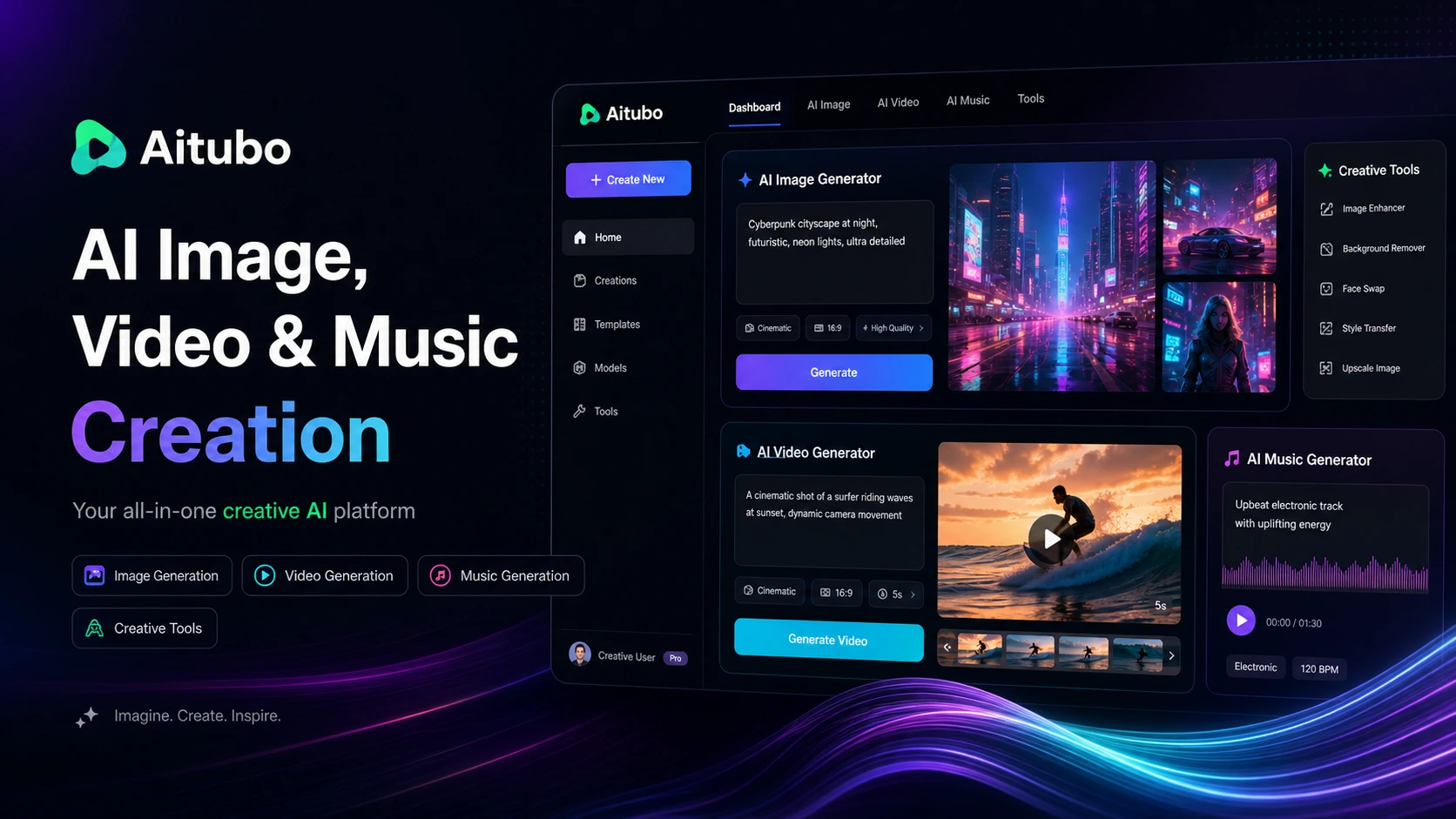
Aitubo is a strong fit when the buyer wants image generation plus adjacent creative tools like video generation, effects, face swap, upscaling, avatars, and background workflows.

Best forcreators who want image and video tools together
Price pathFree path
Best for lifetime-style image creation

ArtSpace.ai

3

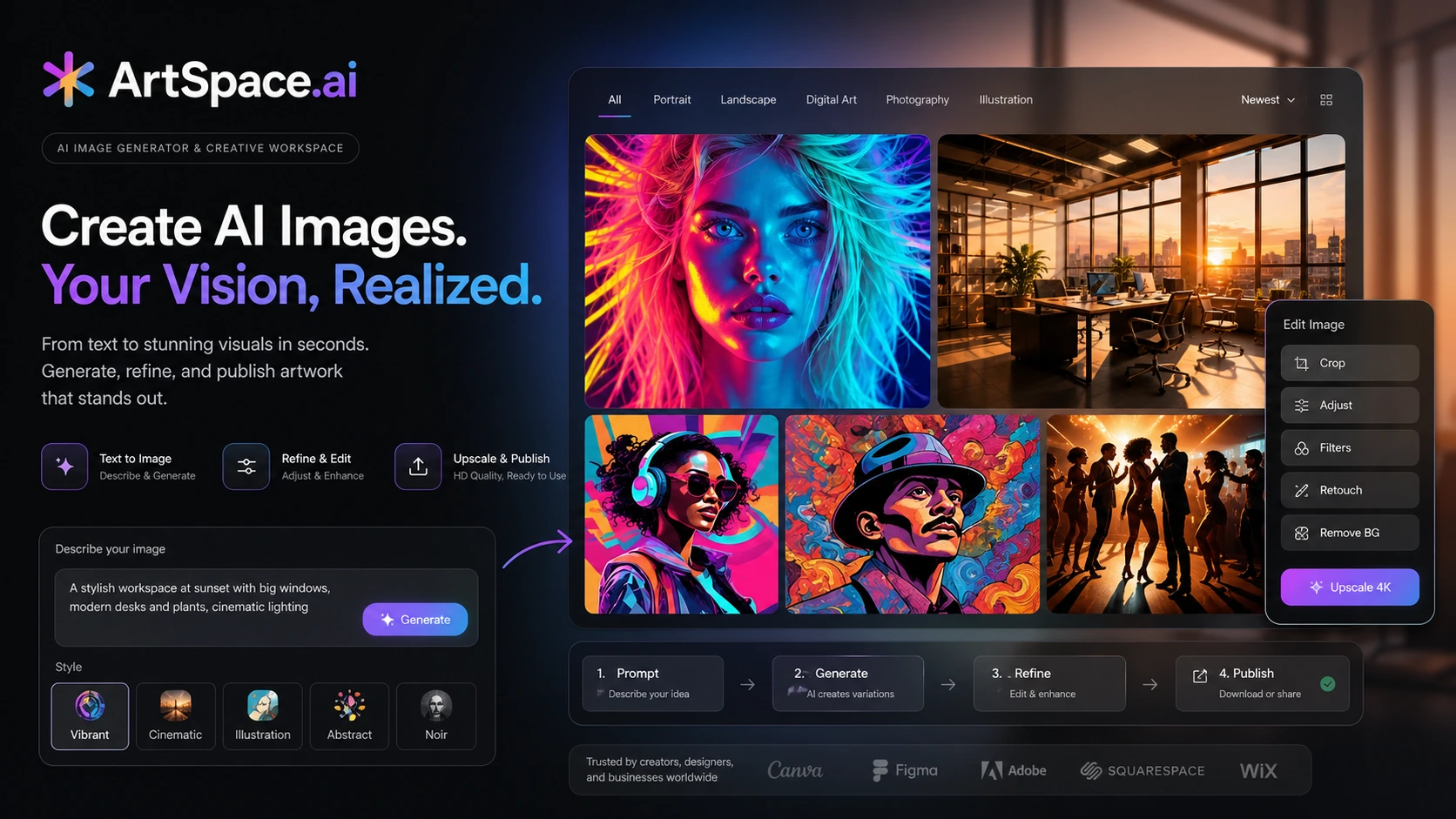
ArtSpace.ai fits buyers who want a browser-based AI image generator and editor, especially when a lifetime-style route is more appealing than another monthly subscription.

Best forcreators comparing subscription and lifetime-style savings
Price pathPaid path
Best simple prompt-to-image path

DrawThis

4

DrawThis is a cleaner shortlist option when the buyer wants a simple prompt-to-image workflow for characters, scenes, product visuals, social assets, and marketing images.

Best forusers who want a simple image-generation path
Price pathPaid path
Best product-image specialist

Claid AI

5

Claid AI is the specialist pick when the buyer cares less about fantasy art and more about ecommerce visuals, product images, backgrounds, enhancement, API use, and catalog workflow.

Best forecommerce sellers improving product photos
Price pathTrial path
Compare before checkout

Shortlist comparison table

Use this table to narrow the list before opening review, coupon, or store pages. Price and discount paths still need live checkout verification.

ToolBest fitFree pathPricing signalMain cautionNext step
OpenArt#1creators who want a broad visual-generation workspaceFree plan$0/moyou only need occasional free image experiments
Aitubo#2creators who want image and video tools togetherFree plan$0/moyou only need a focused ecommerce image automation tool
ArtSpace.ai#3creators comparing subscription and lifetime-style savingsNo free entry$3.99you need deep brand-system controls or team governance
DrawThis#4users who want a simple image-generation pathNo free entry$19/moyou need the deepest model marketplace or advanced production controls
Claid AI#5ecommerce sellers improving product photosTrial$15/moyou mainly want fantasy art, characters, or open-ended prompt exploration
How to choose

Use the shortlist like a buyer, not a browser

You do not need to inspect every tool equally. Start with the workflow you repeat most, check the tradeoff that could matter later, then use the store, review, coupon, or comparison route that matches your next decision.

1Pick the workflow

Choose the tool that matches the job you repeat most often.

2Check the tradeoff

Read the caution before treating a tool as the obvious winner.

3Verify the deal

Use coupon and store pages only after the product fit is clear.

Editorial context

How to use this shortlist

The best AI image generators are not all built for the same job.

One buyer may want a broad creative studio for campaign concepts, characters, image edits, and visual experimentation. Another may need a lower-cost prompt-to-image tool for social graphics. An ecommerce seller may care less about artistic range and more about product accuracy, clean backgrounds, API access, and whether the output can survive a real product-detail page.

That is why this page is organized by workflow fit instead of only ranking tools by popularity.

What matters most in this category

AI image generation gets messy when every product claims to create better visuals from a prompt.

The more useful buying question is narrower: what kind of image work will you repeat?

If you are making campaign concepts, thumbnails, social visuals, or branded creative experiments, a broader creator studio can make sense. If you are improving product photos, a specialist ecommerce workflow may be safer. If you only want occasional visuals, a free or lower-cost image path may be enough.

Before paying, compare five things:

  1. Whether the tool fits your actual image workflow.
  2. How credits, tokens, or generation limits work.
  3. Whether commercial-use rights match your intended use.
  4. Whether editing, upscaling, background tools, or model access are included.
  5. Whether the current coupon, trial, or annual route is still worth it after checking the live checkout page.

How these picks are different

OpenArt is the broadest creative-studio pick. It makes the most sense when you want a flexible image workflow with editing, character creation, model access, and room to experiment across many visual ideas.

Aitubo is better when you want image generation to sit beside video, face swap, upscaling, avatars, and other creative tools in one browser workspace.

ArtSpace.ai is the simpler creator route for buyers who want prompt-to-image generation, editing support, and a lifetime-style path that may be attractive for recurring casual use.

DrawThis is the narrower prompt-to-image option for people who want to turn ideas into social, product, character, or marketing visuals without learning a more complex creative stack.

Claid AI is the product-image specialist. It is not the first pick for fantasy art or general creative exploration, but it is highly relevant when the real job is improving ecommerce photos, generating product scenes, or preparing catalog-ready visuals.

Pricing and deal path notes

Do not choose an AI image generator from a discount headline alone.

Credits, tokens, commercial-use rights, storage rules, output resolution, generation speed, and model access can affect the real cost more than the visible monthly price. A tool that looks cheap can become expensive if the workflow consumes credits quickly. A more expensive plan can be easier to justify if it gives the rights, output quality, and production capacity you actually need.

Use coupon pages and deal cards as final checkout checks, not as the first reason to choose the product.

Final buyer note

Start with OpenArt if you want the broadest creative image workflow. Choose Aitubo if you want image generation plus adjacent video and effects tools. Look at ArtSpace.ai if the lifetime-style route matters and the workflow is mostly creator-focused. Choose DrawThis if you want a simpler prompt-to-image path. Choose Claid AI if the real need is product imagery rather than open-ended art generation.

The safest choice is not the flashiest image model. It is the tool whose limits, rights, pricing, and output workflow match the images you will actually publish.

Full shortlist

The picks, with practical buying context

Each pick below works as a mini decision card. Open the direct deal only when the fit is already clear; otherwise use the review, store, or comparison route first.

#1 shortlist pick Best overall creator studio

OpenArt

OpenArt is the strongest all-round pick when the buyer wants image generation, editing, characters, model access, and creative experimentation in one browser-based workflow.

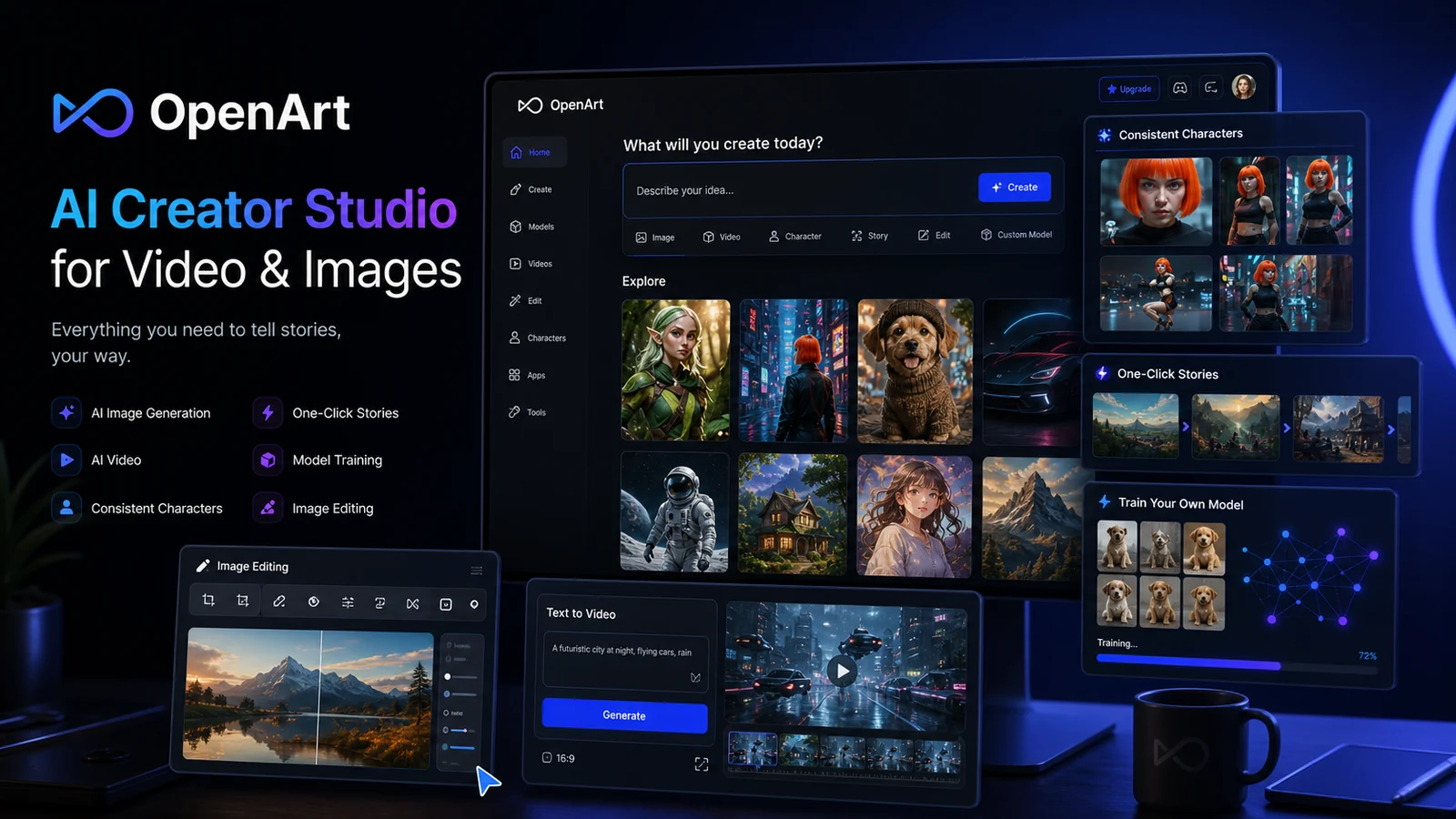
OpenArt product view
Why it made the list

OpenArt deserves the top position because it is not just a simple prompt box. Its current public positioning covers AI images, videos, consistent characters, story creation, model training, image editing, many model options, and paid tiers where credits, parallel generations, commercial-use rights, and add-on credits become the real buying questions.

Good fit when

  • creators who want a broad visual-generation workspace
  • teams comparing credits, commercial use, and model access
  • marketers who need image ideas, edits, and campaign visuals in one place

Be careful when

  • you only need occasional free image experiments
  • you want a simple product-photo cleanup tool instead of a creative studio
  • you are not ready to track credits, parallel generations, and plan limits

Strengths

  • Broad image, video, character, and editing workflow
  • Better fit for serious creative experimentation than a single-use generator
  • Paid tiers can make sense when model access and commercial use matter

Tradeoffs

  • Credit logic can become the real cost decision
  • Commercial-use rights and plan limits should be verified before client work
  • May feel too broad for buyers who only need product-photo enhancement
#2 shortlist pick Best multi-format creative workspace

Aitubo

Aitubo is a strong fit when the buyer wants image generation plus adjacent creative tools like video generation, effects, face swap, upscaling, avatars, and background workflows.

Aitubo product view
Why it made the list

Aitubo belongs high on this list because its appeal is breadth. It can support creators who want more than still images, but the buying decision should be based on monthly tokens, model access, pending-job limits, storage, private mode, and whether the included creative tools match the actual production workflow.

Good fit when

  • creators who want image and video tools together
  • users testing a free token path before paying
  • visual workflows that need effects, upscaling, avatars, or background tools

Be careful when

  • you only need a focused ecommerce image automation tool
  • monthly token planning feels like too much overhead
  • you need a narrow design editor rather than a creative AI workspace

Strengths

  • Free token path makes first testing easier
  • Covers many creative formats beyond basic image generation
  • Useful when one workspace can replace several smaller visual tools

Tradeoffs

  • Token usage and storage limits need checking before paid use
  • Broad feature set can feel unfocused for a narrow job
  • Free plan is useful for testing but limited for serious production
#3 shortlist pick Best for lifetime-style image creation

ArtSpace.ai

ArtSpace.ai fits buyers who want a browser-based AI image generator and editor, especially when a lifetime-style route is more appealing than another monthly subscription.

ArtSpace.ai product view
Why it made the list

ArtSpace.ai is useful for creators who want text-to-image, prompt experimentation, image cleanup, face swap, and upscaling without moving into a heavier design suite. The main buying question is whether the current subscription or lifetime route fits real monthly image volume, not whether AI art is interesting in general.

Good fit when

  • creators comparing subscription and lifetime-style savings
  • users who want prompt-to-image plus simple editing support
  • buyers who prefer a smaller AI image workspace over a large creative platform

Be careful when

  • you need deep brand-system controls or team governance
  • you want a product-catalog automation workflow
  • you need proven high-volume production capacity before paying

Strengths

  • Simple route for prompt-to-image creation and editing
  • Lifetime-style path can be attractive for recurring casual use
  • More focused than broad all-in-one AI workspaces

Tradeoffs

  • Buyers should verify live lifetime terms before treating it as permanent value
  • Less convincing for structured ecommerce or agency-scale workflows
  • Prompt iteration still matters; it is not a guaranteed design replacement
#4 shortlist pick Best simple prompt-to-image path

DrawThis

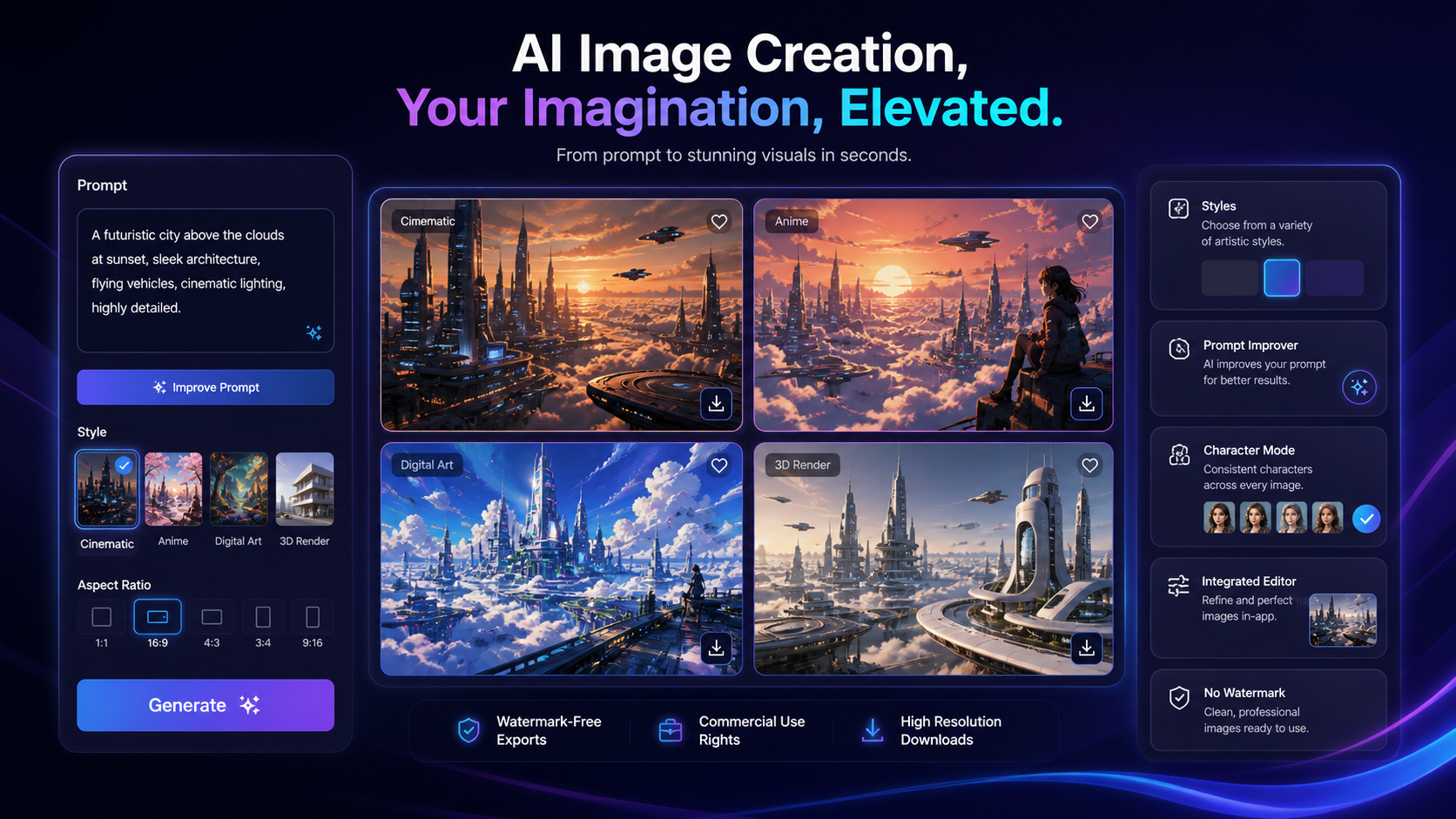
DrawThis is a cleaner shortlist option when the buyer wants a simple prompt-to-image workflow for characters, scenes, product visuals, social assets, and marketing images.

DrawThis product view
Why it made the list

DrawThis belongs in this shortlist because some readers do not want a giant creative suite. They want to describe an idea, choose a style, generate several options, refine the output, and export visuals with a low learning curve.

Good fit when

  • users who want a simple image-generation path
  • marketers and creators making social or campaign visuals
  • buyers who care about commercial-use and watermark-free export claims

Be careful when

  • you need the deepest model marketplace or advanced production controls
  • you need ecommerce-specific image automation at catalog scale
  • you are choosing mainly on coupon language rather than workflow fit

Strengths

  • Easy-to-understand prompt, style, and export workflow
  • Good fit for social, product-visual, and marketing-image ideation
  • Lower complexity than broader creator studios

Tradeoffs

  • Commercial-use and plan terms should be checked before client work
  • Less proven for heavy team or catalog workflows
  • May feel narrower once image volume or editing needs grow
#5 shortlist pick Best product-image specialist

Claid AI

Claid AI is the specialist pick when the buyer cares less about fantasy art and more about ecommerce visuals, product images, backgrounds, enhancement, API use, and catalog workflow.

Claid AI product view
Why it made the list

Claid AI is not the broadest AI image generator in this list, but it matters because many buyers searching for image generators actually need product visuals that can work for stores, ads, marketplaces, and catalog operations. Its credit model, image limits, AI Photoshoot workflow, and API path matter more than generic creative breadth.

Good fit when

  • ecommerce sellers improving product photos
  • marketers who need product backgrounds and lifestyle scenes
  • teams comparing web tools with API-based image automation

Be careful when

  • you mainly want fantasy art, characters, or open-ended prompt exploration
  • you do not have product images to improve or repurpose
  • the workflow is too casual to justify credit planning

Strengths

  • Stronger fit for ecommerce and product-photo workflows
  • Free trial credits give buyers a practical testing path
  • API route can matter for larger catalog operations

Tradeoffs

  • Not a general-purpose creative art generator
  • Credit usage and operation costs should be checked before scaling
  • Free trial can be too small for a large catalog decision
Checkout safety

Best-page checkout checklist

Run this checklist before turning a shortlist recommendation into a paid checkout decision.

1

Start with the tool that fits your workflow, not the largest discount headline.

2

Open the store or review page when you still need feature, pricing, refund, or plan-limit context.

3

Use coupon pages only after the shortlist is narrow enough that the product already makes sense.

4

Verify free-plan, trial, credit, usage, and annual-billing limits on the live checkout page.

5

Compare at least two tools if the category fit is still unclear or the top pick feels too expensive.

FAQ

Common questions

What is the best AI image generator overall?

For a broad creative workflow, OpenArt is the strongest overall shortlist pick because it combines image generation, editing, character workflows, model access, and commercial-use considerations. Aitubo is better if you want image and video tools together, while Claid AI is better for ecommerce product visuals.

Which AI image generator is best for ecommerce images?

Claid AI is the more relevant pick for ecommerce because it is built around product photos, background workflows, enhancement, AI Photoshoot, and API-based image operations. General image generators can help with inspiration, but product preservation and catalog workflow usually matter more for ecommerce.

Which AI image generator has a free path?

OpenArt, Aitubo, and Claid AI all have free or trial-style paths visible in their public pricing or product pages, but the limits differ. Buyers should verify current credits, output limits, commercial-use terms, and monthly plan rules before relying on a free path for real work.

Are AI-generated images safe for commercial use?

Commercial use depends on the product, plan, model, and terms. Some tools reserve commercial-use rights for specific paid tiers or plan levels. Always verify the current terms before using generated images in ads, client work, ecommerce listings, or paid campaigns.

Should I choose a lifetime AI image generator deal?

A lifetime-style route can be attractive if you will generate images regularly and the terms are clear, but it should not be the only reason to buy. Check generation limits, speed, model access, support, commercial-use language, and whether the tool still matches your real workflow.

Steven
Author
Steven
Editorial reviewer

Practical affiliate editor focused on realistic reviews, store architecture, and offer-aware buying paths.

Related reading

Keep browsing

View top pick ↗