DrawThis Pricing, Plans & Creative Fit
DrawThis is an AI image generation tool from the Aivolut product family. Its public page positions it for people who want to turn prompts into images, choose styles, refine outputs, and export visuals for social media, products, NFTs, portraits, storytelling, or marketing assets without using a complex design stack. The store-page decision is not just whether DrawThis can make attractive AI art. The more useful question is whether its credit model, commercial-use rights, style controls, character workflow, and annual pricing path make sense for the buyer's real content volume.
Fit → price → checkout
Use these routes after the official-site check: coupon first, review for fit, compare if unsure.
DrawThis pricing snapshot
Fast commercial checks before pricing, coupons, or a deeper review.
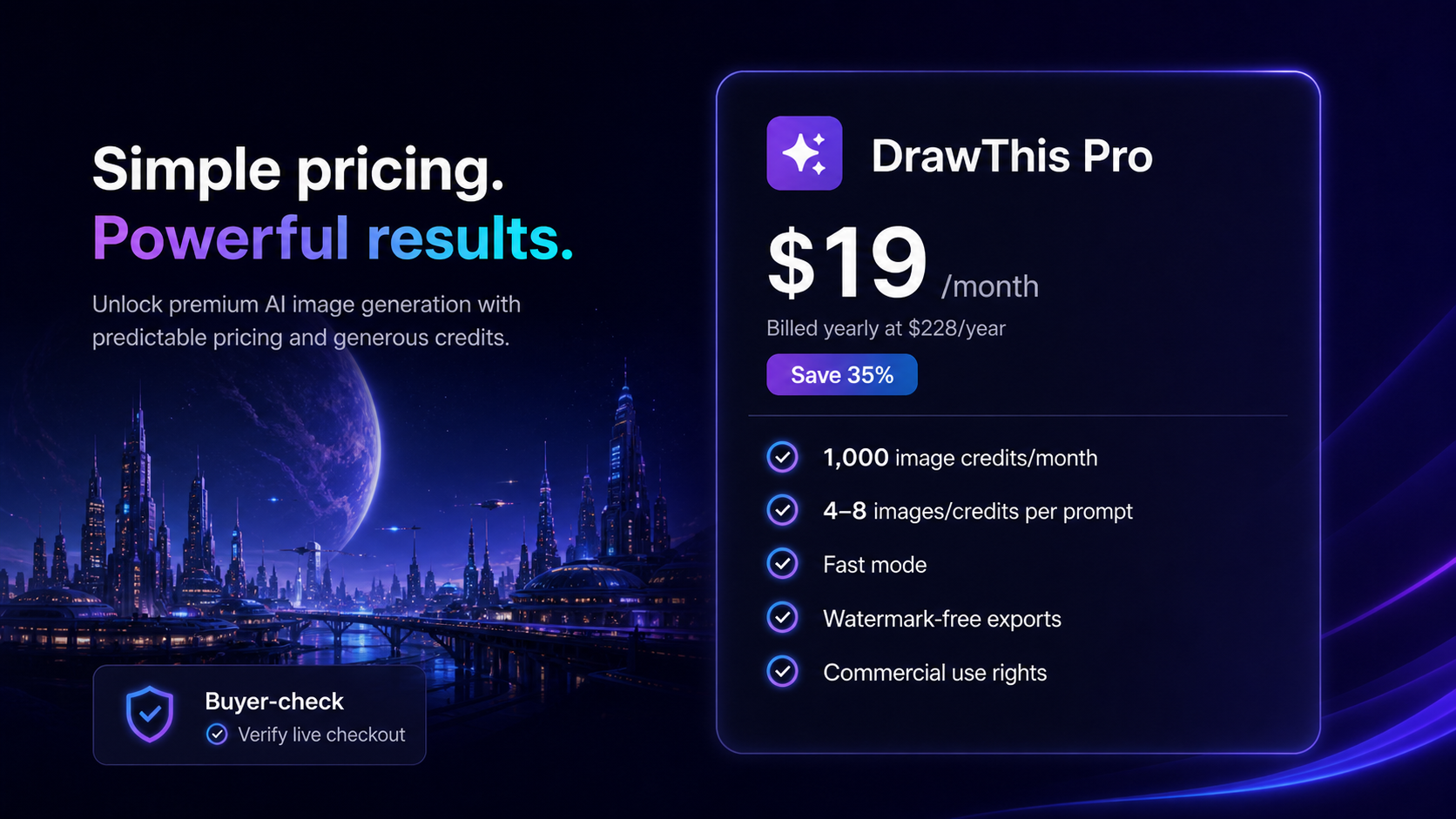
Shown as an annual billing equivalent at $228/year.
Referenced by third-party pricing snapshots, so verify live checkout.
Each prompt may consume multiple credits depending on generated variations.
Confirm the final price in checkout before committing.
DrawThis product tour and creative-fit checks
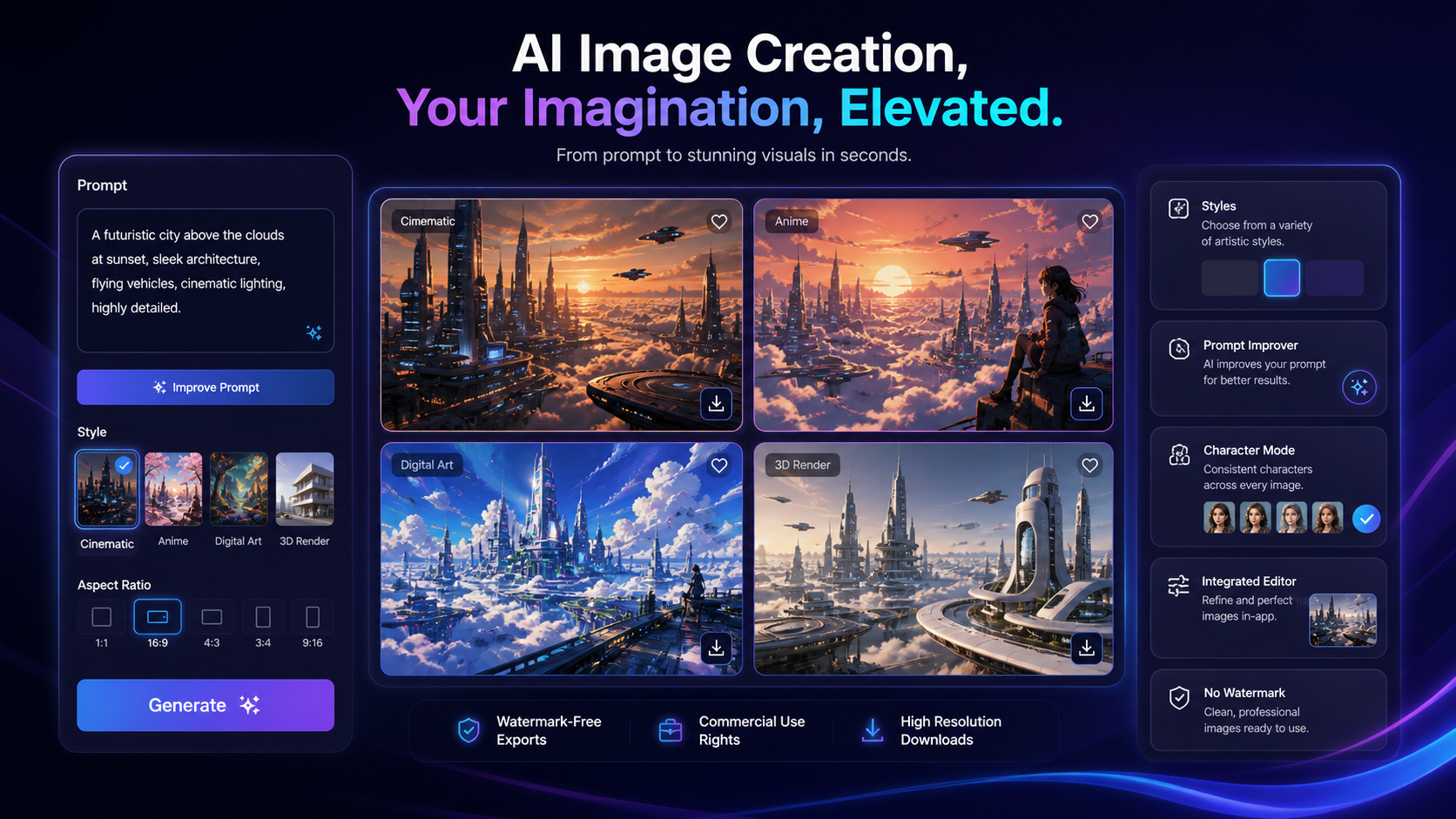
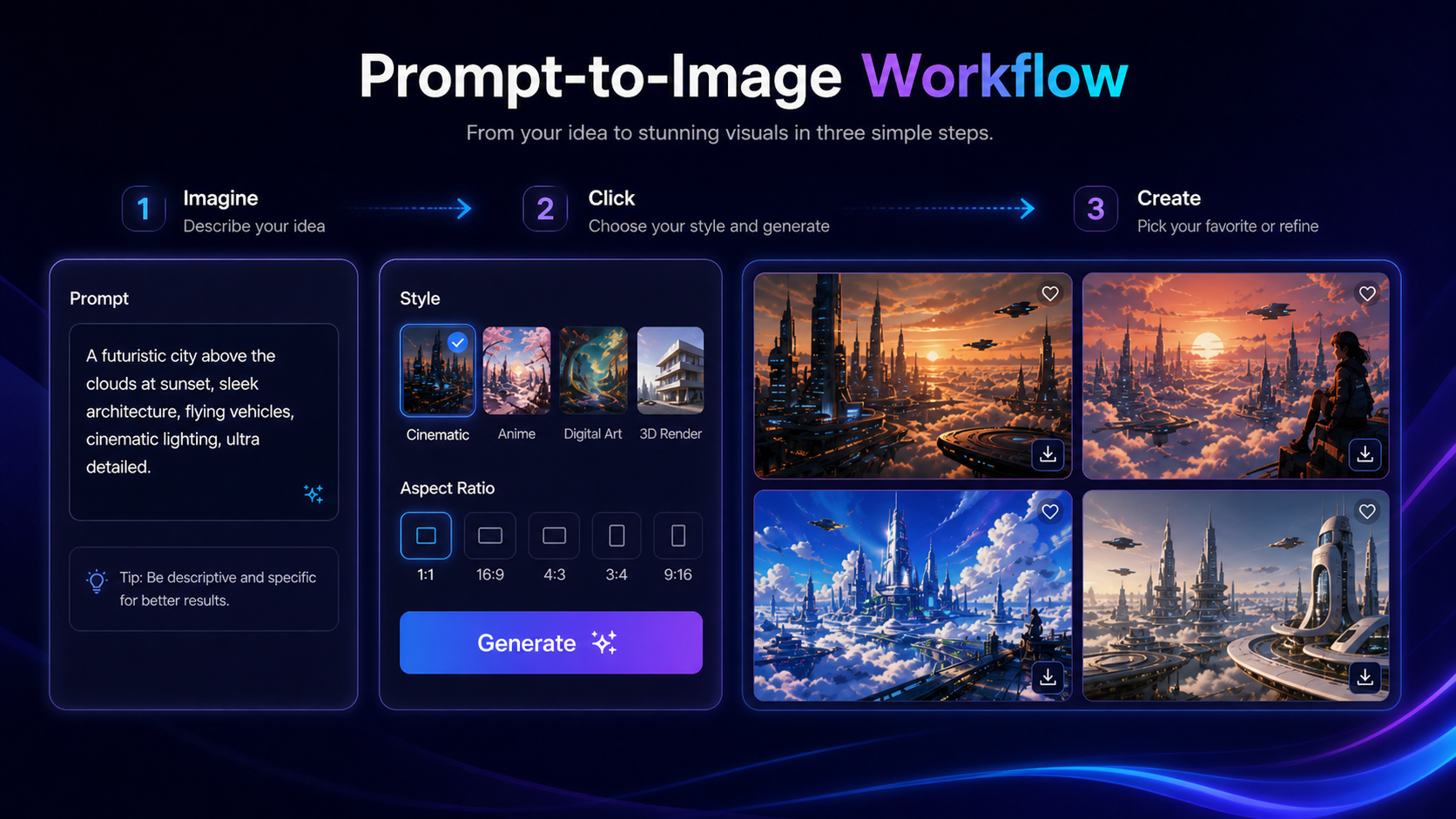
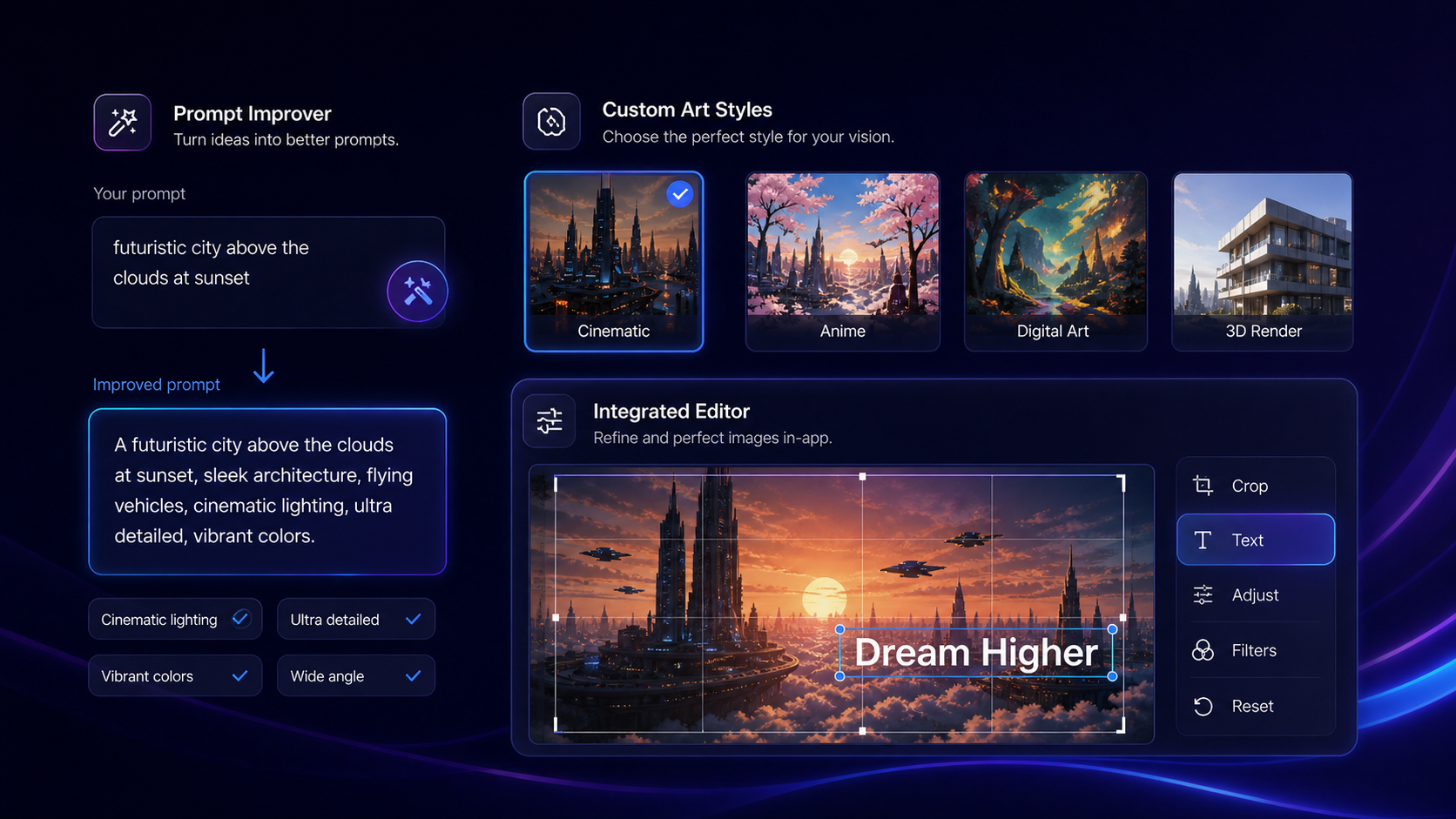
Watch the product-tour video before choosing a plan if your main question is whether DrawThis fits your creative workflow. Pay attention to how the prompt becomes multiple image options, how much control the user appears to have over style, and whether the output flow feels fast enough for your content volume. The screenshots below focus on the buyer checkpoints that matter most before checkout: prompt workflow, style control, character consistency, and pricing-credit math.
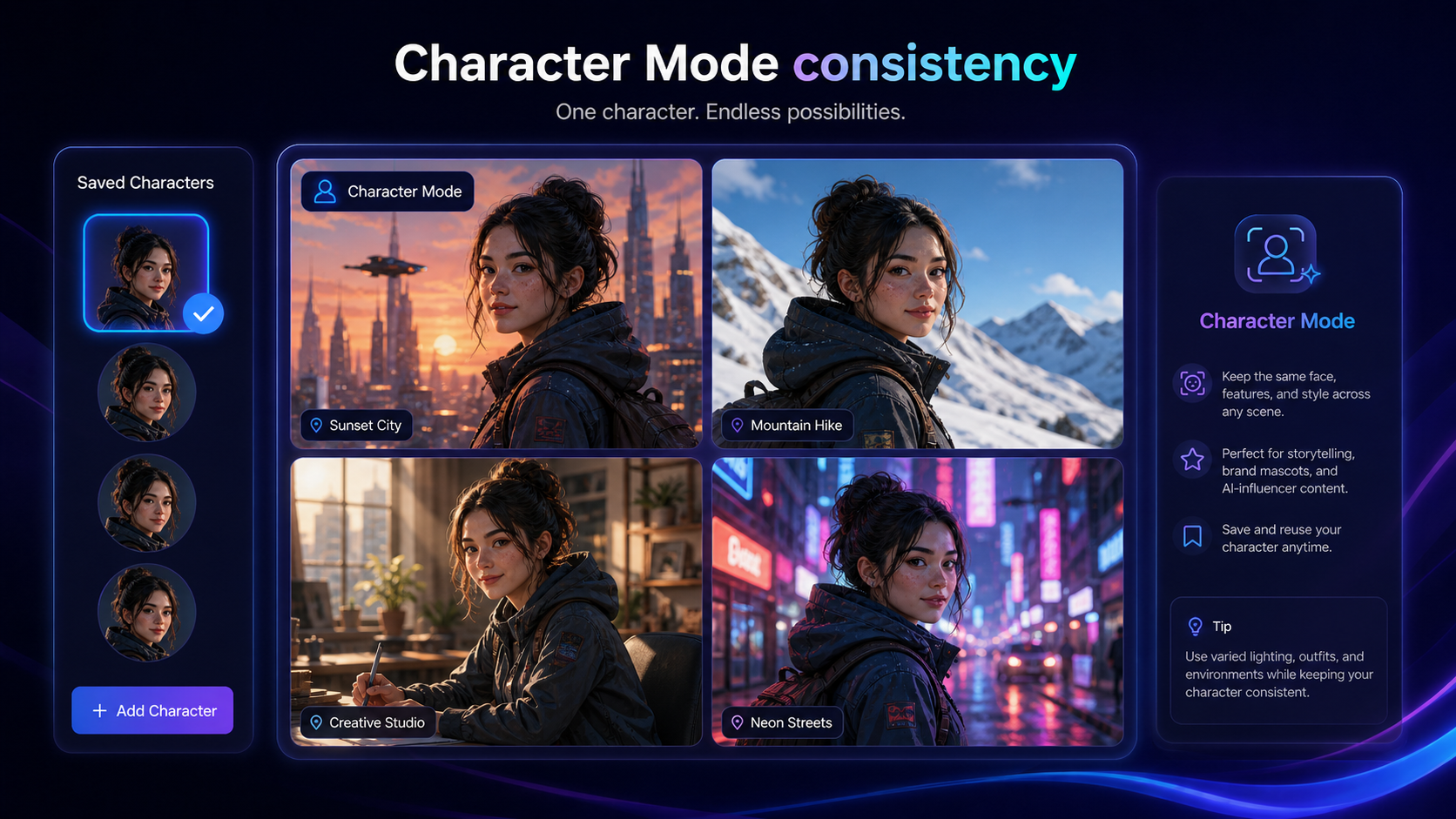
DrawThis should be evaluated as a creative workflow tool, not as a generic AI art toy or a simple coupon target. The strongest use case is recurring image creation for creators, marketers, founders, and small businesses that need fast visual concepts without opening heavier design software.
The buying decision comes down to three checks: whether the outputs fit your brand or creative style, whether 1,000 monthly credits match your real revision volume, and whether the annual or coupon path is still the best price when you reach checkout.
What DrawThis actually does
DrawThis turns written ideas into AI-generated visuals. The public product page describes a simple flow: describe the image, choose a style, generate multiple options, then refine, edit, and export the result. It is positioned for social posts, product visuals, portraits, NFTs, marketing assets, and character-driven creative work.
That makes DrawThis more useful for buyers who already have a repeatable content need. If you only want one novelty image, the paid plan may be too much. If you regularly need visual ideas for campaigns, articles, thumbnails, story assets, or product concepts, the pricing becomes easier to evaluate.
- Use it when recurring image generation is the real bottleneck.
- Check whether the generated styles match your brand or content format.
- Treat editing and export controls as part of the buying decision, not an afterthought.
Who DrawThis fits best
DrawThis fits creators and marketers who need fast visual exploration more than pixel-perfect production control. It is also a practical option for founders who want to test rough product visuals, social creatives, or campaign concepts before paying for full design work.
The buyer who benefits most is not simply a non-designer. It is someone who has enough recurring visual demand to make a credit-based image workflow worthwhile.
- Creators who need social images, thumbnails, blog visuals, or concept art.
- Marketers who want visual campaign options before involving a designer.
- Small business owners testing product or brand ideas quickly.
- Story-driven creators who want recurring characters or visual themes.
Pricing, credits, and coupon-path checks
The cleanest public pricing signal is DrawThis Pro at $19 per month when billed yearly at $228 per year. A separate monthly figure of $29 per month appears in third-party pricing snapshots, so the live checkout should be treated as the final source of truth. The Pro plan publicly lists 1,000 image credits per month, fast mode, watermark-free exports, and commercial use rights.
There is also an official seasonal coupon signal on the public page. For the store page, the safe wording is simple: check the official coupon path and final checkout price without assuming the same code, date, or discount will still apply later.
- Confirm the annual total before relying on the lower monthly-looking number.
- Check whether the monthly path is still available and what it costs now.
- Do not assume an old coupon listing still works until checkout confirms it.
Watch the image-to-prompt workflow before relying on it
The inline video below is useful if your main hesitation is whether DrawThis can help with more than plain text-to-image prompts. It shows the image-upload and prompt-generation angle, which matters for buyers who already have reference images, rough concepts, or visual ideas and want help translating them into stronger AI prompts.
While watching, pay attention to whether the workflow looks easy enough to repeat under deadline pressure. If it only feels useful for experiments, keep DrawThis in the testing bucket. If it helps you turn rough visual direction into repeatable prompt language, it may deserve a deeper plan check.
What to verify before checkout
DrawThis has enough public signals to evaluate, but there are still buyer-risk areas to check. Refund terms were not clearly confirmed as a DrawThis-specific promise during this pass. Free plan or free trial availability was also not clearly presented on the public pricing block. API access and team administration were not clearly listed either.
That does not make DrawThis weak. It means the product should be bought like a creative subscription: verify the live price, test the output quality quickly, and make sure the plan includes the commercial rights and export behavior your project needs.
- Check refund and cancellation terms before paying.
- Verify commercial use rights on the exact plan selected.
- Confirm whether the feature you want is live or still coming soon.
- Review image rights, likeness risk, and brand safety before publishing outputs.
Best next step with DrawThis
If DrawThis already matches your image workflow, move from this store page to the live pricing or coupon path and verify the current checkout result. If fit is still unclear, read the DrawThis review first and compare it with nearby AI design tools before committing.
The best next step depends on your uncertainty. Price uncertainty points to checkout verification. Workflow uncertainty points to the review. Alternative uncertainty points to a comparison against tools that may offer stronger editing, broader media features, or different creative controls.
- Go to pricing if the workflow already fits and you only need the current cost.
- Go to the review if you still need tradeoffs, output quality notes, and buyer-fit judgment.
- Compare alternatives if you need video, stronger editing, or team-level controls.
Best savings path from this store page
This is the clearest savings route to check once the product already looks like a fit.
DrawThis publishes a spring checkout coupon on its official Aivolut product page. This is the safest primary coupon path because it is shown directly beside the product pricing route.
Reported lifetime starter deal
Extra reported checkout coupon
Use comparison routes when the category fit is still open
Use these comparison routes when the product still looks plausible, but the category fit is not fully settled.
DrawThis is the clearer fit when the buyer wants prompt-based image generation and creative assets; 1of10 deserves a comparison tab if the buyer is testing a different AI design workflow and wants to check pricing friction side by side.
Aitubo is the more obvious comparison when the buyer wants broader AI image or creative generation options; DrawThis may feel simpler when the main goal is fast prompt-to-image work with style and character support.
Verification points worth checking before you click out
Where this store usually fits best in the workflow
DrawThis can help creators generate social images, blog illustrations, thumbnails, or campaign concepts when speed matters more than full manual design control.
Marketers can use DrawThis to test visual directions before turning a campaign idea into a final brand-approved asset.
Character Mode makes DrawThis more interesting for buyers who need recurring mascots, AI influencer concepts, or story visuals across multiple images.
Founders can use DrawThis for early product, ad, or brand concepts, while still reviewing outputs before using them in serious campaigns.
Practical checkpoints before and after signup
- Write down the exact image types you need each month before judging the credit allowance.
- Check whether the current plan includes watermark-free exports and commercial use rights.
- Confirm whether the official coupon path still changes the final checkout price.
- Generate a realistic batch, not a perfect demo prompt, so you can judge rejected outputs and revision cost.
- Test at least one brand-style image and one practical marketing image before trusting the tool for client or campaign work.
- Track how quickly credits disappear after variations, failed prompts, and style experiments.
- Keep a human review step for brand safety, likeness risk, and image-rights concerns.
Fast-read signals for workflow fit and buying friction
Questions readers usually ask before choosing this store
What does DrawThis actually do?
DrawThis generates AI images from prompts and supports creative workflows such as style selection, prompt improvement, light editing, character visuals, and marketing or social image creation. It is best understood as a fast visual-concept tool, not a replacement for full design production.
Who is DrawThis best for?
DrawThis is best for creators, marketers, founders, and small business owners who need recurring visual ideas and can benefit from fast prompt-based image generation. It is less ideal for teams that need strict brand controls, source files, approvals, or enterprise administration.
How much does DrawThis cost?
The official pricing block shows DrawThis Pro at $19 per month when billed yearly at $228 per year. Third-party pricing snapshots also reference a $29 per month monthly route. Buyers should verify the current checkout price, billing interval, and coupon result before paying.
Does DrawThis have a free plan or trial?
A clear free plan or free trial was not confirmed on the public pricing block during this editorial pass. Treat DrawThis as a paid-plan decision and verify any current trial or introductory checkout offer directly before subscribing.
What should buyers verify before checkout?
Buyers should verify the live price, annual charge, coupon result, monthly credit allowance, commercial-use rights, refund or cancellation terms, and whether any desired feature, such as Product Mode, is live or still listed as coming soon.
Choose the next route that matches what you still need to decide
The strongest next click depends on whether you still need product judgment, a savings route, or a broader category comparison.