Quick verdict
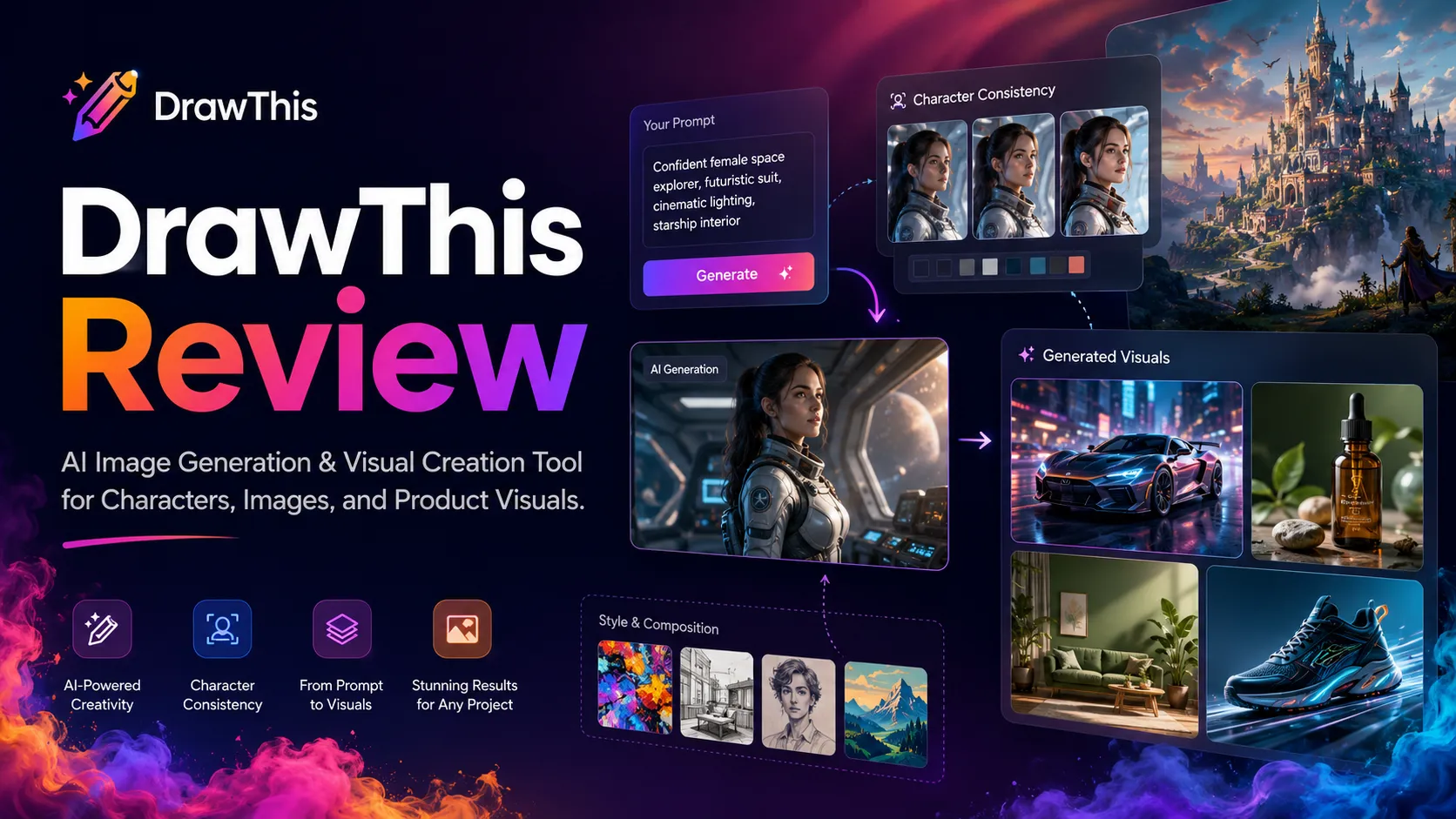
DrawThis is worth considering if you need a simple way to turn prompts into recurring visual assets, but I would not judge it only by the polished examples on the homepage.
The real buying question is narrower: will you use enough generated images each month to justify a credit-based creative workflow?
That is where DrawThis becomes interesting. It is not trying to be a full design suite with brand approval systems, layered source files, and team governance. It is closer to a fast AI image creation tool for creators, marketers, founders, and small business owners who want social graphics, thumbnails, story visuals, product concepts, portraits, or campaign ideas without opening a heavier design stack.
The strongest reason to test DrawThis is the combination of prompt-to-image generation, style control, prompt improvement, light editing, Character Mode, watermark-free exports, and commercial-use rights on the visible Pro plan. The caution is pricing and fit. The public pricing page presents DrawThis Pro at a lower monthly-looking number when billed yearly, and the plan uses monthly image credits. That means the headline price is only useful after you understand your real output volume.
My safer take: consider DrawThis if recurring image generation is already part of your work. Slow down if you are buying because of a seasonal offer, a pretty gallery, or the hope that one tool will replace design judgment.
Next step: If DrawThis still fits your creative workflow, verify the current plan, billing interval, and credit allowance before checkout.
Review snapshot
| Review point | Practical take |
|---|---|
| Best for | Creators, marketers, founders, and small businesses that need repeated AI image concepts |
| Not ideal for | Design teams that need source files, strict brand systems, approvals, or enterprise controls |
| Main use case | Prompt-based image generation for social visuals, thumbnails, character ideas, marketing concepts, and light creative assets |
| Pricing note | Pro is publicly shown at $19/month when billed yearly at $228/year |
| Credit model | 1,000 image credits per month are listed for the visible Pro plan |
| Free plan / trial | No clear public free plan or free trial was confirmed on the current pricing page |
| Main strength | Simple creative workflow with styles, prompt improvement, editing, and commercial-use signals |
| Main concern | Annual billing, credit consumption, refund clarity, and coming-soon features need verification |
| Direct creative alternatives | Aitubo and ArtSmart AI are more direct creative-generation comparisons |
| Adjacent routes | Broader design or workflow tools may help later, but they are not exact replacements |
| Best next step | Test the workflow idea first, then verify checkout and credit math |
What is DrawThis?
DrawThis is an AI image generation tool from the Aivolut product family. Its current public positioning is simple: describe an image idea, choose a style, generate options, refine the result, and export visuals for social media, products, NFTs, portraits, storytelling, or marketing assets.
That makes it a creative-generation tool first.
It is not a full design platform. It is not a replacement for a brand designer. It is not the tool I would choose first if a team needs templates, approvals, asset libraries, client feedback, layered files, or production-ready brand governance.
The buyer mistake here is assuming that “AI image generator” means the same thing in every product. Some tools are built for high-control art generation. Some are built for brand design. Some are built for video. DrawThis appears more focused on quick prompt-based visuals, character-style workflows, and easier image creation for non-designers.
Our review approach: we compare public product pages, visible pricing details, terms, buyer workflow fit, creative alternatives, and checkout-risk signals. We do not treat a coupon, seasonal sale, or low monthly-looking price as proof that a product fits the buyer.
My confidence is strongest around DrawThis’s product role and public Pro-plan details. I am more cautious around refund certainty, monthly checkout variation, and long-term value because those can change faster than editorial copy.
Who should use DrawThis?
DrawThis makes the most sense for buyers who can name a repeated image task before paying.
A creator publishing on social platforms may use it for thumbnails, quote-card backgrounds, campaign visuals, character concepts, or quick image ideas. The fit is strongest when the creator needs many options and does not want to spend time configuring a more technical image model.
A marketer may use DrawThis for early-stage visual direction. That could mean testing ad concepts, campaign moods, product-image ideas, blog illustrations, or visual hooks before sending the strongest direction to a designer. The tool is more believable as a concept engine than as a final brand-approval system.
A founder or small business owner may use it when visual speed matters more than production polish. If you need quick product concept images, simple promotional visuals, or rough creative directions, DrawThis can reduce the blank-page problem.
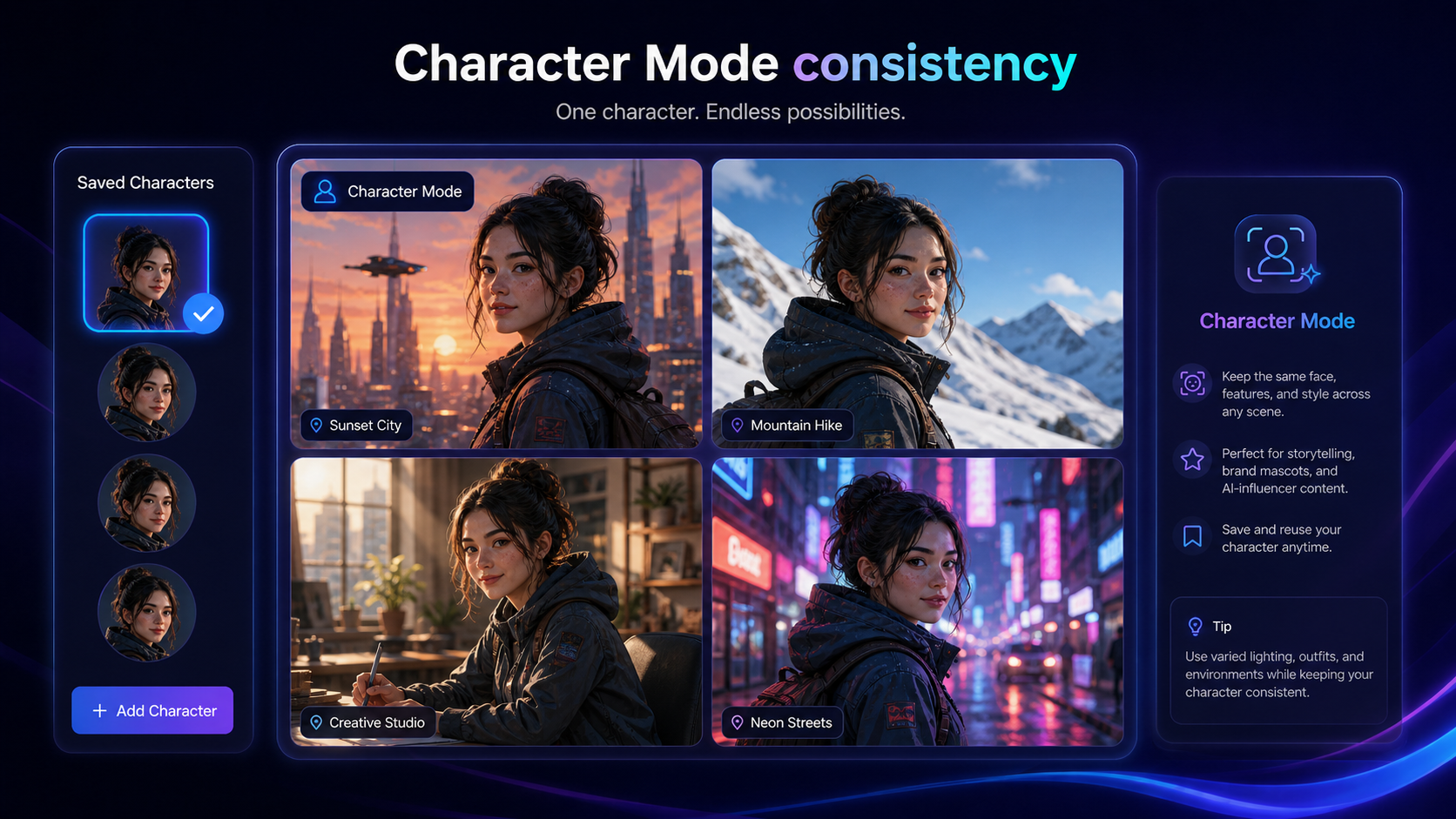
A storyteller, author, or character-driven creator may care about Character Mode. The public page says buyers can create and save up to five unique characters and reuse them across projects. That is more specific than generic image generation and could matter for mascots, AI influencers, recurring story visuals, or serialized content ideas.
A buyer who values commercial-use signals may also consider it. The visible Pro-plan feature list includes watermark-free exports and commercial use rights for created artwork. That does not remove the need for human review, but it is a meaningful buyer checkpoint.
Who should avoid DrawThis?
I would avoid DrawThis if you only need one or two images. A monthly or yearly image-generation subscription can look cheap until you realize you do not have a recurring visual workflow.
I would also be careful if your real need is professional design production. DrawThis can help create visual concepts, but design teams usually need more: layered files, brand systems, reusable templates, team approvals, asset management, and tighter control over final layouts.
E-commerce buyers should slow down if Product Mode is the main reason they are interested. The current public page presents Product Mode as coming soon. That does not mean it will not be useful later. It means buyers should not make the purchase around that feature unless the live app confirms it is available.
Teams that need API access, workspace administration, or enterprise controls should also verify carefully. Those are not clearly presented as core public selling points in the current DrawThis page.
Finally, I would not buy just because a discount path appears. A current offer can improve a good purchase, but it cannot make an unused creative workflow valuable.
How DrawThis fits into a real workflow
A practical DrawThis workflow should start before the prompt box.
The buyer should first define the image job: social graphic, thumbnail, blog visual, campaign concept, product mock idea, recurring character, or story asset. Then the workflow becomes much clearer.
A realistic process looks like this:
- Decide the asset type before opening the tool.
- Write a prompt that includes the subject, style, format, and intended use.
- Use style controls or prompt improvement to sharpen the direction.
- Generate multiple options.
- Compare the useful outputs against the rejected ones.
- Edit or refine the strongest result.
- Review the image for brand fit, quality, likeness risk, and commercial context.
- Export only the visuals that can survive human review.
That last step matters.
AI image tools are good at making something quickly. They are not always good at knowing whether the result fits your brand, avoids awkward visual details, or supports the buyer’s actual campaign goal.
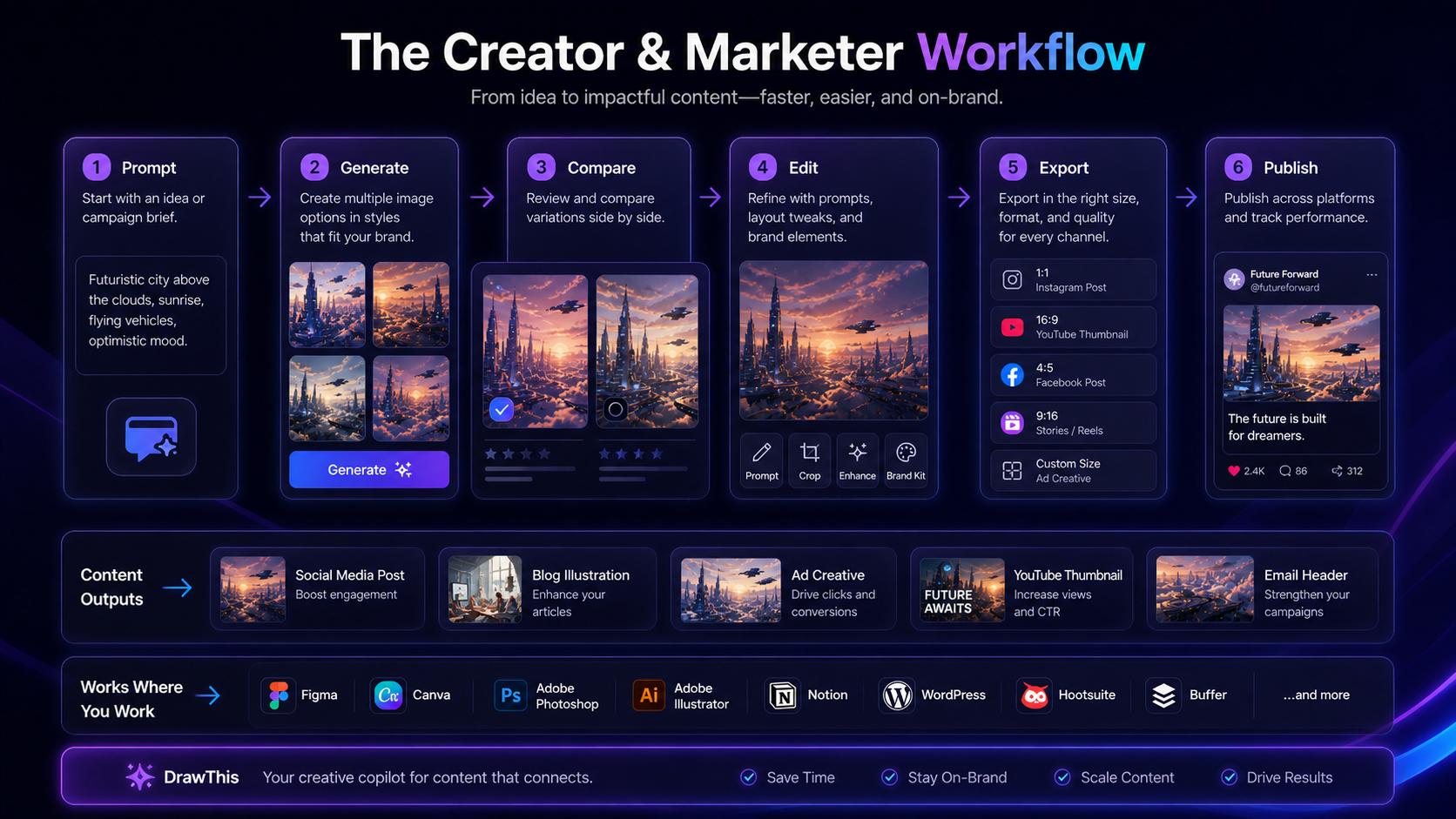
Workflow check: If you already know the image types you need each month, DrawThis is easier to evaluate. If the image use case is still vague, read the store guide before choosing a plan.
Real-world buyer scenarios
A solo creator making social visuals
A solo creator may use DrawThis to generate post backgrounds, thumbnail concepts, carousel visuals, or character-led content ideas. The tool fits if the creator needs many visual drafts and can accept that not every output will be publishable.
The risk is overestimating quality from gallery examples. A creator should test ordinary prompts, not only cinematic prompts, because real content work often starts with messy ideas and time pressure.
A marketer testing campaign directions
A marketer might use DrawThis before the design stage. Instead of waiting for a designer to produce several rough concepts, the marketer can explore mood, subject, style, and visual angle quickly.
This is useful when DrawThis helps narrow direction. It becomes weaker when the marketer expects it to produce final, brand-approved assets without review.
A founder creating early product visuals
A founder may use DrawThis for pitch visuals, early landing-page imagery, ad concept drafts, or rough product storytelling. This can be helpful when the goal is speed.
The buyer check is simple: do the outputs make your product look clearer, or do they create more cleanup work?
A storyteller building recurring characters
Character Mode is one of the more interesting public features because it points toward consistency. If a buyer wants mascots, AI influencer concepts, comic-style imagery, or recurring story assets, this is a feature worth testing.
The risk is expecting perfect continuity. Even with a character-focused feature, the buyer should review whether faces, outfits, poses, and style stay consistent enough for the intended project.
Key features that actually matter
Prompt-to-image generation
The core feature is the ability to describe a character, scene, product shot, or creative idea and receive multiple visual options.
This matters when a buyer needs visual iteration faster than manual design. It matters less when the buyer needs precise layout control or brand-system consistency.
Buyer note: test prompts that look like your real workload. Demo prompts usually make image tools look better than deadline-driven content prompts.
Prompt improver
DrawThis publicly highlights a prompt improver that enhances and polishes prompts for creative image generation.
This can help non-designers who know what they want but struggle to describe it. It may also help marketers turn rough campaign language into more image-friendly directions.
Buyer note: a prompt improver is only valuable if it moves the image closer to your intended use. Do not judge it by whether the output looks impressive in isolation.
Style controls and custom art styles
Style control is a practical part of AI image work. A creator making social visuals may want a different style from a founder making product concepts or an author building story visuals.
DrawThis’s style angle is useful if it reduces repeated prompting and helps maintain a recognizable visual direction.
Buyer note: check whether the style options support your actual content category, not just fantasy, portrait, or gallery-friendly examples.
Integrated editor
The public page mentions cropping and text overlays inside DrawThis. That matters because exporting an image and opening another tool for basic finishing work can slow down a simple creative workflow.
The integrated editor should be treated as light refinement, not as a full design production environment.
Buyer note: if your work requires complex layout, multiple artboards, brand templates, or client approval, compare DrawThis with adjacent design workflow tools instead of expecting the editor to do everything.
Character Mode
Character Mode is more specific than generic image generation. The public page says users can create and save up to five unique characters and use them across projects.
That can matter for recurring creative identity: mascots, stories, AI influencers, serialized posts, or campaign characters.
Buyer note: test consistency. A character feature is valuable only if the visual identity remains usable across enough generations to support a real project.
Commercial-use and watermark-free signals
The visible Pro plan includes watermark-free exports and commercial use rights for created artwork. Those are important signals for buyers who want images for marketing, social, products, or business use.
Buyer note: commercial-use wording does not replace legal and brand review. Check the current terms, the plan selected, and whether your image use involves likeness, trademarks, sensitive subjects, or client restrictions.
Pricing and plan value
The current DrawThis public pricing page shows DrawThis Pro at $19 per month when billed yearly at $228 per year, with a 35% savings message. The same pricing block lists 1,000 image credits per month, with 4 to 8 images or credits per prompt, plus fast mode, watermark-free exports, a variety of artistic tools, and commercial-use rights.
That is the cleanest official pricing signal.
The part I would check carefully is the billing rhythm. A lower monthly-looking price tied to annual billing is not the same as a low-risk monthly plan. If you are unsure about output quality, image volume, or long-term use, the yearly commitment deserves extra caution.
The credit model matters just as much as the price. A 1,000-credit allowance may feel generous if you generate a few polished batches each week. It can feel tighter if you experiment heavily, create many variations, or need several rejected generations before one usable image.
I would also be cautious with older third-party pricing references. Some public deal pages and directory snapshots may mention different monthly or lifetime-style routes. Those can be useful clues, but the current pricing page and final checkout should be treated as the buyer’s source of truth.
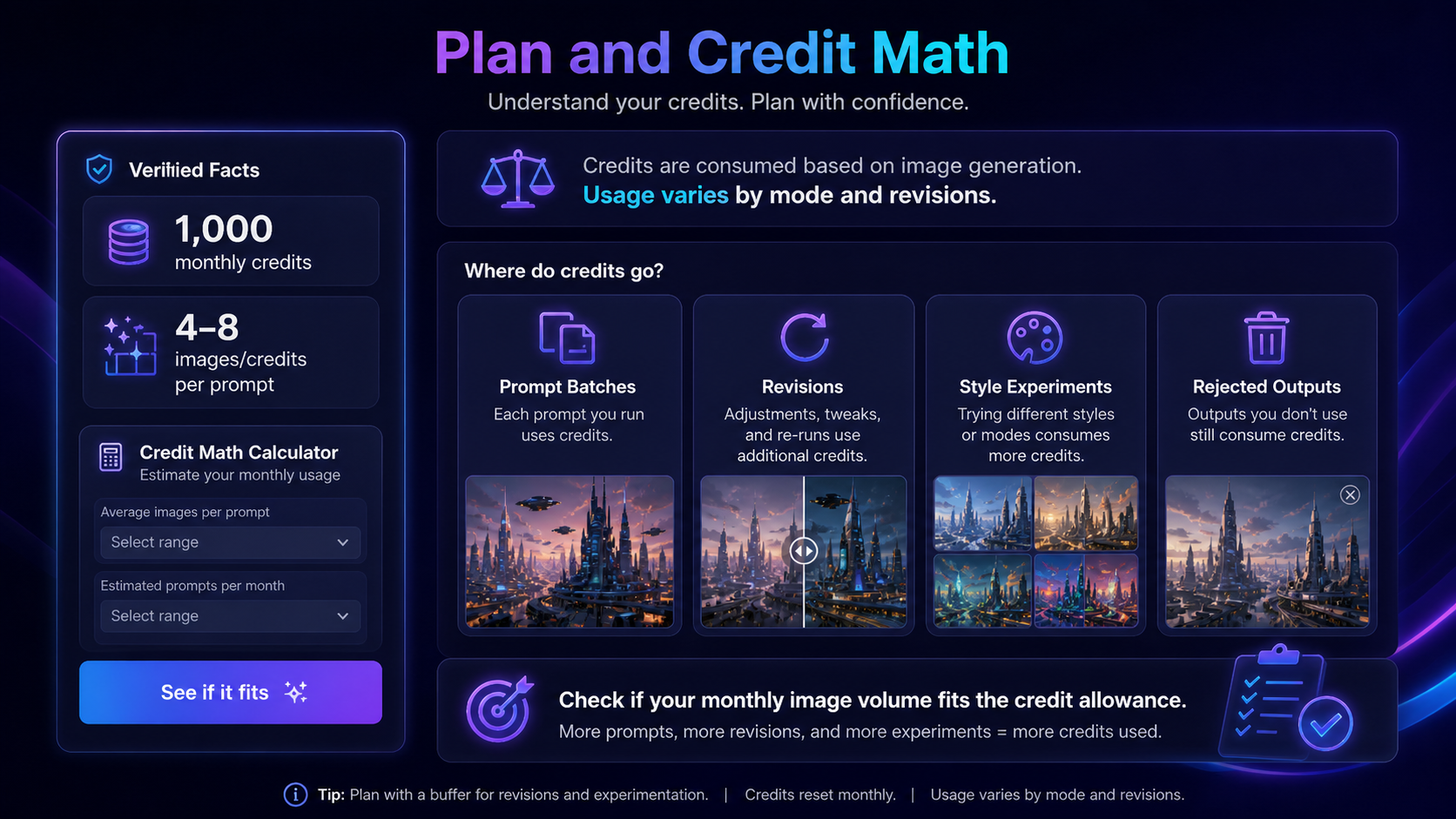
Pricing check: Before choosing DrawThis Pro, compare the yearly charge, current checkout result, credit allowance, and how many images you expect to generate each month.
Check DrawThis pricing Check current offers Read store guide
Free plan, trial, coupon, and checkout notes
A clear public free plan or free trial was not confirmed on the current DrawThis pricing page during this review pass. That changes how I would approach the purchase.
If there is no obvious free test path, the buyer should be more disciplined before paying. Decide the exact image task. Estimate the number of images needed each month. Check the annual total. Look at the current checkout screen. Then decide whether the tool is likely to earn back the cost through saved time or better creative output.
DrawThis’s public page may show a seasonal offer or official coupon path. In a review article, the safe approach is not to publish or rely on a specific checkout code. Codes and seasonal messages can change. The better wording is this: check the DrawThis coupon page only after the creative workflow makes sense.
The refund side also deserves attention. The Aivolut terms page is available, but a DrawThis-specific refund window was not clearly confirmed in the public terms during this review. That does not mean a refund is impossible. It means buyers should not assume refund protection unless the checkout, terms, or support response clearly confirms it.
Checkout order: First decide whether DrawThis fits a repeated image workflow. Then verify live pricing, annual billing, and any current offer before entering payment details.
What I would check before buying DrawThis
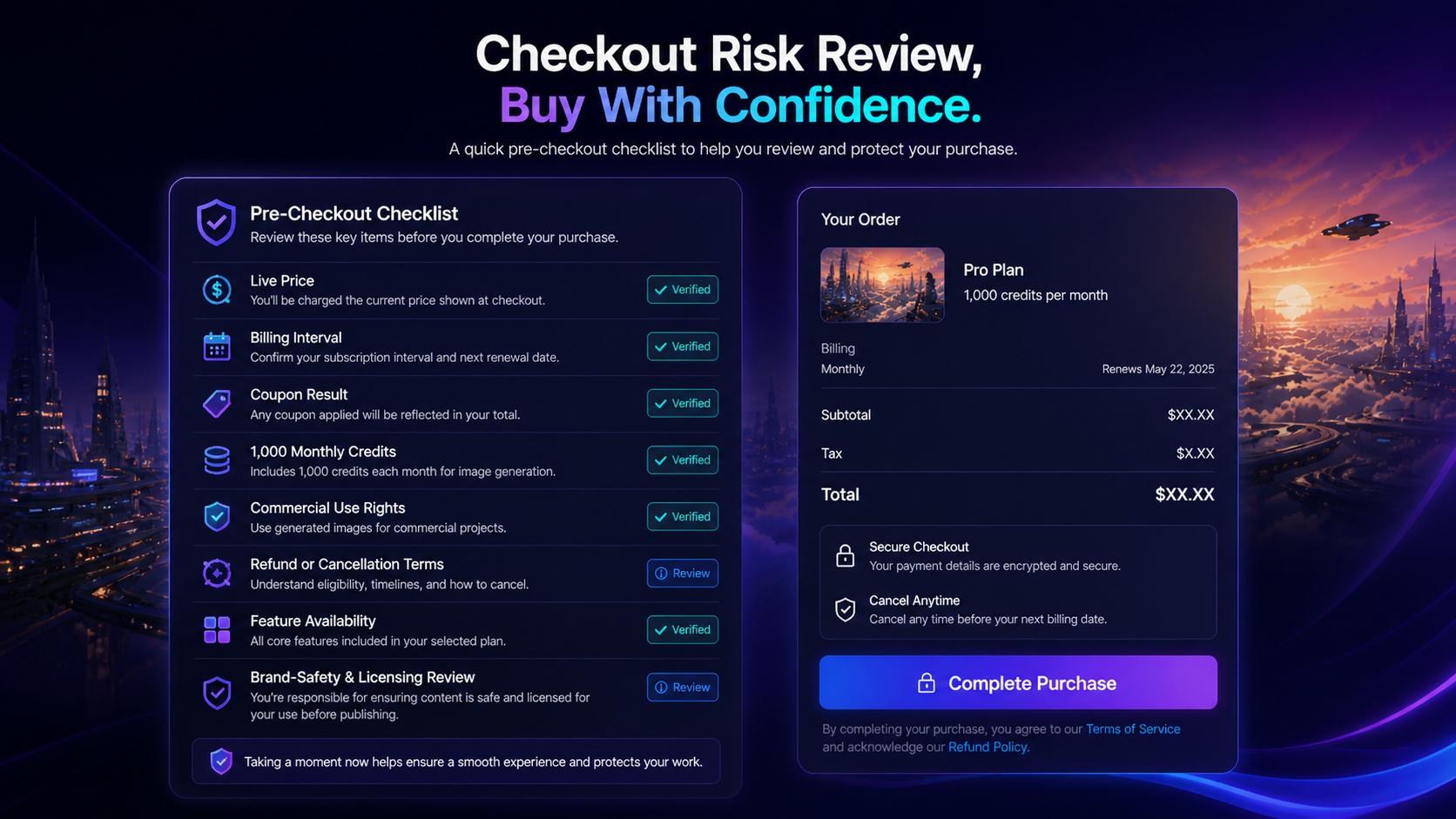
If I were buying DrawThis for a real creative workflow, I would check seven things before paying.
First, I would confirm the billing interval. The visible $19/month figure is tied to yearly billing, so the annual charge matters more than the monthly-looking number.
Second, I would estimate image volume. How many social visuals, thumbnails, product concepts, or character assets do you realistically create each month? Then add room for rejected images.
Third, I would test whether 1,000 credits is enough for your workflow. The important number is not the credit allowance alone. It is how quickly credits disappear after style experiments and revisions.
Fourth, I would verify commercial-use rights on the exact plan selected. The public page lists commercial-use rights, but buyers should still confirm that the selected plan and current terms match the intended use.
Fifth, I would check whether Product Mode is live if that is important to you. The current page presents it as coming soon.
Sixth, I would review refund and cancellation language before annual billing. If refund clarity is weak, I would be more careful about long commitments.
Seventh, I would compare at least two direct creative alternatives before deciding. DrawThis may be simpler, but a broader AI image tool may be a better fit if you need more control, model variety, or editing depth.
A simple test before paying
Before paying for DrawThis, I would run a small decision test like this:
- Write down five real image tasks you need this month.
- Include at least one practical marketing image, one social visual, and one style-specific creative concept.
- Estimate how many variations you usually need before one image is usable.
- Check whether the public Pro-plan credit allowance would cover that normal volume.
- Review whether the outputs need another design tool before publishing.
- Compare DrawThis against at least one direct creative-generation alternative.
- Only then decide whether annual billing makes sense.
This test is intentionally basic. A tool like DrawThis should not be evaluated by a perfect prompt. It should be evaluated by your normal messy creative work.
Pros explained
The workflow is simple enough for non-designers
DrawThis’s main appeal is simplicity. The public workflow is imagine, click, create: describe the image, choose a style, generate options, then refine and export.
That matters for creators and marketers who do not want to manage model settings, complicated prompt syntax, or a full design workspace.
The limit is control. Simplicity is useful when speed matters. It is weaker when the buyer needs precise layout, exact brand consistency, or professional design handoff.
Character Mode gives recurring visual projects a reason to test
Character Mode makes DrawThis more interesting for story-driven buyers. A generic image generator can be useful for one-off visuals, but recurring characters can support mascots, serialized posts, AI influencer concepts, and story assets.
The buyer check is consistency. A recurring character workflow is only valuable if the tool keeps the identity stable enough across projects.
Commercial-use and watermark-free exports are meaningful buyer signals
For marketing and business users, watermark-free exports and commercial-use rights matter. They make DrawThis easier to evaluate as a practical tool rather than a hobby generator.
That said, commercial-use language does not remove the need to review image quality, rights concerns, likeness issues, or brand safety.
Prompt improvement and light editing reduce workflow friction
Prompt improvement can help buyers who know the idea but struggle to write a strong image prompt. Integrated editing can also reduce small finishing steps.
This is valuable when it keeps the buyer inside one workflow. It stops being enough when the work needs advanced composition, reusable templates, or approval-ready design files.
Cons explained
The yearly billing presentation needs attention
The visible low monthly figure is tied to yearly billing. That can be fine if DrawThis becomes part of a recurring workflow. It is risky if the buyer is still experimenting.
I would not move to annual billing unless the image use case is clear and the expected monthly volume is realistic.
No clear free plan or trial was confirmed on the current pricing page
Without a clear free plan or trial, buyers have less room to test quality before payment. That makes the pre-purchase workflow check more important.
If DrawThis adds or changes a trial path later, the live checkout should be treated as the latest source.
Credit usage can be easy to underestimate
AI image generation often involves failed attempts, style experiments, and several almost-right outputs. That means the plan’s 1,000 monthly credits should be tested against normal behavior, not best-case behavior.
A buyer who generates heavily may find the plan more limited than it first looks.
Product Mode should not drive the purchase yet
The current public page presents Product Mode as coming soon. E-commerce buyers should not buy DrawThis mainly for that feature unless the live product confirms availability.
For now, judge DrawThis on the features that are clearly presented: prompt-to-image generation, style control, prompt improvement, editing, Character Mode, and export rights.
Green flags and red flags
Green flags:
- You already create recurring visual assets every month.
- You can name the exact image tasks DrawThis would support.
- You value speed, simple prompting, and style exploration more than advanced design control.
- Character consistency matters for your content or campaign ideas.
- The annual total still looks reasonable after estimating credit usage.
Red flags:
- You only need one or two images.
- You are mainly interested because of a seasonal offer.
- You expect a full design system with approvals and source files.
- You need Product Mode today but cannot confirm it is live.
- You cannot find clear refund or cancellation terms for your comfort level.
DrawThis vs alternatives
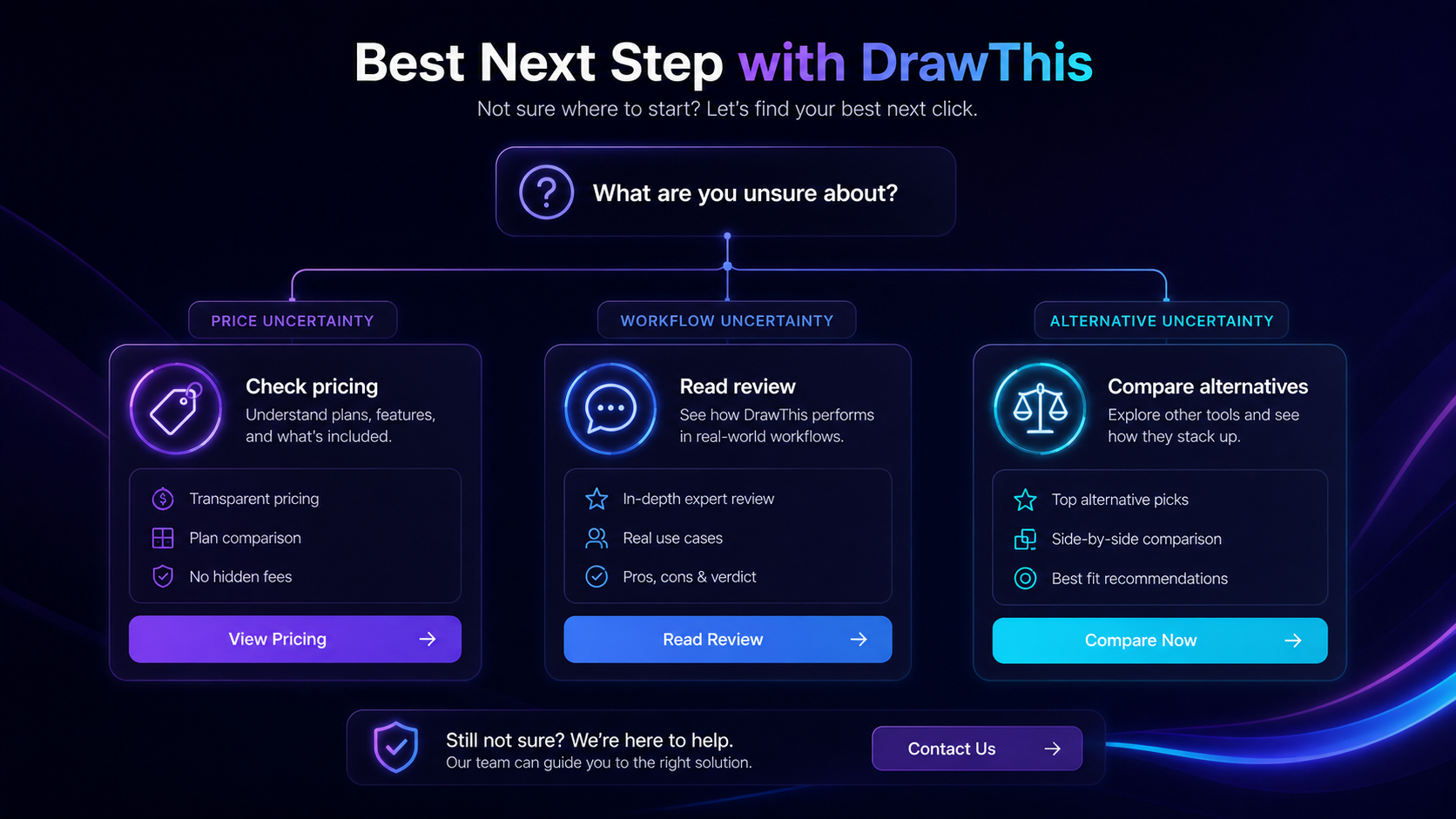
DrawThis belongs in the AI image and creative-generation comparison set. The important part is not to compare it with every design-related tool as if all of them solve the same job.
Aitubo vs DrawThis
Aitubo is the more direct comparison if the buyer wants broader AI image or creative-generation options. It may be a better fit for users who want a wider creative toolkit or different output controls.
DrawThis may still make sense if simplicity is the priority: fast prompt-based images, style experimentation, Character Mode, and a clear Pro-plan credit allowance.
If you are still comparing creative generators, read the Aitubo store guide before treating DrawThis as the default choice.
ArtSmart AI vs DrawThis
ArtSmart AI is another direct creative-generation route for buyers who want an AI image tool with a more established credit and image-workflow positioning. It may be a stronger comparison if you want to compare image-generation value, plan limits, and output options side by side.
DrawThis may be more appealing when the buyer wants a simpler creator-focused workflow with prompt improvement, style choice, and character reuse.
For a deeper image-generator comparison, read the ArtSmart AI review if that route is part of your decision path.
1of10 vs DrawThis
1of10 is better treated as a comparison route rather than a clean one-to-one DrawThis replacement unless the buyer’s job is broader than image generation. If the buyer is evaluating a different AI design workflow, it can be worth opening in another tab.
DrawThis is the clearer fit when the job is prompt-based visual creation. 1of10 may become relevant if the buyer wants to compare creative productivity, design workflow, or a different type of AI-assisted asset process.
BrandBird vs DrawThis
BrandBird is an adjacent design workflow route, not a direct AI image-generation alternative. It makes more sense when the buyer already has screenshots or visual assets and wants to create polished mockups, social graphics, or product-style presentation images.
DrawThis starts earlier in the creative process: generating the image itself from a prompt. BrandBird is more useful after you already have something to present.
Canva, Adobe, and broader design ecosystems
Canva or Adobe-style workflows should not be treated as direct DrawThis alternatives unless the buyer wants broader design production. They can be better for templates, team collaboration, brand kits, layout, approvals, and multi-format publishing.
DrawThis is narrower: image generation and creative exploration. That narrowness can be good if it matches the job. It can be limiting if the buyer actually needs a complete design operation.
Trust, refund, and buyer-risk notes
The trust picture for DrawThis is mixed but workable.
On the positive side, the current public page gives clear product positioning, visible Pro-plan pricing, credit details, watermark-free exports, and commercial-use signals. Aivolut also identifies DrawThis as part of its broader product family.
The weaker side is buyer-risk clarity. A DrawThis-specific refund window was not clearly confirmed from the public terms during this pass. The current page also does not clearly present a free plan, free trial, API access, or team administration as central buying points.
That means the safe purchase process is conservative:
- verify the current pricing page;
- check the final checkout screen;
- confirm annual billing before paying;
- review terms and refund language;
- check whether the desired feature is live;
- keep a human review step for brand safety, likeness, and commercial use.
The evidence is enough to understand what DrawThis is trying to be. It is not enough to skip checkout diligence.
Final verdict
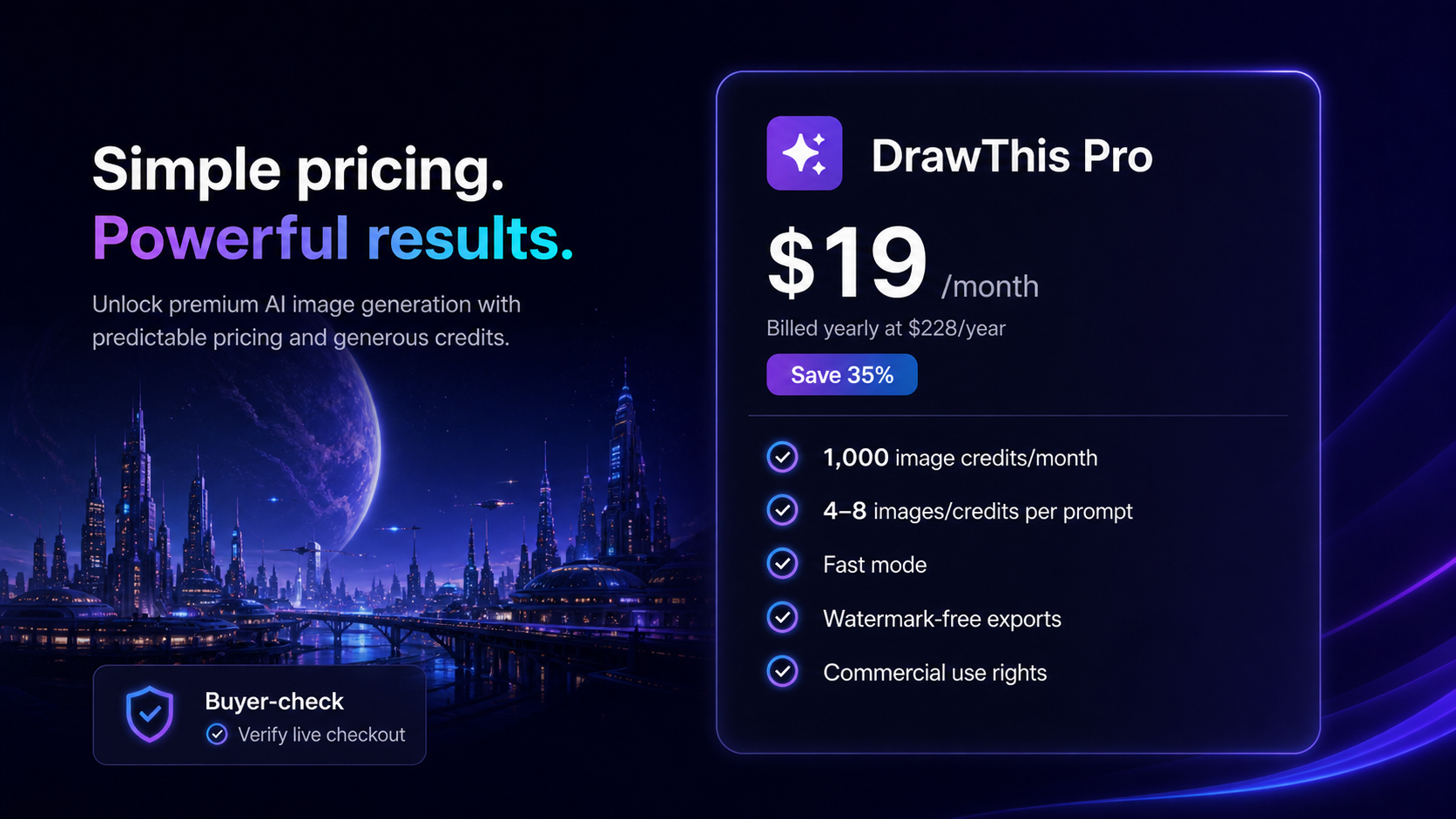
I would consider DrawThis if you regularly need prompt-based images for social posts, thumbnails, campaign concepts, character visuals, or lightweight marketing assets. It makes the most sense when you value speed, simple creative direction, style exploration, and recurring image generation more than deep design control.
I would skip it if you only need occasional images, need professional source files, require team approval workflows, or are buying mainly because a seasonal offer appears on the page.
I would compare it with Aitubo or ArtSmart AI if your main question is creative-generation quality and plan value. I would compare it with adjacent design tools only if your real need extends beyond image generation into templates, mockups, brand systems, or production design.
The safest next step is to define your monthly image workload first. Then check DrawThis’s current pricing, credit allowance, commercial-use language, and checkout terms. If the workflow still fits after that, DrawThis is worth a closer look. If the use case still feels vague, the better move is to compare direct creative alternatives before paying.
