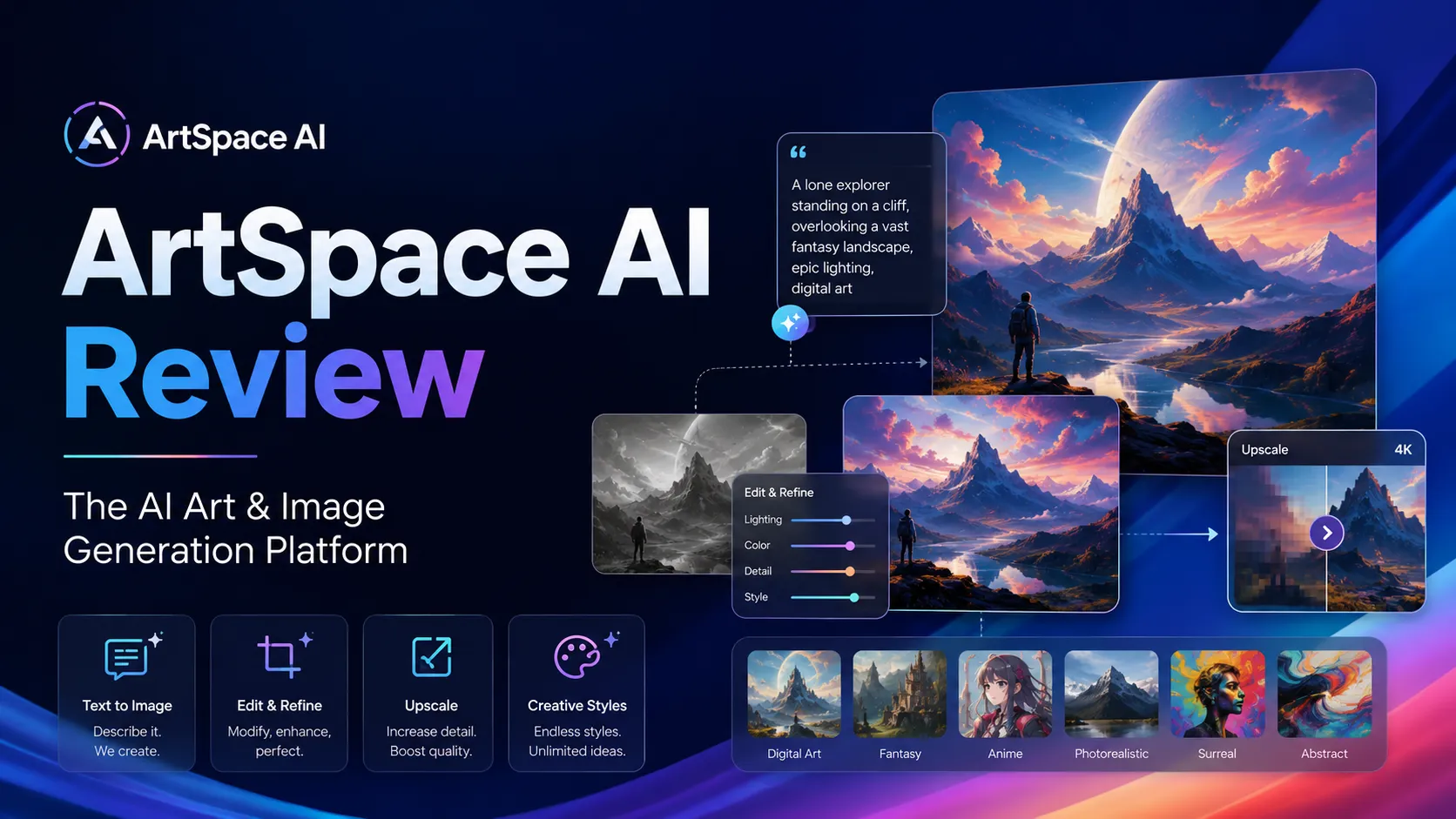
Quick verdict
ArtSpace.ai is worth considering if you want a lower-friction AI image workspace for prompts, image cleanup, face-swap style edits, and upscaling — but I would not judge it by the lifetime deal alone.
That is the buying trap here.
A one-time price can make an AI image tool look like an obvious bargain. But the real question is more practical: can ArtSpace.ai create the kind of images you actually need, often enough, with little enough cleanup, that the plan becomes part of your real creative workflow?
For creators, small marketers, hobby artists, and solo business owners, ArtSpace.ai has a believable fit. It keeps the workflow in the browser, avoids a Discord-first experience, and bundles generation with supporting image tools. Public feedback also leans positive around ease of use, updates, and value. That is a useful signal, not a final verdict.
The caution is pricing and output fit. The official pricing page and the official lifetime page should both be checked live, because third-party pricing references can lag behind what the product currently shows. I would also read the refund conditions before assuming a lifetime purchase is risk-free.
The safest next step is simple: look at the ArtSpace.ai store guide for the buyer route, then test the product with your own image style before treating the coupon or lifetime offer as the main reason to buy.
Next step: If ArtSpace.ai still sounds like a fit, check the live buyer route before choosing monthly or lifetime access.
Review snapshot
| Review point | Practical take |
|---|---|
| Best for | Creators, marketers, solo business owners, and hobby artists who want AI image generation plus light editing tools |
| Not ideal for | Teams needing strict brand controls, approval workflows, API automation, or advanced design collaboration |
| Main use case | Turning prompts into image concepts, then refining strong outputs with editing and upscaling |
| Pricing note | Official pricing and third-party pricing references can differ, so verify the live monthly and lifetime pages |
| Lifetime deal | Potentially attractive for repeat users, risky for buyers who have not tested output quality |
| Main strength | Browser-based image generation plus adjacent creative tools in one place |
| Main concern | Prompt skill, output consistency, refund conditions, and commercial-use review still matter |
| Direct alternatives | ArtSmart.ai and OpenArt |
| Adjacent alternatives | Aitubo for image-plus-video workflows; ProfilePicture.AI for avatar-specific needs |
| Best next step | Test realistic prompts before paying upfront for lifetime access |
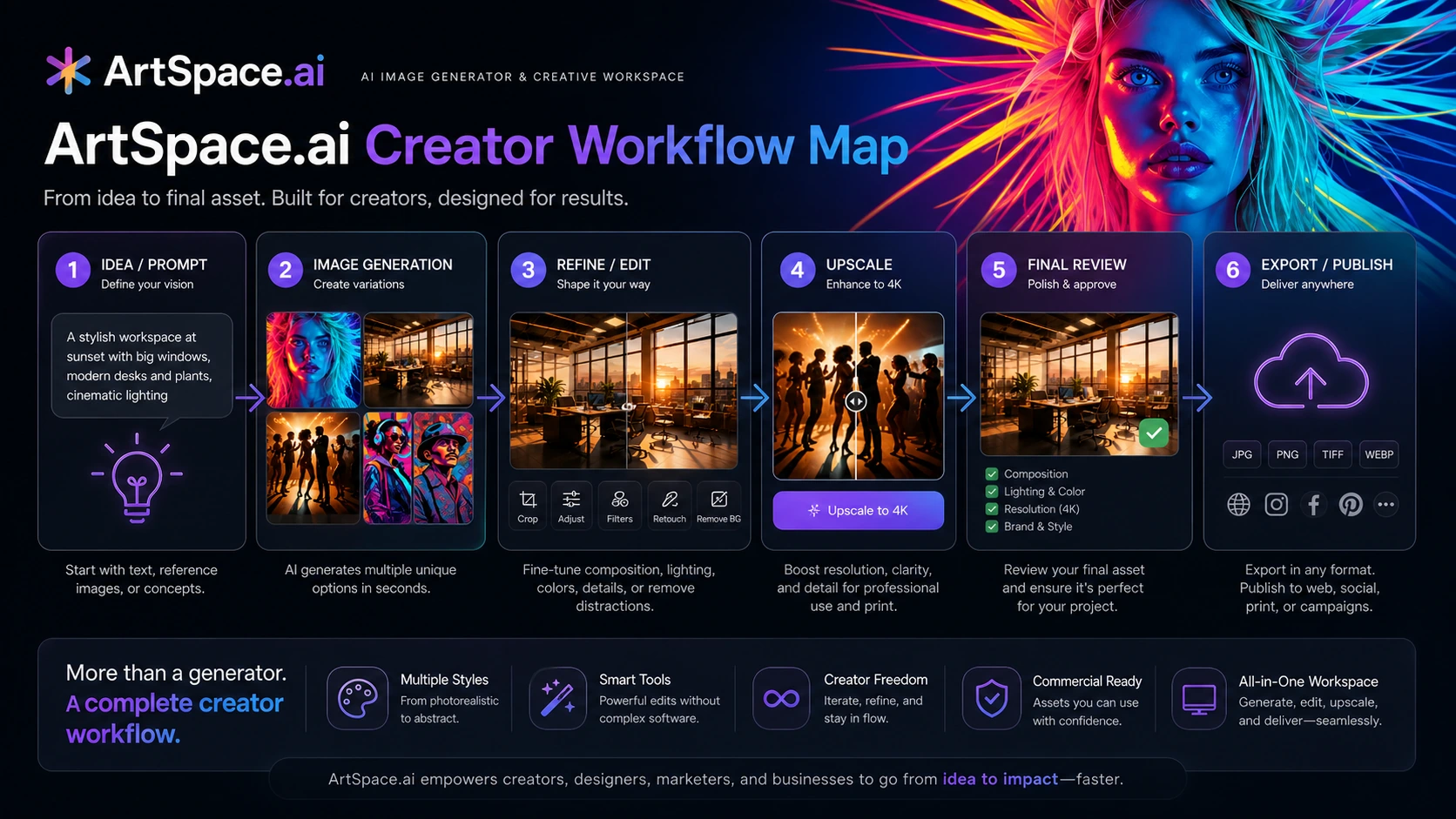
What is ArtSpace.ai?
ArtSpace.ai is best understood as a browser-based AI image generation and image editing workspace for people who want to create visual assets from prompts without building a technical workflow around models, servers, or separate editing tools.
The basic job is straightforward: enter an idea, generate images, refine the best outputs, and use supporting tools such as editing, background work, face-swap style changes, and upscaling when the first result is close but not finished. That makes ArtSpace.ai more than a plain text-to-image prompt box, but less than a full professional design suite.
That distinction matters.
A designer using Photoshop, Canva, Figma, or a larger creative stack may see ArtSpace.ai as a source of fast visual directions. A solo creator may see it as a cheaper way to generate thumbnails, concept art, social images, or stylized visuals. A hobby artist may enjoy the prompt experimentation itself. But if the buyer expects every generated result to be final, brand-safe, legally simple, and ready for commercial publication without review, the tool will feel weaker than the sales page makes it look.
Our review approach compares public product pages, pricing details, terms, buyer workflow fit, user feedback patterns, and nearby alternatives. We do not treat a coupon, lifetime deal, or low monthly price as proof that a product fits the buyer. With AI image tools, the more important question is whether the output and editing workflow hold up with your own prompts.
Who should use ArtSpace.ai?
ArtSpace.ai makes the most sense for creators who need a repeatable way to generate visual ideas. If you create thumbnails, social posts, blog visuals, mood boards, fictional scenes, character concepts, or ad direction drafts, the product can give you a faster first pass than starting from a blank canvas.
It also fits small marketers who want to test several creative angles before sending the best direction into manual design polish. In that workflow, ArtSpace.ai is not replacing the designer. It is helping the marketer move from “I need an image idea” to “these three directions are worth refining.”
Solo business owners may find it useful if they regularly need simple visuals but cannot justify a larger creative subscription. The lifetime route is especially tempting for this group, although I would still test the workflow before paying upfront.
Hobby artists and digital experimenters are another natural fit. ArtSpace.ai appears strongest when the buyer enjoys trying prompts, comparing styles, editing the good outputs, and learning the quirks of the system. The tool becomes less attractive if you dislike iteration.
Finally, buyers who do not want a Discord-first image generator may prefer ArtSpace.ai’s browser-based approach. Some people enjoy Midjourney-style community workflows. Others simply want a product interface where generation, editing, and exporting feel more contained.
Who should avoid ArtSpace.ai?
I would be careful with ArtSpace.ai if you only need one or two images. A lifetime deal can make a casual purchase feel smart, but occasional users often overpay for tools they barely open after the first week.
I would also avoid treating it as a full design department replacement. AI image generation can speed up ideation, but brand fit, composition, text accuracy, usage rights, and final polish still need human review. If your work goes into paid ads, product packaging, client campaigns, or public brand assets, you should inspect every output carefully.
Teams needing governance should slow down as well. ArtSpace.ai may work for individuals and small creative workflows, but the public information I reviewed did not make it look like the strongest first choice for admin controls, approval routing, brand asset management, or large-team collaboration.
Developers and automation-heavy buyers should also be cautious. I would not assume API access, automated production pipelines, or enterprise integration depth unless the current product page or support team confirms it directly.
And if you are buying only because of a coupon path, stop. A discount can lower the price. It cannot prove that ArtSpace.ai will produce images that match your style, brand, or publishing needs.
How ArtSpace.ai fits into a real workflow
A good ArtSpace.ai workflow starts before the prompt.
The buyer should first define the image job: thumbnail, ad concept, illustration idea, product-style visual, character pose, background, or social post image. That framing matters because a vague prompt usually produces a vague result.
Then comes generation. This is where ArtSpace.ai can save time. Instead of waiting for a designer to build ten rough directions, a creator can generate several visual routes quickly. The useful output is not always the first image. It is often the third, fourth, or fifth direction that reveals what the final asset could become.
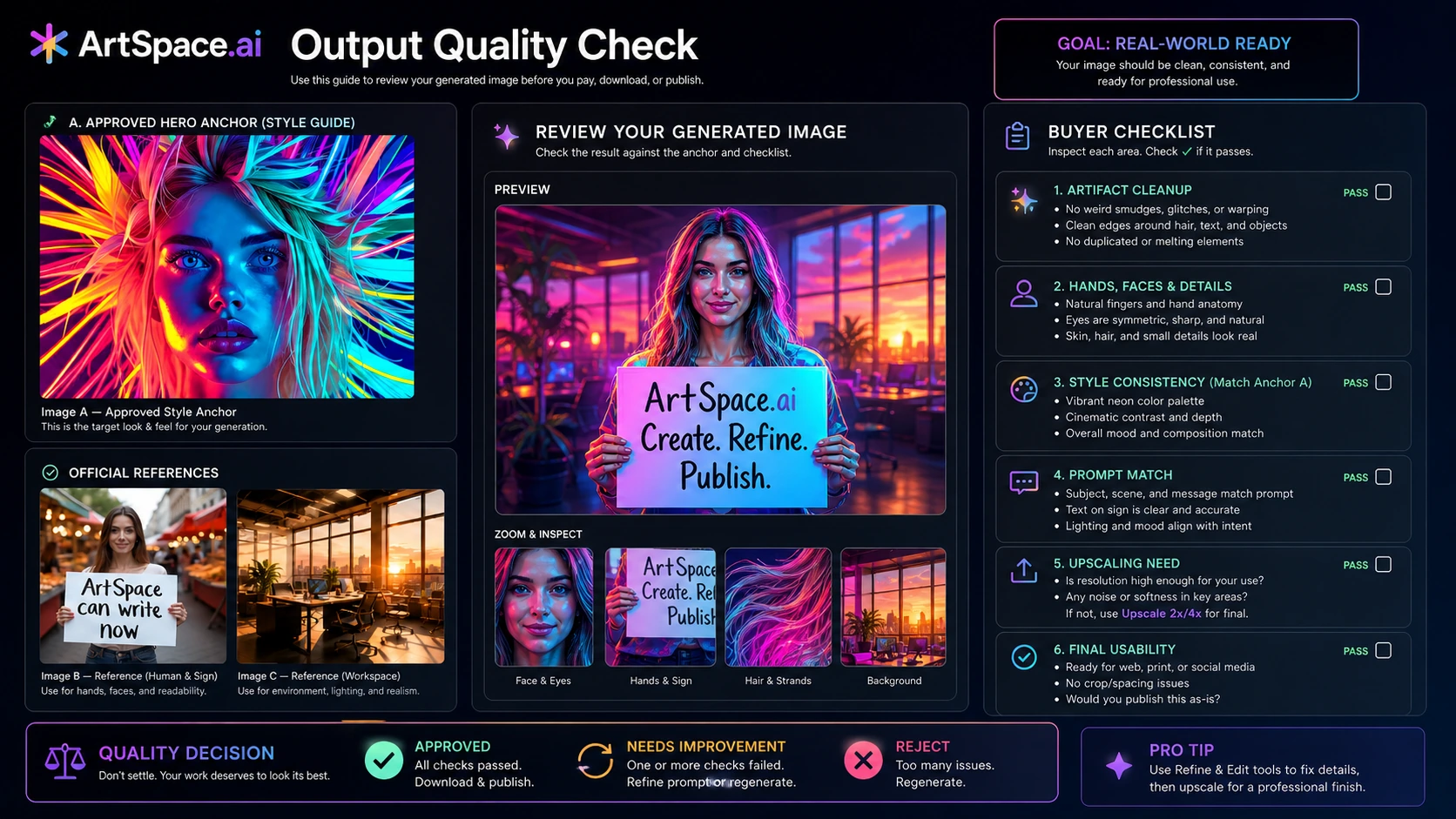
After generation, the review step matters. Look at faces, hands, text, object details, lighting, brand fit, and consistency. If the image is close, editing and upscaling may help. If the image is fundamentally wrong, the tool has not saved much time yet.
The final step is human approval. For personal projects, that may be simple. For commercial projects, it should include rights language, brand safety, likeness concerns, and whether the final image needs manual design polish.
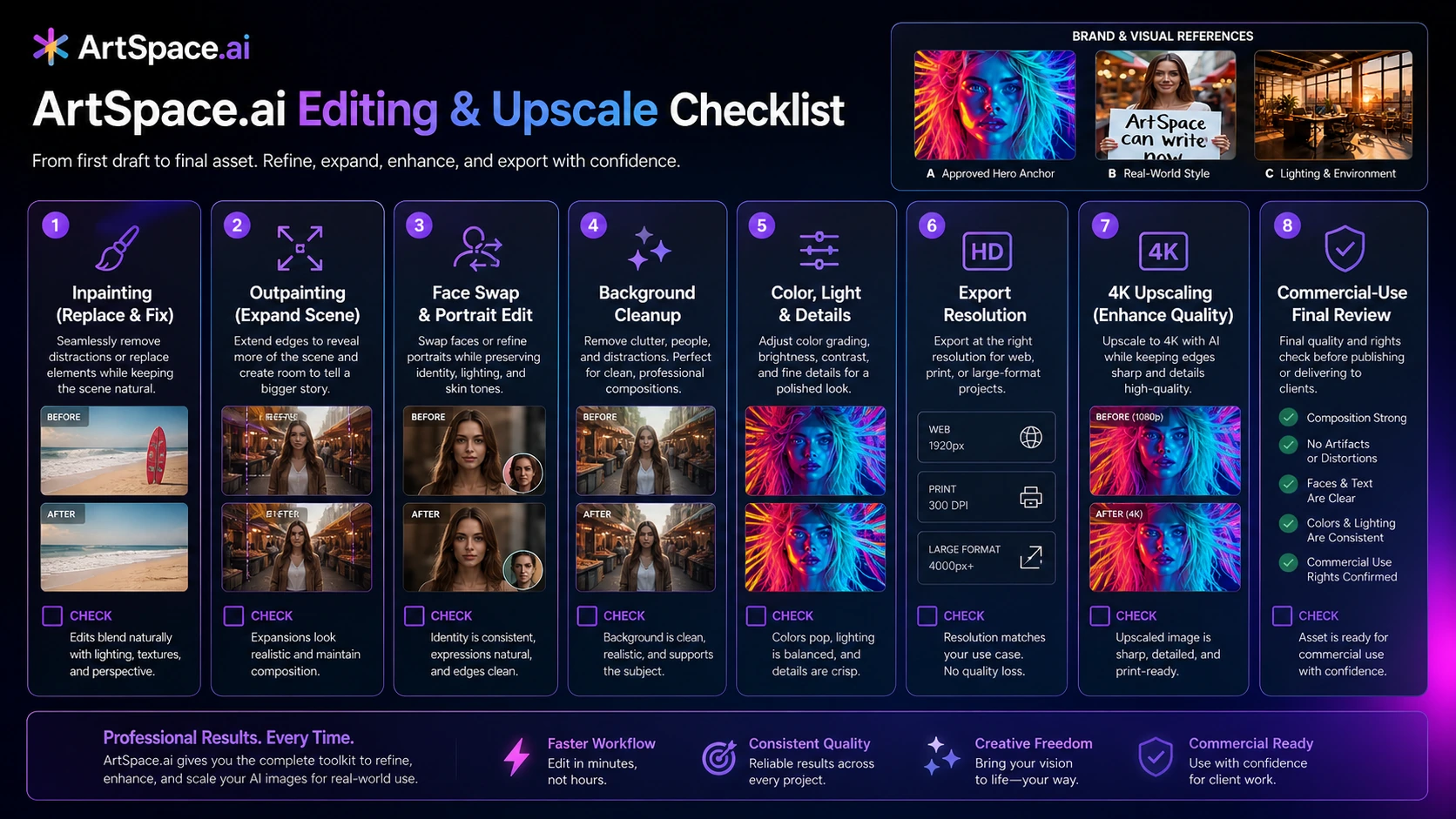
Workflow test: Before comparing discounts, test ArtSpace.ai with the exact image type you would use in a real project.
Real-world buyer scenarios
A creator making thumbnails and social visuals
A YouTuber, blogger, or social creator may use ArtSpace.ai to create rough visual concepts quickly. This is a sensible fit if the creator needs many ideas and can choose only the strongest outputs.
The failure point is overtrusting the first result. If the tool produces visuals that look interesting but do not match the creator’s audience, editing time can erase the benefit.
A small marketer testing campaign directions
A small marketing team can use ArtSpace.ai for concept exploration: mood boards, ad visuals, landing page hero ideas, or seasonal creative. In this role, ArtSpace.ai is a brainstorming tool more than a final asset engine.
The team should verify commercial-use language and review every image before using it in campaigns. AI-generated visuals can create awkward details that are easy to miss when you are moving fast.
A hobby artist exploring styles
For hobby artists, ArtSpace.ai can be fun and productive. The lifetime route may make sense if the buyer expects to keep exploring prompts, styles, and editing tools over time.
The caution is patience. Public feedback often praises the product, but even positive users mention prompt work and refinement. A buyer who wants instant perfect art may end up frustrated.
A design team with strict brand standards
A professional design team may still find ArtSpace.ai useful for ideation, but I would not treat it as the main production environment without testing. The more strict the brand system, the more you need review, consistency, asset control, and manual polish.
In that case, ArtSpace.ai may be a supporting tool rather than the center of the workflow.
Key features that actually matter
Text-to-image generation
The core feature is prompt-based image creation. This is where ArtSpace.ai must prove itself. If it cannot produce images near your desired style, the rest of the feature list matters less.
The buyer note is simple: do not test the tool with fantasy prompts you will never use. Test your actual content type. If you need product-style visuals, test product-style prompts. If you need characters, test character consistency. If you need social images, test the formats and moods you publish most often.
Image editing and cleanup tools
Editing features matter because AI image generation rarely ends with the first output. Inpainting, outpainting, background work, face-related edits, and other cleanup tools can reduce the need to move between multiple products.
This is useful when the generated image is already close. It is less useful when the original image is weak. Editing tools should improve strong candidates, not rescue every poor generation.
4K upscaling
Upscaling is valuable for creators who want higher-resolution outputs for posts, banners, presentations, or print-adjacent drafts. But upscaling should not be confused with quality control.
A higher-resolution bad image is still a bad image. Before treating upscaling as a reason to buy, check whether the upscaled result preserves faces, textures, edges, and important details well enough for your publishing channel.
Browser-based workflow
ArtSpace.ai’s web-based experience is part of the appeal. Not every buyer wants to work in Discord, manage model settings, or stitch together several tools just to create and refine an image.
A simpler workflow can be a real advantage for beginners and non-technical creators. The tradeoff is control. Buyers who want deeper model tuning, advanced creative systems, or highly specific professional workflows may prefer a different tool.
Lifetime access path
The lifetime offer is one of the main reasons buyers notice ArtSpace.ai. For frequent creators, paying once can look better than another monthly subscription.
I would still treat lifetime access as a value calculation, not a bargain reflex. It only makes sense if you expect repeat usage, trust the product direction, understand the refund conditions, and have tested enough outputs to know the tool belongs in your workflow.
Pricing and plan value
ArtSpace.ai has a pricing decision that needs extra attention.
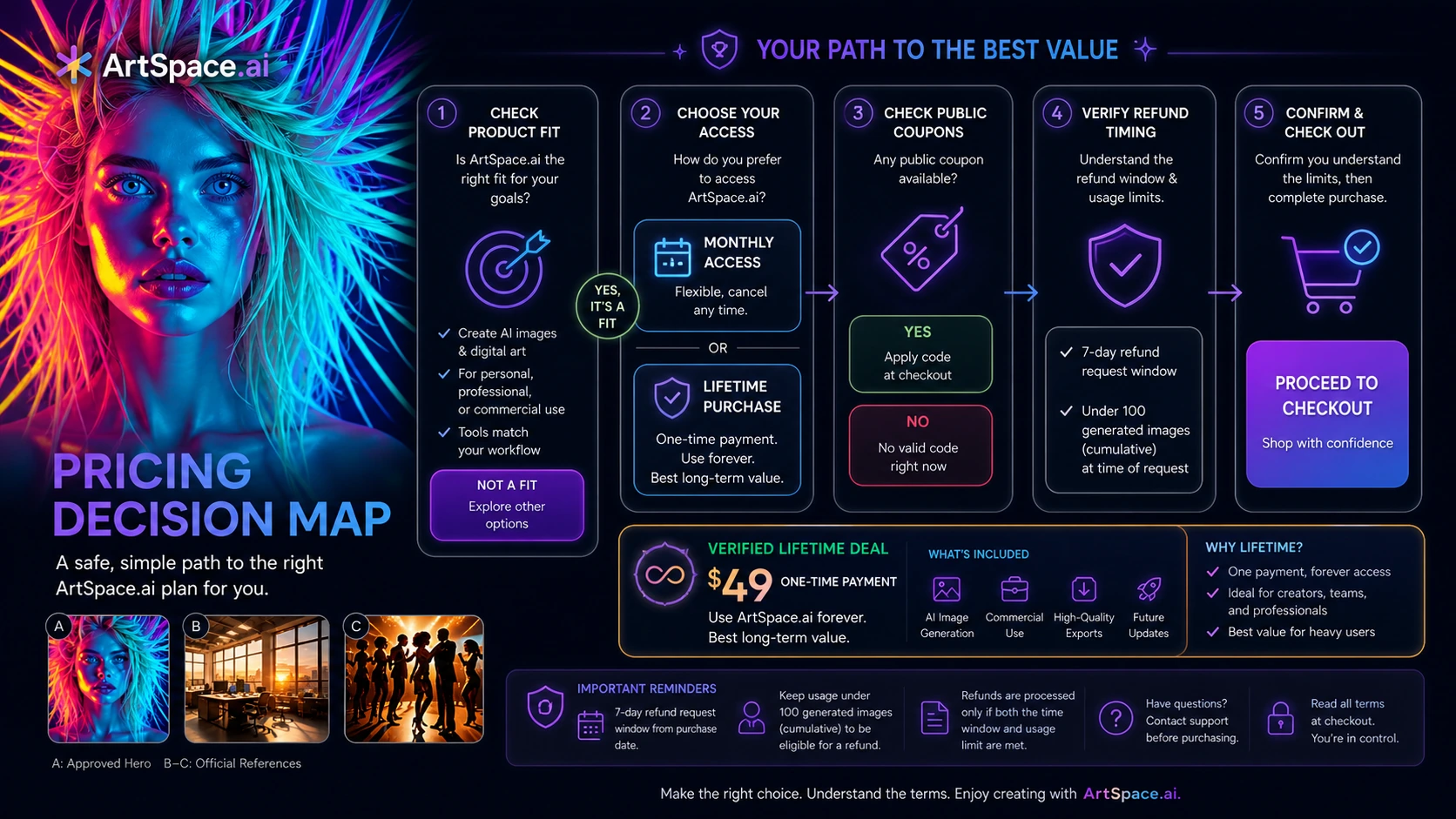
At the time of this review, the official pricing page showed monthly plans starting at $9/month, while the official lifetime page promoted lifetime access starting at $49. Some third-party pricing references still mention lower monthly entry prices. That mismatch is exactly why I would not rely on old review pages, directory listings, or screenshots when deciding what to pay.
Use the live official pricing page and live checkout as the source of truth.
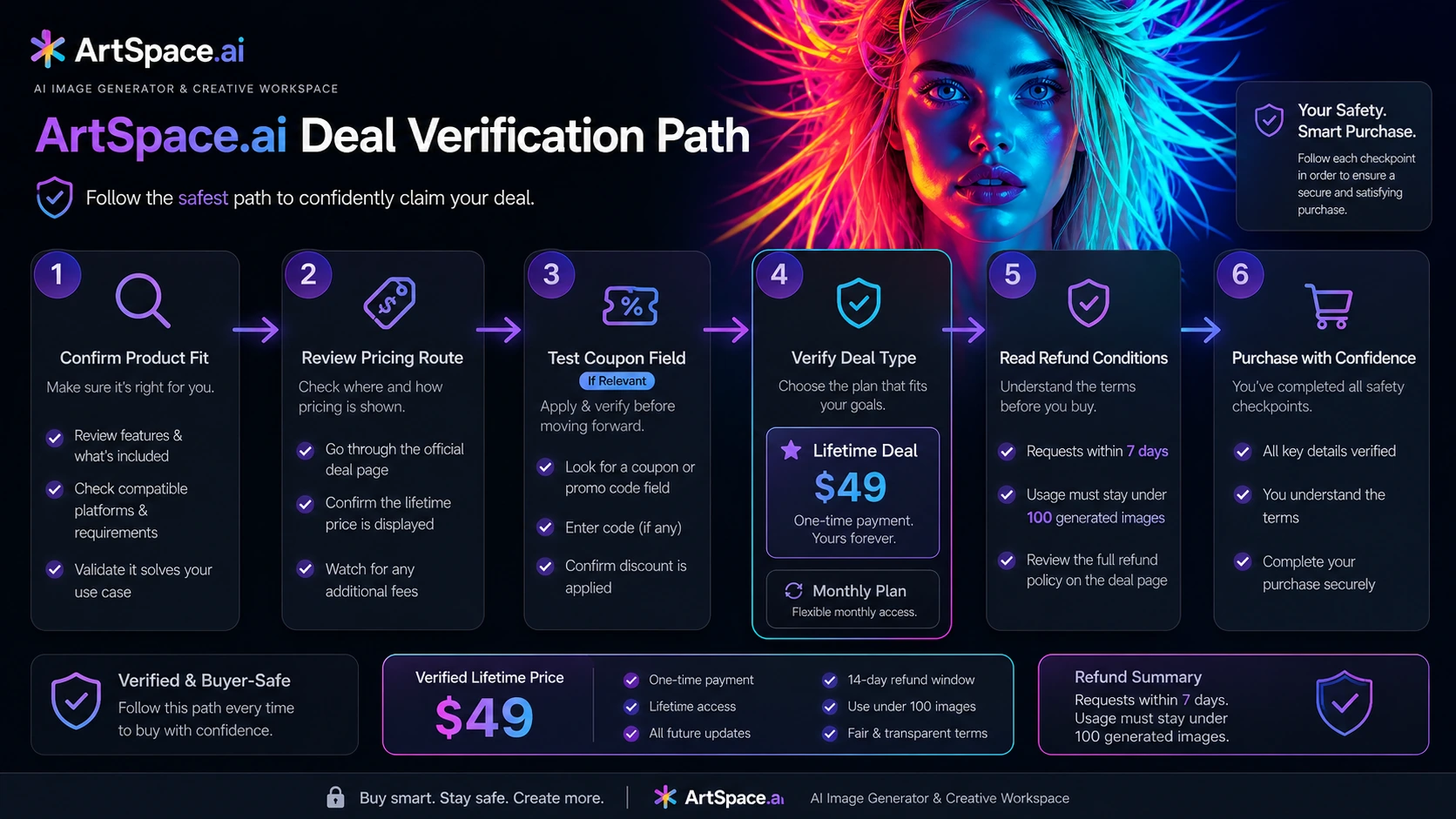
The monthly path is the safer first step if you are still unsure about output quality. It gives you a cleaner way to test whether ArtSpace.ai can produce the types of images you need without committing to the larger lifetime decision.
The lifetime path can be attractive if you already know you will generate images regularly. The math becomes better when ArtSpace.ai replaces multiple small subscriptions or becomes part of your weekly creative workflow. It becomes weaker if you buy it because the discount feels dramatic but only use the product a few times.
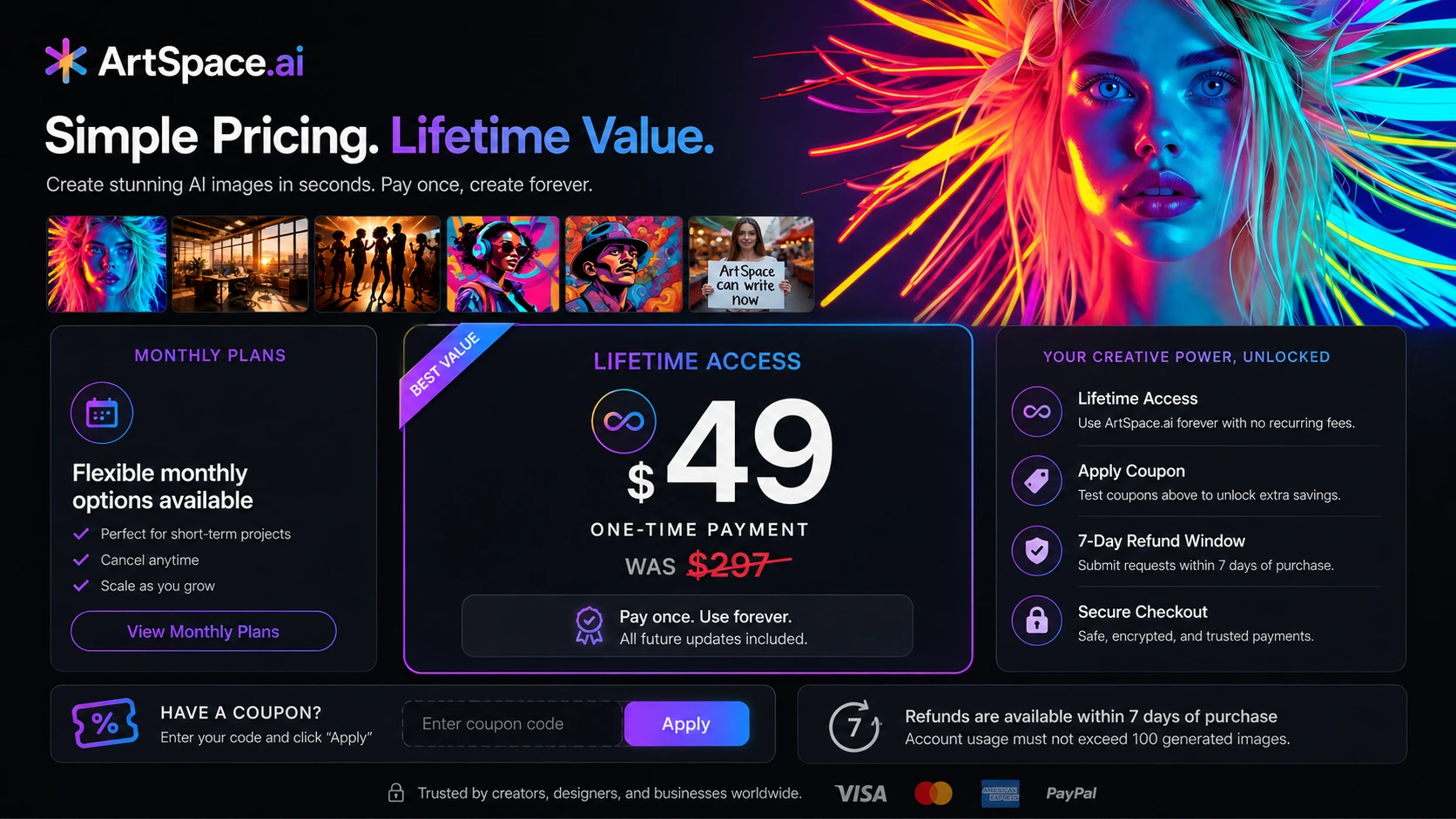
Pricing check: Compare the current monthly page and lifetime page before you decide whether ArtSpace.ai is a short test or a long-term creative tool.
Check ArtSpace.ai pricing Check current offers Read pricing notes
Free plan, trial, coupon, and checkout notes
I would not treat ArtSpace.ai as a free-plan-first tool unless the current pricing page clearly shows a free route when you check it. Public information around AI image tools can shift quickly, and older references are not reliable enough for a buyer decision.
The coupon path is useful, but it should come late in the process. First decide whether ArtSpace.ai fits your image workflow. Then compare monthly pricing with lifetime access. Then read the refund conditions. Only after that should you test current offers or checkout code paths.
The refund note matters because the lifetime page and terms describe a 7-day guarantee with conditions, including image-generation limits in the lifetime-page wording. A buyer should not assume every plan, add-on, discount, or heavy-use test will qualify the same way.
The safe checkout order is:
- Test realistic prompts.
- Compare output quality with your actual creative needs.
- Open monthly pricing and lifetime access in separate tabs.
- Read refund and cancellation language.
- Try the coupon path only if the product already fits.
- Save the receipt and support details after purchase.
That may feel slower than clicking a discount button. It is also how you avoid buying a tool because the checkout page felt exciting.
What I would check before buying ArtSpace.ai
If I were buying ArtSpace.ai for a real creative workflow, I would check seven things before paying.
First, I would check the current official monthly pricing page. The public pricing picture has changed enough that the live page matters more than old references.
Second, I would check the official lifetime page. Lifetime access can be a strong value, but only if the terms, limits, and upgrade expectations match the way you plan to use the product.
Third, I would run realistic prompts. Not “a cyberpunk cat in neon rain” unless that is actually your work. I would test the exact image type I need: thumbnails, product visuals, illustrations, character concepts, social ads, or brand-style graphics.
Fourth, I would inspect the cleanup time. If every decent image still needs heavy fixing somewhere else, the tool may not save as much time as it appears.
Fifth, I would check commercial-use language. This is especially important for ads, client work, products, and public campaigns.
Sixth, I would read refund conditions before checkout. I would not rely on a general “money-back” impression without checking the current limits.
Seventh, I would compare direct alternatives. If ArtSpace.ai does not fit, ArtSmart.ai and OpenArt are more direct comparisons than unrelated general content tools.
A simple test before paying
Before buying ArtSpace.ai, I would run a small test like this:
- Choose three image jobs you actually need this month.
- Write two or three prompts for each job.
- Generate multiple options instead of judging one lucky result.
- Pick the best outputs and try the editing tools on them.
- Upscale at least one image and inspect the details closely.
- Compare the final result with what you could create in your current workflow.
- Decide whether monthly testing or lifetime access matches your real usage.
The goal is not to prove that ArtSpace.ai can make impressive images. Most AI image tools can do that sometimes.
The goal is to learn whether ArtSpace.ai can produce the kinds of images you would actually publish, often enough, with a reasonable amount of cleanup.
That is the difference between a fun tool and a useful tool.
Pros explained
The first major pro is the all-in-one creative workflow. ArtSpace.ai is more appealing when you treat generation, editing, and upscaling as connected steps. If you only need one prompt box, there are many options. If you want a simpler creative workspace, ArtSpace.ai becomes more interesting.
The second pro is accessibility. A browser-based interface is easier for many buyers than a community-driven or technical setup. Beginners and non-technical creators may value that more than advanced controls.
The third pro is the lifetime route. For repeat creators, a one-time buying path can reduce subscription fatigue. This matters in a world where every creative tool wants a monthly payment.
The fourth pro is public user sentiment. Trustpilot feedback is strongly positive overall, with many reviewers praising ease of use, value, updates, and support. I would not treat reviews as proof of fit, but they are a useful signal that the product is not just a hollow landing page.
The fifth pro is creative breadth. Text-to-image, editing, face-related tools, and upscaling give buyers more than a single generation flow. That breadth is valuable when the buyer wants a toolbox, not only an image model.
Cons explained
The first con is pricing clarity. The official pricing page, official lifetime page, and older third-party references do not always tell the same story. That does not make the product bad, but it does mean buyers should verify the live checkout instead of relying on old articles.
The second con is output unpredictability. AI image tools can produce excellent results one moment and awkward details the next. Faces, hands, text, brand details, and visual consistency still need review.
The third con is lifetime-deal psychology. A lifetime offer can make buyers feel like they are saving money before they have confirmed real usage. If you will not use the tool often, a lifetime deal is not a bargain. It is shelfware.
The fourth con is limited team fit. ArtSpace.ai looks more natural for individuals and small creators than teams that need approval workflows, brand governance, admin controls, or production handoff systems.
The fifth con is commercial-use caution. AI image generation can be useful for commercial work, but buyers should still check usage terms, likeness issues, and final asset quality before using outputs in serious campaigns.
Green flags and red flags
Green flag: You create images every week and need faster creative exploration.
Green flag: You prefer a browser-based workflow over Discord-first or technical image-generation setups.
Green flag: You are willing to test prompts and refine outputs rather than expecting a perfect first generation.
Green flag: The lifetime route remains attractive after you compare it with real monthly image needs.
Red flag: You are buying only because the discount looks large.
Red flag: You need strict brand approval, team management, or advanced production workflows.
Red flag: You expect AI-generated images to be publication-ready without review.
Red flag: You have not read the current refund conditions before choosing a lifetime plan.
ArtSpace.ai vs alternatives
ArtSmart.ai vs ArtSpace.ai
ArtSmart.ai is a more direct comparison if your main need is AI image generation for marketing assets, product-style visuals, or creative outputs that need a more commercial angle.
ArtSpace.ai may still make sense if the lifetime route, simpler workflow, and bundled editing tools are more important to you than comparing model-by-model output control.
The tradeoff is value versus fit. Do not choose only by price. Choose by which tool produces images closer to your real use case.
OpenArt vs ArtSpace.ai
OpenArt is worth comparing if you want broader creative exploration, model variety, and a more art-community-driven AI image workflow.
ArtSpace.ai may feel easier for buyers who want a contained web tool with a clear lifetime path. OpenArt may be stronger if you want a richer creative ecosystem and more experimentation around styles.
The tradeoff is simplicity versus exploration depth.
Aitubo vs ArtSpace.ai
Aitubo is an adjacent route, not a perfect one-to-one replacement. It is more relevant if your creative workflow includes both AI image and video generation.
ArtSpace.ai is the cleaner comparison when your main job is still-image creation and editing. Aitubo becomes more interesting when motion, video, or broader generative media matters.
The tradeoff is still-image focus versus broader media generation.
ProfilePicture.AI vs ArtSpace.ai
ProfilePicture.AI is narrower. It makes more sense if the buyer’s job is simply creating avatar, profile, or portrait-style images.
ArtSpace.ai is broader and more flexible. That breadth is useful for creators, but it can also be more tool than you need if your only goal is a profile picture.
The tradeoff is focus versus versatility.
Canva and Picsart as adjacent design routes
G2 lists broad design and content platforms such as Canva and Picsart among Artspace alternatives. I would treat these as adjacent design routes, not direct AI-art replacements.
They may be better if your main need is design layout, templates, brand kits, or editing inside a broader publishing workflow. ArtSpace.ai is more relevant when the starting point is AI image creation itself.
Trust, refund, and buyer-risk notes
My confidence is strongest around ArtSpace.ai’s product role: it is clearly positioned around AI image generation, editing, and upscaling for creators. I am more cautious around the best buying path because monthly pricing, lifetime promotions, coupon paths, and refund terms can change faster than review content.
The refund point deserves special attention. Public ArtSpace.ai pages describe a 7-day guarantee, and the lifetime page adds conditions around usage volume. That is helpful, but buyers should still read the live terms before paying. A refund policy is only useful if your purchase and usage stay inside the current conditions.
Privacy and commercial use also matter. If you are uploading reference images, using faces, working on client projects, or generating visuals for ads, read the privacy and terms pages before assuming everything is safe for every use.
Support feedback appears positive in many public reviews, but I would not make a strong support promise from reviews alone. Support quality can vary by issue, timing, and plan.
The biggest buyer risk is not that ArtSpace.ai is useless. The bigger risk is buying lifetime access before proving that your own prompts, editing needs, and image volume justify the upfront purchase.
Final verdict
I would consider ArtSpace.ai if you create AI images regularly, want a browser-based creative workspace, and are willing to test prompts, edit outputs, and review final assets before publishing.
I would be more cautious if you are mainly attracted by the lifetime discount. A one-time price can be appealing, but it does not prove long-term value. The tool has to earn a place in your actual creative routine.
I would skip ArtSpace.ai if you need team governance, advanced design collaboration, API-driven production, or guaranteed brand-perfect outputs. In that case, compare direct image-generation tools and broader design platforms before paying.
The safest path is to test your own image jobs first, then compare monthly pricing with lifetime access, then read the refund conditions, and only then check the current coupon route. That order protects your money better than starting with the discount.
