
ArtSmart AI Pricing & Creative Workflow Fit
ArtSmart AI is an AI image generation platform for buyers who need visual content from prompts rather than a full design suite. It is most relevant for marketers, creators, ecommerce operators, and small teams that want text-to-image generation, image editing, prompt styles, pose tools, upscaling, background removal, community inspiration, and API access in one visual workflow.

Fit → price → checkout
Use these routes after the official-site check: coupon first, review for fit, compare if unsure.
ArtSmart AI pricing snapshot
Fast commercial checks before pricing, coupons, or a deeper review.
ArtSmart AI product tour for creative workflow buyers
The product tour video is useful for buyers who need to see the creative workflow before comparing plans. Watch for the practical loop: choosing a prompt, using styles or modes, generating images, and deciding whether the result quality is strong enough for marketing or content work. This matters because ArtSmart AI is only a good buy if the buyer can turn credits into usable visuals, not just interesting experiments.
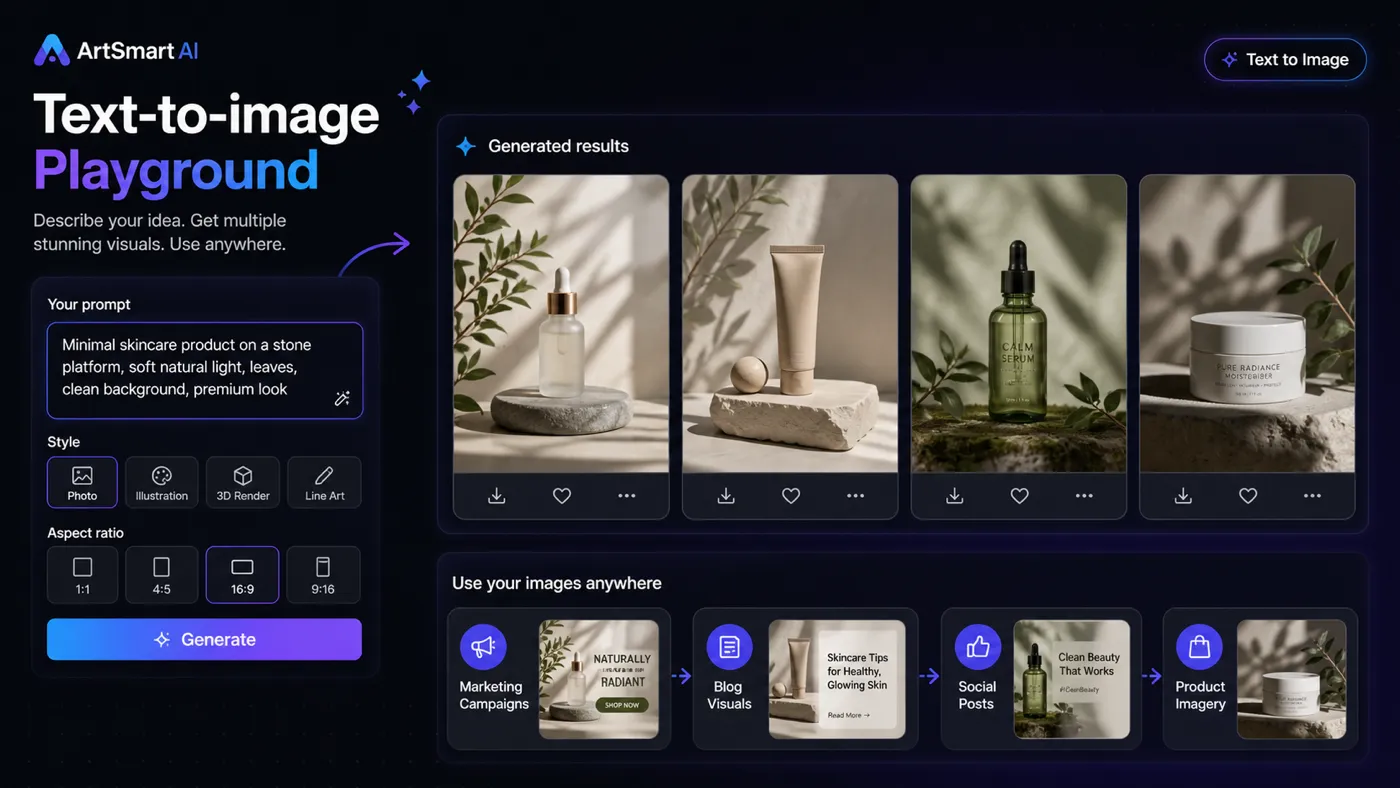
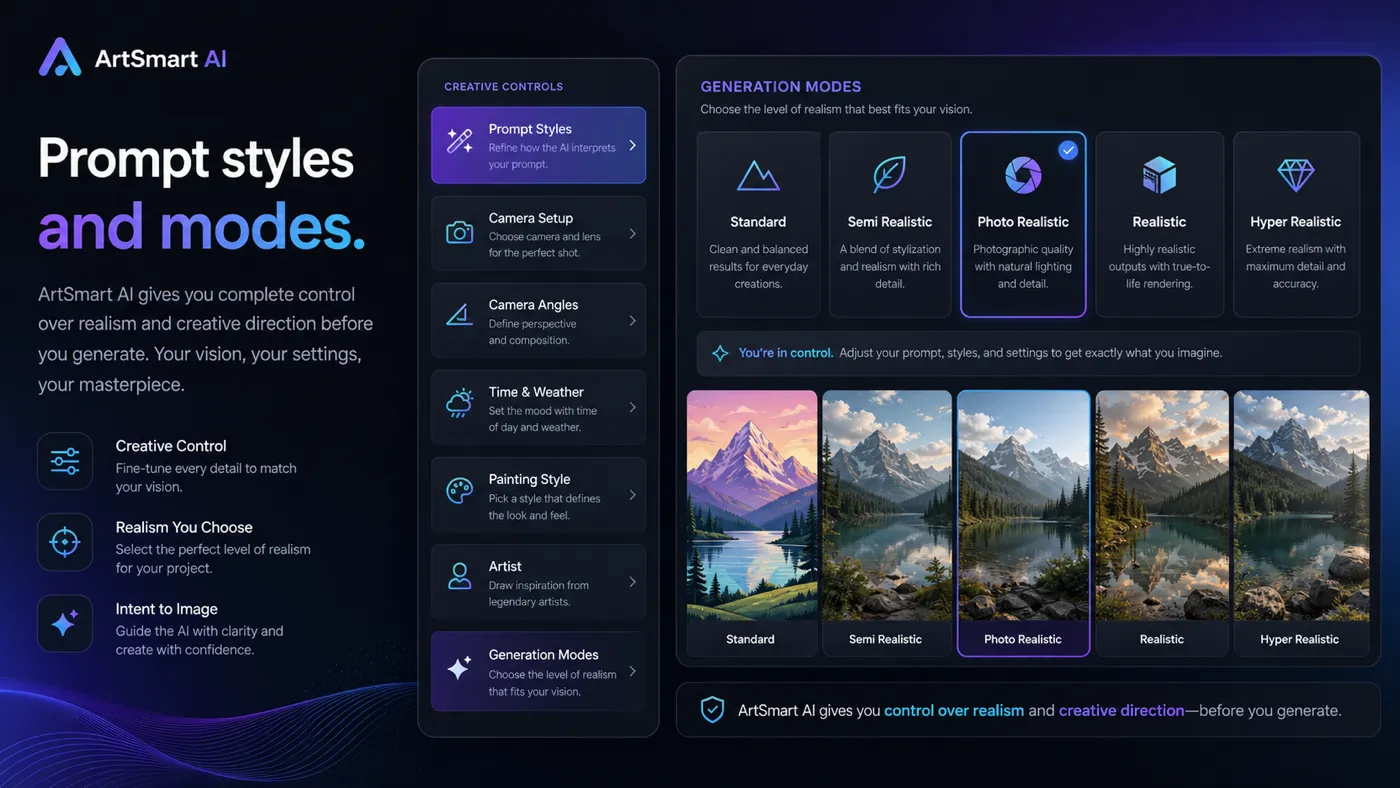
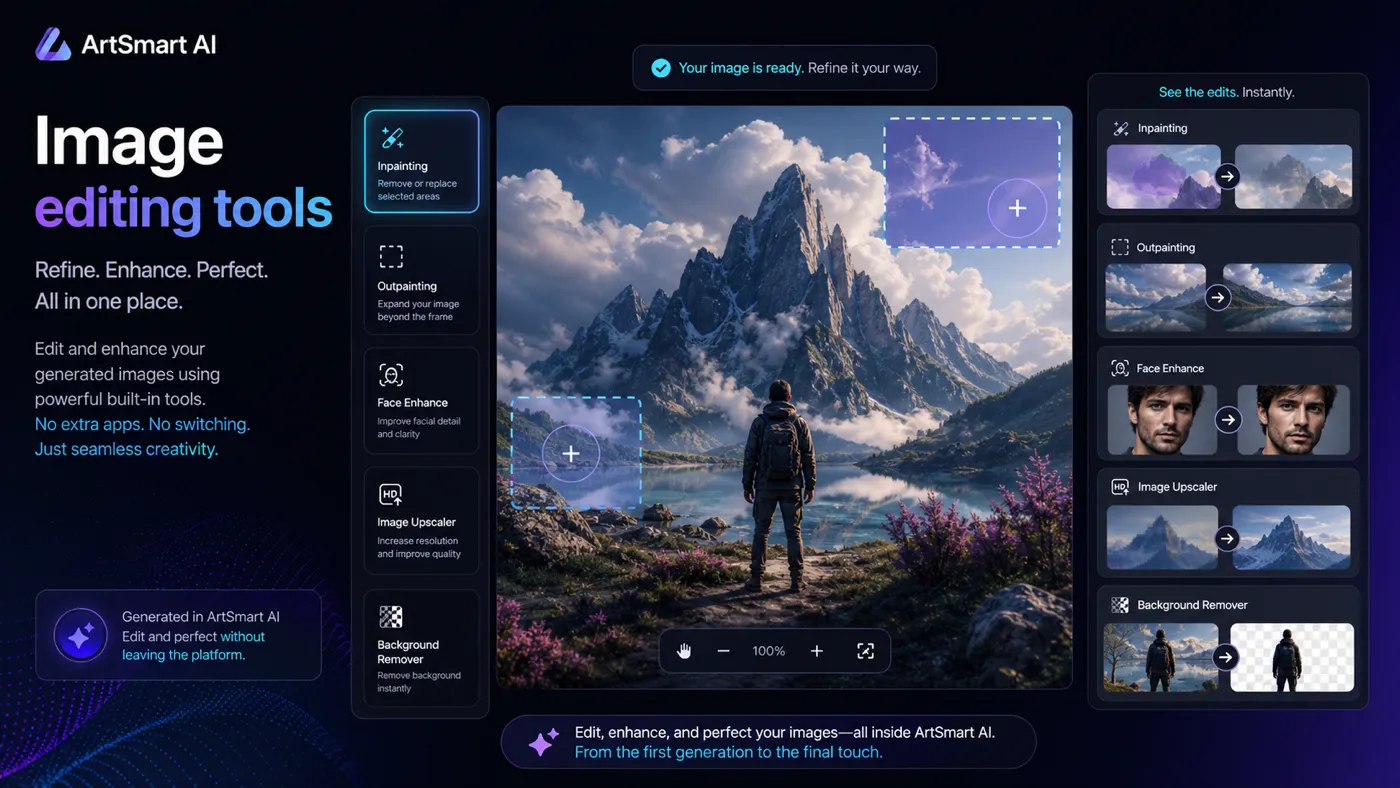
ArtSmart AI should be evaluated as a creative production tool, not as a generic AI utility. The practical question is whether it helps a buyer produce usable images often enough to justify a subscription and monthly credit allowance.
For a marketer, the value may be campaign visuals, blog images, ad concepts, or thumbnails. For an ecommerce or product team, it may be product-style imagery and background work. For a developer or workflow-heavy buyer, API access may matter. The store page should therefore route the buyer through three checks: output quality, credit usage, and commercial confidence before checkout.
What ArtSmart AI actually does
ArtSmart AI helps buyers generate and edit images from prompts. The public pricing section lists tools such as text to image, image to image, image to prompt, inpainting, outpainting, face enhancement, image upscaling, background removal, Pose Copycat, Pose Perfect, prompt styles, generation modes, preset management, image explorer, profile showcase, multiple image generation, ArtSmart API, and extended tune storage.
The product is easiest to understand as a visual workflow layer. It is not only for making random AI art; the stronger buyer case is repeatable content production where a team needs fresh visual directions without starting from a blank canvas every time.
- Generate images from text prompts and visual direction.
- Edit or extend images with tools such as inpainting, outpainting, upscaling, and background removal.
- Use prompt styles and generation modes to steer output quality and creative fit.
- Consider API access only when your workflow needs programmatic generation.
Pricing, credits, and plan fit
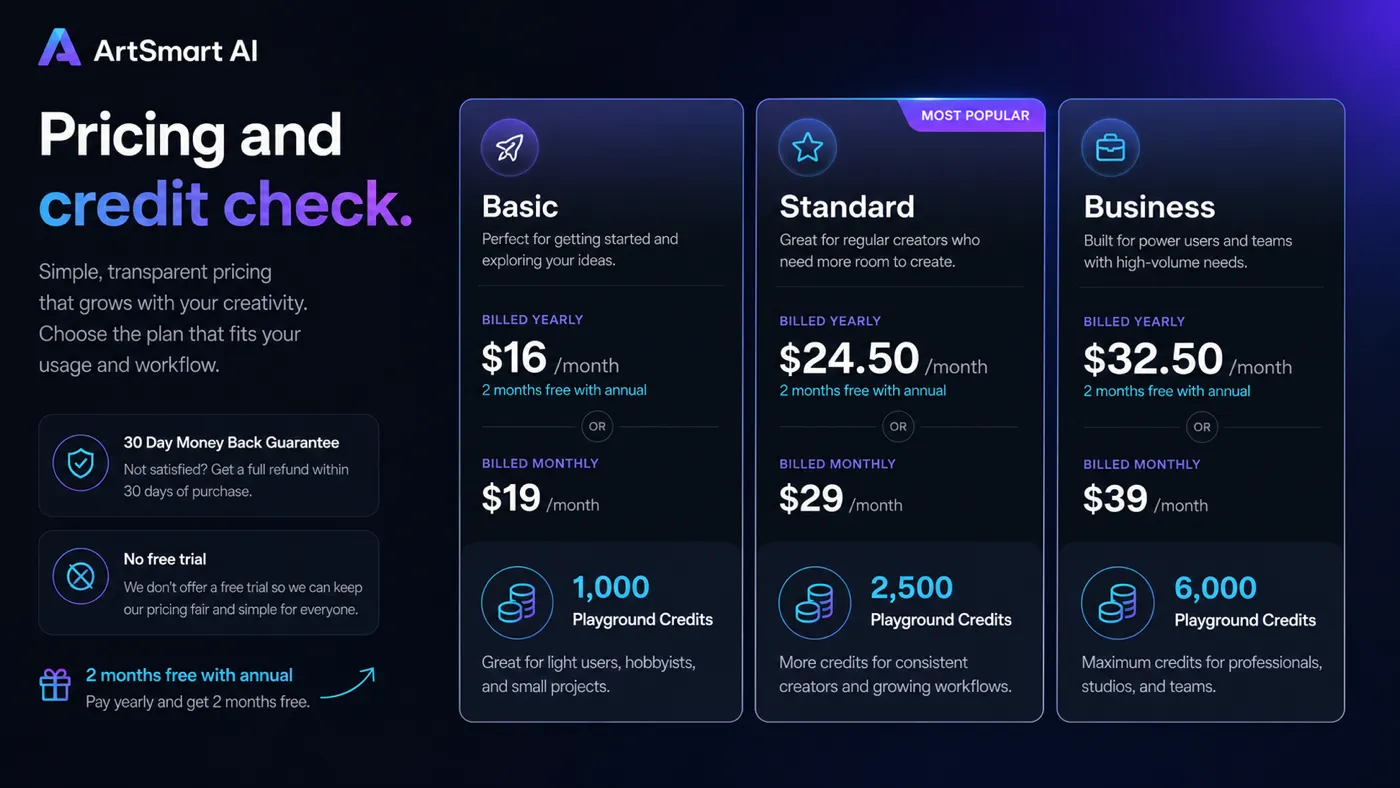
ArtSmart AI's public pricing shows Basic at $16/month on yearly billing or $19/month monthly, Standard at $24.50/month yearly or $29/month monthly, and Business at $32.50/month yearly or $39/month monthly. The plans include 1,000, 2,500, and 6,000 playground credits respectively.
The key detail is that ArtSmart AI does not present generation as unlimited. The official documentation says subscription credits are refilled monthly and that the number of images a buyer can generate is limited by the subscribed plan. That makes credit planning more important than simply choosing the cheapest tier.
- Basic is the lowest listed plan and includes 1,000 playground credits.
- Standard increases the credit allowance to 2,500 playground credits.
- Business increases the allowance to 6,000 playground credits.
- Heavier image generation, editing, and API usage should be estimated before checkout.
Commercial use and brand-risk checks
ArtSmart AI's FAQ says generated images have commercial rights at the time of writing, while also warning that monetizing public figures, fictional characters, or deceptive realistic imagery can create problems. That is the right kind of warning for a visual AI tool, because the buying risk is not only technical quality.
For ordinary marketing visuals, thumbnails, concepts, blog images, and product-style experiments, the commercial rights note is reassuring. For sensitive ads, regulated niches, celebrity likenesses, client work, or anything that could imply a real event, buyers should apply a stricter editorial review before publishing.
- Use generated images more confidently for ordinary marketing and content visuals.
- Be careful with public figures, fictional characters, and realistic deceptive scenes.
- Add human review before using AI visuals in client campaigns or ecommerce claims.
API and automation fit
ArtSmart AI publishes material around an AI image generator API and its AppSumo documentation notes that API usage requires an active recurring subscription for access. This makes API access more relevant to buyers with a real automation use case than to casual image-generation users.
The body video below is useful if you want a broader walkthrough and review-style view before deciding whether ArtSmart AI fits your workflow. Watch it with a buyer's checklist: image quality, interface effort, editing options, and whether the plan credits make sense for the number of assets you need.
How to compare ArtSmart AI with alternatives
ArtSmart AI should be compared against tools based on the buyer's visual workflow. A broad AI suite may offer more all-in-one features but less focus on images. A dedicated image generator may have stronger style control or community inspiration. A design platform may provide better layout and brand asset control after the image is generated.
The cleanest comparison is not which tool has the longest feature list. It is whether the buyer needs prompt-based visual generation, image editing, API access, or a broader productivity toolkit. That difference usually decides whether ArtSmart AI belongs in the shortlist.
- Compare against image-first tools when output quality and editing matter most.
- Compare against broad AI suites when you need writing, chat, documents, or productivity tools together.
- Compare against design platforms when layout control and reusable brand assets matter more than generation.
Safest next step before checkout
The safest next step is to open the current pricing page, confirm the active monthly or yearly price, estimate credit usage, and check whether the 30-day refund wording appears on the route you are using. If output quality or workflow fit is still uncertain, read the ArtSmart AI review before moving to the coupon or checkout path.
Buyers who already know they need recurring image generation can compare Basic, Standard, and Business directly. Buyers who are still exploring should avoid committing based only on old AppSumo references, third-party coupon pages, or sample image galleries.
- Check the live pricing page first.
- Estimate monthly credit needs before choosing a tier.
- Verify refund wording on the checkout route.
- Use review content before deal hunting if workflow fit is still unclear.
Best savings path from this store page
This is the clearest savings route to check once the product already looks like a fit.
The Basic yearly route is the lowest official annual entry point shown on ArtSmart's pricing page. It fits buyers who want a paid image-generation workflow without jumping straight to higher credit tiers.
Monthly paid access from $19/month
Use comparison routes when the category fit is still open
Use these comparison routes when the product still looks plausible, but the category fit is not fully settled.
Often better for buyers who want a more consumer-facing AI art and creative generation experience.
Worth comparing when community inspiration, model choice, and AI art workflows matter more than a simple pricing table.
A broader AI suite fit when the buyer wants multiple AI utilities instead of a dedicated visual generation workflow.
More relevant for buyers thinking about building or owning an AI SaaS-style platform rather than just generating images.
Verification points worth checking before you click out
Where this store usually fits best in the workflow
Use ArtSmart AI to create campaign concepts, blog graphics, thumbnails, and social visuals when speed matters more than handcrafted design from scratch.
ArtSmart AI can help test product-scene ideas, background variations, and visual directions before investing in more expensive creative production.
Creators can use prompt styles, generation modes, and editing tools to produce repeat visual assets for articles, videos, newsletters, or social posts.
Teams with recurring content or product workflows can consider API access, but only after confirming subscription requirements and expected credit usage.
Practical checkpoints before and after signup
- Check live Basic, Standard, and Business pricing on the official page.
- Estimate monthly image generation and editing volume before choosing a credit tier.
- Confirm whether annual billing makes sense for your content calendar.
- Use real brand, content, or ecommerce prompts rather than generic sample prompts.
- Test editing tools such as inpainting, outpainting, upscaling, background removal, and pose controls against real needs.
- Track whether generated images are publishable or only useful as inspiration.
- Check commercial rights, sensitive subjects, public figures, and deceptive imagery risk.
- Use human review before placing AI-generated visuals in ads, ecommerce, or client campaigns.
- Review how many credits were actually used during the month.
- Downgrade, upgrade, or cancel based on real image output volume, not initial excitement.
Fast-read signals for workflow fit and buying friction
Questions readers usually ask before choosing this store
What does ArtSmart AI actually do?
ArtSmart AI is an AI image generation and editing platform. It helps buyers create images from prompts, use different styles and generation modes, edit images with tools such as inpainting and outpainting, and consider API access for more repeatable image workflows.
Does ArtSmart AI have a free trial?
The public pricing section says ArtSmart AI does not offer a free trial. Instead, the site promotes a 30-day money-back guarantee. Buyers should verify the current checkout wording before relying on that guarantee.
How much does ArtSmart AI start at?
The lowest public price shown is Basic at $16/month when paid yearly, or $19/month on monthly billing. Basic includes 1,000 playground credits. Buyers should confirm the live pricing page before checkout.
Is ArtSmart AI good for commercial images?
ArtSmart AI's FAQ says generated images have commercial rights at the time of writing, but buyers should still be careful with public figures, fictional characters, deceptive realistic scenes, regulated niches, and client campaigns. Commercial use still needs human judgment.
What is the safest next step before buying ArtSmart AI?
Start by checking the official pricing page, confirm credit limits and annual versus monthly pricing, then read the review if workflow fit is still unclear. Move to the coupon or offer path only after the product already looks suitable for your visual workload.
Choose the next route that matches what you still need to decide
The strongest next click depends on whether you still need product judgment, a savings route, or a broader category comparison.