
1min.AI Pricing, Plans & Workflow Fit
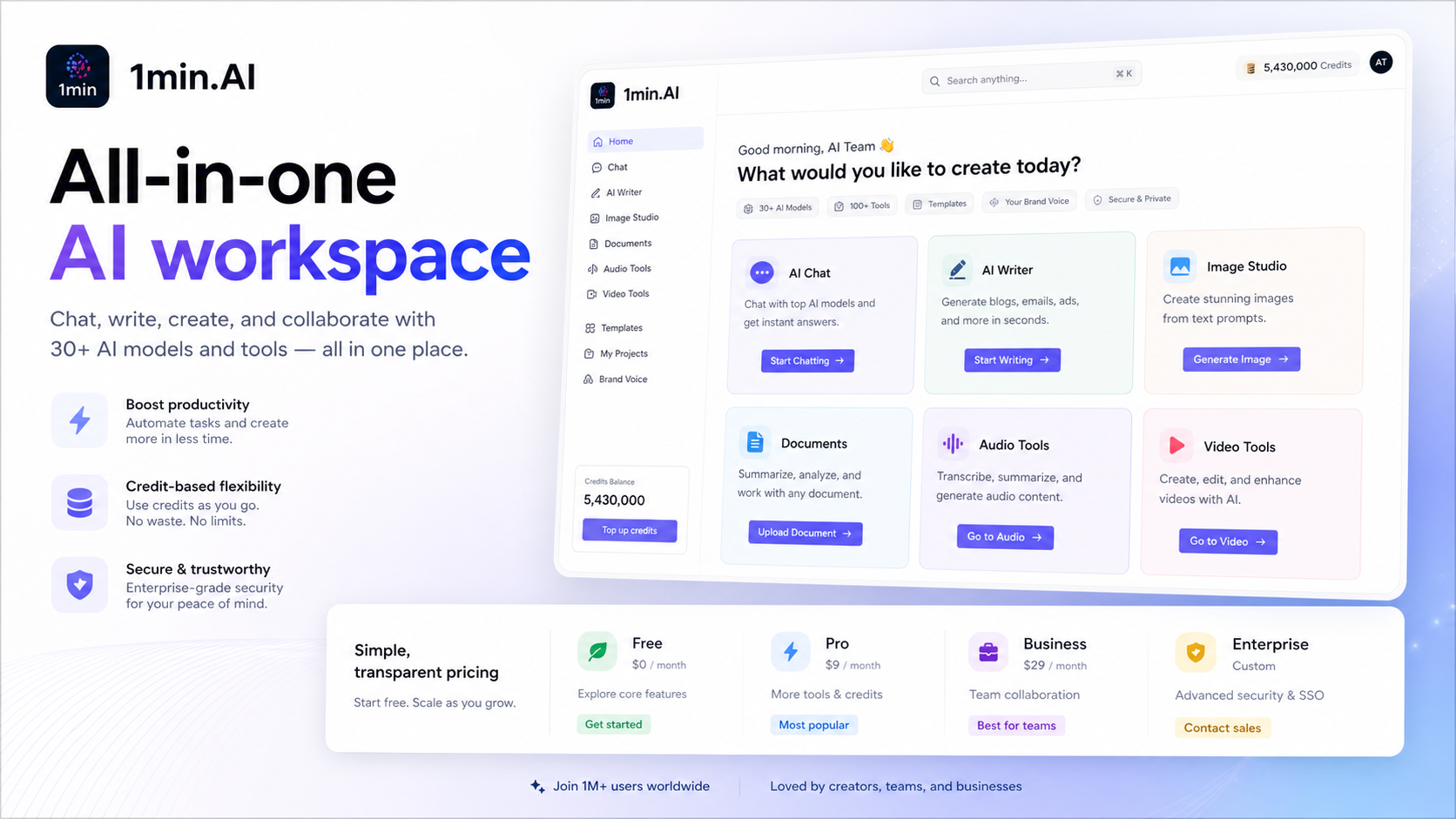
1min.AI is best understood as an all-in-one AI workspace for people who would rather use one credit-based app than jump between separate chat, writing, image, audio, and video tools. It is strongest when the buyer has several small AI jobs each week and wants one dashboard for them. It is weaker when the buyer only needs one specialist tool, because the broad feature set can make the plan feel cheap without proving that every output category is worth using.
Fit → price → checkout
Use these routes after the official-site check: coupon first, review for fit, compare if unsure.
1min.AI pricing snapshot
Fast commercial checks before pricing, coupons, or a deeper review.
1min.AI product tour
The product tour video is useful if you are trying to decide whether 1min.AI feels like a real daily workspace or just a bundle of unrelated AI features. Watch how quickly the demo moves between chat, writing, image, audio, and video tasks, then compare that flow with the jobs you repeat every week. If the demo matches your routine, the pricing page is worth a closer look. If it feels broader than your real needs, a specialist tool may be safer.
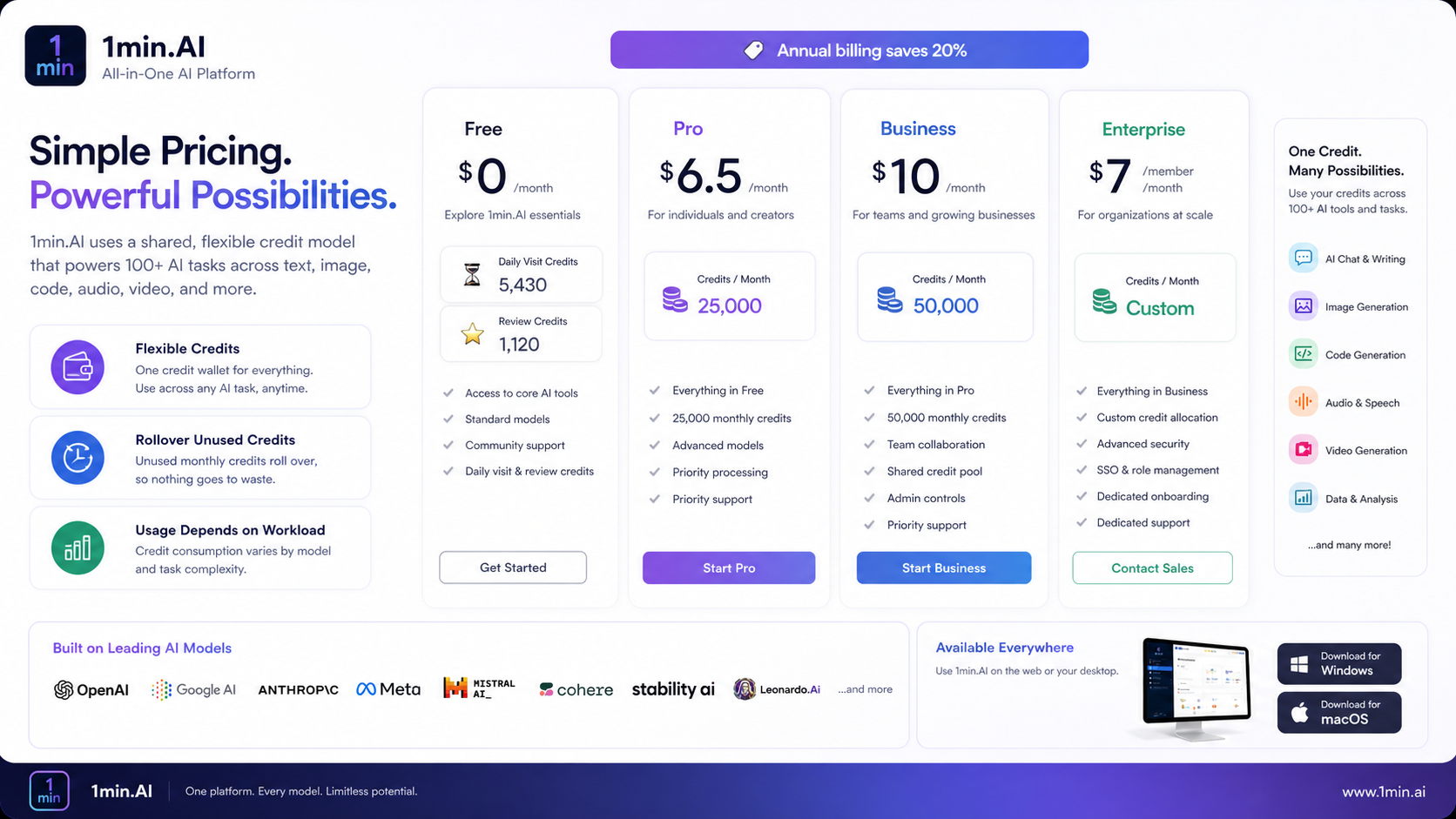
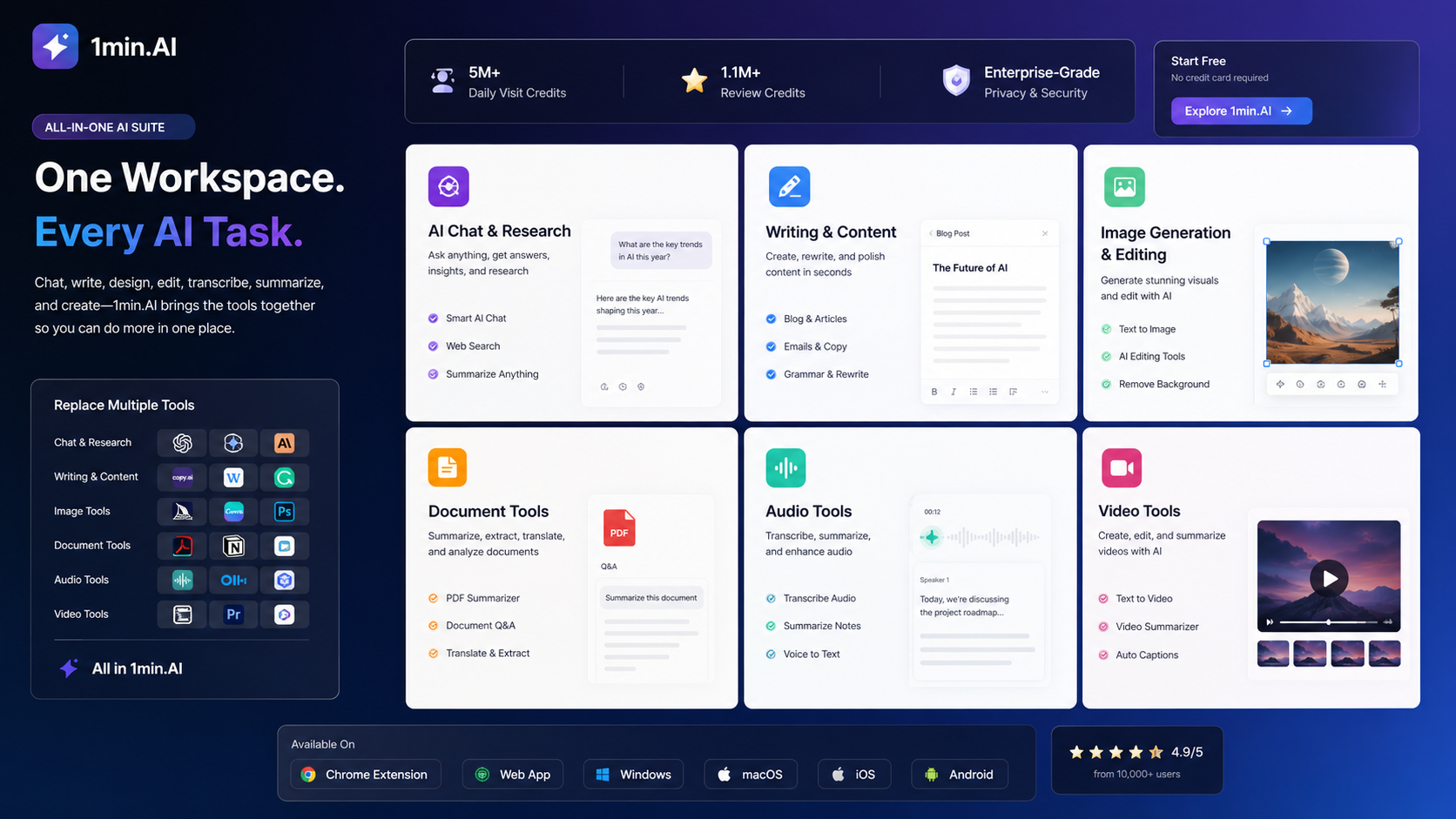
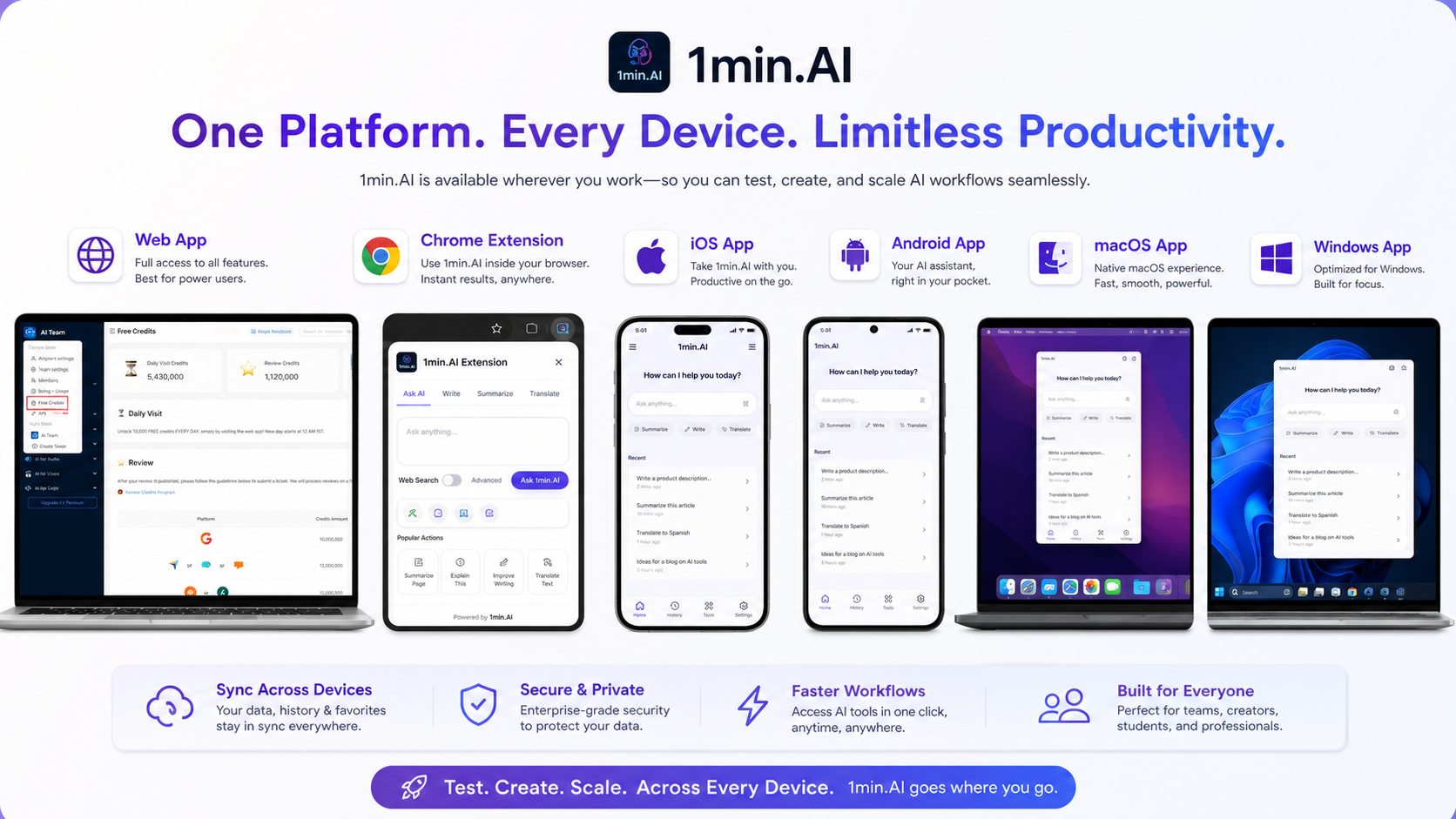
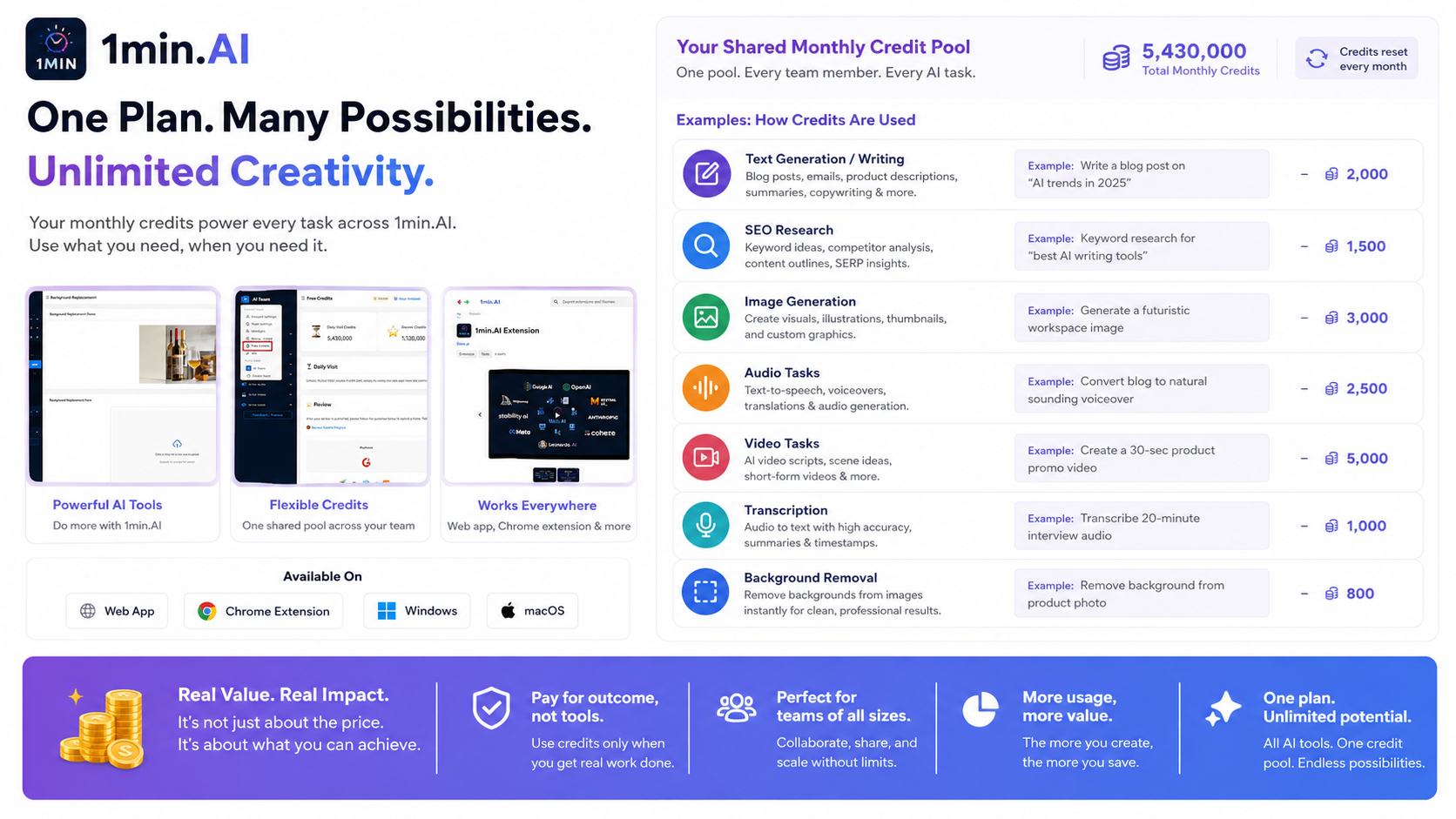
1min.AI is a store page worth treating carefully because the product sounds simple but the buying decision has several moving parts. It is not just an AI chat app. It combines many AI categories under one credit-based account, including writing, image work, audio, video, and assistant-style tasks. That makes the free plan useful for testing, but it also means the paid decision should be based on your real usage mix rather than the lowest monthly number.
What 1min.AI actually does
1min.AI gives buyers one place to run many common AI jobs instead of subscribing to separate tools for chat, writing, images, documents, audio, and video. That is the core appeal. The tradeoff is that broad coverage only pays off when you use several of those categories often enough. If your work is mostly one task, such as long-form writing or image editing, a focused specialist may feel cleaner.
- Use it as a broad AI workspace, not only as a chat tool.
- Check whether your weekly tasks really span multiple AI categories.
- Treat output quality as feature-specific because one strong feature does not prove the whole suite.
How the pricing decision works
Official pricing starts with a free plan and then moves into paid tiers where credits become the real unit of value. The Pro price is low enough to attract casual users, but the better buying question is how much text, image, audio, and video usage you expect in a normal month. A buyer who only needs light text help may stay free longer than expected. A buyer generating multimedia outputs may need to inspect credit examples closely.
- Compare plan price, included monthly credits, and extra credit pricing together.
- Check whether the annual billing toggle changes the price shown on the pricing page.
- Use the free plan to estimate real credit burn before upgrading.
Why credits matter more than the headline plan
The credit system is flexible because the same account can fund different AI actions. That flexibility can be a benefit if your workload changes from writing to image or audio tasks during the month. It can also make cost harder to predict if you have not tested your own usage pattern. Before buying, run the kind of tasks you actually plan to repeat and note which ones consume credits quickly.
- Text-heavy users and multimedia users will not experience the same value.
- Rollover and flexible credit use can help, but only if the monthly allowance matches the workflow.
- Extra credit pricing should be checked before relying on 1min.AI for heavier production work.
Video check: watch the workflow before you pay
This second video is worth watching if you are still unsure whether 1min.AI is simple enough for daily use. Pay attention to the first setup steps, the way features are selected, and how quickly a beginner can move from one AI task to another. That helps you decide whether to start with the free plan, read a deeper review, or skip straight to pricing.
Team, API, and platform fit
1min.AI is not only a personal browser tool. The official pricing page shows team-oriented plan paths, the download page lists web, Chrome, iOS, Android, macOS, and Windows access, and the site exposes an API route. That does not mean every buyer should treat it as an enterprise system. It means teams should verify seats, sharing, credit distribution, API behavior, and admin expectations before using it as a shared AI layer.
- Check whether your team needs Business or Enterprise instead of a personal Pro plan.
- Confirm platform coverage for the devices your team actually uses.
- Review API needs separately instead of assuming every AI feature is available through the API.
Deal path and checkout safety
1min.AI has more than one savings path. The official route includes free access and annual billing savings. Public partner pages may show lifetime plans or other limited deals. Those routes are not identical. A partner deal may be cheaper upfront, but buyers should verify redemption deadlines, included monthly credits, upgrade rights, refund handling, and whether the deal matches the current official plan structure.
- Use official pricing to understand the baseline plan structure.
- Use partner deal pages only after checking redemption and refund rules.
- Use the coupon path as a checkout verification step, not as proof the product fits.
Best savings path from this store page
This is the clearest savings route to check once the product already looks like a fit.
The Enterprise annual path is priced per member and is aimed at larger teams needing shared access, higher member-level credits, and priority support.
Earn extra free credits
Use comparison routes when the category fit is still open
Use these comparison routes when the product still looks plausible, but the category fit is not fully settled.
Merlin AI is the closer comparison for buyers who mainly want a browser assistant layered over everyday web work instead of a broad multimedia credit workspace.
Sider is worth comparing if the buyer wants an AI sidebar and reading support first, while 1min.AI makes more sense when image, audio, and video tools also matter.
Monica can be a stronger everyday assistant comparison for buyers focused on chat and browser convenience rather than a full credit-based creative suite.
Aikeedo belongs in the comparison only for buyers thinking about a build or ownership path, not for users who simply want a hosted all-in-one AI workspace.
Verification points worth checking before you click out
Where this store usually fits best in the workflow
1min.AI fits users who want one place for quick chat, drafting, image edits, transcription, and light video tasks without opening a separate app for every job.
Creators can use 1min.AI as a flexible toolbox for content drafts, image variations, voice or audio tasks, and small video experiments, as long as they monitor credit usage.
Small teams may find value in a shared AI workspace, but the plan only makes sense after checking seats, collaboration rules, credit distribution, and whether the team uses enough feature categories.
The free plan makes 1min.AI useful for buyers who want to test an all-in-one approach before committing to monthly, annual, or lifetime deal pricing.
Practical checkpoints before and after signup
- List the AI jobs you actually repeat each week before judging the feature list.
- Start with the free plan to test chat, writing, image, audio, and video tasks against real needs.
- Track which features feel useful enough to replace tools you already pay for.
- Compare Pro, Business, and Enterprise by credit allowance, team needs, and billing interval.
- Check whether annual pricing, partner lifetime deals, or current checkout offers create the better path.
- Read refund and redemption terms before buying through any non-official partner route.
- Monitor monthly credit use during the first billing cycle.
- Separate useful features from novelty features so the subscription is judged by real saved work.
- Re-check the pricing page before renewal because model access, credits, and plan limits can change.
Fast-read signals for workflow fit and buying friction
Questions readers usually ask before choosing this store
What is 1min.AI best for?
1min.AI is best for buyers who want one AI workspace for several small daily jobs, including chat, writing, images, documents, audio, and video. It is less compelling if you only need one deep specialist tool.
Does 1min.AI have a free plan?
Yes. Official pricing shows a free plan at $0 with no credit card required and free monthly credits. Treat it as a workflow test first, because heavier multimedia usage can make the paid credit limits more important.
Is 1min.AI pricing easy to compare?
The plan table is clear enough to start, but the real comparison depends on credits. Buyers should compare included credits, rollover behavior, extra credit cost, annual billing, and team limits before choosing a plan.
Are there public 1min.AI coupons or deals?
The safer assumption is that official savings come from the free plan, annual billing, and sometimes partner deal routes. Public coupon codes should be verified at checkout before being treated as reliable.
Should a team use 1min.AI?
A team can consider 1min.AI if members need a shared all-in-one AI workspace, but they should verify seat limits, credit distribution, collaboration features, API needs, and support expectations before rolling it out.
Choose the next route that matches what you still need to decide
The strongest next click depends on whether you still need product judgment, a savings route, or a broader category comparison.