
Sider Pricing, Plans & Browser Workflow Fit
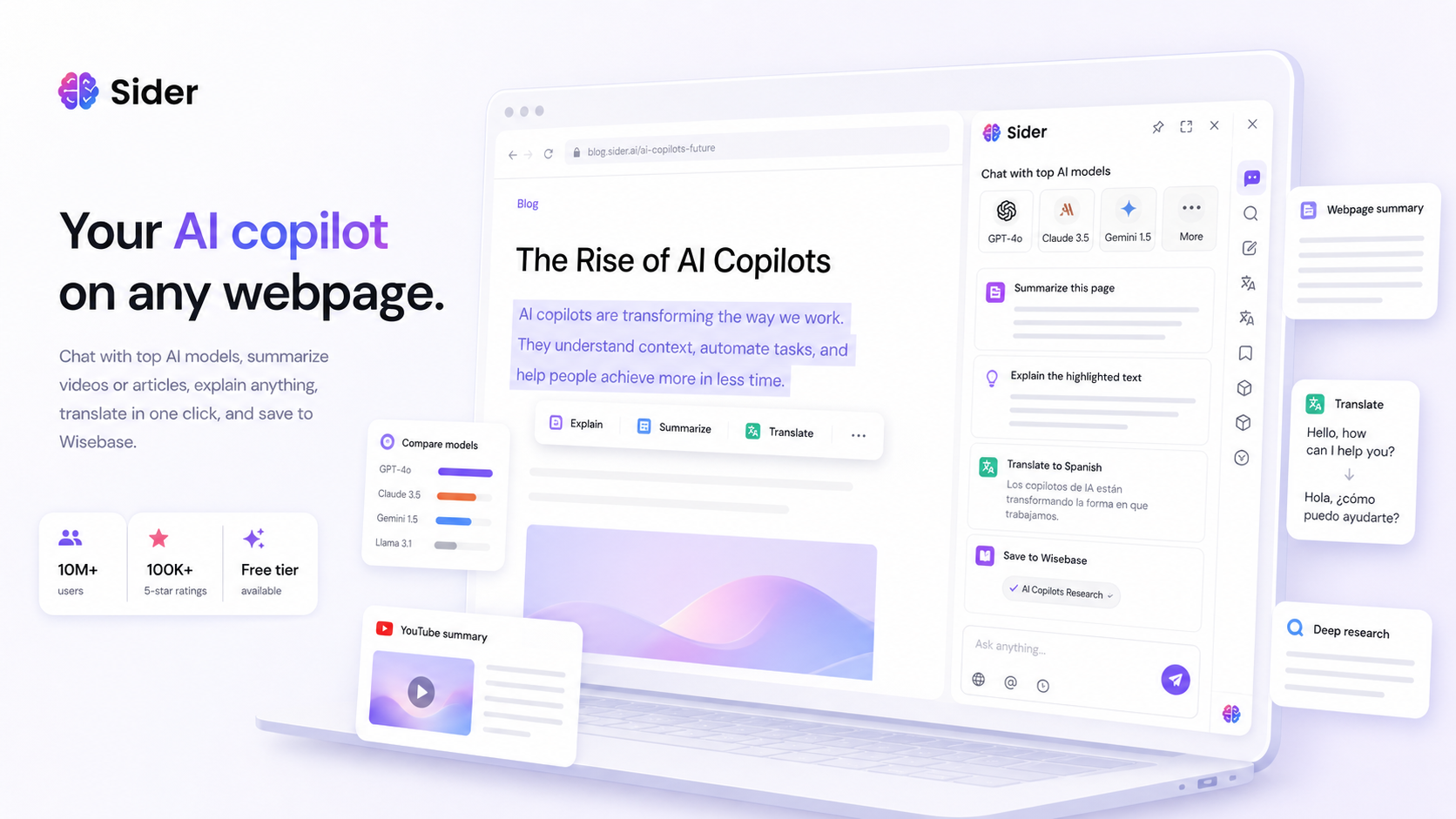
Sider is an all-in-one AI browser assistant and research workspace built around a sidebar workflow. It lets buyers chat with multiple AI models, summarize pages and YouTube videos, translate content, explain highlighted text, work with PDFs and web sources, and save research into Wisebase. The store decision is less about whether Sider has many features and more about whether its credit model, browser overlay, and knowledge-base workflow actually reduce tab switching for the buyer.
Fit → price → checkout
Use these routes after the official-site check: coupon first, review for fit, compare if unsure.
Sider pricing snapshot
Fast commercial checks before pricing, coupons, or a deeper review.
Sider product tour for browser workflow fit
Watch the tour as a workflow test, not as a feature parade. The useful question is whether Sider can sit beside your real browser work without becoming another noisy tab. Pay attention to how it handles page reading, model switching, summaries, translation, file or link chat, and saved research, because those are the signals that decide whether the free tier is enough or a paid plan deserves a closer look.


Sider should be evaluated as a browser workflow product first. It is useful when a buyer wants AI beside their normal browsing, reading, translating, summarizing, and research habits. The pricing decision comes later: after the buyer knows whether the sidebar, Wisebase, and credit system actually remove friction from daily work.
What Sider actually does
Sider brings AI chat, summarization, explanation, translation, page reading, file and link chat, and model comparison into the browser. The homepage frames it as an all-in-one AI sidekick, while the Chrome listing emphasizes reading, writing, search, and group chat with multiple models. That makes Sider a better fit for everyday browser work than for buyers who want a narrow specialist tool.
- Chat with top AI models from a side panel while staying on the current page.
- Summarize web pages and YouTube videos when the buyer needs key points faster.
- Translate, explain, rewrite, and work with files or links without rebuilding the workflow in another app.
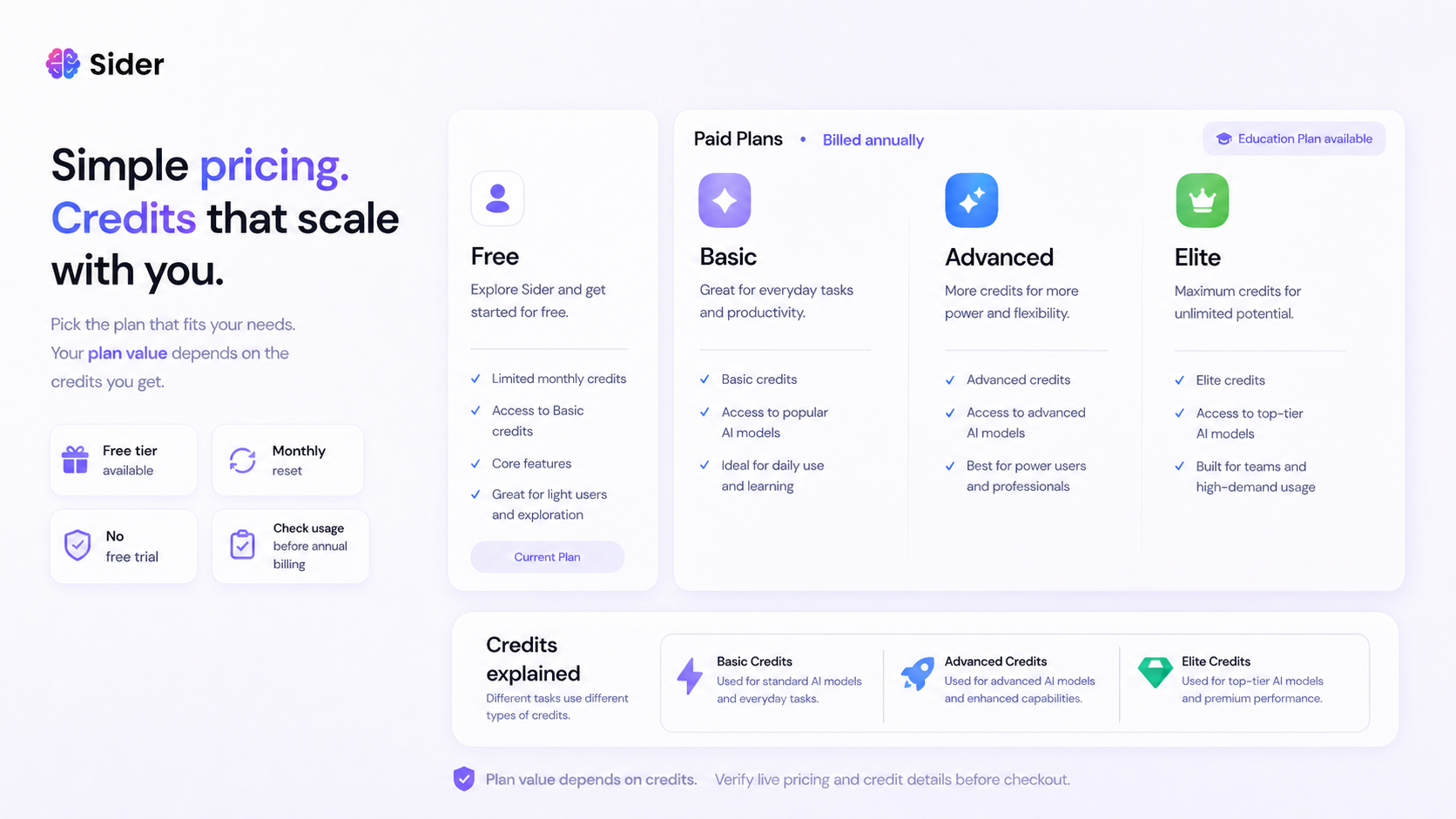
Pricing depends on credits, not just plan names
Sider has a public pricing page and a free tier, but the real buying pressure is the credit model. Basic, Advanced, and Elite credits can change the value of a plan depending on whether you use lighter chat, advanced models, Deep Research, AI Slides, document tasks, or agent-style workflows. The payment help page also says free trials are not currently supported, so the free tier should be treated as the first test path.
- Check the live pricing page before quoting exact plan costs.
- Match the plan to expected credit usage, not only to the advertised monthly price.
- Review whether yearly billing is worth the narrower refund path.
Wisebase is the deeper research angle
Wisebase is the part of Sider that can change the buying decision for researchers, students, writers, and knowledge workers. Instead of asking one-off questions, buyers can save clips, sources, chats, and reports into a searchable knowledge base. Watch the Wisebase video with one question in mind: will this help you reuse research later, or do you only need quick summaries that the free tier already handles?
- Save useful clips and source material while browsing.
- Build a searchable workspace from chats, documents, highlights, and reports.
- Use Deep Research or source-grounded workflows only if they match real recurring work.
Browser access is the main convenience layer
Sider's strongest everyday advantage is access where the work happens. The official pages and Chrome listing point to browser extensions, web access, mobile apps, and desktop apps. That matters for buyers who move between reading, writing, email, documents, and video learning. It matters less if your team keeps AI inside a controlled internal workspace.
- Strong fit for users who want AI help while reading or writing on live web pages.
- Cross-platform access can reduce friction for people who switch between browser, desktop, and mobile.
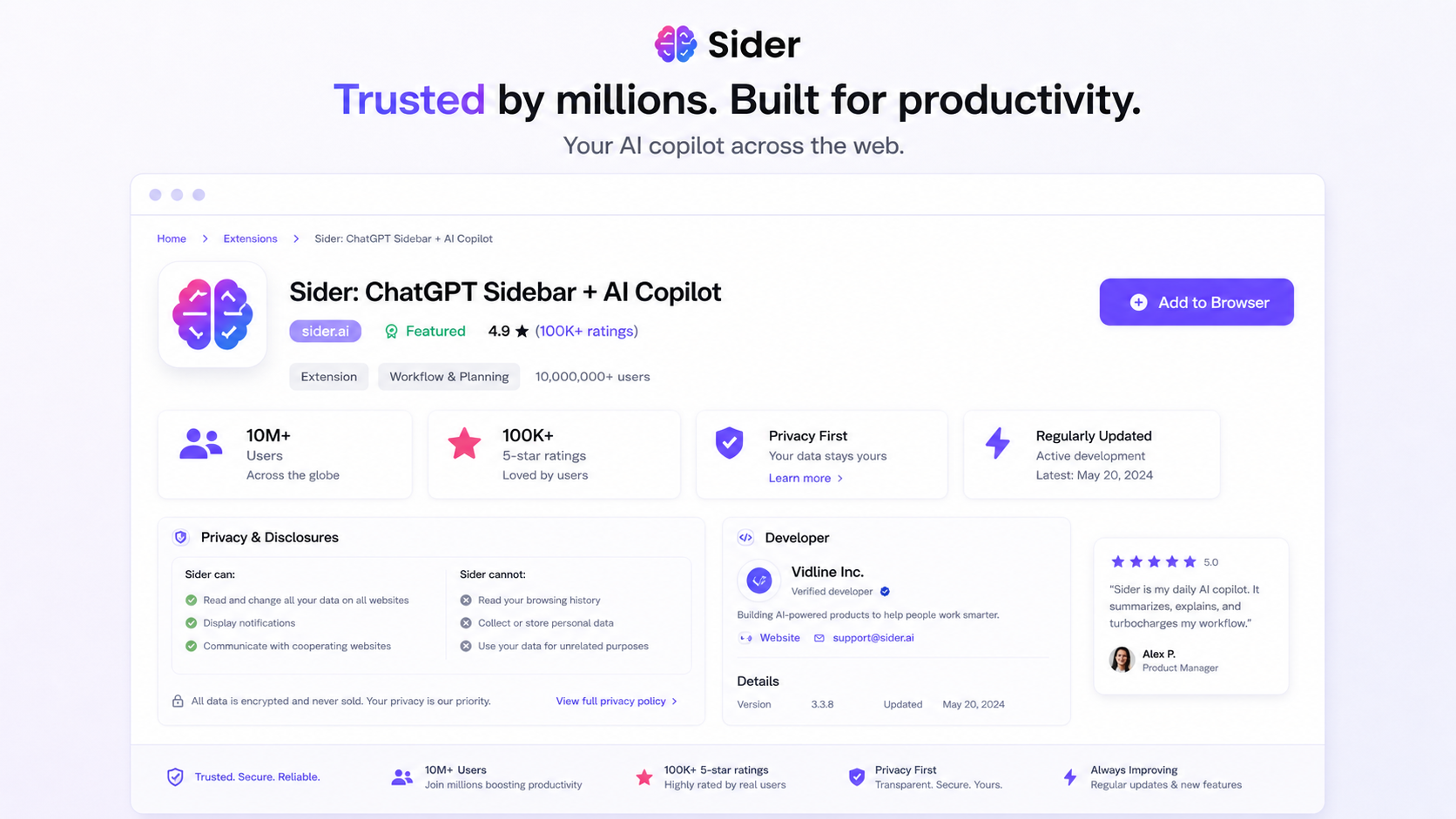
- Privacy and data handling should be reviewed before installing any browser-level assistant.
Refund, coupon, and checkout checks
Sider's checkout risk is manageable if buyers test before paying. The payment help page says monthly subscriptions are final once processed, while yearly refunds are limited to a 7-day window with usage thresholds. Public coupon pages may show codes, but those are not the safest assumption. The cleaner path is to test free access, compare annual pricing, check education eligibility if relevant, and verify any coupon only at live checkout.
- Use the free tier before a monthly or annual purchase.
- Check whether a redemption code or public coupon is accepted at checkout before relying on it.
- Avoid annual billing until you understand the credit system and refund restrictions.
Best next step before upgrading
The safest next step is a small browser test. Pick one long article, one YouTube video, one PDF or saved source, and one writing task. Use Sider on those tasks before checking paid plans. If the sidebar reduces tab switching and Wisebase makes your research easier to reuse, then compare pricing. If it feels like another place to manage credits, compare alternatives before paying.
- Start with everyday browser tasks, not a polished demo.
- Move to the review route if accuracy, privacy, or workflow fit still feels unclear.
- Move to the coupon or pricing route only after product fit is already convincing.
Best savings path from this store page
This is the clearest savings route to check once the product already looks like a fit.
A coupon directory reports a Sider checkout code across several plan paths. Treat it as a checkout-test code and verify the final price before subscribing.
Free limited access
Up to 35% reported annual deal
Use comparison routes when the category fit is still open
Use these comparison routes when the product still looks plausible, but the category fit is not fully settled.
Merlin AI is a closer browser-assistant alternative if the buyer wants a similar extension-first workflow and wants to compare pricing friction directly.
Monica deserves a look when the buyer wants another multi-model AI assistant with strong browser and productivity positioning.
1min.AI may fit buyers who want a broader bundle of AI tools in one subscription rather than a sidebar-centered research workflow.
Otio is usually the better comparison when research sources, citations, PDFs, and writing from saved material matter more than browser convenience.
Verification points worth checking before you click out
Where this store usually fits best in the workflow
Sider makes sense for people who read articles, search the web, write replies, translate text, and ask AI questions throughout the day. The value is less about one feature and more about not leaving the browser every time AI help is needed.
Students and researchers should test Sider on a real mix of pages, PDFs, videos, and notes. Wisebase and Deep Research matter only if they reduce the time spent organizing sources and checking information later.
Creators and marketers can use Sider for article summaries, YouTube takeaways, drafts, translations, and idea collection. The paid plan decision should be based on volume, not a single impressive output.
Sider fits buyers who want a shared assistant across browser, desktop, and mobile. It is less attractive when the workflow is locked to one enterprise workspace or requires strict admin controls.
Practical checkpoints before and after signup
- Try Sider on one webpage, one YouTube video, one PDF or file, and one writing task.
- Check whether the sidebar saves time or just adds another interface to manage.
- Watch credit consumption if the task uses advanced models or research features.
- Open the official pricing page and compare current plan names, credits, and billing interval.
- Review the payment help page because free trials are not currently supported.
- Compare yearly savings against refund limits before choosing annual billing.
- Keep Sider on low-risk browser tasks first, such as summaries, translation, and drafting help.
- Avoid regulated or highly sensitive workflows unless legal, privacy, and compliance requirements are reviewed.
- Re-check plan fit after a month because credit usage reveals more than a demo session.
Fast-read signals for workflow fit and buying friction
Questions readers usually ask before choosing this store
What is Sider best for?
Sider is best for people who want AI help inside the browser: summarizing pages, working with YouTube videos, translating text, asking questions about web content, comparing model answers, and saving research into Wisebase. It is strongest when those tasks happen repeatedly, not just once.
Does Sider have a free plan or free trial?
Sider has a free tier, but its payment help page says free trials are not currently supported. Treat the free tier as the practical test path before upgrading, then verify current credits and plan limits on the official pricing page.
How much does Sider cost?
Sider has a public pricing page, and third-party pricing snapshots around April and May 2026 show free and paid plan paths such as Starter, Basic, Pro, Unlimited, and Ultra. Because Sider uses credits and model tiers, buyers should verify the live pricing page before quoting exact costs or choosing annual billing.
Are Sider coupon codes reliable?
Public coupon claims exist, and Sider supports redemption codes in the account flow, but codes should be treated as checkout tests. The safer path is to confirm the product fit first, then test the current DealBestDaily or official checkout route without assuming that any public code will work.
Who should avoid Sider?
Sider is not ideal for buyers who only need one simple chatbot, dislike credit-based plan limits, or require strict regulated-data compliance. The Terms say the service is not designed for industry-specific regulations such as HIPAA or FISMA, so sensitive workflows need extra review before adoption.
Choose the next route that matches what you still need to decide
The strongest next click depends on whether you still need product judgment, a savings route, or a broader category comparison.