
Monica Pricing, Plans & Workflow Fit
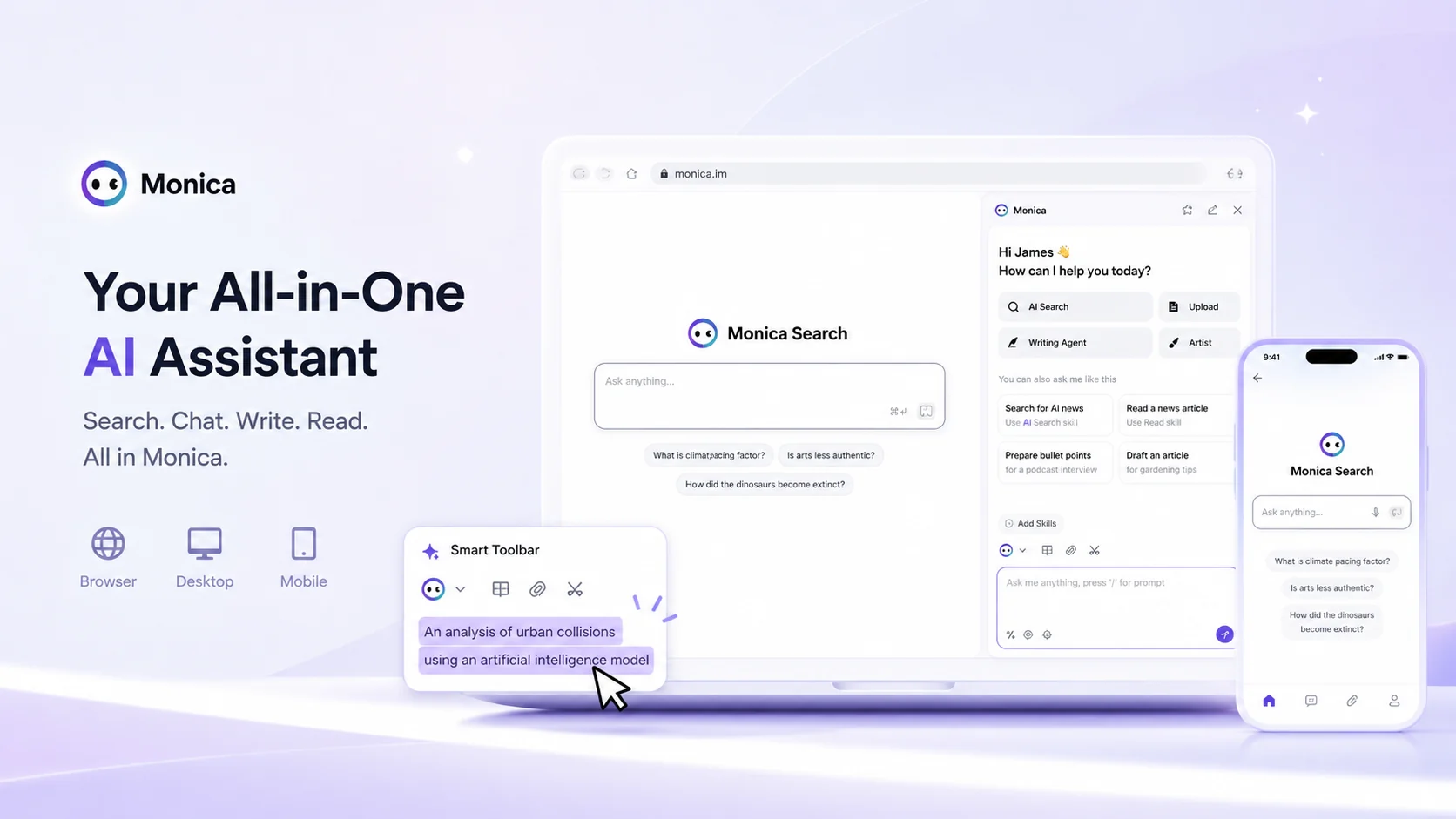
Monica is an all-in-one AI assistant that tries to put chat, search, writing, translation, summaries, image generation, video generation, coding help, browser sidebar actions, desktop shortcuts, mobile access, and messaging integrations under one account. It fits buyers who want AI available across everyday work surfaces rather than a single-purpose writing app.
Fit → price → checkout
Use these routes after the official-site check: coupon first, review for fit, compare if unsure.
Monica pricing snapshot
Fast commercial checks before pricing, coupons, or a deeper review.
Monica product tour for everyday AI workflows
Start with Monica's own all-in-one assistant video as a buying filter, not as a hype clip. Watch how Monica appears inside everyday work surfaces and ask whether the sidebar, smart toolbar, and multi-model access would actually reduce the number of tabs and tools you already juggle. That is the decision this video helps clarify before you compare paid plans.
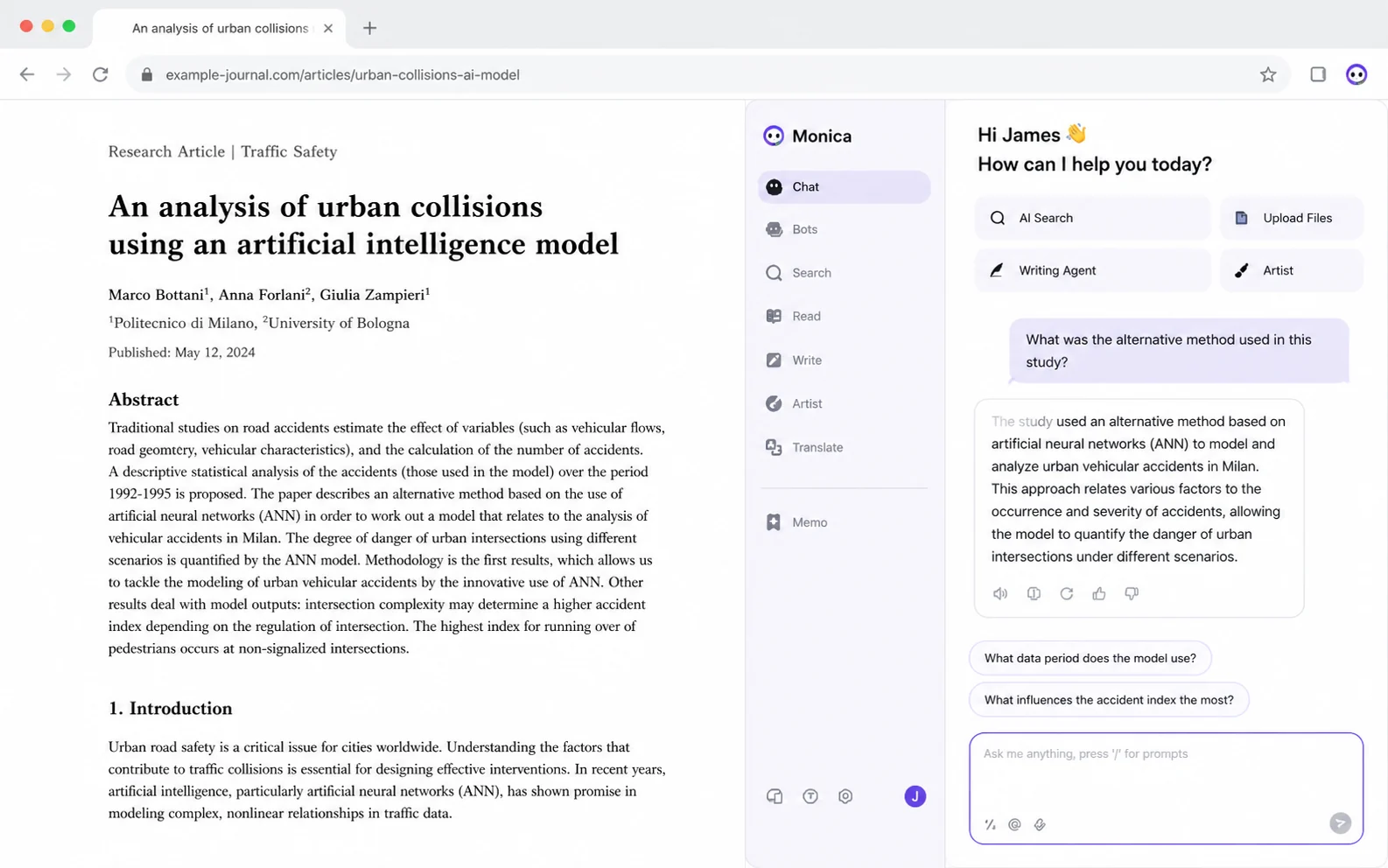
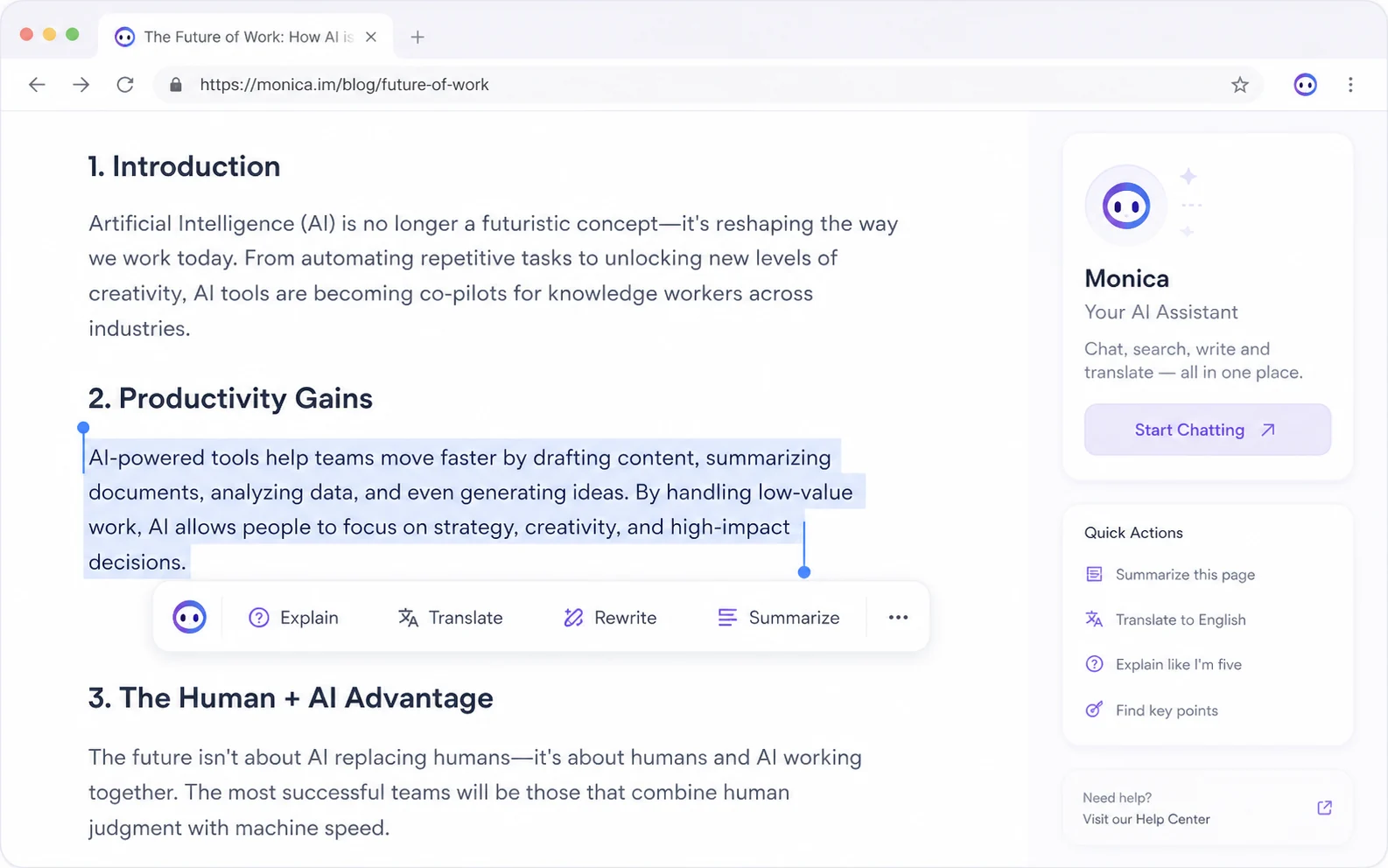
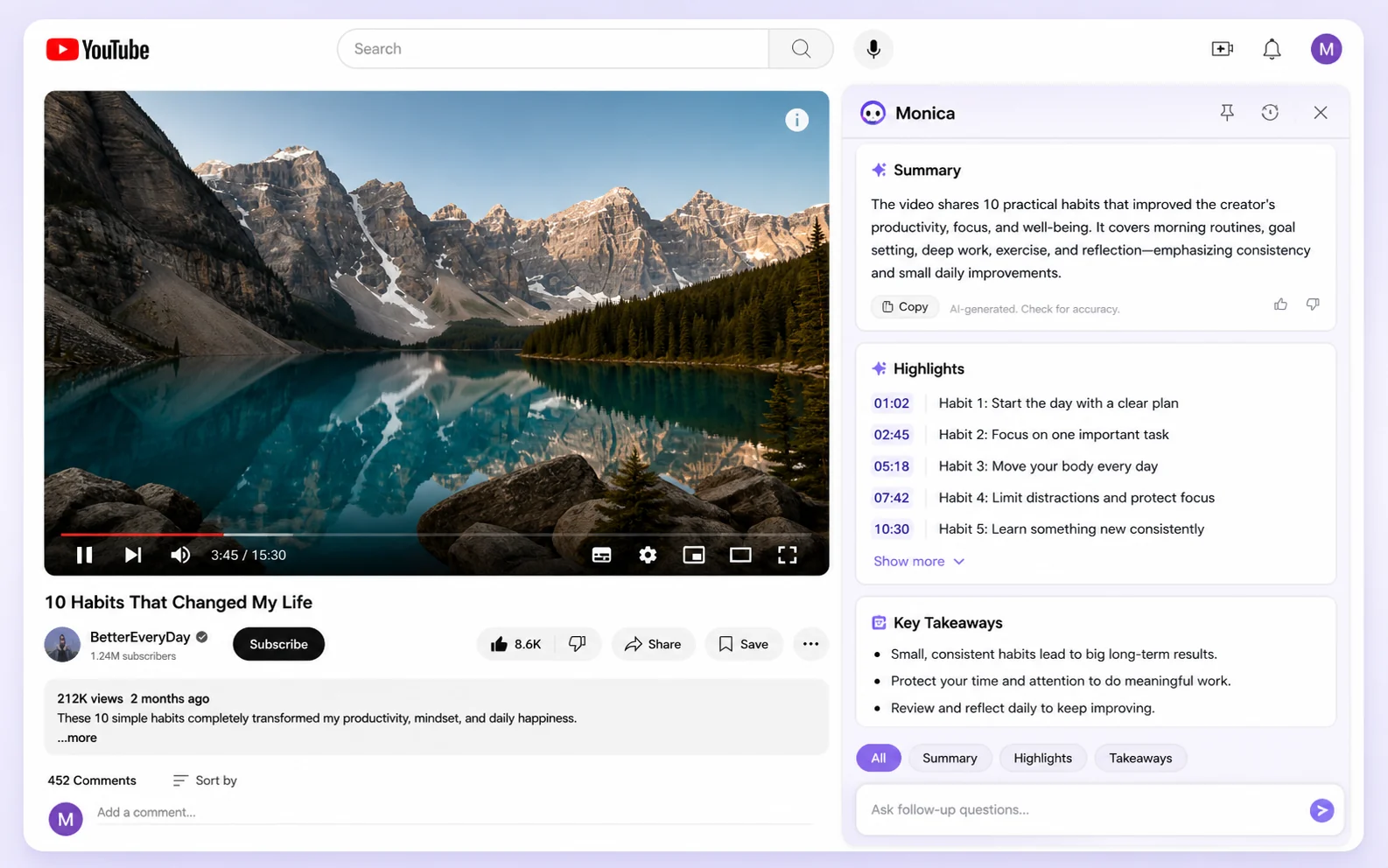
Monica should be evaluated as a daily AI companion rather than a single-feature writing tool. Its appeal is not one isolated feature. The appeal is having chat, summaries, translation, writing help, page actions, image tools, video tools, coding help, and cross-device access close to the places where work already happens.
The safer buying question is simple: will Monica replace enough small AI tools in your routine to make the paid quota worth it, or will it become another extension you open only occasionally?
What Monica actually does
Monica puts an AI assistant into the browser, desktop, mobile, web app, and selected messaging environments. In practical terms, that means you can ask questions, summarize pages, summarize videos, translate selected text, rewrite content, draft replies, generate images, explore bots, and use AI help without constantly switching to a separate chat tab.
This makes Monica strongest for people who want AI in the flow of browsing, reading, email, research, and quick writing. It is less convincing for buyers who already have a tightly defined specialist workflow, such as pure SEO article production, deep coding, or enterprise document governance.
- Useful for everyday browser and desktop workflows.
- Better as a convenience layer than as a single deep specialist product.
- Plan value depends on how often you use premium models and advanced actions.
Pricing and plan fit
Monica's pricing decision is mostly a quota decision. The free entry point is useful for testing the interface, but paid value depends on how many premium model queries, summaries, file chats, image actions, video actions, and advanced features you expect to use each month.
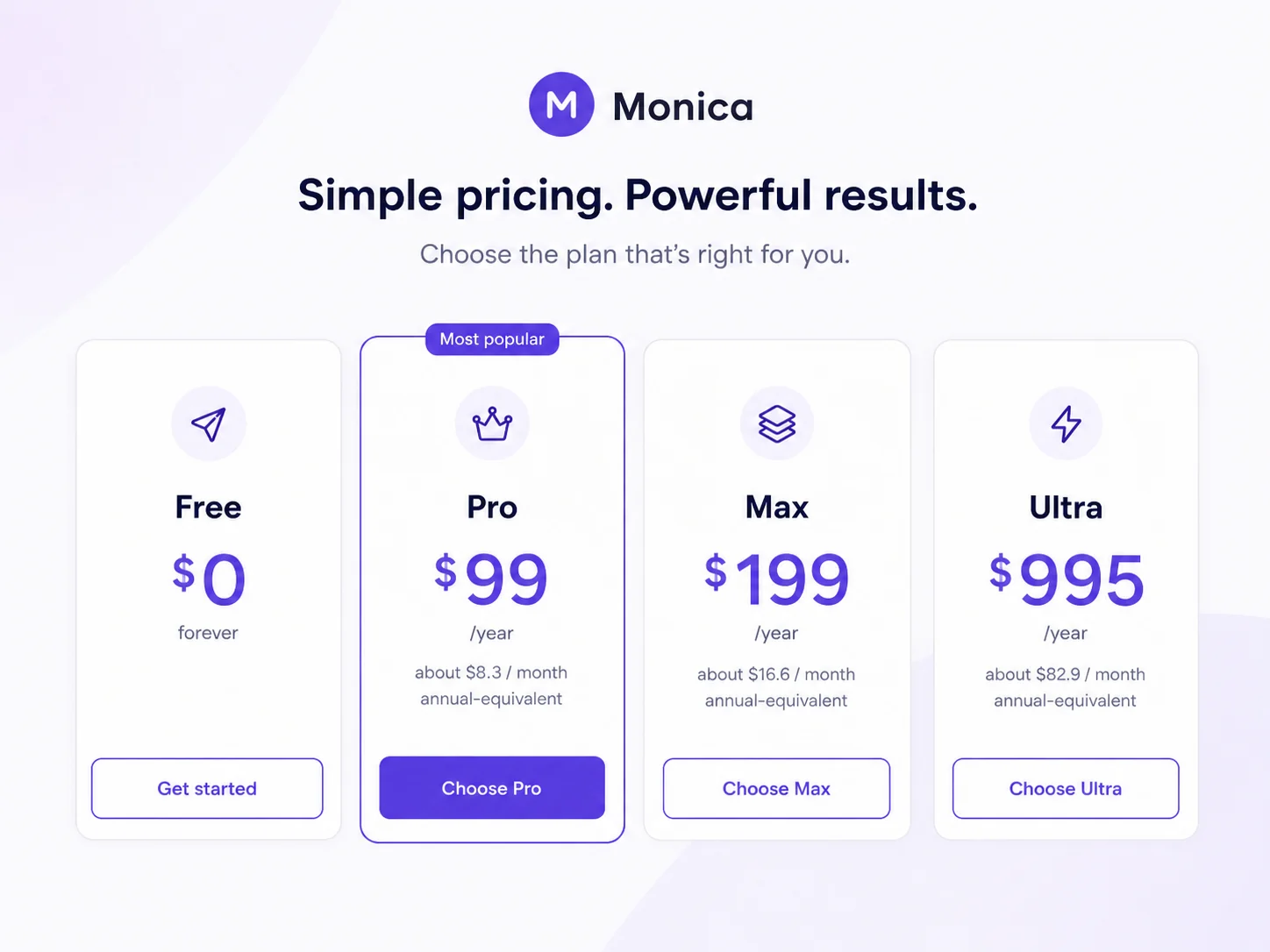
The official pricing page has shown a Free plan plus paid tiers with annual-equivalent prices such as Pro, Max, and Ultra. That does not mean every buyer should jump to annual billing. First, test whether Monica actually becomes part of your normal reading, writing, and research routine. Then compare monthly access, annual pricing, and any checkout discount against real usage.
- Use the free path to test sidebar and summary behavior.
- Check whether the plan includes the models and features you expect.
- Treat annual billing as a second step, not the first click.
Free use versus paid value
Monica's free access is good for discovering whether the assistant fits your habits. Try a real browser article, a long YouTube video, a rewriting task, a translation task, and a normal email reply before deciding. A plan is easier to judge when the test mirrors the work you repeat every week.
Paid value becomes stronger when you use Monica across multiple surfaces: browser for reading, desktop for selected text, mobile for quick voice or chat, and messaging integrations for lightweight access. If you only open it once a week, a broader AI subscription may not pay for itself.
- Free access is best for fit testing.
- Paid access is better for daily, multi-surface use.
- Heavy premium-model users should compare upper tiers early.
Use the workflow video before choosing a plan
The email-reply video is worth watching if your buying reason is daily productivity rather than curiosity. Look at how Monica appears directly inside a familiar work context and whether the reply process feels faster than your current routine. That is the real benefit to check: less tab switching, less blank-page friction, and fewer small writing decisions during the day.
If the video maps to your normal email or social-response work, Monica may deserve a closer look. If it feels like a feature you would rarely use, keep testing the free plan before paying for a higher quota.
Refund, team, and API checks
Monica's refund language is not a casual try-it-and-refund promise. The help center says payments for subscriptions, credits, and paid features are generally final and non-refundable unless applicable law requires otherwise. That is especially relevant if you are considering annual billing or buying credits for heavier usage.
Business buyers also need a separate check. Monica's help center says a team subscription has not been officially launched, even though the product can be used across devices and Monica also has an API platform. Treat API access and team administration as different questions, and verify the exact route you need before paying.
- Refund flexibility is limited, especially after paid access or credits are used.
- Team subscription support should not be assumed.
- Developer buyers should review the Monica API platform separately from the consumer plan.
Alternatives and safest next step
Monica competes most directly with browser-based and all-in-one AI assistants, not with every AI tool on the market. If you want a similar sidebar assistant, compare Monica with Merlin AI or Sider. If you mainly want to enhance ChatGPT itself, Superpower ChatGPT is a more focused comparison. If your need is research reading or study help, a narrower tool may be cleaner than a broad assistant.
The safest next step is to try Monica in your real browser workflow, then open the review if the fit still looks strong, and only then check the coupon or pricing path. That order protects buyers from clicking on a deal before knowing whether the assistant belongs in their daily routine.
Best savings path from this store page
This is the clearest savings route to check once the product already looks like a fit.
Monica pricing shows an annual Pro-style plan saving versus paying monthly, which can fit daily users who need a browser and app AI assistant.
Save with annual billing
Education discount path
Use comparison routes when the category fit is still open
Use these comparison routes when the product still looks plausible, but the category fit is not fully settled.
Better to compare when the buyer wants a similar browser assistant and needs to test which sidebar workflow feels lighter.
Relevant for buyers comparing all-in-one browser assistants with web-page actions, translation, and chat access.
A better fit when the buyer mainly wants to extend ChatGPT rather than use a separate cross-platform assistant.
Worth checking when the buyer's main need is narrower research or engagement support instead of a broad daily assistant.
Verification points worth checking before you click out
Where this store usually fits best in the workflow
Monica fits buyers who read long pages, articles, reports, or videos and want summaries without moving everything into a separate chat tool.
Monica can help with emails, social replies, rewriting, translation, and short-form drafts when the buyer works inside many different websites.
Students, researchers, and analysts can use Monica for page summaries, YouTube summaries, PDF-style reading workflows, and quick concept explanations.
Monica makes more sense when the buyer wants the same assistant across browser, desktop, mobile, web app, and selected messaging environments.
Practical checkpoints before and after signup
- Choose three real tasks you repeat weekly, such as summarizing a video, rewriting an email, and translating a page.
- Check whether Monica reduces friction in those tasks before comparing paid plans.
- Confirm live pricing, annual-equivalent rates, model quotas, device limits, and refund language.
- Check whether the feature you need is in the consumer plan, the API platform, or a separate product area.
- Treat public coupon claims as checkout-test offers until the final cart reflects the discount.
- Compare the code path against official annual pricing so a coupon headline does not hide a worse final price.
Fast-read signals for workflow fit and buying friction
Questions readers usually ask before choosing this store
What is Monica best used for?
Monica is best used as an everyday AI assistant for browsing, reading, summarizing, translating, writing, email help, quick research, and multi-model access. It fits buyers who want AI near their normal workflow rather than inside one separate chatbot tab.
Does Monica have a free plan?
Yes. Monica has a free entry point, which is useful for testing the browser sidebar, smart toolbar, summaries, writing help, and general assistant behavior before choosing a paid tier.
What should I verify before buying Monica?
Verify the current plan names, monthly or annual billing toggle, premium model quotas, advanced query limits, device limits, refund terms, and whether any coupon code actually works in the final checkout.
Is Monica good for teams?
Monica can be used across devices under an account, but the help center says a team subscription has not been officially launched. Business buyers should not assume workspace administration, central billing, or team controls without checking directly.
What is the safest next step with Monica?
Start with the free plan or trial, test Monica on real repeated tasks, then read the review if the workflow fit looks strong. After that, compare the pricing page and coupon route before choosing monthly or annual billing.
Choose the next route that matches what you still need to decide
The strongest next click depends on whether you still need product judgment, a savings route, or a broader category comparison.