
Superpower ChatGPT Pricing & Workflow Fit
Superpower ChatGPT is a browser extension that adds organization, prompt management, export, search, image gallery, reference chats, voice-mode helpers, and other workflow tools around ChatGPT. The buying question is not whether it adds many features. The better question is whether your ChatGPT history is active enough that folders, prompt chains, exports, notes, and search save real time every week.
Fit → price → checkout
Use these routes after the official-site check: coupon first, review for fit, compare if unsure.
Superpower ChatGPT pricing snapshot
Fast commercial checks before pricing, coupons, or a deeper review.
Superpower ChatGPT product tour
Watch the product tour with one practical question in mind: will the extension reduce the time you spend finding old chats, rebuilding prompts, exporting conversations, or organizing image-heavy work? The video is most useful for buyers who already use ChatGPT often and need to see whether the added layer feels helpful or distracting before choosing Pro.
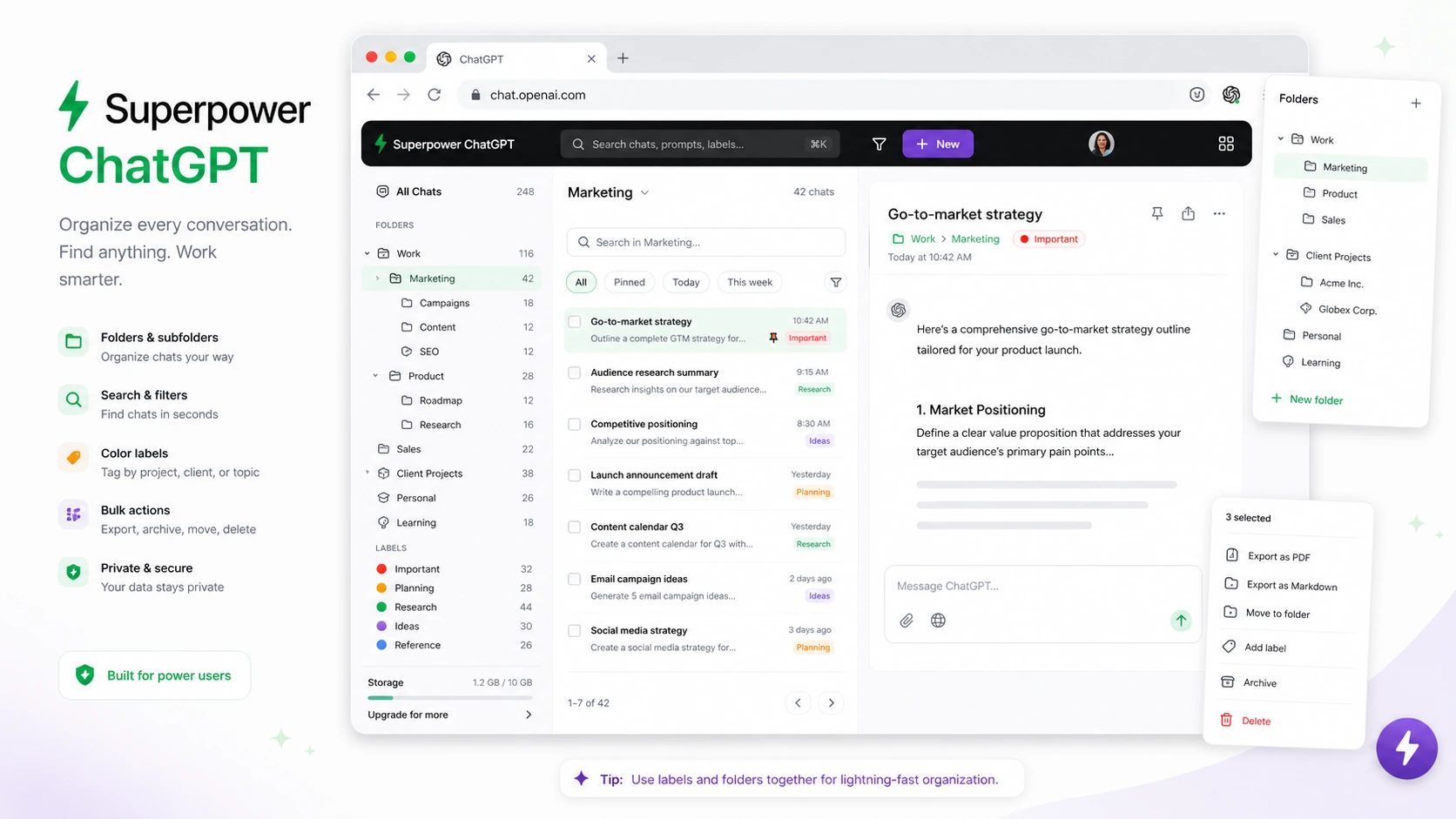
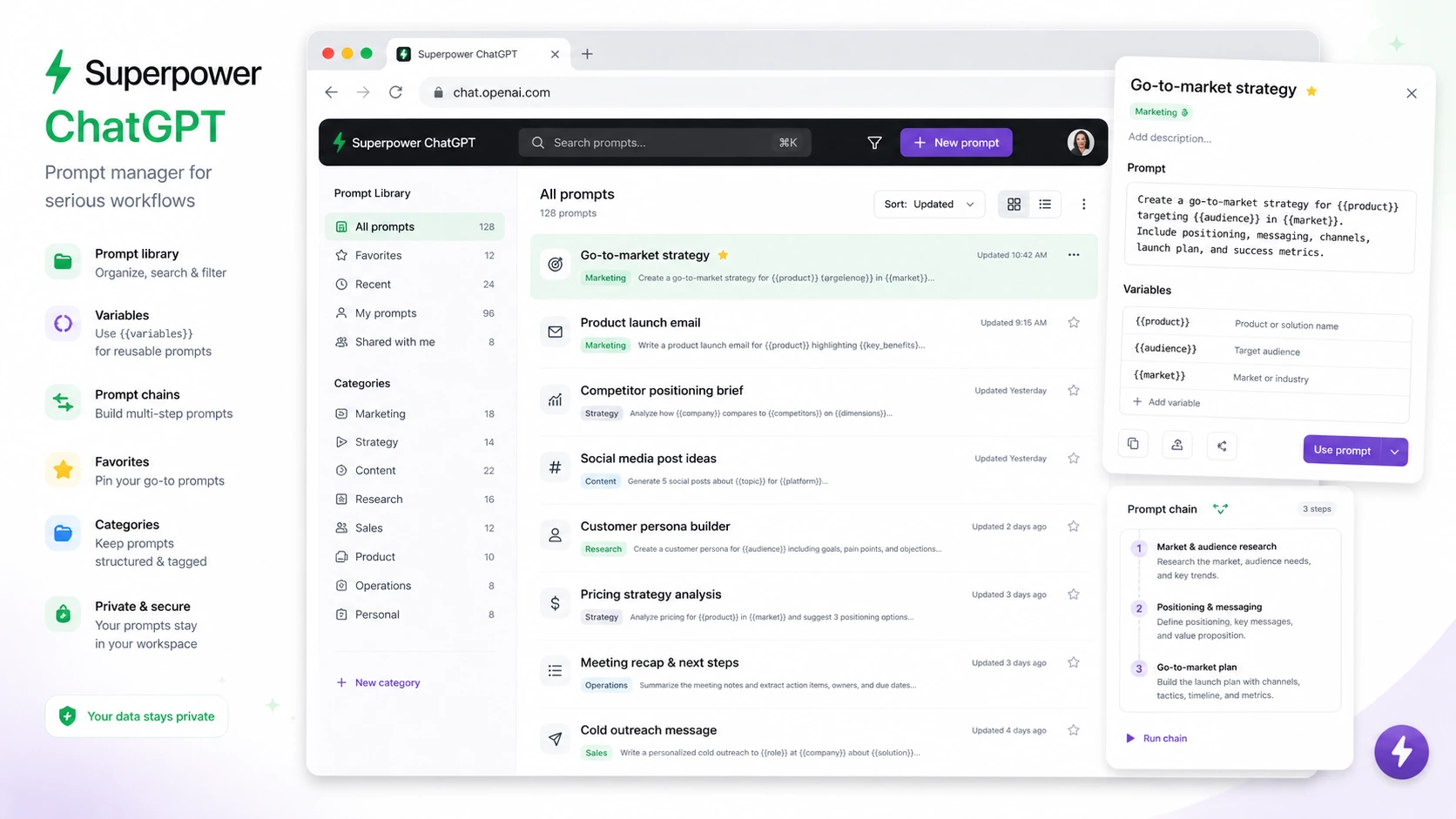
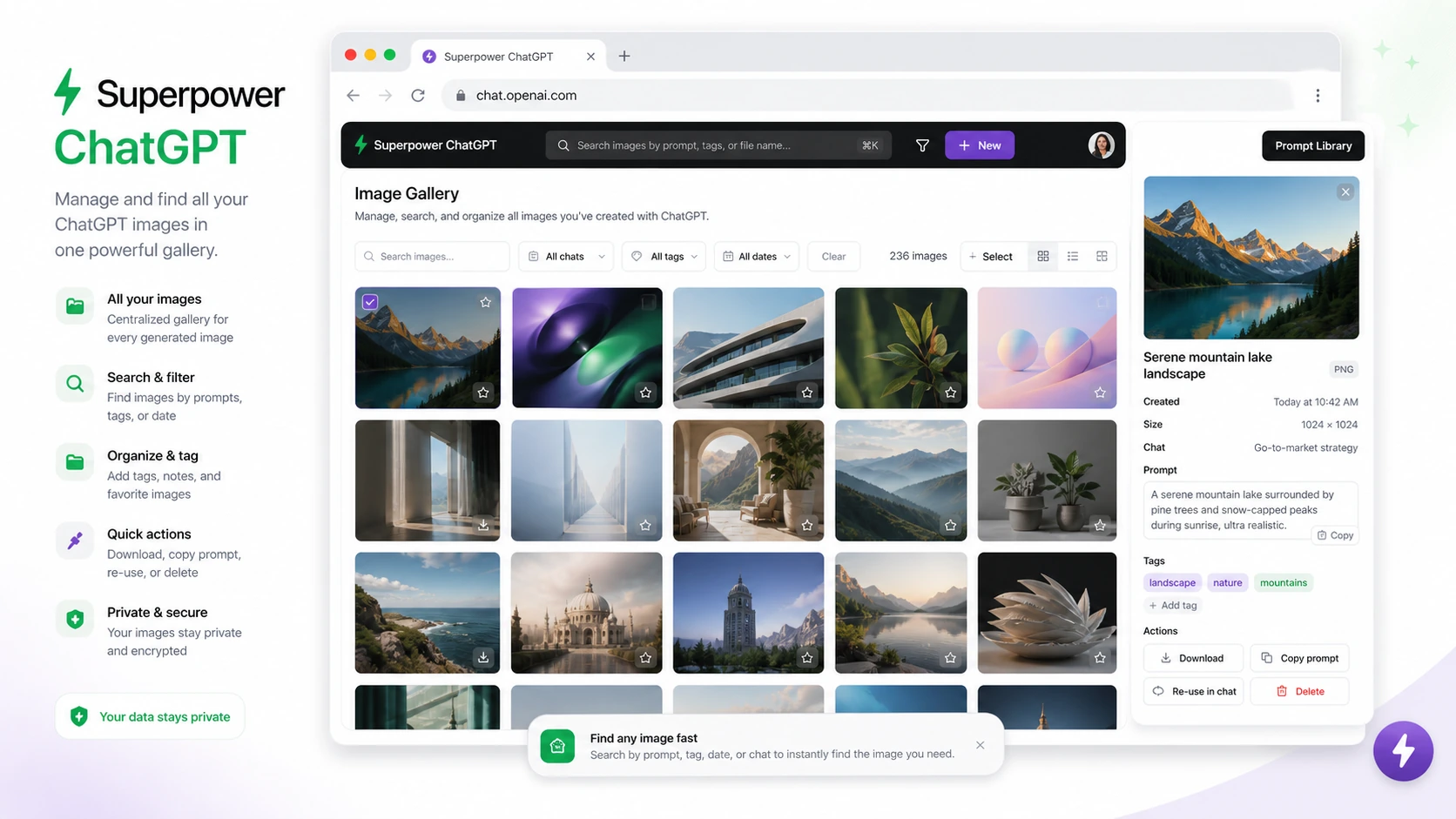
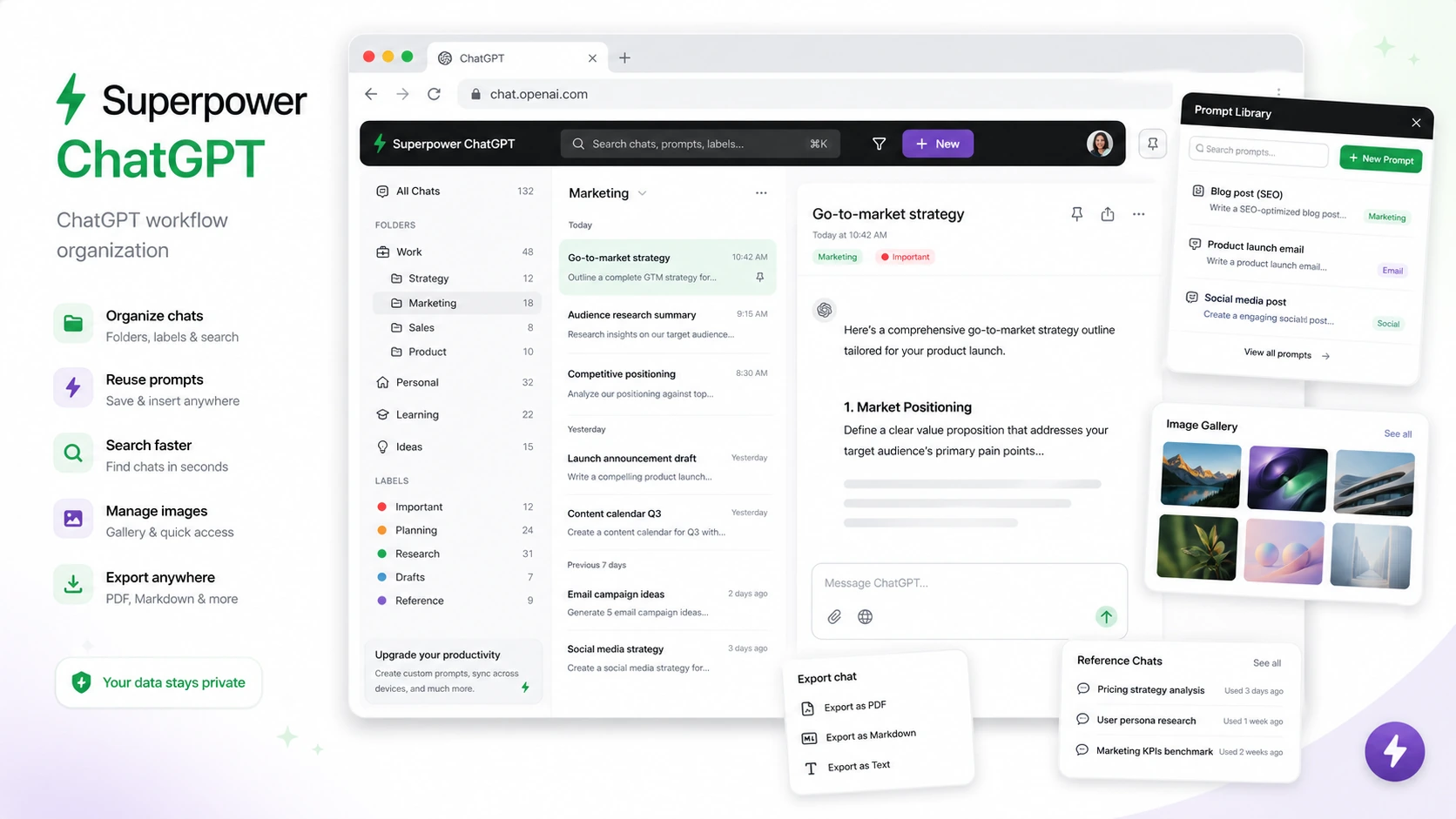
Superpower ChatGPT is best evaluated as a workflow layer for people who already spend serious time inside ChatGPT. It will not make a weak prompt strategy good by itself, but it can reduce friction around finding old conversations, reusing prompts, exporting work, managing generated images, and keeping high-value chats organized.
What Superpower ChatGPT actually does
Superpower ChatGPT adds browser-extension controls around the ChatGPT web experience. The core value is organization: folders, subfolders, conversation search, export, prompt history, prompt templates, prompt chains, image gallery, pinned messages, reference chats, and other interface helpers. For buyers, the practical question is simple: do you use ChatGPT often enough that organization and reuse save more time than the extension adds complexity?
- Organize ChatGPT conversations into folders, subfolders, and searchable history.
- Reuse prompts through favorite prompts, prompt templates, prompt history, and prompt chains.
- Export, archive, delete, reference, and navigate conversations with more control than the default interface.
Pricing and plan fit
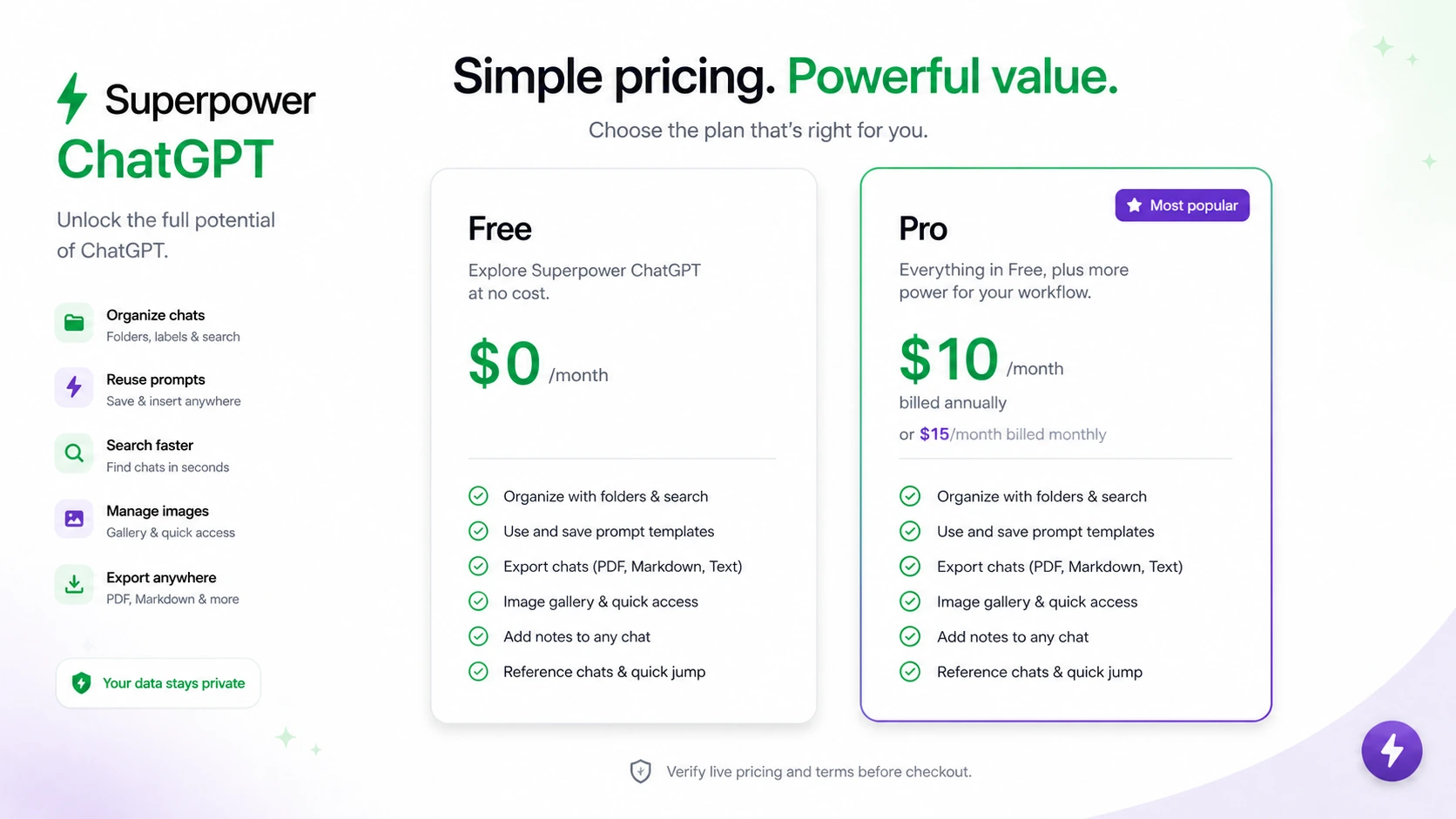
The official pricing path is easy to understand but still worth checking carefully. The free plan gives access to many features with limits, while Pro unlocks deeper prompt management, image gallery, notes, reference chats, auto folder, auto archive, right-click workflows, enhanced GPT store features, and priority support. During this update, Pro was shown at $10/month when billed annually or $15/month when billed monthly. The safer path is to test the free plan first, then pay only if one or two Pro features clearly remove weekly friction.
- Use free access to check extension fit before paying.
- Compare annual and monthly billing against the Pro features you actually need.
- Read refund and cancellation terms before upgrading because unused time is not treated as refundable.
Prompt management is the real upgrade test
The official tutorial below is useful if your main buying question is prompt reuse. Watch how prompts are created, organized, managed, and reused, then ask whether this would replace your current prompt document or simply duplicate it. The best buyers are people with repeatable prompt workflows, not casual users who only need ChatGPT once in a while.
- Check whether favorite prompts and prompt history are easier than your current notes app.
- Look for variable support and prompt chains if you run multi-step workflows.
- Avoid paying for prompt tools if your prompt library is still small and untested.
Privacy, local storage, and extension risk
The official FAQ says chats are stored locally on the browser and that requests go directly from the browser to OpenAI over HTTPS. That is reassuring, but buyers should still think like browser-extension buyers: check the Chrome Web Store privacy disclosures, review what data the extension handles, and decide whether the convenience is worth installing a tool inside a high-value ChatGPT workspace.
- Review Chrome Web Store privacy disclosures before installing.
- Use the free plan with non-sensitive conversations first if you are cautious.
- Keep in mind that extension behavior can depend on ChatGPT interface changes.
Who should upgrade to Pro
Pro is most defensible when a buyer has a daily ChatGPT workflow and can point to specific friction: too many old chats, too many reusable prompts, image outputs that are hard to find, voice-mode work that needs side-by-side visibility, or repeated export and archive work. If the only reason to upgrade is curiosity, the free plan is safer. If Pro removes a repeated weekly task, the lower annual monthly equivalent becomes easier to justify.
- Upgrade when at least one Pro feature saves time every week.
- Stay free if the extension is mostly a nice-to-have interface layer.
- Use monthly billing if you are unsure and want lower commitment despite the higher monthly price.
Safest next step
The safest next step is to install the official extension, test it with a normal week of ChatGPT work, and track whether folders, search, prompt reuse, export, notes, image gallery, or reference chats reduce friction. After that, compare free limits, Pro pricing, refund terms, and any verified checkout discount. The review page is the better next click if workflow fit is still unclear. The coupon page only makes sense after the extension already passes your practical test.
- Install from the official Chrome Web Store or browser store path.
- Test with real conversations and prompts before paying.
- Move to coupon or pricing only after the workflow fit is clear.
Best savings path from this store page
This is the clearest savings route to check once the product already looks like a fit.
Superpower ChatGPT states that most extension features are free, making the free install path the safest first step before considering Pro.
Pro annual path at lower monthly equivalent
Monthly Pro upgrade path
Use comparison routes when the category fit is still open
Use these comparison routes when the product still looks plausible, but the category fit is not fully settled.
1min AI is a broader all-in-one AI workspace, while Superpower ChatGPT is better when the buyer wants to improve the existing ChatGPT browser workflow.
Aikeedo is closer to a SaaS builder path, while Superpower ChatGPT is a lighter extension decision for personal ChatGPT productivity.
Merlin AI is stronger for web-wide assistant use, while Superpower ChatGPT is more focused on organizing and extending ChatGPT itself.
Verification points worth checking before you click out
Where this store usually fits best in the workflow
Use Superpower ChatGPT when old conversations are valuable enough to search, folder, reference, archive, or export instead of disappearing into a long default sidebar.
The extension makes sense for buyers who reuse prompts, prompt templates, variables, prompt history, or prompt chains across research, writing, marketing, study, or support tasks.
Superpower ChatGPT is useful when conversations need to become PDFs, text files, Markdown, JSON, notes, or reference material for later projects.
Image gallery features are relevant for buyers who create many images in ChatGPT and need a faster way to search, review, download, or reuse visual outputs.
Practical checkpoints before and after signup
- Confirm you are using the official Superpower Chat listing or official site route.
- Review Chrome Web Store privacy disclosures and decide whether the extension fits your data comfort level.
- Pick one real workflow problem to test instead of judging the extension by feature count.
- Use folders, search, export, prompt tools, and navigation helpers with real chats for several sessions.
- Check whether the extension makes ChatGPT faster or just busier for your style of work.
- Avoid testing with sensitive chats until you are comfortable with extension behavior and permissions.
- Name the exact Pro feature that saves weekly time before subscribing.
- Compare annual and monthly pricing, student discount eligibility, and any verified checkout deal.
- Read the non-refundable billing terms before entering payment details.
- Cancel through the in-app billing portal before renewal if the extension does not remain useful.
- Review feature changes over time because the product releases updates frequently.
- Keep the review and coupon pages separate: fit first, savings second.
Fast-read signals for workflow fit and buying friction
Questions readers usually ask before choosing this store
What is Superpower ChatGPT best for?
Superpower ChatGPT is best for frequent ChatGPT users who need better folders, search, prompt management, export, notes, image gallery, and workflow navigation. It is strongest when ChatGPT is already part of daily work and old conversations or repeated prompts are becoming hard to manage.
Does Superpower ChatGPT have a free plan?
Yes. The official pricing section lists a free plan at $0/month with limits. That makes the free plan the safest first step before paying for Pro, especially because the billing terms are strict about refunds.
How much does Superpower ChatGPT Pro cost?
During this update, the official pricing section showed Pro at $10/month when billed annually or $15/month when billed monthly. Buyers should verify the live pricing section before checkout because plan presentation, discounts, and billing terms can change.
Is Superpower ChatGPT refundable?
The billing agreement states that fees are non-refundable and that the provider does not offer refunds or credits for partial months or unused portions. Buyers should test the free plan first and cancel through the billing portal before renewal if Pro is not worth keeping.
Should I read the review or coupon page first?
Start with the review page if you are still unsure whether the extension fits your workflow. Move to the coupon or deal page only after the free plan proves that folders, prompt management, export, notes, or image gallery features save real time.
Choose the next route that matches what you still need to decide
The strongest next click depends on whether you still need product judgment, a savings route, or a broader category comparison.