
Merlin AI Pricing, Plans & Browser Fit
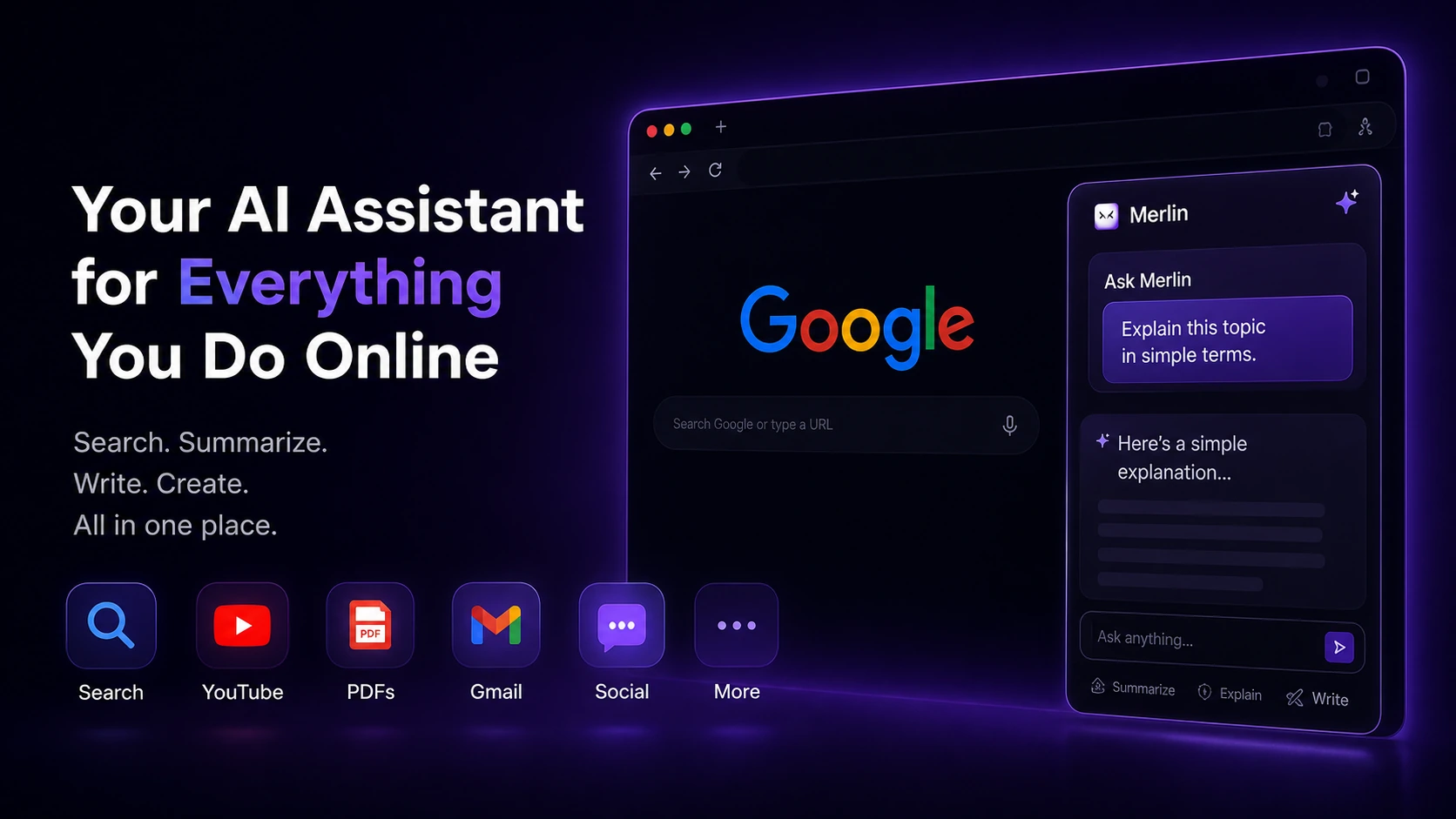
Merlin AI is a broad browser and web-app assistant for people who want access to multiple AI models, summarization, document chat, YouTube summaries, writing help, research support, and everyday AI shortcuts without juggling several separate subscriptions. The strongest fit is a knowledge worker, student, marketer, creator, or small team that spends a lot of time in browser tabs and wants AI support close to Google Search, YouTube, PDFs, Gmail, LinkedIn, and web pages. The weak fit is a buyer who needs one deep specialist tool, a developer API workflow, or a strict enterprise procurement package.
Fit → price → checkout
Use these routes after the official-site check: coupon first, review for fit, compare if unsure.
Merlin AI pricing snapshot
Fast commercial checks before pricing, coupons, or a deeper review.
Merlin AI product tour
The main tour video is useful if you are deciding whether Merlin AI is just another chat tool or a practical browser layer for research, writing, summaries, and projects. Watch for how the workflow connects web context, files, saved knowledge, and AI responses. That is the buyer decision: if Merlin reduces tab switching and repeated prompting in your real browser work, the paid plan deserves a closer look; if you only need occasional chat, the free plan may be enough.

Merlin AI should be evaluated as a browser and web-app assistant for repeated knowledge work, not as a simple coupon click or a generic chatbot. The buyer question is whether it can reduce scattered AI work across search, articles, PDFs, YouTube, Gmail, LinkedIn, social replies, and writing tasks. If those jobs happen every day, the paid plan may be worth comparing. If they happen only occasionally, the free path is the safer first step.
What Merlin AI actually does
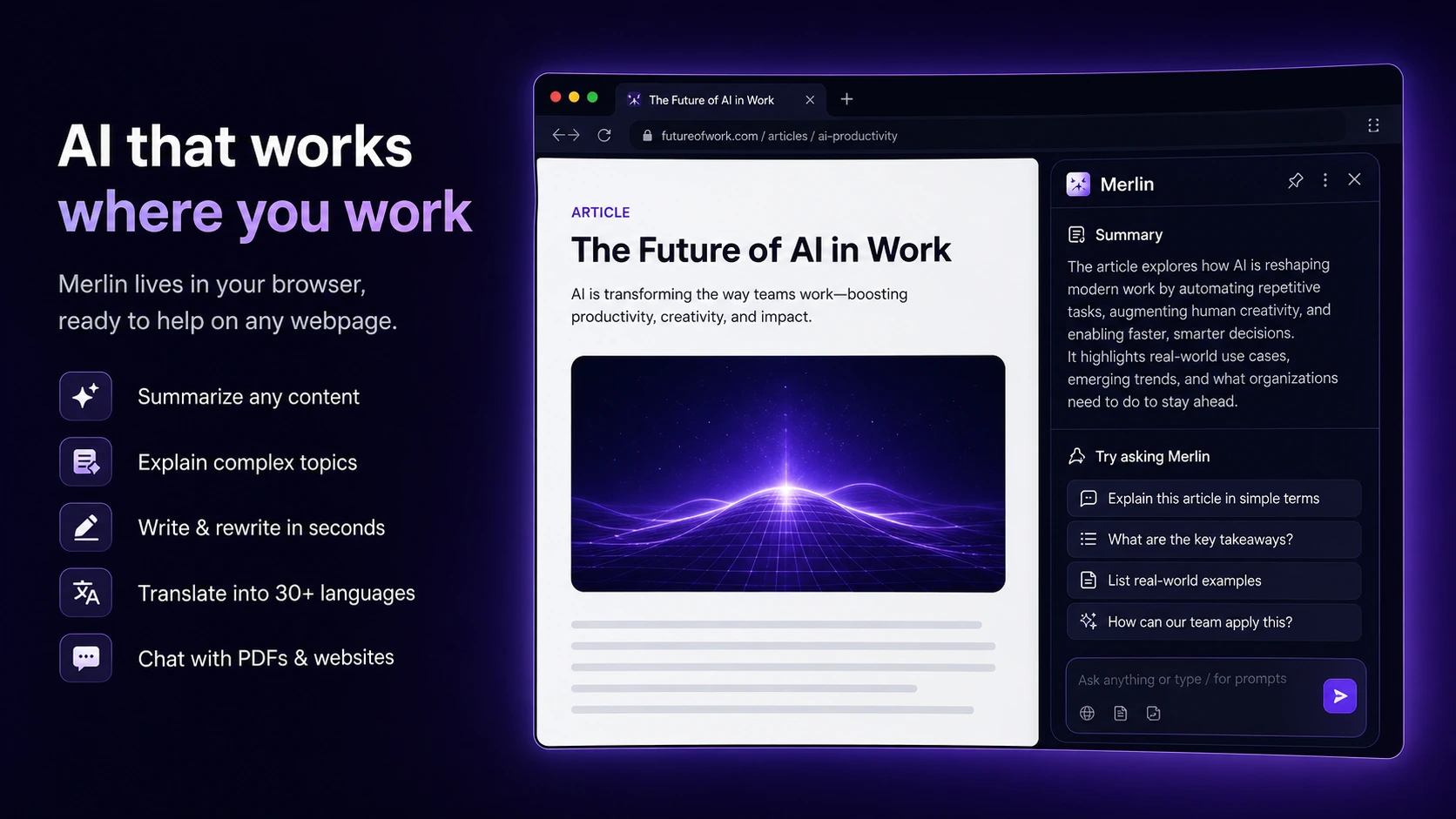
Merlin AI gives buyers an AI assistant that works through the web app and browser extension. Official pages describe use cases across Google Search, YouTube summaries, blogs, PDFs, PPTs, LinkedIn, Twitter, Gmail, and translations. The practical value is not one magic feature. It is having AI close to the places where browser-based work already happens.
- Use it to summarize pages, videos, documents, and research material.
- Use it to draft or refine emails, social replies, and browser-based writing.
- Use the free plan first to see whether the assistant appears in the workflows you actually use.
How pricing should be read
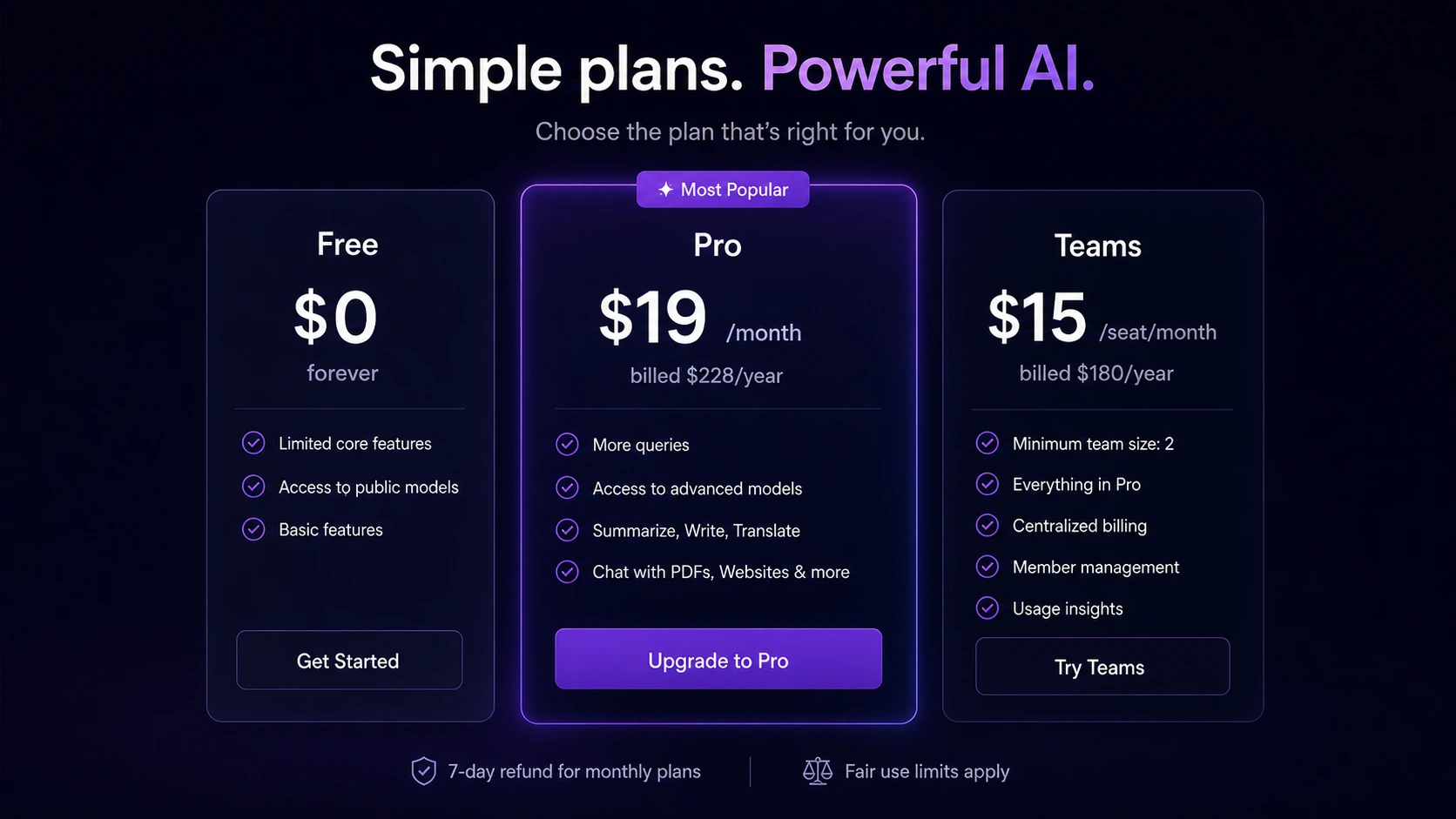
Merlin's pricing is easier to understand when you separate the free testing path from the paid usage path. The official pricing page shows a Free plan with limited access and paid Pro and Teams options. The displayed Pro price can depend on region and billing toggle, while Teams was shown at $15 per seat per month when billed yearly during this research session. Do not treat an old coupon post, a third-party listing, or a cached article as the final price.
- Confirm live currency and billing interval before comparing plan value.
- Check fair-use limits and how premium model usage affects real daily capacity.
- Use annual billing only when the refund policy and renewal price are clear.
Where the Chrome extension helps
The Chrome Web Store listing is one of the clearest evidence points for Merlin's buyer fit. It describes research, rewriting, summarization, websites, videos, documents, social content, real-time web and file integration, cross-platform access, and a large public user base. That matters because a browser assistant is only valuable when it appears where the work happens, not after the buyer copies everything into a separate app.
- Check whether Merlin appears smoothly on the sites and workflows you use daily.
- Use it on real pages, not only demo prompts, before upgrading.
- Review extension permissions and privacy comfort before adding it to sensitive work browsers.
Projects and saved context are the deeper test
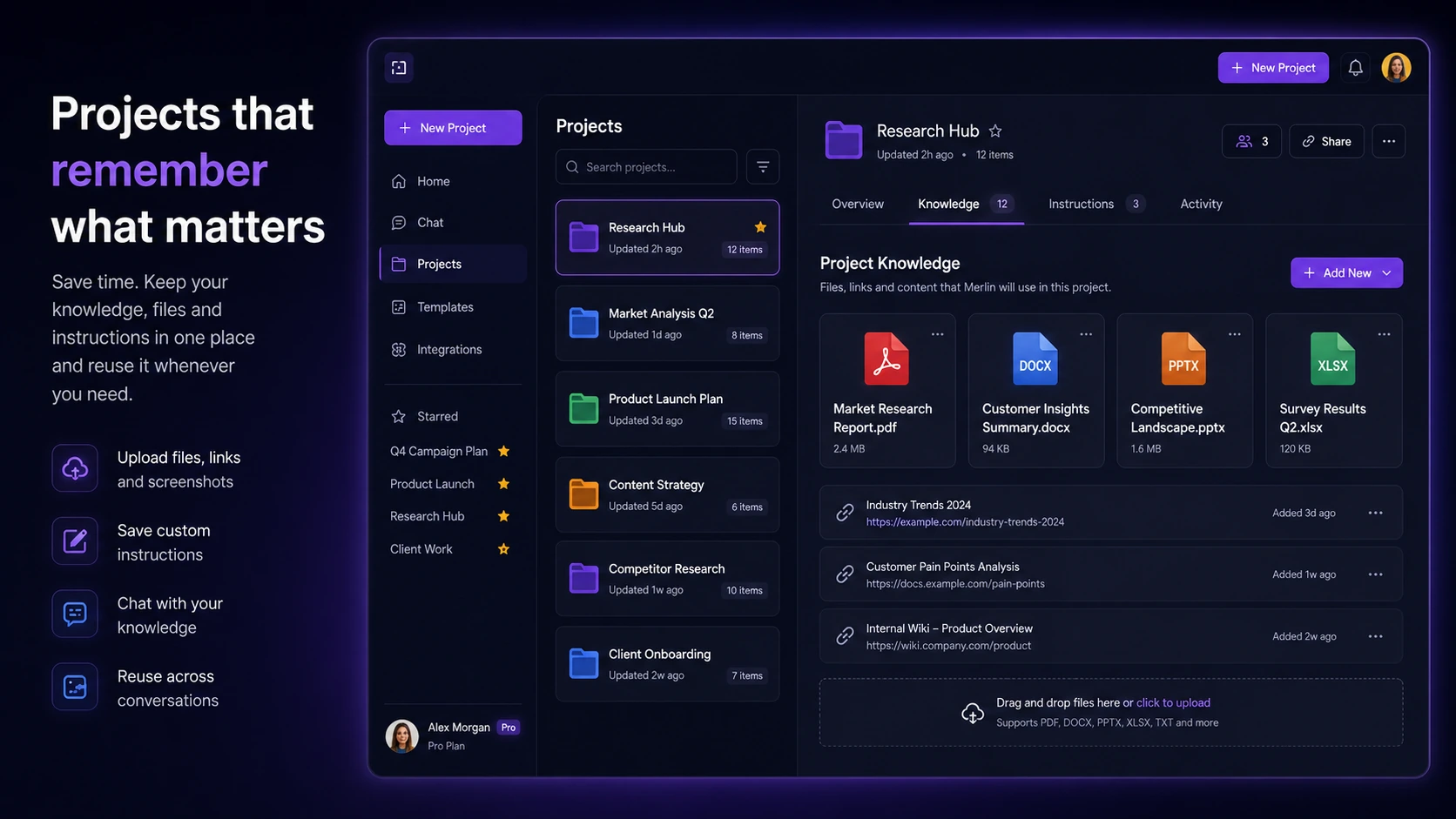
Merlin becomes more interesting when the buyer moves beyond one-off prompts and starts using Projects, saved knowledge, and repeated research workflows. The official help material describes Projects and custom assistants built from instructions, files, and contextual information. That is useful for repeated work, but buyers should test whether the system keeps context clean enough for their real projects.
- Use Projects for recurring research, content, study, or client topics.
- Upload only material you are comfortable processing under Merlin's privacy and data policies.
- Check answer quality with source material nearby, especially for research and business decisions.
Team buying needs a different check
The Teams plan is not just a higher price. Official pricing describes member management, usage dashboards, larger context windows, and security positioning such as SOC2, GDPR, and ISO 27001 compliance. That matters only if the team actually needs shared AI access, usage visibility, and a governed rollout. A solo user should not buy the team path for features they will not use.
- Confirm minimum team size and live per-seat price.
- Check whether usage dashboard and member management solve a real team problem.
- Review security and data handling requirements before rolling Merlin into company workflows.
Best next step before checkout
The safest path is to test Merlin with the free plan, then compare paid pricing only after you know which workflows matter. Try a real search session, a YouTube summary, a long article, a PDF, an email draft, and a project-style task. If Merlin saves time across several of those, the paid plan deserves attention. If only one feature is useful, compare a more focused alternative before paying.
- Run a small set of real tasks before judging price.
- Open the review path when you still need workflow fit and tradeoff analysis.
- Use the coupon path only after pricing, refund, and plan limits are clear.
Best savings path from this store page
This is the clearest savings route to check once the product already looks like a fit.
Create a free Merlin AI account to test access to multiple AI models and workflow tools before choosing a paid Pro or Teams subscription.
Team subscription path
Official eligibility discount
Use comparison routes when the category fit is still open
Use these comparison routes when the product still looks plausible, but the category fit is not fully settled.
1min.AI may fit buyers who want a broader all-in-one tool hub for many small AI jobs, while Merlin is stronger when browser extension access, search, YouTube, and web-page context are central.
Aikeedo is a different kind of buyer path for people building or owning an AI SaaS-style product, while Merlin is for everyday AI assistance inside a browser and app workflow.
Verification points worth checking before you click out
Where this store usually fits best in the workflow
Merlin fits buyers who spend a lot of time reading pages, searching Google, watching videos, and collecting notes. The value comes from reducing the copy-and-paste loop between source material and a separate AI chat window.
Students can use Merlin for YouTube summaries, article summaries, translation, PDF questions, and note cleanup. The important guardrail is to verify summaries against source material rather than using them as a substitute for understanding.
Marketers and creators can use Merlin for drafts, social replies, email support, and idea generation. It works best as a speed layer for routine writing, not as a replacement for strategy, editing, or brand judgment.
Small teams can consider Merlin Teams when shared access, usage dashboards, and member management are useful. The team route should be tested with a narrow workflow before expanding seats.
Practical checkpoints before and after signup
- List the browser, document, video, email, and research tasks you actually repeat every week.
- Install and test Merlin only on workflows where a browser assistant could reduce switching or repeated prompting.
- Check extension permissions and privacy comfort before using it with sensitive business material.
- Use the free query allowance on real tasks rather than sample prompts.
- Compare outputs across stronger and lighter models if the plan allows it.
- Track whether summaries and document answers save time after verification, not before verification.
- Confirm the live Pro price, currency, annual discount, renewal amount, and fair-use rules.
- Read refund terms before annual billing because low-usage and prorated paths have conditions.
- Test any affiliate or student discount at checkout only after the plan fit is clear.
- Start with a small team workflow such as research, support replies, sales notes, or content drafting.
- Review member management, usage dashboard, security needs, and support expectations.
- Recheck value after a few weeks before adding more seats.
Fast-read signals for workflow fit and buying friction
Questions readers usually ask before choosing this store
What is Merlin AI best used for?
Merlin AI is best used as a browser and web-app assistant for everyday knowledge work. It fits research, web-page summaries, YouTube summaries, document questions, writing help, translations, social replies, and quick AI access across several work tabs.
Does Merlin AI have a free plan?
Yes. Official pages describe a free path, and the homepage FAQ says free users receive 102 free queries per day. Buyers should still verify the current allowance because model choice, stronger AI models, and premium features can affect how quickly usage is consumed.
How should I read Merlin AI pricing?
Read pricing as a plan-fit decision, not only a sticker-price decision. The official pricing page can localize currency and billing. During this update, it showed Free, Pro, and Teams paths, with Teams at $15 per seat per month under yearly billing. Confirm live currency, renewal amount, fair-use limits, and discount eligibility before checkout.
Are Merlin AI coupon codes reliable?
Merlin's own coupon article says special discounts may come from official communications, trusted affiliates, and affiliate websites, but that does not make every public code guaranteed. Treat coupon codes as checkout tests after you have already confirmed product fit, plan limits, pricing, and refund terms.
What should teams verify before buying Merlin AI?
Teams should verify minimum seats, member management, usage dashboard needs, security claims, data handling, support expectations, billing ownership, and renewal terms. Merlin Teams only makes sense when shared access and governance matter, not when one person simply wants a stronger AI chat subscription.
Choose the next route that matches what you still need to decide
The strongest next click depends on whether you still need product judgment, a savings route, or a broader category comparison.