Quick verdict
Merlin AI is useful if your real problem is not “I need another chatbot,” but “I keep moving between search results, YouTube videos, documents, emails, social posts, and browser tabs, and I want AI assistance closer to that work.”
That is the better way to judge it.
Merlin is not a narrow specialist tool. It is a browser and web-app assistant that tries to put multiple AI models and productivity shortcuts into one working layer. The appeal is obvious: summarize a page, ask questions about a document, work with YouTube content, draft a reply, translate text, research a topic, and keep moving without opening five different tools.
For some buyers, that is genuinely useful.
For others, it can become the familiar all-in-one problem: broad enough to touch many tasks, but not always the best choice for one deep job. If you need a dedicated SEO platform, a serious coding environment, a specialized research database, or a clear developer API workflow, Merlin AI may feel too general.
My read is simple: Merlin AI makes the most sense for repeated browser-based knowledge work. It is weaker as a casual subscription you buy because the homepage looks convenient.
The free path is important here. Merlin says free users receive daily queries, and that gives buyers a practical way to test whether the assistant appears in the places they actually work. I would use that before paying. If the extension becomes part of your daily routine, the Pro or Teams path deserves a closer look. If you only use it once or twice, the paid plan may be unnecessary.
Next step: If Merlin AI sounds useful, test the browser workflow first and verify the current plan limits before checkout.
Review snapshot
| Review point | Practical take |
|---|---|
| Best for | Browser-heavy knowledge workers, students, researchers, marketers, creators, and small teams |
| Not ideal for | Buyers who need one deep specialist tool, backend API automation, or strict procurement controls |
| Main use case | AI help across search, webpages, YouTube, PDFs, documents, email, and short-form writing |
| Free path | Useful for testing daily workflow fit before paying |
| Paid path | Makes sense when query use, model access, files, videos, or team features become part of repeated work |
| Main strength | Broad browser-first access to AI assistance across many everyday tasks |
| Main concern | Pricing, currency, fair-use limits, refund terms, and team requirements need live verification |
| Alternatives to compare | 1min.AI, Aikeedo, ChatGPT Plus, Perplexity Pro, Monica or similar browser assistants |
| Safest next step | Use the free plan on real tasks before choosing monthly, annual, or team billing |
What is Merlin AI?
Merlin AI is a Chrome extension and web app that gives users access to AI assistance across common browser and knowledge-work tasks.
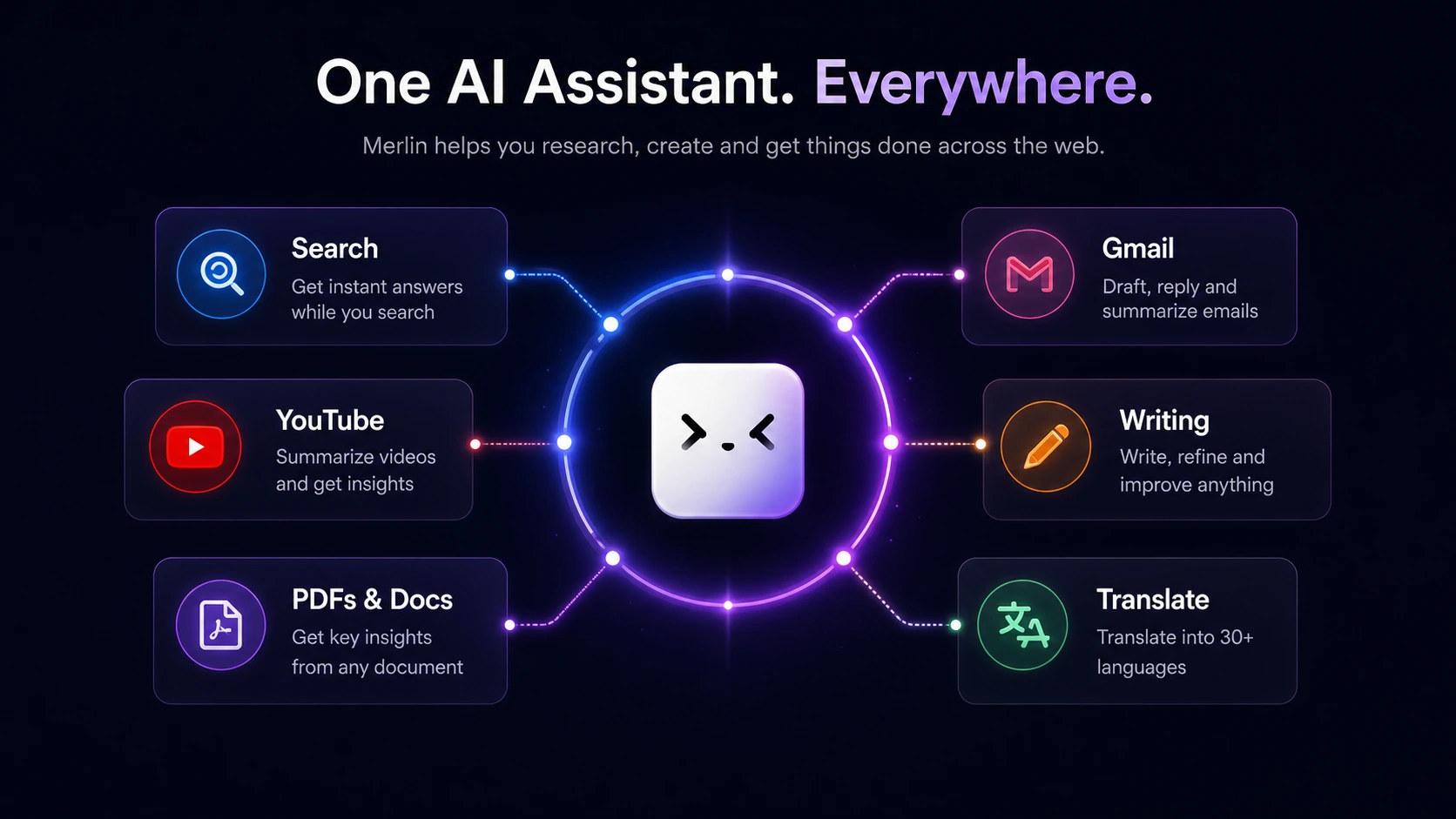
The official positioning is broad. Merlin describes itself as an AI Chrome extension and web app that can work with Google Search, YouTube videos, blogs, PDFs, PPTs, social media posts, Gmail, translations, and multiple AI model families. The Chrome Web Store listing also frames it as a 26-in-1 extension for research, rewriting, summarization, websites, videos, documents, and social content.
That tells you the category.
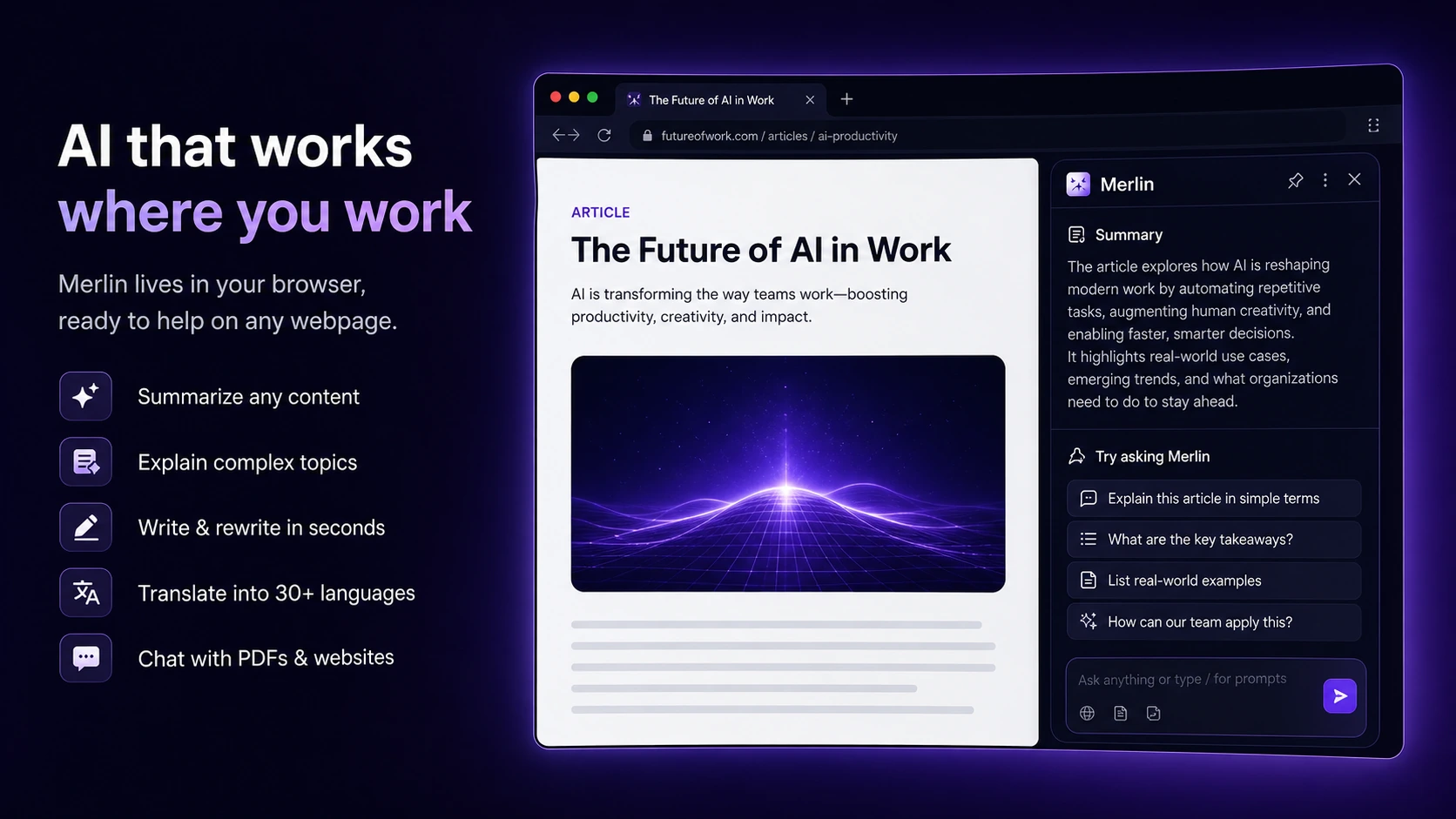
Merlin is not trying to be a single-purpose writing app. It is trying to become an AI layer around the work you already do in the browser. That can be a real advantage if your day is full of small AI-assisted actions: summarize this article, pull notes from this video, draft a reply, rework a paragraph, ask questions about a file, compare web information, and move on.
The buying decision is whether those small actions happen often enough.
A tool like Merlin is easy to overestimate from the homepage because the feature list is wide. The better test is boring but more useful: open the same websites, documents, videos, and writing surfaces you use every week, then see whether Merlin reduces friction. If it does, the value becomes clearer. If it does not, the feature list does not matter much.
Who should use Merlin AI?
Merlin AI fits buyers who do a lot of browser-based knowledge work.
A student might use it to summarize long articles, ask questions about study material, translate passages, and pull useful notes from videos. The value is not that Merlin replaces studying. It helps reduce the small switching costs that slow down research and review.
A marketer or creator might use it for web research, LinkedIn replies, email drafts, content ideas, YouTube summaries, and quick rewrites. Again, the value depends on frequency. If those jobs happen daily, having the assistant inside the browser can feel more natural than copying everything into a separate chat window.
A freelancer or content operator might find Merlin useful as a lightweight research and drafting companion. It can support discovery, summaries, outline work, and quick communication tasks. I would not treat it as a full SEO platform or editorial system, but it can sit beside those tools.
A small team may consider the Teams plan if shared access, usage visibility, and member management matter. This is a different decision from one person buying Pro. For a team, I would verify minimum seats, dashboard needs, security claims, billing ownership, and what the administrator can actually see.
The pattern is clear: Merlin AI works best when the buyer wants AI closer to browser activity, not when the buyer needs one specialized platform.
Who should avoid Merlin AI?
I would be careful with Merlin AI if you only need occasional AI chat.
A free account may already answer that question. If you use Merlin a few times a month, paying for a broader assistant could be more subscription clutter than real productivity.
I would also avoid it as a first choice if your job is narrow and high-stakes. A serious SEO team may still need a dedicated SEO content platform. A developer may prefer a code-first workflow. A researcher may prefer a tool built specifically around citations, academic search, or source management. A team with strict procurement needs may need deeper security documentation, admin controls, and vendor review before rolling anything out.
The API point is worth calling out. Merlin’s privacy policy references API services broadly, but the pricing FAQ says the service does not provide direct API access and is designed as a user-friendly interface for multiple AI models. So I would not treat Merlin AI as a backend automation product unless the current sales or support route confirms otherwise.
There is also a privacy checkpoint. Merlin handles prompts, uploaded files, documents, and conversation history as part of the service. That may be normal for an AI assistant, but buyers working with sensitive documents should read the privacy policy before uploading client files, private company data, student work, legal material, or anything that should not leave a controlled environment.
How Merlin AI fits into a real workflow
The best Merlin AI workflow starts with the places where you already lose time.
For example, a practical browser workflow might look like this:
- Search for a topic.
- Open several useful pages.
- Summarize the strongest pages.
- Ask follow-up questions about the source material.
- Watch or summarize a related YouTube video.
- Pull notes into a draft.
- Rewrite a paragraph or email reply.
- Save useful prompts or project context.
- Decide whether the answer is good enough or needs a specialist tool.
Merlin is strongest when it reduces the friction between these steps.
The tool becomes less convincing when the buyer only wants one output. If you want only long-form SEO content, compare a dedicated SEO writing tool. If you want only research answers with citations, compare a research-first assistant. If you want only a clean chat experience, compare ChatGPT Plus or another primary model subscription.
That is not a criticism of Merlin. It is a fit question.
The main reason to consider Merlin is convenience across surfaces. The main reason to hesitate is depth. A broad assistant can be useful every day without being the strongest tool in any one category.
Workflow check: Try Merlin AI on one real browser task, one video, one document, and one writing task before judging the paid plan.
Features that matter most
Merlin AI has a long feature surface, but buyers should focus on the parts that affect real work.
The first is browser access. If the extension works smoothly where you spend time, it can save small chunks of effort all day. Search, articles, Gmail, LinkedIn, Twitter/X, YouTube, PDFs, and web pages are the types of surfaces where Merlin’s value is easiest to understand.
The second is multi-model access. Merlin’s official pages emphasize access to several major AI model families through one account. That is attractive if you dislike juggling separate subscriptions. I would still avoid assuming it replaces every direct model subscription. Model availability, limits, context, speed, and output behavior can vary by plan and fair-use policy.
The third is summarization. Website, video, and document summaries are some of Merlin’s clearest use cases. They are easy to test because the result is obvious: either the summary saves time and preserves important detail, or it does not.
The fourth is writing support. Merlin can help with email, comments, posts, rewriting, and quick drafts. This is useful for speed, but buyers should still review the output manually. A browser assistant can make writing easier; it does not automatically make writing accurate, strategic, or brand-safe.
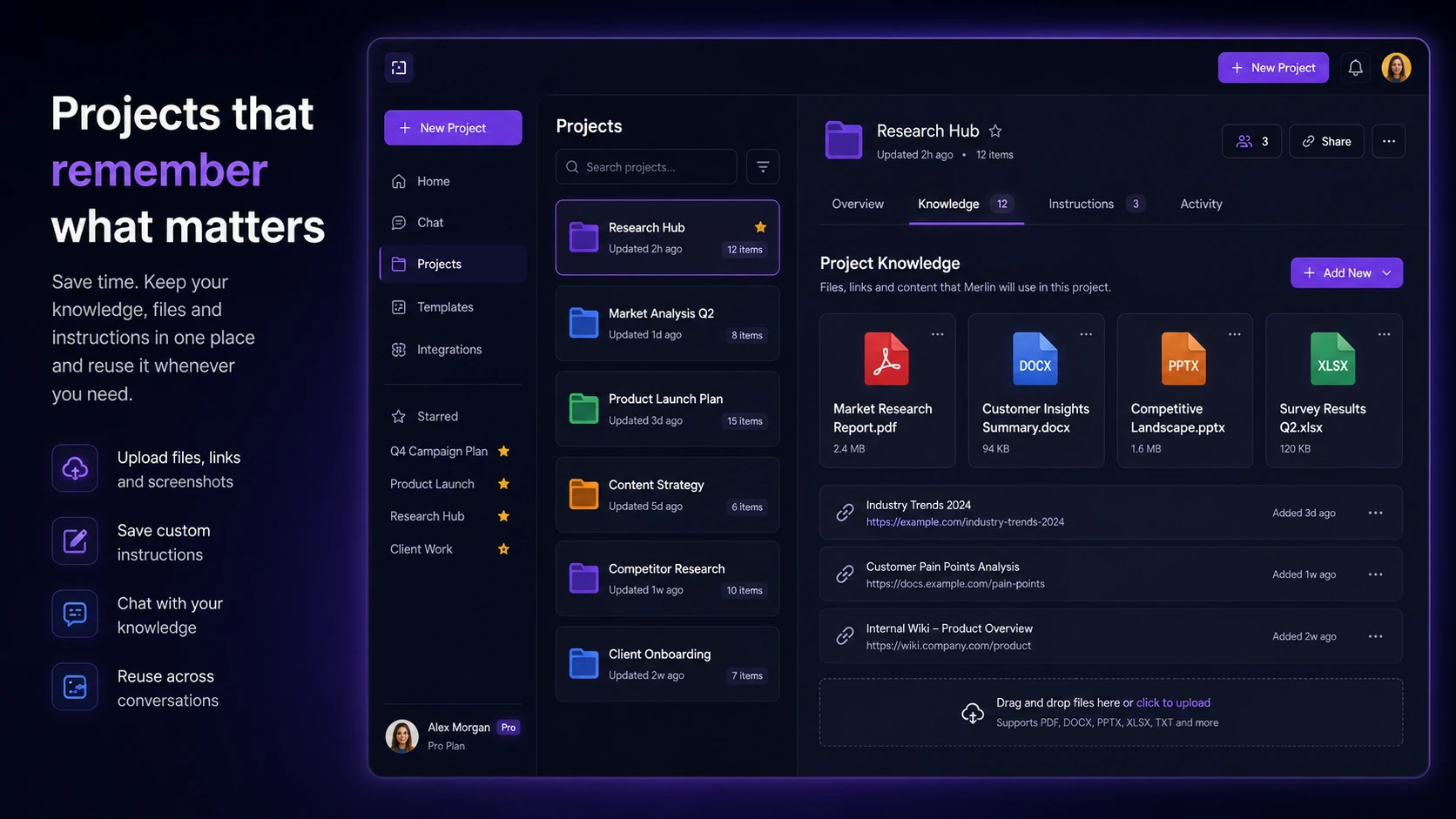
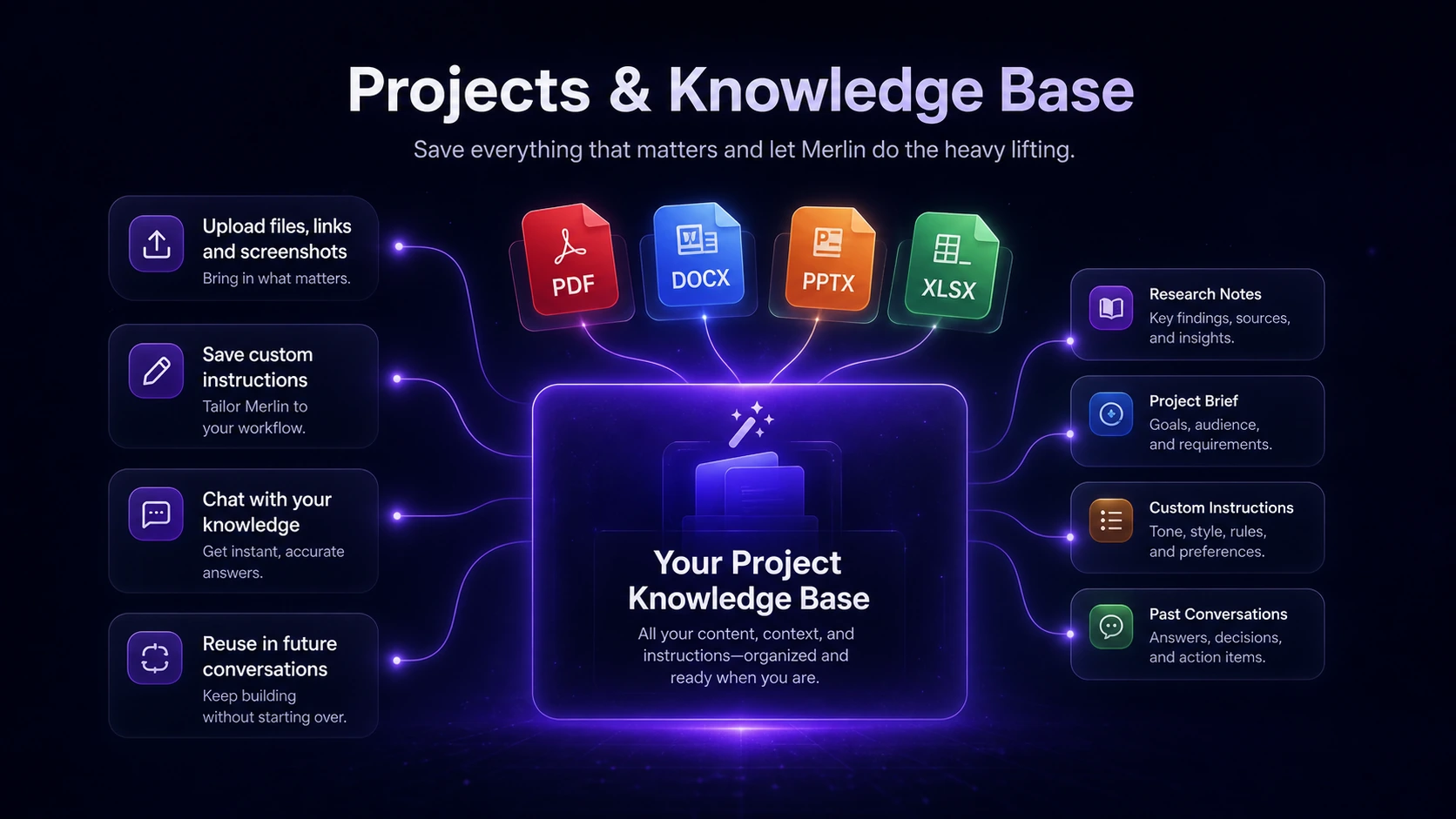
The fifth is Projects or saved context-style workflow. If your work involves repeated topics, files, or research threads, a project-style system can reduce repeated prompting. This is more valuable for people who return to the same subjects often.
The sixth is team use. Teams matter only if there is shared access, usage oversight, and workflow coordination. If one person is simply buying a stronger AI assistant, Pro may be the cleaner comparison.
Pricing and plan value
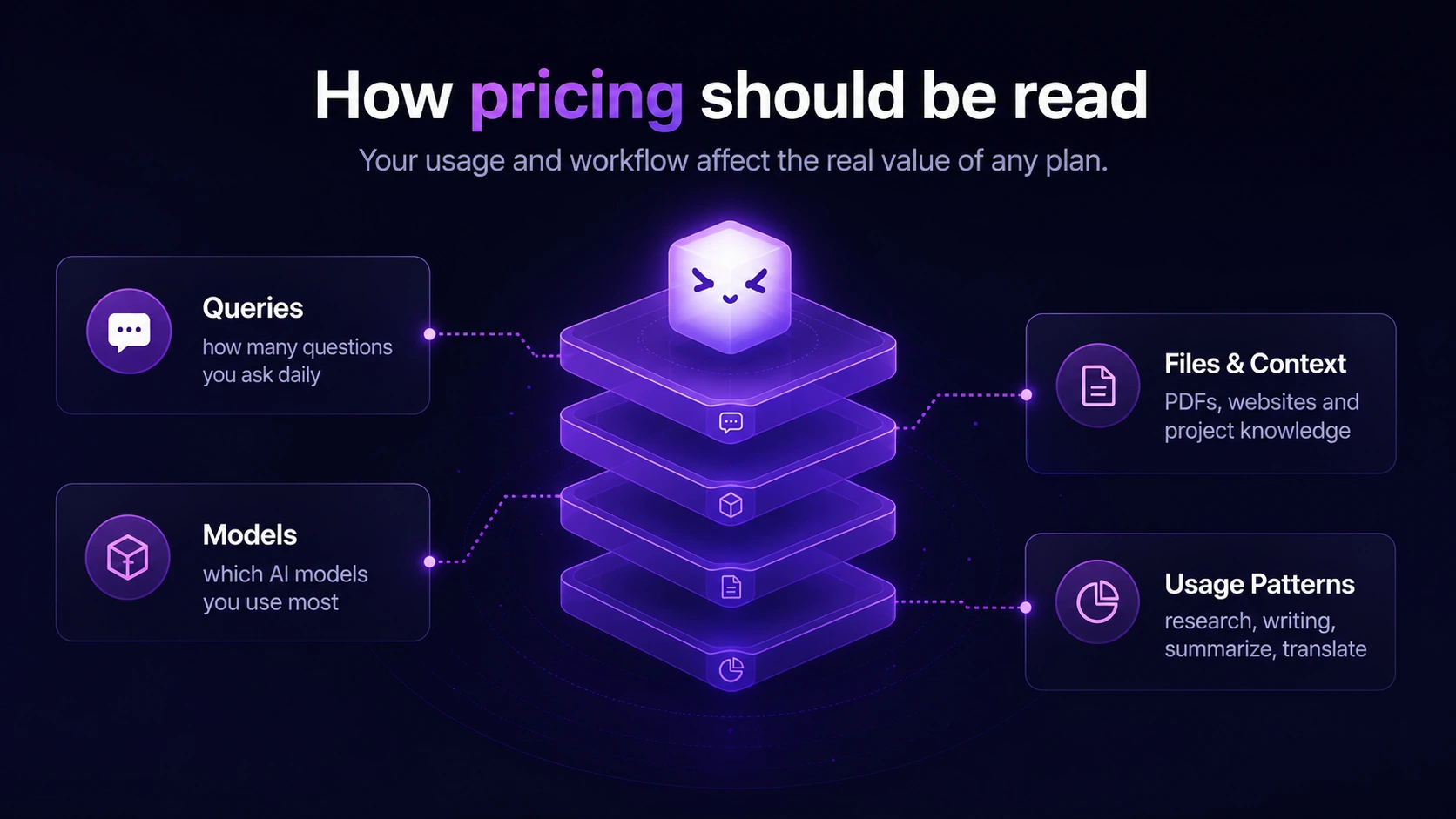
Merlin AI pricing should be read carefully because the visible price can depend on region, billing toggle, discounts, and fair-use rules.
During this review update, the pricing page showed a Free plan, a Pro path, and a Teams path. The Pro price appeared localized, while Teams was shown at $15 per seat per month billed yearly. Merlin also states that Pro is not unlimited in the absolute sense and is bound by fair-use limits. It says additional credits can be purchased when users hit feature or usage limits.
That is the key pricing lesson.
Do not judge Merlin AI only by the headline subscription number. Judge it by your expected usage. A buyer who mostly uses basic queries may get a different value from a buyer who constantly uses premium models, image or video tools, files, deep research, or long-context tasks.
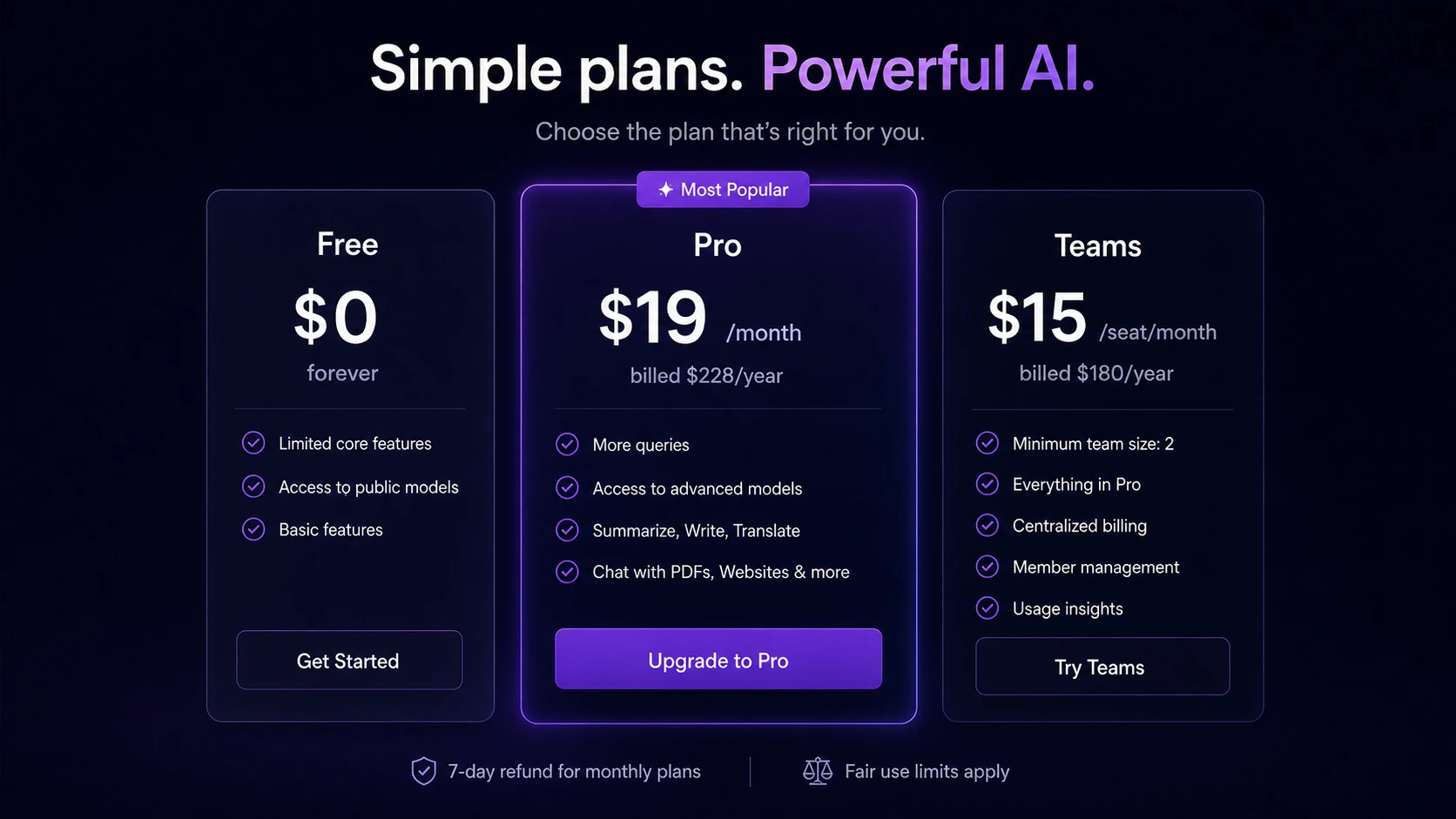
The free plan is the safer first step for most buyers. Merlin’s homepage says free users receive 102 daily queries, with heavier models consuming more queries than lighter models. That gives you a real test path, but it also shows why usage matters. A free allowance may feel generous for light work and restrictive for model-heavy research.
Pro makes sense when Merlin becomes part of repeated work. If you use it across search, YouTube, documents, email, and writing every day, a paid plan may be easier to justify. If the extension is only interesting in theory, do not pay yet.
Teams makes sense only when several people need shared access and the admin side matters. Check minimum team size, usage dashboard needs, privacy expectations, renewal terms, and whether the team actually wants a browser assistant rather than direct access to one primary AI platform.
Pricing check: Confirm the live plan, currency, annual billing, and fair-use limits before treating Merlin AI as cheaper than separate AI subscriptions.
Free plan, coupon, and checkout notes
The free plan is one of the better parts of Merlin’s buyer path because it lets you test the category before paying.
I would start there.
Run tasks that match your real day: summarize a web page, ask questions about a document, work through a YouTube video, draft an email, write a social reply, and try a few different model choices. Track what happens. Did Merlin save time, or did it create another place to manage? Did you hit limits quickly? Did the output quality feel good enough for the task? Did the extension appear in the surfaces you actually use?
A coupon or discount can improve the purchase, but it should not be the reason you buy. Merlin’s own deal guidance points buyers toward official communications, trusted affiliates, eligibility-based discounts, annual billing, and checkout verification. That is reasonable, but public coupon listings should still be treated as tests, not promises.
The refund policy also deserves attention. Merlin describes a low-usage refund path when usage is minimal and the request happens inside the first quarter of the subscription period, with examples of 2 days for a weekly plan, 7 days for a monthly plan, and 3 months for an annual plan. The policy also describes prorated annual refunds after converting the annual plan to monthly pricing and excluding transaction fees.
That is better than no policy, but it is not a reason to buy carelessly. If you plan to test aggressively, read the refund terms first.
Offer check: Use the coupon route only after Merlin AI fits your workflow, because a discount cannot fix low usage or the wrong plan.
What I would check before buying Merlin AI
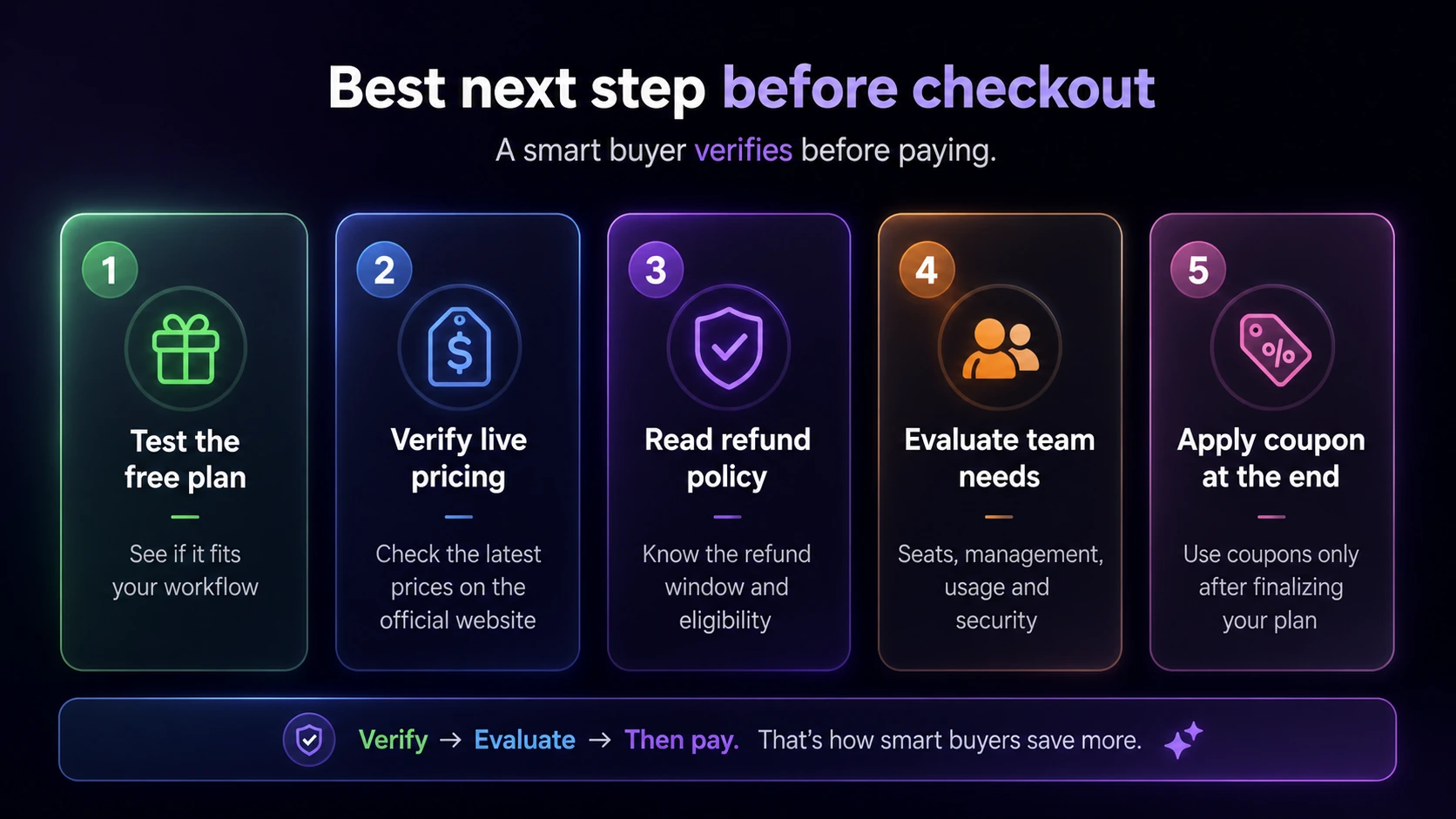
Before paying for Merlin AI, I would check seven things.
First, I would check daily usage. The free plan gives you a practical baseline. If you barely use the allowance, paying may be unnecessary. If you hit limits during normal work, Pro becomes easier to evaluate.
Second, I would check which models and tools I actually need. It is tempting to pay because a platform lists many models and features. The better question is which ones you use every week.
Third, I would check fair-use limits. Merlin’s pricing page explicitly says Pro is bound by fair-use limits. That does not make it bad, but it does mean “unlimited” language should be read carefully.
Fourth, I would check billing currency and renewal amount. The pricing display can localize. The checkout page matters more than old blog posts, coupon pages, or third-party pricing summaries.
Five, I would check refund terms before annual billing. A prorated annual refund can be helpful, but transaction fees and monthly-price conversion can affect the actual refund.
Six, I would check privacy comfort. If you upload files, documents, or team content, read the privacy policy and data retention language before putting sensitive material into the tool.
Seven, I would check whether a specialist product would be cleaner. If one job matters most, a focused product may be better than a broad assistant.
Simple test before paying
The easiest test is a one-week browser workflow trial.
Pick five repeated tasks:
- summarize a long article
- summarize a YouTube video
- ask questions about a PDF or document
- draft or rewrite an email
- research a topic across several web pages
Use Merlin for those tasks and write down three things: how often you used it, whether the answers were good enough, and whether it reduced tool-switching.
Then look at usage limits.
If you used Merlin daily, got reliable help, and started depending on it across multiple surfaces, Pro may be reasonable. If you used it once and forgot about it, stay free. If you liked the idea but needed deeper output in one category, compare a specialist.
This kind of test is more useful than reading ten feature bullets.
Pros and cons explained
Merlin AI’s biggest strength is workflow proximity. It lives near the browser work many people already do. That matters because AI tools often fail not because they are weak, but because they require too much context switching.
The second strength is breadth. Search, videos, documents, social replies, email, writing, translation, and multi-model access make Merlin feel like a general assistant rather than a single-purpose extension.
The third strength is the free testing path. Buyers do not have to guess immediately. They can run real tasks before upgrading.
The fourth strength is adoption signal. The Chrome Web Store listing shows a large user base and high rating count, which is at least a useful public signal for a browser extension. I would not treat ratings as proof that it fits every buyer, but they do make Merlin less obscure than many AI tools.
The limitations are just as important.
Pricing clarity is mixed because currency, billing, fair-use limits, and discount paths can change the decision. A buyer who assumes one stable global price may misunderstand the real checkout.
Specialist depth is also a limitation. Merlin can touch many tasks, but a buyer who needs a deep SEO workflow, developer environment, citation system, or enterprise admin setup may need something else.
API clarity is weak for technical buyers. Merlin is best evaluated as an interface and assistant, not as a developer automation platform.
Finally, privacy matters. Any AI assistant that processes prompts, files, documents, and conversation history deserves a careful read before sensitive use.
Green flags and red flags
The green flags are practical.
Merlin has a clear browser-first use case. It has a free starting path. It appears in the Chrome Web Store with substantial public adoption. It supports multiple everyday work surfaces. It has a Teams path for group use. It publishes refund and privacy pages that buyers can read before paying.
The red flags are mostly about overbuying.
Do not buy Merlin AI just because it lists many features. Do not assume every “unlimited” phrase means unlimited heavy model use. Do not assume a public coupon will work until checkout. Do not assume the Teams plan is right for a solo buyer. Do not assume it fits backend automation unless direct API access is confirmed through the current product route.
The most honest verdict is that Merlin AI is a strong convenience product when the workflow is real, and a weak purchase when the buyer only likes the idea of an all-in-one assistant.
Merlin AI vs alternatives
Merlin AI should be compared by job, not only by feature count.
If you want a broader all-in-one AI workspace with many small tools, compare 1min.AI. The tradeoff is that 1min.AI may feel more like a multi-tool workspace, while Merlin’s stronger argument is browser proximity and extension-based convenience.
If you want another assistant-style AI suite, compare Aikeedo. The question is not which one has more features on paper. The better question is which one fits your daily surfaces, pricing comfort, and actual output needs.
If you mainly want the strongest direct chat experience, compare ChatGPT Plus or another primary model subscription. Merlin is attractive because it brings multiple models and browser features together, but direct subscriptions can be cleaner for buyers who want one main AI environment.
If you mainly want research answers with source handling, compare Perplexity Pro or a research-first tool. Merlin can help with browsing and summaries, but research-first buyers may care more about source transparency, citations, and answer reliability than extension convenience.
If you mainly want a browser sidebar assistant, compare Merlin with other Chrome AI assistants such as Monica, MaxAI, Sider, or similar tools. This is the closest category match. The decision should come down to where the extension appears, how well it handles webpages and videos, what the limits feel like, and which plan is easier to trust.
If you mainly want SEO content creation, compare a dedicated SEO writing or optimization platform instead. Merlin can help with drafts and research, but it is not the same as a tool built around keyword strategy, SERP analysis, content briefs, and optimization scoring.
Review methodology and evidence confidence
This review uses Merlin’s internal DealBestDaily store data as the routing and taxonomy base, then checks current public information from official pages, pricing, refund policy, privacy policy, Chrome Web Store listing, and public review sources.
The evidence confidence is strongest for the broad positioning: Merlin is clearly presented as a browser and web-app assistant for AI chat, research, summaries, documents, writing, and multi-model access.
The free-plan confidence is good because Merlin’s official homepage describes free daily query allowance. Buyers should still verify current limits because model selection can change how quickly usage is consumed.
The pricing confidence is mixed. The pricing page is public, but currency, discounts, annual billing, and fair-use limits can affect what a buyer actually pays and receives.
The API confidence is limited for normal buyers. Merlin’s privacy policy references API services broadly, but the pricing FAQ says direct API access is not provided as part of the user-facing plan structure. I would not position Merlin as an API tool without fresh confirmation.
The review sentiment is broadly positive around convenience, summaries, browser access, and productivity, but public comments also point to the usual assistant-tool risks: limits, bugs, missing features, and whether broad convenience is enough to replace focused products.
Final verdict
I would consider Merlin AI if you spend a lot of time in browser-based work and want one assistant across search, web pages, videos, documents, email, social replies, and quick writing tasks.
I would start free.
That is the cleanest path because Merlin’s value depends on repeated use. If it becomes part of your normal day, Pro may make sense. If several people need shared access and usage visibility, Teams may be worth checking. If your work is occasional, narrow, sensitive, or deeply specialist, I would compare alternatives before paying.
The strongest case for Merlin AI is convenience. The weakest case is assuming convenience equals depth.
For my money, Merlin AI is a sensible browser-first assistant to test, not a tool I would buy blindly from a coupon listing. Use the free path, run real work through it, check fair-use limits, verify the live checkout price, and only then decide whether the paid plan earns a place in your workflow.
