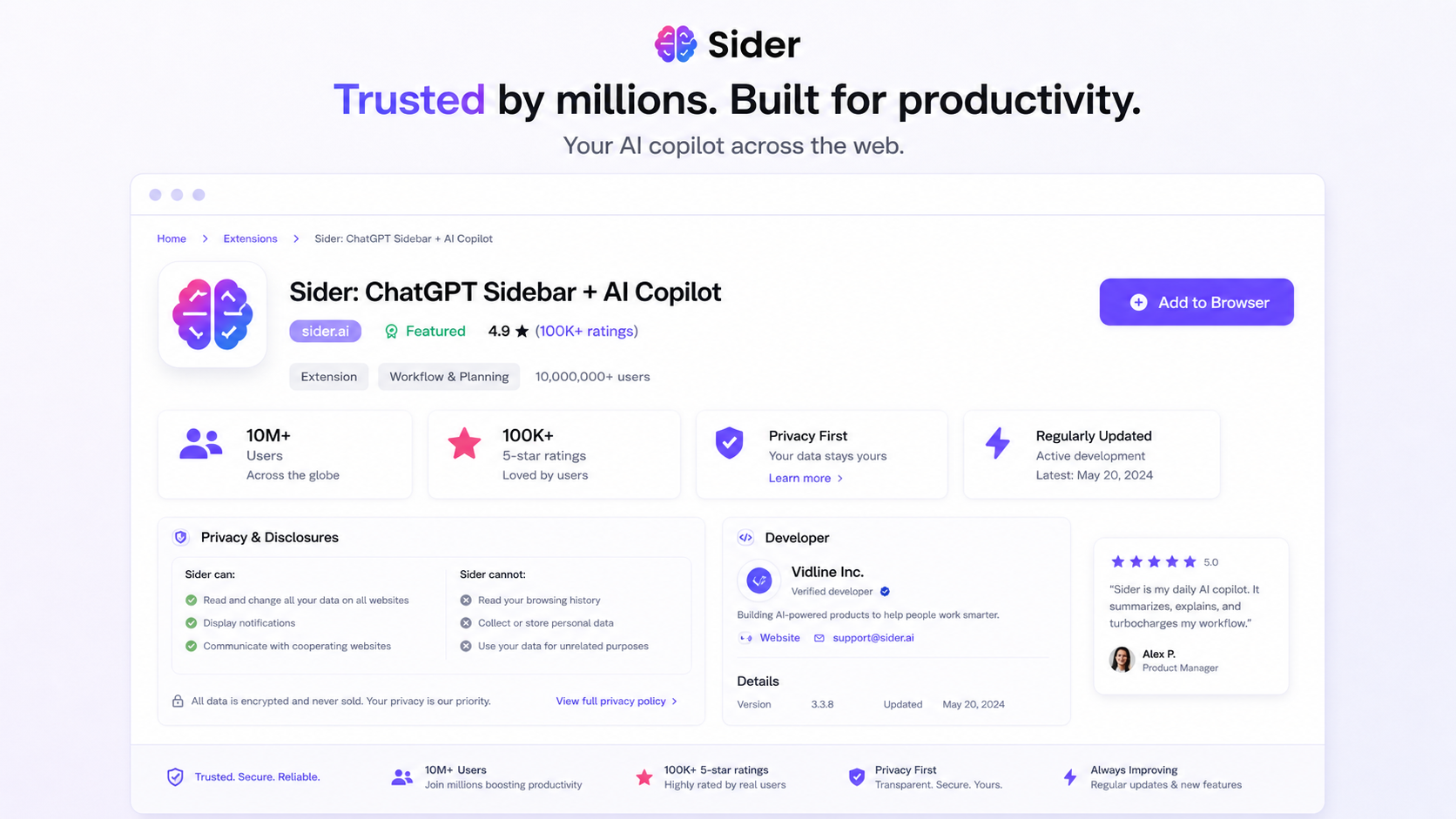
Quick verdict
Sider is worth considering if your AI work already happens inside the browser.
That is the key distinction. I would not judge Sider as just another chatbot subscription. Its real pitch is workflow convenience: read a page, summarize a YouTube video, explain highlighted text, compare answers from multiple AI models, save useful material into Wisebase, and keep moving without copying everything into a separate AI tab.
That can be genuinely useful.
But it also creates a buying trap. A browser assistant can look impressive in a demo because every feature is close to the page you are viewing. The harder question is whether it reduces friction in your daily work after the novelty fades. If you only need one chatbot, Sider may feel like extra interface. If you dislike credit systems, the pricing may feel more stressful than the productivity gain.
The strongest reason to consider Sider is the browser-sidebar workflow plus Wisebase. The main caution is pricing clarity: plan names, Basic, Advanced, and Elite credits, model access, renewal timing, and refund rules matter more than the headline monthly number.
My safer take is simple: start with the free tier, test Sider on real pages, videos, and research tasks, then upgrade only if the sidebar saves enough time to justify the credit model. For the current buyer route, check the Sider store guide before moving to any live checkout or coupon path.
Next step: If Sider sounds useful for your browser workflow, test the free path first and verify the current plan limits before upgrading.
Review snapshot
| Review point | Practical take |
|---|---|
| Best for | Browser-first AI users who summarize, translate, research, compare models, and work across webpages |
| Not ideal for | Buyers who only need one chatbot, dislike credits, or need strict regulated-data controls |
| Main use case | Keeping AI help beside live browser work instead of jumping between separate tools |
| Free path | Free tier is the safer first test because free trials are not currently supported |
| Pricing style | Credit-based plan logic with Basic, Advanced, and Elite credits affecting real value |
| Main strength | Browser sidebar, multi-model comparison, page and video summaries, and Wisebase saved research |
| Main concern | Credits, plan changes, auto-renewal, refund limits, and browser-extension privacy checks |
| Direct alternatives | Merlin AI and Monica |
| Adjacent alternatives | Otio for research-heavy workflows; 1min.AI for broader AI tool bundles |
| Best next step | Test one real browser workflow before choosing monthly or annual billing |
What is Sider?
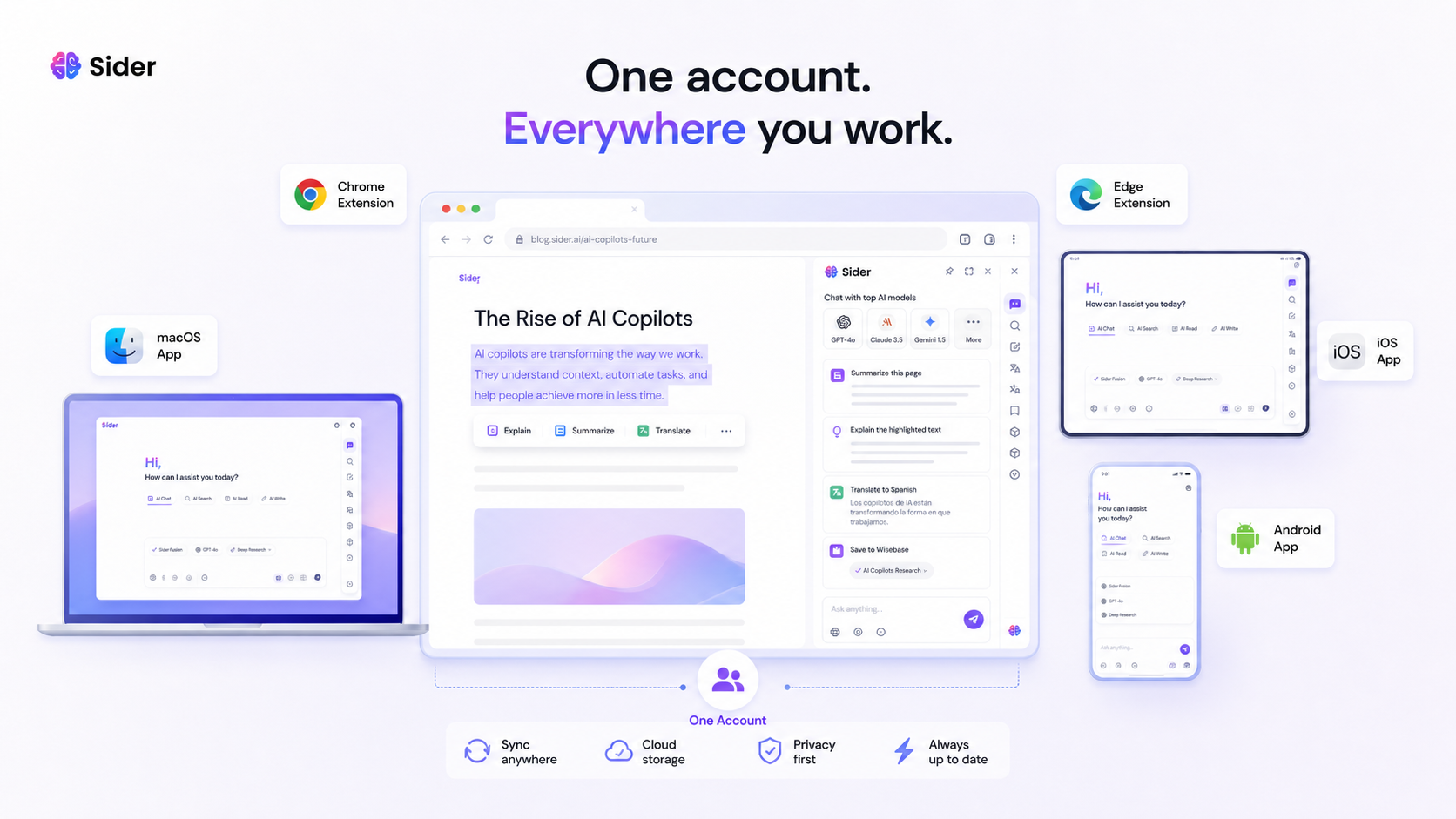
Sider is best understood as an AI browser assistant and research workspace. It brings chat, summarization, translation, explanation, model comparison, file or page interaction, and saved research tools into the browsing flow.
The public positioning is not subtle. Sider wants to be an “AI sidekick” that follows you across webpages, videos, documents, and devices. The product is especially built around the browser sidebar: instead of opening a separate chatbot, you can ask questions while staying on the page. That matters for people who read a lot, research across sources, translate content, summarize long pages, or compare AI answers before trusting one output.
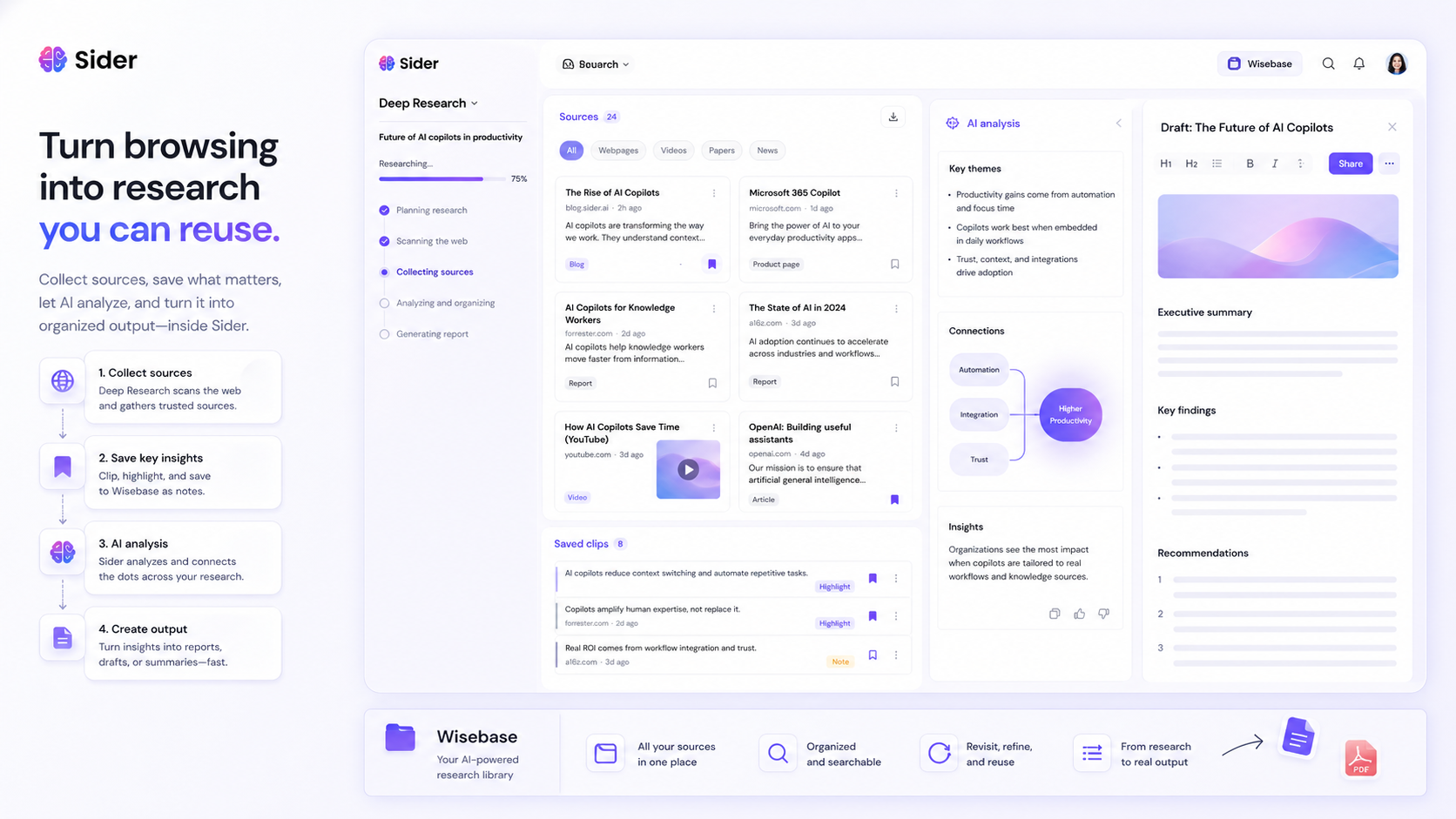
The deeper part is Wisebase. That is where Sider becomes more than a quick sidebar. Wisebase is meant to store chats, clips, sources, and reports in a searchable knowledge base. For casual users, that may be more than they need. For students, researchers, analysts, writers, and creators, it can be the feature that changes the value calculation.
I would not describe Sider as a narrow writing tool, a pure research database, or an enterprise knowledge-management platform. It sits between those ideas. It is a browser-first AI assistant with a growing set of research and productivity surfaces.
Our review approach: we compare public product pages, pricing details, help documentation, browser-extension trust signals, refund rules, buyer workflow fit, and nearby alternatives. We do not treat a coupon, low monthly number, or long feature list as proof that the product fits the buyer.
Who should use Sider?
Sider makes the most sense for people who already feel friction from moving between webpages and AI tools.
A knowledge worker who reads reports, articles, documentation, or market research may find the sidebar useful because the AI help sits close to the source. The value is not that Sider can summarize a page. Many tools can do that. The value is that summary, explanation, translation, and follow-up questions happen without rebuilding context somewhere else.
A student or researcher may find Sider useful when work involves webpages, PDFs, YouTube lectures, notes, and saved source material. Wisebase is the piece I would test carefully here. If it helps you return to sources later, it has a stronger case. If you only need a quick summary once in a while, the free tier or a simpler tool may be enough.
A creator or marketer may use Sider for quick research, YouTube takeaways, page summaries, translation, idea collection, and draft support. The condition is volume. If you use it daily, paid credits may be easier to justify. If you only use it during occasional content planning, paying monthly may be premature.
A multilingual user may also like Sider’s translation and explanation flow. A browser-level assistant can be helpful when you are reading foreign-language pages, checking meaning, or turning a rough passage into something easier to understand. The buyer check is privacy: do not use any browser assistant on sensitive pages until you understand its permissions and policy.
A cross-platform user may value Sider if they want one AI assistant across browser, desktop, and mobile. That is convenient. It is not automatically necessary. The more devices you actually use, the more this matters.
Who should avoid Sider?
I would be careful with Sider if you only need one standalone chatbot. If your workflow is already comfortable inside ChatGPT, Claude, Gemini, or another primary AI workspace, a browser sidebar may not add enough value to justify another subscription.
I would also slow down if credits make you anxious. Sider’s pricing is not only about plan names. It depends on credit types, model access, and which features consume higher-tier credits. Some buyers enjoy that flexibility. Others find it tiring because every advanced use feels like a small accounting decision.
Teams with strict compliance requirements should be cautious. Sider’s terms say the service is not designed for industry-specific regulatory compliance such as HIPAA or FISMA. That does not mean ordinary users should panic. It means regulated, sensitive, legal, healthcare, government, or confidential workflows should not be casually moved into a browser assistant without policy review.
Organizations that need admin controls, deployment rules, audit logs, single sign-on, data retention controls, or clear enterprise governance may also need a different route. Sider is strong as a personal productivity assistant. It is less clearly positioned as a governed enterprise AI platform.
Finally, avoid paying because a coupon or public discount looks tempting. A discount can improve a good purchase. It cannot make a credit-heavy tool fit a workflow you do not repeat.
How Sider fits into a real workflow
A good Sider workflow starts with the browser, not the pricing page.
The simplest test looks like this:
- Open a real webpage you would normally read for work or study.
- Use Sider to summarize it, explain a highlighted section, or ask follow-up questions.
- Open a YouTube video and check whether the summary saves time without losing important context.
- Try one translation or rewriting task if that is part of your daily work.
- Save something useful into Wisebase and return to it later.
- Compare answers from two or more AI models only when the question is important enough.
- Check how many credits the workflow consumes.
That last step matters more than buyers expect.
Sider feels strongest when it removes repeated friction: copying text, switching tabs, opening separate AI apps, saving notes manually, and losing track of sources. It becomes weaker when it turns into another dashboard you need to manage.
The best use case is not “ask AI a question.” It is “ask AI while the source is still in front of me, then save or act on the useful parts.” That is why Sider’s value is easier to judge after a real week of browser work than after reading a feature list.
Workflow test: Try Sider on one article, one video, one document, and one writing task before deciding whether the paid plan fits your real usage.
Real-world buyer scenarios
A researcher collecting sources across the web
A researcher may like Sider because it keeps AI help near the sources. The sidebar can summarize a page, answer questions, explain details, and help turn messy browsing into reusable notes. Wisebase is the feature to watch.
Where it may fail: if the buyer needs formal citation management, strict academic source handling, or a more research-specific workspace, Otio may be a better adjacent comparison.
What to verify: whether Wisebase actually helps you return to source material later, and whether the paid credits cover your research volume.
A marketer or creator planning content
A creator may use Sider to summarize competitor pages, pull YouTube takeaways, translate posts, compare model outputs, and capture ideas. This can save time when research is repeated weekly.
Where it may fail: if the user mostly wants templates, design assets, social scheduling, or a complete marketing suite. Sider can help with research and drafting, but it is not a full content operations platform.
What to verify: how often you use advanced models, video summaries, and saved research. A paid plan only makes sense if those tasks are recurring.
A student using web pages, videos, and notes
A student may find Sider useful for explaining difficult passages, summarizing lectures, translating material, or saving study notes. The free tier is the best starting point because it reveals whether the sidebar actually supports studying or just adds distraction.
Where it may fail: if the student expects Sider to replace learning. Summaries can help, but they can also make the work feel easier than it is. Important assignments still require source checking and original thinking.
What to verify: plan limits, credit use, privacy expectations, and whether school policy allows this kind of AI assistance.
A team evaluating AI browser access
A small team may like Sider for individual productivity. The problem is governance. Browser assistants sit close to email, documents, internal pages, and client material. That can be convenient, but it also raises permission and data questions.
Where it may fail: if the organization needs admin controls, regulated compliance, central billing, role management, or auditability.
What to verify: terms, privacy policy, extension permissions, data rules, and whether a personal browser assistant is acceptable for company workflows.
Key features that actually matter
Browser sidebar with multi-model chat
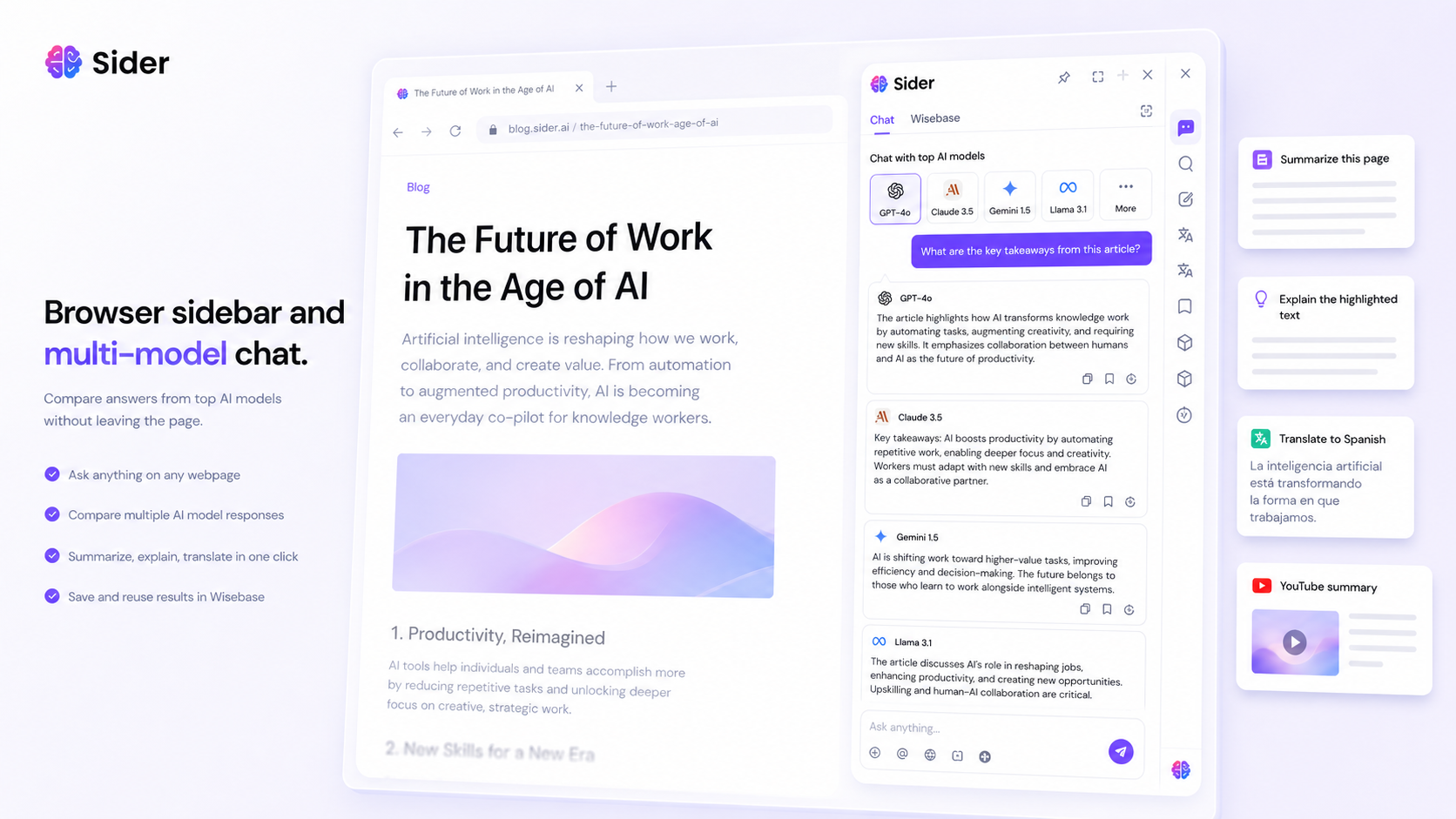
Sider’s core feature is the sidebar. It gives you AI assistance while you stay on the page. The multi-model angle matters because you can compare answers instead of trusting the first response.
This is useful when the question has nuance: summarizing a dense report, asking for multiple explanations, or checking whether different models interpret the same source differently.
Buyer note: do not pay just because many model names appear. Pay only if model comparison changes your decisions often enough to matter.
Webpage and YouTube summaries
Page and video summaries are among the most practical uses for a browser AI assistant. Sider can be useful when you need a quick outline, key takeaways, or a faster way to understand long material.
The risk is shallow confidence. A summary can hide what was skipped. For serious work, use the summary as a map, then inspect the original source before relying on the conclusion.
Buyer note: test this on the kind of pages and videos you actually use. A tool that summarizes polished demos well may not handle messy real sources equally well.
Wisebase and saved research
Wisebase is the feature that makes Sider more interesting for research-heavy users. Saving clips, chats, sources, and reports can turn casual browsing into a more reusable knowledge workflow.
This matters if you often come back to sources days or weeks later. It matters less if you mostly ask quick questions and move on.
Buyer note: Wisebase is worth testing before upgrading. If you do not return to saved material, it may look valuable without changing your work.
Translation and explanation on selected text
Sider’s highlight-and-explain style is practical. It reduces the friction of copying a phrase into another app just to understand it. Translation can also be useful for bilingual reading or quick comprehension.
The weakness is accuracy. Translation and explanation should still be checked when nuance, legal meaning, academic wording, or technical detail matters.
Buyer note: use it for speed, not final authority.
Cross-platform access
Sider’s terms and public pages describe access across web, browser extensions, mobile apps, and desktop apps. That can make the product feel more like a daily companion than a single extension.
The buyer question is whether you actually use those surfaces. Cross-platform access is only valuable when it reduces friction across devices you already use.
Buyer note: test the browser first. If the core sidebar does not help, mobile and desktop access probably will not rescue the purchase.
Pricing and plan value
Sider’s pricing should be evaluated live, not from an old table.
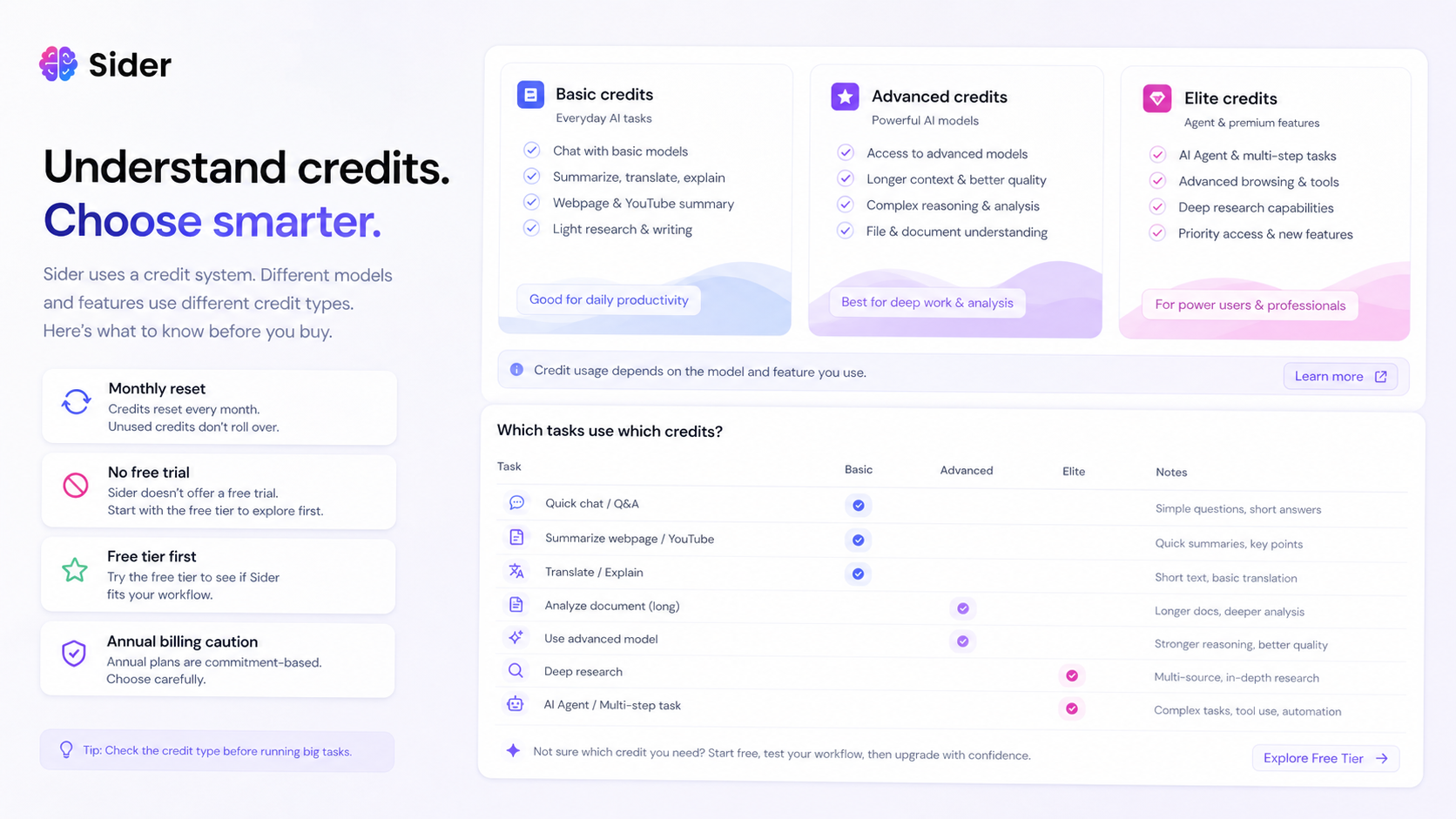
This is important because Sider has changed its plan lineup and credit system over time. The official pricing page is the place to verify current plan names and checkout terms. Sider’s help content also describes Basic, Advanced, and Elite credits, and a newer plan lineup for new customers that differs from older legacy plan names.
That means I would avoid writing the buying decision around a single historical price.
The better question is: which credit type will your real tasks consume?
A light user who summarizes pages and asks basic questions may not feel the same pressure as a heavy user running Deep Research, advanced models, slides, audio tools, or richer agent-style features. If the tasks you care about use Advanced or Elite credits, the cheapest visible option may feel limited quickly.
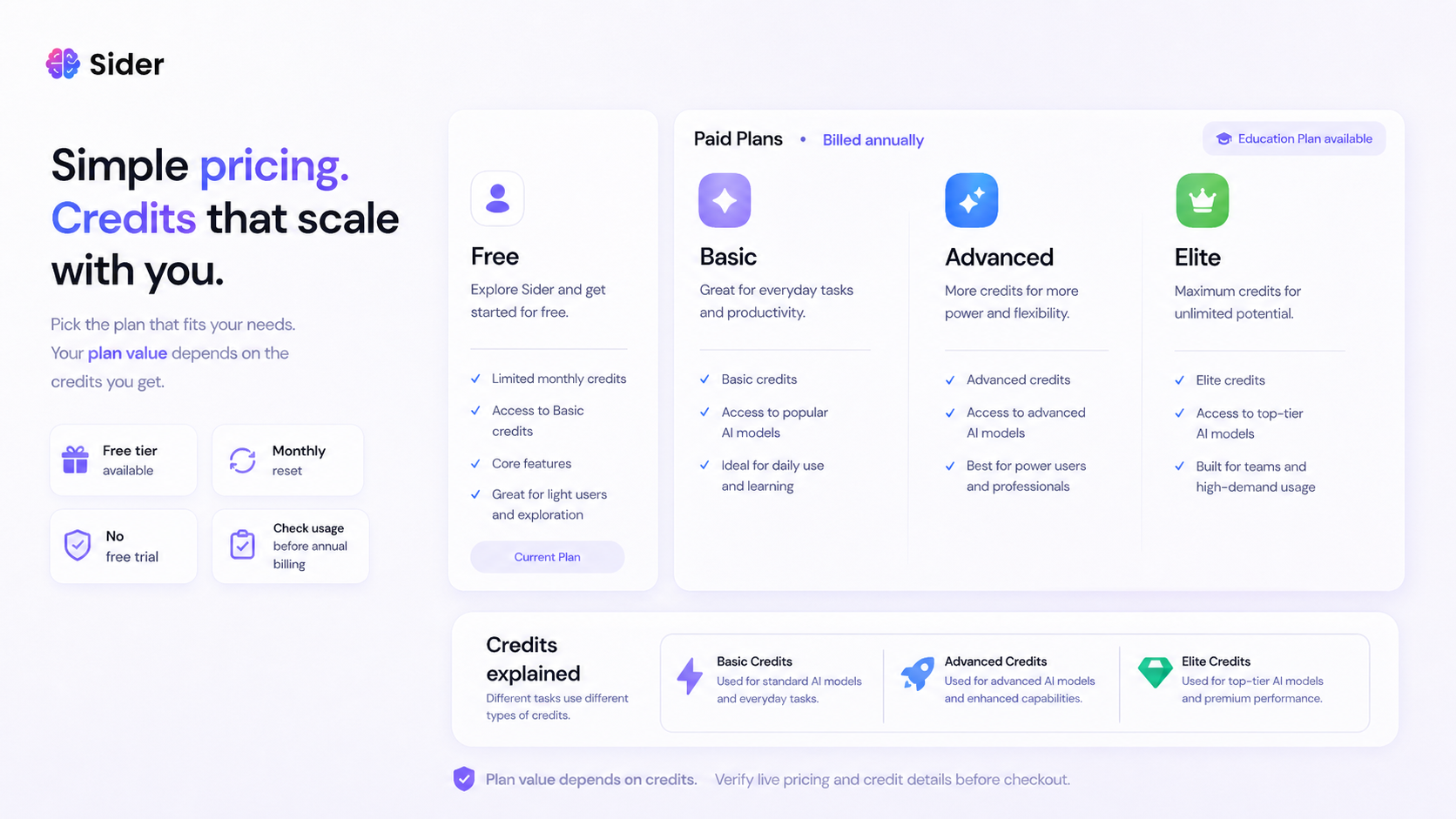
The free tier is the safest evaluation path. Sider’s payment help page says free trials are not currently supported, so the free tier has to answer the practical question: does Sider help enough in your normal workflow?
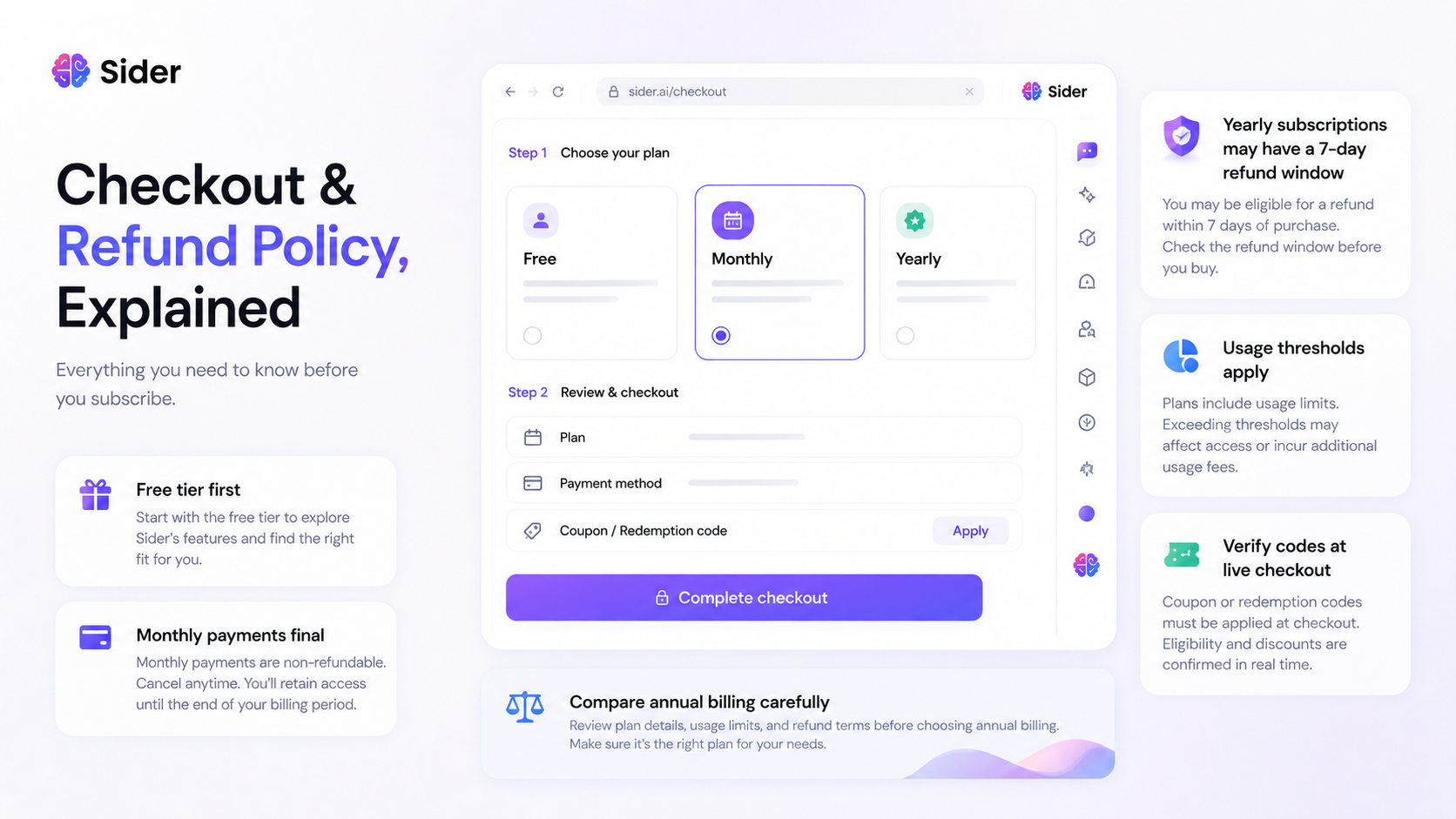
Monthly billing is safer for uncertain buyers because monthly payments are described as final and non-refundable once processed, but they do not lock the buyer into a yearly commitment. Annual billing may make sense only after you understand your credit usage and refund limits.
My pricing take is conservative: start free, test real tasks, go monthly before annual if unsure, and only choose a higher-capacity plan when your credit usage proves that you need it.
Pricing check: Before upgrading, verify Sider’s current plan lineup, credit rules, and renewal terms on the live checkout path.
Free plan, trial, coupon, and checkout notes
Sider has a free tier. That is the path I would use first.
The payment help page says free trials are not currently supported, which changes the buying psychology. You are not testing a full paid plan for free and deciding later. You are using limited free access to decide whether the product deserves money at all.
That is not bad. It just means the test must be realistic.
Do not spend the free tier on random prompts. Use it on the exact tasks that would justify payment: page summaries, YouTube summaries, translation, model comparison, Wisebase saving, document reading, or research workflows.
Sider also supports redemption codes inside the account billing flow, but I would treat public coupon claims as checkout tests, not guaranteed discounts. A reported coupon path can be useful, but it should come after product fit is already clear.
The safer order is:
- Test the free tier on real work.
- Check which features consume Basic, Advanced, or Elite credits.
- Review monthly and annual billing rules.
- Verify whether any current offer applies at checkout.
- Choose the smallest plan that fits actual usage.
If the product still fits after that, the Sider coupon page can help you check current offers. I would not start there.
What I would check before buying Sider
If I were buying Sider for a real workflow, I would check seven things before entering payment details.
First, I would check current plan names. Older references may mention Starter, Pro, or Unlimited, while newer official help content points to Basic, Plus, and Ultra for new customers. That kind of change matters.
Second, I would check credit rules. Basic, Advanced, and Elite credits can change the real value of the plan depending on which models and features you use.
Third, I would check whether the free tier gives enough signal. Since free trials are not currently supported, the free tier is the buyer’s low-risk test lane.
Fourth, I would check auto-renewal and cancellation steps. A tool can still be worth using while requiring careful billing management.
Fifth, I would read refund rules before annual billing. Monthly payments are described as final once processed, and yearly refunds have a narrow 7-day and usage-threshold path.
Sixth, I would review extension permissions and privacy expectations. Browser assistants operate close to the pages you read and write on.
Seventh, I would compare direct alternatives. Merlin AI and Monica are the closest comparison routes if the core buyer job is a browser-based AI assistant.
A simple test before paying
Before paying, I would run a small test like this:
- Pick one long article you would normally read for work, study, or research.
- Use Sider to summarize it and ask two follow-up questions.
- Open one YouTube video and check whether the summary captures the useful points.
- Highlight a difficult paragraph and ask Sider to explain it in plain language.
- Save one useful source or note into Wisebase and return to it later.
- Compare two model answers on one question where accuracy matters.
- Check the account billing or credit area to see how that usage affects your allowance.
The goal is not to prove that Sider can do everything. The goal is to learn whether it changes your normal workflow enough to justify the cost.
If the sidebar saves time and Wisebase helps you reuse research, Sider becomes more interesting. If the credit system distracts you or the sidebar feels like another window to manage, compare alternatives before paying.
Pros explained
The first real pro is proximity. Sider puts AI beside the page, which can be more useful than a separate chatbot when you are reading, researching, or translating.
The second pro is model comparison. Asking multiple models can be helpful when you want a second opinion or when the source material is nuanced. It is not something every buyer needs, but it matters for users who regularly compare answers.
The third pro is Wisebase. This gives Sider a more durable research angle than simple extensions that only summarize and disappear. Saved clips, chats, and reports can matter when you build knowledge over time.
The fourth pro is the free tier. Since paid-plan trials are not currently supported, free access is important. It gives buyers a way to test the workflow before facing monthly or annual payment risk.
The fifth pro is platform coverage. Browser, web, mobile, and desktop access can reduce friction for users who move between devices.
Each of these strengths has a condition. They matter only if you use Sider repeatedly. A long feature list does not help if your real workflow is occasional.
Cons explained
The biggest con is pricing complexity. Credit systems can be fair, but they are not always easy to predict. A buyer who expects simple unlimited use may feel boxed in once advanced features consume higher-tier credits.
The second con is the lack of a paid free trial. The free tier helps, but it may not fully represent paid usage. That makes careful testing more important.
The third con is refund risk. Monthly payments are described as final once processed. Yearly refunds are available only under narrow timing and usage conditions. That is not a reason to avoid Sider automatically, but it is a strong reason not to rush annual billing.
The fourth con is browser-extension sensitivity. A browser assistant can be convenient because it sits close to your work. That is also why users should review permissions, privacy, and where they use it.
The fifth con is enterprise fit. Sider may be useful for individuals, students, creators, and knowledge workers, but regulated or high-control teams should be more careful.
None of these cons make Sider bad. They make the buying decision specific.
Green flags and red flags
Green flag: you already use AI while reading, researching, translating, or watching educational videos, and Sider reduces tab switching.
Green flag: you test Wisebase and actually return to saved sources later.
Green flag: your free-tier usage shows a clear pattern before you pay.
Green flag: you understand which features consume higher-tier credits.
Red flag: you are buying because a coupon page or third-party discount looks attractive.
Red flag: you only need one chatbot and do not care about browser context.
Red flag: you expect a simple unlimited subscription but plan to use advanced models and research features heavily.
Red flag: you want to use Sider on sensitive work without reviewing privacy, terms, and extension permissions.
Red flag: you are considering annual billing before you know your monthly credit usage.
Sider vs alternatives
Sider’s closest alternatives depend on the buyer job. For this product, I would separate direct browser-assistant alternatives from adjacent AI-workflow routes.
Merlin AI vs Sider
Merlin AI is one of the more direct comparisons because it also sits near the browser-assistant, AI sidebar, and multi-model productivity space.
Merlin may be the better comparison if you want to judge Sider against another extension-first workflow with similar everyday AI assistance. Sider may still make more sense if Wisebase and saved research are central to your decision.
The tradeoff is workflow depth versus comfort. Compare both on the exact same tasks: webpage summary, YouTube summary, writing help, model switching, and plan limits.
Monica vs Sider
Monica is another direct comparison for buyers who want a multi-model AI assistant with browser and productivity positioning.
Monica may appeal if its interface, pricing, or assistant style feels more natural to your daily workflow. Sider may appeal if you prefer its Wisebase research direction or the way its sidebar fits page reading.
The better choice is not the one with the longer feature list. It is the one you actually keep open during work.
Otio vs Sider
Otio is an adjacent alternative, not a one-to-one replacement.
I would compare Otio when research sources, PDFs, citations, reading notes, and writing from saved material matter more than browser convenience. If your main job is academic-style or research-heavy synthesis, Otio may deserve a closer look.
Sider may still win when browser access, translation, quick summaries, and model comparison matter more than a dedicated research-writing environment.
1min.AI vs Sider
1min.AI is also adjacent. It is more of a broad AI tool bundle route than a browser-first assistant.
It may fit buyers who want many AI utilities under one subscription. Sider is more natural when the buyer wants AI help attached to web browsing and saved research.
The tradeoff is bundle breadth versus browser workflow fit.
For now, I would compare Merlin AI and Monica first if you want direct browser-assistant alternatives. I would compare Otio if research organization matters more, and 1min.AI if you want a broader AI toolbox.
Trust, refund, and buyer-risk notes
My confidence is strongest around Sider’s product role: it is clearly positioned as a browser AI sidekick with summarization, translation, model comparison, Wisebase, and cross-platform access.
I am more cautious around pricing and long-term value because credit systems and plan lineups can change faster than editorial copy. Sider’s own help content has discussed updated credit rules and newer plan structures, so the live pricing page should be treated as the source of truth before checkout.
The refund rules are also important. Monthly subscriptions are described as non-refundable once processed. Yearly refunds are more limited than a broad money-back guarantee: there is a 7-day window and credit usage thresholds. If approved, the refund is pro-rata.
Privacy deserves attention too. Sider is useful precisely because it works close to browser content. That convenience means buyers should review extension permissions, privacy policy details, and the kinds of pages they plan to use it on.
Regulated workflows need extra caution. Sider’s terms say the service is not designed for industry-specific regulations such as HIPAA or FISMA. If that sentence applies to your organization, do not treat Sider as a casual team rollout.
The buyer mistake to avoid is simple: do not upgrade because the tool looks powerful. Upgrade only when your own browser workflow proves the value.
Final verdict
I would consider Sider if your daily AI work happens inside the browser and you repeatedly summarize pages, ask questions about live content, translate text, compare models, or save research into a reusable workspace.
I would skip Sider if you only need one chatbot, dislike credit-based pricing, or need strict enterprise governance before adopting any browser-level AI assistant.
I would compare it with Merlin AI and Monica if your main question is browser-assistant fit. I would compare it with Otio if your real need is source-heavy research and writing. I would compare it with 1min.AI only if you are considering a broader AI utility bundle instead of a sidebar-first workflow.
The safest next step is not annual billing. It is a free-tier test on real work. Use Sider on one page, one video, one research task, and one writing task. Then check the current pricing, credit rules, refund terms, and active offer path only after the product has already proven useful.
