
ArtSpace.ai Pricing, Plans & Creator Fit
ArtSpace.ai is best understood as a browser-based AI image generation and image editing workspace for creators who want text-to-image, prompt experimentation, image cleanup, face swap, and 4K upscaling in one place. It is not a pixel-perfect design replacement. The buyer decision is whether its monthly or lifetime pricing makes sense for your real image volume and tolerance for prompt iteration.
Fit → price → checkout
Use these routes after the official-site check: coupon first, review for fit, compare if unsure.
ArtSpace.ai pricing snapshot
Fast commercial checks before pricing, coupons, or a deeper review.
ArtSpace.ai product tour
The product tour video is useful if you are deciding whether ArtSpace.ai feels like a practical creative workspace or just another AI art novelty. Watch how the demo moves from prompt input into image generation and editing, then compare that flow with the assets you actually need to produce. The goal is not to admire sample images. The goal is to decide whether prompt iteration, editing, and upscaling look manageable before you pay for monthly or lifetime access.
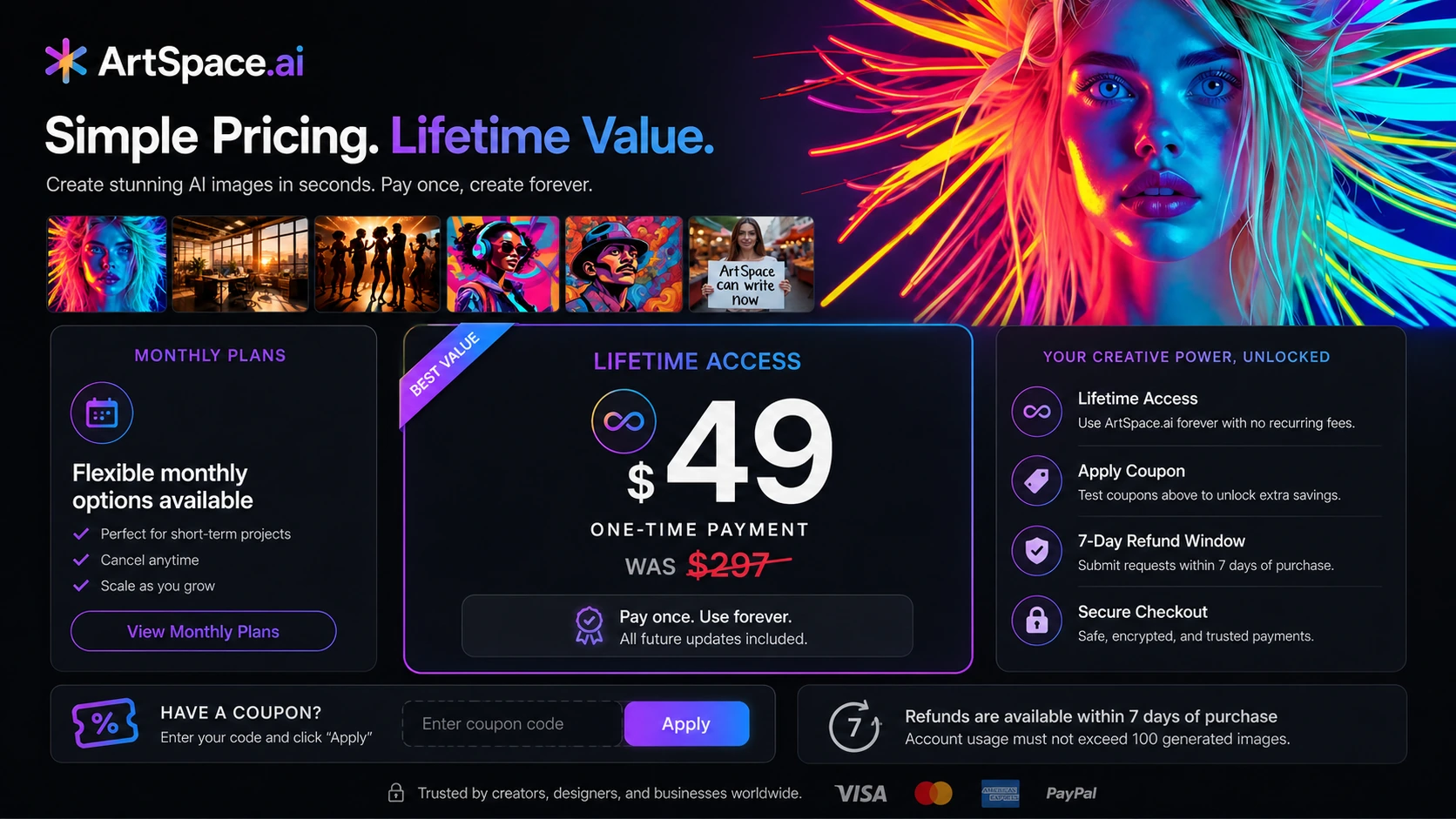
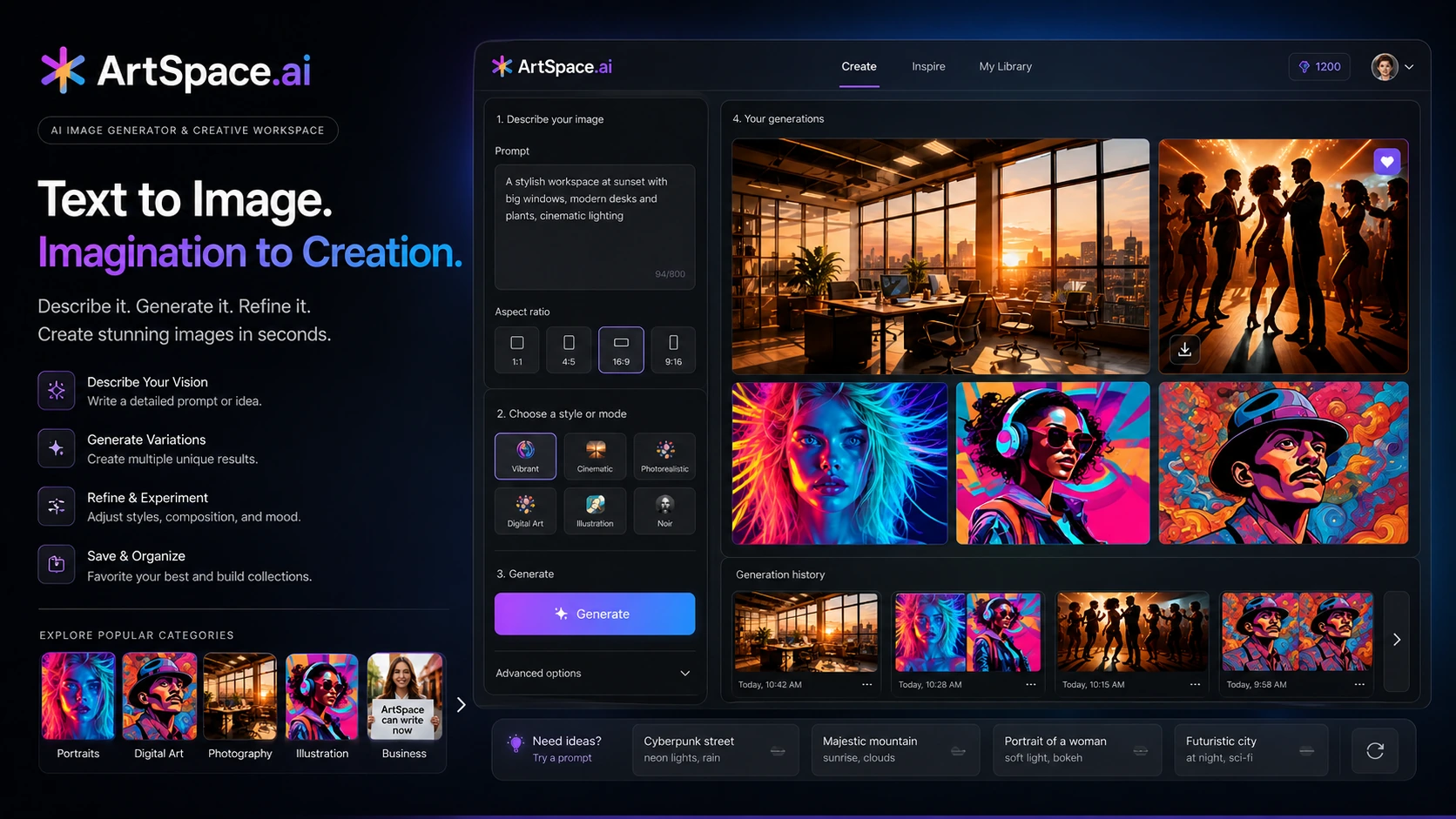
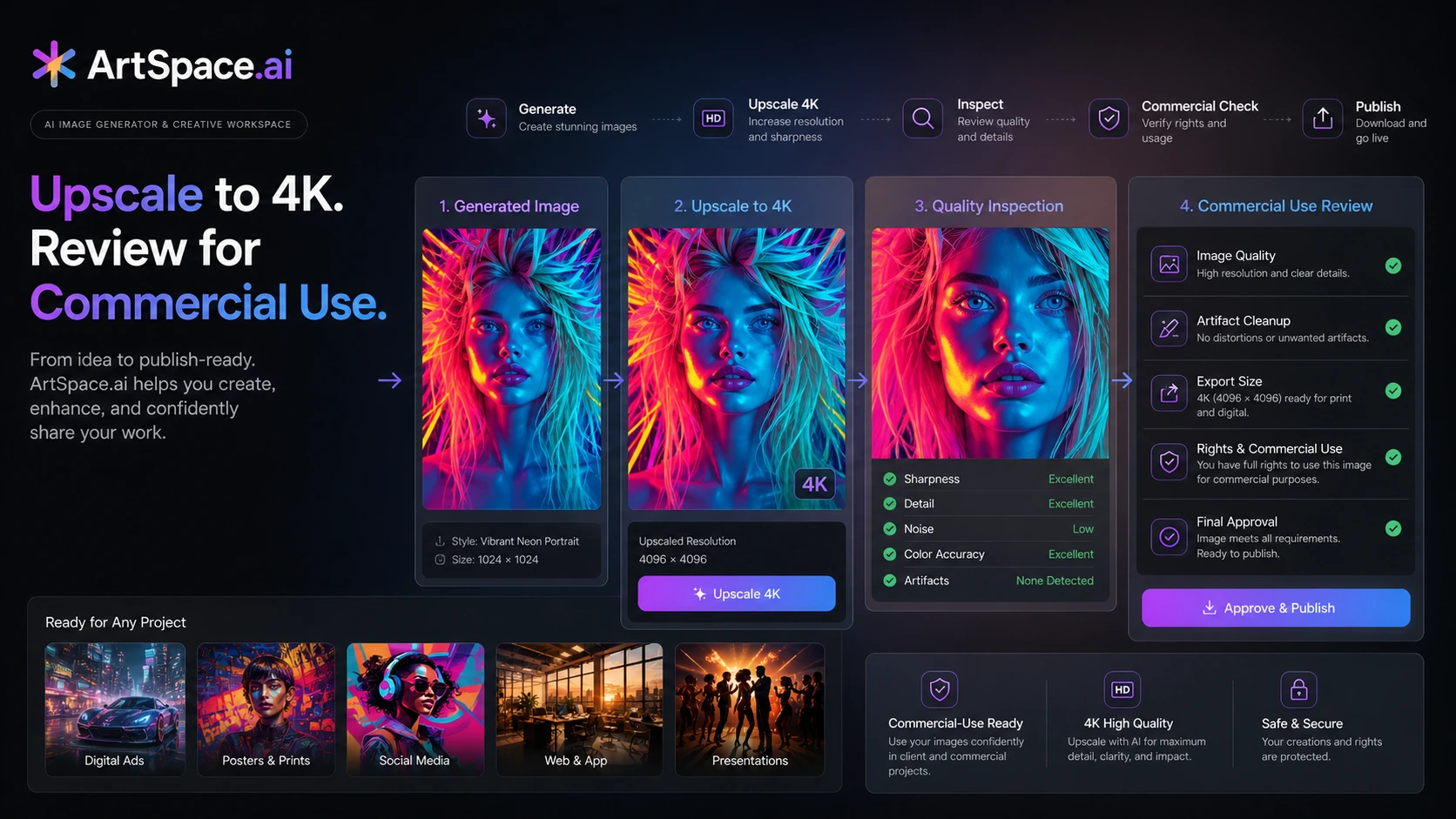
ArtSpace.ai belongs in the AI design and image generation group, but the store decision is more specific than that label suggests. A buyer is really choosing between a low-cost monthly AI art tool, a one-time lifetime access offer, and several better-known creative alternatives. That makes the page less about hype and more about three checks: whether the output quality fits your style, whether the editing tools reduce cleanup time, and whether the pricing path makes sense for how many images you create.
What ArtSpace.ai actually does
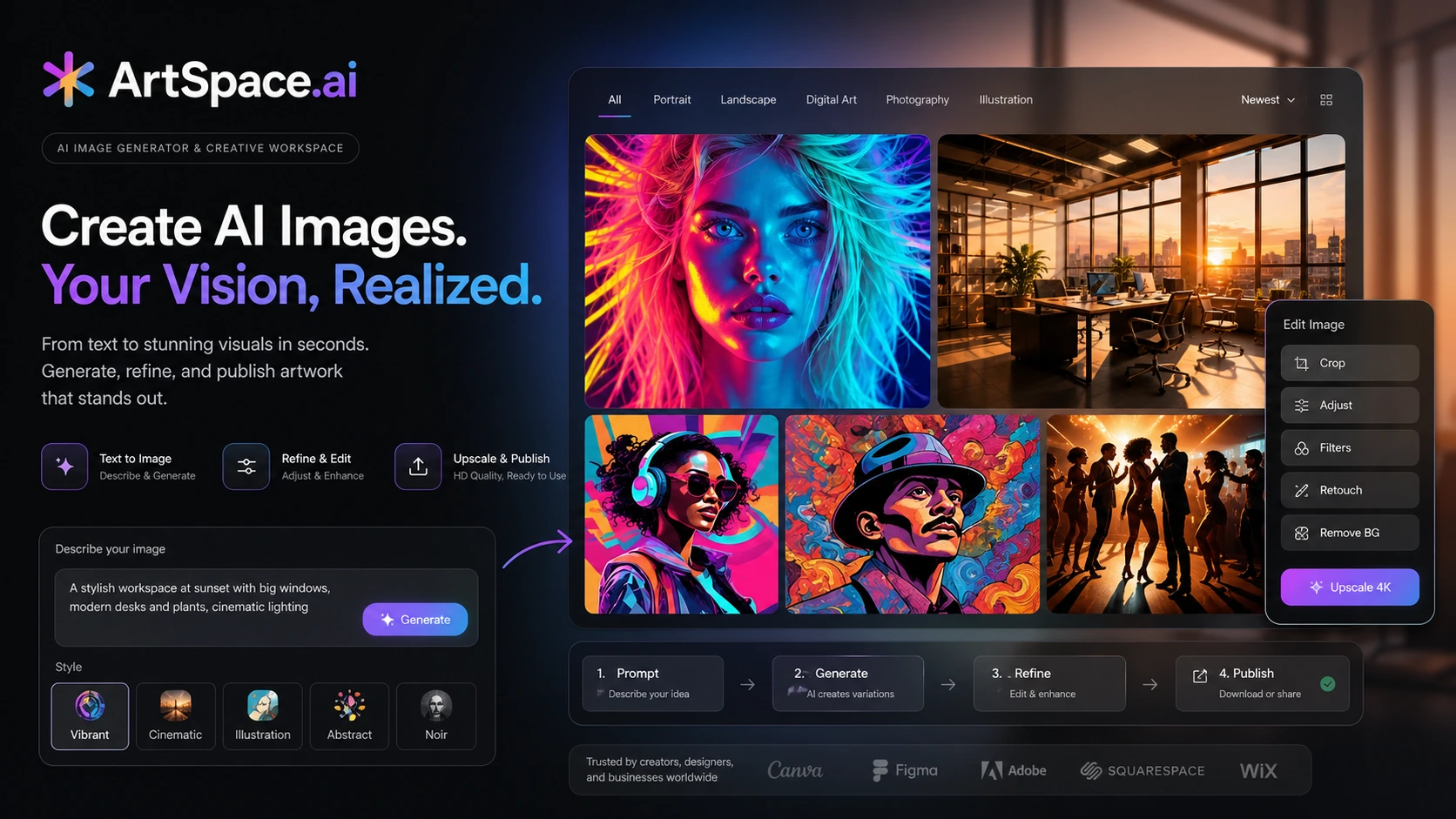
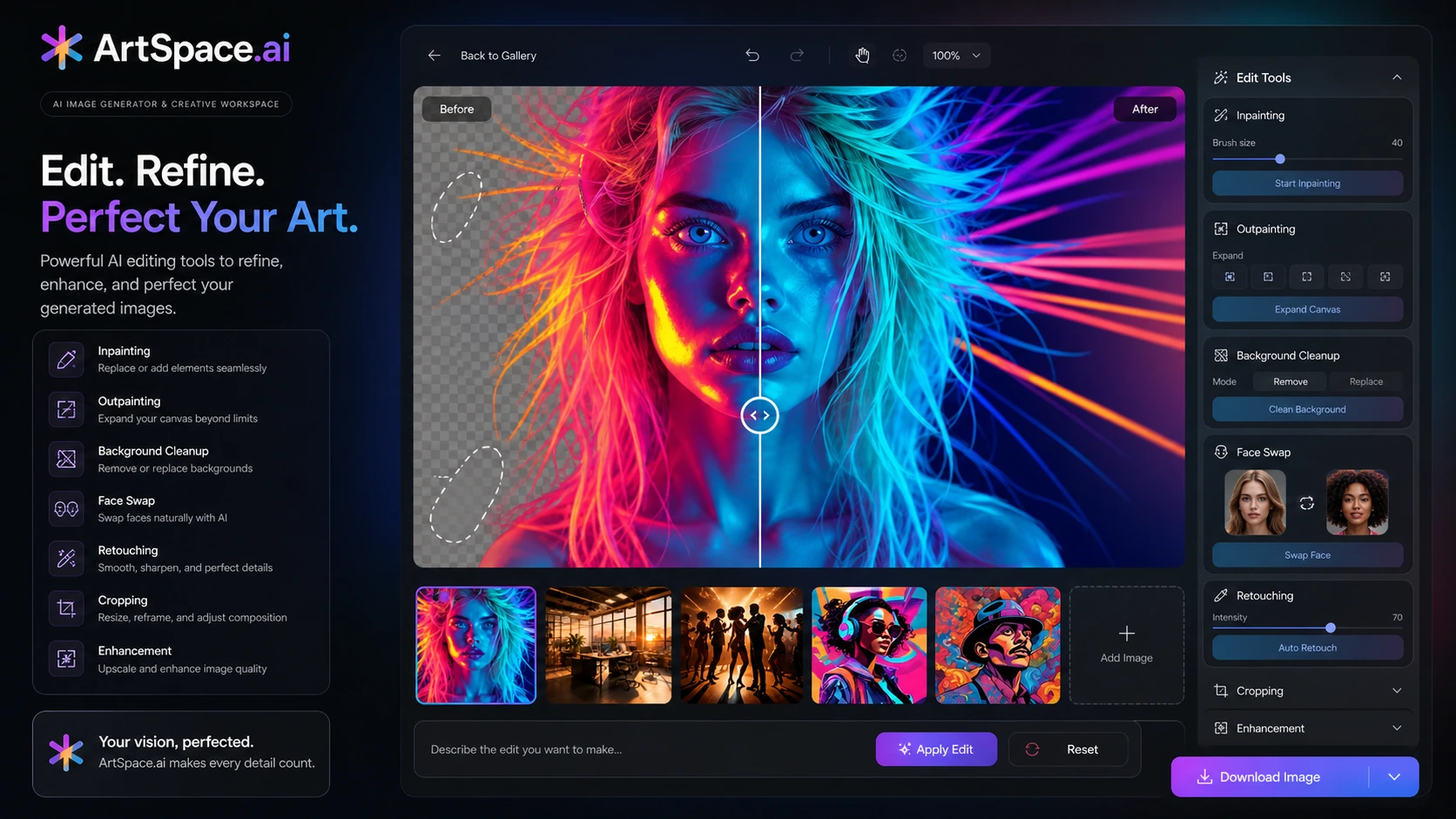
ArtSpace.ai helps users turn prompts into AI-generated images and then refine those outputs with adjacent editing tools. Public product descriptions point to text-to-image generation, image editing, background work, face swap, inpainting, outpainting, and 4K upscaling. That makes it more useful than a simple prompt box, but it still requires creative judgment. Buyers should expect to test prompts, compare several outputs, and polish winners before treating them as finished assets.
- Use it for visual ideation, image generation, and lighter image editing.
- Judge the tool by your own prompt results, not only the examples on sales pages.
- Treat 4K upscaling as a finishing aid, not proof every generated image is production-ready.
How the pricing decision works
ArtSpace.ai has a more complicated buying decision than a normal monthly SaaS tool because public sources point to both monthly plans and an official lifetime offer. The monthly path is safer for short tests. The lifetime path is tempting if you expect to create AI images regularly, but it needs a stricter check because you are paying upfront for future product value. Compare the current monthly plan limits, the lifetime checkout, coupon eligibility, and refund timing before choosing.
- Use monthly pricing when you are still validating output quality.
- Consider lifetime access only if image generation is part of your recurring workflow.
- Verify whether coupons apply to monthly plans, lifetime access, or only specific checkout paths.
Output quality needs a real test
AI image tools can look excellent in curated examples and still miss your exact style, product angle, or brand requirements. For ArtSpace.ai, the practical test is simple: run the same type of prompt you would use for thumbnails, social assets, ad concepts, product visuals, or concept art. Then inspect faces, text, object accuracy, image consistency, and cleanup time. If the output needs heavy external editing, the cheapest plan may still waste time.
- Test realistic prompts rather than fantasy examples that do not match your work.
- Check whether generated images hold up after upscaling.
- Look for recurring artifacts before using outputs in paid campaigns or client work.
Video check: watch the creative workflow
This second video is helpful if you want a more practical look at how a user moves from a prompt idea into a finished visual. Watch for the setup steps, how much control the creator has over the result, and whether the process feels clear enough for your own image needs. The benefit is not just seeing another demo. It helps you decide whether ArtSpace.ai is a tool you can learn quickly or whether a more familiar image generator would be safer.
Editing, upscaling, and commercial use checks
ArtSpace.ai becomes more interesting when you look at the supporting tools around generation. Editing, background work, face swap, and 4K upscaling can reduce the number of separate tools a creator needs. Still, commercial use should be handled carefully. Buyers should confirm rights language, avoid using questionable likenesses, review brand safety, and check whether the final image is clean enough for the channel where it will appear.
- Use editing tools to improve strong outputs rather than rescue weak ones.
- Check commercial-use language before using images in ads, products, or client deliverables.
- Inspect upscaled results for artifacts before publishing.
Coupon and checkout safety
Public coupon directories show ArtSpace.ai discount paths, and the official lifetime page creates another savings route. That does not mean the coupon path should be the first decision. The safer order is to verify product fit, compare monthly and lifetime pricing, read the 7-day refund conditions, and then test any coupon field at checkout. This keeps the buyer from chasing a discount on a tool that may not match the actual creative workflow.
- Do not judge the product by coupon availability alone.
- Compare the final checkout total against the plan or lifetime route you intended to buy.
- Confirm refund and cancellation conditions before applying a discounted offer.
Best savings path from this store page
This is the clearest savings route to check once the product already looks like a fit.
Use the lifetime deal path first if you want ArtSpace.ai without recurring monthly billing and the official lifetime page is still active.
Plans start from a monthly entry point
Reported email-signup savings path
Use comparison routes when the category fit is still open
Use these comparison routes when the product still looks plausible, but the category fit is not fully settled.
ArtSmart.ai may be the closer comparison if you want an AI image generator with a marketing-assets angle and are comparing creator output quality.
OpenArt is worth checking if you want a broader AI art community, model variety, and more exploration around creative styles.
Aitubo may fit better if your creative workflow includes AI image and video generation rather than mostly still-image creation.
ProfilePicture.AI is narrower but cleaner when the buying job is simply creating profile or avatar-style images.
Verification points worth checking before you click out
Where this store usually fits best in the workflow
ArtSpace.ai can help creators generate rough visual directions for social posts, thumbnails, banners, and content ideas. It is most useful when speed and iteration matter more than perfect first-pass design.
Small marketers can use ArtSpace.ai to explore ad concepts, product mood boards, or campaign visuals before deciding which direction deserves manual polish.
Artists and hobbyists can use ArtSpace.ai to test character looks, scenes, and style directions, but final quality should still be judged through a prompt-and-review process.
Editing, upscaling, and background tools may reduce separate software steps when the generated image is already close to useful.
Practical checkpoints before and after signup
- Open the pricing page, lifetime page, and terms before choosing a plan.
- Run realistic prompts that match the images you actually need.
- Check whether public coupons apply to the intended checkout path.
- Create several images in the same style instead of judging one lucky output.
- Inspect faces, hands, text, object details, and brand fit before publishing.
- Try editing and upscaling on a real output to see whether cleanup feels manageable.
- Track monthly image volume before deciding whether lifetime access is worth the upfront cost.
- Confirm usage rights before putting generated images into ads, products, or client work.
- Recheck pricing and refund terms before renewal, upgrade, or discounted checkout.
Fast-read signals for workflow fit and buying friction
Questions readers usually ask before choosing this store
What is ArtSpace.ai best for?
ArtSpace.ai is best for creators, marketers, hobbyists, and solo business owners who want a browser-based AI image generator with editing and upscaling features. It fits buyers who are comfortable testing prompts and refining outputs rather than expecting one perfect image immediately.
Does ArtSpace.ai have a free plan?
A clearly verified free-forever plan was not confirmed from the public sources checked. Public pricing references point to low-cost monthly tiers, while the official lifetime page advertises a one-time promotional route. Buyers should check the live pricing page before deciding.
Should I choose monthly pricing or the lifetime deal?
Monthly pricing is safer if you are still testing output quality. The lifetime route makes more sense when you already expect to create images regularly and have checked the refund terms, image limits, and final checkout total.
Does ArtSpace.ai offer refunds?
The official terms describe a 7-day money-back guarantee with conditions. Buyers should read the current terms and checkout page before assuming that every plan, add-on, discount, or lifetime purchase is refundable.
Are ArtSpace.ai coupon codes the best reason to buy?
No. Public coupon paths can be useful at checkout, but they should come after the product fit check. First confirm that ArtSpace.ai can produce the image styles you need, then compare monthly, lifetime, and coupon routes.
Choose the next route that matches what you still need to decide
The strongest next click depends on whether you still need product judgment, a savings route, or a broader category comparison.