BrandBird Pricing, Mockups & Creator Fit
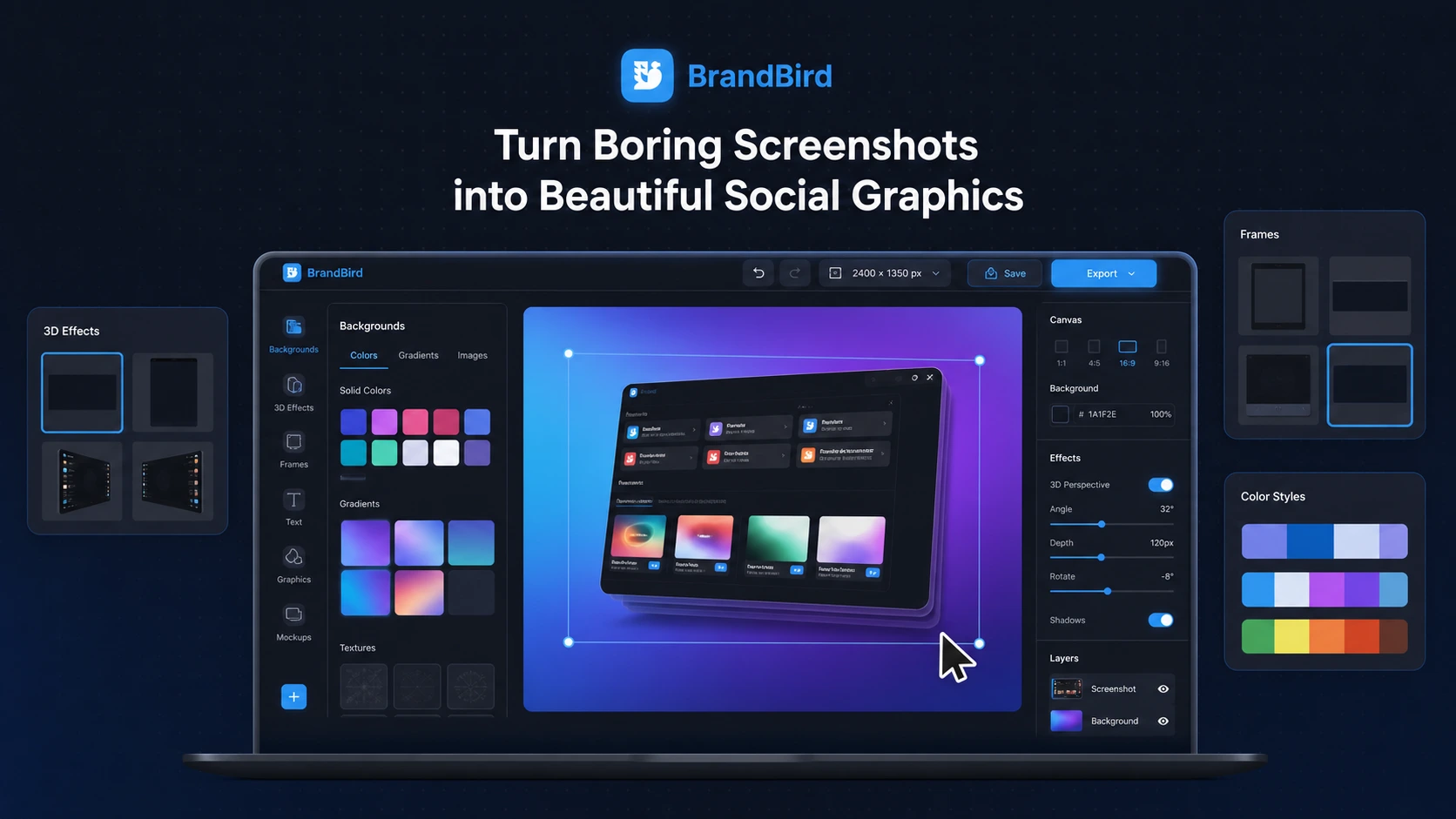
BrandBird is a browser-based screenshot mockup and social media graphics editor for SaaS founders, creators, marketers, newsletter writers, and product teams that need polished visual assets without opening a heavier design tool. It is strongest when the job is turning product screenshots, app screens, tweets, or website captures into branded images for LinkedIn, X, Instagram, Product Hunt, blogs, landing pages, and tutorials.
Fit → price → checkout
Use these routes after the official-site check: coupon first, review for fit, compare if unsure.
BrandBird pricing snapshot
Fast commercial checks before pricing, coupons, or a deeper review.
BrandBird product tour
The main BrandBird video is useful because it shows a focused editing task rather than a vague design promise. Watch how quickly the canvas adapts around an image and ask whether that kind of workflow would help you publish cleaner screenshots faster. If you regularly make launch images, tutorials, LinkedIn graphics, or product update visuals, this is the kind of small speed gain that can make Pro more reasonable.
BrandBird is best evaluated as a fast screenshot presentation tool for creators and product marketers, not as a broad AI design platform. The practical buyer question is simple: do you repeatedly need product screenshots, tutorials, launch visuals, or social posts to look polished enough that a focused editor saves time compared with Canva, Figma, or manual mockup templates?
What BrandBird actually does
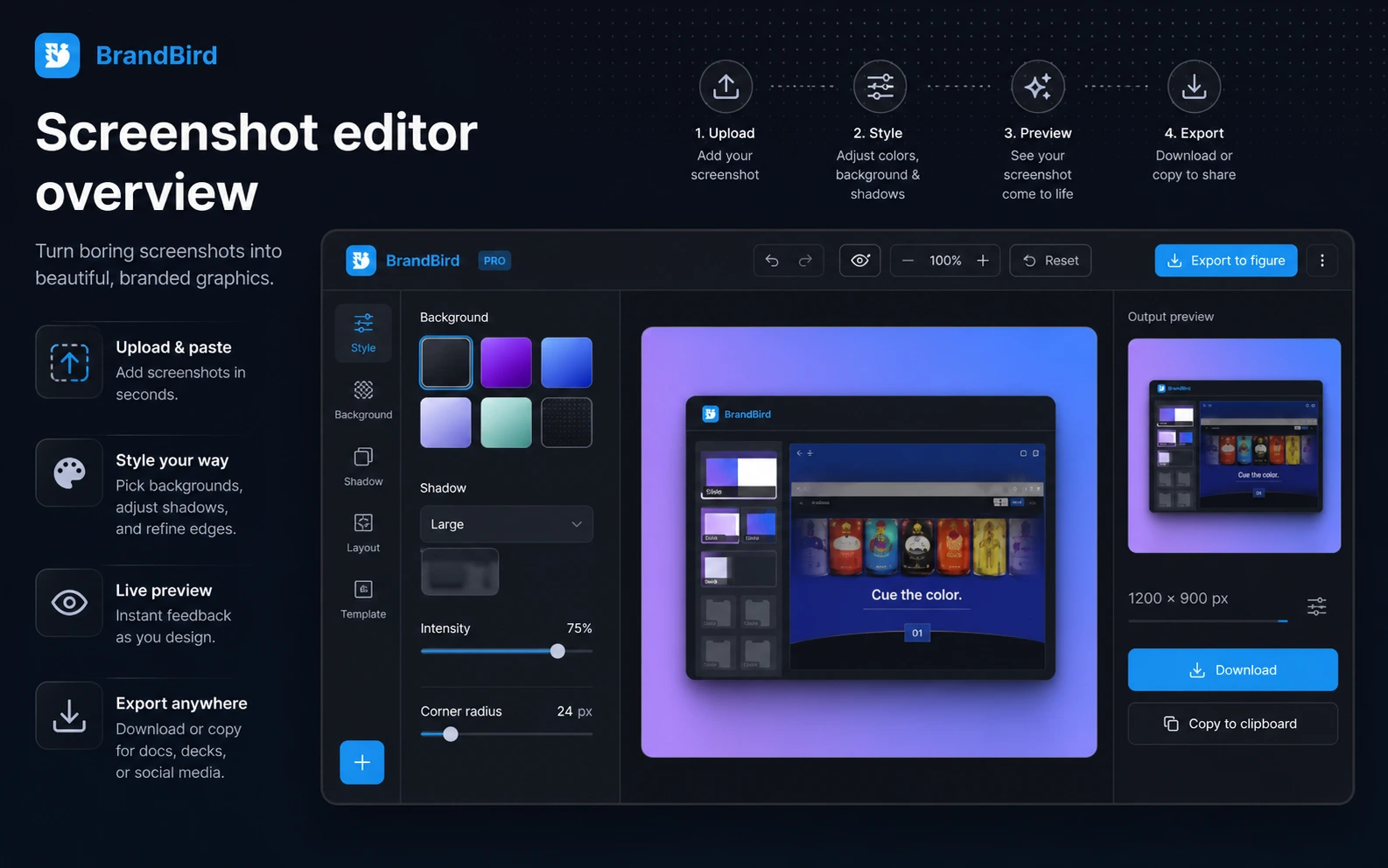
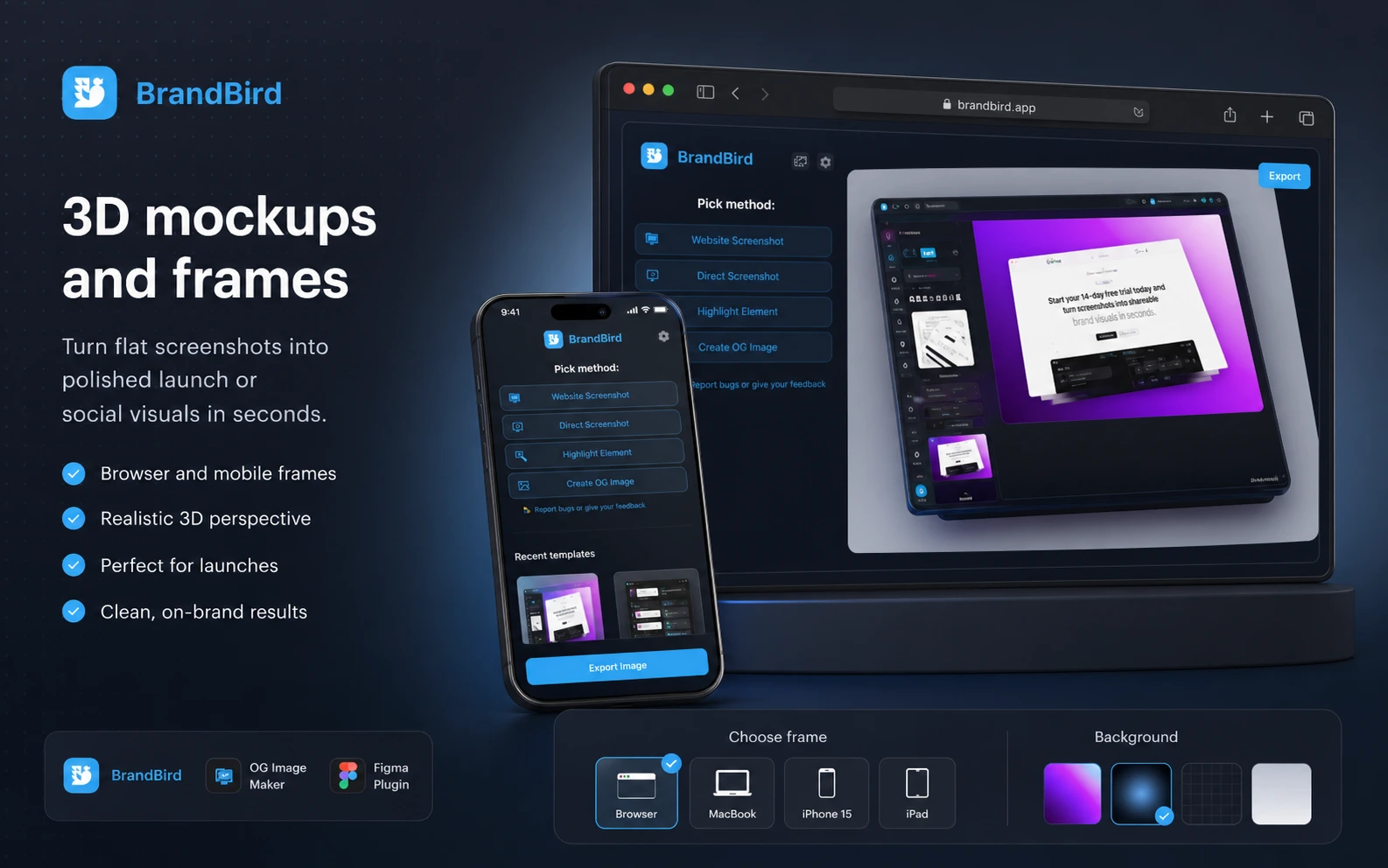
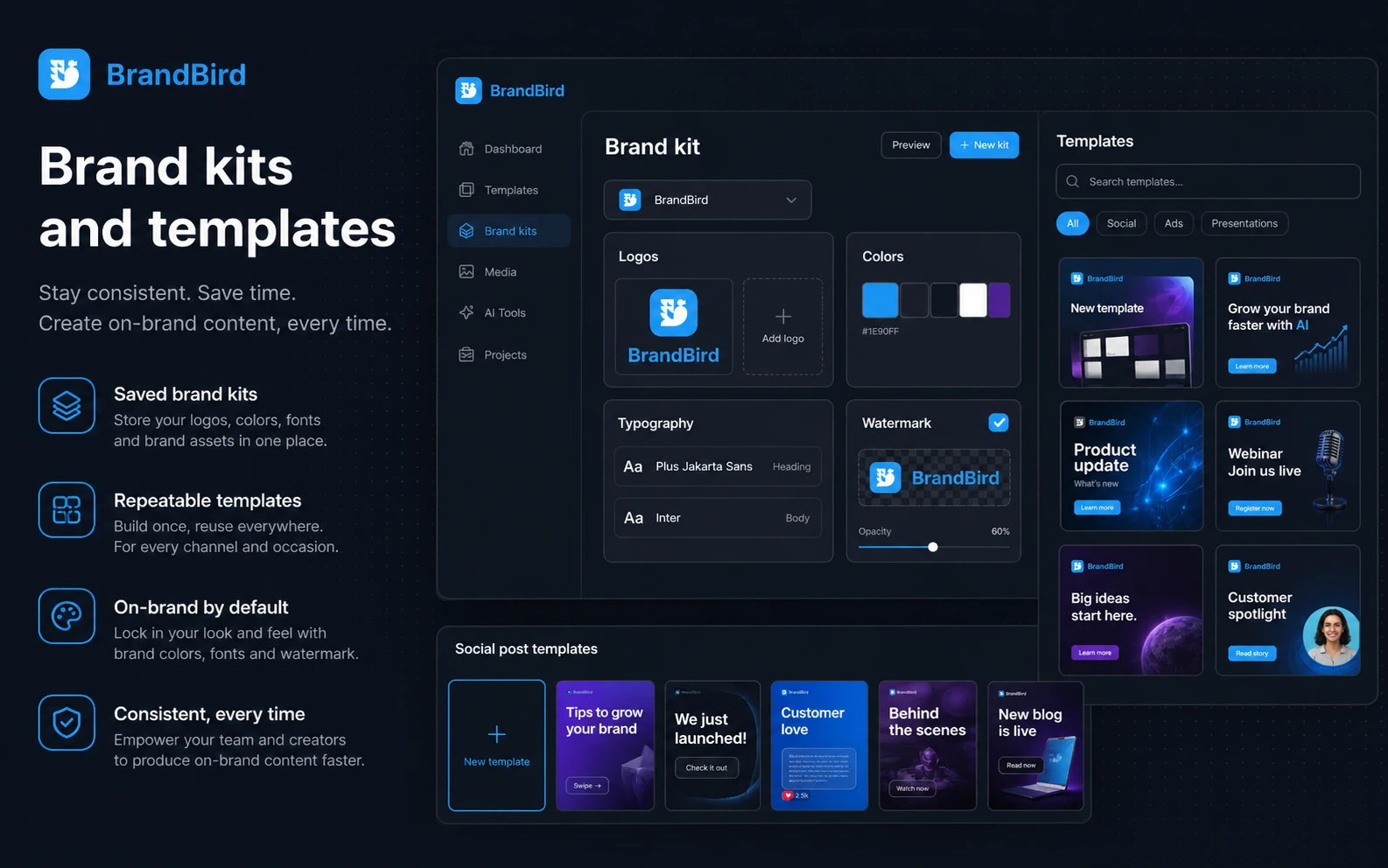
BrandBird turns screenshots, website captures, tweets, app screens, and imported visuals into polished graphics for social media, blogs, product launches, newsletters, and landing pages. Its value is not deep creative generation. The value is speed: backgrounds, 3D transforms, shadows, mockups, frames, annotations, watermarks, brand kits, and export presets are packaged around one repeatable screenshot workflow.
- Turn flat product screenshots into more polished social and marketing visuals.
- Use device frames, 3D effects, shadows, gradients, annotations, and brand kits.
- Export to platform-ready sizes for LinkedIn, X, Instagram, Facebook, Product Hunt, and other channels.
Pricing and plan fit
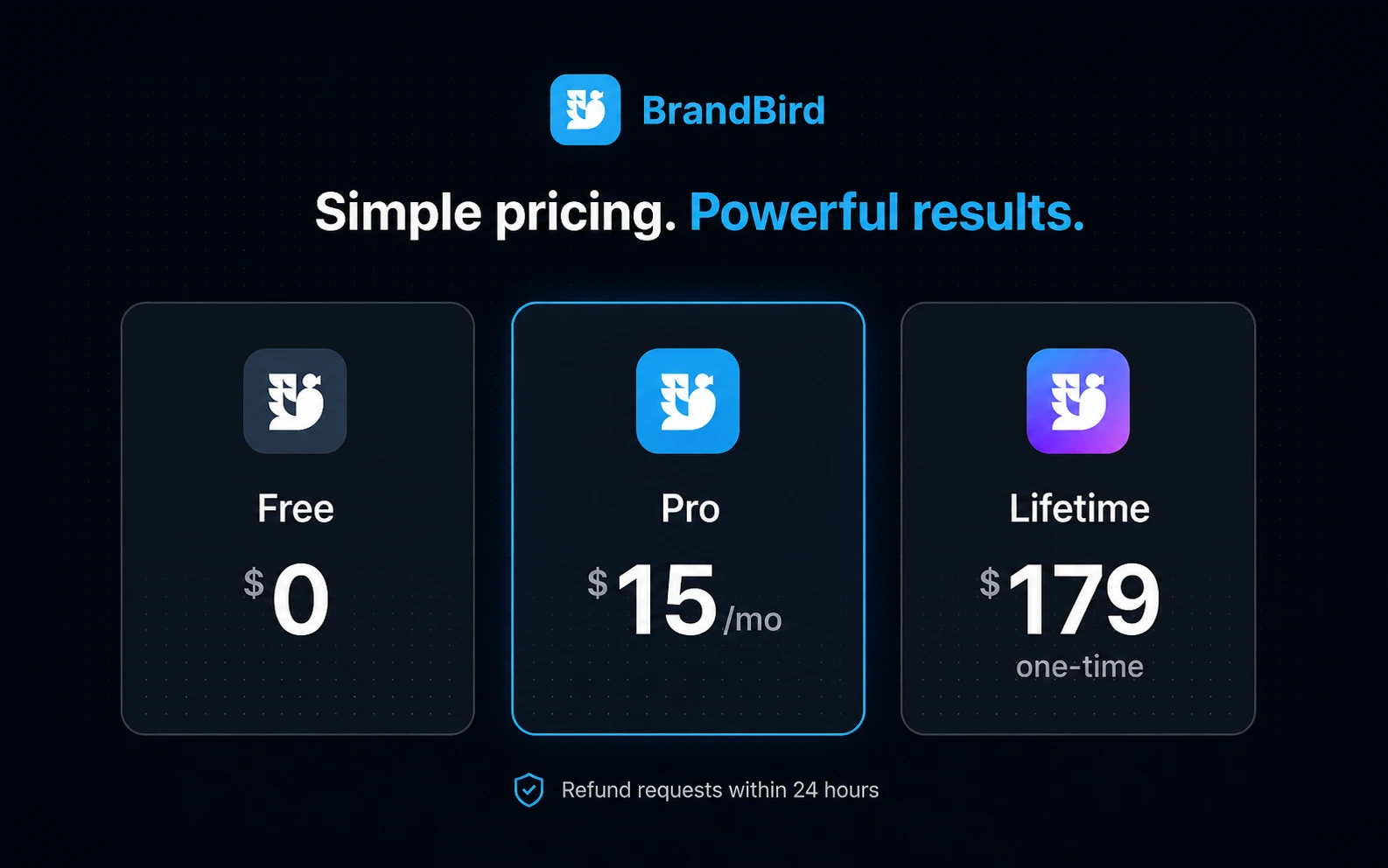
The public pricing story is simple but still worth checking live. BrandBird offers a free path, a Pro plan shown at $15 per month, and a limited-time lifetime deal shown at $179. Pro is mainly for buyers who need watermark removal, premium tools, premium mockups, saved templates, brand kits, AI tools, and cleaner recurring exports. The lifetime deal can look attractive, but only if the product already fits your real publishing rhythm.
- Use free first if you only need to test the editor.
- Consider Pro when watermark-free and reusable branded assets matter.
- Consider lifetime access only after confirming you will use the workflow repeatedly.
Video: understand the export workflow before paying
The second video focuses on exporting an image with a transparent background. That sounds small, but it is a useful buyer check because many BrandBird users will bring finished graphics into websites, landing pages, email newsletters, or other design tools. Watch whether the export panel and background-removal flow feel clear enough for your normal publishing process before you upgrade.
Best-fit buyers
BrandBird is strongest for buyers who already know they need better screenshot presentation. SaaS founders can use it for feature launches and changelog graphics. Marketers can use it for LinkedIn carousels and launch posts. Newsletter writers can make article visuals feel less plain. Product teams can create cleaner tutorial images without pulling a designer into every small asset request.
- SaaS launch and feature update graphics.
- LinkedIn, X, Product Hunt, blog, and newsletter visuals.
- Tutorial screenshots with arrows, labels, callouts, and highlighted UI areas.
Where BrandBird can disappoint
BrandBird may feel too narrow if a buyer expects a complete design suite. It is not the best fit for complex multi-page layouts, advanced illustration, deep photo editing, brand strategy, or fully custom design systems. It can also feel unnecessary if your screenshots already move through a mature Figma or Canva workflow. The key is to decide whether BrandBird removes friction or simply adds another tool.
- Not a full design-system builder.
- Not an API-based creative automation platform.
- Not ideal when your team already has a mature design workflow.
Safest next step
The safest path is to create a real asset in the free editor, then decide whether watermark-free exports, premium mockups, templates, brand kits, AI tools, Chrome capture, or Figma export are worth paying for. If the workflow is already useful, compare Pro against any active lifetime deal. If you are only looking for a coupon, check the DealBestDaily route after confirming BrandBird actually fits your content workflow.
- Test BrandBird with your own screenshots, not only demo examples.
- Check the current Pro, lifetime, discount, and refund wording before paying.
- Use the review path for workflow fit and the coupon path only after fit is clear.
Best savings path from this store page
This is the clearest savings route to check once the product already looks like a fit.
Use the free tier to test screenshot mockups, social graphics, and export workflow before deciding whether premium assets are worth paying for.
Upgrade for premium design tools
Pay once for permanent Pro access
Use comparison routes when the category fit is still open
Use these comparison routes when the product still looks plausible, but the category fit is not fully settled.
BrandBird is stronger for turning screenshots into polished visual assets, while 1of10 is a better next tab when the buyer is comparing YouTube or creative research workflows.
BrandBird fits screenshot mockups and branded social graphics, while Aitubo is more relevant when the buyer wants broader AI image or creative generation.
BrandBird is better for screenshot presentation, while Pixa is a closer fit for ecommerce image editing, product visuals, and creative image workflows.
BrandBird starts with existing screenshots, while ArtSmart AI is more relevant when the buyer wants generated images rather than screenshot polishing.
Verification points worth checking before you click out
Where this store usually fits best in the workflow
Founders can turn product screenshots into launch posts, Product Hunt assets, feature announcement images, and changelog visuals without rebuilding every layout manually.
Marketers and creators can format screenshots for LinkedIn, X, Instagram, Facebook, and other platforms with consistent backgrounds, mockups, and brand styling.
Product teams can use annotations, highlights, arrows, and UI callouts to explain specific product steps more clearly in guides and support content.
Writers can make article visuals, headers, and example screenshots look more polished while still keeping production lightweight.
Practical checkpoints before and after signup
- Create at least three real assets in the free editor using your own screenshots.
- Check whether watermarks, premium mockups, templates, brand kits, and export settings affect your public workflow.
- Compare BrandBird against your current Canva, Figma, or manual mockup process.
- Compare the current Pro monthly price with any live lifetime deal.
- Verify the 24-hour refund window before buying one-time lifetime access.
- Check whether member-only or creator-promotion savings are currently available.
- Build reusable templates for your most common screenshot formats.
- Set brand kits before creating repeated social assets.
- Review exported visuals on the actual social or website channel where they will be published.
Fast-read signals for workflow fit and buying friction
Questions readers usually ask before choosing this store
What is BrandBird best for?
BrandBird is best for turning screenshots into polished social media graphics, product visuals, tutorial images, launch assets, and marketing mockups. It fits creators and SaaS marketers who publish screenshot-led content often enough that a focused editor saves time.
Does BrandBird have a free plan?
Yes. BrandBird has a free entry path for testing the editor. Buyers should use it with their own screenshots first, then upgrade only if Pro features such as watermark removal, premium mockups, saved templates, brand kits, or AI tools matter.
How much does BrandBird Pro cost?
Public pricing surfaces show Pro at $15 per month. BrandBird also shows a limited-time lifetime deal at $179 as a one-time payment. Buyers should verify the live pricing page because promotions and member discounts can change.
Is BrandBird a replacement for Canva or Figma?
Not for every use case. BrandBird is more focused on screenshot beautification, mockups, social graphics, annotations, and branded product visuals. It can reduce quick asset work, but complex design systems and custom layouts still fit broader tools better.
What should I verify before buying BrandBird?
Verify the current Pro price, any lifetime deal, available member discounts, watermark rules, premium tool access, Chrome extension or Figma workflow needs, and the 24-hour refund language before checkout.
Choose the next route that matches what you still need to decide
The strongest next click depends on whether you still need product judgment, a savings route, or a broader category comparison.