Quick verdict
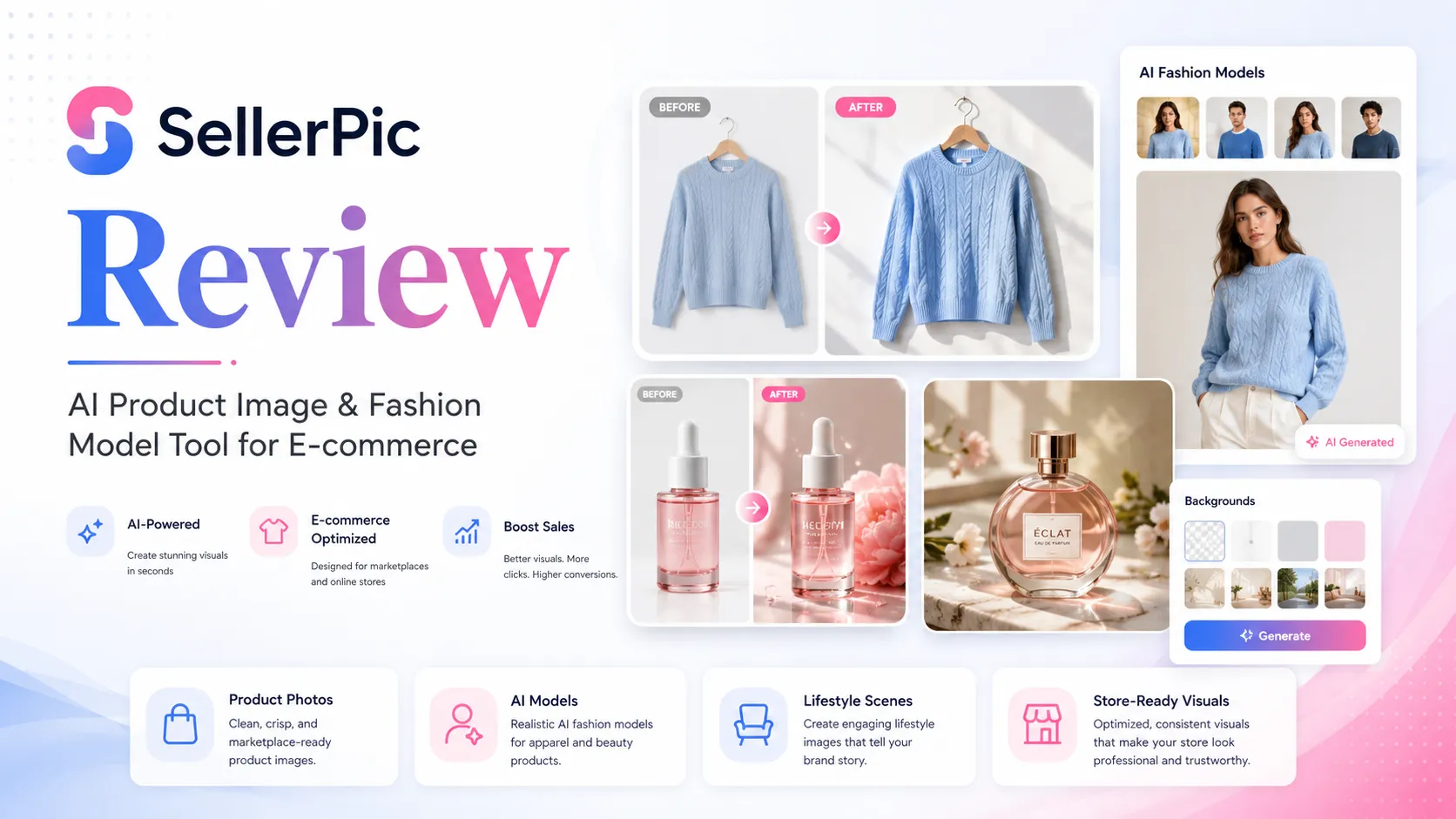
SellerPic is worth a serious look if product visuals are already slowing down your ecommerce workflow.
That is the important condition.
This is not the kind of AI tool I would judge from one attractive demo image. SellerPic is trying to solve a real ecommerce problem: a store needs more product photos, more model variations, more social creatives, more short videos, and more listing-ready assets than a small team can reasonably shoot by hand every week.
For that buyer, SellerPic can make sense.
For a casual user who only wants one free background edit, it may be too much tool. For a fashion seller who needs model swaps, virtual try-on style visuals, product-in-hand scenes, AI ad creatives, and image-to-video assets, it becomes more interesting. The value depends less on whether the homepage looks impressive and more on whether SellerPic can turn your own catalog images into usable outputs without eating too many credits.
That is where I would be careful.
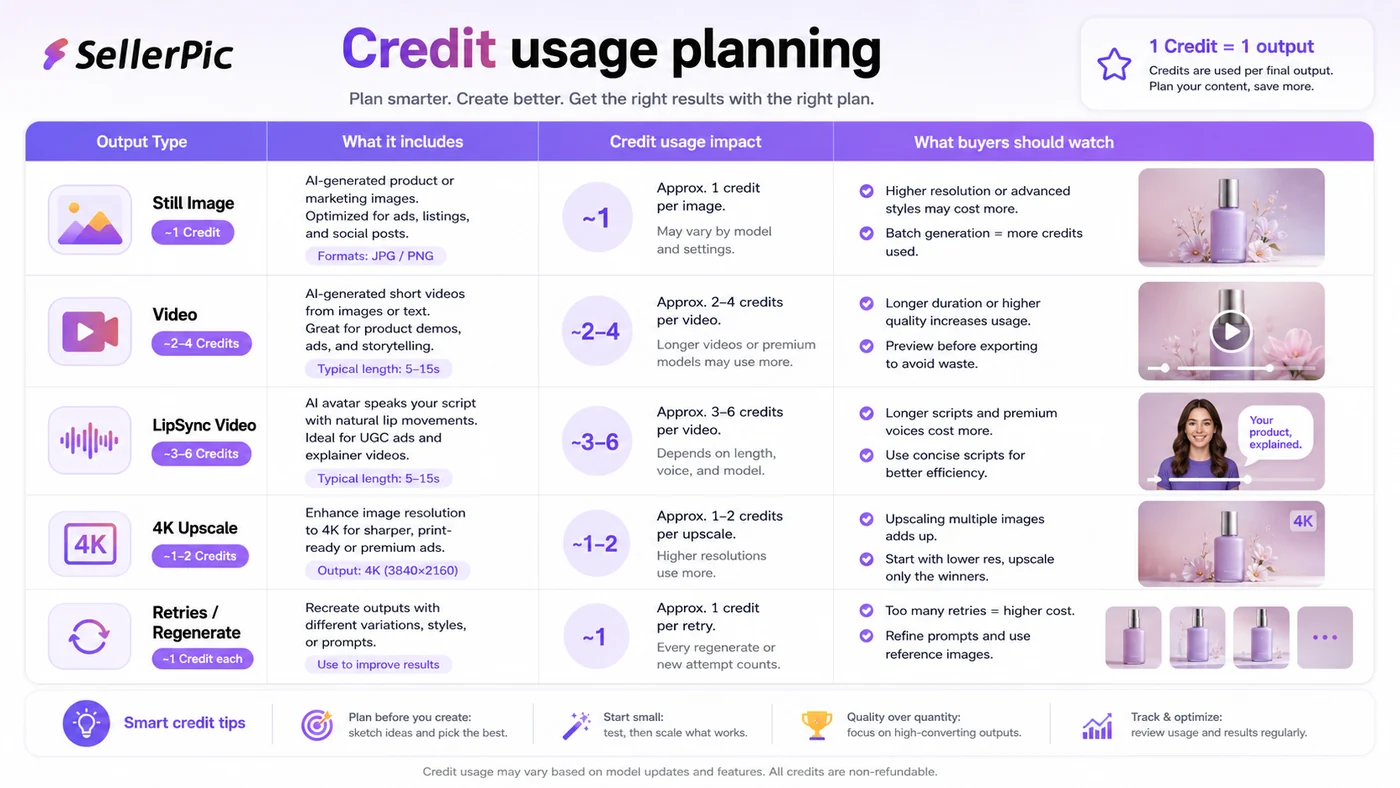
SellerPic is a credit-based AI visual workflow. Still images, videos, 4K downloads, LipSync, model creation, and repeated retries are not the same cost in practice. A monthly plan that looks comfortable on a pricing card can feel tight if you are testing many ad variations or regenerating outputs because the product shape, garment fit, or model pose is slightly wrong.
The safest path is simple: test the free route with real product images, track credit burn, inspect output quality, then decide whether monthly or annual billing makes sense. I would not jump into annual billing just because a discount is visible. A lower price helps only after the workflow fit is clear.
Next step: If SellerPic already looks relevant to your ecommerce workflow, test the live product route before comparing paid plans.
Review snapshot
| Review point | Practical take |
|---|---|
| Best for | Shopify merchants, fashion sellers, accessory brands, and ecommerce teams with repeated visual-content needs |
| Not ideal for | One-off edits, exact product-representation workflows, or buyers who dislike tracking credits |
| Main use case | Turning product photos into AI model images, lifestyle scenes, product ads, and short videos |
| Free path | Free credits are useful for testing real product images before paying |
| Paid path | Paid plans make sense only when credit usage and output quality are predictable |
| Main strength | Ecommerce-specific visual workflow rather than a generic AI image generator |
| Main concern | Credits, refund limits, and channel-specific checkout details need careful verification |
| Alternatives to compare | Pixa, ArtSmart AI, HeadshotPro, OpenArt |
| Safest next step | Upload real catalog images, track credits per usable output, then compare plans |
What is SellerPic?
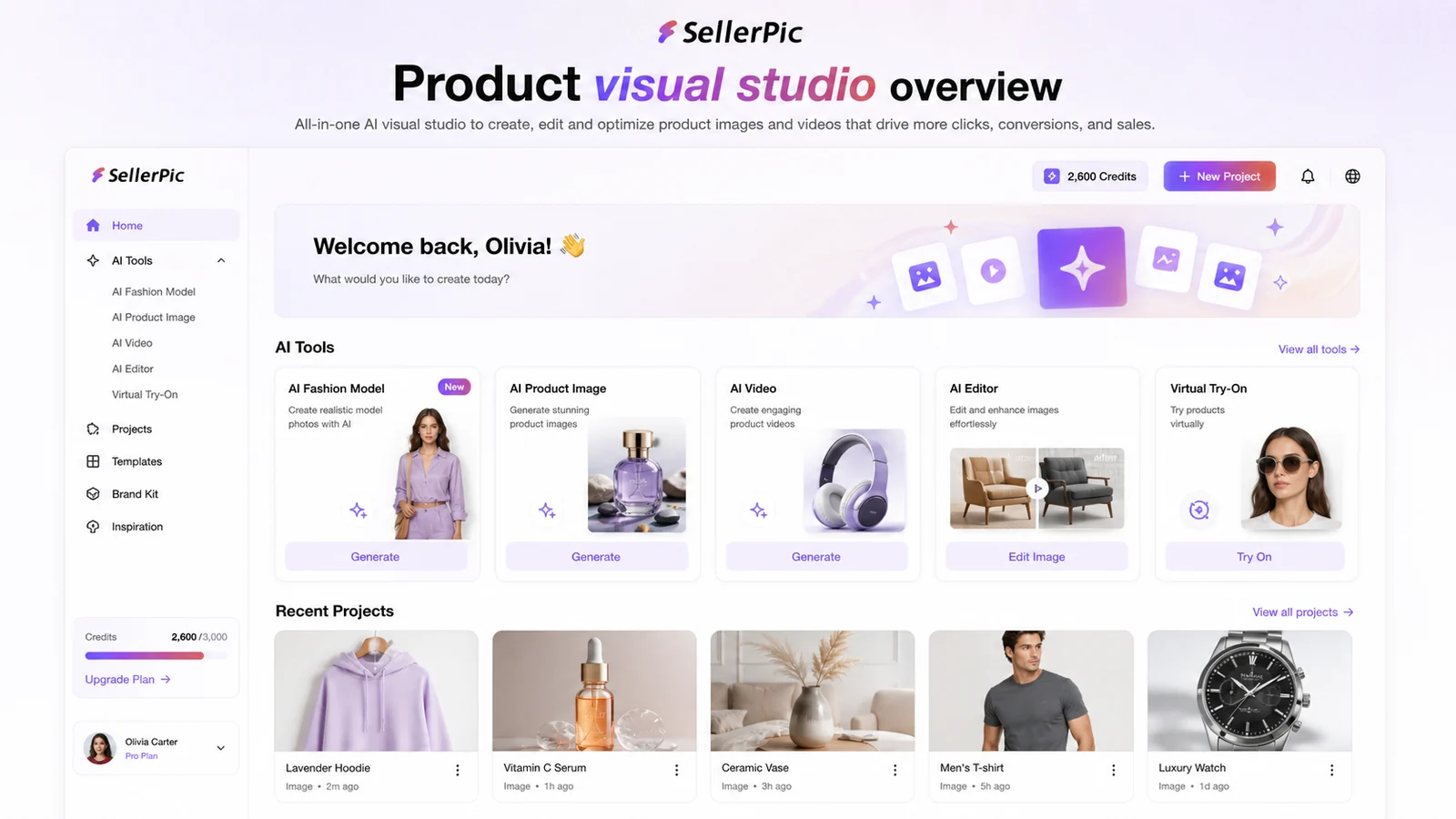
SellerPic is an AI product photography and ecommerce visual-production tool. It is built around the kind of assets online sellers keep needing: product photos, model shots, virtual try-on visuals, background edits, product-in-hand scenes, short product videos, and social ad creatives.
That makes it different from a broad AI art generator.
A general image generator asks, “What image do you want to create?” SellerPic asks a more commercial question: “How do we turn this product image into something that can help a store sell?” That is a narrower job, and in this category, narrower can be useful.
The public Shopify listing positions SellerPic as an AI-powered studio for product visuals, AI ads for Instagram, Facebook, and TikTok, AI models, virtual try-on, background editing, and video creation. The same listing highlights practical ecommerce functions such as model swap, smart background editing, and turning static product images into videos.
That is the right lens for this review. SellerPic should be evaluated as a product-visual workflow, not as a toy image generator.
The catch is that ecommerce visuals carry more risk than generic creative images. A beautiful AI model shot is not useful if the product shape is wrong, the fabric texture is misleading, the jewelry scale looks off, or the ad platform would reject the creative. For product visuals, pretty is not enough. The image has to be believable, brand-safe, and close enough to the real product that a buyer is not misled.
That is why I would treat SellerPic as a production assistant, not an autopilot.
Who should use SellerPic?
SellerPic makes the most sense for ecommerce sellers who already feel the cost of visual production.
A Shopify merchant with many SKUs may need product images for collections, landing pages, email campaigns, marketplace listings, and social posts. Hiring a photographer or model for every update is expensive. Doing everything manually in design software is slow. In that situation, SellerPic can be a useful middle layer: faster than a shoot, more ecommerce-specific than a generic generator, but still requiring human review.
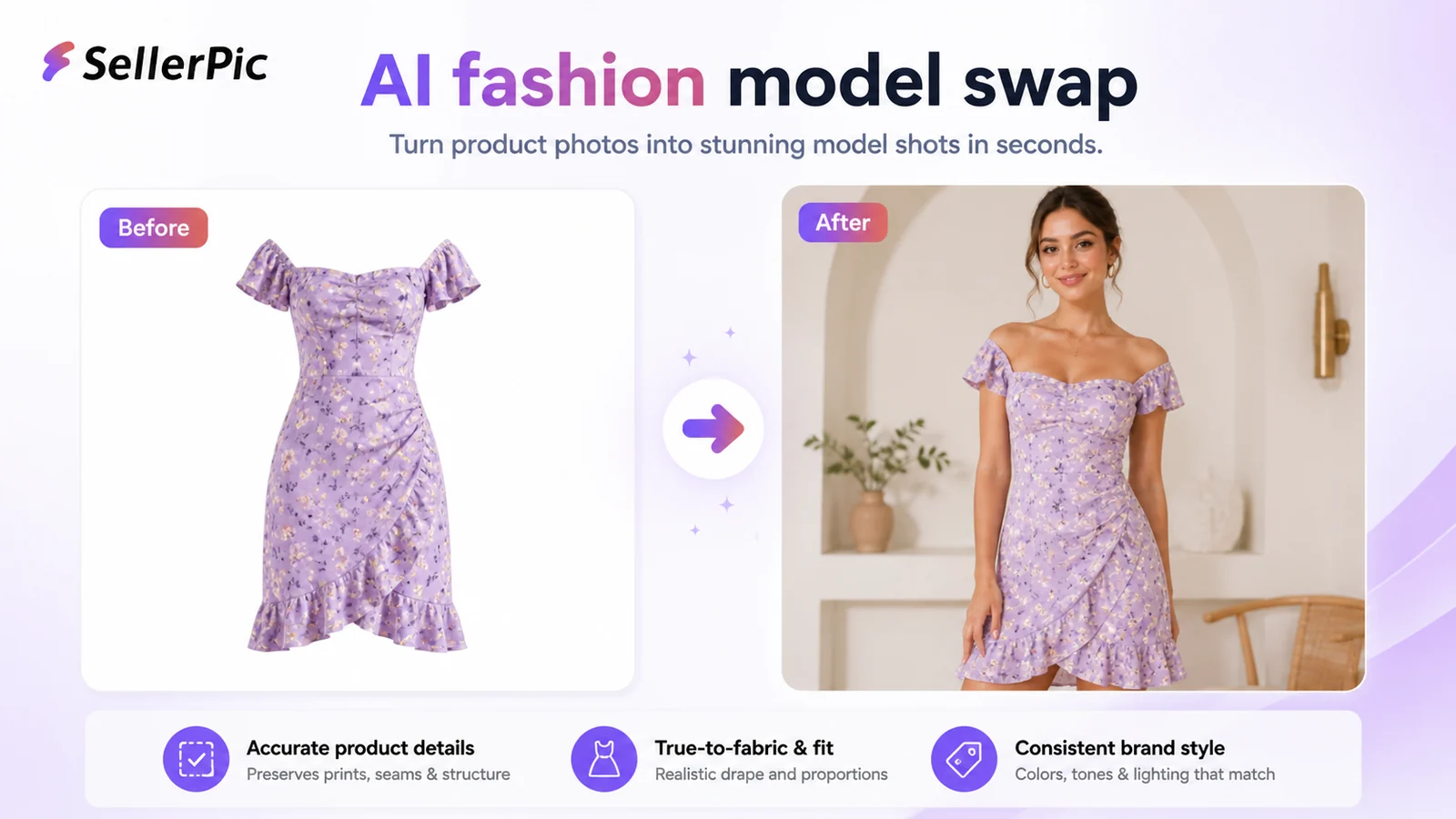
Fashion sellers are probably one of the strongest fit groups. Model swap, virtual try-on, product-in-hand shots, and lifestyle scenes all speak directly to apparel and accessory workflows. A brand can test different model styles, backgrounds, poses, or campaign directions before deciding which visuals deserve more serious production work.
Small marketing teams may also find it useful for rapid creative testing. If the question is “Which product angle should we test on TikTok, Instagram, or Pinterest?” SellerPic can help generate more visual directions quickly. But I would still check the final output manually before using it in paid ads.
The product also has an API path, which matters for developers or larger ecommerce operators thinking about embedded image generation. I would not start there unless the manual workflow already proves itself. API use only makes sense after you know the outputs are good enough and the credit economics work.
Who should avoid SellerPic?
I would skip SellerPic if you only need one quick background removal or a single casual image edit. There are simpler tools for that.
I would also be cautious if your product category requires very exact representation. Jewelry scale, garment drape, product dimensions, skin-contact visuals, and regulated product categories need extra care. AI-generated images can look polished while still being commercially risky.
The product is also not ideal for buyers who hate credit systems. SellerPic gives you flexibility, but that flexibility comes with tracking. If one usable output takes several generations, or if video becomes part of the workflow, the real cost is not obvious from the plan price alone.
And I would be especially careful with annual billing before testing. SellerPic’s payment documentation says refunds are generally unavailable because AI generation and GPU processing costs are not refundable upstream. The terms also say no refunds are offered in general, though support may review a request if no credits have been consumed. That is not a generous “try heavily and refund later” setup.
This matters because AI visual tools often require trial and error. A buyer who expects perfect first-generation results may get frustrated. A buyer who expects to iterate, review, reject, and refine may have a better experience.
How SellerPic fits into a real ecommerce workflow
A healthy SellerPic workflow starts before the AI tool opens.
First, pick real product images from your store. Do not test only your easiest hero photo. Include a clean product shot, a harder angle, one image with texture detail, and one product where size or fit matters.
Second, decide what you are testing. Model images, background edits, product-in-hand visuals, listing photos, short videos, and social ads are different jobs. If you test everything at once, you will not know where SellerPic actually helps.
Third, generate outputs and track the cost. How many credits did it take before one image was good enough to publish? Did video use feel manageable? Did 4K output matter? Did you need repeated retries because the product was distorted?
Fourth, review the image like a merchant, not like an AI fan. Does the product still look true? Does the model pose make sense? Does the garment fit look plausible? Is the product scale honest? Does the background help or distract? Would a customer feel misled if they received the real item after seeing this image?
Only then should pricing enter the conversation.

Workflow check: Use SellerPic only if it improves a repeated product-visual process, not just because one demo image looks polished.
Features that matter most
The most important SellerPic features are not the broadest ones. They are the ones that reduce specific ecommerce work.
AI fashion model swaps are the headline feature for apparel sellers. If you sell clothing, accessories, or wearable products, the ability to place items on different AI models can reduce the pressure of organizing repeated model shoots. The buyer check is accuracy. Fabric, fit, sleeve shape, product placement, and body proportions need careful review.
Virtual try-on and product-in-hand visuals are useful when the customer needs to imagine scale and use. This can be helpful for jewelry, handbags, shoes, accessories, and lifestyle products. It can also create risk if scale or fit is inaccurate.
Background removal and replacement are practical, less glamorous features. For many stores, a cleaner background or lifestyle scene may be more useful than a highly stylized AI image.
Image-to-video and short product videos are interesting for social selling. A static product photo can become a short motion asset, which may help with TikTok, Instagram, or ad testing. The caution is credits. Video workflows can burn through usage faster than still-image workflows.
AI ad generation can help teams test visual directions quickly. I would treat these as draft creatives, not final guaranteed performers. Paid ads need human review for brand claims, product representation, platform policy, and customer expectations.
API access is relevant, but not for everyone. It matters if a business wants to integrate product-image or short-video generation into a larger workflow. Most buyers should validate the manual workflow first.
Pricing and plan value
SellerPic pricing needs a careful read because there is more than one buying path.
The Shopify listing currently shows a Free plan with 20 credits, then Starter at $29/month, Growth at $79/month, and Advanced at $99/month. It also shows annual discount messaging and plan features such as monthly credits, video concurrency, own-model limits, UHD/no watermark, commercial use, and support priority.
That sounds straightforward. But the credit picture is not perfectly flat across every source.
SellerPic help docs say new users get 20 free credits, and they also describe monthly subscription credit amounts and additional credit-package behavior. The API pricing page gives a simple example: one image equals one credit, a 5-second video equals 10 credits, and a 10-second video equals 15 credits. The Shopify listing, docs, and app-style billing paths may not always present the same numbers or the same context.
So I would not evaluate SellerPic by monthly price alone.
The better question is: how many usable outputs do you need each month, and how many credits does one usable output really cost after retries?
A store creating still product images may fit a lower paid path. A brand testing video ads, LipSync, 4K exports, and multiple model styles may need more credits than expected. The cheapest plan is not automatically the best deal if it forces constant top-ups or pushes you to compromise output quality.
Pricing check: If SellerPic fits your workflow, compare the current plan, credit rules, and checkout channel before paying.
Check SellerPic pricing Check current offers Read store guide
Free plan, coupon path, and checkout notes
The free path is useful because SellerPic is the kind of tool you should test with your own images before paying.
A pretty demo does not prove your products will work. Your first test should answer practical questions: does the model swap preserve the item? Do backgrounds look natural? Are videos usable? Does the AI understand your product category? Does one publishable output take one attempt, three attempts, or ten?
Only after that would I look at the coupon or offer route.
A discount can improve the purchase, but it should not be the reason you buy. With SellerPic, the larger buying decision is output quality plus credit economics. If the tool does not handle your products well, a coupon will not fix the mismatch. If it does handle them well, then checking the current offer path before checkout is reasonable.
I would also compare billing channels. The web app, Shopify app, and app-store-style paths may involve different subscription handling, support routes, pricing display, or cancellation rules. That does not mean one is automatically better. It means the buyer should not assume every route behaves the same.
Offer check: Use the coupon route after the workflow test, not before it. The best deal is the plan that matches your real credit usage.
What I would check before buying SellerPic
Before paying, I would run a small buyer checklist.
First, test the product category. Apparel, jewelry, handbags, shoes, and general consumer goods do not behave the same in AI visuals. A tool that works beautifully for a bracelet may struggle with a structured jacket or a product with exact proportions.
Second, check output truth. The image should not only look attractive. It should represent the product honestly enough for listings, ads, and customer expectations.
Third, track credits per usable output. This is the number that matters. If it takes several generations to get one publishable image, your real cost is higher than the pricing card suggests.
Fourth, separate still images from videos. Video generation can be valuable, but it changes the credit math quickly.
Fifth, review commercial-use and rights language. SellerPic’s terms say generated images belong to the user and can be used commercially, but buyers should still make sure uploaded product images, model likenesses, brand assets, and ad claims are properly cleared.
Sixth, read refund and cancellation terms before annual billing. SellerPic is not a tool I would treat as a risk-free purchase after heavy use.

Pros and cons explained
SellerPic’s biggest strength is focus. It is not trying to be every creative AI tool at once. Its strongest angle is ecommerce product visuals, especially for stores that need model images, ad creatives, and product videos quickly.
The second strength is workflow breadth. A seller can move from product photo to model shot, background edit, product ad, or short video without stitching together many separate tools. For a small team, that matters.
The third strength is low-friction testing. Free credits make it possible to evaluate the tool with real products before paying. That is important because AI product visuals need real-world proof, not abstract feature lists.
But the weaknesses are real.
Credit-based tools require discipline. If a buyer does not track credit usage, SellerPic can feel cheaper than it actually is. Video generation and repeated retries are the areas I would watch most closely.
Output accuracy is another limitation. AI product visuals can look professional and still need corrections. For clothing, fit and fabric behavior matter. For accessories, scale matters. For any product, honesty matters.
Refund flexibility is the final caution. SellerPic’s payment documentation is clear enough that buyers should assume normal AI generation purchases are not easily refundable. That does not make the product bad. It just changes the safest buying path.
Green flags and red flags
A green flag is that SellerPic is clearly built for ecommerce, not vaguely positioned as a general AI creative tool. The Shopify listing, tool categories, and feature set all point toward product visuals, social ads, model shots, and videos.
Another green flag is that public feedback is broadly positive. Trustpilot shows a high TrustScore with hundreds of reviews, and many users praise ease of use, product-image quality, ecommerce value, and support. Product Hunt feedback is also positive, though narrower and based on a smaller review set.
A third green flag is that SellerPic documents credit usage and API pricing basics. I always prefer when an AI tool gives buyers at least some way to estimate usage before scaling.
The red flags are mostly about expectations.
Some Trustpilot summary feedback mentions credit-system frustration, learning curve, and output issues such as distorted shoulder lines or blurred details for certain clothing cases. That is exactly the kind of category-specific risk ecommerce sellers should test before paying annually.
Another red flag is channel complexity. Shopify, web, iOS, and API paths may not be identical. Buyers should verify the live plan before assuming pricing, credits, or cancellation rules.
The final red flag is refund flexibility. If you generate heavily and dislike the results, the refund path may not be forgiving.
SellerPic vs alternatives
SellerPic should be compared with tools based on the buyer’s real job.
If the job is ecommerce product visuals, SellerPic is a direct fit. If the job is broader AI image generation, it may not be the first comparison.
Pixa is worth comparing if the buyer wants a wider creative photo-editing workspace with background removal, image generation, mobile tools, and API-style credit usage. It may feel more flexible if ecommerce product model swaps are only one piece of the workflow. Read the Pixa store guide if you want a broader image-editing route.
ArtSmart AI is a better comparison for general AI image generation and creative assets. If you mainly need marketing imagery, concepts, or prompt-based visuals rather than product-to-model ecommerce shots, the ArtSmart AI store guide may be more relevant.
HeadshotPro is not a product-photo competitor in the strict sense. It is better for professional portraits and team headshots. I would compare it only if the buyer’s real need is people imagery, not product listings. See the HeadshotPro store guide for that route.
OpenArt is a broader creative generation platform. It can be useful for art, creative image experiments, and wider visual ideation. SellerPic is more ecommerce-specific. OpenArt is more flexible if the buyer is not focused on store-ready product visuals. The OpenArt store guide is the better route for that broader creative use case.
Review methodology and evidence confidence
I would give SellerPic a strong product-fit signal for ecommerce visuals, but only a moderate-to-mixed buying-confidence signal until the buyer tests real assets.
The official and Shopify-facing materials are clear about the core use case: product visuals, AI ads, virtual try-on, model swaps, background editing, and videos. The help center also provides useful credit and payment information. That gives the review a solid base.
The uncertainty comes from practical output quality and credit economics. AI visual generation is highly product-dependent. A jewelry seller, apparel seller, and home-goods seller may have very different results. Public reviews are broadly positive, but even positive review ecosystems can hide category-specific failures until you test your own images.
So the evidence confidence is not “SellerPic will work for every ecommerce store.”
It is more realistic than that: SellerPic appears useful for ecommerce sellers with repeated product-visual needs, but buyers should validate output quality, credit usage, and refund comfort before scaling.
Final verdict
SellerPic is a good-fit tool when the buyer has a real ecommerce visual problem.
I would consider it if you sell products online, need more product images or model shots than you can afford to shoot manually, and are willing to review AI outputs carefully before publishing. It is especially relevant for fashion, accessories, Shopify stores, and small ecommerce teams that need image and video variations for listings and social channels.
I would skip it if you only need one small edit, dislike credit tracking, require perfect product truth without review, or want a generous refund path after heavy AI generation.
For my money, the safest route is free test first, small paid plan second, annual billing only after proof. SellerPic can save time and production cost, but it should earn that role with your own product images.