HeadshotPro Pricing, Teams & Headshot Fit
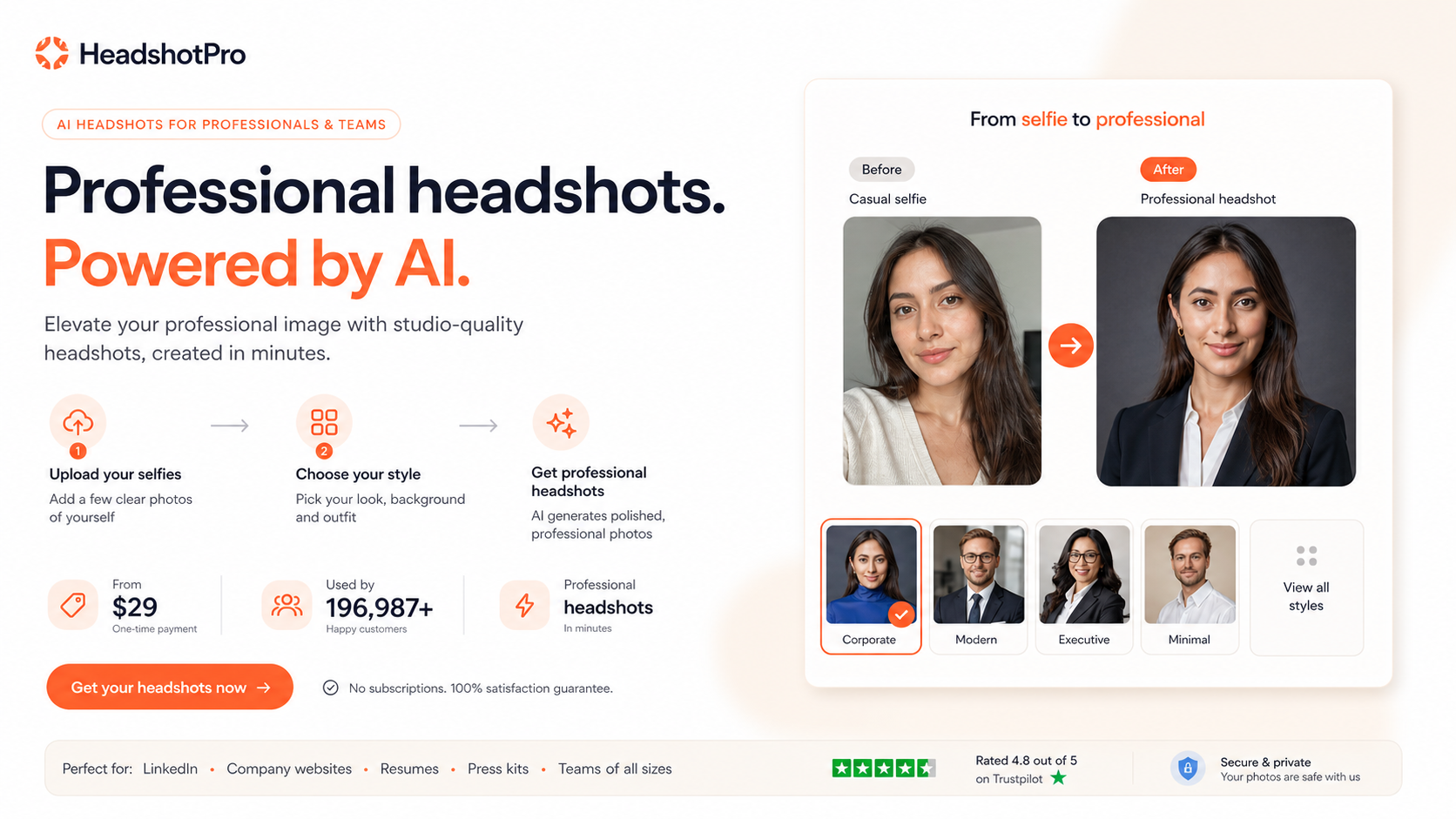
HeadshotPro is an AI headshot generator for business portraits, LinkedIn photos, executive profiles, sales teams, real estate pages, and corporate team headshot rollouts. It fits buyers who want a large batch of professional-looking portraits without scheduling a physical photo shoot, but it still requires realistic expectations because AI headshot batches usually include some weak or unusual results alongside the usable keepers.
Fit → price → checkout
Use these routes after the official-site check: coupon first, review for fit, compare if unsure.
HeadshotPro pricing snapshot
Fast commercial checks before pricing, coupons, or a deeper review.
HeadshotPro product tour
Use the tour video to watch how the selfie upload, AI processing, result review, and final selection workflow feels before paying. That matters because HeadshotPro's buying decision is less about reading a feature list and more about deciding whether an AI-generated batch can realistically produce at least a few headshots you would use on LinkedIn, a company page, or a sales profile.
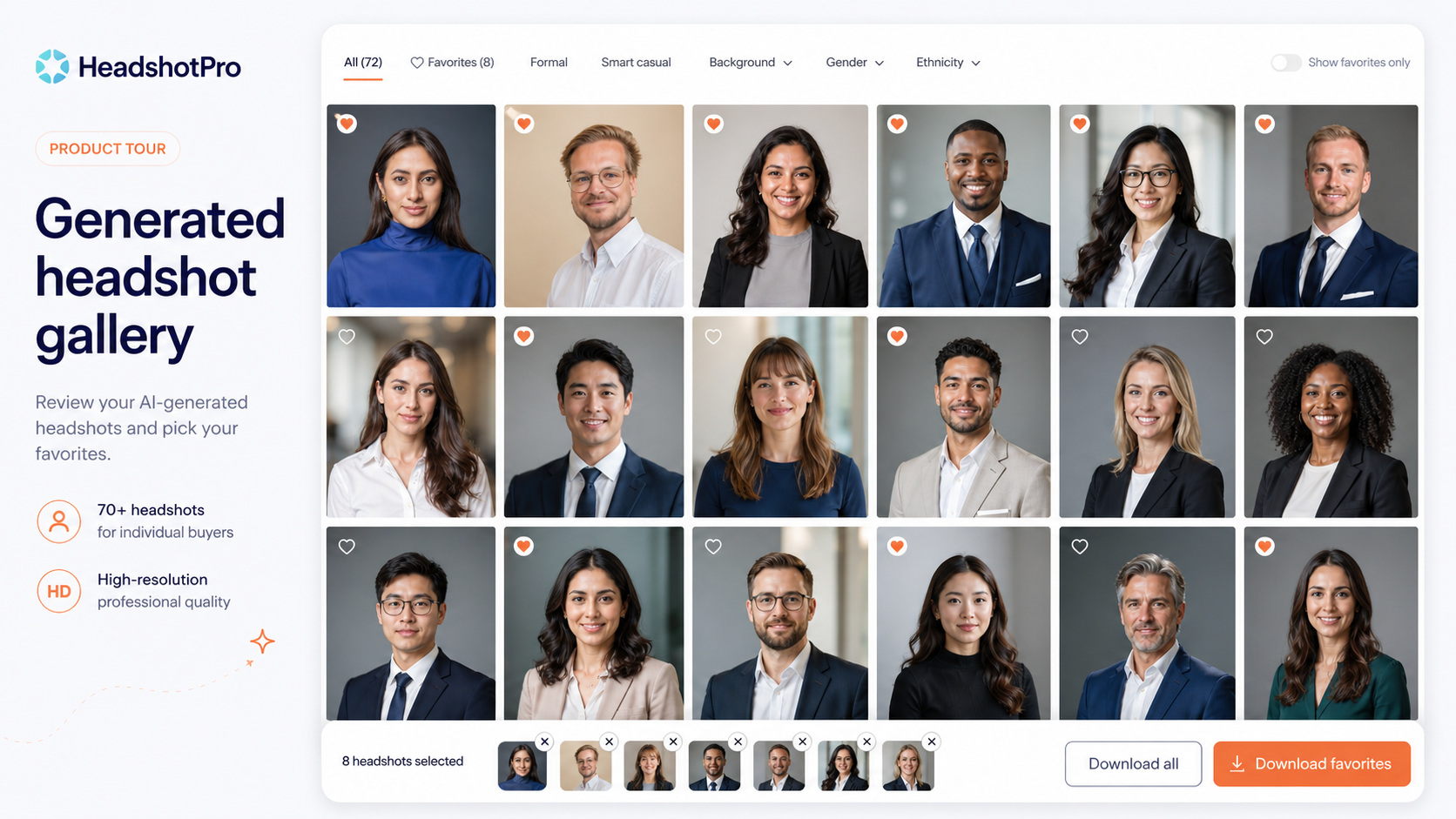
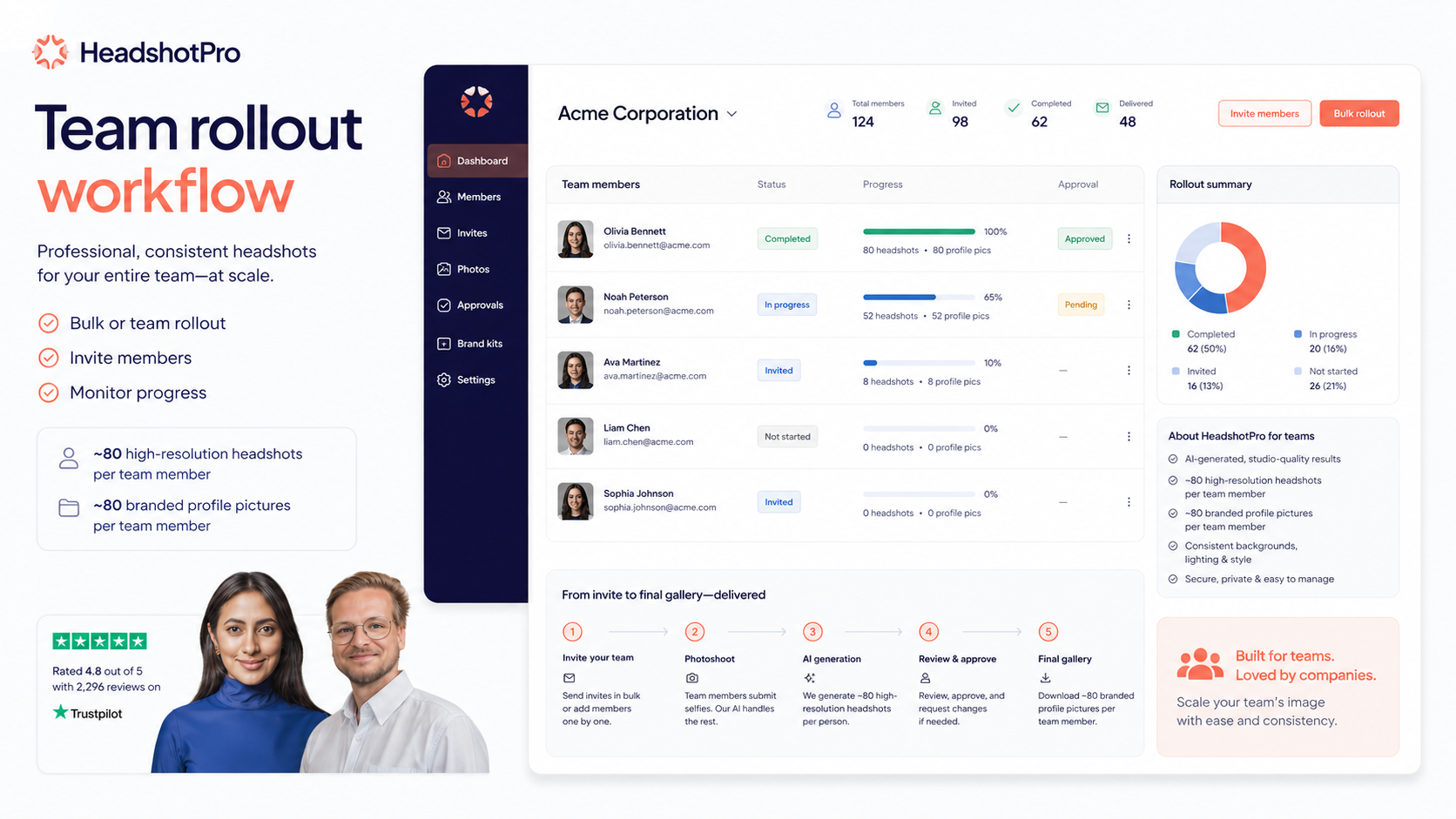
HeadshotPro is a practical AI design tool for one specific job: turning uploaded selfies or existing photos into professional-looking business headshots. The store page should help buyers avoid two common mistakes. The first is treating it like a guaranteed studio replacement. The second is judging it only by the starting price. The better question is whether the package, privacy terms, team workflow, and refund safety match the buyer's real use case.
What HeadshotPro actually does
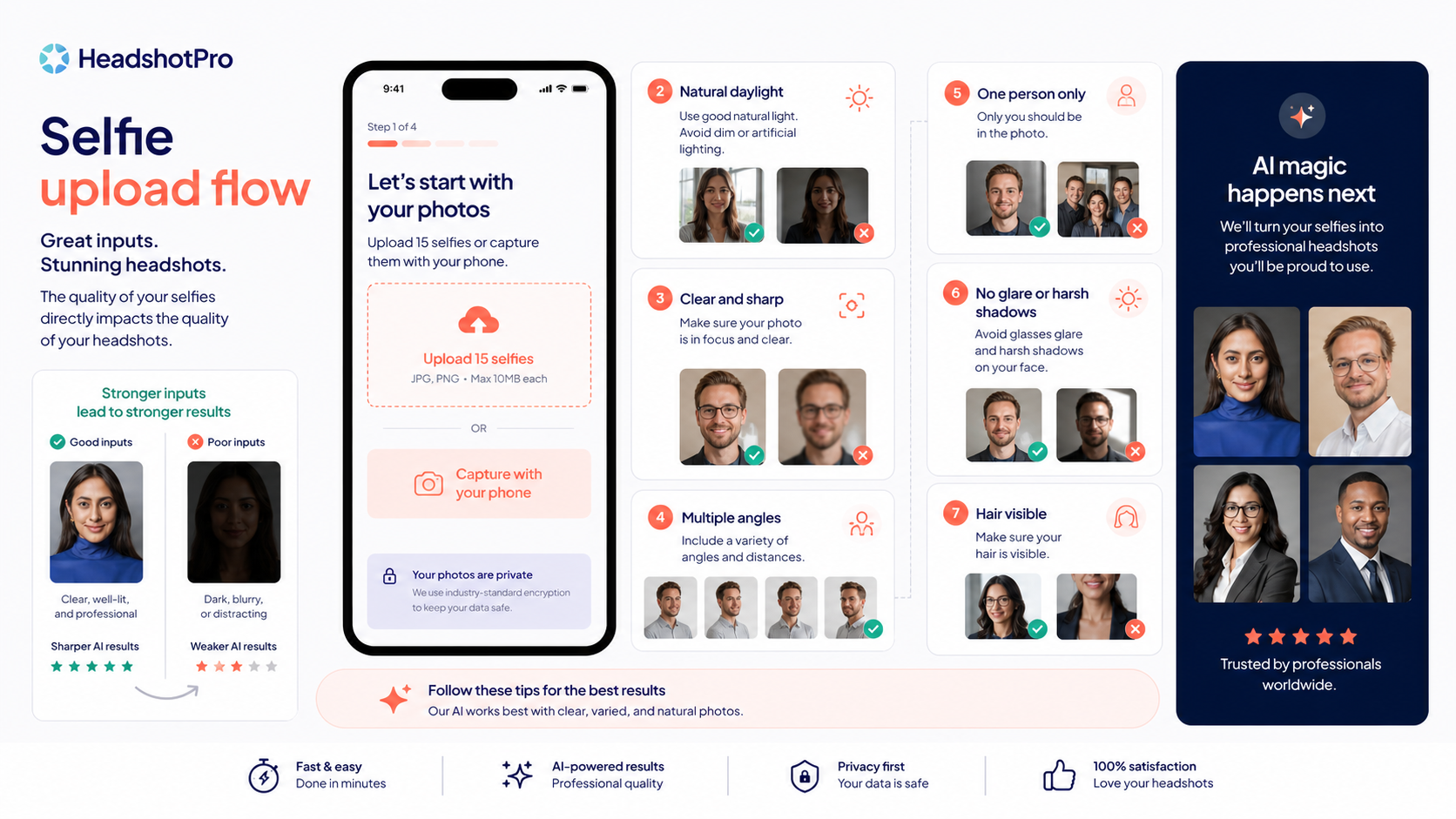
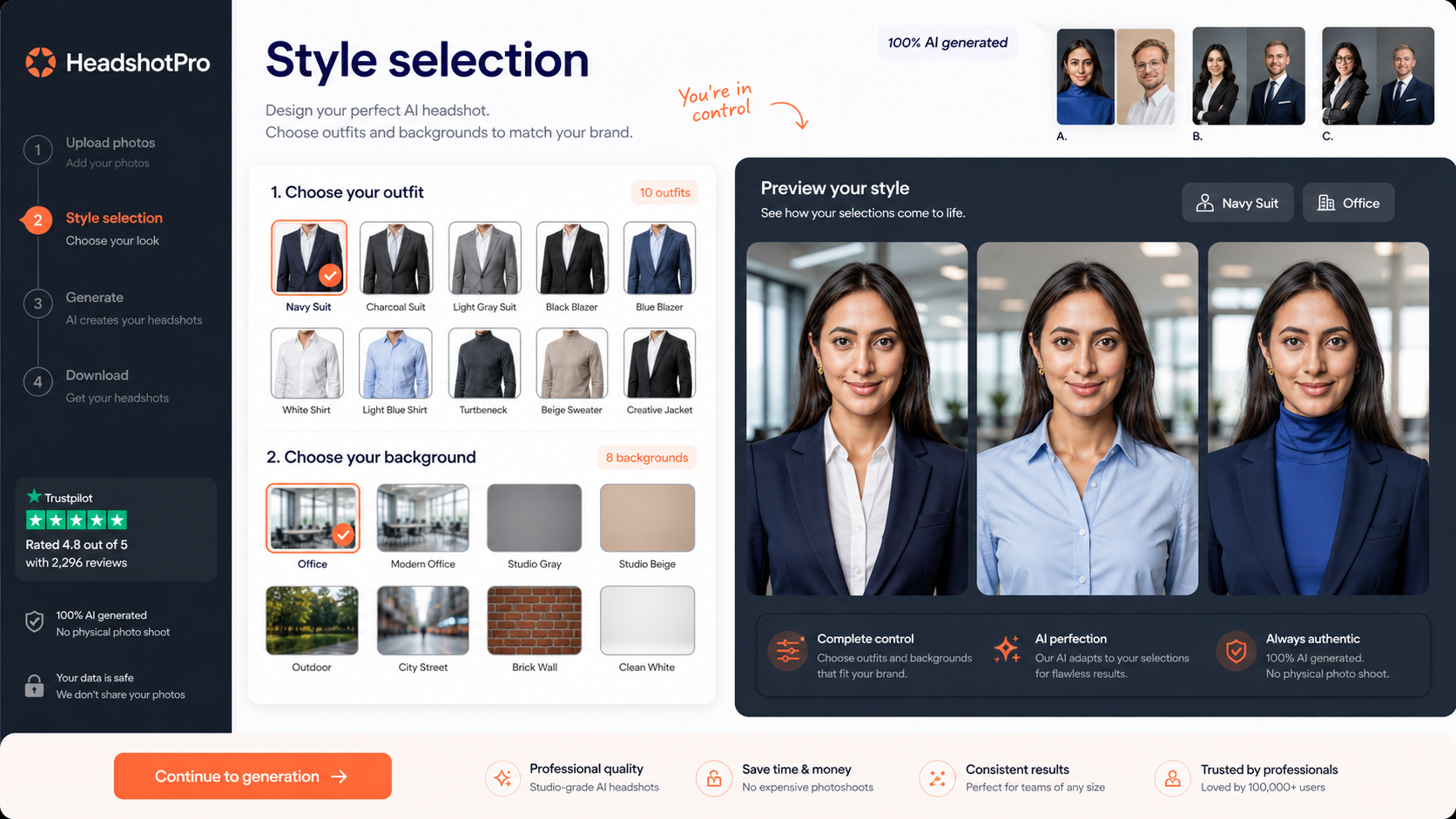
HeadshotPro creates AI-generated business headshots from uploaded photos. The workflow is built around uploading selfies or existing photos, choosing styles, waiting for the AI generation process, and selecting the best usable portraits from the batch. That makes it useful for LinkedIn profiles, company pages, sales bios, resumes, speaker pages, and team directories where a buyer needs better photos quickly without scheduling a physical shoot.
- Upload selfies or existing photos instead of visiting a studio.
- Generate multiple professional portrait options in one order.
- Use the best outputs for LinkedIn, CVs, websites, proposals, and team pages.
Pricing and free path
HeadshotPro's paid professional generator starts at $29 according to the public pricing page. There is also a free AI headshot generator, but the official free-tool page says the free version will not look as sophisticated or photorealistic as the paid professional generator. That distinction matters. The free path is useful for testing the idea, while the paid package is the serious buying path for professional use.
- Use the free tool only as a low-risk preview.
- Check the live paid package details before checkout.
- Compare output volume, turnaround, and refund terms instead of price alone.
Privacy, ownership, and data retention
HeadshotPro's pricing page says buyers own their AI photos and have full commercial rights. It also says uploaded input photos are deleted after 7 days and generated AI headshots after 30 days, with faster deletion available from account settings. That is useful trust context for a face-photo product, but privacy-sensitive buyers should still read the data processing, security, and retention pages before uploading team or executive images.
- Commercial rights matter for LinkedIn, websites, sales decks, and company pages.
- Input-photo and generated-photo deletion timelines reduce storage risk, but do not remove the need to read policy pages.
- Teams handling employee photos should confirm the data handling process before rollout.
Team and API workflow
HeadshotPro is not only for one-off personal headshots. The site highlights corporate headshots, team discounts, and API documentation. The API docs describe organization invites, team members, generated-photo access, credit monitoring, webhooks, and whitelabel integration. That makes HeadshotPro more relevant for companies, agencies, and platforms that need repeatable headshot production than for someone who only wants a casual social profile photo.
- Teams can compare official team discounts instead of buying isolated individual packages.
- API and whitelabel options matter for agencies, HR tools, and portfolio platforms.
- Large rollouts should confirm refund handling before processing many people.
Where HeadshotPro can disappoint
The main risk is expectation mismatch. AI headshots can look strong, but not every generated photo will be usable. Some may have unnatural details, weak likeness, odd expressions, or a style that does not match the buyer's industry. HeadshotPro is more convincing when the buyer wants a set of options and accepts that the final choice comes from sorting the batch. It is less convincing when the buyer wants one exact portrait with precise photographer direction.
- Expect to sort the batch and discard weaker images.
- Do not use generated headshots without checking likeness and professional context.
- For executives or regulated industries, brand review may still be necessary.
Safest next step
The safest next step depends on the buyer. A solo professional can start by checking the free tool and current paid package details. A team buyer should review the corporate path, team discount language, API page, privacy documentation, and refund terms before collecting employee photos. If fit is still unclear, read the HeadshotPro review first. If the product already fits, move to pricing or the DealBestDaily coupon route to check the current offer path.
- Solo buyer: test the free tool, then verify the $29 entry path.
- Team buyer: check team discounts, rollout workflow, API needs, and refund handling.
- Uncertain buyer: read the review before opening the coupon or checkout path.
Best savings path from this store page
This is the clearest savings route to check once the product already looks like a fit.
A public coupon directory reports a HeadshotPro coupon for eligible purchases. Treat it as a checkout-test path because the strongest official data is still the HeadshotPro pricing and refund page.
20% off reported coupon
Basic from $29 one-time
Use comparison routes when the category fit is still open
Use these comparison routes when the product still looks plausible, but the category fit is not fully settled.
Often worth comparing when the buyer wants profile-picture variety or more casual avatar styles rather than strictly business headshots.
Useful as a lighter profile-photo comparison when the buyer cares more about personal branding than a full corporate headshot rollout.
Worth a look when the buyer wants broader AI photo packs, lifestyle visuals, or creator-friendly portrait variety.
A closer comparison for buyers who want professional headshots with a more service-like editing or team-photo workflow.
Verification points worth checking before you click out
Where this store usually fits best in the workflow
HeadshotPro fits professionals who need a stronger profile photo quickly and want several business portrait options without scheduling a photographer.
Remote teams can use HeadshotPro when consistent employee headshots matter more than running a traditional photo-shoot day across locations.
Buyers who appear in proposals, speaker bios, sales pages, and advisor profiles can use AI headshots to test different professional looks at a lower entry cost.
Agencies, platforms, and business tools can evaluate the API path when headshot generation needs to become part of a repeatable customer or employee workflow.
Practical checkpoints before and after signup
- Check whether the buyer needs a solo package, team rollout, or API workflow.
- Confirm the live number of headshots, styles, backgrounds, and expected turnaround.
- Read the refund guarantee before downloading or using final images.
- Choose clear, well-lit input photos with different angles and expressions.
- Avoid treating weak source photos as a fair test of the final AI output.
- For team use, make sure employees understand photo upload and privacy expectations.
- Sort outputs by likeness, professionalism, and real public-use fit.
- Discard odd or overprocessed images instead of using the full batch.
- Save only profile-worthy images that match the buyer's role, company, and brand.
Fast-read signals for workflow fit and buying friction
Questions readers usually ask before choosing this store
Is HeadshotPro a monthly subscription?
HeadshotPro is best understood as a one-time AI headshot package path rather than a normal monthly writing or design SaaS subscription. The public pricing page says professional AI headshots start at $29, but buyers should verify the live package details before checkout.
Does HeadshotPro have a free plan?
HeadshotPro has a separate free AI headshot generator that does not require email, but the official page says it will not look as sophisticated or photorealistic as the paid professional generator. It is useful as a concept preview, not as a full replacement for the paid package.
What problem does HeadshotPro solve?
It solves the friction of getting professional-looking headshots without booking a physical studio session. That is useful for LinkedIn, CVs, company pages, founder bios, sales profiles, and remote team directories.
What should buyers verify before checkout?
Buyers should verify the live package price, number of generated headshots, turnaround time, team discount rules, photo ownership terms, deletion timelines, and refund conditions. Teams should also read the extra refund language for accounts that have already processed many models.
What is the safest next step with HeadshotPro?
Solo buyers can start with the free generator and then compare the paid package. Team buyers should review corporate headshots, API documentation, security and data processing pages, and refund terms before asking employees to upload photos. If fit is still unclear, read the review before checking the coupon route.
Choose the next route that matches what you still need to decide
The strongest next click depends on whether you still need product judgment, a savings route, or a broader category comparison.