Quick verdict
Pictory is worth considering if your real problem is content repurposing, not full video production.
That distinction matters more than the homepage makes it seem.
Pictory can turn text, prompts, blog posts, URLs, audio, PowerPoint slides, images, screen recordings, and existing videos into edited video drafts with captions, visuals, voices, avatars, layouts, and brand controls. For a creator or marketer sitting on a pile of written or recorded content, that can be genuinely useful. You are not starting from a blank timeline. You are asking the tool to turn existing source material into a publishable first cut.
I would be more cautious if you are buying it as a one-off AI video toy. The pricing question is not only the monthly number. It is whether your workflow can use the video minutes, AI credits, storage, brand kits, stock media, voice options, and export capacity every month. Pictory looks much stronger when you already publish regularly and weaker when you are just curious.
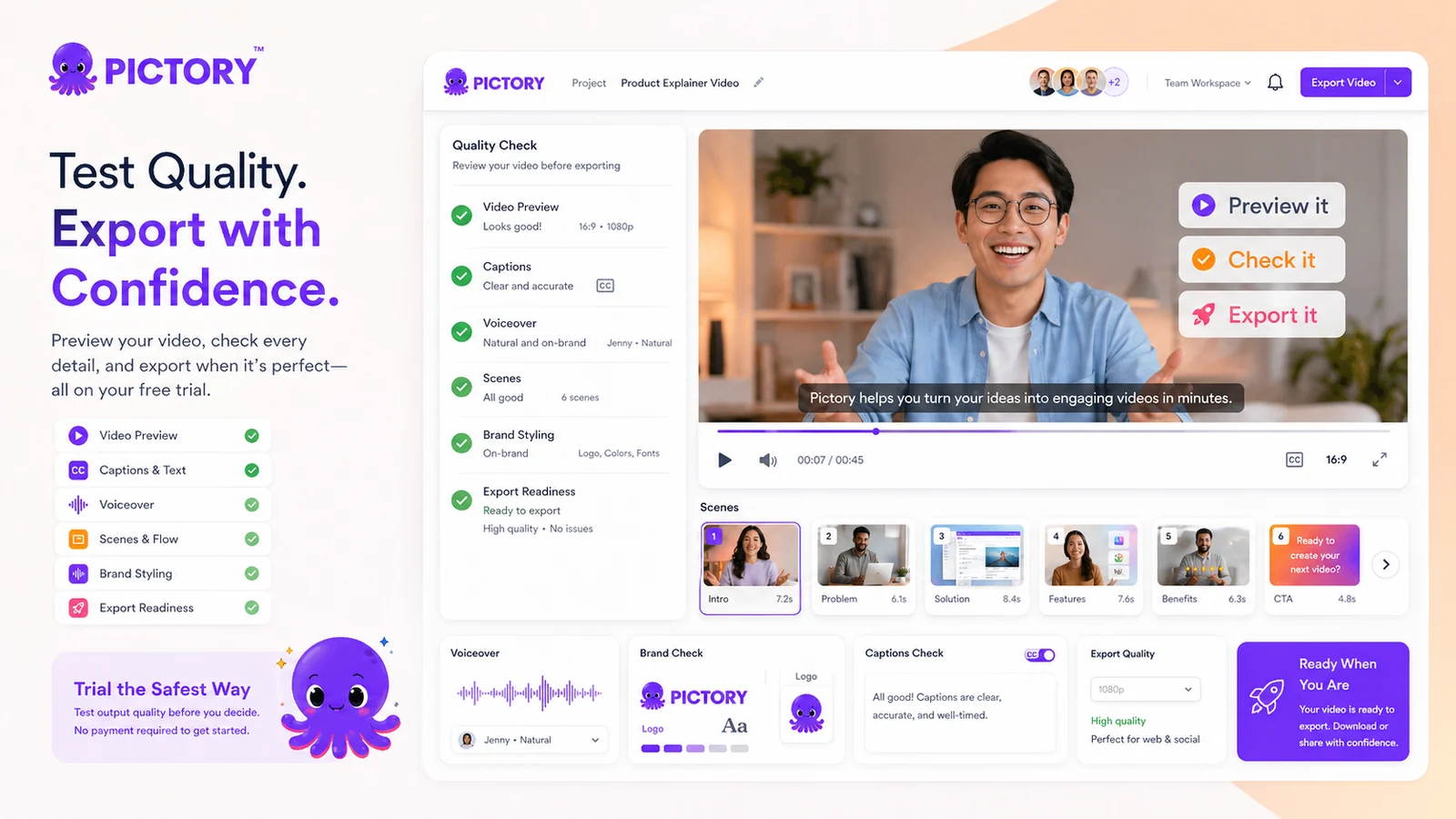
The safest way to judge it is to use the trial with one real project: a blog post, script, lesson, webinar clip, or landing-page idea you would actually publish. If the scenes, captions, visuals, and voiceover still need heavy cleanup, a discount will not fix the mismatch. If the draft gets you most of the way there, Pictory can become a practical production shortcut.
Next step: If Pictory still fits your repurposing workflow, verify the current pricing and trial path before choosing a billing interval.
Review snapshot
| Review point | Practical take |
|---|---|
| Best for | Creators, marketers, educators, bloggers, and teams repurposing existing content into videos |
| Not ideal for | Buyers needing cinematic editing, advanced timeline control, or only one casual video |
| Main use case | Turning scripts, articles, URLs, slides, audio, and long-form content into video drafts |
| Trial path | 14-day trial with premium-feature access, according to Pictory’s help center |
| Pricing note | Public pricing currently shows annual Starter pricing from $25/month, with higher Professional, Team, and Enterprise paths |
| Main strength | Fast source-to-video workflow with captions, scenes, voice, stock media, and brand controls |
| Main concern | Non-refundable paid fees, non-rollover video minutes, AI credit limits, and annual billing risk |
| Direct alternatives | Fliki, HeyGen, Crayo |
| Adjacent route | AKOOL for broader avatar and campaign-style creative workflows |
| Best next step | Build one real trial video and measure cleanup time before paying |
What is Pictory?
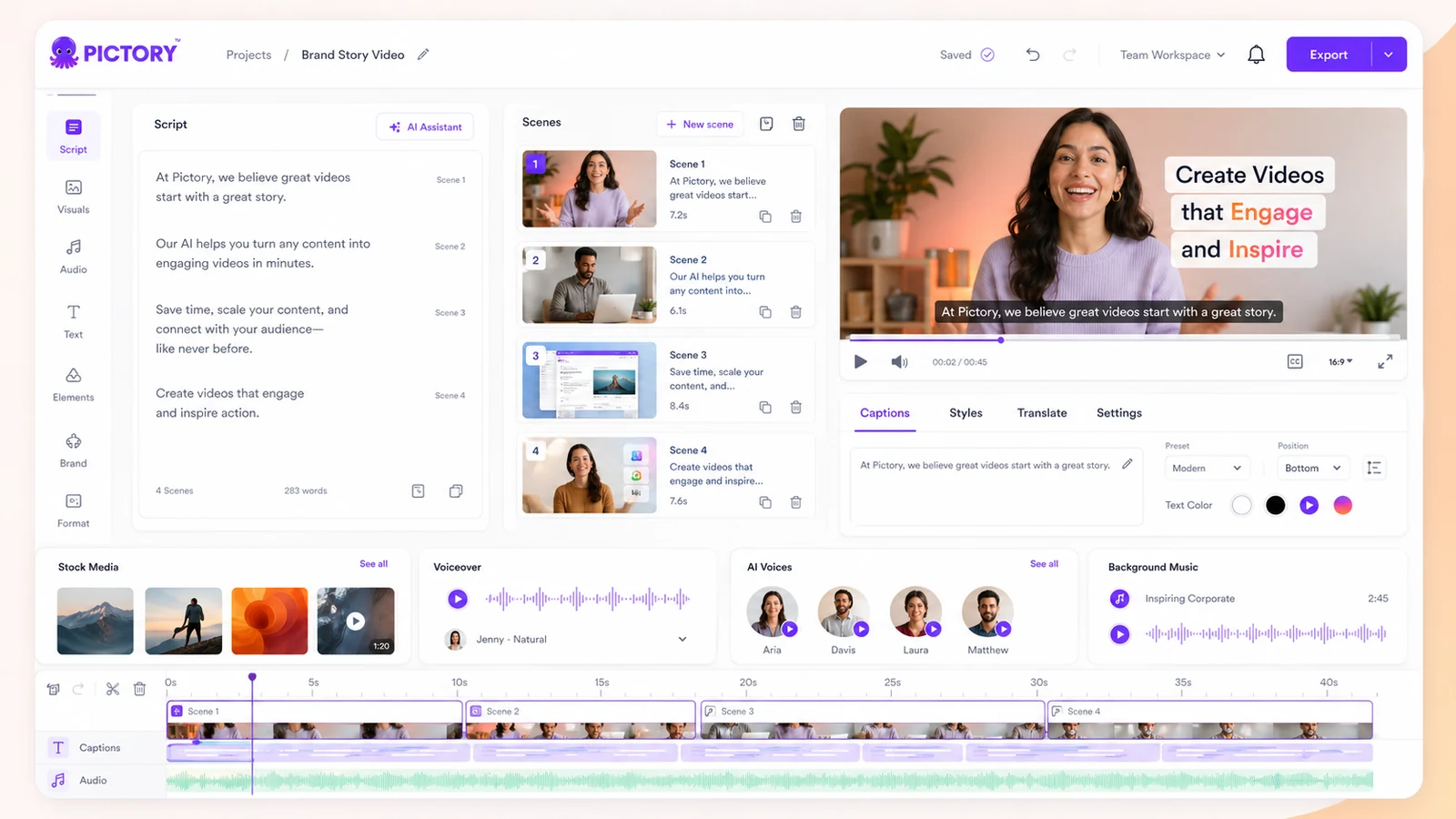
Pictory is an AI video creation and repurposing platform. It is built for turning existing inputs into videos: scripts, prompts, articles, blog posts, web pages, audio recordings, presentations, images, screen recordings, and longer videos.
In plain buyer language, Pictory is trying to shorten the path from source material to a publishable video draft. It can help create scenes, match visuals, add captions, generate or apply voiceovers, use AI avatars, support brand kits, and format videos for different platforms.
The common mistake is treating it like a professional editor replacement.
That is not the way I would judge it. A better question is whether Pictory helps you move faster inside a repeatable production process. A blogger can turn an article into a social video. A course creator can repurpose lesson material. A marketer can turn a landing-page idea into an explainer. A YouTube creator can test faceless scripts without filming.
Our review approach compares public product pages, pricing details, help documentation, cancellation terms, buyer workflow fit, and nearby alternatives. I would not treat a low annual price, free trial, or coupon path as proof that the product fits. The workflow has to prove itself first.
Who should use Pictory?
Pictory makes the most sense for buyers who already have source material.
A blogger or SEO publisher may use it to turn articles into short videos for YouTube, LinkedIn, Facebook, or embedded content. The fit is strongest when the article already has a clear structure and the buyer is willing to check scenes, captions, and stock choices before publishing.
A marketer may use it for lightweight explainers, product videos, social clips, campaign assets, or webinar repurposing. The condition is that the team does not expect agency-level editing from the first AI draft. Pictory can reduce production friction, but someone still needs to review the message.
An educator or course creator may use it to turn slides, scripts, lessons, and summaries into video assets. This is a believable use case because educational material often begins as text or presentation content. Before paying, I would test whether captions, pacing, and voice quality feel clear enough for students.
A faceless YouTube creator may like Pictory if the goal is structured video output without appearing on camera. The buyer still needs to check whether the visuals feel too generic, whether the voiceover fits the channel style, and whether the plan’s monthly video minutes match the publishing schedule.
A small team may consider Professional or Team-level paths when brand kits, collaboration, storage, and repeatable video output matter. I would verify the exact user, storage, voice, credit, and brand-kit limits before treating a higher plan as the obvious upgrade.
Who should avoid Pictory?
Pictory is not the cleanest fit for buyers who need deep editing control.
If your work depends on frame-level precision, custom motion graphics, complex sound design, advanced timeline editing, or cinematic polish, Pictory may feel too structured. It is better as a fast production assistant than as a professional nonlinear editor.
I would also be careful if you only need one or two videos. The trial may be enough to test the idea, but a recurring subscription becomes harder to justify when there is no steady production need.
Buyers who are attracted mainly by an annual discount should slow down. The public pricing page can make annual billing look more attractive, but annual value only exists if you create videos consistently. Otherwise, you may pay for capacity you do not use.
Pictory is also risky for teams that are not ready to track plan limits. Video minutes, AI credits, storage, brand kits, voiceover allowances, stock media, and team features can all affect the real value. If you do not know your monthly output, choosing a plan becomes guesswork.
Finally, I would not treat Pictory as a safe blind purchase if refund flexibility matters to you. Public terms present paid fees as non-refundable unless required by law or separately agreed in writing. That makes the trial the real buyer-protection step.
How Pictory fits into a real workflow
A sensible Pictory workflow starts before you open the video editor.
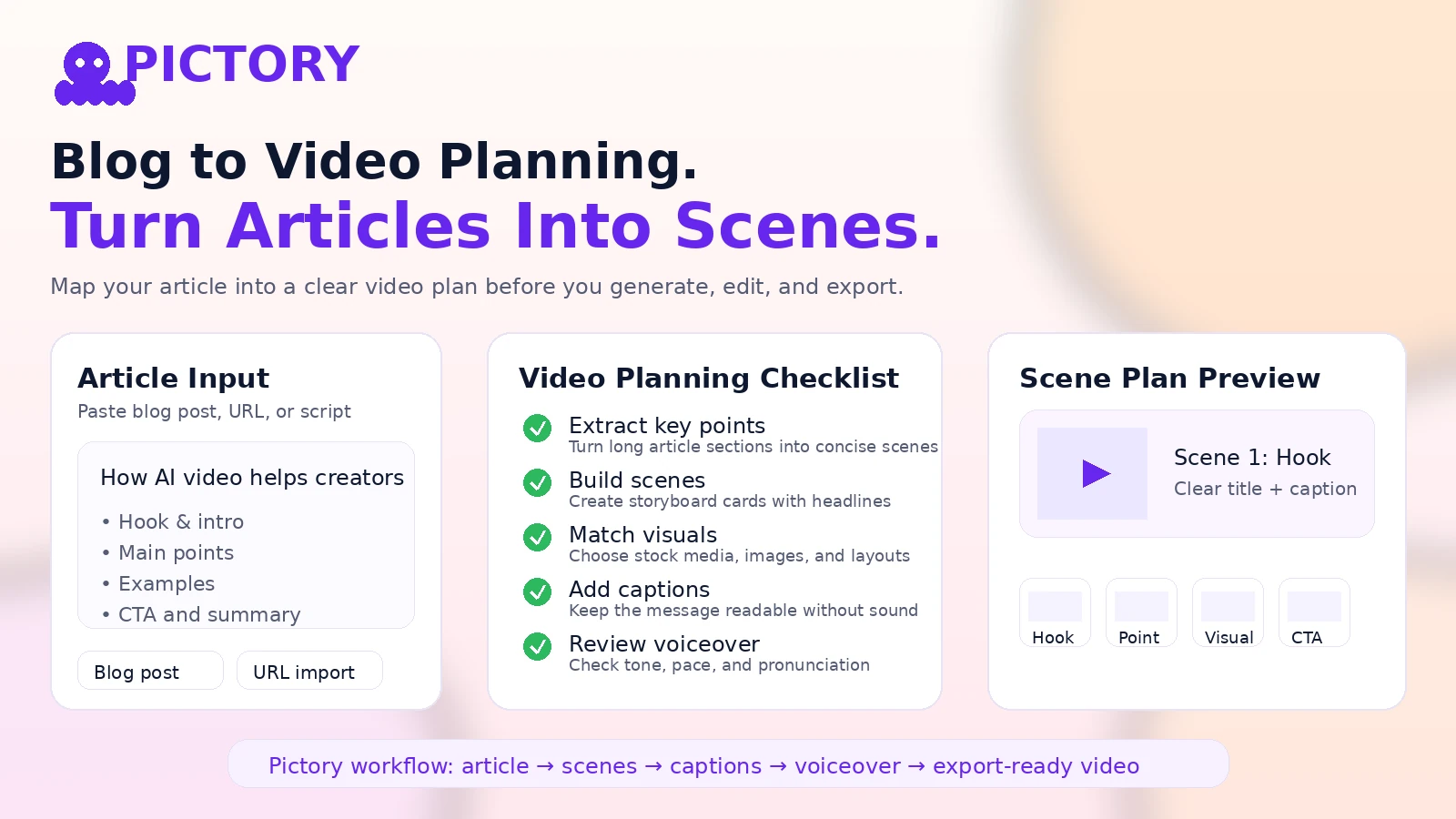
You need a source asset first: a blog post, script, audio file, webinar, lesson outline, landing page, product explanation, or slide deck. The better the source material, the more useful the AI draft is likely to be.
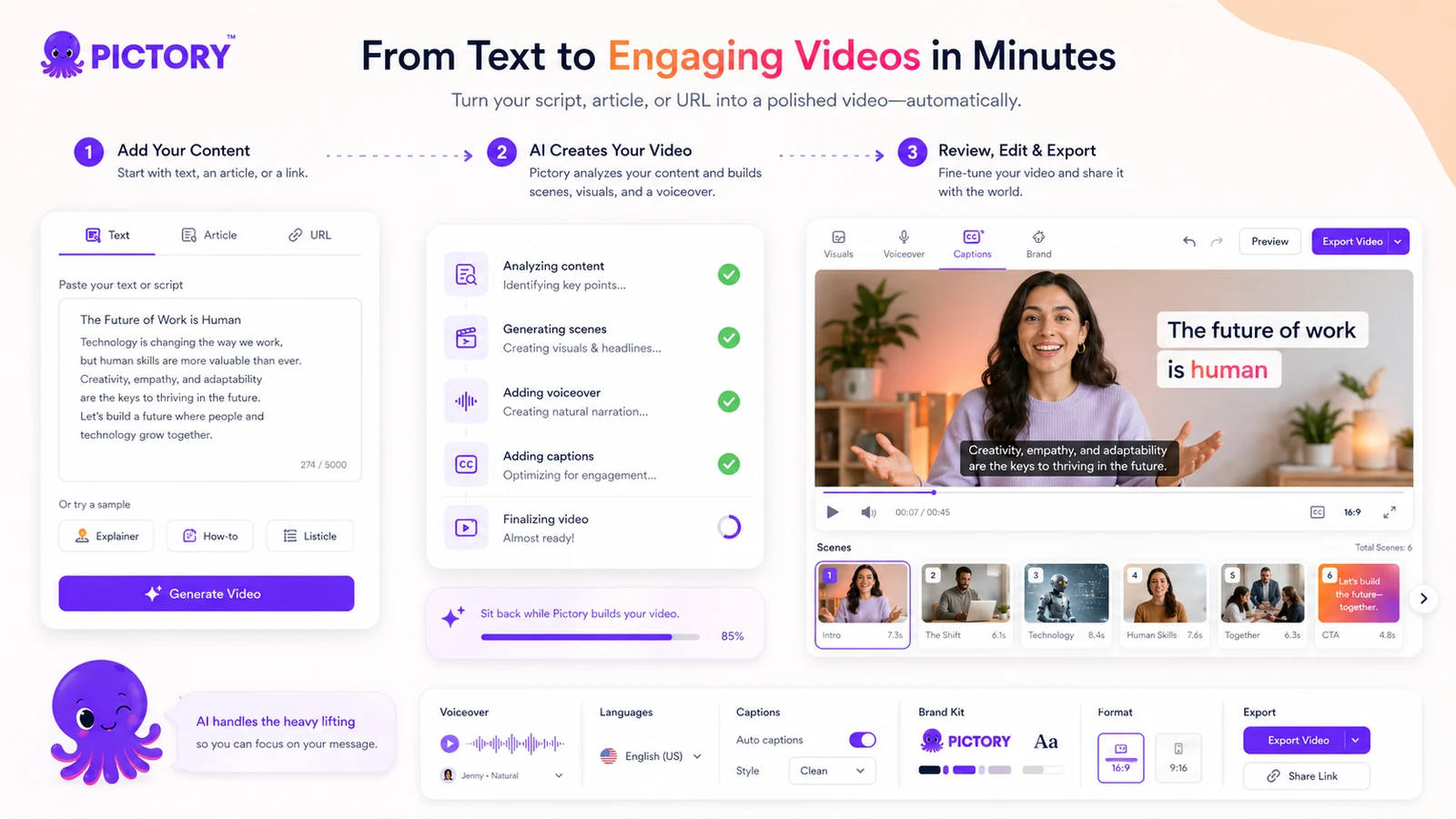
A practical workflow looks like this:
- Choose one real piece of source content.
- Turn it into a video draft using the right Pictory input path.
- Review the scene structure before touching visual polish.
- Replace weak visuals or stock matches.
- Check captions for accuracy and pacing.
- Review voiceover tone, volume, and pronunciation.
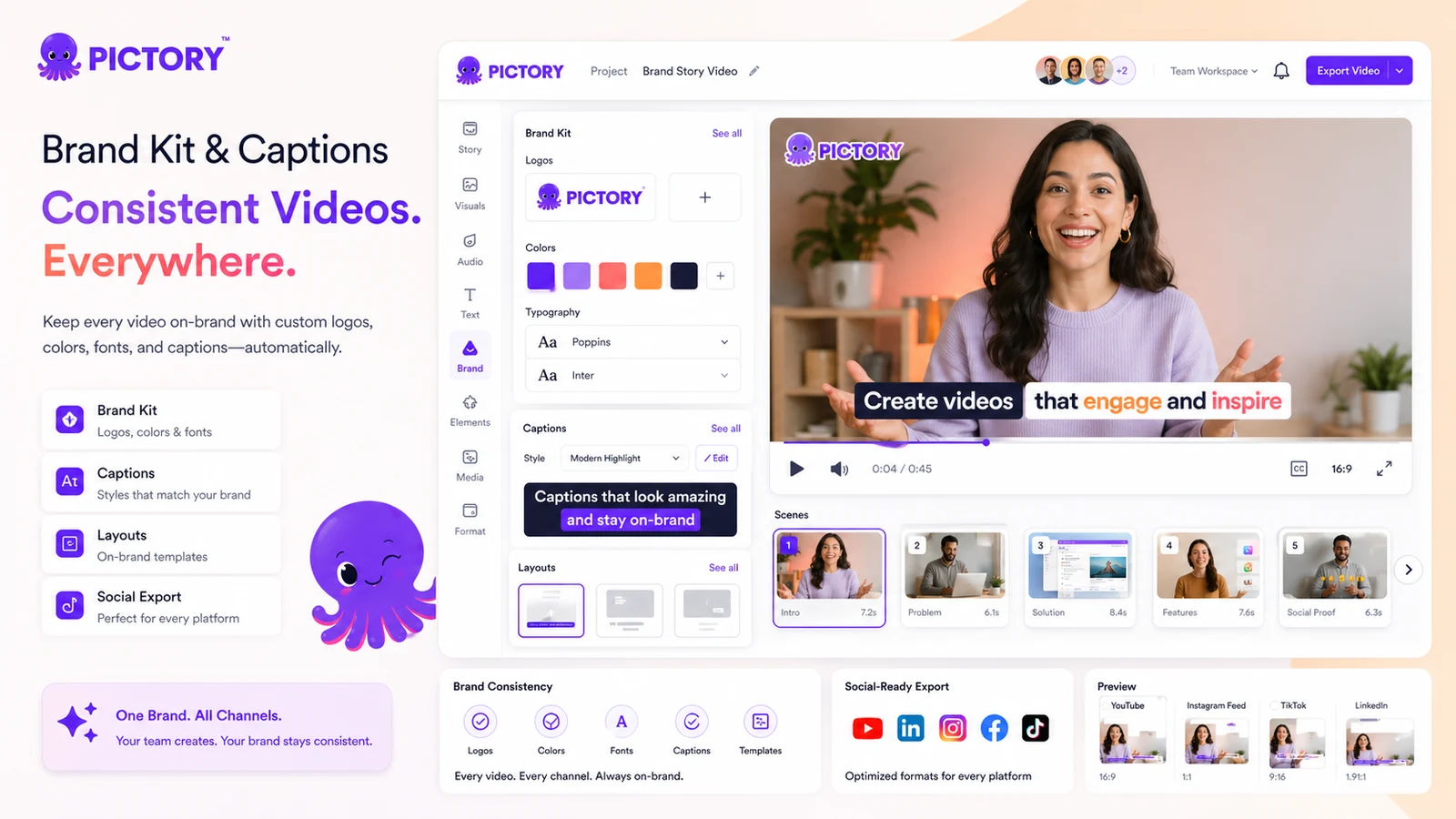
- Apply brand kit, format, and layout choices.
- Export only after the video still makes sense without the original article or script beside it.
This is where Pictory can save time. It can create the starting structure, reduce blank-page friction, and make repurposing less painful.
But it still needs judgment.
The AI may choose visuals that are technically related but not emotionally right. Captions may need cleanup. Voiceover may need a different tone. Scene pacing may feel slow or too generic. If you are not willing to review the draft, Pictory can produce fast output that still feels unfinished.
Real-world buyer scenarios
A content marketer with a weekly blog pipeline is one of the better Pictory fits. The source content already exists, the message is already approved, and video can become another distribution format. Pictory may help turn each post into a short explainer or social video. The risk is generic visuals, so the marketer should test brand fit and scene quality before paying annually.
A course creator has a different decision. If the creator has slide decks, lesson summaries, or training scripts, Pictory can help generate video assets faster. The weakness appears when lessons require careful demonstrations, custom screen recordings, or detailed teaching sequences. In that case, Pictory may help with supporting videos, not the entire course experience.
A faceless YouTube creator may use Pictory to test scripts without filming. This can be useful for educational, list-style, explainer, and news-style videos. The buyer should still compare it with short-form-first tools if the main output is TikTok/Reels-style clipping rather than article-to-video or script-to-video production.
A small agency may like Pictory for repeatable client videos, but only if brand-kit controls, stock media access, voice options, and collaboration features fit the work. I would not judge agency value from a sample video. I would test one real client-style project and measure revision time.
Key features that actually matter
Source-to-video creation
Pictory’s most important feature is its ability to turn source material into video drafts. The official product pages cover text-to-video, URL-to-video, audio-to-video, PPT-to-video, image-to-video, and existing-video workflows.
This matters because most creators do not struggle only with editing. They struggle with starting. If Pictory can create a usable first structure from your existing material, it saves time before the editing stage even begins.
Buyer note: test it with your own content, not a perfect sample topic. The source-to-video feature is only valuable if it handles your real writing style, subject matter, and publishing format.
Captions and text-based editing
Captions are not a minor feature for social and educational videos. If the tool can create readable captions, let you adjust text, and keep pacing clear, it makes videos easier to publish across platforms.
The possible disappointment is accuracy and layout. Captions still need review, especially for names, technical terms, product references, and fast speech.
Buyer note: before paying, export or inspect a video with captions turned on and watch it like a viewer, not like the creator.
AI voices, avatars, and media assets
Pictory includes AI voices, avatar-related capabilities, stock media access, and generative AI credits on paid plans. This expands the tool beyond basic text-to-video.
The risk is that these features can make plan comparison harder. A buyer may think they are buying video minutes, but the real workflow may also depend on voice minutes, AI credits, stock media quality, storage, avatars, or brand kits.
Buyer note: list the features you actually need before comparing plans. Do not pay for a broad feature set if your output only needs captions and simple stock visuals.
Brand kits and team workflow
Brand kits matter when videos are not casual experiments. Logos, fonts, colors, layouts, and repeatable visual styles can help a team avoid rebuilding the same look every time.
The Team plan becomes more relevant when shared assets, collaboration, onboarding, and higher volume matter. For a solo creator, Team may be unnecessary. For a marketing team, it may be the point where Pictory becomes operationally useful.
Buyer note: do not upgrade for collaboration unless more than one person will actually use the workspace.
Enterprise, API, and scaling paths
Pictory presents enterprise and API-related paths for companies that need larger-scale video creation, integration, onboarding, and custom limits. That is useful for teams with serious volume.
It is also where buyers should slow down. API and enterprise workflows should be verified directly because technical requirements, custom pricing, support scope, and usage limits can change.
Buyer note: if you need API access or enterprise rollout, treat the public page as a starting point, not the final buying answer.
Pricing and plan value
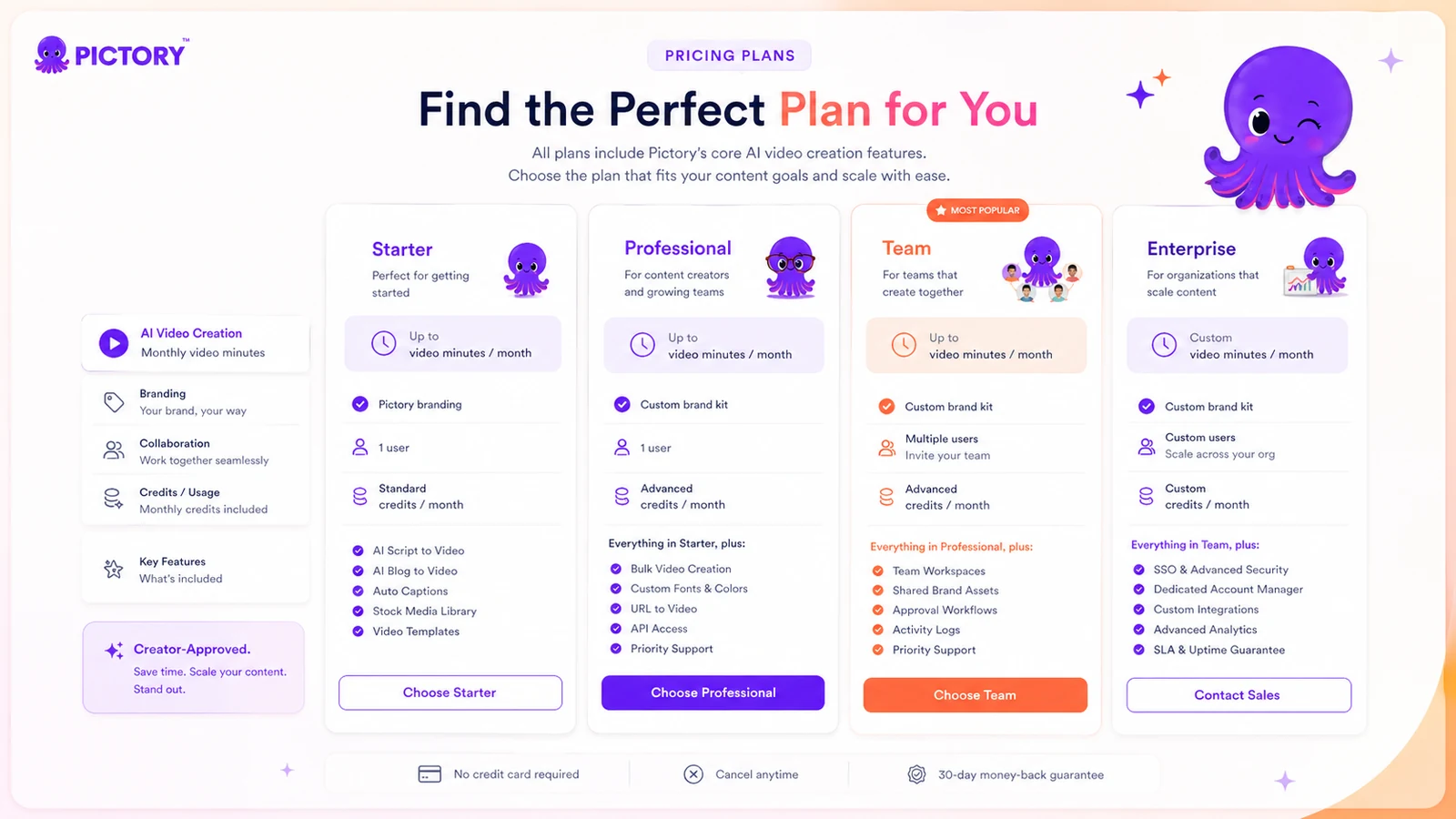
Pictory’s public pricing currently shows a 14-day free trial and paid plans including Starter, Professional, Team, and Enterprise.
At the time of review, the pricing page displays Starter from $25/month when billed annually, Professional from $35/month when billed annually, and Team from $119/month when billed annually, with Enterprise on a custom path. The same page also exposes important plan constraints such as video minutes, storage, brand kits, ElevenLabs voice minutes, Getty Images and Storyblocks access, AI credits, users, collaboration, and enterprise features.
The headline price is only part of the decision.
For most individual creators, Starter is the testable paid path if the trial proves useful. Professional becomes more interesting when you need more video minutes, more storage, more brand kits, stronger media access, and more AI credits. Team only makes sense when collaboration and shared assets matter. Enterprise is for buyers who need custom limits, onboarding, integration, API-related workflows, or organizational rollout.
The pricing risk is usage mismatch. If you make videos every week, the annual price may be reasonable. If you publish inconsistently, unused capacity becomes waste. Pictory’s pricing page says unused video-minute quota resets monthly, so buyers should not assume unused minutes carry forward.
I would not choose a plan by price alone. I would estimate finished video minutes per month, then check how often AI credits, voiceover minutes, avatars, stock media, brand kits, and storage are involved.
Pricing check: If Pictory looks like a fit, compare the live plan limits against one real month of expected video production before paying.
Free plan, trial, coupon, and checkout notes
I would treat Pictory’s trial as the main safety step.
Pictory’s help center says the free trial lasts 14 days and provides access to premium features. It also says that after the trial expires, you can still access your account, but downloading videos requires a paid subscription.
That is useful. It gives you enough time to test the workflow with real content before choosing a paid plan.
The checkout caution is refund-related. Pictory’s public terms say paid subscription fees are non-refundable unless required by law or expressly stated in a separate written agreement. The pricing page also says Pictory currently does not offer refunds on paid subscriptions and points buyers toward the 14-day trial as the evaluation step.
So I would not use a coupon as the main reason to buy. A coupon can improve the purchase if Pictory already fits your workflow, but it should not create the workflow fit.
Before checkout, verify:
- whether the displayed price is monthly or annual billing
- whether the current offer is promotional or standard
- whether your trial output can be downloaded or exported as needed
- whether your intended plan includes enough video minutes and AI credits
- whether finished videos and projects should be downloaded before cancellation
- whether you are comfortable with the current refund and cancellation terms
Offer check: Use the coupon route only after the trial proves Pictory can handle your real content without too much cleanup.
What I would check before buying Pictory
If I were buying Pictory for a real workflow, I would check these points before paying:
- Real source quality: Does Pictory handle your own blog post, script, webinar, or lesson cleanly?
- Cleanup time: How long does it take to fix scenes, captions, visuals, voice, pacing, and layout?
- Monthly video minutes: How many finished video minutes will you actually produce each month?
- AI credit usage: Do images, videos, avatars, or advanced generation features consume credits you may run out of?
- Brand requirements: Do you need brand kits, logos, fonts, layouts, or shared assets?
- Billing comfort: Are you ready for annual billing, or should you stay monthly until output is predictable?
- Cancellation preparation: Have you downloaded finished videos and checked what happens to projects after cancellation?
The mistake buyers often make here is judging Pictory by how fast the first draft appears. Speed matters, but repeatable publishable output matters more.
A simple test before paying
Before paying, I would run a small test like this:
- Pick one real article, script, lesson, or landing-page idea.
- Create a video draft inside the trial.
- Track how many scenes need replacement.
- Review captions for accuracy and readability.
- Test one voiceover or avatar path if that matters to your workflow.
- Apply your brand style and check whether the result feels publishable.
- Estimate how many similar videos you would realistically make next month.
This test is simple, but it tells you more than a feature list.
If the video is close after minor cleanup, Pictory may save real time. If you spend more time fixing the output than you would spend editing manually, the tool is probably not the right production shortcut.
Pros explained
Pictory’s first real advantage is repurposing. It is built for buyers who already have content and want another format. That is different from tools that only generate flashy AI clips from prompts.
Its second advantage is accessibility. You do not need to be a professional editor to start. The structured workflow, scene generation, captions, stock media, voices, and templates lower the barrier for creators who want to publish more video without learning a complex timeline.
A third advantage is the trial. Because paid refunds are not flexible, the 14-day trial matters. Buyers can test actual content before payment rather than making a blind purchase.
A fourth advantage is plan transparency. The pricing page gives buyers visible constraints such as video minutes, storage, brand kits, AI credits, voice minutes, users, and team features. That does not make the decision easy, but it makes the right questions clearer.
The final advantage is scalability. Pictory can serve a solo creator, a small team, or a larger organization depending on volume and process. That range is useful, as long as the buyer does not overbuy before proving repeatable value.
Cons explained
The biggest drawback is refund posture. Public terms say paid fees are non-refundable unless required by law or separately agreed in writing. That does not make Pictory unusual for subscription software, but it does make the trial important.
The second drawback is capacity planning. Video minutes reset monthly. If you do not create consistently, the effective cost per useful video can rise.
The third drawback is feature-limit complexity. Pictory is not priced only by whether you can make a video. Buyers may also need to think about AI credits, voice time, storage, brand kits, stock media, users, exports, and team needs.
The fourth drawback is creative control. Pictory can help assemble a video, but it cannot guarantee the visual judgment you would get from a skilled editor or motion designer. For high-stakes brand campaigns, human review is still essential.
The fifth drawback is category fit. If your main need is avatar presenter video, short-form clipping, cinematic editing, or synthetic campaign creative, another tool may be a stronger first comparison.
Green flags and red flags
Green flags:
- You already publish written, audio, lesson, webinar, or presentation content every month.
- Your videos mostly need structure, captions, visuals, and voiceover rather than deep editing.
- The trial produces a draft that needs light cleanup, not a full rebuild.
- You can estimate monthly video minutes before choosing a paid plan.
- Brand kits and reusable formats would save your team time.
Red flags:
- You are buying only because the annual price looks lower.
- You do not know how many videos you will create each month.
- Your output requires advanced editing, motion graphics, or cinematic detail.
- You expect AI to choose perfect visuals without review.
- You are uncomfortable with non-refundable paid subscription language.
- You need API, enterprise, or team features but have not verified the current scope directly.
Pictory vs alternatives
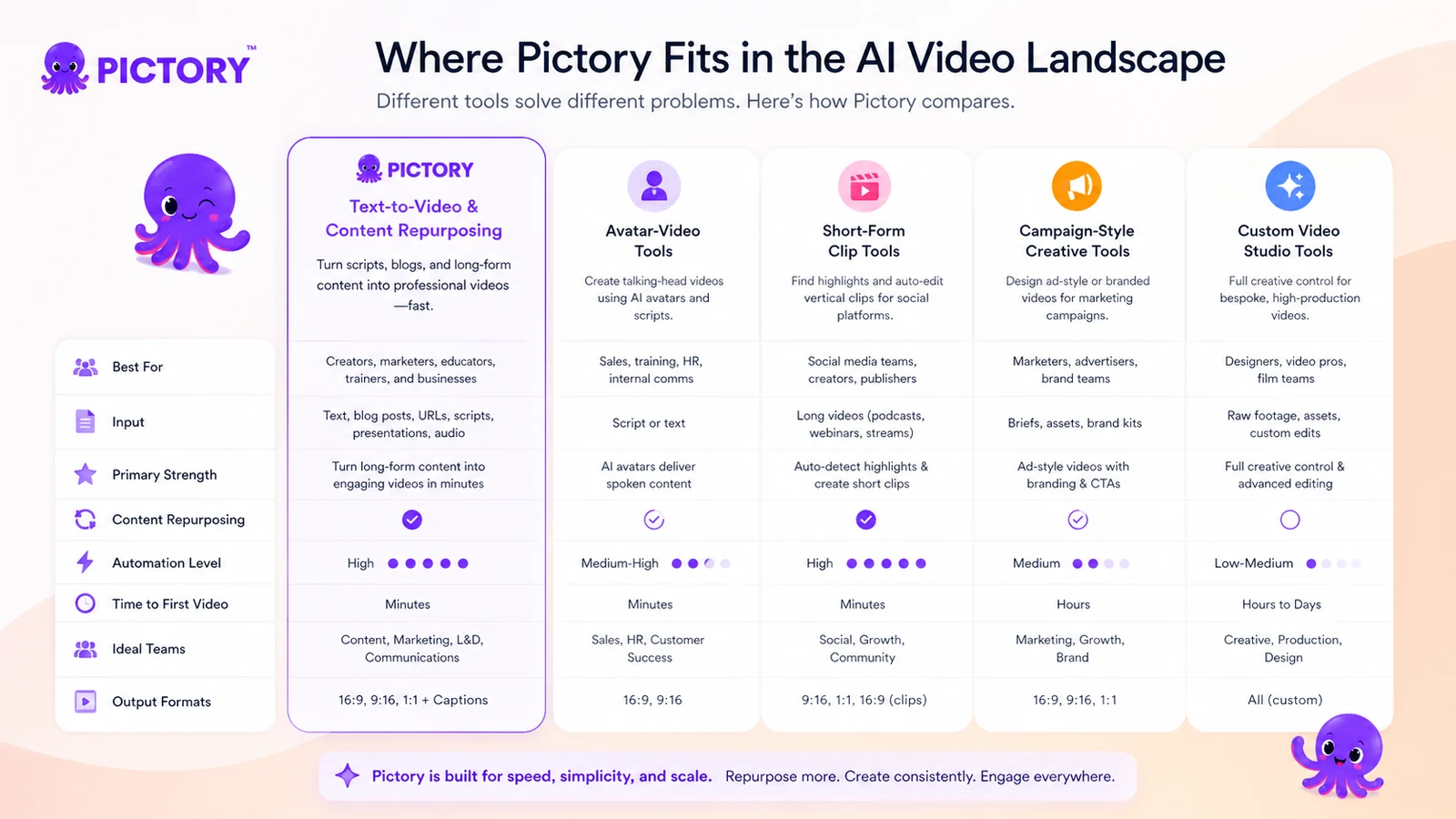
Pictory has direct competitors, but the right comparison depends on the video job.
Fliki vs Pictory
Fliki is a natural comparison if your priority is text-to-video with strong voice-led output. It may feel simpler for users focused on turning scripts into narrated videos quickly.
Pictory may still make more sense when the source material includes blog posts, URLs, presentations, audio, or longer recordings and when repurposing is the main job.
Main tradeoff: Fliki can be easier for voice-led content, while Pictory is stronger as a broader repurposing workflow.
HeyGen vs Pictory
HeyGen is the stronger comparison when avatar presenters, business videos, localization, and polished talking-head output matter most.
Pictory can include avatars, but I would not judge it only as an avatar platform. Its more natural strength is turning existing content into structured videos.
Main tradeoff: HeyGen is more avatar-first; Pictory is more repurposing-first.
Crayo vs Pictory
Crayo is closer if the buyer’s main goal is fast short-form social output. It may be a better first check for creators focused on TikTok, Reels, Shorts, and rapid clip production.
Pictory may be better when you start from articles, scripts, lessons, or longer assets that need to become structured videos.
Main tradeoff: Crayo leans toward short-form creation speed; Pictory leans toward converting existing source material into videos.
AKOOL vs Pictory
AKOOL is more of an adjacent route than a direct one-to-one replacement. It is relevant when buyers need avatar, campaign, face-swap, translation, or broader synthetic media workflows.
Pictory is usually easier to evaluate when the buyer wants article-to-video, script-to-video, or training-content repurposing.
Main tradeoff: AKOOL is broader creative infrastructure; Pictory is a more focused repurposing and AI video production tool.
Trust, refund, and buyer-risk notes
Pictory has enough public information to evaluate seriously, but the risk checks still matter.
The pricing page is fairly detailed, yet buyers should verify the live checkout because promotional displays, billing intervals, plan names, and feature limits can change. The difference between monthly and annual pricing matters. So do video minutes, AI credits, storage, brand kits, voiceover minutes, stock media, users, and enterprise/API access.
Refund language is the biggest practical caution. Public terms present paid subscription fees as non-refundable except where required by law or separately agreed in writing. The pricing page also points buyers toward the trial rather than refunds after payment.
Cancellation needs planning. Pictory’s pricing FAQ says videos are yours to keep, but it also says projects are permanently deleted from the platform upon cancellation, so finished work should be downloaded before leaving.
There is also a rights and consent layer around avatars and voice clones. The public terms place responsibility on users to have necessary rights and consent for likeness and voice-related content. This is especially important for agencies, teams, educators, and businesses creating videos that include people, brands, or client assets.
The safer path is simple: test with real content, confirm output quality, check limits, download anything important, and only then choose monthly or annual billing.
Final verdict
Pictory is a good fit when you already have content that should become video.
I would consider it if you publish articles, scripts, lessons, webinars, podcasts, landing pages, or training material and want a faster way to turn that source material into video drafts. It is especially useful when the work repeats every month and the tool reduces editing time rather than simply creating a fun demo.
I would skip it if you need advanced editing control, cinematic production, custom motion design, or only one casual clip. I would also slow down if annual billing looks attractive but your video output is not predictable yet.
I would compare Pictory with Fliki if voice-led text-to-video is the main job, HeyGen if avatar presenters matter most, Crayo if short-form social clips are the priority, and AKOOL if you need a broader synthetic media or campaign workflow.
For my money, Pictory only makes sense after the trial proves two things: the first draft is useful, and the cleanup work is light enough to repeat. If both are true, the paid plan can be reasonable. If either is missing, the safer move is to compare alternatives before committing.
