AKOOL Pricing, Plans & Video Workflow Fit
AKOOL is a broad AI video creation suite for avatar videos, face swap, image-to-video, video translation, talking photos, and real-time avatar workflows. It is best approached as a workflow and plan-fit decision, not just a quick coupon click, because the useful tier depends heavily on output length, resolution, model access, credits, and whether the buyer needs API or collaboration features.
Fit → price → checkout
Use these routes after the official-site check: coupon first, review for fit, compare if unsure.
AKOOL pricing snapshot
Fast commercial checks before pricing, coupons, or a deeper review.
AKOOL product tour
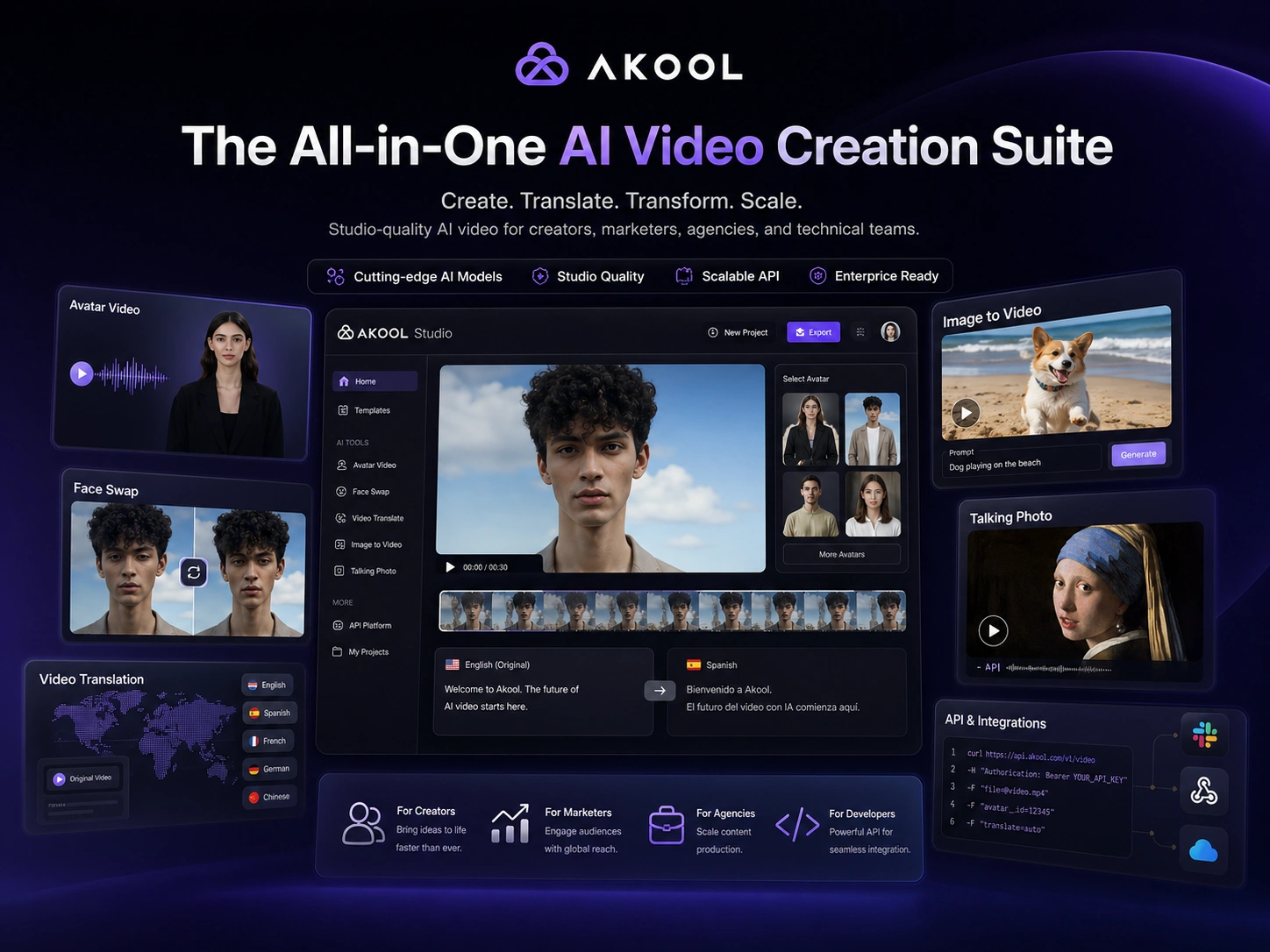
These visuals should help buyers separate AKOOL's broad feature promise from the practical buying questions that matter: what tool they will actually use, which limits affect output, and whether the paid path fits the workflow.
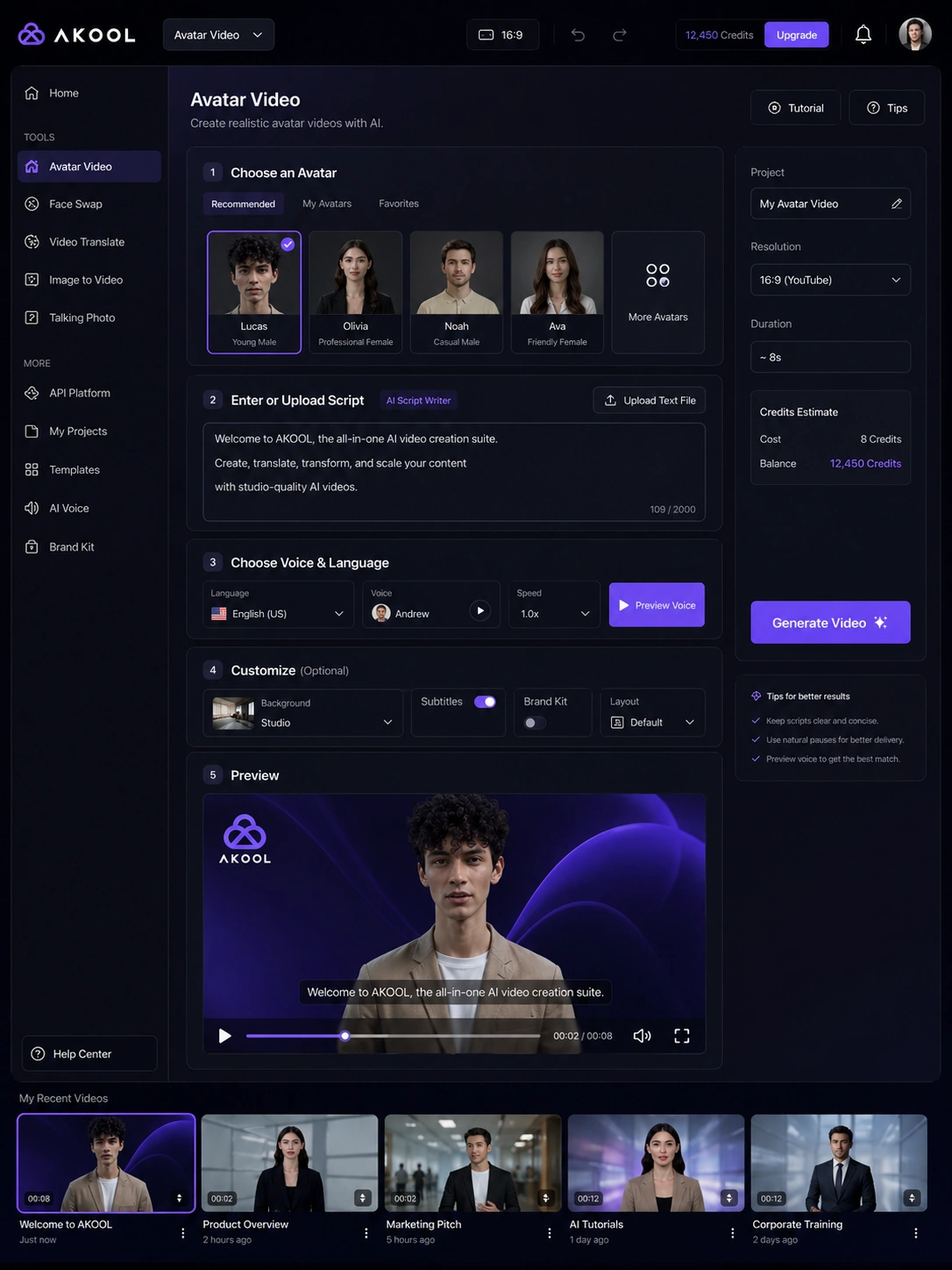
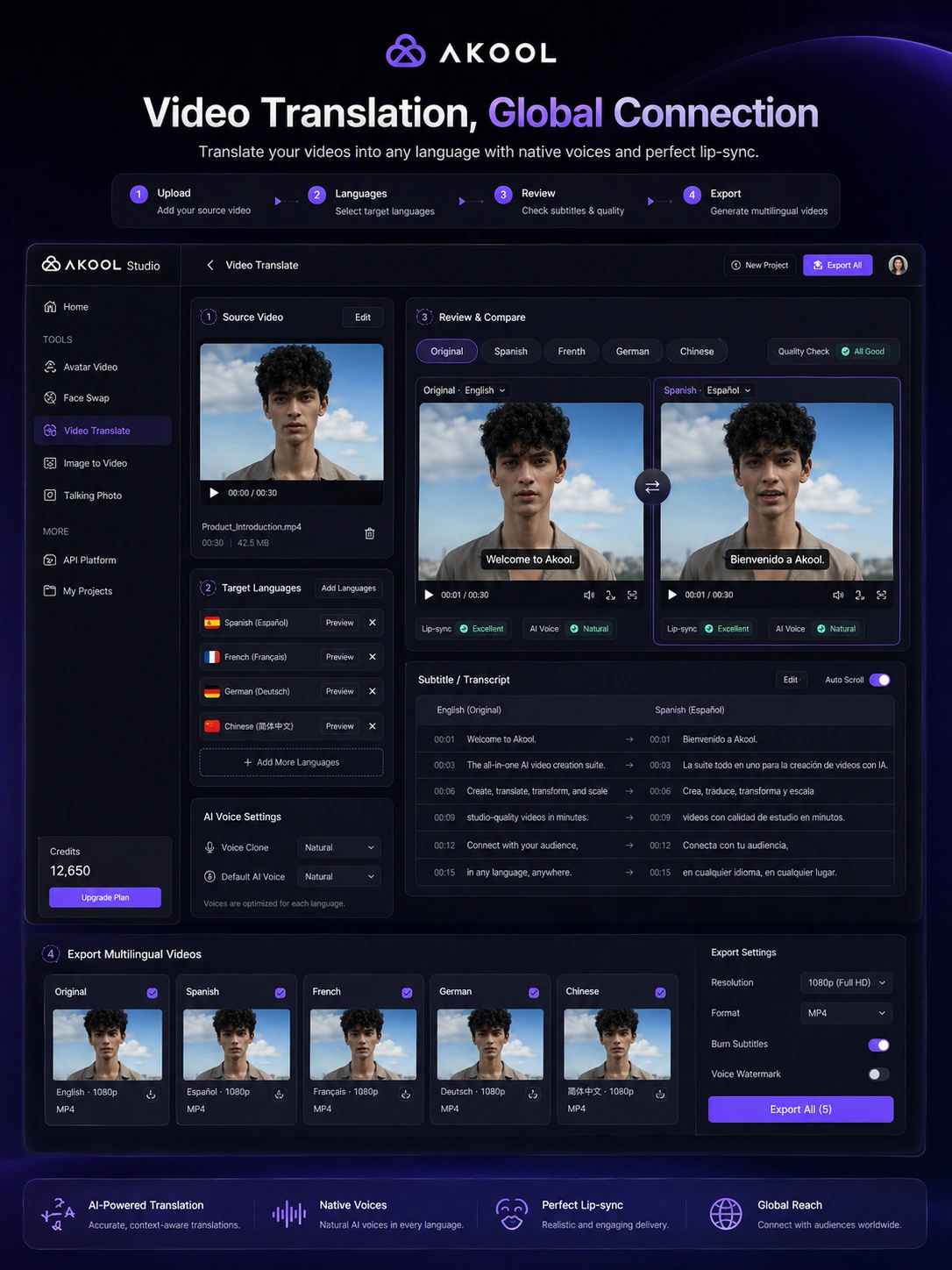
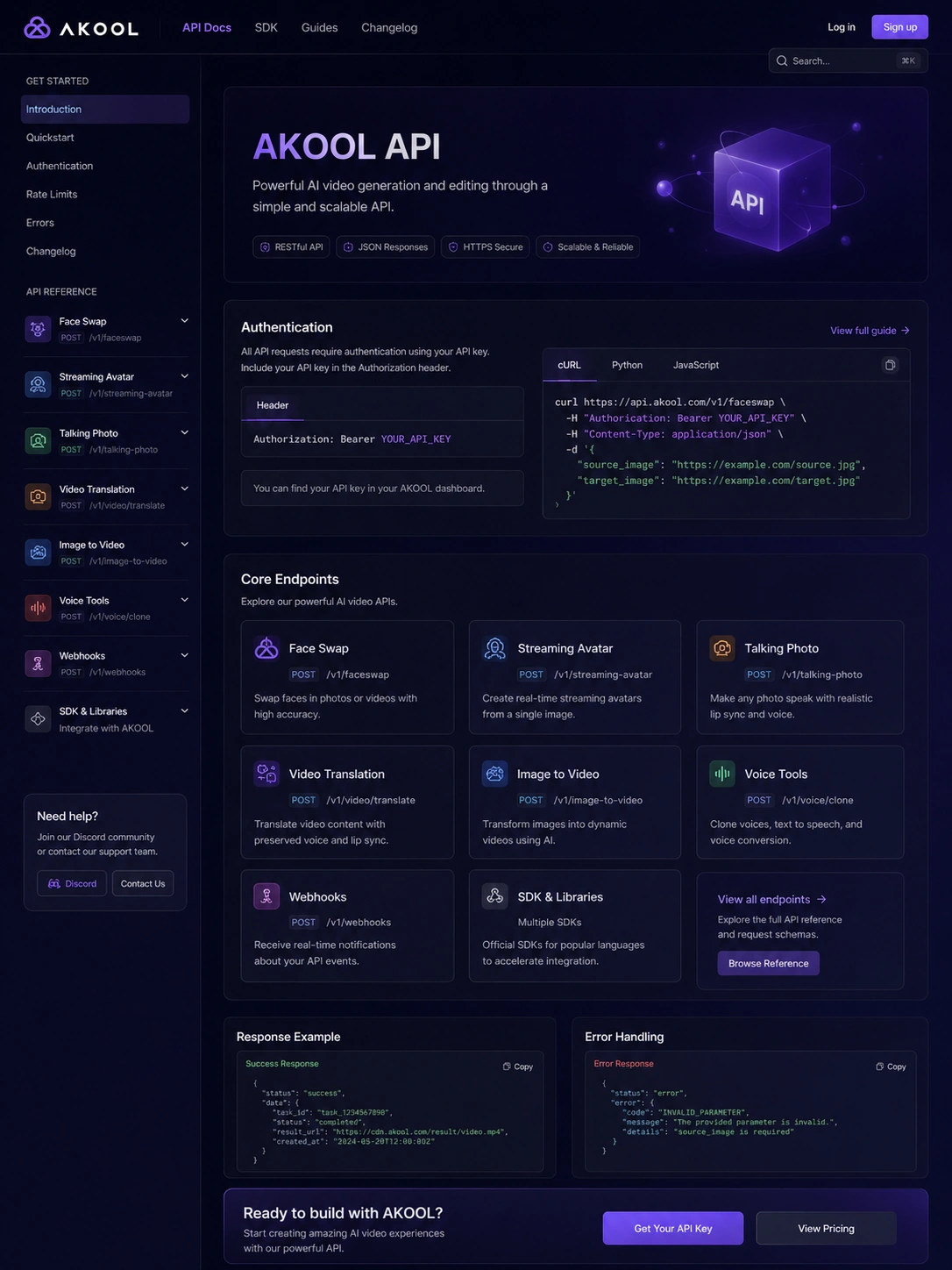
AKOOL is best understood as a broad AI video suite rather than a narrow face-swap app or a simple avatar generator. It can help with avatar videos, multilingual video translation, talking photos, image-to-video, live camera workflows, and developer-facing API use. That breadth is attractive, but it also makes the buying decision more fragile: the right plan depends on what you actually produce, how often you produce it, and whether credits, length limits, watermark removal, or API access become blockers.
What AKOOL actually does
AKOOL brings several AI video and visual-content tools into one web-based platform. The public product pages highlight streaming avatars, avatar video, image-to-video, live camera, face swap, video translation, and talking photo workflows. That makes it a better fit for buyers who want a flexible AI media suite than for buyers who only need a traditional video editor.
The main decision is not whether AKOOL has enough features. It does. The better question is which feature will carry the workflow: avatar-led explainers, localized video, quick face swaps, AI image-to-video, or an API-powered internal product.
- Use it when video speed and AI-assisted production matter more than timeline editing depth.
- Treat face swap, video translation, and avatar video as separate buying reasons.
- Check the exact feature limit before assuming one paid plan covers every workflow.
Who AKOOL fits best
AKOOL fits creators and marketing teams that need to produce more video assets without filming every variation manually. It is especially relevant when the buyer wants to repurpose scripts, create avatar-led explainers, translate existing videos, test personalized creative, or build repeatable media workflows around APIs.
Agencies may also benefit because the platform gives them multiple client-facing outputs in one environment. The risk is that a team pays for breadth and then only uses one small feature. That is why the store page should route serious buyers into the review before the checkout path if fit is still unclear.
- Creators can test avatars, talking photos, and short-form video ideas.
- Marketers can explore multilingual content, product demos, and personalized campaigns.
- Agencies can compare whether one suite is easier to manage than several specialist tools.
Pricing and plan-fit logic
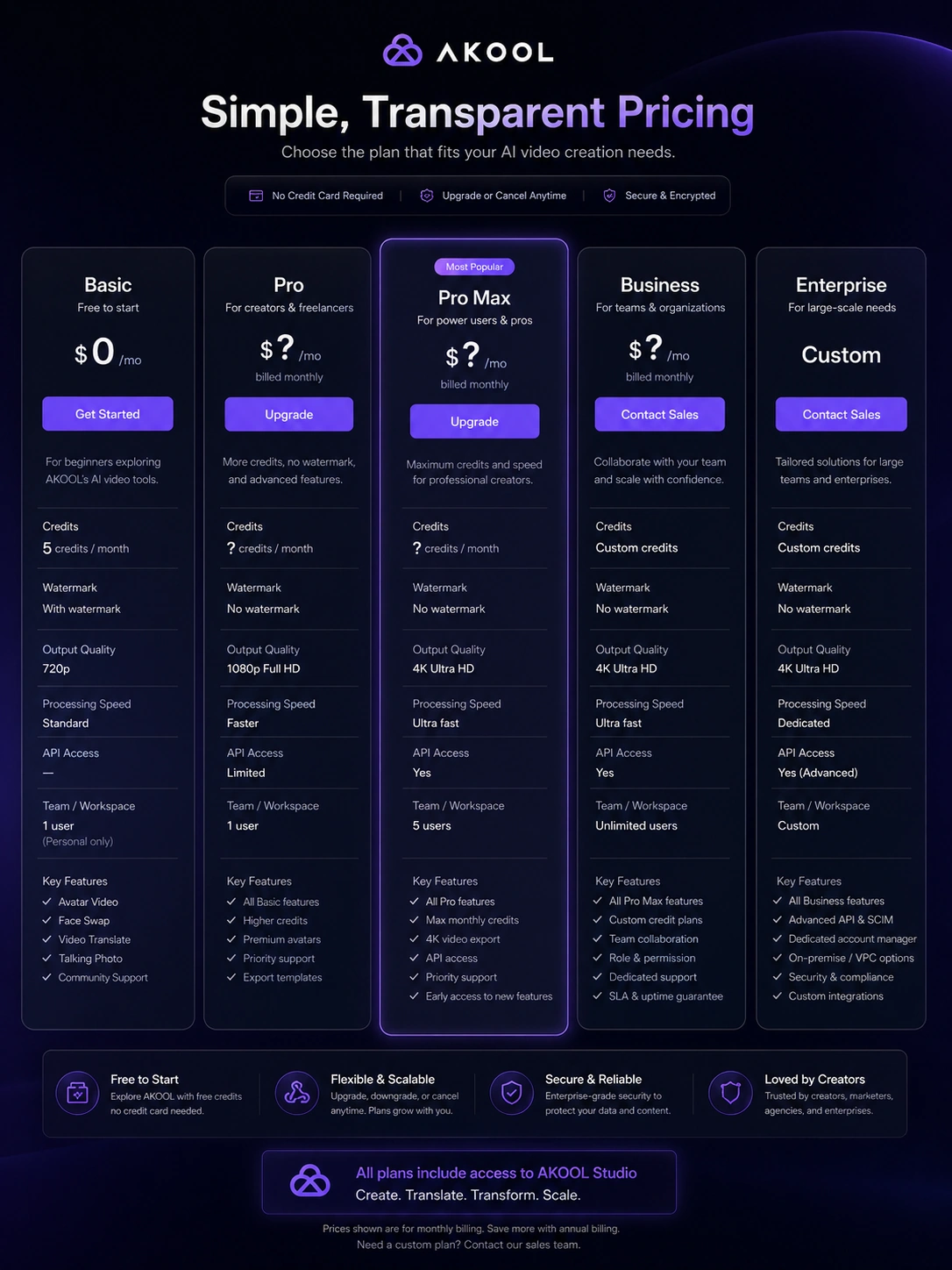
AKOOL has a free Basic entry path and paid upgrade paths, but the price-fit decision should be made carefully. The official pricing page shows strong differences in output quality, video length, processing speed, storage, workspace collaboration, API access, and enterprise support. It also references annual billing savings and credit usage.
Because the public pricing page can present dynamic or incomplete static text, the safest editorial position is to quote the free entry point and push buyers to verify current paid-tier pricing at checkout. For this store page, the practical advice is simple: free is enough for testing quality and workflow feel, not proof that a paid plan is the right long-term value.
- Use Basic to test whether outputs are usable for your brand or channel.
- Check Pro and Pro Max limits when watermark removal, higher resolution, and faster processing matter.
- Check Business or Enterprise only when team use, API use, custom avatars, or volume becomes serious.
Video translation and multilingual content
One of AKOOL's stronger buyer angles is video translation. The platform presents video translation as a way to translate existing video into multiple languages with AI voices and lip-sync. This can matter for creators, course sellers, YouTube channels, and marketing teams that want to reach more regions without rebuilding every asset from scratch.
The workflow still needs testing. Buyers should upload a real sample, review lip-sync quality, check subtitle and proofread options, and compare whether the output feels natural enough for the intended audience.
- Useful for localizing existing marketing, education, or creator videos.
- Quality should be tested with real footage, not only demo clips.
- Proofread access, subtitles, upload length, and export needs can affect plan choice.
API and team use
AKOOL is not only a browser-based creative tool. Its documentation covers Open API workflows for face swap, live avatar, talking photo, video translation, image generation, voice tools, knowledge base usage, webhook behavior, and streaming avatar integration. That makes AKOOL more interesting for technical teams that want AI media inside a product, campaign system, or internal workflow.
The commercial checkpoint is plan access. API availability in the docs does not automatically mean every buyer gets the same API limits on every plan. Before paying, technical buyers should confirm authentication, credit cost, concurrency, webhook support, and whether the selected plan includes the endpoints they need.
- Good fit for teams building repeatable AI media workflows.
- API plans and credit consumption should be checked before technical rollout.
- Webhook, authentication, and concurrency details matter more than the marketing headline.
What to verify before checkout
The safest AKOOL buying path is not a straight jump from homepage to paid plan. First, test the output that matters most. Then compare whether the plan removes the real blocker: watermarking, speed, resolution, video length, upload size, custom avatar count, collaboration, API access, or enterprise support.
Also read the terms before relying on a trial. AKOOL's terms include automatic renewal language and require cancellation before renewal to avoid the next charge. The terms also state that refunds are not issued for early termination unless an exception is stated elsewhere, so the buyer should treat checkout as a deliberate commitment.
- Verify live pricing and annual billing before checkout.
- Check whether credits expire or reset under the plan being considered.
- Review cancellation timing and trial conversion rules.
- Confirm commercial rights and avatar restrictions for the intended use.
Best savings path from this store page
This is the clearest savings route to check once the product already looks like a fit.
The Pro path is the practical comparison point for creators who need watermark removal, faster processing, and more usable output than a free test allows.
Higher-output video plan path
Business video route
Use comparison routes when the category fit is still open
Use these comparison routes when the product still looks plausible, but the category fit is not fully settled.
HeyGen is usually the cleaner comparison when the buyer mainly wants avatar videos and polished business-facing presenter workflows.
Synthesia is a better next tab for enterprise training, internal communications, and governed avatar-video production.
Pictory is more relevant when the buyer wants to turn scripts, blog posts, or long-form content into edited marketing videos.
Fliki may fit buyers who want lighter text-to-video and voice-led creator content with a simpler production path.
Verification points worth checking before you click out
Where this store usually fits best in the workflow
AKOOL can help creators and teams turn scripts or source material into avatar-led videos without filming a presenter. This is most useful when the buyer needs repeatable explainers, training clips, or social video variations.
AKOOL's video translation workflow is relevant for brands, educators, and creators who want to adapt existing videos for new markets. Buyers should test lip-sync, terminology, subtitle handling, and export needs before choosing a paid tier.
Face swap, talking photos, and image-to-video features make AKOOL useful for campaign experiments and personalized visual assets. The buyer should still confirm usage rights, quality consistency, and whether outputs fit brand standards.
Technical teams can consider AKOOL when they need AI video, face swap, translation, or avatar functions inside another product or process. API access, credits, rate limits, and support should be checked before rollout.
Practical checkpoints before and after signup
- Identify the one AKOOL workflow that matters most before comparing plans.
- Open the review page if you still need to judge whether the platform is too broad or actually useful.
- Compare avatar-first, translation-first, and editor-first alternatives before treating AKOOL as the default choice.
- Use the Basic path to test output quality, watermark impact, processing speed, and workflow friction.
- Upload realistic source material instead of relying only on official demos.
- Check whether the free tier confirms quality or only proves the interface is usable.
- Verify live paid-tier pricing, annual billing, credit behavior, resolution limits, video length, API access, and collaboration features.
- Do not assume a coupon beats the annual or checkout offer path.
- Review trial conversion, cancellation timing, and refund language before entering payment details.
- Start with one repeatable production use case before expanding across teams or clients.
- Track whether AKOOL saves time, improves output quality, or merely adds another tool to the stack.
- Re-check pricing and terms before renewal, higher-volume production, or API integration.
Fast-read signals for workflow fit and buying friction
Questions readers usually ask before choosing this store
What is AKOOL best for?
AKOOL is best for buyers who need AI video and avatar workflows in one place, especially creators, marketers, agencies, and technical teams testing avatar videos, video translation, face swap, talking photos, image-to-video, or API-driven media production.
Does AKOOL have a free plan or free trial?
AKOOL publicly lists a Basic free plan, and its terms also describe trial periods for certain paid features. Treat the free path as a testing route first, then verify current paid-tier pricing, trial conversion timing, and renewal terms before checkout.
Are AKOOL coupon codes the main savings path?
Not reliably. The safer savings path is to compare the free plan, monthly versus annual billing, credit packs, and any live checkout offer. Only treat a public coupon as useful after verifying that it applies to the plan and billing interval you actually want.
What should I verify before paying for AKOOL?
Verify the live plan price, credit allowance, video length, resolution, watermark removal, model access, API availability, workspace collaboration, cancellation timing, refund language, and commercial usage restrictions. These checks matter more than the platform's broad feature list.
When is AKOOL not the right fit?
AKOOL may not be ideal if you only need a one-off edit, if you want a traditional timeline editor, or if you need predictable flat pricing without credit and feature-limit checks. In those cases, compare a lighter avatar tool, a dedicated video editor, or a simpler text-to-video platform first.
Choose the next route that matches what you still need to decide
The strongest next click depends on whether you still need product judgment, a savings route, or a broader category comparison.