
HeyGen Buying Guide: Pricing & Workflow Fit
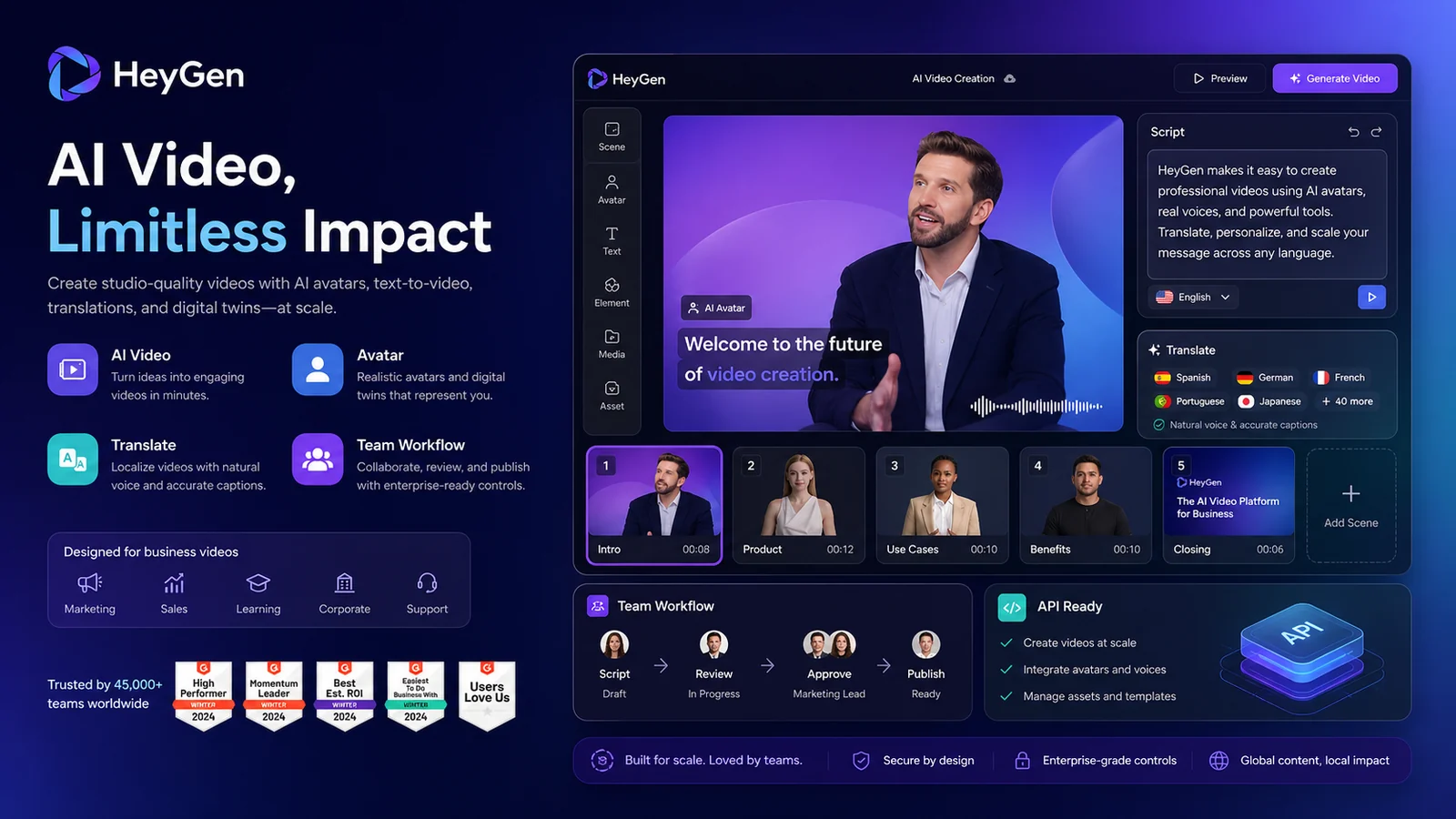
HeyGen is best understood as an AI video creation platform for avatar-led videos, text-to-video workflows, video translation, digital twins, business training, marketing content, and API-driven video generation. The store page should not sell it as a generic video editor. The real buyer question is whether HeyGen fits the user's production pattern: occasional social videos, repeatable creator content, team training videos, localization, sales enablement, or embedded video generation through an API.
Fit → price → checkout
Use these routes after the official-site check: coupon first, review for fit, compare if unsure.
HeyGen pricing snapshot
Fast commercial checks before pricing, coupons, or a deeper review.
HeyGen product tour
A useful HeyGen tour needs more than a polished avatar clip. Buyers need to understand the plan table, AI Studio workflow, avatar and digital twin options, and video translation path before deciding whether HeyGen is a creator tool, team video system, or API infrastructure choice.
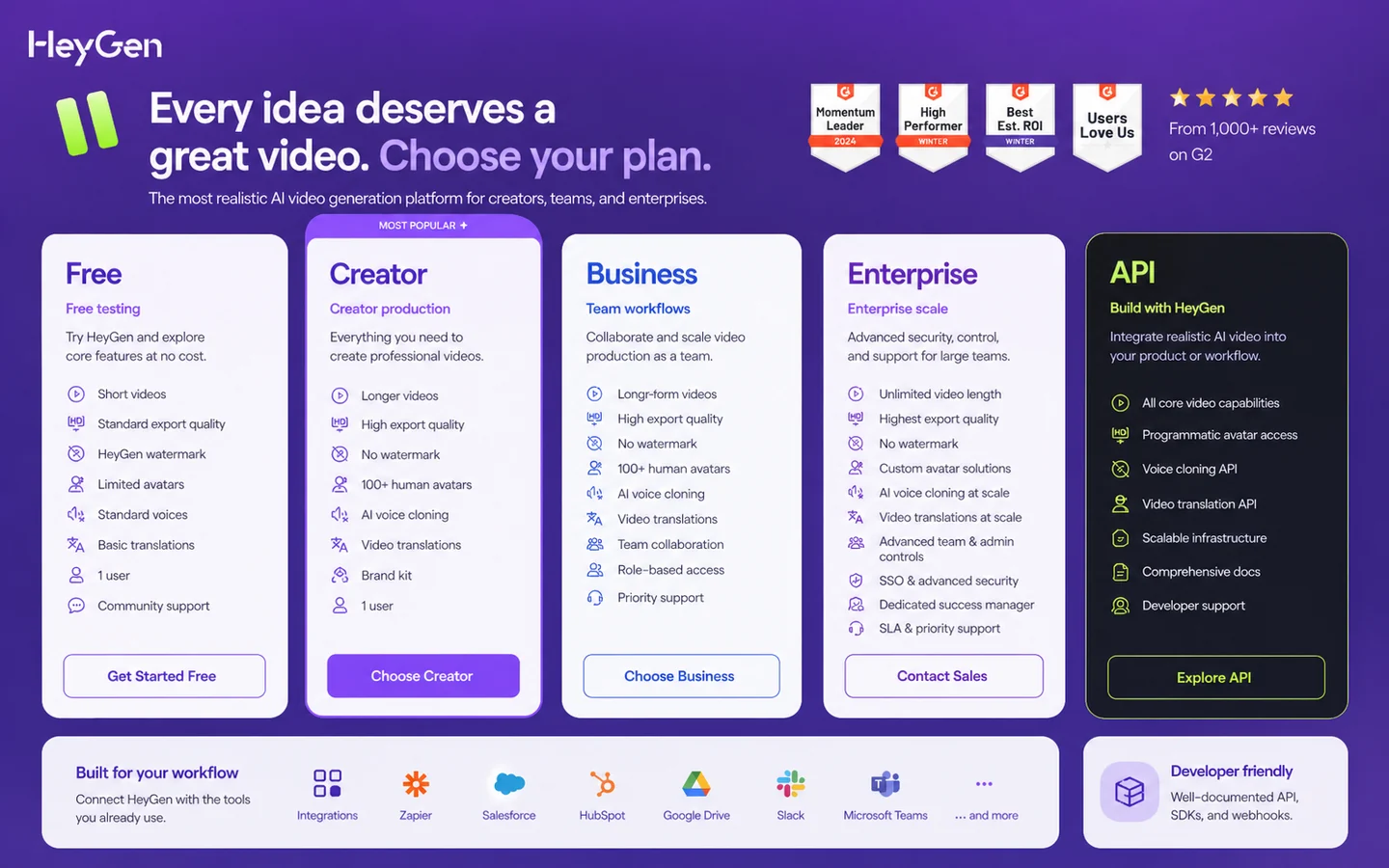
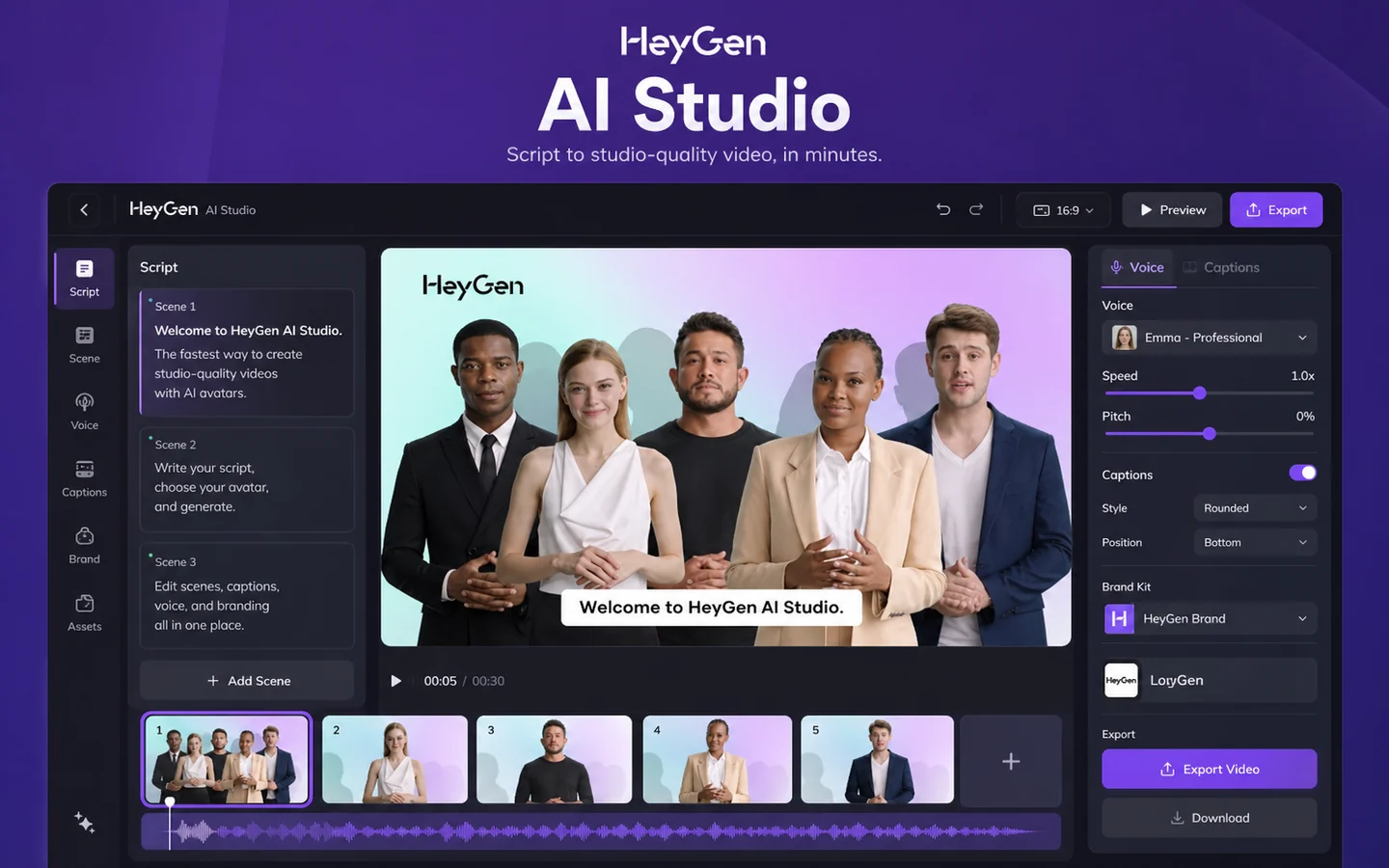
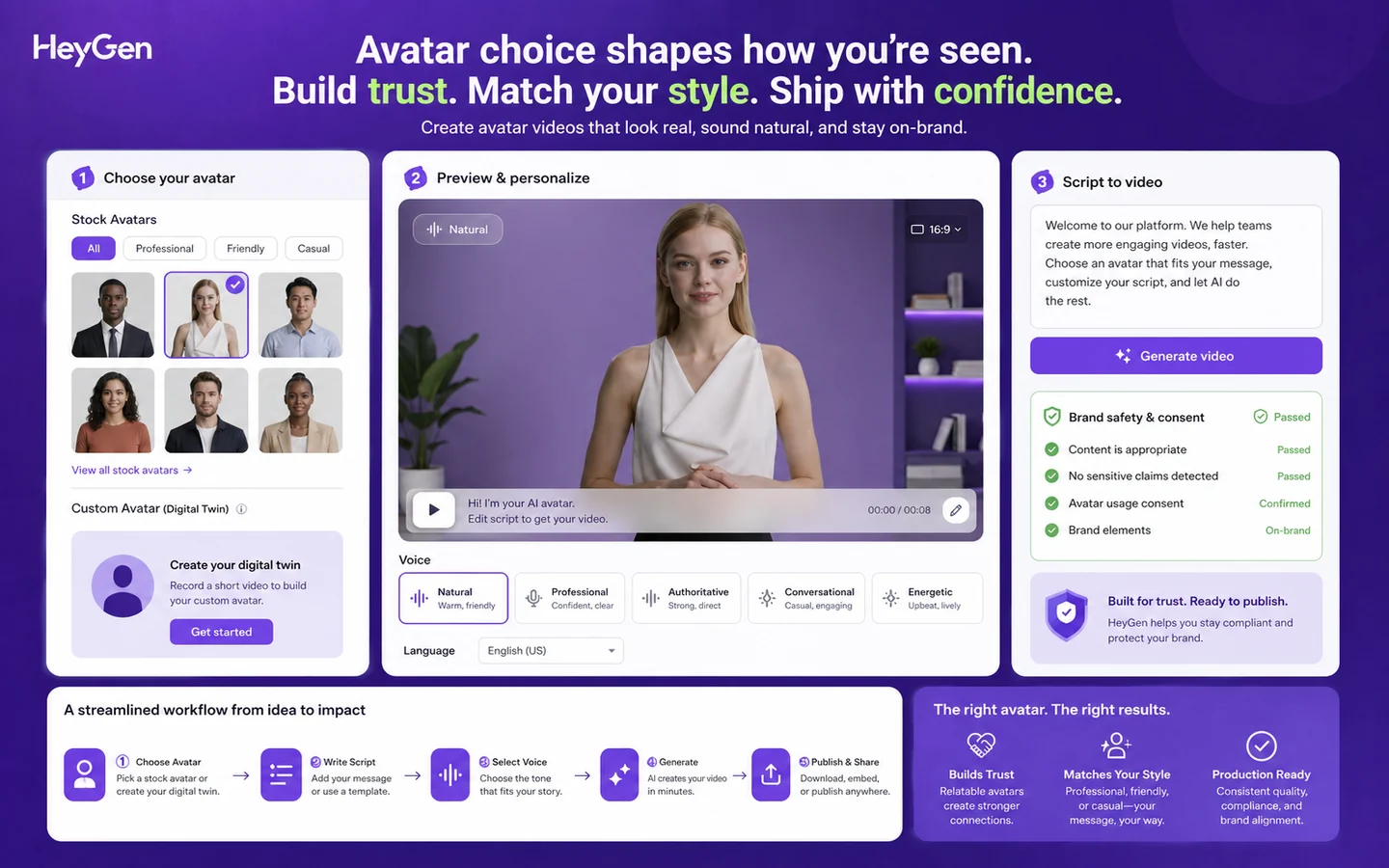
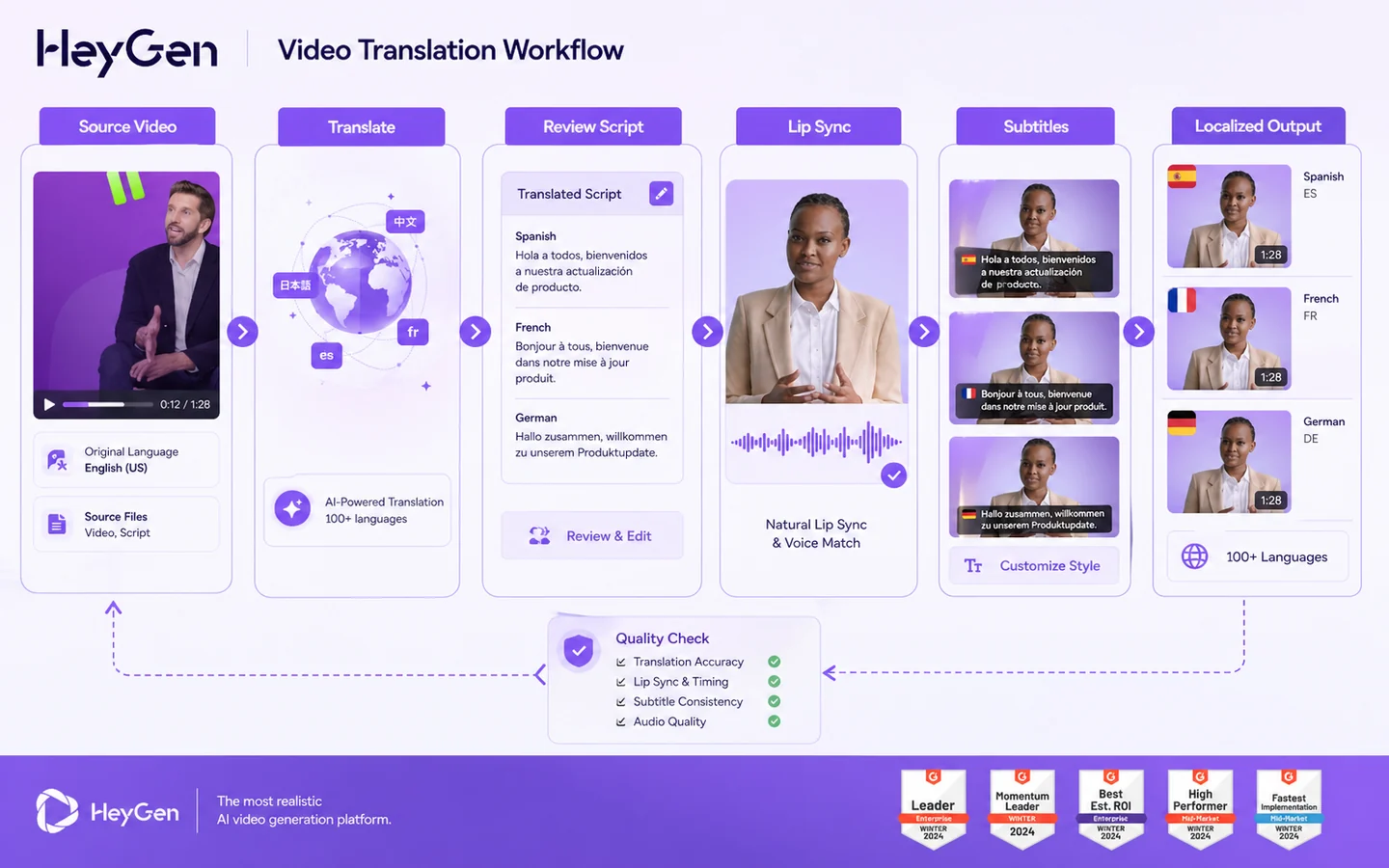
HeyGen is a strong store-page candidate because the buying decision is not only about whether the generated avatar looks realistic. A buyer has to decide whether HeyGen fits a creator workflow, marketing workflow, team training workflow, localization workflow, or API infrastructure use case. That is why the safest route is to test output quality first, then compare plan limits and refund risk before checkout.
What HeyGen actually does
HeyGen helps users create AI videos from scripts, images, avatars, digital twins, product assets, and existing video content. The platform covers text-to-video, photo-to-video, avatar-led explainers, product ads, UGC-style clips, video translation, voice cloning, lip sync, and AI Studio editing. In plain buyer terms, it is built for producing presentable video without arranging a camera, actor, recording session, or full editing workflow.
- Use it when the bottleneck is video production, not idea generation.
- Use avatars or digital twins when the buyer needs a presenter without filming every update.
- Use translation and localization features when one video needs to reach multiple languages.
Pricing and plan fit
The Free plan is useful for testing because it gives a buyer a small number of short videos and access to basic output without a credit card. Creator is the first serious solo plan when 30-minute videos, 1080p export, watermark removal, voice cloning, brand kit, and more avatar options matter. Pro is for advanced individual production with more premium usage and 4K export. Business and Enterprise become relevant when collaboration, integrations, centralized billing, and enterprise controls are part of the buying case.
- Free is a testing path, not a complete production plan for most serious buyers.
- Creator is the natural upgrade for solo creators who need longer, cleaner, branded videos.
- Business is the stronger check for teams that need collaboration, seats, integrations, and training workflow features.
Video walkthrough for product explainer use
This second video belongs inside the body because product explainers are one of the clearest commercial use cases for HeyGen. Buyers should watch for how quickly a product message moves from script to presenter-led video, how much editing control remains, and whether the output style matches the brand before choosing a paid plan.
- Watch whether the script-to-video flow is fast enough for recurring product content.
- Check whether presenter style, voice, layout, and brand control feel production-ready.
- Compare the workflow against your actual content calendar before upgrading.
Creator and marketing workflow fit
HeyGen is especially easy to justify when a creator or marketer needs repeatable presenter-style content. The product can reduce filming friction for social clips, explainers, ads, onboarding videos, product updates, and multilingual campaigns. The caution is that AI-generated video still needs brand review. Buyers should check whether avatars, voices, and templates feel authentic enough for the audience they serve.
- Good fit for repeatable clips, explainers, product ads, and localized campaign assets.
- Less useful when the brand needs cinematic footage, live camera nuance, or deep manual editing.
- Best evaluated with one real script, not only a sample prompt.
Team, training, and collaboration path
HeyGen's Business and Enterprise paths matter when video creation becomes a shared workflow. Business adds team-oriented features such as collaboration, draft commenting, team management, centralized billing, integrations, interactive video, SCORM export, and LMS integrations. That makes the buying decision closer to a rollout question than a creator subscription question.
- Check whether team seats and workspace collaboration are actually needed before paying for Business.
- Training teams should verify SCORM, LMS, interactive video, and commenting requirements.
- Enterprise buyers should confirm roles, SCIM, MFA, commercial terms, onboarding, and support directly.
API and automation buying path
HeyGen also has a developer route for buyers who want to generate or translate video through an API rather than only use the web app. The API pricing page points to pay-as-you-go access starting at $5, while enterprise API buyers can negotiate customized scalability and developer support. This path matters for SaaS products, internal tools, personalized outreach systems, training automation, and video localization at scale.
- Use the API path when video creation needs to happen inside a product or automated workflow.
- Check generation volume, video translation needs, webhook handling, and support requirements before building.
- Enterprise API buyers should confirm discounted rates, custom branding, digital twin creation, and dedicated developer support.
Safest next step before checkout
The safest buyer path is to create a small test video first, then compare the pricing page against the actual workflow you want to repeat. If the output quality clears the bar, check Creator or Pro for solo production, Business for team workflows, and API pricing for product or automation use. If refund flexibility matters, read the refund policy before generating a large amount of paid content.
- Test one real video with your own script or product message.
- Compare monthly and annual billing before assuming the checkout price is the best path.
- Read the refund and cancellation language before heavy usage.
- Open the review page if workflow fit is still unclear, then use the coupon path only after the product fits.
Best savings path from this store page
This is the clearest savings route to check once the product already looks like a fit.
HeyGen official pricing lists a free plan for testing AI video creation before choosing Creator, Pro, or Business.
Creator is listed at $29 monthly or $24 per month when paid annually.
Third-party coupon tracking reports up to 20% off eligible HeyGen orders.
Use comparison routes when the category fit is still open
Use these comparison routes when the product still looks plausible, but the category fit is not fully settled.
Synthesia is often the better comparison for enterprise training, governance, and structured corporate video workflows.
AKOOL deserves a closer look when the buyer cares more about avatar marketing assets, image-to-video, and campaign-style creative workflows.
Elai is a useful comparison for buyers focused on training, explainers, and presenter-led video with simpler education-style production needs.
Fliki can be a lighter alternative when the buyer mostly needs text-to-video, voiceovers, and quick social content rather than deep avatar or team workflows.
Verification points worth checking before you click out
Where this store usually fits best in the workflow
HeyGen fits creators who want recurring talking-head videos, explainers, shorts, and social clips without filming every asset manually.
Marketing teams can use HeyGen for product explainers, UGC-style clips, product ads, localized campaigns, onboarding content, and sales assets.
Business and Enterprise buyers may use HeyGen for training videos, LMS-supported content, interactive video, translation, and internal enablement workflows.
Developers can use HeyGen APIs when video generation, translation, templates, or avatar workflows need to run inside an app, automation, or internal platform.
Practical checkpoints before and after signup
- Clarify whether the real need is creator videos, marketing videos, training content, localization, or API video generation.
- Prepare one realistic script, product message, or training module instead of judging the platform from sample demos only.
- Check whether synthetic avatar output is acceptable for your brand and audience.
- Use the Free plan to test the editor, avatar quality, output tone, and export friction.
- Remember that Free is limited by video count, duration, quality, and production depth.
- Do not assume the free workflow reflects Business or API rollout needs.
- Compare Creator, Pro, Business, and Enterprise against video length, export quality, premium usage, localization, and team collaboration.
- Check monthly versus annual pricing before checkout.
- Review refund terms before generating heavy paid content.
- For team use, confirm seats, comments, billing, integrations, SCORM, LMS support, security controls, and onboarding.
- For API use, confirm developer docs, endpoints, webhooks, pricing, usage volume, and support needs.
- Re-check plan fit at renewal if video volume, team size, or localization needs increase.
Fast-read signals for workflow fit and buying friction
Questions readers usually ask before choosing this store
What is HeyGen best for?
HeyGen is best for buyers who need repeatable AI video creation, especially avatar videos, product explainers, training content, localized videos, and marketing clips. It is strongest when video production is a recurring workflow rather than a one-time experiment.
Does HeyGen have a free plan?
Yes. HeyGen lists a Free plan at $0 per month with 3 videos per month, videos up to 1 minute, one custom digital twin, stock photo avatars, 720p export, and trial access to selected premium features. Buyers should treat it as a testing plan, not a full production plan.
How much does HeyGen cost?
The public pricing page lists Creator at $29 per month, Pro at $99 per month, Business at $149 per month plus $20 per additional seat, and Enterprise as contact sales. Annual billing may show a lower effective monthly cost, so the live pricing toggle should be checked before checkout.
Are HeyGen refunds guaranteed?
No. HeyGen says payments are generally non-refundable, except where required by law. The Help Center allows refund requests within 15 days in specific cases, but refunds are discretionary and can be affected if the buyer has already created a significant amount of content.
Should I go to the HeyGen review page or coupon page first?
Start with the review page if you are still unsure whether AI avatars, video translation, or team video workflows fit your use case. Use the coupon or deal path only after the product fits and you are ready to verify the current checkout price, annual billing option, or available savings route.
Choose the next route that matches what you still need to decide
The strongest next click depends on whether you still need product judgment, a savings route, or a broader category comparison.