Quick verdict
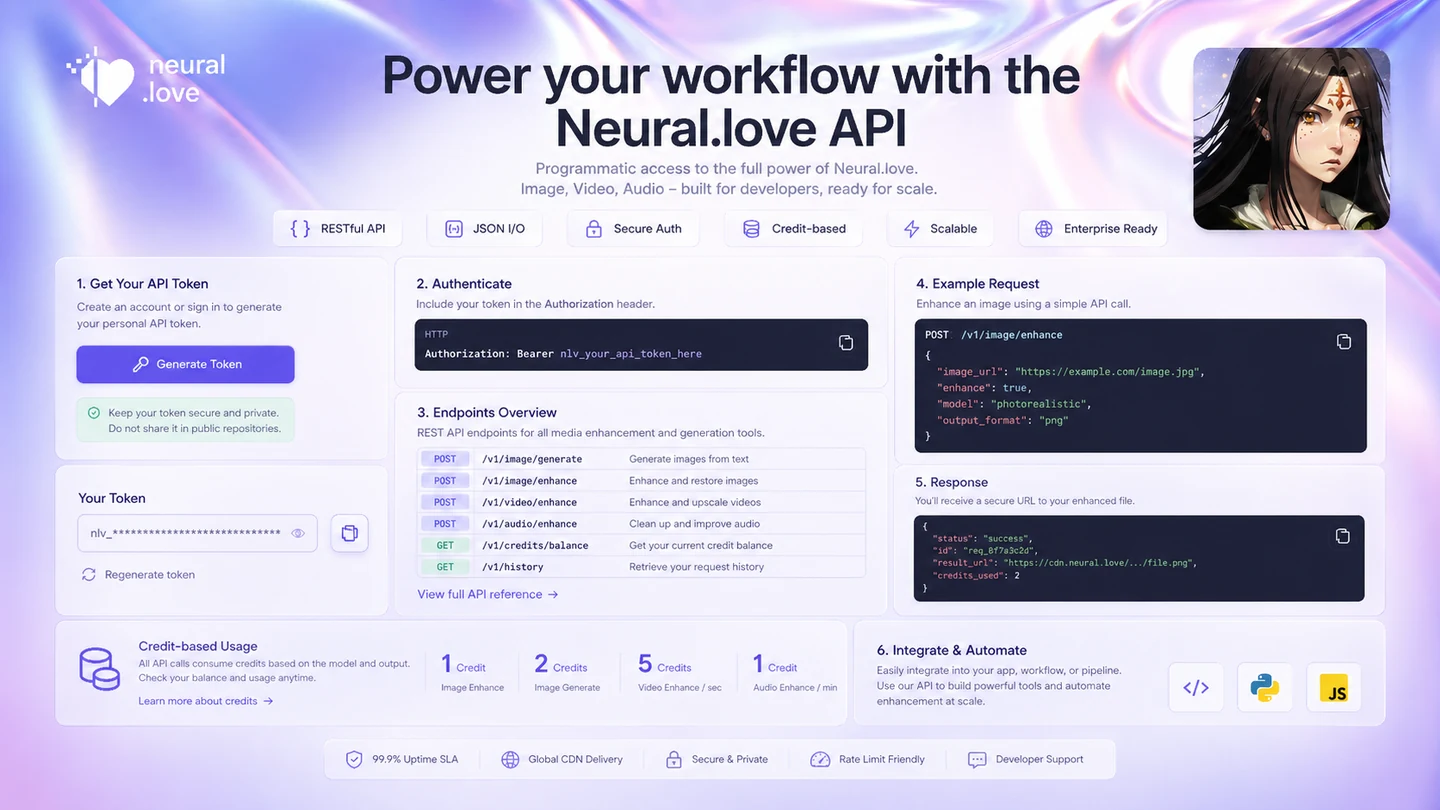
Neural.love is useful if you want one browser-based place to test several AI media jobs: prompt-based images, photo cleanup, video enhancement, audio improvement, and API-connected generation.
The buying decision is not quite as simple as the homepage makes it feel.
This is a credit-based platform. That can be good for occasional creators because you are not forced into a heavy monthly workflow right away. It can also become confusing if you jump into paid credits before knowing which tool burns credits fastest. A quick AI image experiment, a batch of photo restoration jobs, and a video enhancement workflow are not the same buying decision.
For my money, Neural.love makes the most sense when you have a specific media job to test. If you need quick visuals for content, simple image cleanup, old-photo enhancement, occasional video upscaling, or a developer-friendly media API, it deserves a look. If you need pixel-level design control, a full video editor, predictable monthly costs, or a professional creative approval system, I would compare alternatives first.
The easy mistake is buying credits because the toolset looks broad. Breadth is not the same as value. The safer question is narrower: does one Neural.love workflow save enough time, improve enough output, or simplify enough production work to justify the credits you will spend?
Next step: If Neural.love fits the creative task you actually need, verify the current credit route before buying a larger pack.
Review snapshot
| Review point | Practical take |
|---|---|
| Best for | Creators who want AI image, photo, video, audio, or API media tools in one browser-based workspace |
| Not ideal for | Buyers who dislike credit math, need fixed monthly costs, or want professional manual editing control |
| Main use case | Testing and producing AI-assisted creative assets without installing desktop software |
| Pricing model | Credit-based, with pay-as-you-go and possible subscription-style credit routes |
| Free path | Useful for testing basic output fit, not enough to judge larger paid workflows alone |
| Main strength | Broad media utility across generation, restoration, enhancement, and API use |
| Main concern | Credit usage varies by tool and output choice, so cost can be harder to predict |
| Direct alternatives | ImagineArt, ArtSmart AI, Akool, Fliki depending on the buyer job |
| Best next step | Test one real workflow, estimate credit burn, then compare credit packs or active offers |
What is Neural.love?
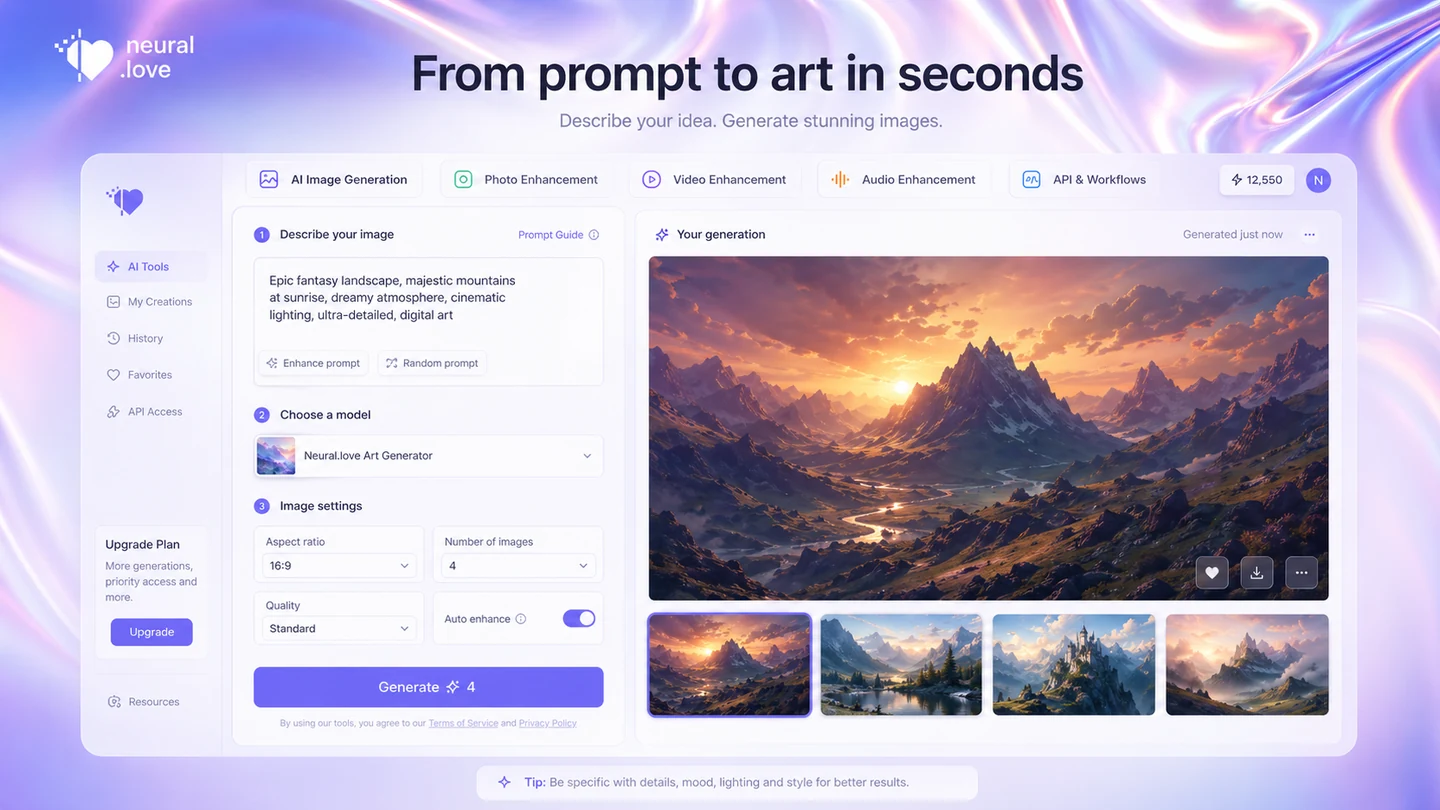
Neural.love is an online AI media platform for people who want to generate, enhance, restore, or process creative assets without setting up heavy desktop software.
The product sits across several jobs: free AI image generation, image enhancement, restoration, video enhancement, audio improvement, public-domain-style image resources, and API documentation for technical buyers. That makes it broader than a single image generator, but not the same thing as a full creative suite like Adobe tools or a full video editing platform.
A buyer might arrive because they want AI art. Another buyer may care about old-photo cleanup. A third buyer may want to upscale a low-resolution video. A developer may care about API-connected generation. These buyers should not judge the product by the same metric.
Our review approach compares public product pages, pricing details, API documentation, terms, buyer workflow fit, and nearby alternatives. I would not treat a low credit price, a free generator, or a coupon page as proof that Neural.love fits every creative workflow. The better question is whether the specific tool you plan to use produces useful enough output at a credit cost you can tolerate.
Who should use Neural.love?
Neural.love fits buyers who can name the media job they need to repeat.
A content creator may use it for article visuals, social assets, or early prompt-based concepts. The condition is that the output only needs normal review and light editing, not brand-perfect art direction.
A marketer may find value when quick creative variation matters more than manual design control. Neural.love can help with rough visual direction before a designer or editor polishes the final asset.
A user with older or low-quality photos may get practical value from restoration and enhancement. The buyer should still test real files, because cleanup tools can improve one image and distort another.
A video or audio user may consider it for occasional enhancement work. This is strongest when the job is narrow: improve quality, clean a file, or prepare media for publishing without installing heavier software.
A technical buyer may care about API access. That only makes sense if the team is ready to estimate credits, track usage, and build around the platform’s pricing behavior instead of treating it like an unlimited media engine.
Who should avoid Neural.love?
I would be careful with Neural.love if you want fixed monthly budgeting and dislike credit calculations. A credit model can be flexible, but it asks the buyer to estimate usage by tool, output mode, and workflow.
Designers who need precise manual control should also slow down. Neural.love can generate and enhance media, but it is not a layered design system, a brand management workflow, or a professional retouching environment.
Video editors should not treat it as a full editing suite. It can help with enhancement or upscaling, but it does not replace a timeline editor, collaborative review workflow, or post-production stack.
One-off users should be cautious too. If you only need one quick output, a free path or tiny test may be enough. Buying a larger credit pack before testing the exact workflow is where small purchases can quietly become waste.
Finally, I would avoid choosing Neural.love only because of a coupon claim. A discount can improve a good purchase, but it cannot make a vague workflow useful.
How Neural.love fits into a real workflow
A realistic Neural.love workflow starts before the prompt box.
First, define the media job. Are you creating AI art, restoring a photo, enhancing a video, cleaning audio, generating headshot-style visuals, or building an API-connected process? The answer changes how you should judge the product.
Second, test with real input. For image generation, that means prompts close to what you would actually publish. For restoration, use real old photos or imperfect source files. For video enhancement, use a sample clip that represents your normal footage. For API use, run a small estimation and monitor credit behavior before building the workflow around it.
Third, judge the output with human standards. Does the image need editing? Did the restoration preserve faces and texture? Did the video enhancement create artifacts? Did the audio cleanup improve clarity without making the result unnatural? The tool can save time only if the output is close enough to your final goal.
Fourth, check credit burn. This is the part buyers can easily skip. A workflow is not cheap just because the first test looks inexpensive. HD output, private generations, batch processing, enhancement jobs, or API calls may change the cost curve.
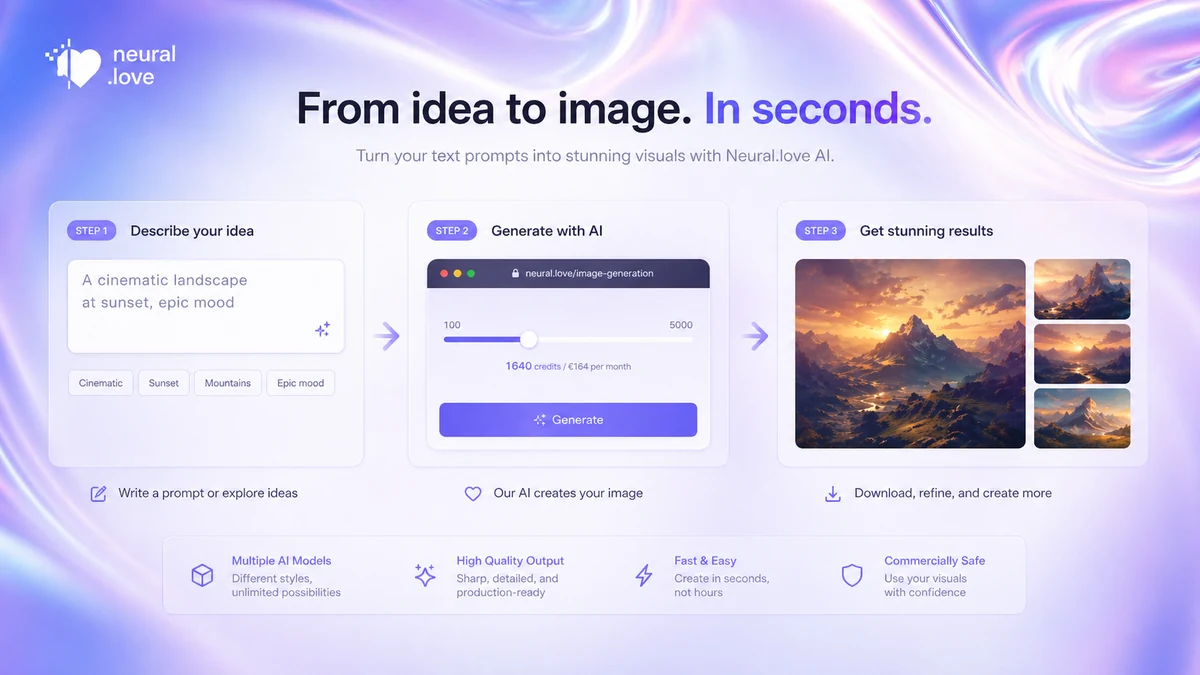
Workflow check: If you can name the exact media job Neural.love will handle, test that workflow before choosing a larger credit pack.
Real-world buyer scenarios
A blogger who needs article images may find Neural.love useful for quick concept visuals. The risk is judging the platform from one lucky output, so I would test several real article prompts before paying for more credits.
A small business owner may use it for lightweight marketing visuals, profile-style images, or simple creative assets. That works when speed matters more than strict brand consistency.
A creator with older photos may get more practical value from restoration than from pure generation. The buyer should test face detail, clothing texture, background quality, and whether the result still looks natural.
A video creator may use Neural.love for occasional upscaling or media cleanup. I would not treat it as a substitute for editing software; the better use is a focused enhancement step after you know the source footage is worth improving.
Key features that actually matter
Do not judge Neural.love by the number of tools alone. Judge the few features that change the buying decision.
AI image generation
The image generator is the easiest entry point for most buyers. It is useful for visual ideas, early concepts, marketing drafts, and casual creative work.
Buyer note: test it with real prompts, not showcase examples. If your workflow needs exact brand consistency, compare a more focused image tool before buying more credits.
Photo restoration and enhancement
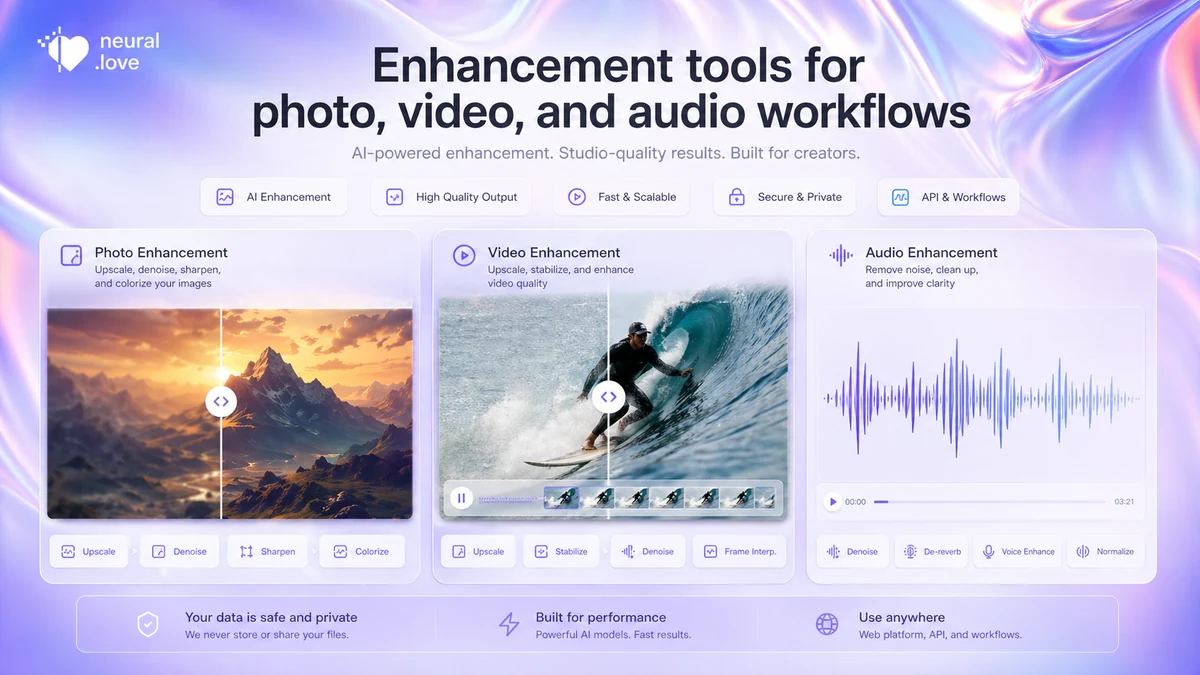
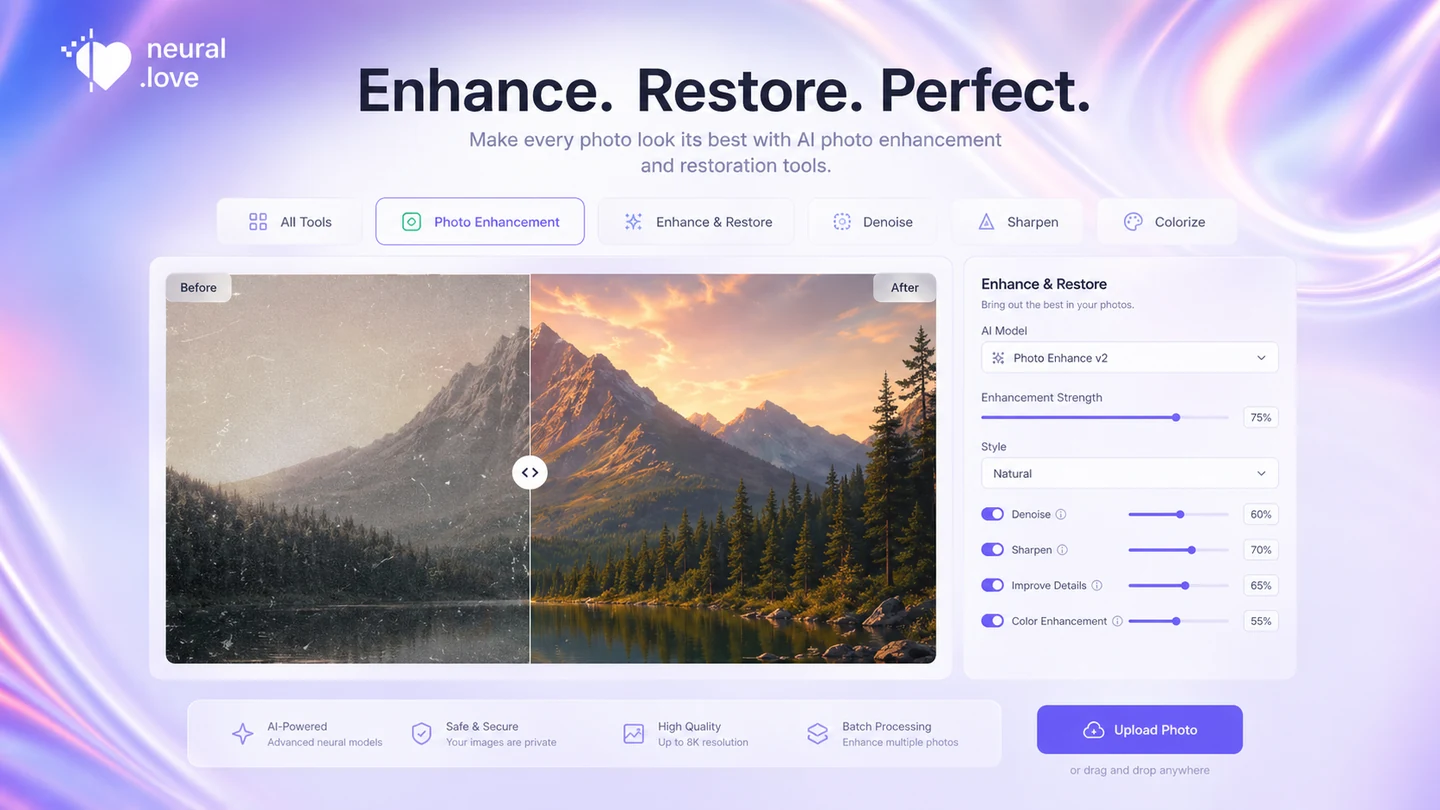
The enhancement side may be more practical than pure generation for some users. Old photos, low-resolution images, and rough source material can benefit from a cloud-based cleanup workflow.
Buyer note: test difficult examples and watch for unnatural faces, over-smoothed texture, or changes that look more like AI interpretation than restoration.
Video enhancement
Neural.love’s video tools matter for buyers who want online enhancement without local upscaling software.
Buyer note: video enhancement can be more expensive and quality-sensitive than still-image generation. Test a short clip and read the refund language before paying for a larger job.
Audio cleanup
Audio enhancement adds value if your workflow includes noisy or imperfect source recordings.
Buyer note: listen to the final result. Noise reduction that removes clarity or makes voices sound artificial may not be worth the credits.
API access
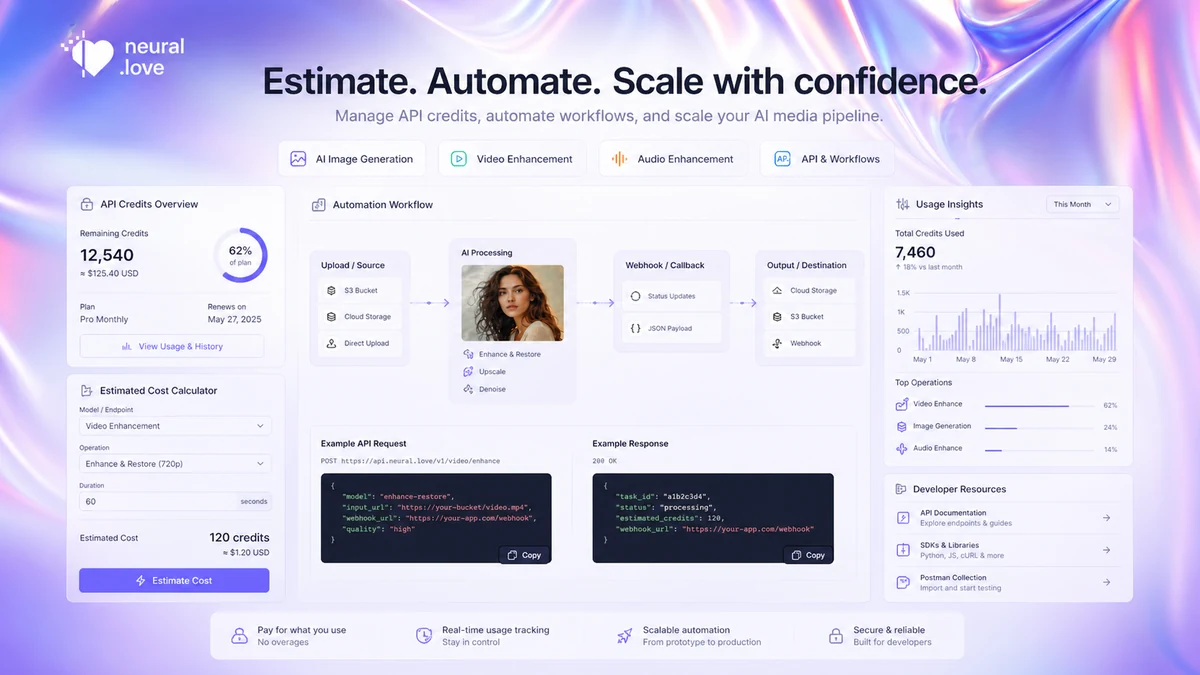
The API path matters for technical buyers. Neural.love’s documentation discusses credit-based paid services, estimation requests, and spent-credit responses.
Buyer note: automation still needs monitoring, error handling, rate-limit planning, and credit estimates before scaling.
Pricing and plan value
Neural.love should be judged as a credit-based AI media platform, not a simple monthly SaaS plan.
At the time of review, the public pricing surface shows a pay-as-you-go route at $0.17 per credit, with no monthly commitment, credits valid for one year, access to AI tools, advanced image, video, and audio editing, and batch processing support. That makes the starting point easy to understand, but not the total cost of ownership.
The real pricing question is credit burn. A simple image generation workflow may feel affordable. A repeated video enhancement workflow may not. Private results, HD mode, batch processing, API use, or other output settings can change the number of credits consumed. Neural.love’s API documentation also points buyers toward estimation requests and spent-credit responses, which is useful for technical users and a reminder that usage should be measured.
The free path is useful, but I would treat it as a test environment. It can help you judge interface comfort and first-output quality. It should not be used as proof that your paid workflow will remain cheap after a week or a month of real usage.
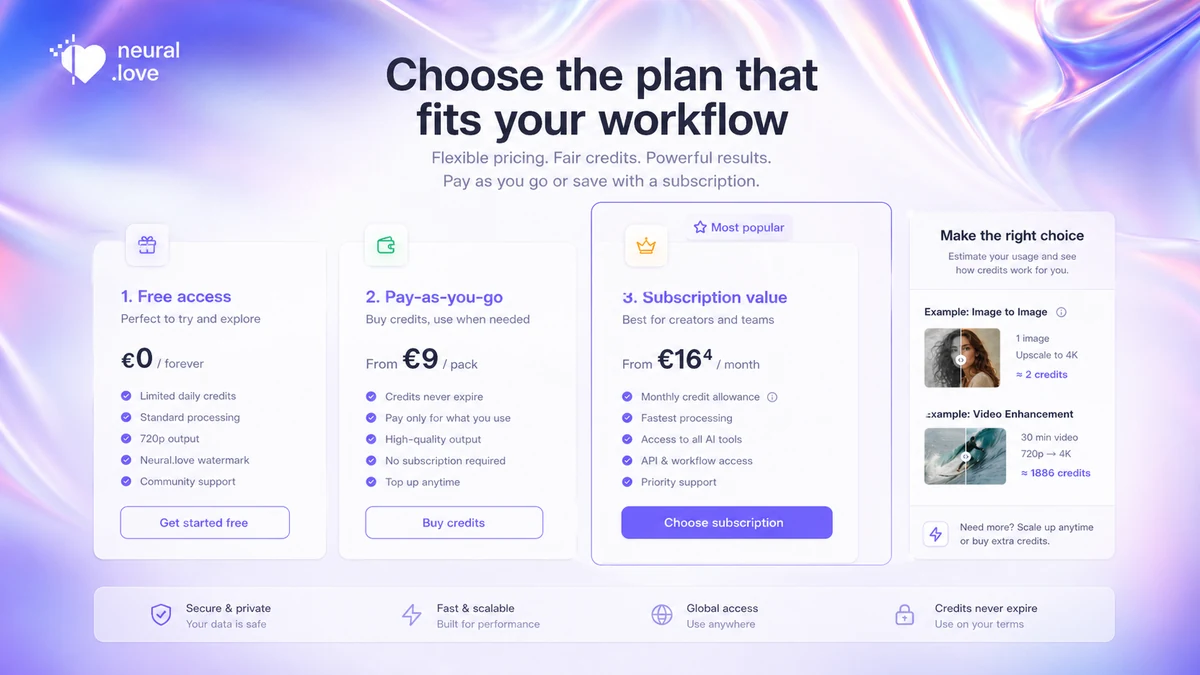
Pricing check: If Neural.love still fits, compare the current credit price, credit validity, and offer route before checkout.
Check Neural.love pricing Check current offers Read store guide
Free plan, trial, coupon, and checkout notes
The safest order is free test first, credit math second, coupon check last.
Neural.love has free-facing tools and public entry points, which are helpful for seeing whether the product category fits you at all. Use that path to test prompts, source files, enhancement expectations, and interface comfort. Do not use it as the only basis for a bigger purchase.
For paid use, the key is not only the headline credit price. Check whether your chosen workflow uses free generation, paid credits, special processing, private output, HD quality, batch mode, or API calls. A buyer creating occasional images and a buyer processing video may end up with very different monthly economics.
The coupon path should be treated as secondary. If there is an active offer, verify it at checkout. Do not assume a public coupon listing is valid until the final buyer route confirms the saving. And do not buy credits only because the price looks better for a moment.
Refund language also deserves a careful read. The terms surface a refund path for video enhancement when the final processed result significantly differs from expected quality, but I would not read that as a blanket refund promise for every possible credit purchase, image generation job, API workflow, or audio task.
Offer check: Use the coupon page only after the workflow and credit math make sense for your actual media task.
What I would check before buying Neural.love
If I were buying Neural.love for a real workflow, I would check these points first:
- Which tool I will actually repeat: image generation, photo restoration, video enhancement, audio cleanup, or API generation.
- How many credits one normal job consumes with the settings I expect to use.
- Whether HD, private output, batch processing, or video/audio work changes the effective cost.
- Whether the free path proves output quality well enough before paying.
- Whether a subscription-style credit route beats pay-as-you-go for my expected volume.
- What refund terms apply to the exact workflow, especially for video enhancement or larger credit purchases.
- Which direct alternative is better if my job is narrower than Neural.love’s whole toolset.
The biggest buyer mistake is comparing the platform as if all media tasks cost and perform the same. They do not. One prompt-based image, one old-photo restoration, one video enhancement, and one API batch are different buying decisions.
A simple test before paying
Before paying for a larger Neural.love credit route, I would run a small test like this:
- Pick one real media task you expect to repeat.
- Use a source file or prompt that matches your normal work, not an easy demo.
- Generate or enhance enough samples to see consistency, not just one lucky result.
- Track how many credits the job consumes with your preferred settings.
- Review output quality manually and decide what still needs editing.
- Compare the result with one narrower alternative.
- Only then decide whether pay-as-you-go, subscription credits, or waiting makes sense.
This test is especially important for video, restoration, and API workflows. Those are the places where buyers can underestimate cost or overestimate reliability from a quick first impression.
Pros explained
The first real advantage is flexibility. Neural.love covers more than one creative job, so it can be useful for buyers who do not want separate accounts for every AI media task. That matters if your work includes occasional images, restoration, video improvement, and audio cleanup.
The second advantage is the credit-based entry route. For occasional users, paying for credits can feel more practical than committing to a heavy monthly stack. This stops being an advantage if you do not understand your own usage.
The third advantage is API availability. Many creative AI tools look useful on the front end but become less useful for technical workflows. Neural.love’s API documentation, estimation logic, credit headers, and rate-limit concepts make it more believable for developers who want to build around media generation or processing.
The fourth advantage is testability. The free-facing tools and public generation paths make it easier to sample output before paying. That does not remove buying risk, but it gives careful buyers a lower-friction way to check fit.
Cons explained
The biggest limitation is pricing predictability. A credit model can be flexible, but the buyer has to estimate usage by tool and setting. If you hate that kind of math, Neural.love may feel less comfortable than a simpler subscription.
The second limitation is creative control. Neural.love can generate and enhance media, but it is not built like a professional design or editing workstation. If the final result needs exact typography, frame-level video editing, layered files, or deep manual retouching, you will still need another tool.
The third limitation is output variation. AI media tools can be surprisingly good on one input and disappointing on another. This is especially true for restoration, faces, old footage, and prompt-based images. Buyers should test difficult examples before trusting the platform for paid work.
The fourth limitation is refund clarity. Neural.love’s terms discuss a refund path for video enhancement quality, but that does not automatically answer every credit purchase, generation job, or API scenario. If the purchase is meaningful, read the current terms first.
Green flags and red flags
Green flags are easy to spot when your workflow is specific.
If you know the exact media task, can test it with a small credit amount, and can measure credit consumption before scaling, Neural.love becomes a more reasonable purchase. It also looks stronger if you want several related media utilities instead of one narrow generator.
Red flags appear when the buyer is vague. If your reason for buying is simply “it has many AI tools,” slow down. If you cannot name the task you will repeat, you cannot estimate value. If you are buying only because a coupon page exists, slow down again.
Another red flag is mismatch. If you need exact creative control, legal certainty for uploaded assets, or predictable production cost before testing, compare alternatives first.
Neural.love vs alternatives
Neural.love should be compared by buyer job, not by the broad label “AI creative tool.”
ImagineArt vs Neural.love
ImagineArt is a direct creative-suite comparison if you want image and video-style generation in a modern AI workspace. Neural.love may still fit better if restoration, media enhancement, or API processing matter as much as generation.
ArtSmart AI vs Neural.love
ArtSmart AI is a better comparison if your main job is prompt-based image generation. Neural.love is more interesting if you also want enhancement, cleanup, video, audio, or API flexibility.
Akool vs Neural.love
Akool is more of a business creative and video/avatar route. Compare it if your use case involves face, avatar, marketing video, or brand-facing creative workflows.
Fliki vs Neural.love
Fliki is an adjacent route for buyers who want text-to-video, voiceover, or narrated content. It is not a one-to-one replacement for Neural.love’s image and enhancement tools.
Trust, refund, and buyer-risk notes
The trust picture is mixed in a normal way for AI media tools.
On the positive side, Neural.love has a visible public footprint, many user-facing tools, a credit-based pricing page, API documentation, and a Trustpilot profile with a large number of reviews. Public feedback often points to ease of use and useful image or enhancement results.
On the caution side, AI media results vary. Some buyers praise image quality and simplicity; others complain about confusing credit behavior, output misses, slow generation, or results that did not improve enough. That reinforces the need to test with your own files.
Refunds should not be assumed. The public terms mention refund eligibility for video enhancement when the final processed result significantly deviates from expected quality. I would still verify current terms before relying on that for larger credit purchases, API use, image generation, or audio workflows.
Data and licensing deserve attention too. Neural.love’s privacy notice uses GDPR-style privacy framing, and API FAQ language around generated images and CC0-style commercial use is encouraging. Buyers should still check current licensing language for uploaded source images, third-party assets, and business-sensitive workflows.
Do not buy on headline credit price alone. Verify the tool, output setting, credit cost, privacy choice, refund language, and alternative fit first.
Final verdict
Neural.love is a good fit when you want a flexible online AI media workspace and you are willing to think in credits.
I would consider it if you need a mix of image generation, photo cleanup, video enhancement, audio improvement, or API-connected media processing. I would especially consider it if you can test the workflow cheaply and the results are close enough to save editing time.
I would skip it if you need fixed monthly cost, deep manual creative control, professional editing tools, or a single narrow feature that another product does better. Neural.love is broad, and broad tools need clearer buyer discipline. You need to know what job you are hiring it to do.
I would compare it with ImagineArt if you want a broader creative generation suite, ArtSmart AI if you mostly need AI images, Akool if you need business video or avatar-style creative, and Fliki if you need narrated video content.
The safest next step is not to buy the largest credit path first. Start with one real media job, measure output quality and credit use, then decide whether Neural.love deserves a place in your creative workflow.
