
Neural.love Pricing, Credits & Creative Fit
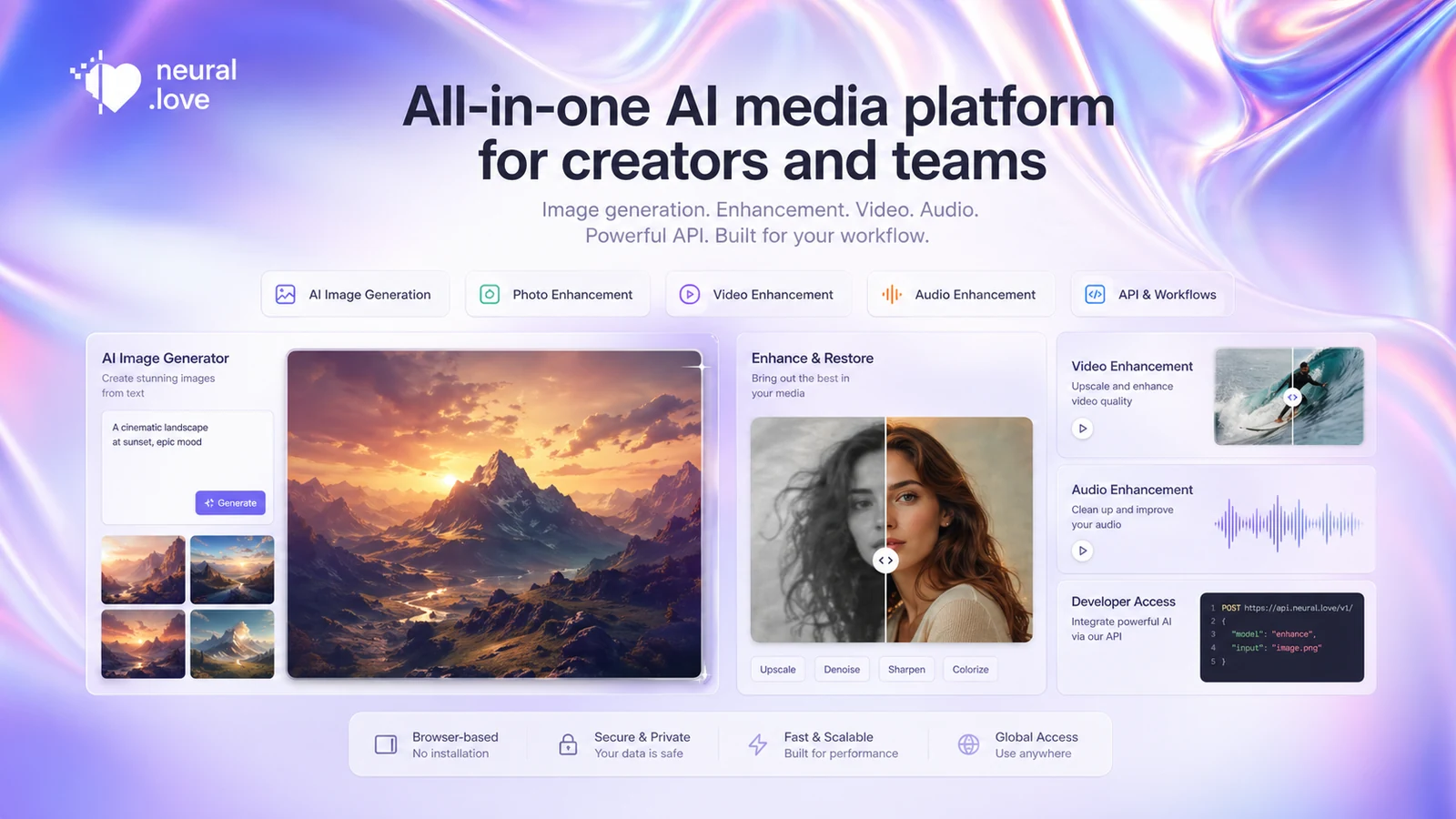
Neural.love is a browser-based AI media toolset for prompt-based image generation, photo restoration, image enhancement, video enhancement, audio cleanup, and API-driven generation. It fits creators who want several AI media jobs in one place, but the buying decision depends heavily on credit usage and the exact tool being used. A casual image generator user and someone enhancing video at scale can hit very different cost curves.
Fit → price → checkout
Use these routes after the official-site check: coupon first, review for fit, compare if unsure.
Neural.love pricing snapshot
Fast commercial checks before pricing, coupons, or a deeper review.
Neural.love product tour
Neural.love should be evaluated through the specific media job a buyer wants to run. The useful tour is not only the prompt box, but the path from generation or enhancement to credit cost, privacy choice, and final export.
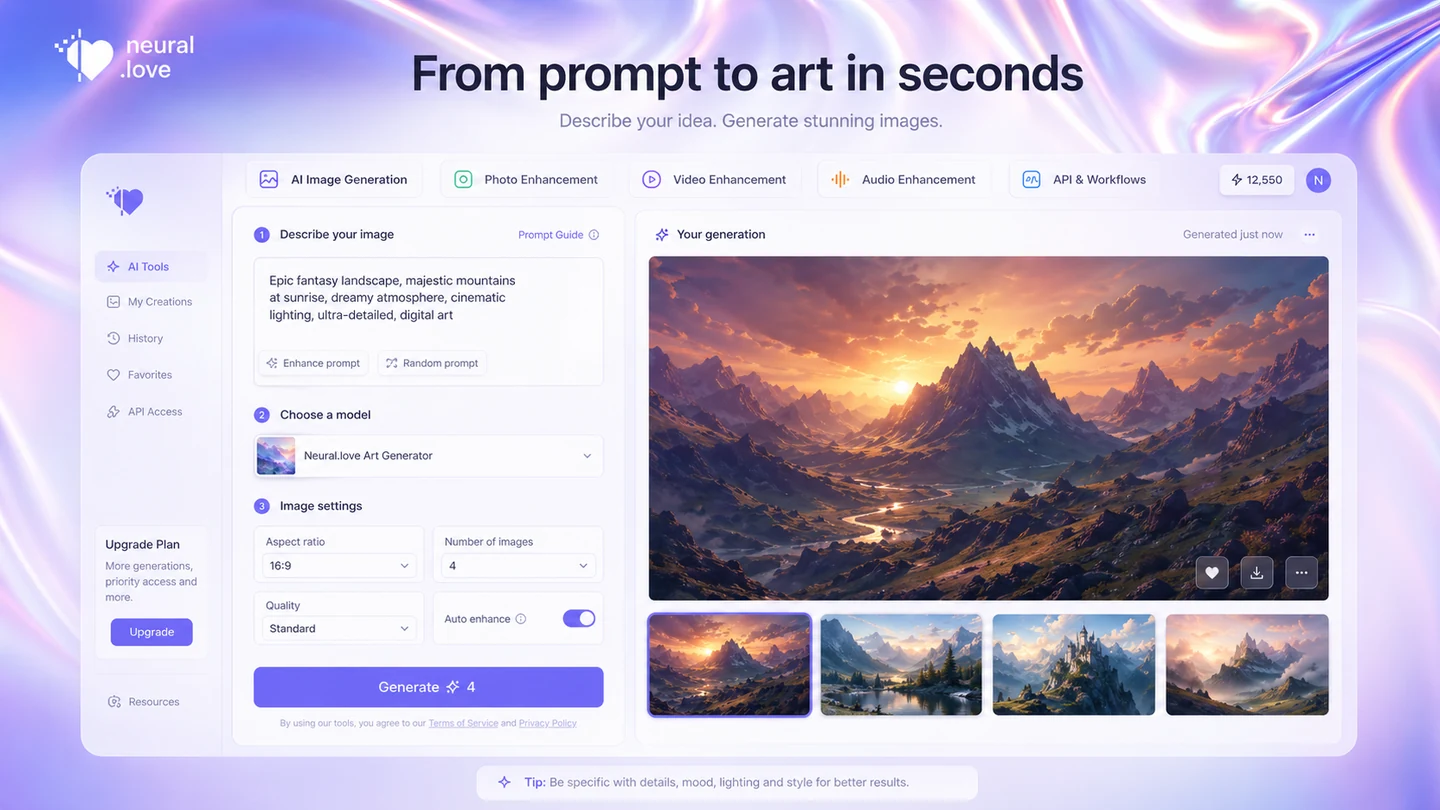
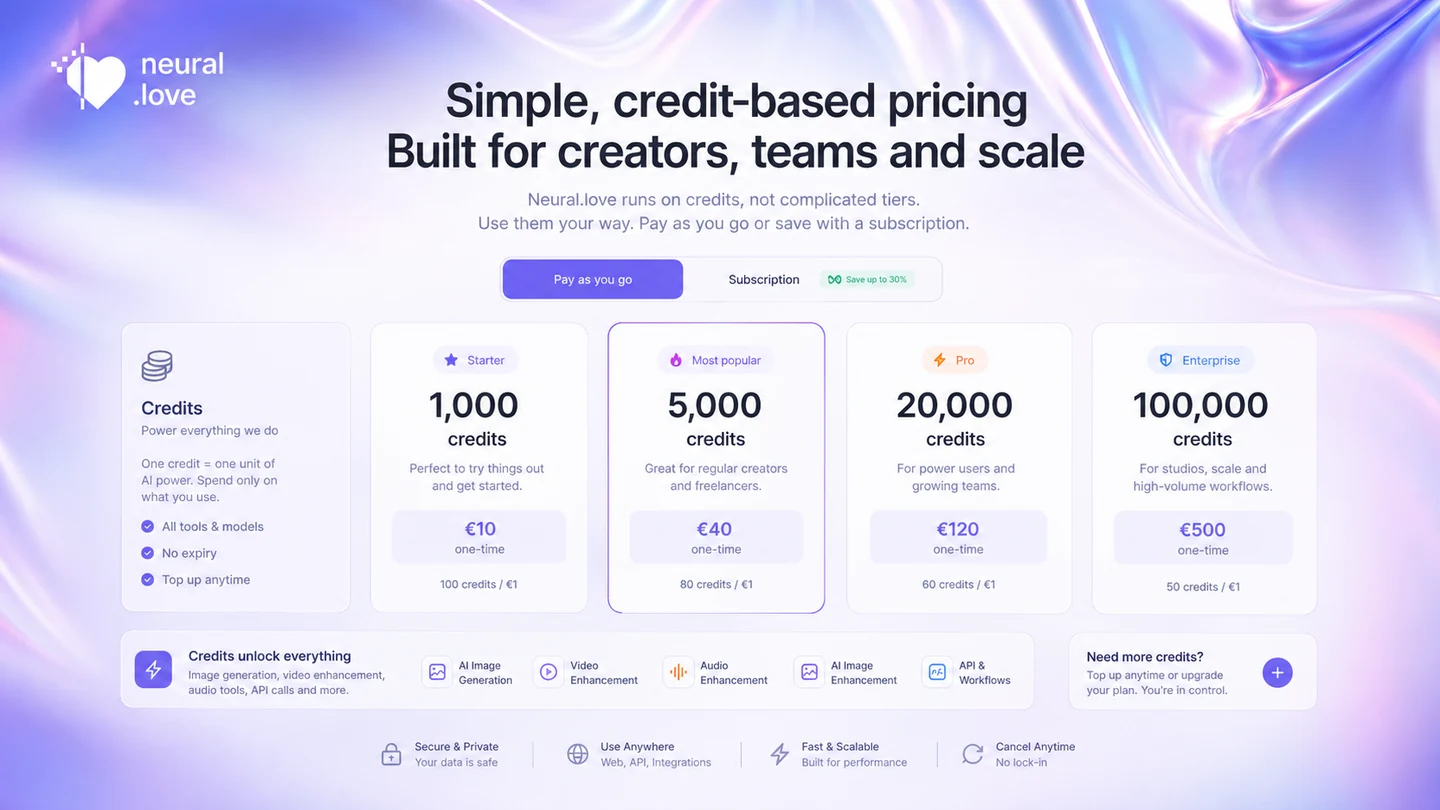
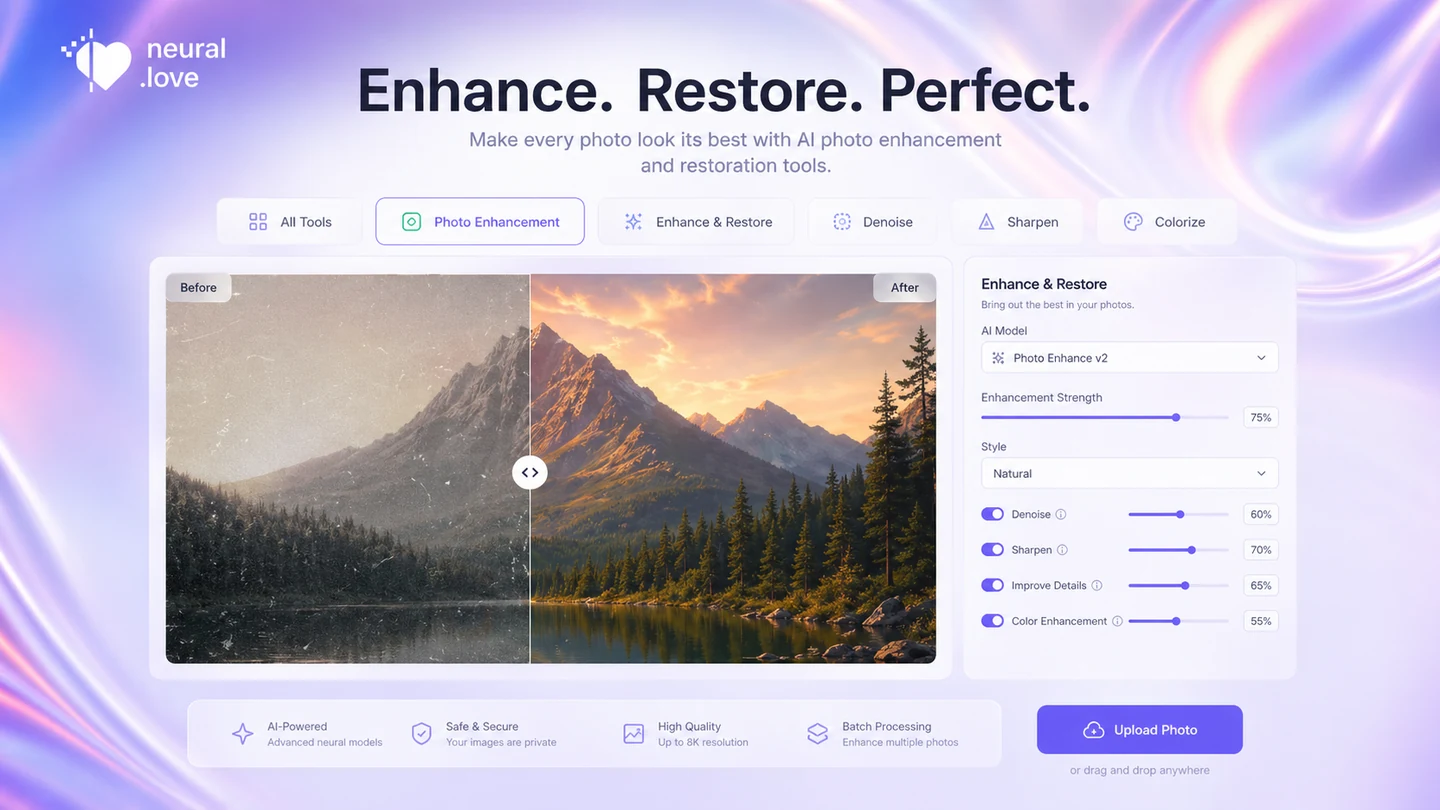
Neural.love looks simple at first glance, but the buyer decision is a little more layered. The same brand covers free AI art generation, paid credit tools, photo restoration, video enhancement, audio enhancement, and API workflows. That makes it useful for creators, but it also means the checkout decision should start with the exact job you want to run.
What Neural.love actually does
Neural.love is best understood as a multi-tool AI media platform. The most visible path is prompt-based image and art generation, but the wider product also points buyers toward image enhancement, photo restoration, video enhancement, audio improvement, portraits, and API access. That makes it more flexible than a single-purpose AI art generator, but also harder to price casually.
- Use it for AI art and prompt-based visual ideas.
- Check it for photo restoration and image enhancement jobs.
- Evaluate video and audio enhancement separately because credit use can change.
- Look at the API only if you need automated generation or processing.
Pricing is really a credit decision
The official pricing path is credit-based, so the practical question is not only the monthly cost. Buyers should check how many credits each workflow consumes, whether subscription pricing lowers the effective per-credit cost, and whether unused credits remain available long enough for their usage rhythm.
- Pay-as-you-go is easier for occasional use.
- Subscription credits can make more sense for repeated image, video, or audio work.
- HD, private, batch, or API workflows may change the cost picture.
- The final checkout should control the buying decision.
Where the free path helps
Neural.love's free-facing pages are useful for a first quality check. They are not enough to prove long-term value. Use the free path to test whether the prompt style, output quality, and interface feel usable. Then treat paid credits as a separate decision based on frequency, privacy needs, and export quality.
- Good for checking first impressions and prompt behavior.
- Not enough for judging a full creator workflow.
- Useful before comparing Neural.love against paid creative suites.
- Best paired with a pricing check, not a coupon-only click.
A second walkthrough before you commit
A separate Neural.love video walkthrough is useful because the product spans several buyer jobs. Watch for how the creator starts a generation, how the interface frames free access, and whether the visible workflow matches the type of assets you actually need.
Enhancement tools change the value equation
Neural.love becomes more interesting if you need more than new AI images. Photo sharpening, restoration, color work, video enhancement, and audio cleanup can make the platform feel like a small AI media bench. The caution is that enhancement jobs are often the place where credit usage and refund expectations matter most.
- Useful for restoring old or low-quality photos.
- Potentially relevant for occasional video enhancement.
- Audio cleanup can matter for creator workflows.
- Refund terms should be checked before larger enhancement orders.
API access is a real differentiator
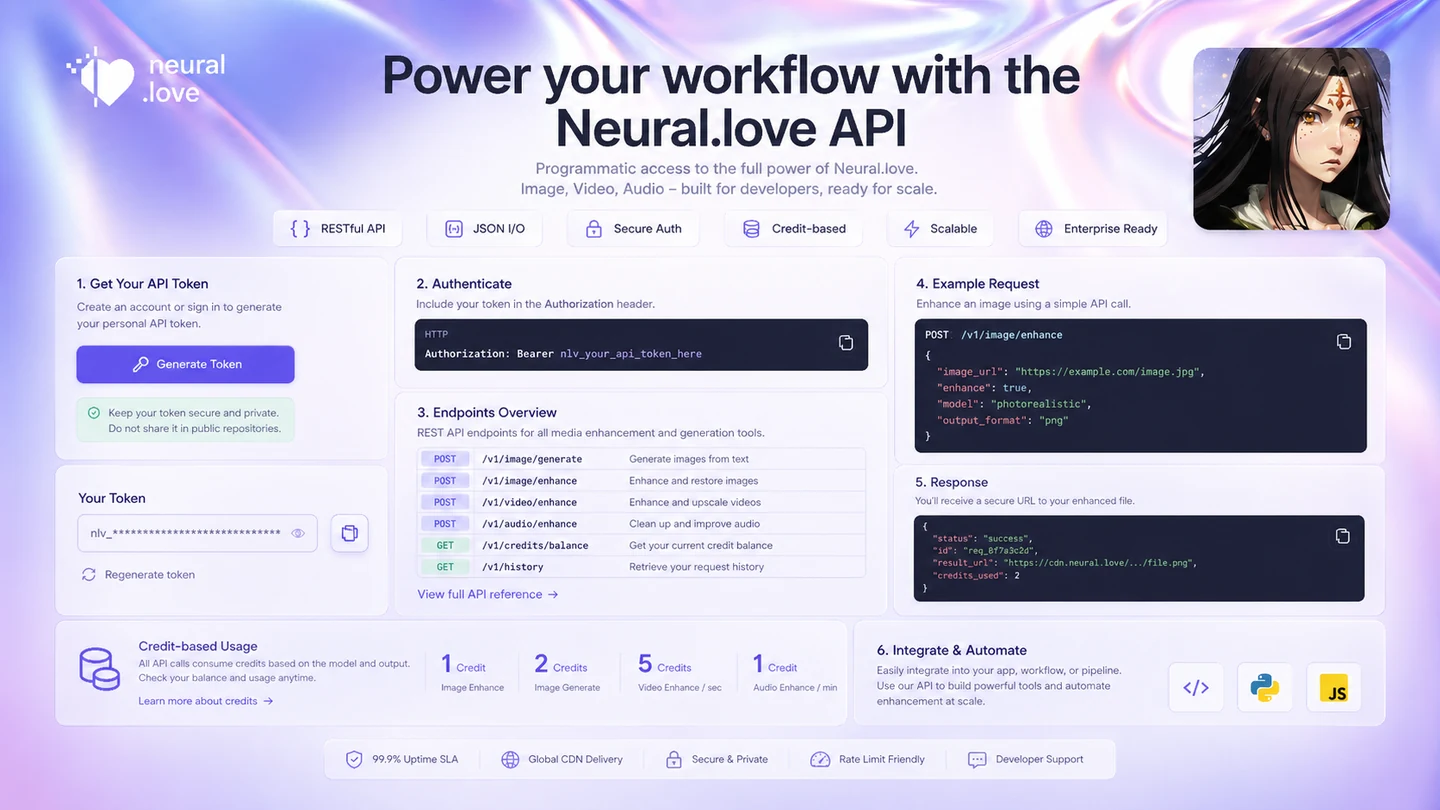
Neural.love provides API documentation for automated generation and processing. That matters for builders who want to connect AI art or image workflows into a product, content pipeline, or internal tool. The important buyer check is whether the credit model, one-token account setup, rate limit, and business-client webhook note fit the planned workload.
- API requests require an account token.
- Paid services use credits and can expose credit cost in responses.
- Default rate limits should be checked before automation.
- High-volume webhook needs may require business contact.
Safest next step
The safest path is to start with the exact use case. If you only need quick images, test the free generator and compare output quality. If you need enhancement or API use, read the docs and pricing page before paying. If the product still looks right, move from the review page to the live pricing or offer path.
- Start with the free path for quality fit.
- Use pricing to understand credit burn.
- Read terms before larger video enhancement orders.
- Use the coupon path only after the product fit is clear.
Best savings path from this store page
This is the clearest savings route to check once the product already looks like a fit.
Neural.love lists a free entry point for its AI tool set, which makes it safer to test image, video, audio, or enhancement workflows before buying credits. Treat the free path as workflow validation, not proof that paid credits will be enough.
Use this offer as a buyer-safe entry point. Pricing, plan limits, and promotional availability can change at checkout.
Official pricing shows one-time credit purchase options
Subscription credits can lower per-credit cost for repeat users
Use comparison routes when the category fit is still open
Use these comparison routes when the product still looks plausible, but the category fit is not fully settled.
ArtSmart AI is the closer alternative when the main need is prompt-based image generation rather than Neural.love's wider enhancement and API mix.
AKOOL deserves a look when the buyer cares more about avatar video, marketing visuals, and brand-facing video workflows.
Fliki is the better comparison when the real job is script-to-video, voiceover, and social video publishing rather than image and media enhancement.
Imagine.art is useful as a broader creative-suite benchmark for buyers comparing AI image and multi-format creator workflows.
Verification points worth checking before you click out
Where this store usually fits best in the workflow
Neural.love fits creators who want to turn prompts into quick visual concepts without installing a local image model or learning a more technical interface.
Neural.love can make sense for users who want to sharpen, restore, or improve old images online, especially when desktop editing software feels too heavy.
The platform is worth checking for creator media cleanup when the buyer has occasional enhancement needs and does not want a full editing suite.
Developers and technical teams can evaluate Neural.love when they need credit-based image generation or processing inside a larger automation flow.
Practical checkpoints before and after signup
- Define whether the real job is AI art, photo restoration, video enhancement, audio cleanup, or API generation.
- Start with the free path only to judge first output quality and interface comfort.
- Compare Neural.love with a narrower alternative if you only need one media function.
- Open the official pricing page and check the current per-credit cost.
- Estimate monthly credit use from the exact workflow, not from a generic plan name.
- Confirm whether private results, HD quality, batch processing, or API work changes the credit cost.
- Read refund language before paying for larger enhancement work.
- Track how quickly credits are consumed across different Neural.love tools.
- Re-check whether subscription credits beat pay-as-you-go before renewing.
- Keep a backup alternative if output quality varies across prompts or enhancement jobs.
Fast-read signals for workflow fit and buying friction
Questions readers usually ask before choosing this store
What is Neural.love best for?
Neural.love is best for creators who want a flexible AI media workspace for image generation, photo enhancement, restoration, and occasional video or audio enhancement. It is strongest when the buyer wants several related tools in one place rather than a single narrow editor.
Does Neural.love have a free plan?
Neural.love has free-facing AI generation paths and starter credits are commonly referenced across public pricing sources. Treat the free path as a testing route, not proof that regular paid usage will be cheap enough for your workflow.
How does Neural.love pricing work?
Neural.love pricing is credit-based. The official pricing surface highlights pay-as-you-go credits, while subscription-style paths may change the effective cost per credit. Buyers should check live pricing and estimate credit use for the exact tool they plan to use.
Can Neural.love images be used commercially?
The Neural.love API FAQ says generated images are released under a CC0 license and can be sold commercially. Buyers should still confirm licensing details for their specific workflow, especially if they upload source images or use third-party assets.
What should I verify before buying Neural.love credits?
Verify the current pricing page, credit usage by tool, privacy settings, HD or batch processing rules, refund terms, and whether any checkout saving is official. Do not rely on public coupon claims until the final checkout confirms the saving.
Choose the next route that matches what you still need to decide
The strongest next click depends on whether you still need product judgment, a savings route, or a broader category comparison.