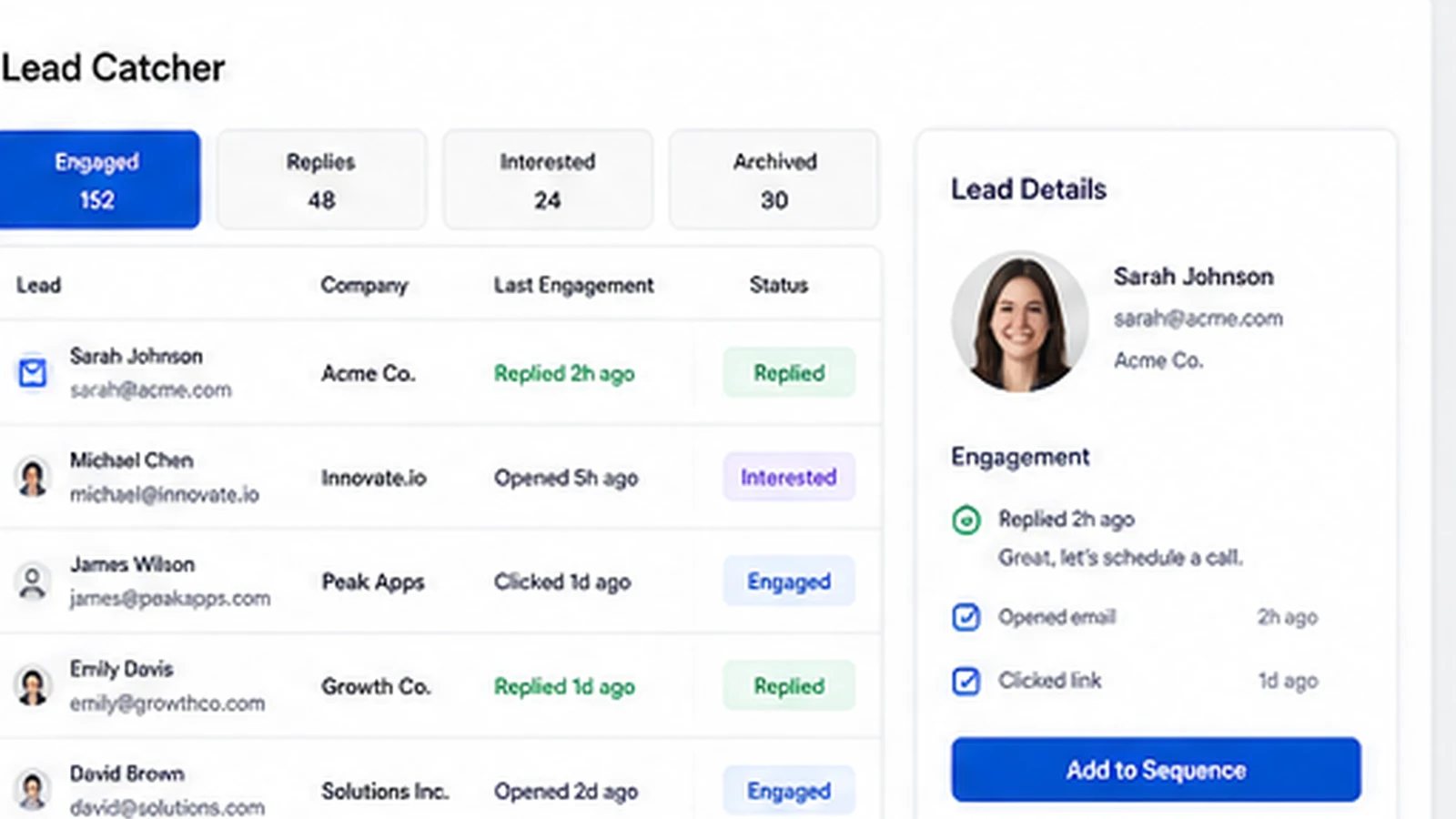
Quick verdict
Mailshake is worth considering if your team is serious about outbound sales, but I would not treat it as a casual email tool you buy just because the entry price looks manageable.
The product makes the most sense when you already have a real outreach process: a prospect list, a clear offer, a follow-up cadence, someone responsible for replies, and enough discipline to watch deliverability. In that situation, Mailshake gives you a focused system for cold email, follow-ups, LinkedIn and phone touches, Lead Catcher, analytics, warmup, list cleaning, copy checks, and CRM routing.
That is a useful job.
The caution is that Mailshake is not a free sandbox. The public pricing page says payment is collected up front instead of offering a free trial, and the help center is clear that subscriptions are prepaid for the billing cycle. That changes the buying decision. Before paying, I would check the plan limits, mailbox count, send volume, add-ons, cancellation terms, and whether your team will actually run campaigns every week.
For my money, Mailshake fits sales teams and agencies better than casual marketers. It is not the first tool I would choose for newsletters, lifecycle email automation, or a one-off cold email test. It becomes more compelling when outreach is a recurring operating process and the team needs one place to manage email sequences, replies, deliverability, and multichannel follow-up.
Next step: If Mailshake still fits your outbound workflow, verify the current pricing route and plan limits before checkout.
Review snapshot
| Review point | Practical take |
|---|---|
| Best for | Sales teams, agencies, founders, and BDRs running repeatable outbound campaigns |
| Not ideal for | Newsletter senders, one-off campaign users, and buyers who need a free trial first |
| Main use case | Cold email sequences, automated follow-ups, lead handling, deliverability checks, and multichannel outreach |
| Starting price | Current public pricing shows Starter at $29/month monthly or $25/month on yearly billing |
| Free plan / trial | No free plan or free trial is shown on the public pricing page |
| Main strength | Focused outbound execution without the weight of a full enterprise sales engagement suite |
| Main concern | Upfront payment, mailbox math, add-ons, annual billing risk, and no refund or prorated refund for cancellations |
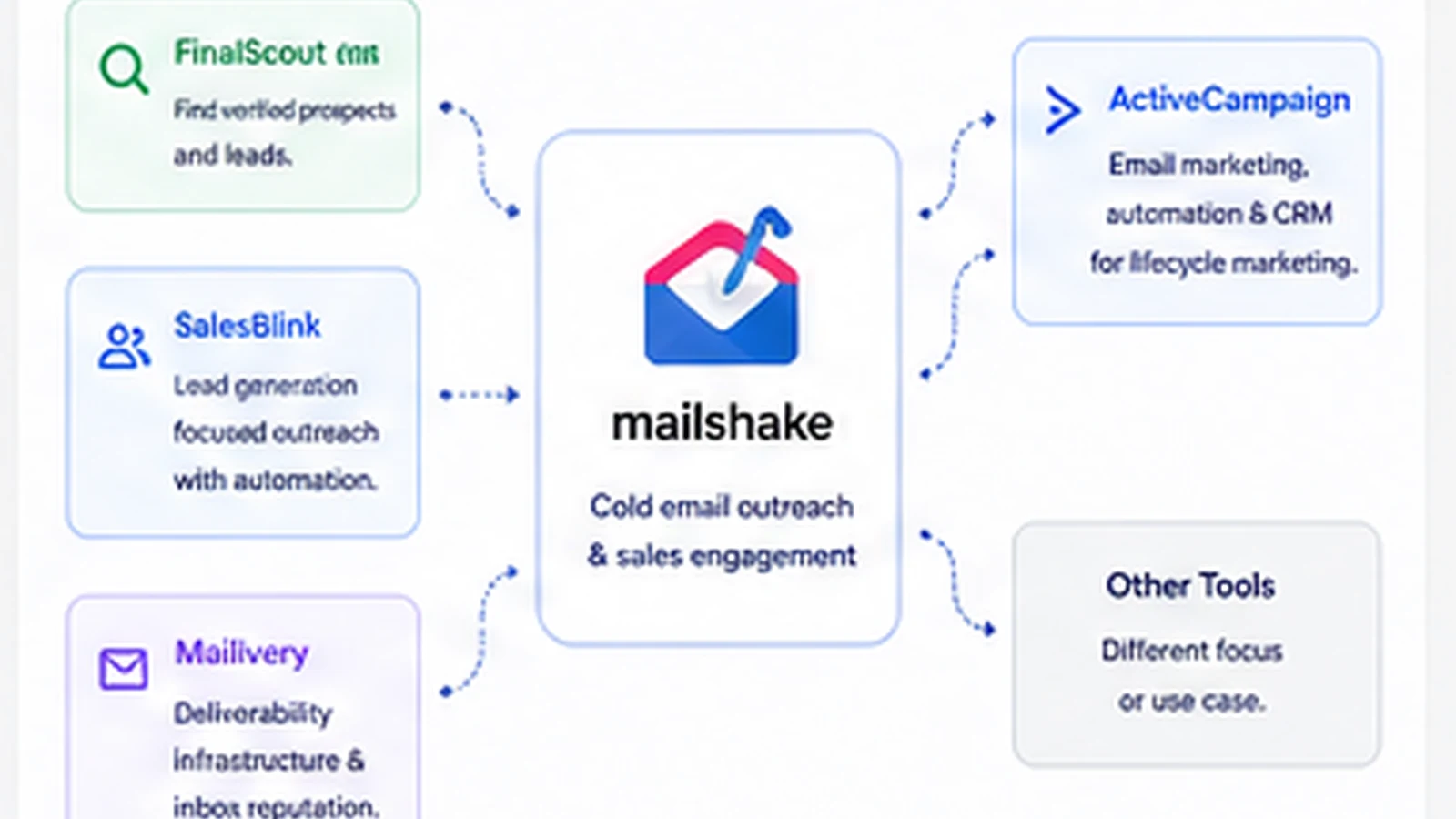
| Direct alternatives | FinalScout, SalesBlink, Mailivery, ActiveCampaign depending on the buyer job |
| Best next step | Count users, connected mailboxes, send volume, CRM needs, and channels before choosing a plan |
What is Mailshake?
Mailshake is a sales engagement and cold outreach platform for teams that want to build prospecting campaigns across email, phone, and social channels without moving between too many tools.
The plain-English version is this: Mailshake helps you upload or find prospects, write cold email sequences, personalize messages, schedule follow-ups, track opens and replies, surface engaged leads, support mailbox deliverability, and route activity into the sales workflow.
It is not a newsletter platform. It is not a full CRM. It is not a magical lead-generation machine that fixes a weak offer or a bad prospect list. It is better understood as an outbound operating layer for people who already know they need to contact prospects repeatedly and systematically.
That distinction matters because a lot of buyers judge tools like this by feature lists. Email automation, LinkedIn touches, a dialer, AI copy help, lead tracking, CRM sync, warmup, and analytics all sound useful. But the real question is narrower: will your team use those features inside a campaign process that can produce meetings, replies, or pipeline?
Our review approach compares public product pages, pricing details, billing documentation, workflow fit, buyer risks, and nearby alternatives. I would not treat a discount, annual billing toggle, or impressive feature list as proof that Mailshake fits the buyer.
Who should use Mailshake?
Mailshake is a good fit for sales teams that already have a target market and need better outbound execution. If reps are manually sending follow-ups, losing track of replies, or using spreadsheets to manage cold email campaigns, Mailshake can create a cleaner system.
It also fits agencies that run outbound for clients, with one important condition: the agency should verify team setup, billing ownership, mailbox requirements, and reporting boundaries before choosing a plan. Agency workflows can get messy when client teams, sender accounts, and reporting expectations are not clear at the start.
Founder-led sales teams can also make sense here. A founder who has a narrow prospect list and a clear offer may use Mailshake to avoid messy manual follow-up. The key is to start with one focused campaign, not an overbuilt multichannel machine on day one.
BDRs and small revenue teams may like Mailshake because it is more focused than enterprise sales engagement platforms. The workflow can be simpler: build a campaign, send personalized messages, monitor replies, use Lead Catcher, and move engaged prospects into the next sales step.
The condition across all of these use cases is the same: Mailshake works best when outbound is already a serious motion. If the buyer is still unsure about the audience, offer, list source, compliance rules, or follow-up owner, the tool may expose the gaps rather than solve them.
Who should avoid Mailshake?
I would avoid Mailshake if you mainly need a newsletter tool. ActiveCampaign, Mailchimp-style tools, or lifecycle automation platforms are a better fit when the job is subscriber nurturing, customer journeys, segmentation, and broadcast-style email marketing.
I would also be careful if you only want to send one small campaign. Mailshake can still run that campaign, but the upfront payment model and plan structure are easier to justify when outreach repeats every month.
Buyers who need a free trial before paying should slow down. Mailshake’s pricing page currently says it collects payment up front instead of offering a free trial. That does not make the product bad, but it means the buyer needs stronger confidence before entering billing details.
Teams without deliverability discipline should also be careful. Cold email is not only about software. List quality, sending domains, mailbox health, copy, targeting, unsubscribe handling, compliance, and reply quality all matter. Mailshake can support the process, but it cannot make irresponsible outreach safe.
Finally, buyers who need deep enterprise governance, advanced sales intelligence, or complex revenue orchestration may outgrow Mailshake. The product is strongest as a practical outbound execution tool, not as a full revenue intelligence platform.
How Mailshake fits into a real workflow
A sensible Mailshake workflow starts before the first email is sent.
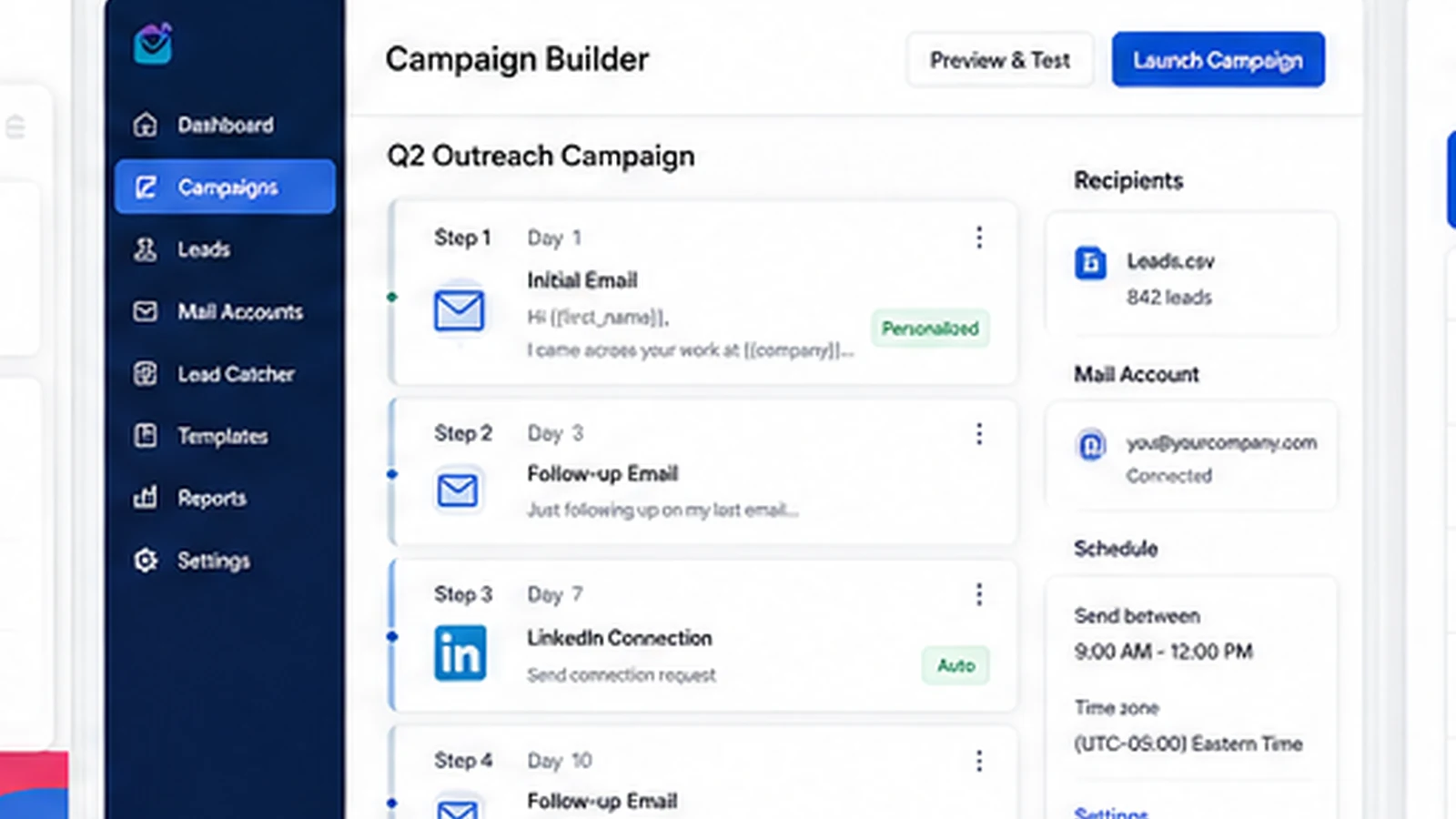
First, the team defines the target segment and campaign goal. Then it builds or imports the prospect list, checks the quality of contacts, writes the sequence, personalizes the copy, sets follow-up timing, and confirms mailbox setup. After that, the campaign goes live, replies are monitored, engaged leads are handled, and analytics guide the next iteration.
That is where Mailshake can help. It gives the team one place for the campaign builder, follow-ups, reply handling, Lead Catcher, analytics, deliverability tools, AI writing support, and, on the right plan, LinkedIn or phone steps.
The workflow breaks down when the buyer skips the operating work. If the list is weak, the offer is vague, the sending volume is reckless, or nobody owns replies, Mailshake will not rescue the campaign. It may make the sending process easier, but it will not create a good outbound strategy by itself.
The common buyer mistake is treating an outreach platform like a growth shortcut. The better way to judge Mailshake is to ask whether it reduces manual work inside a process you already intend to repeat.
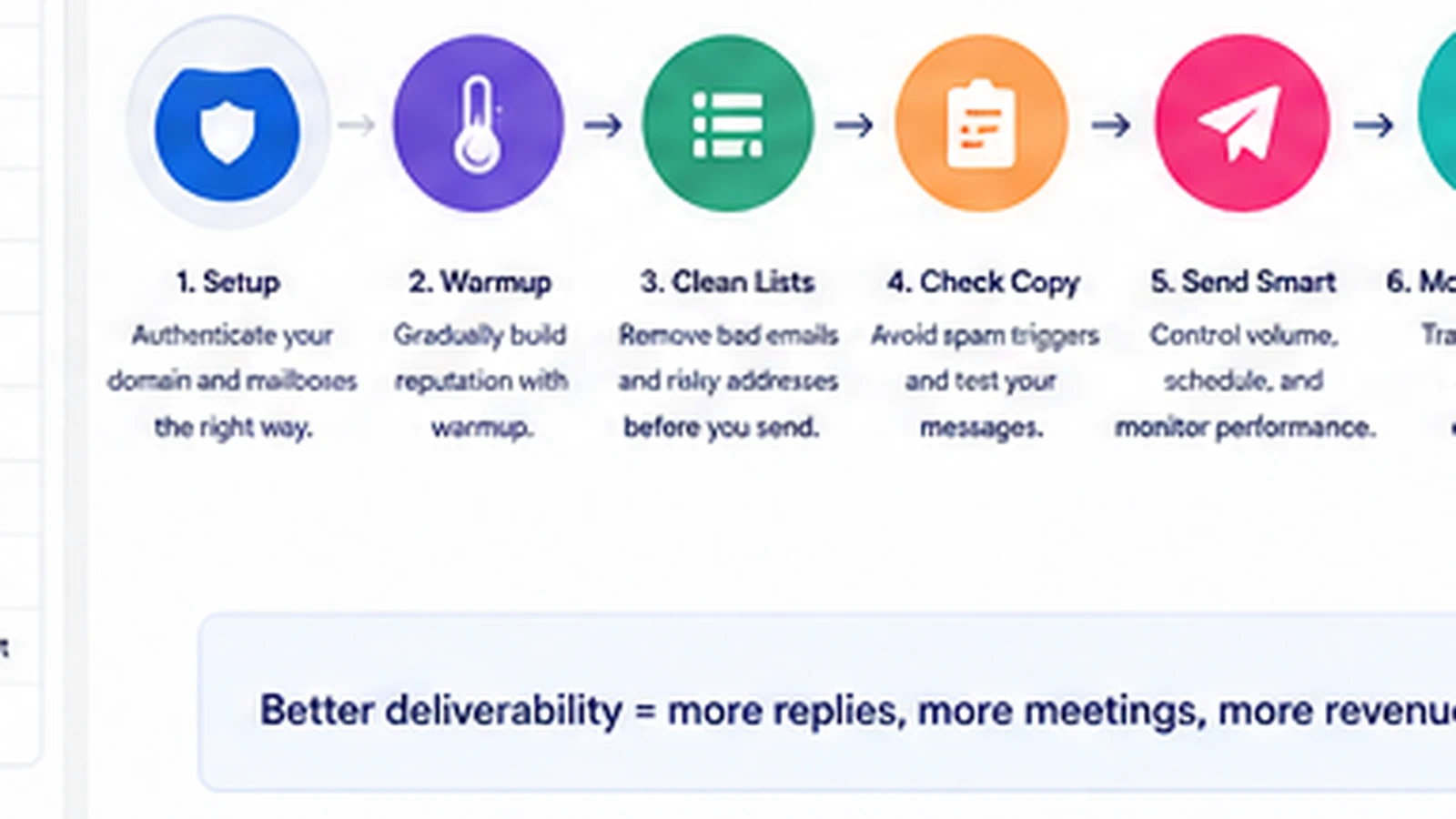
Workflow check: If your team already has a prospecting process, use Mailshake’s current buyer route to compare plan fit against mailbox count and campaign volume.
Real-world buyer scenarios
A small B2B sales team is probably the cleanest Mailshake scenario. The team has a defined ICP, a small group of reps, and a repeated need to test messaging. Mailshake can help them run sequences, automate follow-ups, track replies, and see which campaigns are working. The risk is choosing too low a plan if the team needs more mailboxes or multichannel steps.
An agency buyer has a different problem. The agency may need outbound workflows for multiple clients, separate sending identities, different reporting needs, and clean handoff rules. Mailshake may still fit, but the agency should check the Agency path and billing structure before assuming a standard plan will cover the work.
A founder-led startup may use Mailshake for early customer discovery or sales outreach. This can be reasonable if the founder has a tight list and a clear offer. It becomes wasteful if the founder buys a higher tier before proving that the messaging works.
A content marketer or SEO operator should be more selective. Mailshake can support link-building or partnership outreach, but only if the workflow is relationship-focused and compliant. If the buyer wants newsletter automation, segmentation, and long-term nurturing, ActiveCampaign is a more natural adjacent route.
Key features that actually matter
Cold email sequences and follow-ups
The core Mailshake value is still structured outreach. You build a sequence, personalize messages, schedule follow-ups, and stop manually chasing every prospect.
Buyer note: This matters only if follow-up discipline is currently costing you opportunities. If you send one campaign per quarter, the value is weaker.
Lead Catcher and reply handling
Lead Catcher helps surface engaged prospects so the team knows where to focus next. This is important because outbound value is not in sending emails; it is in turning replies and engagement into sales conversations.
Buyer note: Before paying, think about who owns replies. A tool can surface leads, but a person still needs to handle them well.
Deliverability support
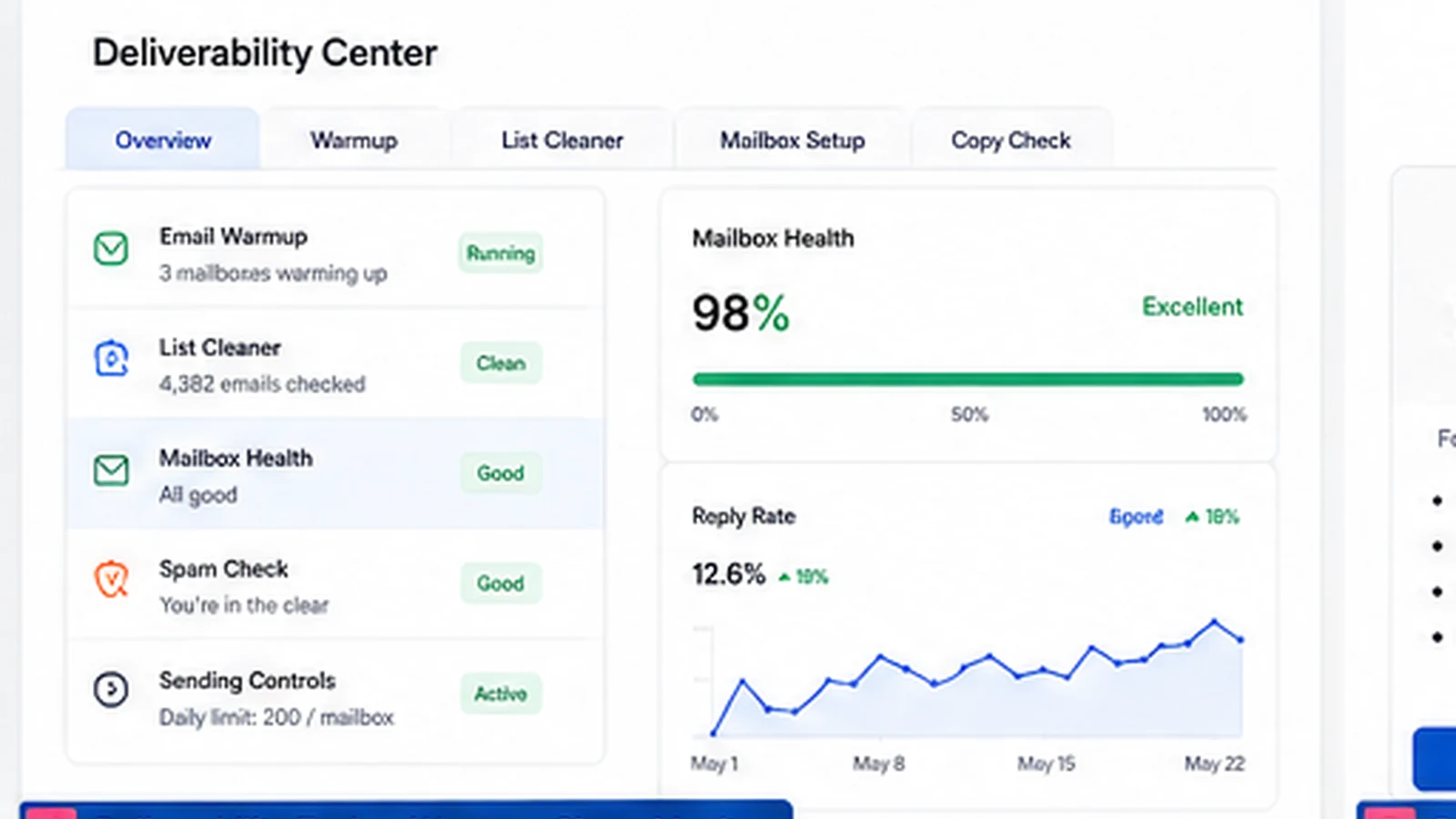
Mailshake highlights email warmup, list cleaning, mailbox setup guidance, copy checks, and sending controls. This is not a small detail. Cold email fails quickly when inbox placement is ignored.
Buyer note: Deliverability tools help, but they do not remove sender responsibility. Poor lists, aggressive volume, weak domains, or careless messaging can still hurt results.
Multichannel sales engagement
Sales Engagement adds LinkedIn automation, phone workflow, scripts, custom tasks, and deeper account-level workflow. This is more useful for sales teams that already coordinate several touchpoints.
Buyer note: Do not pay for multichannel features because they sound impressive. Pay for them only if your reps will actually use them.
AI email writing with SHAKEspeare
Mailshake includes SHAKEspeare AI writing support to help generate outreach copy, variations, and tests. That can reduce blank-page friction.
Buyer note: AI copy should be treated as a starting point. Cold outreach still needs human editing, positioning, compliance judgment, and prospect relevance.
Pricing and plan value
Mailshake’s pricing is clear enough to evaluate, but it is not something I would judge by the lowest number alone.
At the time of review, the public pricing page shows Starter at $29/month on monthly billing or $25/month on yearly billing. Starter includes one email address per account and 1,500 email sends per month. Email Outreach is shown at $49/month monthly or $45/month on yearly billing, with two email addresses per account and unlimited email sends. Sales Engagement is shown at $99/month monthly or $85/month on yearly billing, with ten email addresses per account, LinkedIn automation, phone workflow, and more multichannel features. The Agency plan requires talking to sales.
This plan ladder makes sense, but the buying pressure is in the details. Connected mail accounts, user count, send volume, Data Finder credits, CRM needs, phone workflow, LinkedIn automation, ready-to-use mailboxes, and agency setup can all change the real cost.
Starter is not automatically bad. It may be enough for a small first campaign. But if your team needs inbox rotation, multiple senders, heavier campaign volume, or CRM workflow, the cheaper tier may become limiting quickly.
Email Outreach is likely the more realistic plan for teams that are serious about cold email but do not need full multichannel sales engagement. Sales Engagement is more appropriate when phone, LinkedIn, custom tasks, and account-level workflow are part of the sales process.
Annual billing lowers the monthly equivalent, but I would not choose yearly billing until the outbound workflow is proven. Mailshake’s help center says subscriptions are prepaid for the billing cycle and refunds or prorated refunds for cancellations are not issued. That makes monthly testing more defensible for many buyers.
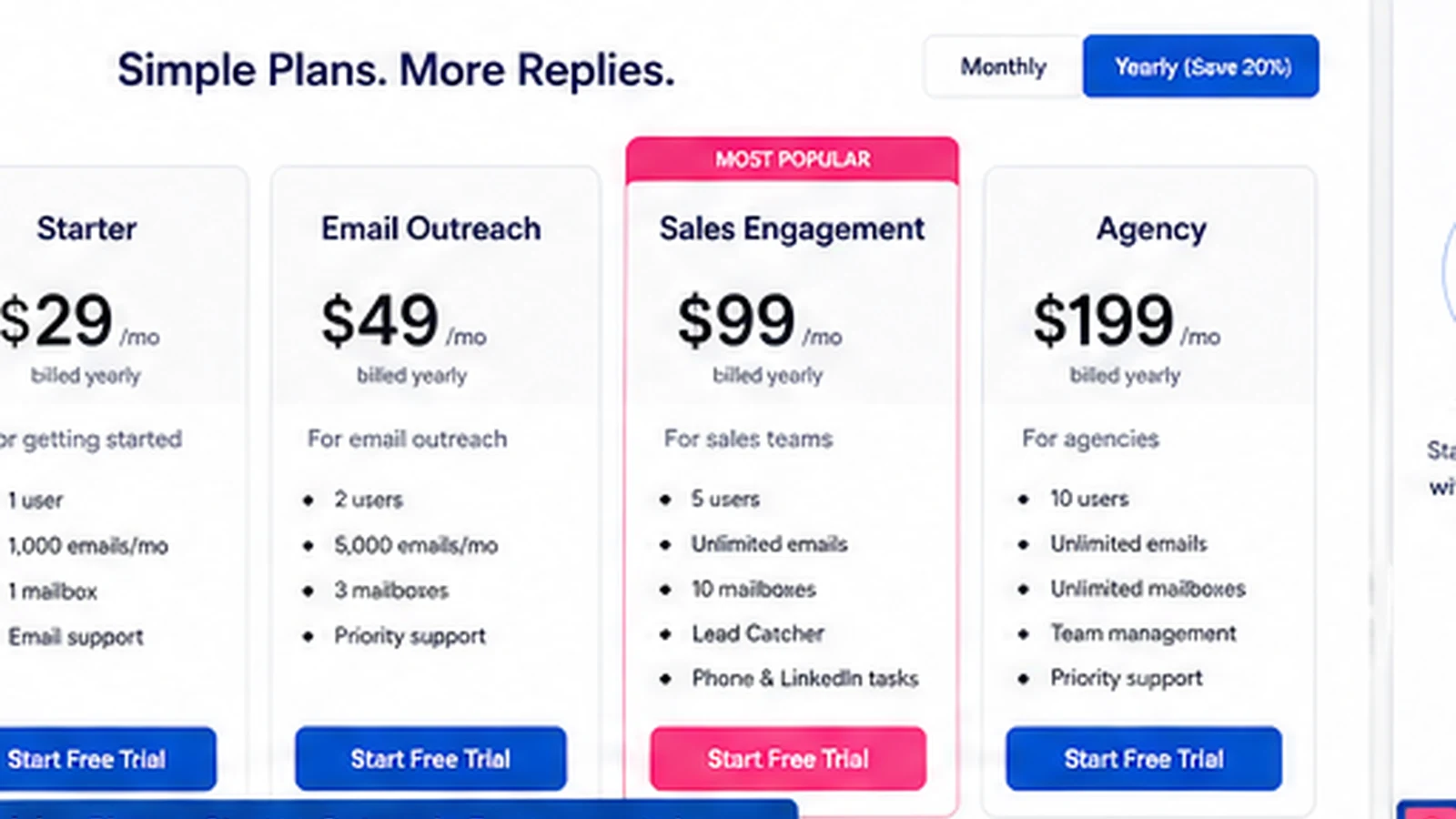
Pricing check: Before choosing monthly or yearly billing, compare Mailshake’s current plan limits against your real sender count and campaign volume.
Check Mailshake pricing Check current offers Read store guide
Free plan, trial, coupon, and checkout notes
Mailshake is not the kind of product I would frame around a free plan. The public pricing page currently says there is no free trial and that payment is collected up front. It also says Mailshake offers onboarding, deliverability training, and support resources to help buyers succeed.
That means the safe checkout order is different from a typical freemium SaaS tool.
First, confirm that Mailshake is the right product category. Second, choose the lowest plan that realistically supports your campaign. Third, compare monthly and yearly billing. Fourth, check the Mailshake coupon page for any current offer route. Last, verify the live checkout terms before paying.
A coupon can improve a purchase, but it should not be the reason you buy. With Mailshake, the bigger savings often come from plan discipline: not overbuying Sales Engagement if Email Outreach is enough, not buying annual billing too early, and not adding mailbox or Data Finder costs before the process needs them.
If you are still unsure, use the Mailshake store guide as the buyer routing page before moving to checkout.
What I would check before buying Mailshake
If I were buying Mailshake for a real outbound workflow, I would check these points before entering payment details:
- How many senders and mailboxes are needed? Starter includes one email address per account, while higher plans change the allowance.
- Is email-only enough? If the workflow needs LinkedIn, phone, tasks, and account-level organization, Sales Engagement may be the more realistic tier.
- Will the team actually run campaigns every week? Upfront payment is easier to justify when usage is repeated.
- What add-ons are required? Data Finder and ready-to-use mailboxes can change the real monthly cost.
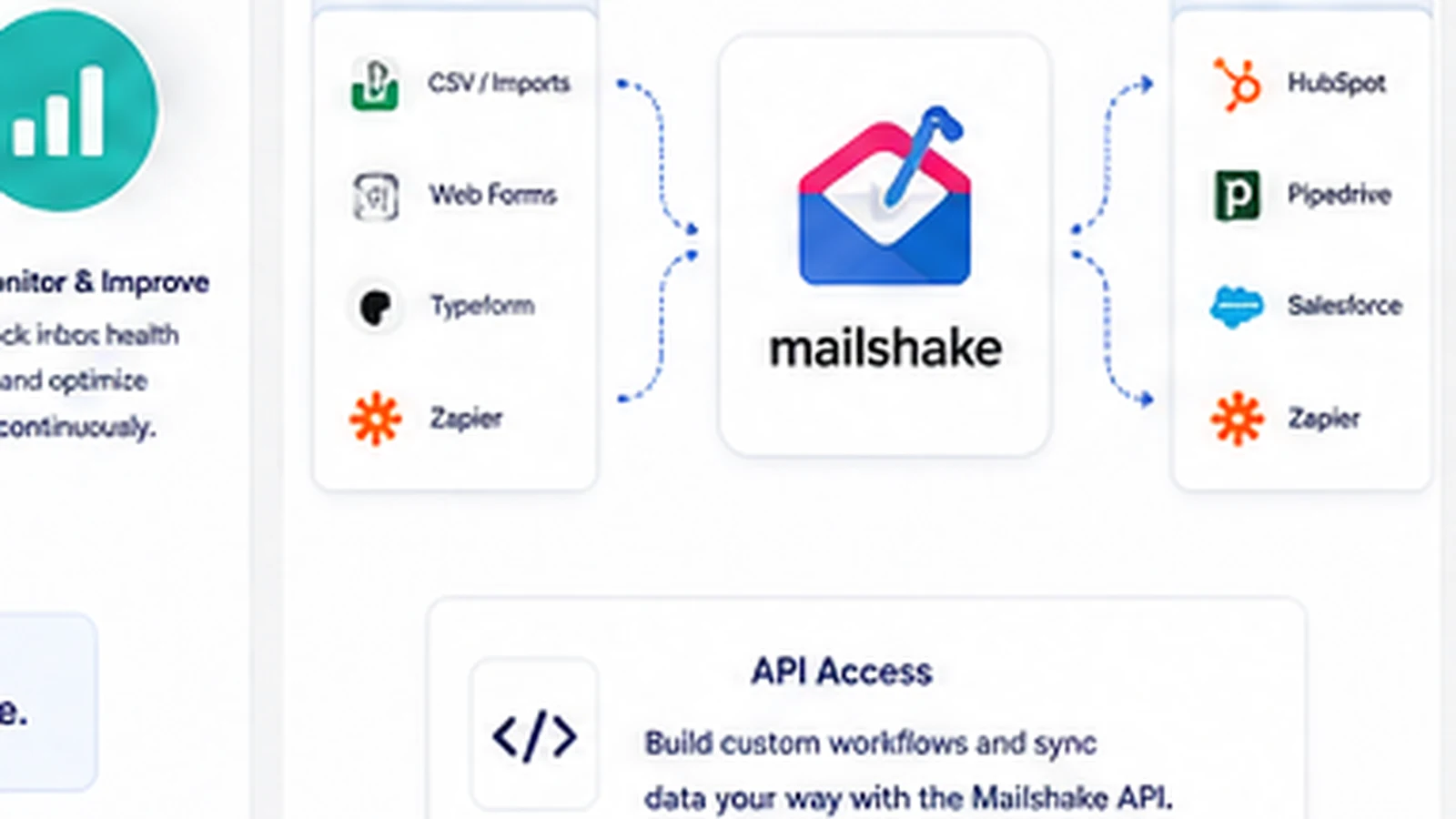
- Does the CRM workflow fit? Check Salesforce, Pipedrive, HubSpot, Zapier, API, and reporting needs before paying.
- Are cancellation and refund terms acceptable? Mailshake says subscriptions are prepaid and cancellations do not create refunds or prorated refunds.
- Is annual billing worth the commitment? I would not move to yearly billing until the team has proven campaign adoption.
A simple test before paying
Because Mailshake does not currently present a free trial on its pricing page, I would do as much pre-purchase planning as possible before checkout.
A careful buyer test would look like this:
- Pick one real campaign goal, such as booking discovery calls from a narrow target list.
- Count the sending accounts and users needed for the first month.
- Decide whether the workflow is email-only or needs LinkedIn, phone, and CRM tasks.
- Draft one short outreach sequence and review whether SHAKEspeare or templates would actually save time.
- Check deliverability setup: domain, mailbox, warmup, list quality, and sending volume.
- Compare Starter, Email Outreach, and Sales Engagement against that exact workflow.
- Start with the shortest commitment that gives enough room to test campaign adoption.
This test will not prove revenue before you pay, but it can prevent the most common mistake: buying a plan before knowing what the campaign actually requires.
Pros explained
The first real pro is focus. Mailshake is built around outbound sales execution. That makes it easier to evaluate than broad platforms that try to be CRM, newsletter system, lead database, and automation suite at the same time.
The second pro is the plan ladder. Starter, Email Outreach, Sales Engagement, and Agency create a natural path from basic outreach to multichannel workflows. The catch is that buyers still need to map limits before paying.
The third pro is deliverability awareness. Warmup, list cleaning, mailbox setup, copy checks, and sending controls show that Mailshake understands the cold email problem is not only “send more messages.” That is a good buying signal.
The fourth pro is usability. Public user patterns on G2 consistently point toward ease of use, quick setup, automation, and support as recurring strengths. For sales teams that do not want a heavy enterprise rollout, that matters.
The fifth pro is CRM and workflow connection. Mailshake can fit better when outreach activity needs to connect to HubSpot, Pipedrive, Salesforce, Zapier, or API-based reporting. Just verify the exact plan support before relying on it.
Cons explained
The biggest con is the lack of a free trial on the public pricing page. Paying up front is not automatically a deal-breaker, but it raises the standard for pre-purchase evaluation.
The second con is plan-limit pressure. Starter may be attractive, but one connected email address and 1,500 monthly sends can become tight for teams that need sender rotation or more outreach volume.
The third con is refund risk. Mailshake’s help center says subscriptions are prepaid for the full billing cycle and that refunds or prorated refunds for cancellations are not issued. That makes annual billing a decision to take seriously.
The fourth con is category fit. Mailshake is not the right first choice for every email buyer. Newsletter marketing, lifecycle automation, and customer nurture require a different toolset than cold outreach.
The fifth con is that outbound success still depends on the buyer. Mailshake can help structure campaigns, but it cannot fix poor targeting, weak offers, careless copy, bad deliverability hygiene, or slow follow-up.
Green flags and red flags
Green flags are easy to identify here. Mailshake looks more attractive when your team already has a prospect list, a clear outreach goal, a campaign owner, a follow-up process, and a willingness to monitor deliverability.
Another green flag is simple rollout. If the team needs reps sending sequences quickly, Mailshake’s focus and usability can matter more than having every advanced enterprise feature.
The red flags are also clear.
Be careful if the buyer wants a free sandbox. Be careful if annual billing looks tempting before the first campaign is proven. Be careful if the team has no sending-domain plan, no list-quality process, or no person responsible for replies. Be careful if the only reason you are considering the product is a possible coupon or a cheaper annual price.
Mailshake is strongest when it supports disciplined outreach. It is weaker when buyers expect software to replace the discipline.
Mailshake vs alternatives
FinalScout vs Mailshake
FinalScout is a better comparison when prospect discovery and contact finding are closer to the center of the workflow. If the buyer needs to identify prospects before sending outreach, FinalScout may deserve attention earlier.
Mailshake still makes more sense when the buyer already has lists or sources and needs better campaign execution, follow-ups, and lead handling.
SalesBlink vs Mailshake
SalesBlink is closer when the buyer wants a lead-generation-centered stack that combines prospecting and outreach. It may be a better fit for teams that want more of the outbound pipeline in one product.
Mailshake is more appealing when simplicity and sequence execution matter more than an all-in-one prospecting layer.
Mailivery vs Mailshake
Mailivery is an adjacent route, not a one-to-one replacement. It is more relevant when the buyer’s main pain is inbox placement, warmup, and sender reputation.
Mailshake includes deliverability support, but it is still a broader outreach execution platform. If deliverability is the only problem, compare Mailivery before paying for a full sales engagement workflow.
ActiveCampaign vs Mailshake
ActiveCampaign is not a direct cold outreach replacement. It is a stronger route when the buyer needs email marketing automation, customer journeys, CRM nurture, segmentation, and lifecycle campaigns.
Mailshake is the better fit when the workflow is outbound prospecting and sales follow-up. ActiveCampaign is the better fit when the workflow is relationship nurturing after someone has opted in or entered the customer journey.
Trust, refund, and buyer-risk notes
Mailshake has a clear public product story, but the risk is not whether the tool exists or whether it has useful features. The risk is buying the wrong plan for the wrong stage of outbound maturity.
The first trust check is pricing. Verify the current monthly and yearly billing numbers, user count, connected mailbox allowance, send limits, Data Finder credits, mailbox add-ons, and Agency requirements at live checkout.
The second check is cancellation. Mailshake says subscriptions are prepaid and that canceling stops future billing while access continues until the end of the paid period. That is reasonable, but it also means the buyer should not assume a refund if the campaign does not work.
The third check is data and campaign continuity. Mailshake’s help center states that campaign data is deleted 30 days after subscription expiry. If your outreach history matters, understand export and retention needs before canceling.
The fourth check is deliverability. Do not treat warmup or list cleaning as a magic shield. Cold email still requires permission awareness, relevant targeting, unsubscribe handling, domain discipline, and responsible sending volume.
The fifth check is API and integration fit. Mailshake publishes API documentation and supports integration routes, but technical buyers should verify subscription-linked quotas, setup steps, and whether the data flow matches the team’s reporting system.
Final verdict
Mailshake is a good fit if your team needs a focused outbound sales engagement platform and already has enough outreach discipline to use it properly.
I would consider Mailshake if you need cold email sequences, automated follow-ups, Lead Catcher, deliverability support, AI-assisted outreach copy, CRM routing, and possibly LinkedIn or phone steps inside one practical sales workflow.
I would skip Mailshake if you need a free trial first, want a newsletter platform, only plan to send one small campaign, or have not yet figured out your prospect list, offer, compliance process, and follow-up ownership.
I would compare it with FinalScout or SalesBlink if prospect discovery is a bigger problem than campaign execution. I would compare it with Mailivery if inbox placement is the main pain. I would compare it with ActiveCampaign if the real need is lifecycle email marketing rather than cold outreach.
The safest next step is to count the campaign requirements before choosing a plan: users, mailboxes, send volume, channels, CRM needs, add-ons, and billing commitment. If those numbers line up with a real outbound process, Mailshake deserves a serious look. If they do not, a discount will not fix the mismatch.
