
Mailshake Pricing, Plans & Sales Outreach Fit
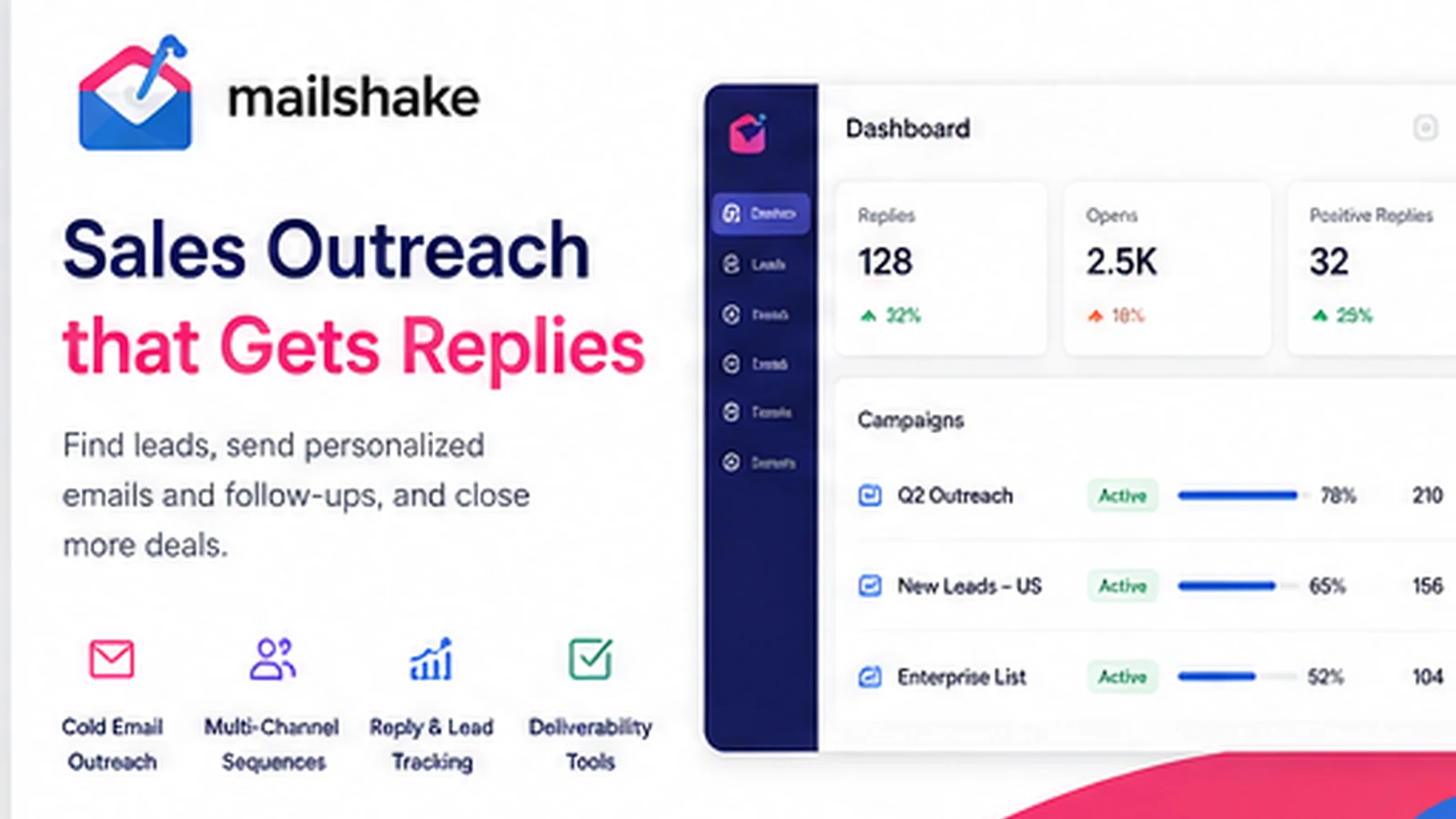
Mailshake is a sales engagement platform for cold email, follow-ups, LinkedIn touchpoints, calling workflows, lead management, and outreach analytics. It fits buyers who want a practical outbound system rather than a broad marketing automation suite. The buying decision should center on plan limits, connected mailboxes, deliverability workflow, and whether the team will actually run repeatable outbound campaigns.
Fit → price → checkout
Use these routes after the official-site check: coupon first, review for fit, compare if unsure.
Mailshake pricing snapshot
Fast commercial checks before pricing, coupons, or a deeper review.
Mailshake product tour
These visuals should help buyers judge whether Mailshake feels like a practical outbound operating system: campaign setup, lead handling, deliverability, and pricing pressure. The video gives a faster product-level scan before the buyer reads plan details.
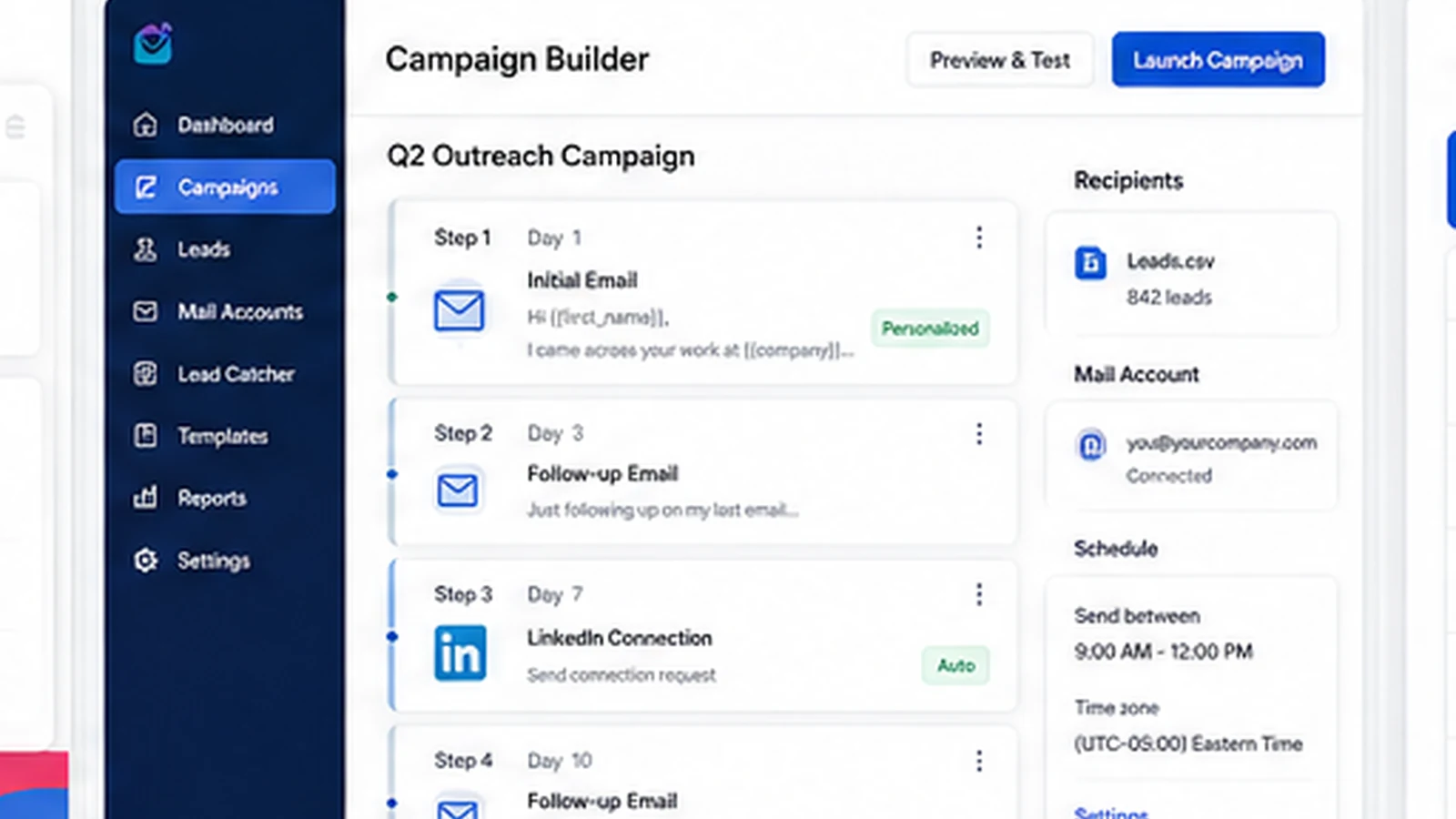
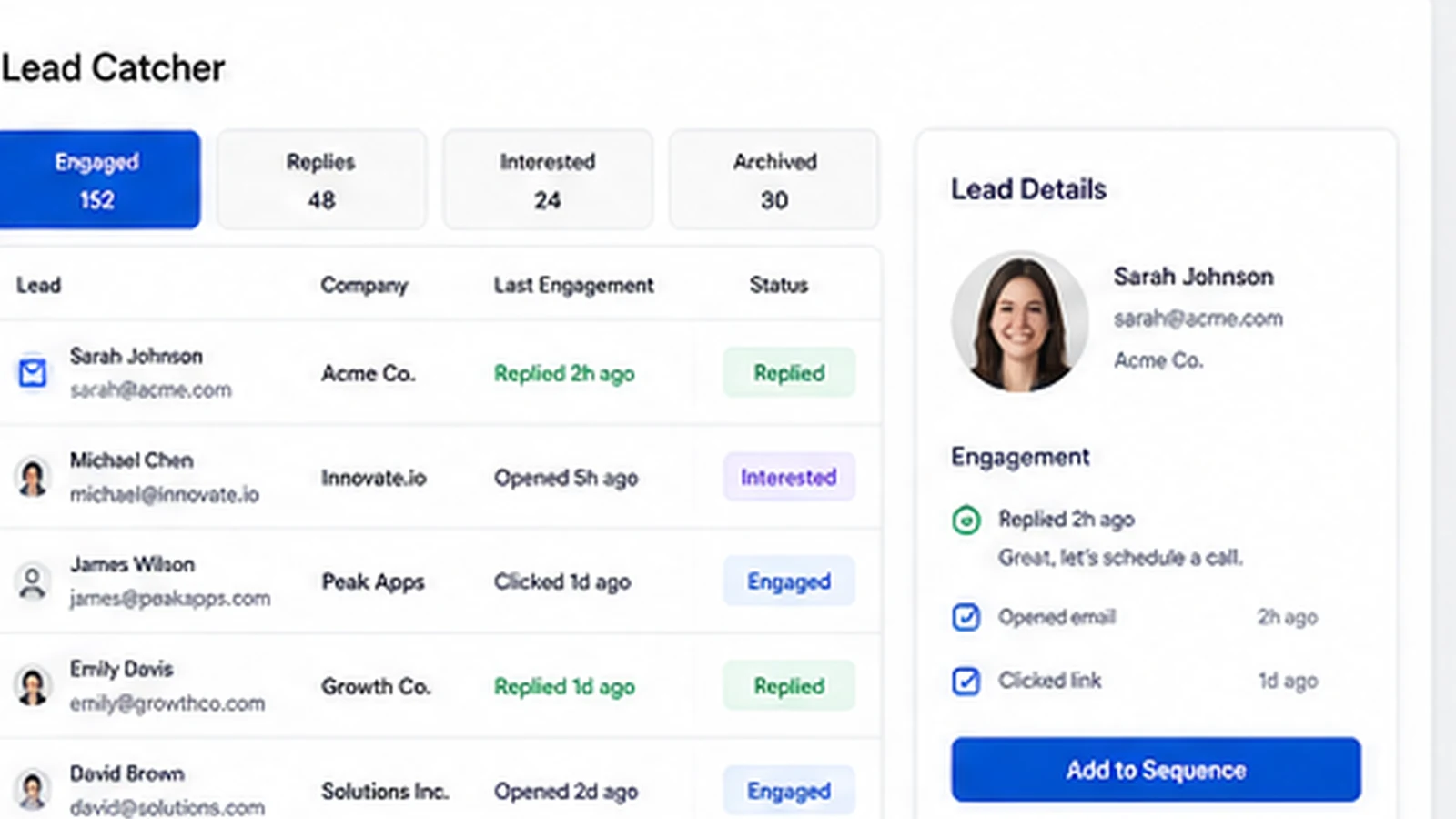
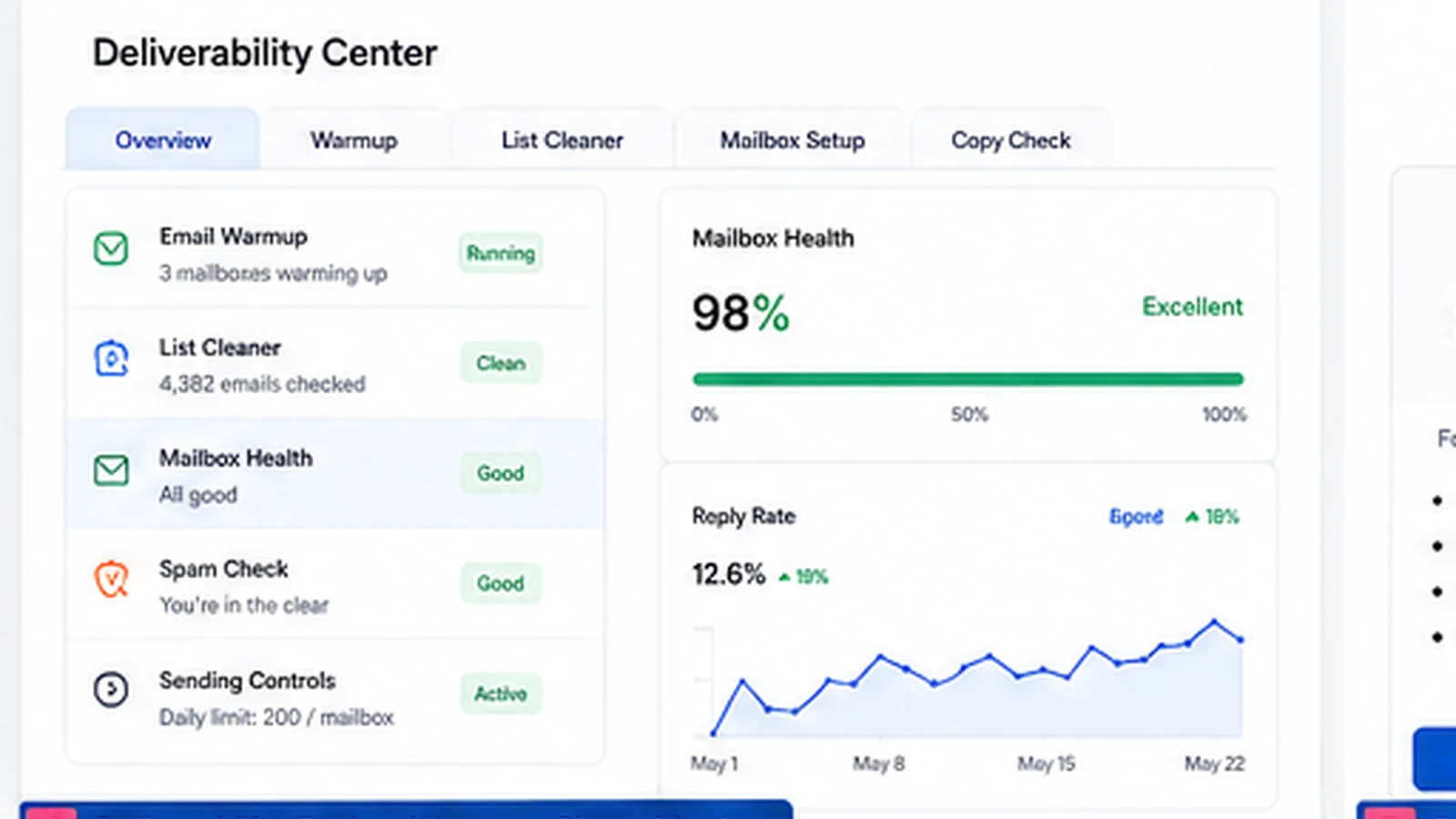
Mailshake belongs on a shortlist when the buyer is serious about outbound sales, not just curious about AI email copy. It combines cold email sequences, follow-ups, LinkedIn and calling tasks, lead handling, analytics, deliverability support, and integrations. The buyer should evaluate it like an outbound workflow tool with recurring billing and deliverability responsibility.
What Mailshake actually does
Mailshake helps sales and marketing teams run outbound campaigns from one place. The core job is straightforward: build a prospect list, write personalized outreach, schedule sequences, follow up automatically, surface engaged leads, and track what is working. The broader plan fit depends on whether the buyer needs only email automation or a deeper sales engagement workflow with LinkedIn, calling, CRM routing, and analytics.
- Create cold email campaigns with personalization and automated follow-ups.
- Track opens, clicks, replies, and lead activity for sales follow-up.
- Use LinkedIn, dialer, CRM, API, and integration paths when the plan supports the workflow.
Pricing makes sense only after mailbox math
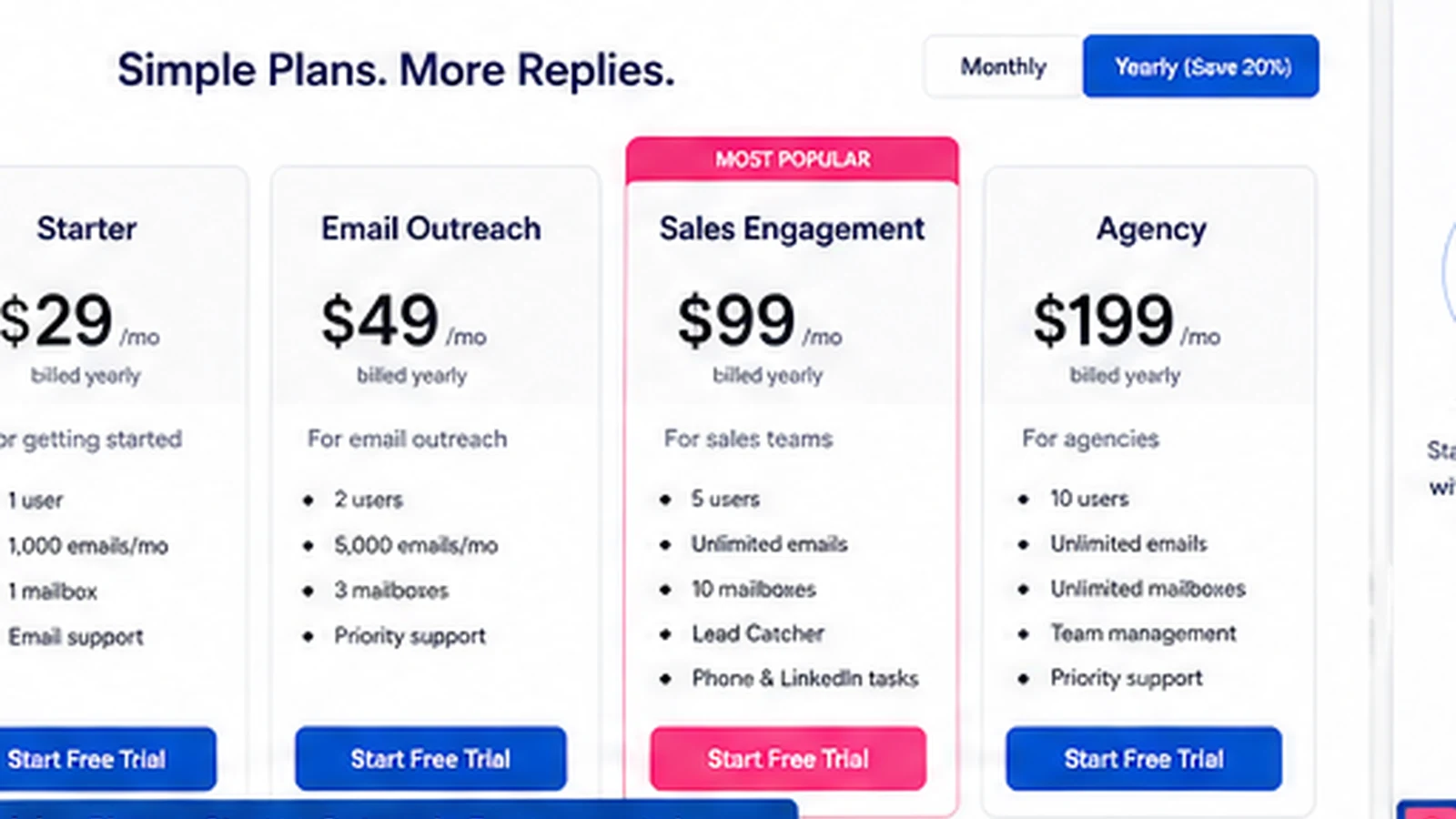
The cheapest visible path is attractive, but the real cost depends on users, connected mail accounts, send volume, and channel needs. Mailshake's help center explains that connected mailbox allowances vary by plan and user count. That means a small team with several sending inboxes may need a higher user count or plan than the headline price suggests.
- Starter is the lowest entry path but has tighter connected-mailbox and send limits.
- Email Outreach is a better fit when email rotation, unlimited sends, CRM sync, and heavier email campaigns matter.
- Sales Engagement is the better match when LinkedIn automation, phone workflows, and multichannel tasks are required.
Watch campaign setup before committing
A practical campaign walkthrough is useful because the product decision is not only about features. Buyers need to see whether adding recipients, writing sequences, scheduling follow-ups, and handling replies feel manageable for the people who will use it every week. This second video is better placed inside the body because it supports the setup decision, not just the top-level product tour.
- Check how a campaign is created before buying the annual path.
- Look for the steps where your team may slow down: lists, copy, personalization, approval, and follow-up.
- Use the walkthrough to decide whether Mailshake is simple enough for sales reps to adopt.
Deliverability is part of the purchase
Mailshake's public pages put visible emphasis on deliverability: email setup, warmup, list cleaning, copy checks, scheduling, and controls that reduce risky sending behavior. That is a good sign, but it also means buyers should not treat the tool as a shortcut around outbound discipline. Poor lists, weak offers, aggressive sending, or bad domain setup can still damage results.
- Verify the warmup, list cleaning, sending schedule, and copy-check workflow.
- Confirm whether deliverability features are included in the plan being considered.
- Treat inbox health as an ongoing operating task, not a one-time setup step.
CRM, API, and team routing need an early check
Mailshake publishes integration and API paths, and the product story includes CRM routing for teams that need outreach activity to connect back into sales reporting. This is useful for sales teams and agencies, but it should be checked before checkout. A tool that sends emails well but does not sync into the buyer's reporting stack can create more manual work than expected.
- Check HubSpot, Pipedrive, Salesforce, Zapier, and API needs before choosing a plan.
- Confirm quota or API limits if the team plans to sync data into custom systems.
- Agencies should check how client teams, billing ownership, and reporting boundaries will work.
Alternatives and safest next step
Mailshake is a sensible fit when the buyer wants a focused sales engagement platform for outbound email and multichannel follow-up. Compare SalesBlink or FinalScout when lead discovery is more central to the workflow. Compare Mailivery when deliverability is the main problem. Compare ActiveCampaign when the real need is email marketing automation and CRM nurture rather than cold outreach execution.
- Choose Mailshake when outbound sequence execution and sales follow-up are the main job.
- Compare FinalScout or SalesBlink when prospect discovery is more important than cadence management.
- Compare ActiveCampaign when lifecycle marketing and CRM automation matter more than cold email.
- Compare Mailivery when the buyer mainly needs inbox placement and reputation support.
Best savings path from this store page
This is the clearest savings route to check once the product already looks like a fit.
A public coupon directory reports a Mailshake checkout code for eligible orders. Treat this as a researched coupon path and verify it at checkout before relying on the discount.
Starter plan annual billing path
Email Outreach annual billing path
Use comparison routes when the category fit is still open
Use these comparison routes when the product still looks plausible, but the category fit is not fully settled.
Better to compare when the buyer needs prospect discovery and contact finding before outreach execution.
Closer fit when the buyer wants prospecting, outreach, and campaign workflow in a more lead-generation-centered stack.
Better to compare when inbox placement, warmup, and email reputation are the main pain rather than full outreach management.
Better when lifecycle email automation, CRM nurture, and customer marketing matter more than cold outbound cadences.
Verification points worth checking before you click out
Where this store usually fits best in the workflow
Mailshake fits teams that already know their target accounts and need a repeatable way to send personalized cold email, schedule follow-ups, and track replies without rebuilding the workflow manually each week.
Agencies can use Mailshake when client outreach needs structure, reporting, deliverability checks, and repeatable campaigns. The main checkpoint is whether team and client setup match the billing and mailbox rules.
Sales Engagement is the better path when outreach includes LinkedIn, phone, custom tasks, and account-level views instead of email-only sequences.
Founder-led teams can use Mailshake to avoid messy manual outreach, but they should start with a narrow campaign and avoid annual billing until messaging, list quality, and follow-up discipline are proven.
Practical checkpoints before and after signup
- Count users, connected mailboxes, send volume, CRM needs, and channels before selecting a plan.
- Check the refund and cancellation language because the subscription is prepaid for the billing cycle.
- Compare monthly and yearly billing only after the outbound workflow is clear.
- Build one focused campaign before adding extra channels or mailbox scale.
- Use personalization, A/B tests, and deliverability checks before increasing send volume.
- Confirm that replies and engaged leads flow into the right sales follow-up process.
- Review mailbox health, reply quality, and meeting outcomes before buying extra seats or add-ons.
- Check whether Sales Engagement, Agency, Data Finder, or mailbox add-ons are needed for the next stage.
- Revisit pricing at renewal because mailbox count and team size can change the real cost.
Fast-read signals for workflow fit and buying friction
Questions readers usually ask before choosing this store
What does Mailshake actually do?
Mailshake helps teams run sales outreach campaigns with cold email, automated follow-ups, lead tracking, analytics, and, on higher-fit workflows, LinkedIn and calling tasks. It is best understood as a sales engagement tool, not a generic email newsletter platform.
Does Mailshake have a free plan or free trial?
No free plan or free trial was confirmed on the official pricing page during this refresh. Mailshake states that payment is collected up front, so buyers should verify plan fit before checkout.
What is the lowest visible Mailshake price?
The official pricing page shows Starter at $29 per month on monthly billing and $25 per month on yearly billing. Buyers should still check mailbox limits, send limits, and whether Email Outreach or Sales Engagement is a better fit before choosing the cheapest plan.
Are Mailshake coupon codes usually the best savings path?
Not necessarily. A verified public coupon code was not confirmed during this refresh. The more reliable savings path is to compare yearly billing, choose the right plan, and then check the DealBestDaily coupon route for any current offer before paying.
Who should avoid Mailshake?
Buyers who need a free sandbox, newsletter automation, or a one-off outreach blast should compare alternatives first. Mailshake is a better fit when a team has a repeatable outbound process and can manage list quality, sender reputation, follow-up discipline, and plan costs.
Choose the next route that matches what you still need to decide
The strongest next click depends on whether you still need product judgment, a savings route, or a broader category comparison.