
SalesBlink Pricing, Plans & Outreach Fit
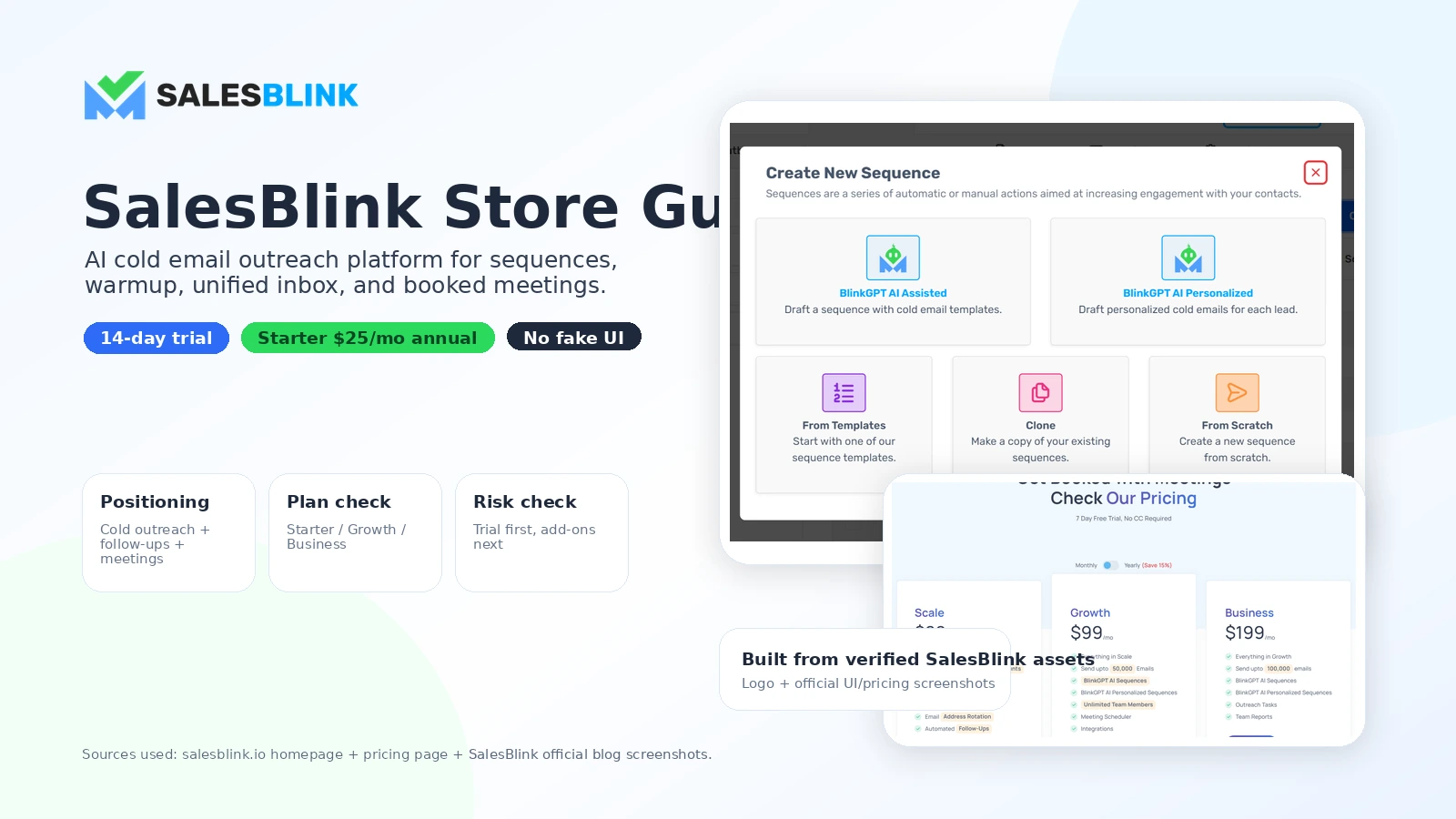
SalesBlink is best understood as a cold email outreach platform for teams that want one place to build sequences, connect sending accounts, warm inboxes, track replies, schedule meetings, and manage outbound activity. It is not just an AI email writer. The commercial question is whether its all-in-one outreach workflow fits your volume, deliverability process, team setup, and tolerance for add-on costs.
Fit → price → checkout
Use these routes after the official-site check: coupon first, review for fit, compare if unsure.
SalesBlink pricing snapshot
Fast commercial checks before pricing, coupons, or a deeper review.
SalesBlink product tour for outreach planning
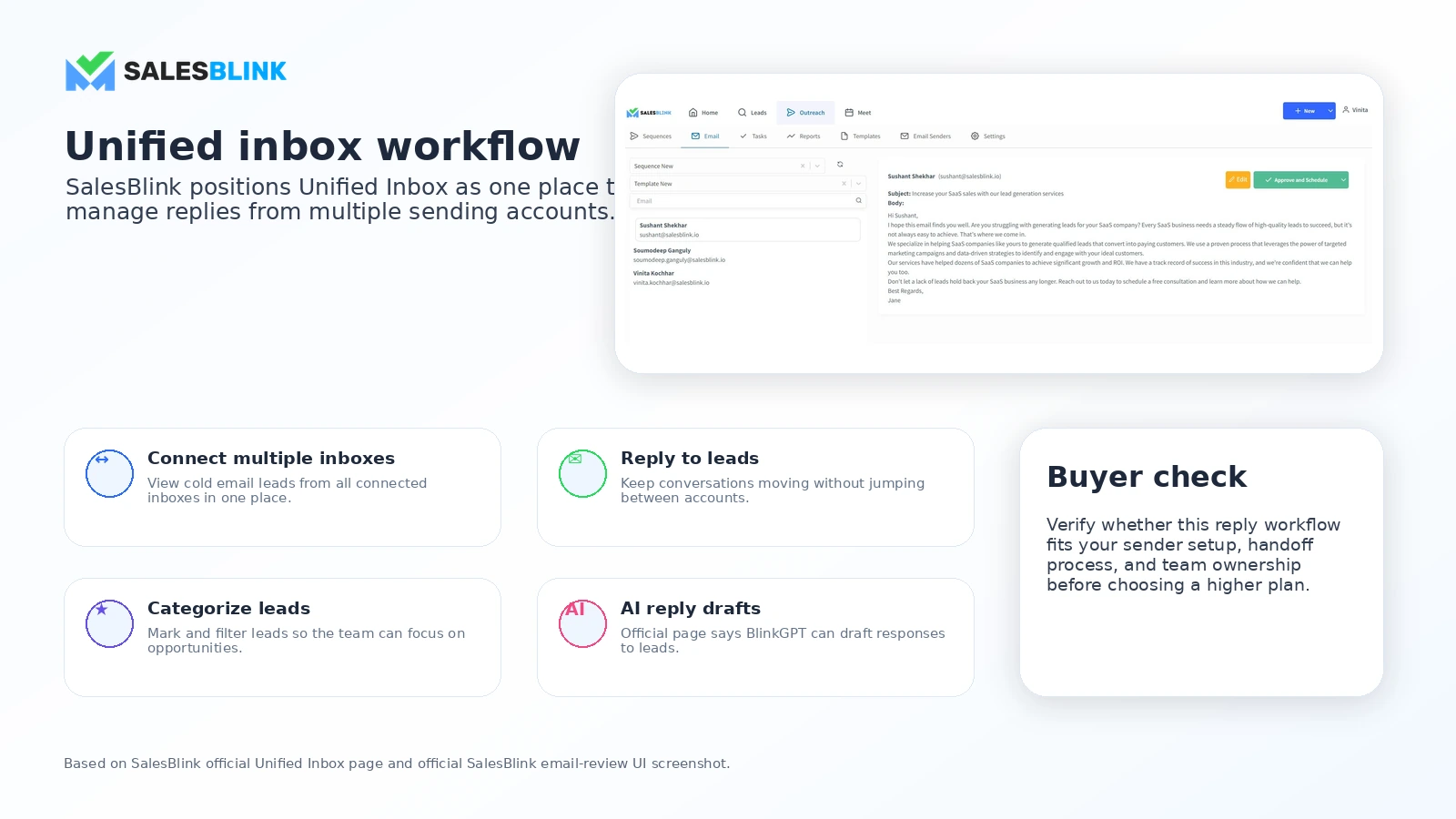
The strongest buyer visuals for SalesBlink are the sequence workflow, pricing table, unified inbox, and deliverability/warmup features. These screens help buyers decide whether they are buying an all-in-one outbound system or only a lightweight AI email helper.
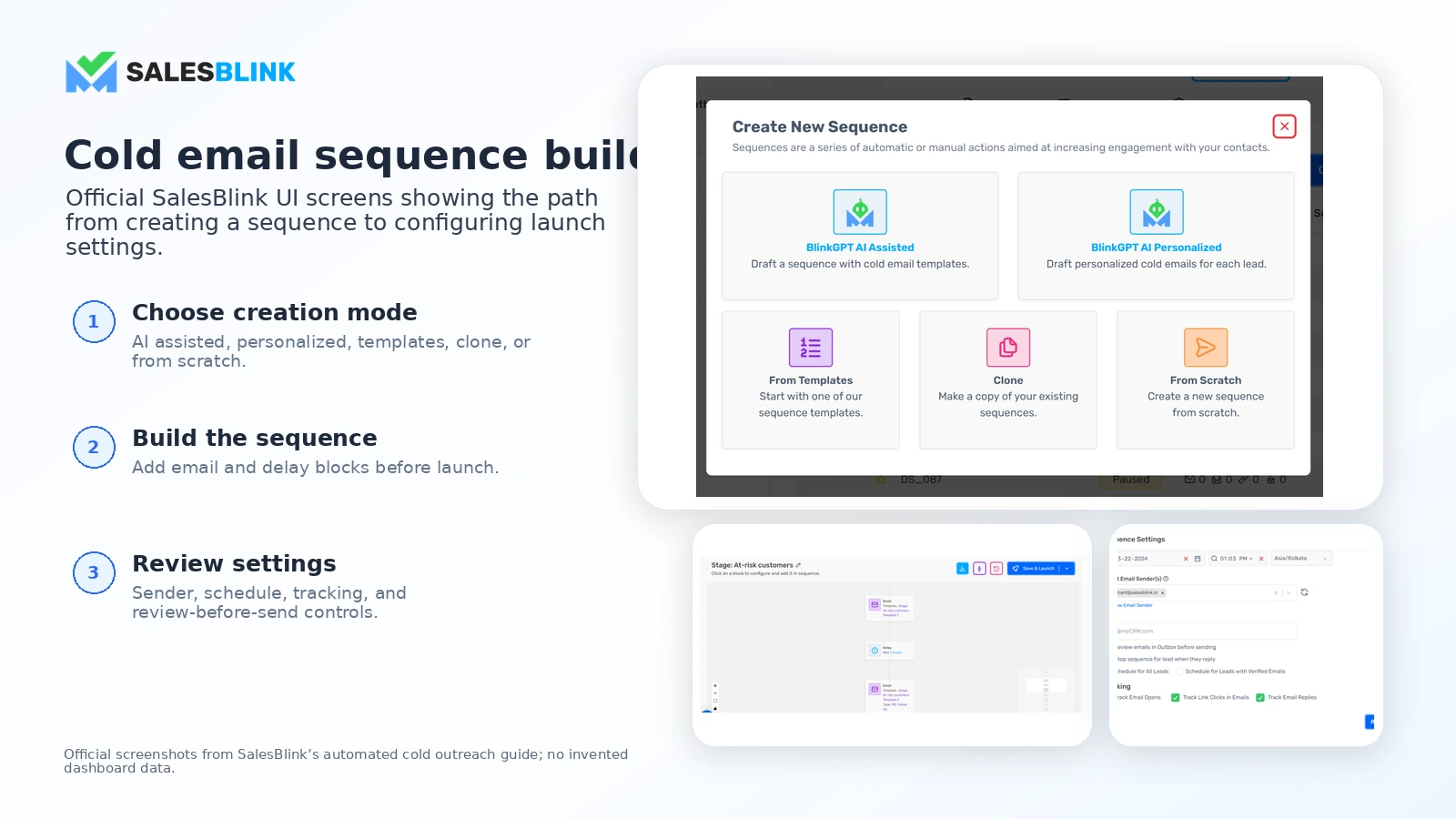
SalesBlink is a practical store page case because the buying decision is not only about email copy. Buyers need to know whether they are paying for an outbound workflow: sending accounts, sequences, warmup, replies, scheduler, CRM integrations, team members, AI features, and add-ons. That is where pricing and plan fit matter more than a simple coupon headline.
What SalesBlink actually does
SalesBlink helps teams build and run cold email outreach from one place. The core workflow covers email sequence creation, follow-up automation, sender connection, list upload, reply handling, meeting scheduling, tracking, and reporting. On the higher plans, the value leans further into AI assistance, team reporting, API access, and broader outreach tasks.
The buyer fit is clearer if you already have a real outbound motion. A founder testing ten prospects does not need the same stack as an agency managing multiple campaigns, senders, and clients.
- Build cold email sequences with follow-ups and personalization.
- Connect sender accounts and manage reply activity through a unified inbox.
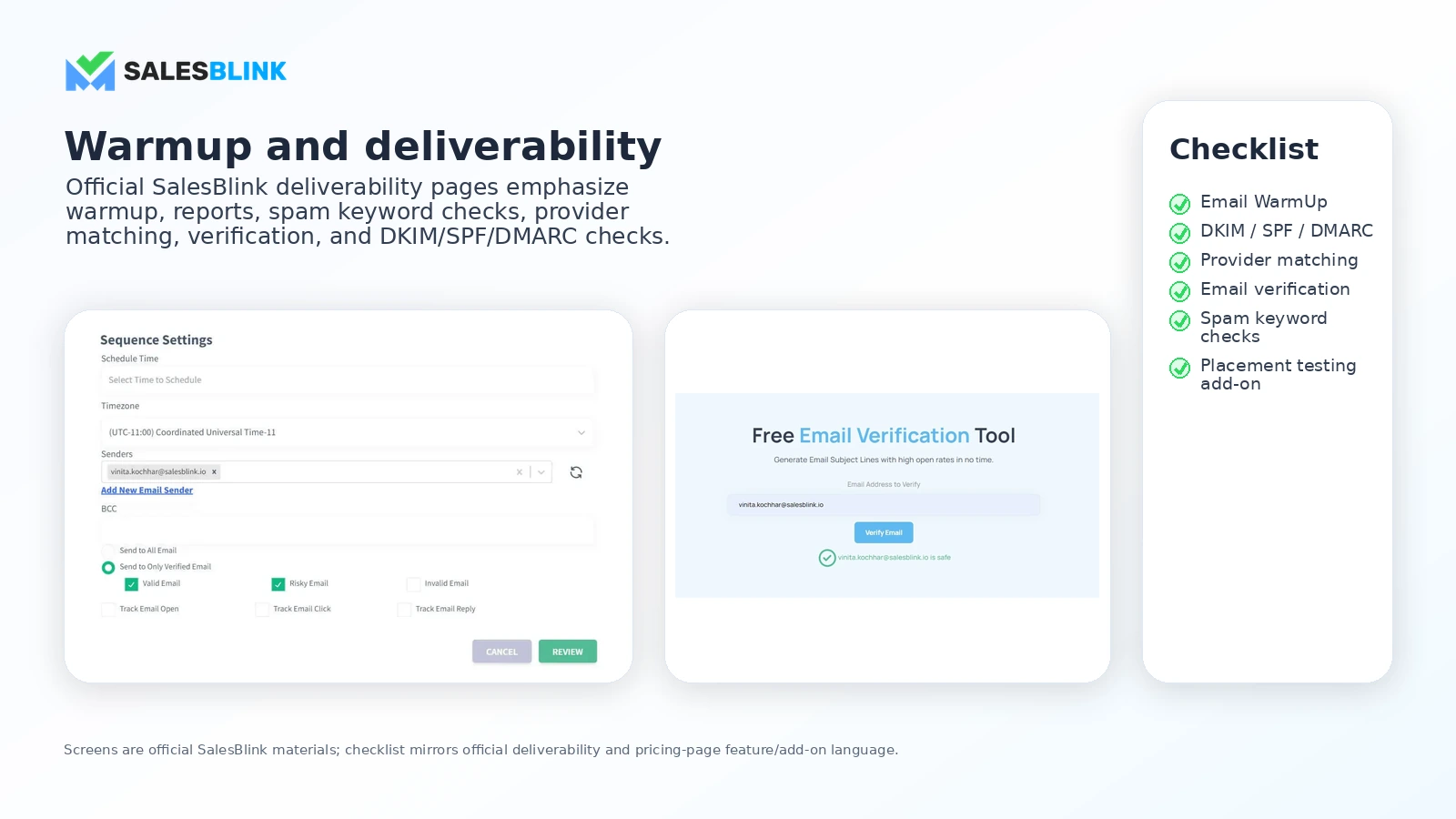
- Use warmup and deliverability checks before scaling campaigns.
- Route outreach data through integrations, CRM tools, and API access when needed.
Pricing is plan-fit first, not coupon-first
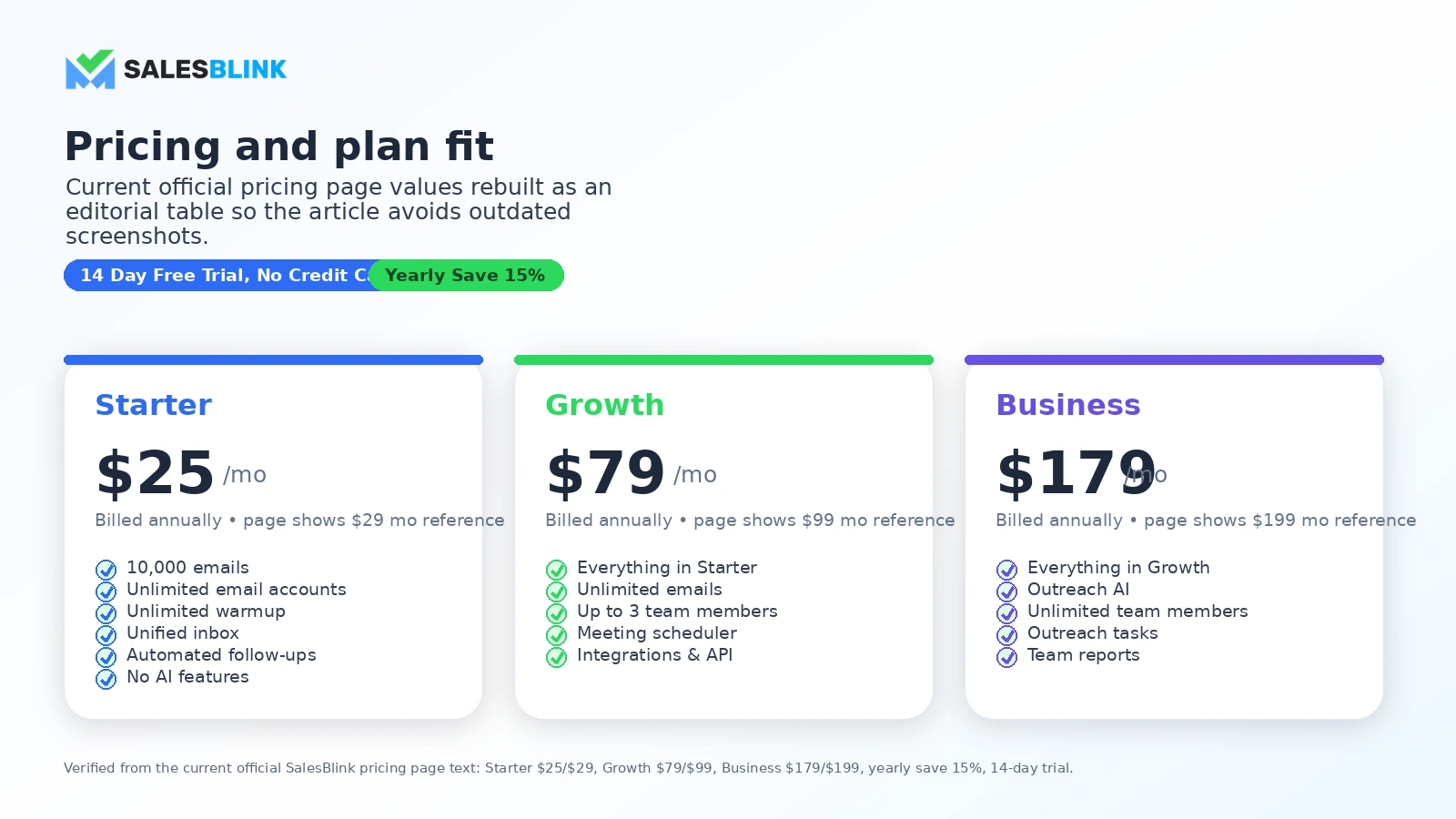
SalesBlink's public pricing starts at $25 per month on the annual Starter path, with Growth and Business stepping up sharply for team members, API access, meeting scheduler, Outreach AI, team reports, and task workflows. The pricing page also lists add-ons for email verification credits, mailbox setup, and placement testing.
That means a buyer should not treat the lowest plan as proof of the real monthly cost. If the goal is team-based outbound with AI and API access, the safer comparison is between Growth and Business, plus add-ons, not just Starter against another tool's entry price.
- Starter is cheaper but publicly marked as having no AI features.
- Growth introduces team members, meeting scheduler, integrations, and API.
- Business adds Outreach AI, unlimited team members, outreach tasks, and team reports.
- Add-ons can matter if you need verification, placement testing, or mailbox setup.
Watch a buyer-focused walkthrough before setup
A walkthrough is useful here because cold outreach tools can look similar until the buyer sees how sequences, lead handling, follow-ups, sender setup, and campaign launch steps actually fit together. Use the video to judge whether SalesBlink feels simple enough for your team, or whether the workflow will need a dedicated operator.
Deliverability still needs buyer discipline
SalesBlink includes email warmup, deliverability reports, sender rotation, DKIM, SPF, DMARC checks, provider matching, tracking, and inbox tools. Those features are useful, but they do not remove the hard parts of cold email. Weak targeting, poor domain setup, high sending volume too early, or generic copy can still damage results.
The best buyer for SalesBlink is willing to use the platform as a system, not as a shortcut. Before paying annually, test whether warmup, reply management, unsubscribe handling, and reporting match your outbound process.
- Check sender setup and authentication before any large campaign.
- Use warmup and placement testing as risk controls, not magic fixes.
- Review replies and campaign reports before increasing volume.
Team and agency fit is the real upgrade question
SalesBlink becomes more interesting when several people need to manage outreach, replies, reporting, CRM activity, and client-style campaigns. The Growth plan includes up to three team members, while Business supports unlimited team members and team reports. That difference matters for agencies and sales teams more than it does for a solo founder.
If you are buying for a team, the best next step is to map who owns lead lists, copy review, sender setup, replies, meetings, and reporting. If that workflow is messy outside the software, SalesBlink may not fix it by itself.
- Agencies should check team member limits and client campaign separation.
- Sales managers should check reporting, inbox ownership, and CRM routing.
- Operators should test how easy it is to launch and pause campaigns safely.
Where SalesBlink fits against alternatives
SalesBlink belongs in the same buying conversation as cold outreach and sales engagement tools, not general email marketing platforms alone. Mailshake is a closer outbound alternative, ActiveCampaign fits better when the buyer wants marketing automation and customer lifecycle campaigns, and ClickFunnels belongs in a funnel-building conversation rather than pure cold email.
The safest next step is to open the review when workflow fit is still unclear. Go to the pricing or offer path only when you already know SalesBlink matches your outreach process.
- Compare Mailshake if the main need is outbound email workflow.
- Compare ActiveCampaign if lifecycle automation matters more than cold outbound.
- Compare funnel tools only when the real job is landing pages, sales pages, or checkout flow.
Best savings path from this store page
This is the clearest savings route to check once the product already looks like a fit.
SalesBlink official pricing shows yearly billing with a 15% savings cue compared with monthly billing, which can lower the cost for teams committed to long-term outreach.
$79/month billed annually
$179/month billed annually
Use comparison routes when the category fit is still open
Use these comparison routes when the product still looks plausible, but the category fit is not fully settled.
Mailshake is the closer comparison when the buyer mainly wants outbound email workflow and sales engagement without treating SalesBlink's AI and add-on stack as the default.
ActiveCampaign is a better fit when the buyer needs email marketing automation, CRM-style lifecycle campaigns, and broader customer journeys instead of cold outreach infrastructure.
ClickFunnels belongs in the funnel-building lane. Compare it only when the buyer's real problem is sales pages, checkout flow, and offer funnels rather than outbound email campaigns.
Verification points worth checking before you click out
Where this store usually fits best in the workflow
SalesBlink fits B2B teams that need to build repeatable cold email campaigns, automate follow-ups, manage replies, and move prospects toward booked meetings.
Agencies can use SalesBlink when they need sender management, campaign reporting, warmup, and team workflows across client outreach, but they should check team limits and add-ons first.
Founders can test SalesBlink when they want a structured outbound workflow rather than scattered email drafts, spreadsheets, and manual follow-ups.
SalesBlink is useful for buyers who already understand sender setup, list quality, warmup, and controlled sending volume, because the platform supports those checks without replacing them.
Practical checkpoints before and after signup
- Define the exact outreach workflow: list source, sender accounts, sequence length, reply handling, meeting booking, and reporting.
- Confirm whether Starter is enough or whether Growth or Business is needed for API, team, meeting scheduler, or AI features.
- Connect one real sending account, build one realistic sequence, and test reply handling before judging the interface.
- Check warmup, tracking, unsubscribe handling, and campaign reporting before increasing sending volume.
- Compare annual and monthly billing, then add the cost of verification credits, mailbox setup, or placement testing if those are needed.
- Review the non-refundable subscription language and avoid annual billing until the trial proves workflow fit.
- Monitor reply quality, booked meetings, sender health, and unsubscribe behavior instead of judging success from open rates alone.
- Re-check plan fit when adding team members, client accounts, API workflows, or higher sending volume.
Fast-read signals for workflow fit and buying friction
Questions readers usually ask before choosing this store
What is SalesBlink best for?
SalesBlink is best for cold email outreach workflows where a team needs sequences, follow-ups, inbox warmup, reply management, meeting booking, integrations, and reporting in one place. It is more useful for repeatable outbound campaigns than for one-off email writing.
Does SalesBlink have a free plan?
A public free plan was not listed on the pricing page during this check. SalesBlink does advertise a 14-day free trial with no credit card required, which is the safer entry point for testing the workflow before payment.
How much does SalesBlink cost?
SalesBlink's pricing page lists Starter from $25 per month billed annually, Growth from $79 per month billed annually, and Business from $179 per month billed annually. Buyers should confirm current monthly pricing, annual billing, and add-on costs at checkout.
Are SalesBlink subscriptions refundable?
SalesBlink's terms state that subscription charges are non-refundable unless the terms or a relevant order form says otherwise. Buyers should use the trial first and confirm cancellation and order-form terms before committing to a paid plan.
Should I read the review or check the SalesBlink coupon page first?
Start with the review if you are still unsure whether SalesBlink fits your outreach process. Check the coupon or deal route only after the product fit, plan tier, annual billing, and add-on costs are clear.
Choose the next route that matches what you still need to decide
The strongest next click depends on whether you still need product judgment, a savings route, or a broader category comparison.