Quick verdict
Freebeat is useful if you are judging it as a music-first AI video generator, not as a full replacement for a video editor.
That distinction matters more than the homepage excitement.
The product is built around a clear idea: upload a song, paste a music link, choose a visual direction, let the system analyze the track, then generate beat-aware videos, lyrics clips, dance visuals, or social-ready music assets. For musicians, DJs, indie artists, and creators who already work from finished tracks, that can be a real time saver.
I would be more careful if you are buying it because the preview looks impressive or because the current pricing page shows a visible discount. Freebeat uses credits, and AI video generation is rarely a one-pass decision. A usable music video may take retries, scene changes, lyrics adjustments, and export checks. That means the real cost is not only the plan price. It is the number of attempts needed before the result is good enough to publish.
For my money, Freebeat makes the most sense after a free-path test with one real song. Upload the kind of track you actually plan to promote, check whether the beat sync and visual direction hold up, then review the live pricing and refund terms before moving into a paid plan.
If you need manual editing control, brand-safe client production, or predictable output on every generation, I would compare Freebeat with broader creator video tools first.
Next step: If Freebeat still fits your music-video workflow, test the current buyer route before choosing a credit-heavy plan.
Review snapshot
| Review point | Practical take |
|---|---|
| Best for | Musicians, DJs, lyric-video creators, social video creators, and small teams turning tracks into visuals |
| Not ideal for | Buyers who need frame-perfect editing, guaranteed visual continuity, or broad post-production control |
| Main use case | Turning songs, MP3 files, Suno or Udio tracks, TikTok or YouTube music links into beat-synced videos |
| Free path | Useful for testing the workflow before paying, but not enough to prove long-term paid value |
| Paid path | Credit-based, so value depends on how many usable videos you can create per plan cycle |
| Main strength | Music-first generation rather than generic text-to-video prompting |
| Main concern | Credit burn, output consistency, refund restrictions, and support expectations |
| Direct fit | Song-to-video, lyrics video, dance video, visualizer, and creator release workflows |
| Adjacent alternatives | Fliki, Crayo, and AKOOL depending on whether you need voiceover video, short-form clips, or avatar marketing video |
| Best next step | Run one real song through the free path before comparing paid tiers |
What is Freebeat?
Freebeat is an AI music video generator. The buyer job is specific: turn a song or music link into a visual asset without starting from a blank editing timeline.
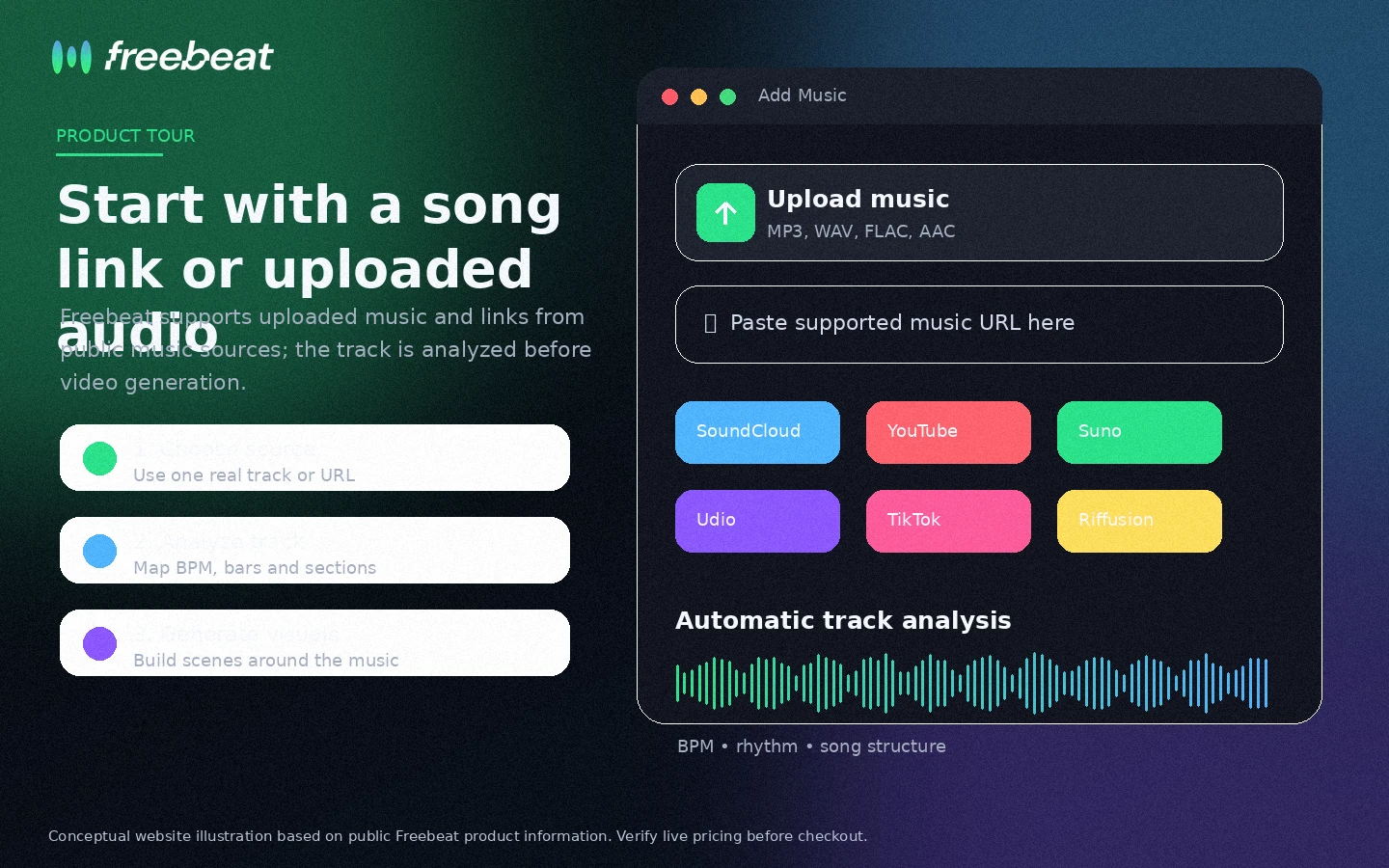
That makes it different from a generic AI video tool. A broad video generator usually starts with a text prompt, scene idea, image, or marketing concept. Freebeat starts from music. The official workflow is built around uploading an audio file or pasting a link from sources like Suno, Udio, TikTok, or YouTube, then letting the system analyze rhythm, mood, and structure before generating visuals.
That music-first angle is the main reason Freebeat is interesting.
A solo musician might use it to create a vertical teaser for a new single. A DJ might turn a mix into a visual upload. A creator might use it for lyric videos, dance clips, or short music-led social posts. A marketer might use it for a campaign where the music is the emotional center of the asset.
The mistake would be treating Freebeat as a complete video production system. It can help with storyboards, visual style, lyrics, platform formats, and fast generation, but it is still an AI output tool. It does not remove the need to check coherence, rights, tone, lyrics timing, export quality, or whether the generated video actually matches the song.
Our review approach looks at public product positioning, pricing details, terms, buyer workflow fit, refund risk, and nearby alternatives. I would not treat a low plan price, free credits, or a coupon path as proof that the tool fits your release process.
Who should use Freebeat?
Freebeat is strongest for creators whose starting point is already a song.
Indie musicians and producers are the clearest fit. If you release singles, demos, remixes, or instrumentals and need visuals for TikTok, Instagram, YouTube Shorts, or YouTube, Freebeat can reduce the gap between audio and promotion. The condition is that you must be willing to review the output like a creative director, not just click generate and publish.
Lyric-video creators are another natural fit. If the goal is to create a visual asset around words, rhythm, and mood, Freebeat’s lyrics and music-video direction can be more relevant than a general AI video tool. The buyer check is timing. If the lyrics are off, the video may need revisions, and revisions can affect credit value.
DJs and music-led creators may also benefit. A set, beat, or short audio clip can become a visual post without building everything manually. This is useful when you need volume, but only if the export formats match your real channels.
Small teams and indie studios can consider Freebeat when speed matters more than precise scene control. A campaign team that needs several music-led concepts quickly may get value from a tool that produces drafts fast. I would still check how many generations it takes to get a usable output before treating a paid plan as predictable production cost.
Creators experimenting with AI music from Suno or Udio are also a good audience. Freebeat fits the next step after song generation: turning the audio into visuals. Just do not assume every AI-generated song will produce a clean video on the first try.
Who should avoid Freebeat?
Freebeat is not the tool I would start with if you need frame-perfect manual editing.
If your project needs exact shot timing, brand-approved storyboards, controlled character continuity, legal review, or scene-by-scene client approval, you may need a traditional editor or a broader post-production workflow. Freebeat can help with drafts and creative direction, but AI generation is not the same as controlled production.
One-off users should also be careful. If you only need one quick visual for one track, the free path or a short paid experiment may be enough. A larger monthly plan only makes sense if you know you will produce multiple music videos or repeated social assets.
Buyers who dislike credit systems should slow down. Credit-based tools can feel affordable until you count failed generations, regeneration attempts, higher-quality models, and exports. The plan that looks cheap at first can become less attractive if the first usable result takes too many attempts.
Teams with strict copyright or rights-clearance needs should avoid casual use. Freebeat’s public pages say users retain rights to generated content, but buyers remain responsible for third-party music, uploaded assets, likenesses, and platform rules. That matters if the output is for a client, label, paid campaign, or commercial release.
I would also be cautious if refund flexibility matters to you. The terms are not written like a no-risk creative sandbox after paid use. The safer path is to test before paying, not to pay first and hope support or refund handling solves the mismatch.
How Freebeat fits into a real workflow
A realistic Freebeat workflow starts before you open the generator.
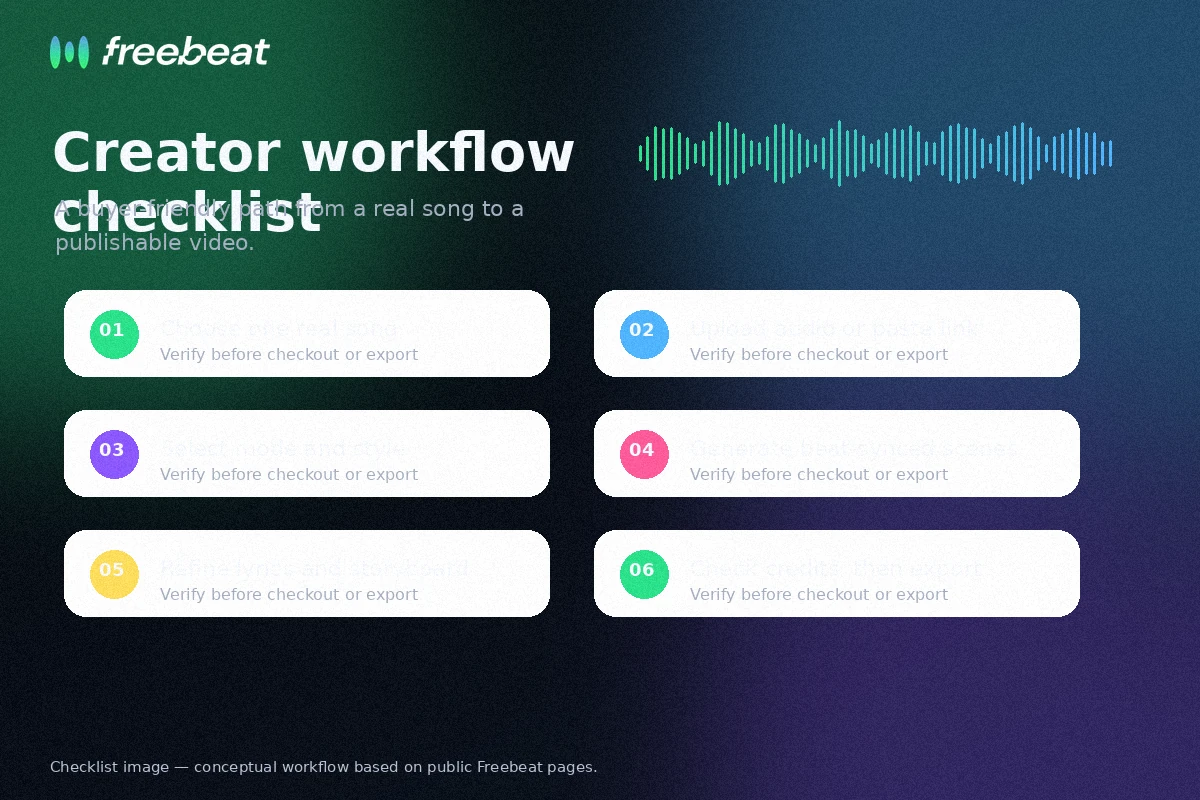
First, choose a real track. Not a throwaway sample. Use the kind of audio you actually plan to publish, because the buyer question is whether Freebeat handles your music, not whether it can make a demo look interesting.
Second, decide the output job. Are you trying to make a full music video, a short teaser, a lyric video, a dance clip, a visualizer, or platform-specific social content? Those are different workflows. A good vertical clip does not automatically mean the tool can carry a full six-minute video.
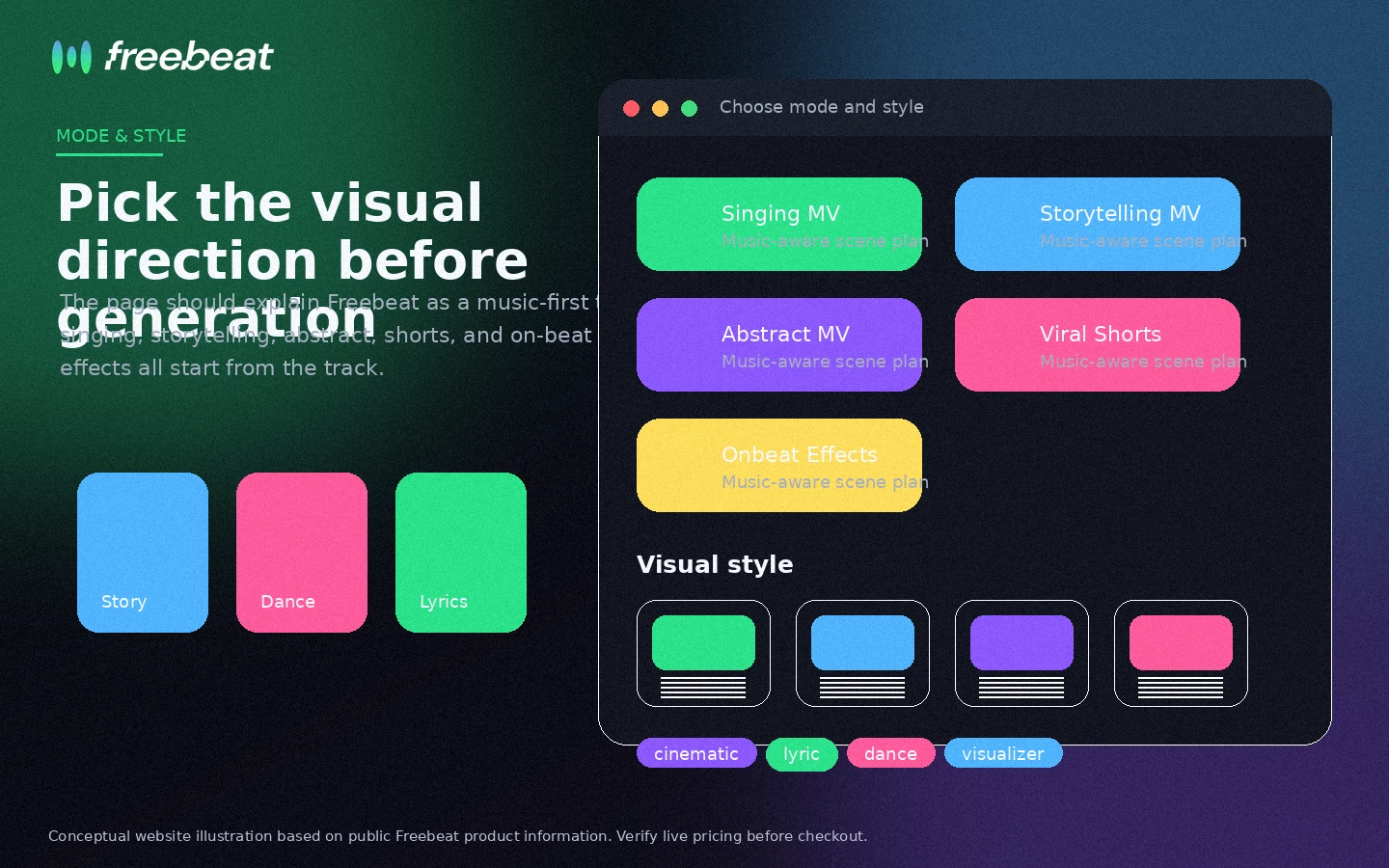
Third, upload the file or paste the supported link, then choose the visual mode and style. This is where Freebeat is more interesting than a generic text-to-video tool. The track gives the system rhythm, mood, and structure. The visual choices tell it how to interpret the music.
Fourth, review the storyboard or generated scenes carefully. This is the decision point. Does the clip match the emotional shape of the track? Does the chorus feel different from the verse? Are lyrics readable? Are characters or scenes consistent enough? Does the output need another generation?
Fifth, track credits. This is the part buyers can underestimate. A generation that looks promising but not publishable still affects the economics of the plan.
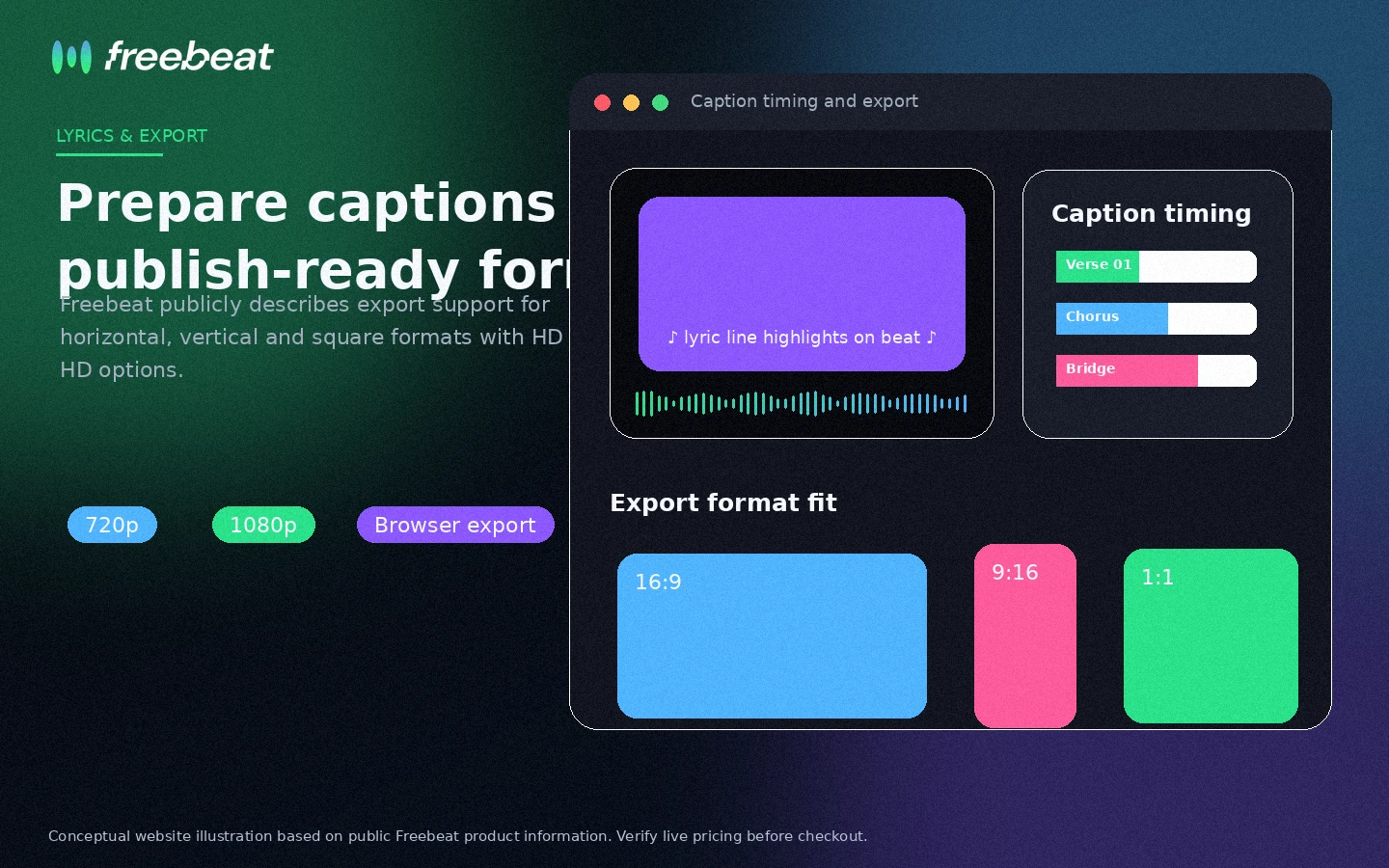
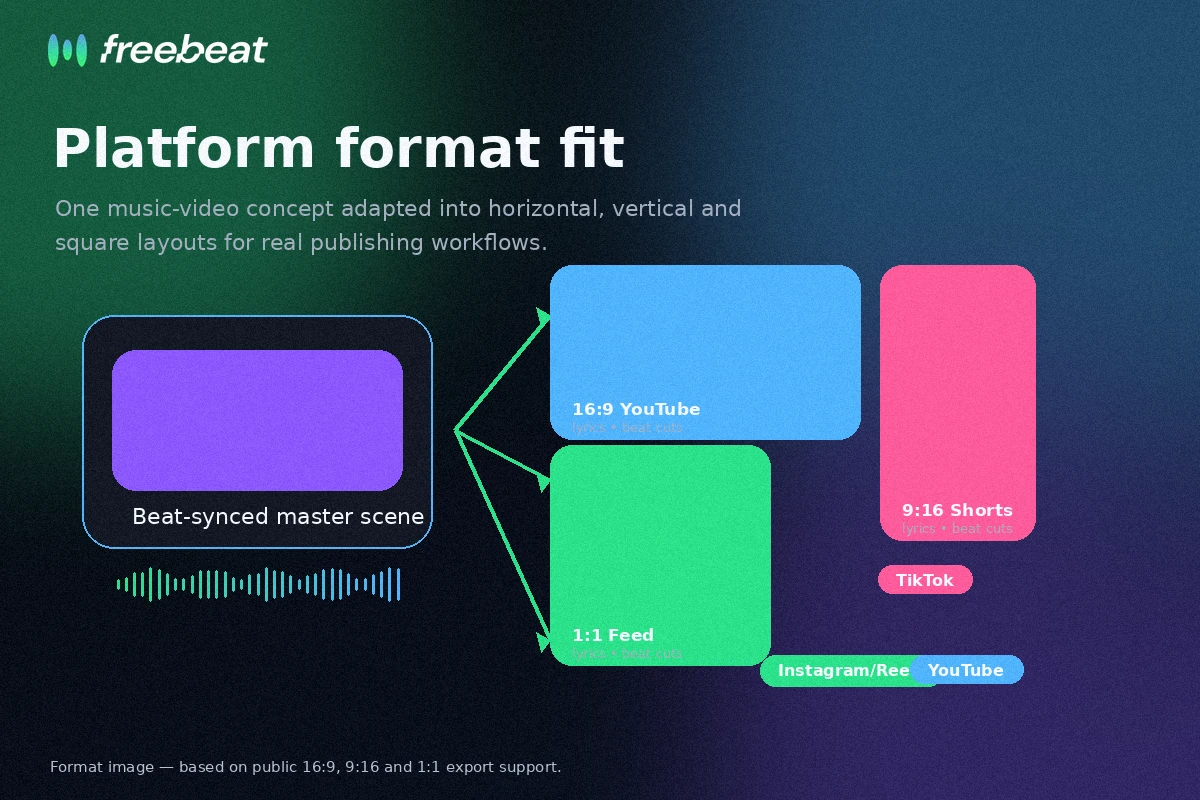
Finally, export for the platform. Freebeat supports common creator formats such as 16:9, 9:16, and 1:1, but you still need to check whether the resolution, watermark removal, and video length are available in your plan.
Workflow check: If your first real track looks promising, verify the plan limits and export path before building Freebeat into your release workflow.
Real-world buyer scenarios
Indie artist releasing a single
This is one of the better Freebeat scenarios. The artist has a finished song and needs a short visual for social platforms plus maybe a longer video for YouTube. Freebeat can reduce the time between audio release and visual promotion.
The risk is expectation. If the artist needs exact storytelling, consistent characters, or emotionally precise scenes, AI output may need several passes. I would test the free path with the actual single before paying for a larger plan.
Producer using Suno or Udio tracks
Freebeat can make sense as the next creative step after AI music generation. The song already exists. The missing asset is the video.
This is a clean workflow match, but it also creates rights and originality questions. The buyer should understand what rights they have to the song, what rights Freebeat grants to generated visuals, and whether the final content is safe for the intended platform.
Social creator making music-led clips
For TikTok, Reels, and Shorts, speed matters. Freebeat’s aspect ratios and music-first generation can help a creator turn audio ideas into visual assets quickly.
The downside is that short-form content rewards clarity. If the first few seconds are visually confusing, the tool has not solved the real problem. A creator should test whether Freebeat creates hooks, not just movement.
Small marketing team building campaign visuals
A small team may use Freebeat to create concepts for music-led ads, event teasers, product launches, or creator campaigns. The tool can speed up ideation.
I would not use it blindly for final client work without a review layer. Brand safety, music rights, image consistency, and platform rules still need human approval.
Key features that actually matter
Song-to-video generation
The core feature is the ability to start from audio instead of a generic prompt. This matters because music videos are not only visual assets. They need rhythm, energy, pacing, and emotional alignment.
Buyer note: test with your own track. A polished demo does not prove the tool understands your genre, tempo, lyrics, or release style.
Lyrics and music-led formats
Freebeat is relevant for lyrics videos, visualizers, dance-style videos, and social music clips. This gives it a more specific creator use case than a broad AI video generator.
Buyer note: lyrics timing is not a minor detail. If the text lands late or feels cluttered, the video may require extra revision.
Platform-ready aspect ratios
Support for horizontal, vertical, and square formats is useful because creators rarely publish in only one place. A single song may need YouTube, TikTok, Instagram, and short teaser versions.
Buyer note: format support is not the same as finished creative quality. Check whether the crop, subject placement, and captions still work in each format.
Credit-based generation
Credits are not a feature in the creative sense, but they decide value. Freebeat’s plans are built around credit allowances, and higher tiers unlock more capacity and quality options.
Buyer note: do not estimate value from plan price alone. Estimate from finished videos per month after retries.
Cloud-based workflow
Freebeat runs online, which lowers the setup barrier. No traditional editing software is required to start.
Buyer note: simple access does not mean simple buying. You still need to understand rights, credits, cancellation, and refund limits.
Pricing and plan value
Freebeat pricing is best judged as a credit decision, not a simple monthly subscription decision.
At the time of review, the public pricing page shows a free path plus paid plans. Basic is shown at $4.99 per week after a displayed discount, with 1,990 credits per week. Pro is shown at $26.99 per month after discount, with 10,000 credits per month. Ultimate is shown at $39.99 per month after discount, with 19,000 credits per month. Creator is shown at $199 per month after discount, with 95,000 credits per month.
Those numbers should be verified at live checkout because discounts, billing intervals, credits, and model access can change.
The important buyer question is not “which plan is cheapest?” It is “how many usable videos can I produce from this plan after failed attempts, scene revisions, lyrics changes, and exports?”
Basic looks more like a testing or light-use tier. It may be enough if you only need to explore the workflow or create occasional clips. It is not automatically the best value if you create regularly, because weekly billing and credit usage can add up.
Pro and Ultimate are more relevant for active creators. The jump matters if you need higher monthly output, faster processing, watermark removal, better resolution, or more access to advanced models. I would still avoid annual or high-volume thinking until you know your real credit consumption.
Creator is for volume. If you are not already producing music-led content at scale, that plan may be more than you need.
One more caution: credit-based AI tools often feel easy to start and harder to predict. If your video requires multiple attempts, your effective cost per publishable asset may be higher than the subscription page suggests.
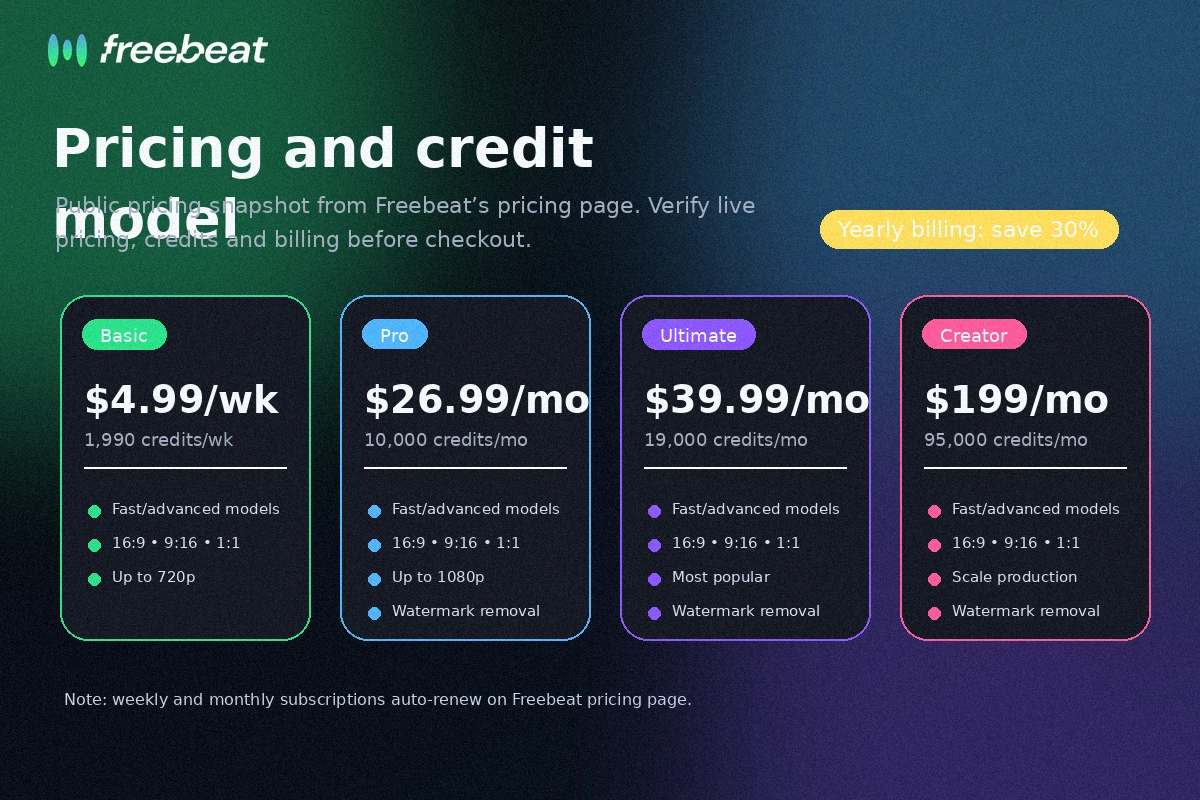
Pricing check: Before paying, compare Freebeat plans by credits, output quality, billing interval, and expected retries.
Check Freebeat pricing Check current offers Read store guide
Free plan, trial, coupon, and checkout notes
The free path is important because Freebeat is the kind of tool you should test with your own material.
A music-video generator can look great in a demo and still struggle with your genre, lyrics, pacing, or visual expectations. The free entry point gives buyers a way to test the actual workflow before buying credits or choosing a monthly plan.
I would use the free path this way: pick one real song, decide the target format, generate a first pass, review credit usage, test lyrics or visual changes, and only then compare paid tiers.
The coupon path should come after that, not before it. A current offer can improve the purchase, but it should not be the reason you buy. If the output does not fit your track, a lower price does not fix the mismatch.
The checkout page also matters because Freebeat’s pricing page displays discounts and plan-specific credit allowances. Check whether the billing interval is weekly or monthly, whether the visible discount applies at checkout, whether renewal pricing is different, and whether credit packs or subscriptions are refundable.
I did not verify a stable public coupon code that should be written into the review. Use the Freebeat coupon page only as a current-offer check after the workflow already makes sense.
Offer caution: Treat any Freebeat deal as a checkout check, not as proof that the product fits your music workflow.
What I would check before buying Freebeat
If I were buying Freebeat for a real creator workflow, I would check these items before paying:
- Whether my actual song produces a usable video during free testing.
- How many credits are consumed before the result feels publishable.
- Whether the plan includes the resolution, watermark removal, model access, and video length I need.
- Whether the billing interval is weekly or monthly and what the renewal price looks like.
- Whether the refund terms still allow a refund after any subscription or credit usage.
- Whether I have the rights to the music, samples, images, likenesses, or other material I upload.
- Whether a broader video tool would be better if I need manual editing, avatars, voiceover, or brand control.
The first two checks matter most. If one real track burns through credits before producing a usable result, the plan price becomes less important. The workflow is telling you the real cost.
A simple test before paying
Before paying, I would run a small test like this:
- Choose one real track you would actually publish.
- Decide the target use: lyric video, dance clip, full music video, or short social teaser.
- Generate a first version and note the credit cost.
- Review beat sync, lyric timing, visual coherence, and emotional fit.
- Make one or two realistic revisions and note additional credit use.
- Export in the format you care about most.
- Compare the final result against the plan price and refund terms.
This test does not need to be perfect. It needs to be honest.
If the tool creates a strong result with modest credit use, Freebeat becomes more interesting. If it takes repeated attempts and still misses the track’s mood, I would not upgrade just because the pricing page looks attractive.
Pros explained
The first real pro is focus. Freebeat is built around music-to-video, which gives it a clearer job than many broad AI video platforms. When your starting point is a song, that focus matters.
The second pro is speed. A creator can move from track to visual concept without opening a full editing suite. That can be valuable for social campaigns, single releases, and fast visual experiments.
The third pro is the free entry path. With a tool like this, free testing is more than a nice bonus. It is the safest way to estimate credit use and output quality before paying.
The fourth pro is platform fit. Vertical, square, and horizontal exports make Freebeat more practical for creators who publish across TikTok, Instagram, and YouTube.
The fifth pro is that the workflow is accessible. You do not need traditional video editing skills to start. That opens the tool to musicians and creators who think in audio first.
None of these strengths remove the need for review. They only make Freebeat worth testing.
Cons explained
The biggest con is credit uncertainty. AI video generation often takes multiple passes. If Freebeat needs several attempts to create a publishable result, the effective cost per video can rise quickly.
The second con is output inconsistency. Music-led AI video is difficult. Visual continuity, lip sync, lyrics timing, and story direction may not always match the buyer’s expectations.
The third con is refund risk. Freebeat’s terms are stricter than a casual buyer might expect, especially around used subscriptions, partial refunds, and credit packs. That does not mean every buyer will have a bad experience, but it does mean testing first is important.
The fourth con is limited manual control compared with a real editing workflow. Freebeat can create and refine, but it does not give the same level of control as timeline editing, motion design, or a human video team.
The fifth con is mixed public feedback. Some buyers praise the idea and speed, while others complain about credits, support, generation quality, or refund friction. That is enough reason to avoid impulse buying.
Green flags and red flags
Green flags:
- You already have music ready and need fast visual assets.
- The free test produces a usable result with reasonable credit use.
- You can accept some AI variation in style, scenes, and continuity.
- Your publishing workflow needs multiple aspect ratios.
- You understand the rights and refund terms before paying.
Red flags:
- You need exact creative control over every shot.
- You are buying only because a visible discount appears.
- You do not know how many credits a usable result will take.
- You need guaranteed refund flexibility after testing paid generations.
- You plan to use third-party music or likenesses without checking rights.
The easy mistake is treating Freebeat like a magic music-video button. The better way to judge it is as a fast creative assistant that still needs a human release decision.
Freebeat vs alternatives
Freebeat’s most direct value is music-first video creation. The internal alternatives worth checking are mostly adjacent routes, not one-to-one replacements.
Fliki vs Freebeat
Fliki is a stronger comparison if your workflow is text-to-video, voiceover, explainer content, or narrated social video. It is less music-first than Freebeat, but more relevant when the script or voiceover is the center of the asset.
Freebeat may still make more sense if the song itself drives the creative direction.
Crayo vs Freebeat
Crayo is more relevant for short-form social video creation and fast content formats. If your buyer job is making clips quickly, Crayo may be the better route.
Freebeat is stronger when you are turning an actual track into visuals and care about rhythm, lyrics, and music-led mood.
AKOOL vs Freebeat
AKOOL is an adjacent route for avatar, face, and marketing video workflows. It is not a direct music-video generator comparison in the same sense.
I would compare AKOOL if your real need is brand video, avatar communication, or campaign creative rather than song-first visuals.
Broader video editors vs Freebeat
A traditional video editor or design platform may be better if you need manual timeline control, client approvals, brand templates, or exact revisions.
Freebeat is better when speed and music-first automation matter more than full production control.
Trust, refund, and buyer-risk notes
Freebeat has a real use case, but the buyer-risk layer deserves attention.
First, pricing should be verified live. The pricing page uses visible discounts, weekly and monthly billing, credit allowances, model access, and resolution differences. These are exactly the kind of details that can change over time.
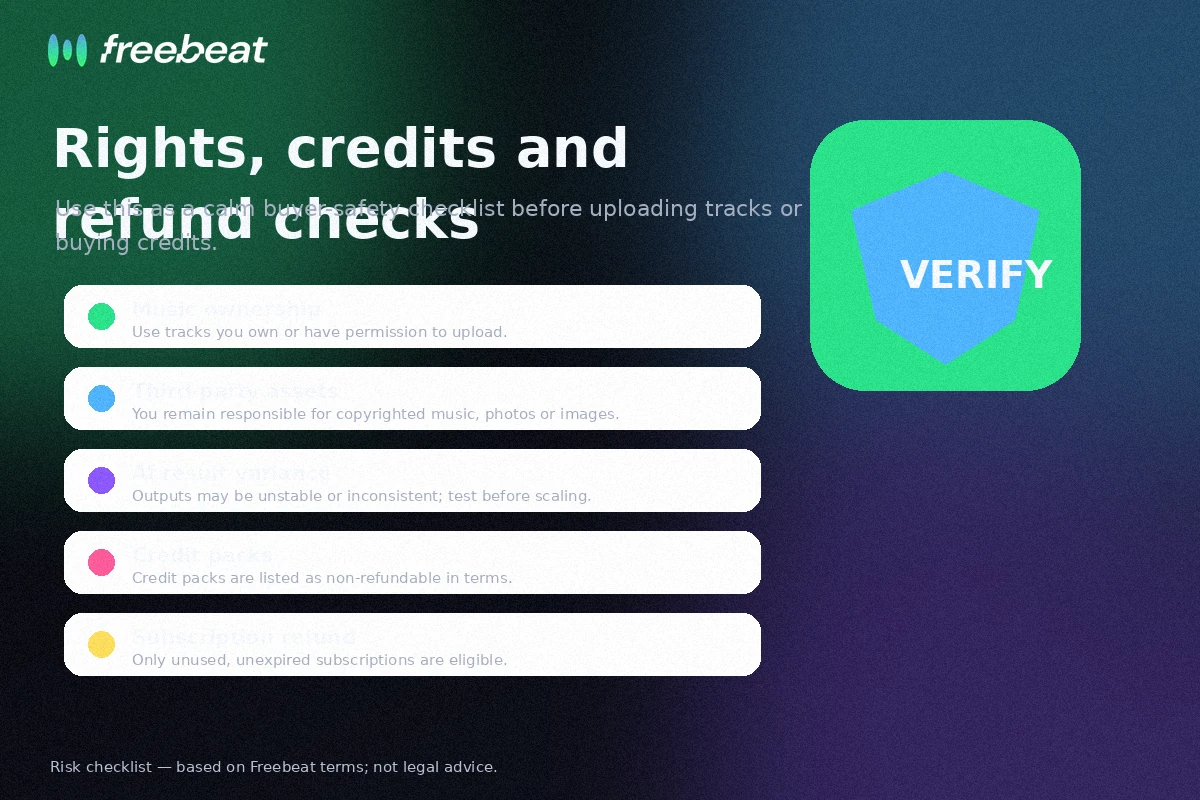
Second, the refund terms should be read before paid use. The terms say AI-generated content may be unstable, random, or inconsistent, and dissatisfaction with generated results alone is not a refund reason. They also restrict partial refunds and credit-pack refunds. This is not a detail to discover after a disappointing generation.
Third, rights still matter. Freebeat says users retain rights to generated content, but the buyer remains responsible for third-party materials. If you upload copyrighted music, samples, images, or likenesses, AI generation does not automatically clear those rights.
Fourth, public review signals are mixed. Some users praise the workflow, beat syncing, captions, and speed. Others raise concerns about credits, support, refunds, and inconsistent generation. I would not let either side decide the purchase alone. Use the free path and judge your own workflow.
Fifth, support expectations should be realistic. If the project is time-sensitive, do not assume support can fix a generation issue before a release date. Build in enough time to test, revise, or choose another workflow.
Finally, do not buy on headline price alone. Freebeat’s value is the number of usable music videos you can create per billing cycle after realistic revisions.
Final verdict
Freebeat is worth considering if your creative process starts with music and you need a faster way to turn songs into platform-ready visuals.
I would consider it for musicians, DJs, lyric-video creators, social creators, and small teams that regularly need music-led video content. The best-fit buyer is not just curious about AI video. They have real tracks, a repeatable publishing rhythm, and a reason to turn songs into visual assets quickly.
I would skip Freebeat if you need exact editing control, guaranteed visual continuity, legal certainty, or predictable client-ready output on the first attempt. I would also slow down if you are uncomfortable with credits, strict refund terms, or mixed public feedback around support and output consistency.
I would compare it with Fliki if your workflow is voiceover or text-to-video, Crayo if short-form social content matters more, and AKOOL if avatar or marketing video is the real buyer job.
The safest next step is simple: test one real song with the free path, measure credit use, review output quality, then check the current pricing and refund terms before choosing a plan. If the test works, Freebeat can be a useful creative shortcut. If the test does not work, a coupon will not fix the mismatch.