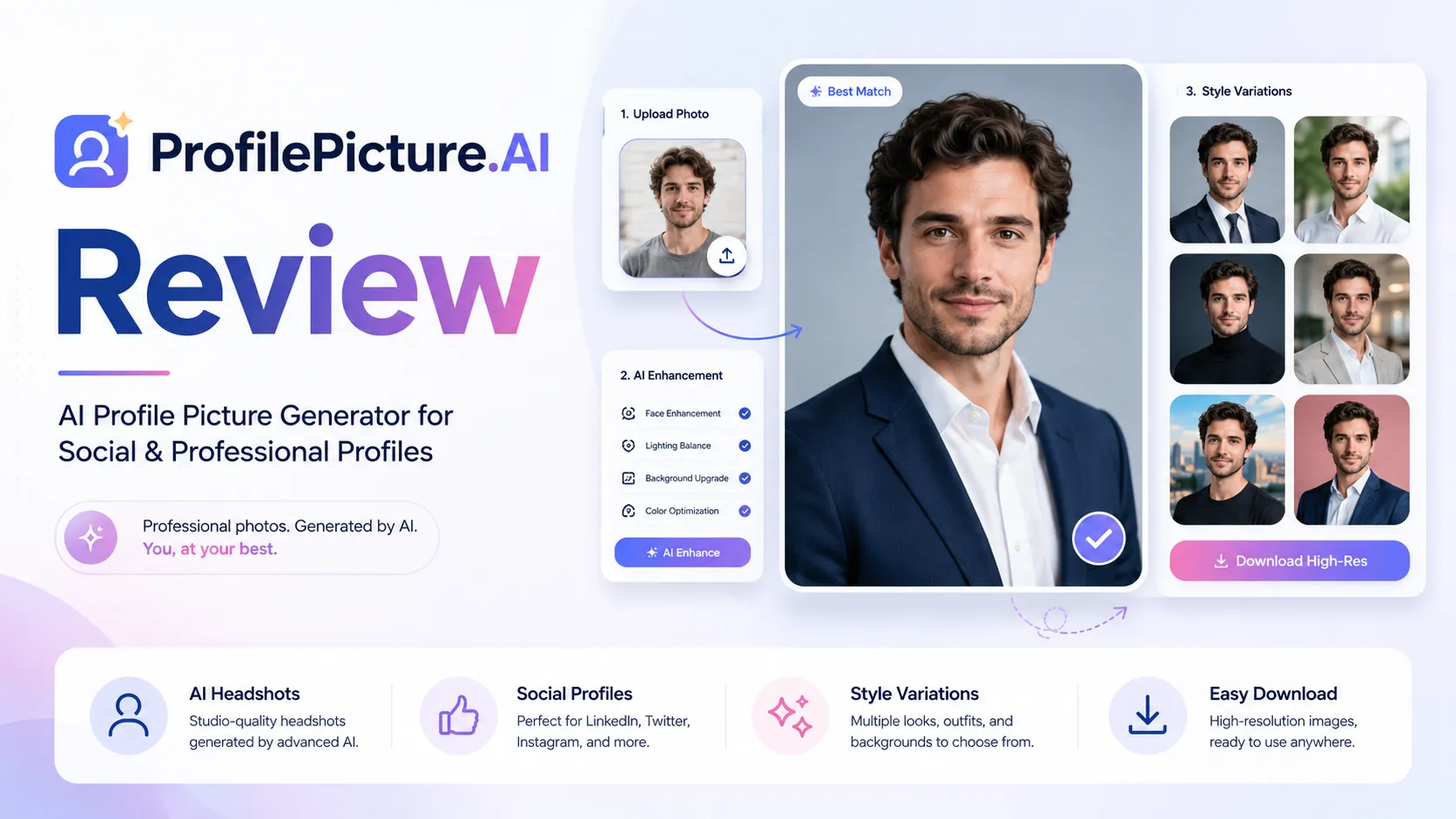
Quick verdict
Profile Picture AI is worth considering if your problem is narrow: you need better profile photos, faster than booking a photographer, and you are comfortable uploading personal images into an AI photo workflow.
That narrowness is the main reason it can make sense.
I would not judge it like a general AI image generator, and I would not judge it like a full business headshot platform either. The real question is more practical: do you need a few profile-ready visuals for LinkedIn, a creator bio, a personal website, a social account, or a small team page — and can you accept that AI-generated photo quality will depend heavily on the source photo and style choice?
The easy mistake is seeing the free PFP maker and assuming the entire product is free. The free tool is useful for quick profile-photo formatting. The paid studio-style photoshoot path is a different decision because it involves uploaded photos, generated outputs, package details, refund timing, and buyer expectations.
For my money, Profile Picture AI makes the most sense as a personal-branding refresh tool, not as a deep photo editor, enterprise headshot system, or ongoing creative production suite. The safest path is to test the free maker if your need is simple, then check the live paid package only if you truly need AI-generated profile photos.
Next step: If Profile Picture AI still fits your profile-photo workflow, verify the current package and privacy terms before paying.
Visit Profile Picture AI Read store guide Check current offers
Review snapshot
| Review point | Practical take |
|---|---|
| Best for | Creators, solo professionals, consultants, job seekers, founders, and small teams refreshing profile photos |
| Not ideal for | Buyers needing a full image editor, exact creative control, API automation, or enterprise headshot governance |
| Main use case | Turning source photos into profile-ready visuals for LinkedIn, social media, websites, bios, and personal branding |
| Free path | Free PFP maker for browser-based profile formatting, borders, gradients, and social-avatar polish |
| Paid path | AI studio-style photoshoot flow should be checked live for current package details, image count, and style access |
| Main strength | Focused profile-photo outcome instead of a confusing all-purpose creative suite |
| Main concern | Output quality depends on source photos and expectations; refund and package terms matter before checkout |
| Best direct comparisons | Photo AI, HeadshotPro, Aragon AI |
| Adjacent routes | 1min.AI for broader AI utility, Aikeedo for buyers thinking about building AI products rather than buying profile photos |
| Best next step | Decide whether you need simple PFP formatting or paid generated photos before checking offers |
What is Profile Picture AI?
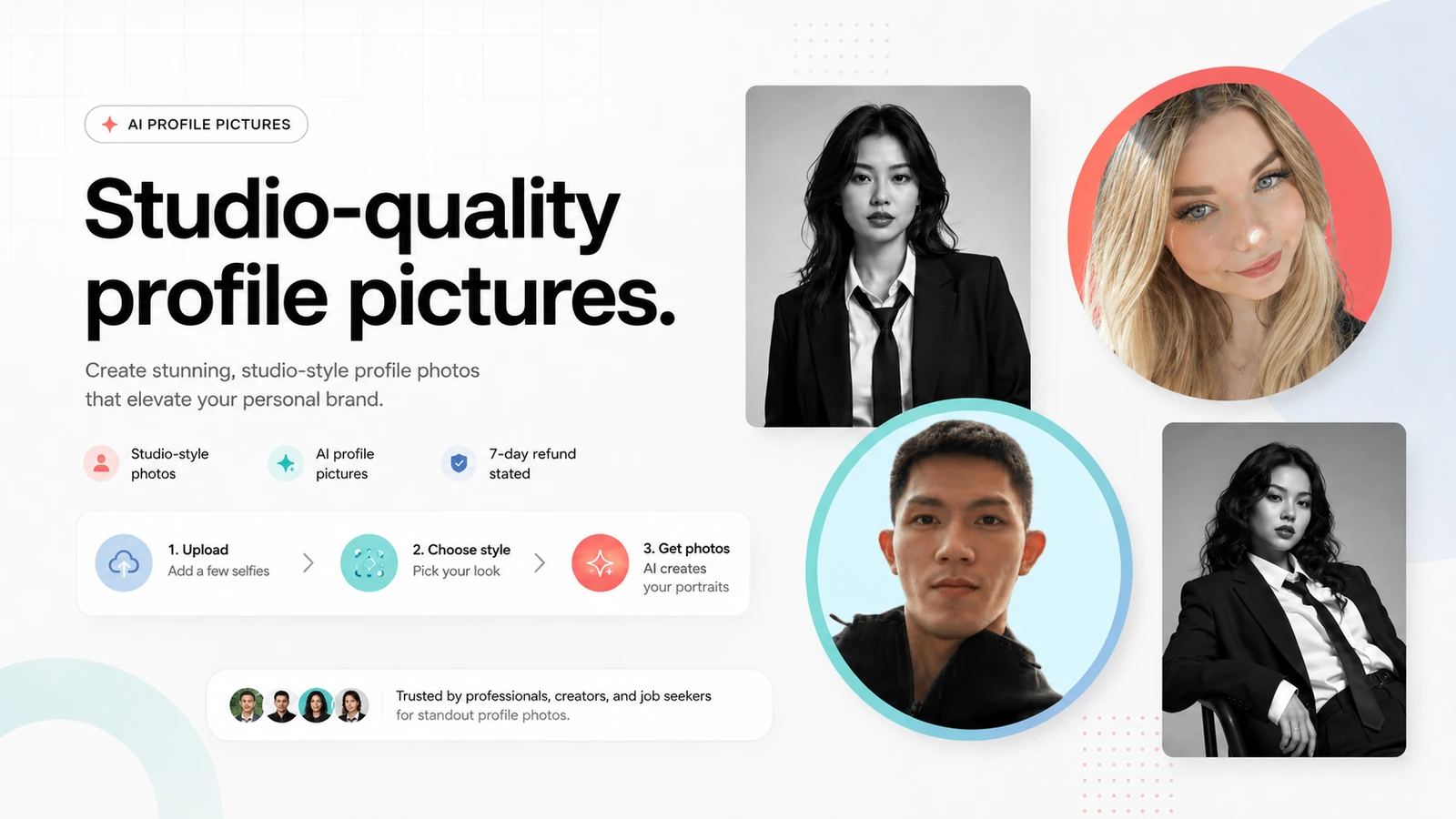
Profile Picture AI is best understood as a focused AI profile-photo tool. It helps users create profile pictures and studio-style portraits for public-facing profiles, social accounts, personal websites, creator bios, dating profiles, portfolios, and professional pages.
It has two buyer paths that should not be mixed together.
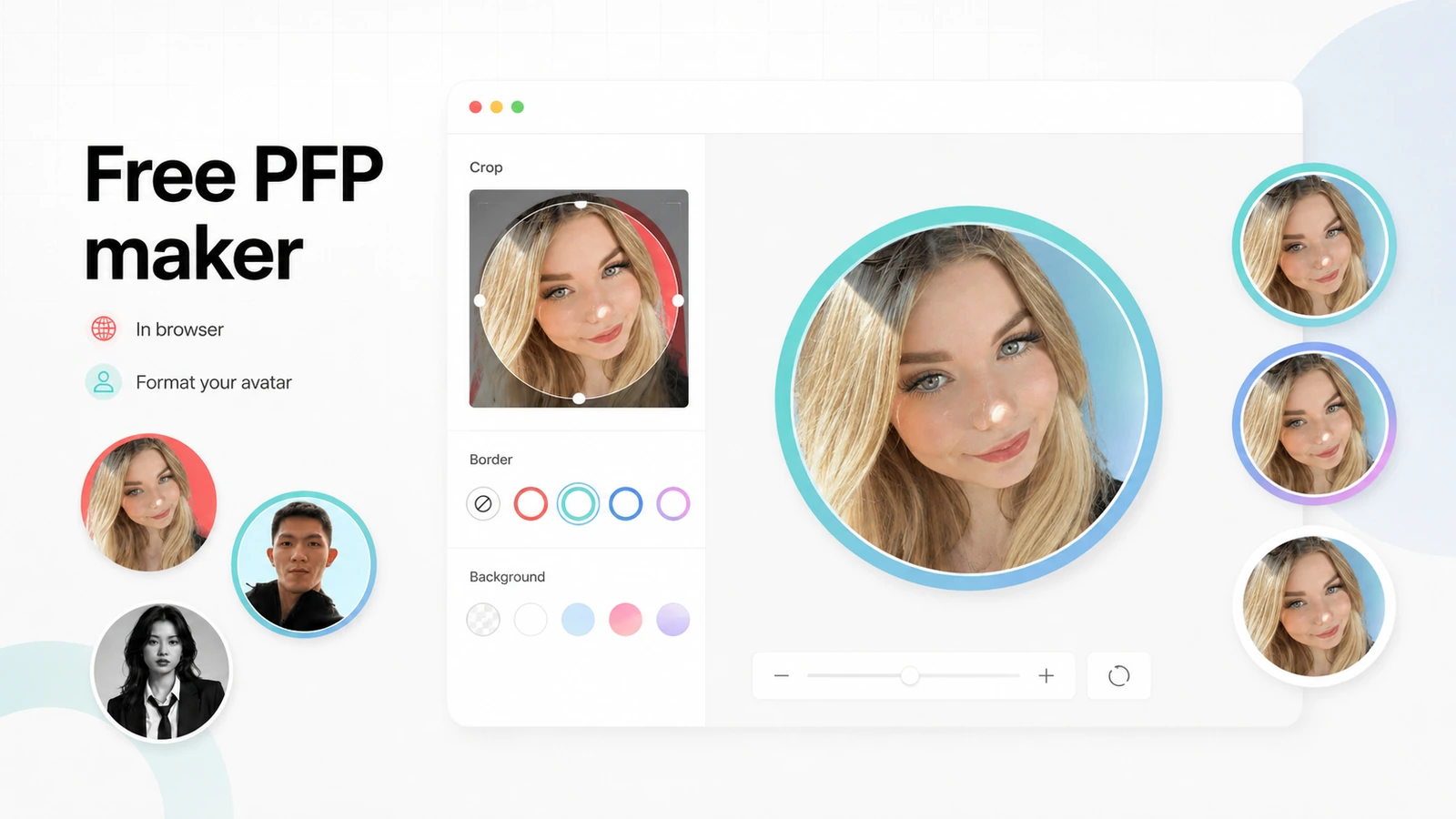
The first path is the free PFP maker. That tool is for quick profile-photo formatting: borders, gradients, circular text, and profile-friendly presentation. It is useful when you already have a photo and only want to make it more platform-ready.
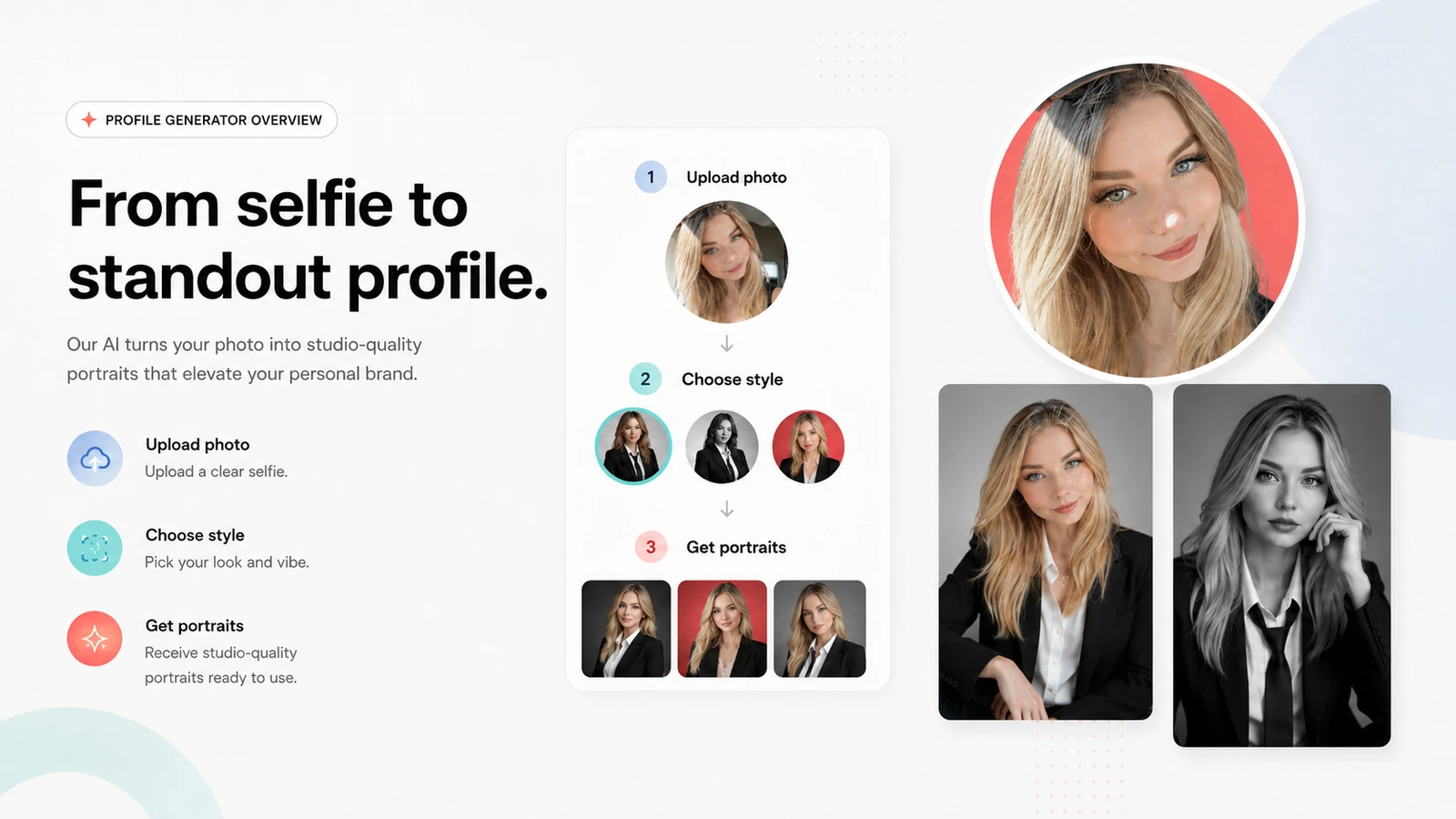
The second path is the AI studio photoshoot flow. That is the higher-stakes part. It asks the buyer to upload source photos and then generates a set of AI-created profile or studio-style images. This is closer to a faster alternative to a lightweight photo shoot than a normal image editor.
That distinction matters because the buying risk is different. A free browser-based formatter is easy to try. A paid AI photo workflow requires more caution around image quality, privacy, refund rules, and whether the available styles match the buyer’s public image.
Our review approach: we compare public product pages, pricing and checkout signals, privacy and terms language, buyer workflow fit, and nearby alternatives. We do not treat a free tool, low package price, or coupon route as proof that the product fits the buyer.
Who should use Profile Picture AI?
Profile Picture AI makes the most sense for buyers who know they need better public-facing profile visuals but do not want the friction of a traditional shoot.
Creators and personal brands are the clearest fit. A YouTuber, newsletter writer, course creator, consultant, or independent expert may need a sharper profile image for multiple platforms. If the current photo looks casual, outdated, or inconsistent, a focused AI profile-photo tool can be a reasonable middle path.
Job seekers and solo professionals are another natural group. A cleaner LinkedIn or CV photo can matter, but not everyone wants to book a photographer for one headshot. Profile Picture AI can be useful when the goal is a more polished public image, not a full brand photoshoot.
Founders and freelancers may also benefit if they need a credible photo for a website, bio page, speaker profile, proposal, or sales page. The product is easier to justify when a better image supports trust in a real business context.
Small teams may use it for visual consistency, especially remote teams that cannot easily gather for one photo session. I would still be careful here. If the team needs formal admin controls, approval workflows, brand governance, or repeatable corporate headshot operations, a dedicated headshot platform may be the better comparison.
The condition behind all of these use cases is source-photo quality. If the input photo is blurry, poorly lit, outdated, or not representative of how you want to appear, the generated set may disappoint no matter how good the tool looks on the homepage.
Who should avoid Profile Picture AI?
I would be careful with Profile Picture AI if you expect precise art direction. AI profile-photo tools can produce strong outputs, but they do not replace a photographer, retoucher, stylist, and creative director when you need exact control.
I would also avoid treating it as a full image editing workspace. If you need layers, product shots, ad creatives, background control, brand templates, batch editing, or ongoing creative production, a broader AI photo or design tool is a better direction.
Buyers who are uncomfortable uploading personal photos should slow down. Profile Picture AI has public privacy messaging, but the category itself is sensitive. A profile-photo generator is handling images of your face, so privacy is part of the product fit, not a footnote.
Teams with formal requirements should also be cautious. A small team can use profile photos informally, but that is not the same as an enterprise headshot program with admin seats, procurement, compliance review, and consistent brand standards.
Finally, skip it if you are only chasing a discount. A coupon or deal route can reduce cost, but it cannot make an AI-generated photo look like you, match your brand, or solve a weak source-photo problem.
How Profile Picture AI fits into a real workflow
A sensible Profile Picture AI workflow starts before the upload.
First, decide the use case. A LinkedIn headshot, creator avatar, social-media profile, portfolio photo, and dating profile do not all need the same style. If you are unclear about the platform, you may choose a style that looks interesting but does not fit where the image will be used.
Second, choose source photos carefully. The official guidance emphasizes clear, well-lit photos. That sounds basic, but it is the most important quality lever. AI photo tools are not magic repair systems for bad input.
Third, separate the free and paid jobs. If you already have a usable photo and just need a better circular avatar, border, or profile presentation, the free PFP maker may be enough. If you need new generated looks, move into the paid studio-style path only after checking the current package.
Fourth, judge the outputs like a buyer, not like someone browsing cool AI images. The question is not “which image looks impressive?” The question is “which image would I actually put on the profile where trust matters?”
The final decision is curation. You may receive many outputs, but only a few need to be good enough. That is normal for AI photo generation. The mistake is expecting every output to be perfect. The better mindset is to buy only if the package, refund terms, and style fit make sense even after accounting for some unusable images.
Workflow check: If your source photos are ready and the use case is clear, review the live Profile Picture AI path before choosing a paid package.
Real-world buyer scenarios
A consultant refreshing a LinkedIn photo
A consultant with an outdated LinkedIn photo may be a good fit. The goal is not a dramatic creative avatar. The goal is a trustworthy, clear, professional-looking profile image that feels current.
Profile Picture AI can work here if the buyer has a strong source photo and chooses a realistic style. The risk is picking a look that feels too artificial, too glamorous, or too disconnected from the consultant’s real client-facing presence.
Before paying, I would check the style gallery and refund language, then decide whether a dedicated business headshot tool like HeadshotPro is a better fit.
A creator needing multiple profile looks
A creator may need a few different profile images for YouTube, newsletter bios, Instagram, portfolio pages, and media kits. This is where Profile Picture AI’s focused style variety can be useful.
The risk is over-stylization. A creator profile should still feel recognizable and consistent. If every platform has a completely different visual identity, the buyer may get novelty but lose brand clarity.
For a broader AI photo workflow, I would compare it with the Photo AI review before committing.
A small remote team updating profile photos
A small remote team may like the idea of consistent profile photos without scheduling a physical shoot. This can work for lightweight team pages, startup bios, and public-facing profile cards.
The weakness is governance. If the business needs strict brand review, admin controls, repeatable team management, or HR-approved photo standards, Profile Picture AI may feel too informal. A team-oriented headshot product is the safer comparison.
A casual user wanting a quick social avatar
A casual user may not need paid generation at all. If the goal is a cleaner WhatsApp, TikTok, Instagram, or LinkedIn avatar using an existing photo, the free PFP maker may be enough.
This is the buyer who should be most careful about upselling themselves. If the free formatter solves the problem, there is no need to pay for generated photos just because the examples look impressive.
Key features that actually matter
Free PFP maker
The free PFP maker matters because it gives buyers a low-risk path for simple profile-photo polish. It is useful for borders, gradients, circular text, and platform-friendly avatar formatting.
Buyer note: do not confuse this with the paid AI photoshoot flow. The free maker improves or formats an existing photo. It does not prove that the paid generated-photo path will match your personal-branding needs.
AI studio photoshoots
The studio photoshoot path is the core paid value. Instead of simply cropping or decorating an existing photo, it generates new profile-style outputs from uploaded source images.
This can be useful when a traditional shoot feels too slow or expensive. It becomes weaker when the buyer needs exact creative control, highly realistic executive headshots, or guaranteed brand consistency.
Buyer note: judge the paid path by usable outputs, not by the total number of images generated.
Style variety
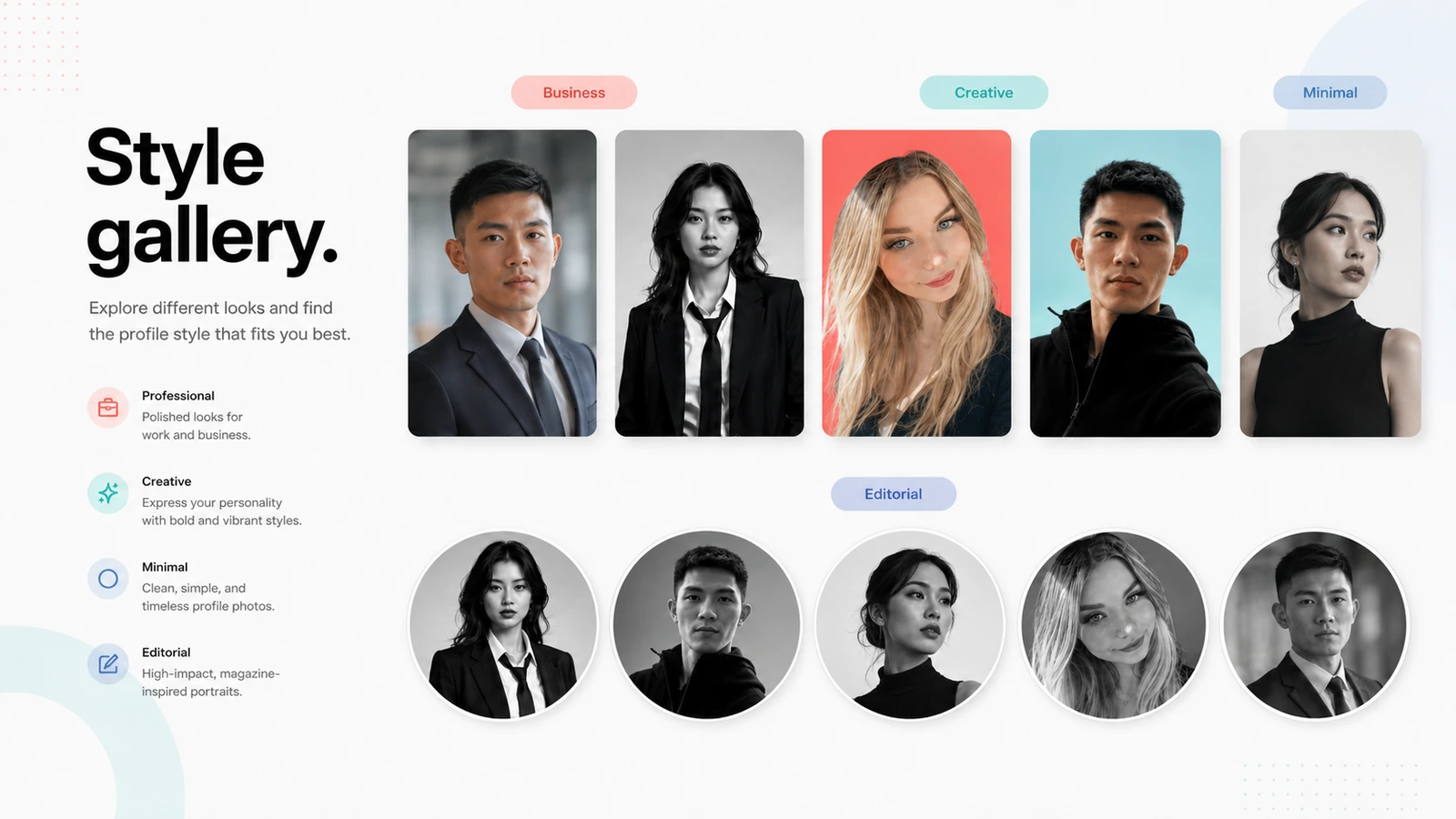
Style variety is one of the strongest reasons to consider a tool like this. A professional LinkedIn look, creator portrait, fashion-inspired profile, and casual social avatar are different jobs.
The risk is that variety can create indecision. More styles do not automatically mean better outcomes. The buyer should choose the platform first and the style second.
Buyer note: pick styles based on where the image will be used, not on which sample looks the most dramatic.
Source-photo guidance
This may sound like a small feature, but it is a major buyer checkpoint. AI profile-photo generation depends heavily on input quality. Clear, recent, well-lit source photos are more likely to produce believable results.
If your source photo is weak, the tool may still generate images, but you may spend more time rejecting outputs. That affects value.
Buyer note: before paying, prepare a source photo you would be comfortable using as a base for your public image.
Privacy and payment handling
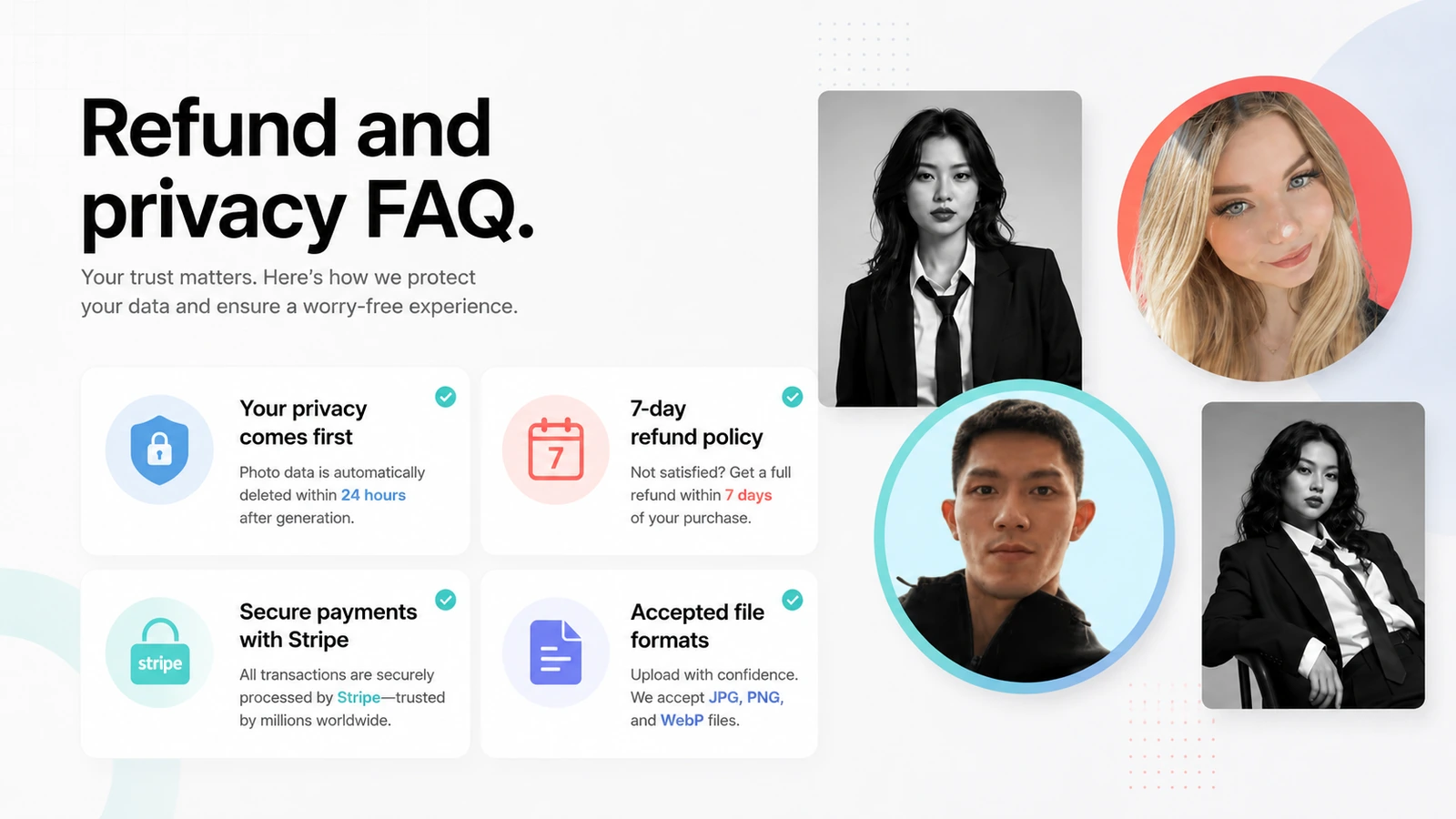
Profile-photo products handle sensitive personal images, so privacy and payment handling matter more than they would for a normal writing tool. Profile Picture AI publishes privacy, terms, sub-processor, refund, and payment information, which gives buyers more to inspect before checkout.
Buyer note: read these pages before uploading anything sensitive. A clear privacy statement is helpful, but comfort with the process is still a personal decision.
Pricing and plan value
Profile Picture AI is not a product I would evaluate from the word “free” alone.
The free PFP maker is genuinely useful if your job is basic profile-photo formatting. It is the right first stop for a buyer who wants a quick avatar upgrade, circular border, gradient, or simple social-media polish. For that use case, a paid AI photoshoot may be unnecessary.
The paid decision starts when you need generated profile images. At that point, the important details are the live package price, number of outputs, available styles, usage rights, refund timing, and whether the generated results are likely to fit your platform.
I would be cautious about quoting an old third-party price because package structure can change. The better buyer habit is to check the current Profile Picture AI checkout route directly. If the site presents a package-based purchase, review exactly what is included before paying.
Annual billing is not the main issue here in the way it is with recurring SaaS. The bigger issue is whether you are paying for a one-time or package-style photo generation flow and whether the refund terms still protect you if the outputs do not meet the promised profile-worthy standard.
If you need many professional headshots for a company, compare package economics with a tool built around business headshots. If you need ongoing AI photo creation beyond profile images, compare with a broader AI photo platform.
Pricing check: Treat the free maker as a test path. Treat the paid photoshoot path as a separate checkout decision that needs package, privacy, and refund verification.
Free plan, trial, coupon, and checkout notes
The safest way to understand Profile Picture AI is to separate three things: the free tool, the paid generation flow, and the offer route.
The free PFP maker is the lowest-risk path. Use it if you already have a photo and only need a better profile presentation. It is also useful for testing whether the product’s style and interface feel aligned with your needs.
The paid AI photoshoot path is different. Before paying, verify the current package, output count, style access, supported formats, refund window, and any language around generated results. This matters because AI photo tools can produce a mix of strong, average, and unusable outputs.
The coupon route should come last. If Profile Picture AI fits your use case, a current offer can improve the purchase. But a coupon should not be the reason you upload personal photos or buy a generated-photo package.
If you are still unsure whether the product fits, compare it with a broader AI photo workflow first. If you only need a general AI workspace, 1min.AI is an adjacent route, not a direct replacement. If you are thinking about building or owning an AI product instead of buying profile photos, Aikeedo is a different buyer path entirely.
What I would check before buying Profile Picture AI
If I were buying Profile Picture AI for a real public-facing profile, I would check these points before paying:
- Do I need formatting or generated photos? If a border, crop, or profile frame is enough, start with the free PFP maker.
- Are my source photos good enough? Clear, recent, well-lit input photos matter more than most buyers expect.
- Which platform is the image for? LinkedIn, creator bios, websites, dating apps, and social profiles need different visual tones.
- What does the current package include? Check image count, style access, usage terms, and payment structure live.
- What happens if I dislike the results? Read the refund language before generating photos, not after disappointment.
- Am I comfortable uploading these photos? Privacy comfort is part of the purchase decision for any face-photo generator.
- Would a dedicated headshot tool be safer? If the photo is for a company, executive team, or serious business profile, compare alternatives first.
A simple test before paying
Before paying for the AI photoshoot path, I would run a small decision test:
- Pick the exact platform you want to improve first, such as LinkedIn, a creator bio, or a website author box.
- Choose one source photo that is clear, recent, and well lit.
- Use the free PFP maker if your problem is only presentation, cropping, borders, or profile formatting.
- Review the paid styles and remove any that feel too artificial for your public identity.
- Check the current package and refund language before upload or payment.
- Compare one direct alternative if the profile image is business-critical.
- Buy only if you can name where you will use the finished image.
That last step sounds simple, but it prevents a lot of bad purchases. If you cannot name the platform and purpose, you are probably buying curiosity, not solving a profile-photo problem.
Pros explained
The first real advantage is focus. Profile Picture AI is not trying to replace every image tool. That makes it easier to judge. Either you need better profile photos, or you do not.
The second advantage is the free PFP maker. It gives buyers a no-pressure way to improve an existing photo. That is valuable because many people do not need generated photos. They just need a cleaner social-avatar presentation.
The third advantage is speed compared with a traditional shoot. For a creator, founder, or freelancer who needs a quick refresh, an AI photoshoot can be a practical shortcut. It will not replace a carefully directed brand shoot, but it can be enough for many profile contexts.
The fourth advantage is clearer buyer-risk language than some small AI tools provide. The public FAQ and terms give buyers specific privacy, refund, payment, and file-format points to review. That does not remove all risk, but it gives cautious buyers something concrete to check.
The advantage stops being enough when the buyer needs exact realism, formal team operations, advanced editing, or guaranteed image quality.
Cons explained
The biggest limitation is expectation management. AI-generated profile photos can look impressive in examples, but your results depend on source images, style choice, model behavior, and your own tolerance for slightly artificial details.
The second limitation is that the free path and paid path can be easy to blur. A free PFP maker does not mean the full AI-generated photo experience is free, and it does not prove that paid results will fit your use case.
The third limitation is pricing clarity at the moment of decision. Profile Picture AI may present package or checkout-based offers, so buyers should verify live details rather than relying on old pricing references. This is especially important if a third-party coupon page claims a deal without matching official checkout reality.
The fourth limitation is team depth. A small remote team can use generated profile images, but buyers needing admin seats, approval controls, HR review, or procurement-ready workflows should compare dedicated headshot platforms first.
None of these cons make Profile Picture AI a bad product. They simply make it a tool that needs a clear use case before payment.
Green flags and red flags
Green flags
- You have a specific profile image problem, not a vague desire to “try AI photos.”
- You already know where the photo will be used.
- Your source photo is clear, recent, and well lit.
- You only need a handful of usable outputs, not every generated image to be perfect.
- The current refund and package terms are acceptable before checkout.
Red flags
- You are buying only because a coupon path exists.
- You expect the tool to repair weak selfies or produce guaranteed photographer-level realism.
- You need formal team controls, admin permissions, or enterprise branding workflows.
- You are not comfortable uploading personal photos to an AI generation service.
- You need a full creative suite rather than a profile-photo tool.
Profile Picture AI vs alternatives
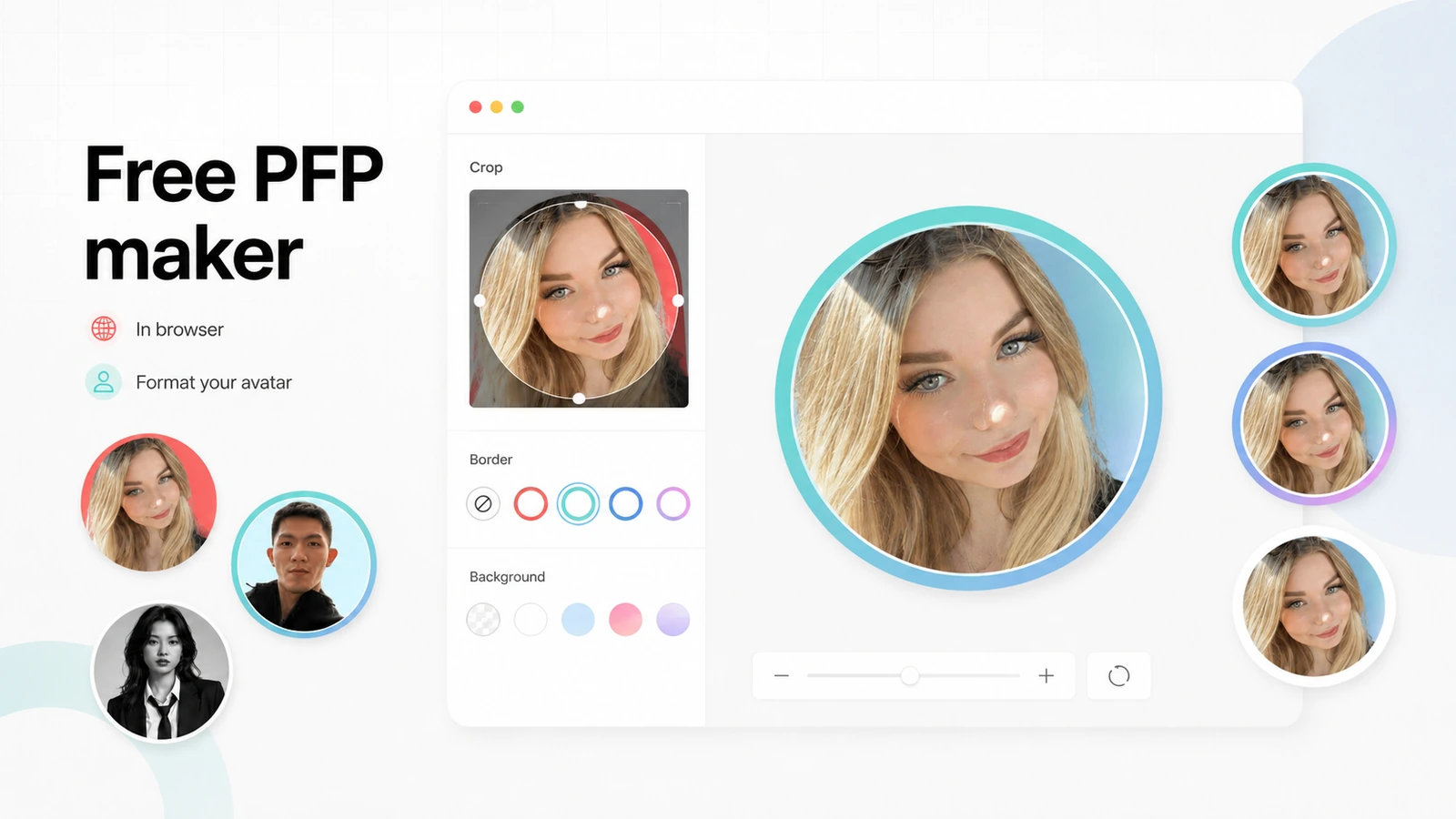
Photo AI vs Profile Picture AI
Photo AI is the stronger comparison if you want a broader AI photo studio. It is better suited to buyers thinking beyond profile pictures: character-style shoots, wider photo generation, visual experimentation, and more flexible image workflows.
Profile Picture AI may still make more sense if your need is narrower. If the job is simply a better profile image, a focused product can be easier to evaluate and less distracting.
HeadshotPro vs Profile Picture AI
HeadshotPro is the stronger comparison for business headshots, teams, and professional identity. If the buyer needs company-wide headshots or a more formal business portrait workflow, HeadshotPro may be the safer route.
Profile Picture AI is better when the use case is personal branding, creator identity, social profiles, or a lighter profile refresh rather than a business headshot program.
Aragon AI vs Profile Picture AI
Aragon AI is another direct headshot-generator comparison for buyers who want professional portraits and a more headshot-specific buying path. It may be a better fit if the buyer is focused on corporate or career photos.
Profile Picture AI is more flexible for profile-photo variety and social-style outputs, but buyers should compare realism, turnaround, package terms, and refund comfort before choosing.
1min.AI vs Profile Picture AI
1min.AI is an adjacent route, not a direct replacement. It is better for buyers who want a broad AI workspace across writing, image, chat, and utility tasks.
Profile Picture AI is better when the decision is specifically about profile photos. If you are comparing the two, the real question is whether you need a dedicated profile-image result or a multi-purpose AI toolkit.
Aikeedo vs Profile Picture AI
Aikeedo is not a profile-photo alternative. It is an adjacent route for buyers thinking about building or owning an AI SaaS system.
That makes it relevant only if your real decision is not “which photo tool should I use?” but “should I buy tools or build something around AI services?” For most profile-photo buyers, Aikeedo is not a practical replacement.
Trust, refund, and buyer-risk notes
My confidence is strongest around Profile Picture AI’s product role: it is a focused profile-photo and AI studio-style image tool, not a general productivity app. I am more cautious around long-term value because the buyer’s result depends on input photos, style expectations, and current package details.
The refund language is helpful but should not be treated casually. A stated refund window is better than silence, but buyers should still read the current terms before paying. Generated-photo products can create disappointment for subjective reasons: the image may be technically good but not feel like you, not fit your brand, or not match the style you imagined.
Privacy is the second major risk area. Profile Picture AI publishes photo-handling and sub-processor information, but buyers should still decide whether they are comfortable uploading personal images. If the photos are sensitive, private, or tied to a professional identity, slow down and read the current privacy pages before upload.
Finally, do not confuse payment security with purchase fit. Stripe handling is useful, but it does not tell you whether the generated images will be usable. The best buyer protection is still a clear use case, strong source photo, realistic expectations, and a live checkout check.
Final verdict
I would consider Profile Picture AI if you have a clear profile-photo problem, a good source image, and a realistic need for better public-facing visuals without booking a photographer.
I would start with the free PFP maker if your existing photo is already acceptable and you only need better presentation. That is the low-risk path and may solve the entire problem.
I would move to the paid AI photoshoot path only if you need generated profile photos, have checked the current package, understand the refund window, and are comfortable with how your uploaded photos are handled.
I would skip Profile Picture AI if you need exact photographer-level control, enterprise team governance, API automation, or a full image editing workspace. In that case, compare Photo AI for broader AI photography or HeadshotPro for business headshots.
The safest next step is simple: decide whether you need formatting or generation first. Then check the current Profile Picture AI store route and active offers only after the product fit is clear.
