Quick verdict
Photo AI is worth considering if you want a repeatable AI photoshoot workflow, not just a quick image edit.
That distinction matters. Photo AI can help creators, founders, marketers, dating-profile users, and visual sellers generate many versions of people-focused images without booking a physical shoot every time. It can also move beyond still images into AI video-style outputs on higher plans. But the buying decision is not only whether the examples look impressive. The real question is whether you will use the credits, models, photo packs, likeness features, and video tools often enough to justify a paid subscription.
I would not treat Photo AI as a casual free photo app. Starter can test the idea, Pro is where commercial use becomes more relevant, Max expands the creator and video path, and Ultra is mainly for heavier production. For my money, the first check is not the lowest visible price. It is whether your own model produces images you would actually publish.
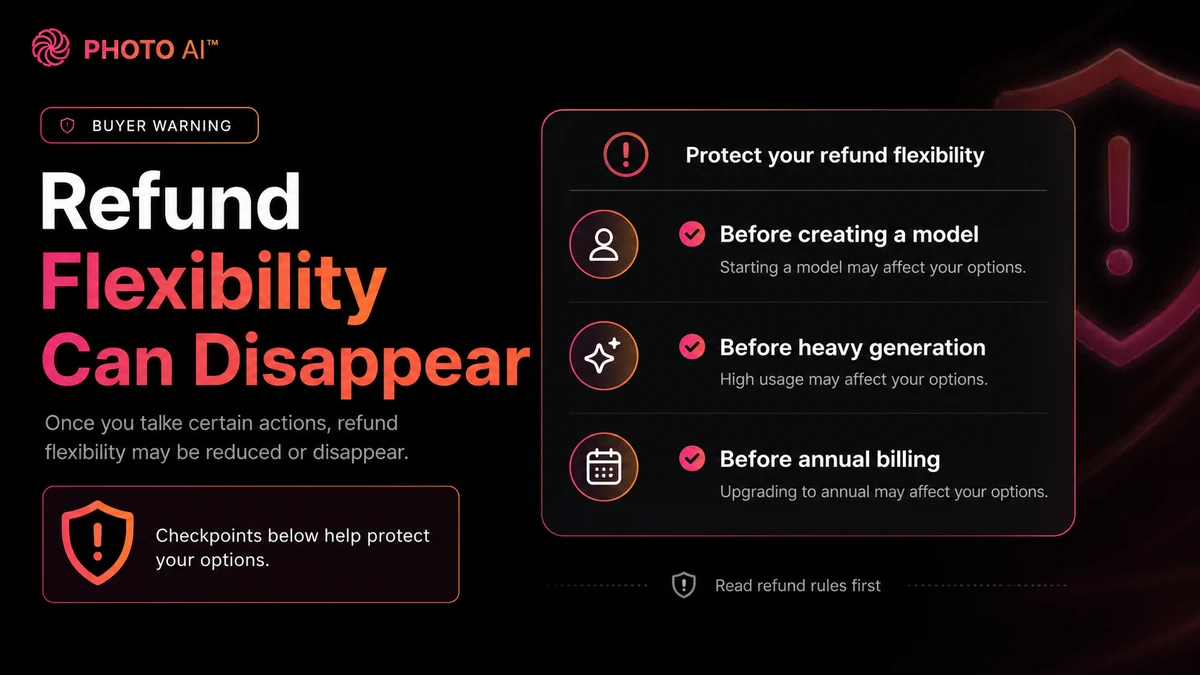
The main caution is refund flexibility. Once you create a model or generate enough photos or videos, the refund path can become much narrower. The safer path is to read the current pricing and refund pages before heavy use, start small, and avoid annual billing until the output quality fits your real workflow.
Next step: If Photo AI still sounds like a fit, verify the current pricing route and plan limits before training a model or choosing annual billing.
Review snapshot
| Review point | Practical take |
|---|---|
| Best for | Creators, founders, marketers, dating-profile users, and visual sellers who need repeated AI photos or video-style outputs |
| Not ideal for | One-off users, strict studio-quality buyers, teams needing procurement controls, or anyone buying only because of a discount claim |
| Main use case | Upload selfies, create an AI model, then generate photos or videos in different styles, places, outfits, and scenarios |
| Starting price | Public pricing currently starts with a paid Starter path; annual billing shows a lower effective monthly price |
| Free path | No normal standalone free plan is listed; free photos are tied to model/subscription behavior |
| Main strength | Broad AI photoshoot use cases: headshots, dating photos, social visuals, product imagery, and AI video |
| Main concern | Credits, likeness quality, commercial rights, refund limits, and annual billing need careful checking |
| Direct alternatives | Headshot Pro, Aragon, StudioShot, ProfilePicture.AI for buyers who only need profile or business portraits |
| Best next step | Test one real image workflow before upgrading, choosing annual billing, or relying on Photo AI for a campaign |
What is Photo AI?
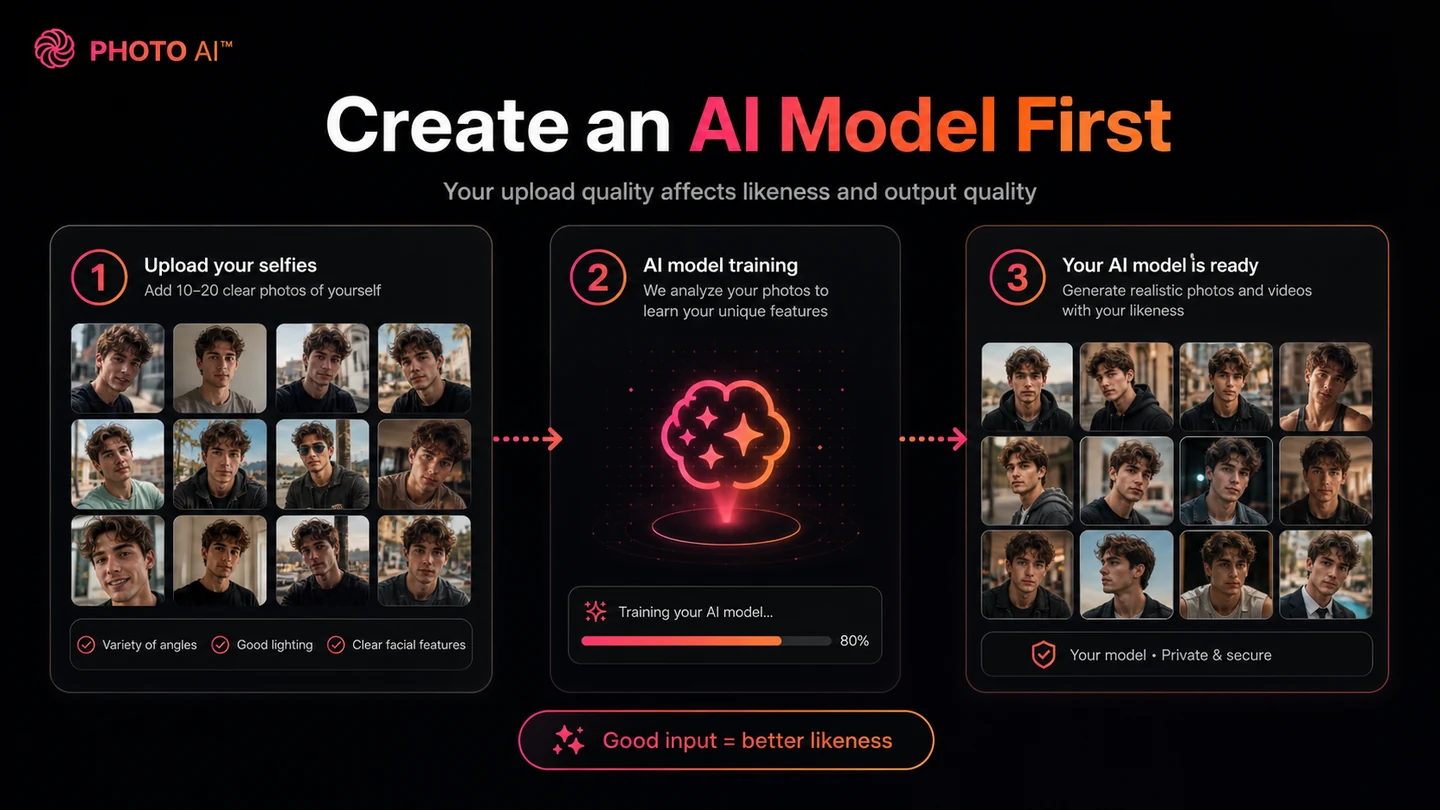
Photo AI is an AI photoshoot platform for people-focused visuals. The basic workflow is: upload source photos, create an AI model, and generate photorealistic images or videos of that model across different styles, settings, outfits, and scenarios.
That makes it different from a normal photo editor. A basic editor improves an existing image. Photo AI creates new visual variations of a person or model. That is why it fits creator profiles, professional headshots, dating photos, social posts, founder imagery, influencer-style content, product visuals, and some clothing or e-commerce experiments.
It is not a guaranteed replacement for a photographer. A real photographer can direct expression, lighting, wardrobe, pose, mood, and final retouching. Photo AI can generate scale and variety, but the buyer still needs to judge likeness, artifacts, realism, commercial-use rights, and whether the image feels believable in public.
Our review approach: we compare public product pages, pricing details, help documentation, deal terms, buyer workflow fit, and nearby alternatives. We do not treat an annual discount, coupon claim, or attractive image gallery as proof that the product fits the buyer.
Who should use Photo AI?
Photo AI fits creators who need fresh visual variations often. If you publish social content, refresh thumbnails, test profile photos, or need visual concepts for campaigns, the value comes from repetition.
It can also fit solo founders and consultants who want founder photos without arranging a full shoot. I would still test carefully before relying on the images for a serious company homepage, investor page, or speaker profile. Professional trust is fragile; one slightly strange face or hand can make a brand look less polished.
Dating-profile users are another obvious audience. The buyer check is naturalness. A dating image has to look like you and still feel believable.
Marketers and e-commerce sellers may use Photo AI for model-style visuals, clothing concepts, or quick creative directions before a real campaign. In that case, commercial-use rights matter. Do not assume every plan gives the same usage rights.
A creator experimenting with AI video may also consider it, but only after checking plan access. Video makes credits, processing speed, likeness consistency, and plan tier more important than headline price.
Who should avoid Photo AI?
I would avoid Photo AI if you only need one quick profile photo. A focused headshot service may be simpler, and a real photographer may still be safer for an executive bio, conference page, or high-stakes business profile.
I would also be careful if you expect perfect likeness every time. AI people imagery can still produce artifacts, odd hands, inconsistent facial structure, plastic-looking skin, or images that look impressive at first glance but feel wrong when used publicly.
Teams that need procurement, admin management, confirmed API access, brand approvals, legal controls, or repeatable team operations should slow down. Photo AI is more creator-oriented than enterprise-governance-oriented.
I would also skip annual billing at the beginning if the refund rules make you nervous. Annual savings can look attractive, but they are safer after your own model and use case have proven useful.
How Photo AI fits into a real workflow
A realistic Photo AI workflow starts with a specific visual job. “I want better photos” is too vague. “I need five LinkedIn-style founder images,” “dating profile variations,” “lifestyle photos for Instagram,” or “model-style product concepts” gives the test a clearer finish line.
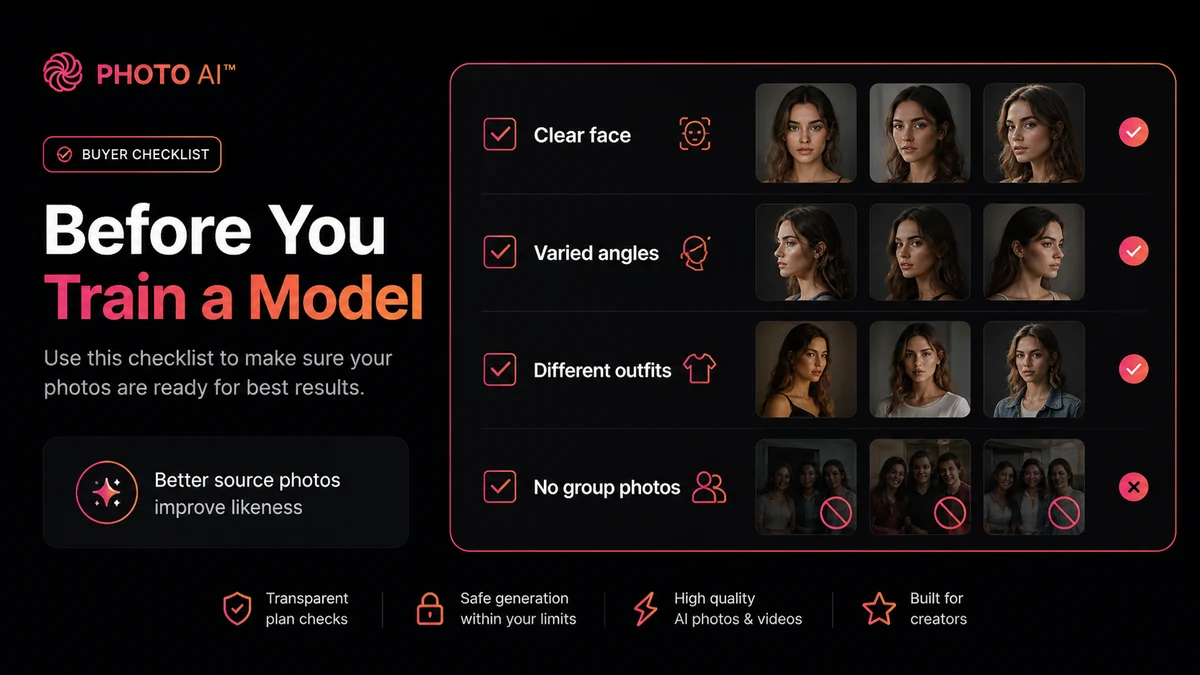
Then comes the source-photo step. Clear, varied images with different angles and lighting are more useful than a few low-quality selfies. If the inputs are weak, upgrading may not fix the result.
After model creation, the first generations should be treated as a quality test: likeness, eyes, skin texture, hands, teeth, clothing edges, background realism, and whether the photo feels publishable. Only then should you think about higher credits, video access, storage, or annual billing.
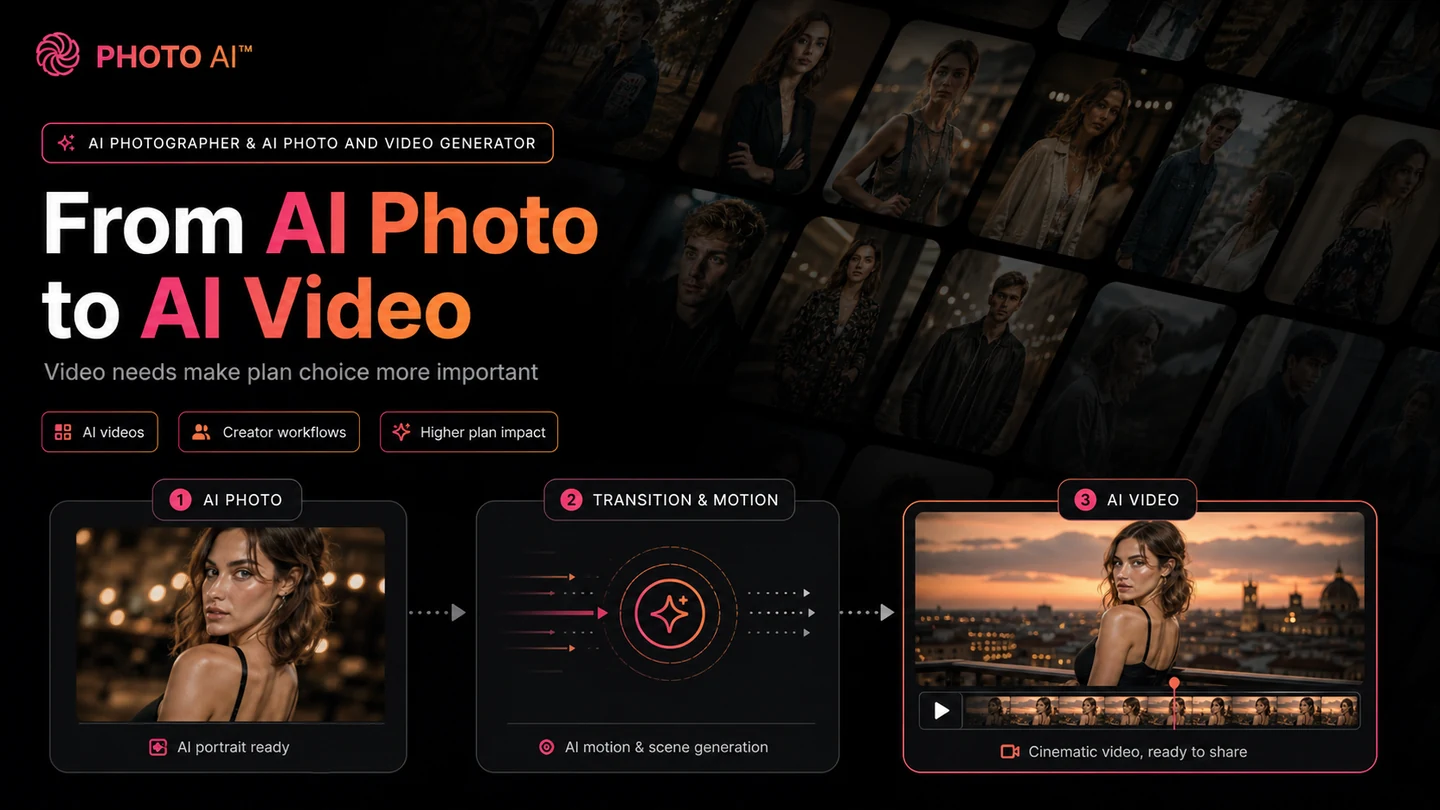
Workflow check: Photo AI is easier to judge with one real photoshoot goal than with casual browsing. Pick a use case, then verify the current plan path.
Real-world buyer scenarios
Creator refreshing social and profile visuals
A creator may get the clearest value from Photo AI because repeated visual variety is the product’s real strength. The risk is artificial polish. If the images look too synthetic, volume does not help. Test whether the photos match your public style before choosing a bigger plan.
Founder testing website and LinkedIn photos
A founder can use Photo AI to explore outfits, backgrounds, and angles before hiring a photographer. For final business use, be picky. If the photo will sit on a company homepage or investor deck, compare focused alternatives like Headshot Pro or Aragon before relying on a broad AI photoshoot tool.
Dating-profile user looking for lifestyle images
Photo AI’s lifestyle and dating-photo angle can appeal to buyers who want more variety than their camera roll provides. The image still needs to look authentic. If the output feels staged, over-polished, or physically inconsistent, it may not help.
E-commerce or product seller testing people imagery
For sellers, the interesting use case is visual experimentation: clothing concepts, model-style images, or quick creative directions before a real campaign. The caution is commercial use and brand consistency. Verify plan rights before using generated assets in ads or product pages.
Key features that actually matter
AI model creation from uploaded photos
This is the core feature. You upload photos, the tool creates an AI model, and that model becomes the basis for future generations.
Buyer note: judge Photo AI by how it handles your own photos, not only by public examples. Source-photo quality can change the result dramatically.
Photo packs and use-case presets
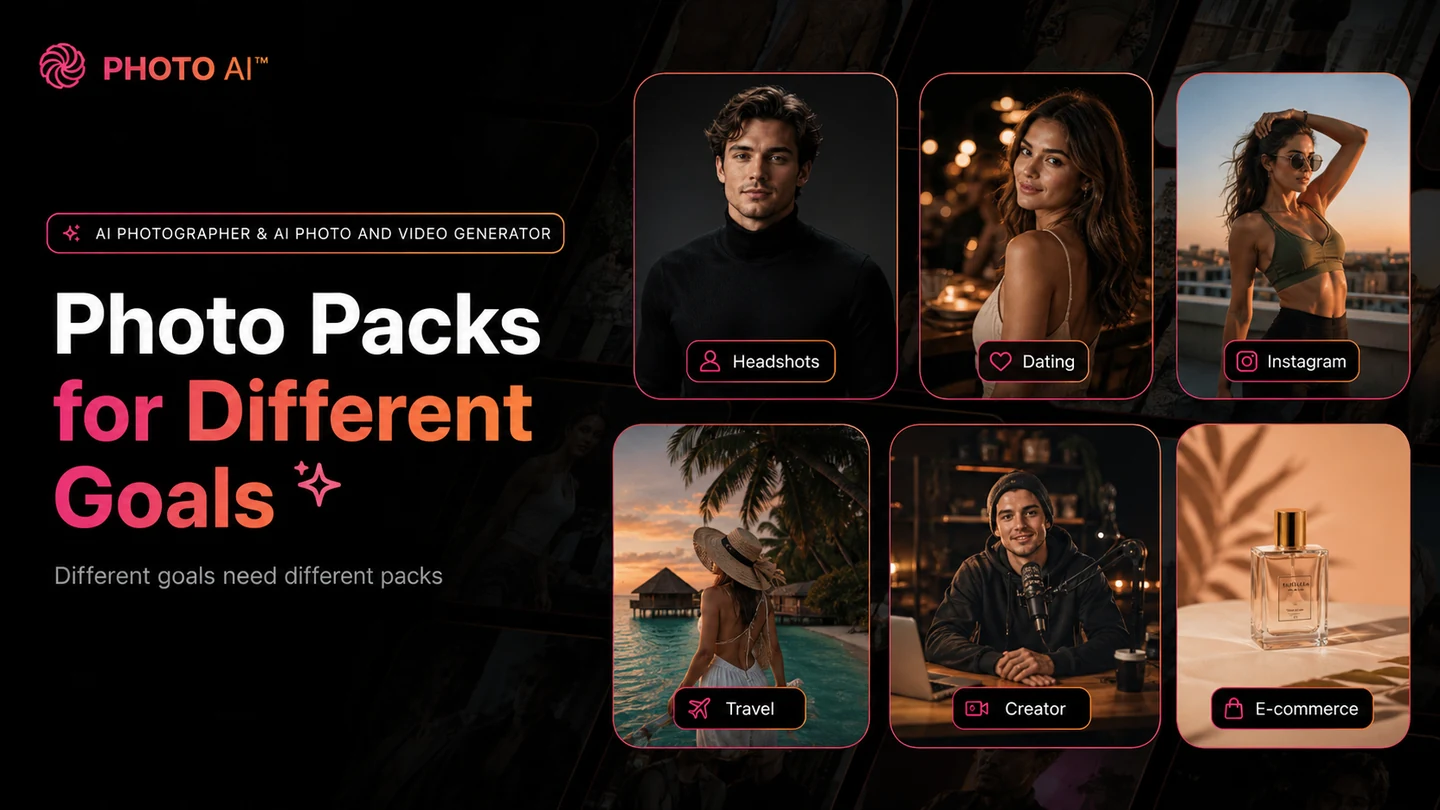
Photo packs make it easier to create recognizable outputs such as headshots, dating photos, travel looks, social images, and creator visuals. Presets help beginners, but they can also make results feel less personal if the style is too generic.
Credits, model limits, and parallel generation
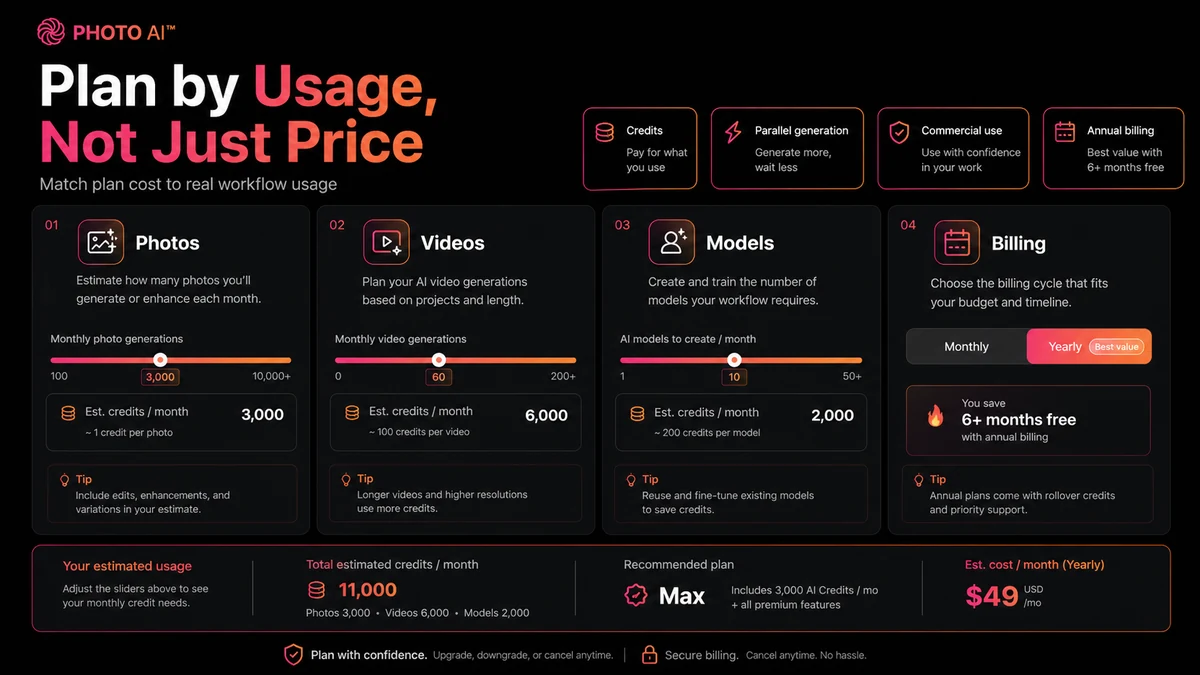
Credits define how much exploration you can do. AI photos often need iteration before you find usable outputs, so the cheapest plan may be a test path rather than the real long-term plan.
Commercial-use rights
Commercial-use rights are a major checkpoint. If images are for ads, client work, product pages, or a business website, verify the current plan details before publishing.
AI video and higher-plan features
Photo AI becomes more interesting when you need more than still images. Video, higher likeness, better quality, storage, and model export can matter for serious creators. They also make the plan decision more expensive.
Pricing and plan value
Photo AI pricing is mostly a question of credits, model count, likeness quality, commercial-use rights, video access, and billing commitment.
The public pricing page currently shows a paid Starter entry path, then higher Pro, Max, and Ultra tiers. Starter is the lowest-cost way to test the concept, but it is not the plan I would assume for serious commercial work or heavy content production. Pro is more relevant when commercial use matters. Max and Ultra are more relevant when the buyer needs more models, more credits, higher likeness, faster workflows, storage, video, or heavier production.
The annual pricing path is the clearest official savings route. That does not make annual billing the best first move. A yearly plan can look cheap when divided by months, but the real value depends on whether Photo AI becomes part of your recurring visual workflow.
The safest plan logic is conservative: start with the smallest plan that can test your actual use case, check whether output quality is good enough for public use, confirm commercial-use rights, upgrade only when credits or features become real constraints, and move to annual billing only after the workflow has proven repeat value.
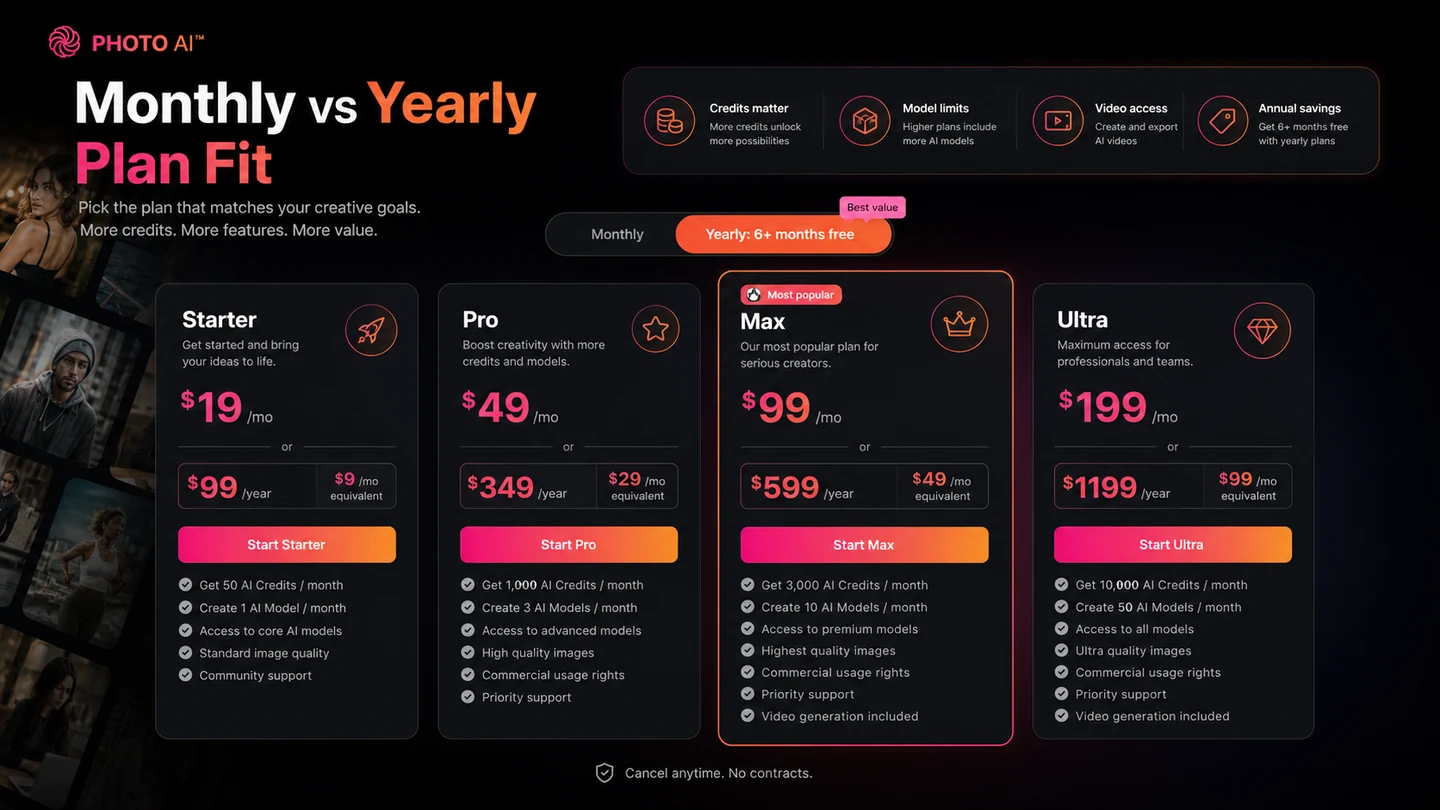
Pricing check: If Photo AI fits your use case, compare monthly and yearly pricing only after you understand credits, model limits, commercial-use rights, and refund exposure.
Free plan, trial, coupon, and checkout notes
Photo AI is not a tool I would approach as a free-plan-first product. The pricing page does not present a normal standalone free plan in the way many SaaS tools do. It discusses free photos connected to model creation and subscription behavior, but careful buyers should treat Photo AI as paid software and verify the live entry path before signing up.
The coupon situation also needs a warning. Photo AI’s own coupon guidance points buyers toward yearly-plan savings rather than public coupon codes. That makes third-party coupon claims less useful unless the live checkout confirms them.
The better checkout order is simple: decide whether you need repeatable AI photos or videos, pick one test use case, read the refund rules before creating a model, start with the smallest workable plan, and consider annual billing only after the output is usable.
Deal caution: Check current offers only after Photo AI fits your workflow. A checkout discount cannot fix weak likeness, unused credits, or the wrong plan.
What I would check before buying Photo AI
If I were buying Photo AI for a real workflow, I would check seven things before looking at annual savings.
First, do I have enough clear, varied source photos to train a useful model?
Second, is the plan’s quality and likeness level good enough for public-facing use?
Third, do I need commercial-use rights for business, client, product, or ad work?
Fourth, how many credits will I realistically need to get usable photos after iteration?
Fifth, does video matter, or am I only testing still images?
Sixth, have I read the refund rules before creating a model or generating many photos?
Seventh, would a narrower headshot tool solve the job more simply?
A simple test before paying
Before committing to a bigger plan or annual billing, I would run a small test:
- Pick one use case, such as LinkedIn photos, dating images, Instagram visuals, or product model concepts.
- Gather your best source photos with varied angles, expressions, and lighting.
- Read the refund rules before training a model.
- Generate a small, focused batch rather than every style pack.
- Judge the output at full size, not only as thumbnails.
- Check face consistency, hands, teeth, eyes, skin texture, clothing edges, and background realism.
- Decide whether the images are useful enough for public use before upgrading or choosing yearly billing.
Pros explained
The first real pro is breadth. Photo AI covers creator, social, dating, lifestyle, product, and video-oriented workflows, not only business headshots.
The second pro is repeatability. Once a model is useful, the buyer can generate many variations without organizing another shoot.
The third pro is plan comparability. The public plan table gives buyers clear things to compare: credits, models, quality, likeness, commercial use, video, storage, and annual savings.
The fourth pro is creative testing. Photo AI can help buyers explore looks and campaign ideas before paying for a real shoot or production campaign.
Cons explained
The first con is output uncertainty. AI people imagery can look strong in one generation and strange in another. Hands, face consistency, skin, clothing, and background realism still need human review.
The second con is refund friction. Usage can reduce flexibility, so buyers should not create a model, generate heavily, and only then read the policy.
The third con is that Starter may be more of a test path than a production plan. Buyers needing commercial use, better likeness, video, or higher volume may need a higher tier.
The fourth con is breadth. If all you need is one set of professional headshots, Photo AI may be more tool than you need.
Green flags and red flags
Green flag: you already know the repeated visual job you need Photo AI to solve.
Green flag: you have strong source photos and are willing to review outputs carefully.
Green flag: you need more than headshots, such as lifestyle images, social visuals, product concepts, or video-style outputs.
Red flag: you are buying mainly because yearly billing looks cheaper.
Red flag: you expect guaranteed studio quality without testing your own model.
Red flag: you have not read the refund page before creating a model.
Red flag: you are relying on public coupon-code claims instead of live pricing verification.
Photo AI vs alternatives
Photo AI’s alternatives depend on the buyer job. A headshot buyer should not compare tools the same way as a creator building social visuals or an e-commerce seller testing product imagery.
Headshot Pro vs Photo AI
Headshot Pro is the cleaner comparison if your goal is professional headshots and little else. Photo AI may still make more sense if you want headshots plus lifestyle photos, dating-style images, social visuals, or video-style outputs.
Aragon vs Photo AI
Aragon is a stronger comparison for buyers focused on polished business portraits. Photo AI is more flexible when you want multiple visual styles or creator content beyond formal headshots.
StudioShot vs Photo AI
StudioShot may fit buyers who want a more guided portrait experience and less experimentation. Photo AI may be better for a solo creator who wants to experiment often.
ProfilePicture.AI vs Photo AI
ProfilePicture.AI is a simpler profile-image route. Photo AI is more ambitious, which is useful if you will use the breadth and unnecessary if you only need a profile refresh.
Trust, refund, and buyer-risk notes
The trust question with Photo AI is not only “does the tool work?” It is “does the tool work well enough for the public-facing use case you have in mind?”
For creator content, a few imperfect outputs may be acceptable because you can choose the best results. For professional headshots, an odd detail can hurt trust. For ads or product visuals, commercial-use rights and brand consistency matter. For dating photos, authenticity matters.
Refund rules deserve special attention. Public help content says refund eligibility depends on whether you have created a model, generated enough photos, or signed up through certain referral paths. Terms around digital processing and subscription renewal are also stricter than many casual SaaS buyers expect.
Data and privacy should also be part of the decision. This kind of product involves uploading personal images and creating AI models. If photos are sensitive, professional, or client-related, review deletion and privacy information before uploading.
My confidence is strongest that Photo AI is a real fit for repeat creator-image workflows. My caution is strongest around buyers who want a guaranteed professional outcome, plan certainty before testing, or refund flexibility after heavy generation.
Final verdict
I would consider Photo AI if you need repeatable AI photos or videos of yourself, a model, or a creator persona. It makes the most sense when you have a real content workflow: profile refreshes, social visuals, lifestyle images, creator campaigns, dating photos, or product-style experiments.
I would skip it if you only need one professional headshot, expect guaranteed photographer-level control, or feel uncomfortable with tight refund eligibility after model creation and generation. In those cases, a narrower headshot service or a real photo shoot may be safer.
I would compare it with Headshot Pro, Aragon, StudioShot, and ProfilePicture.AI if your use case is mostly profile or business portraits. Those tools may be less flexible, but that can be an advantage when the buying job is narrow.
The safest next step is not to chase a coupon. Start by confirming whether Photo AI fits a real repeated visual workflow. Then check the current store guide, live pricing route, refund rules, and active offer path before choosing monthly, annual, or a higher-credit plan.
