Quick verdict
PhotoPacks.AI is worth a look if your problem is narrow: you need professional-looking headshots quickly, you do not want to book a photographer, and you are comfortable choosing the best results from a larger AI-generated gallery.
That narrowness is actually the point.
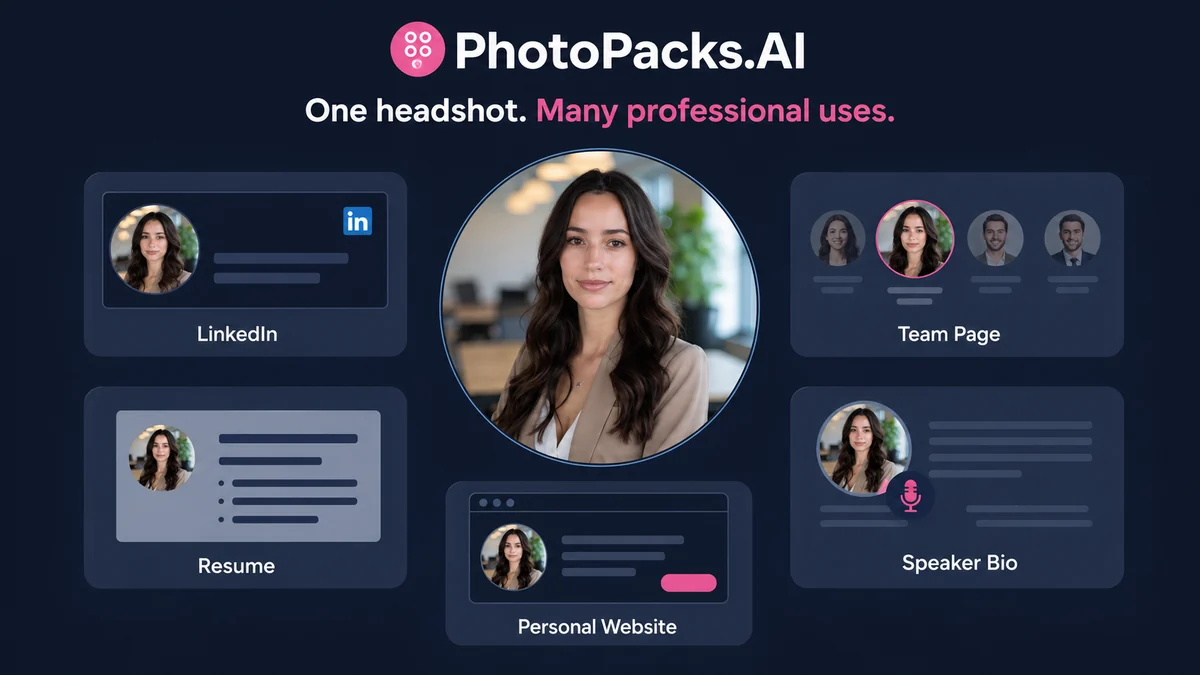
This is not a full photo editor. It is not a brand photography studio. It is not a tool I would judge by whether every generated image looks perfect. The better question is whether the best few outputs are strong enough for LinkedIn, a resume, a company bio, a speaker page, a real estate profile, or a creator profile.
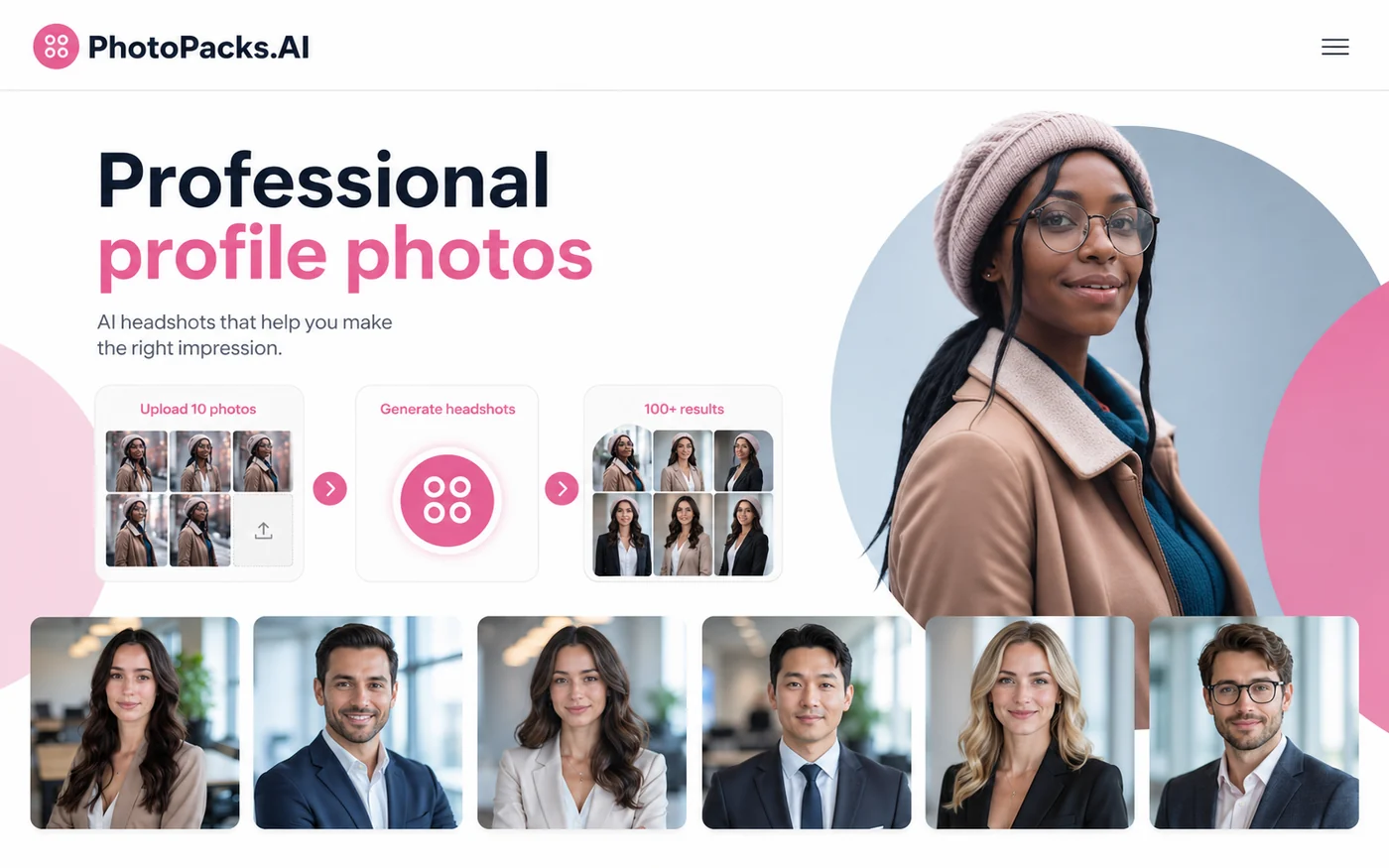
The public offer is easy to understand: a one-time individual package, 10 uploaded photos, 100+ generated headshots, multiple settings, and a typical turnaround of less than an hour. That simplicity is attractive. The risk is that AI headshots live or die on source-photo quality and likeness. If the input photos are blurry, filtered, repetitive, or poorly lit, the final gallery may still be large, but the number of usable images can shrink quickly.
For my money, PhotoPacks.AI makes the most sense for buyers who need a fast profile refresh and can accept a selection process. It makes less sense for executives, teams, or public-facing brands that need photographer-level control, manual retouching, or a very specific look.
The easy mistake is buying because the price feels low. The safer path is to check your source photos, read the refund language, and compare dedicated headshot alternatives before treating the checkout button as the whole decision.
Next step: If PhotoPacks.AI fits your headshot use case, verify the current package route and refund terms before ordering.
Review snapshot
| Review point | Practical take |
|---|---|
| Best for | Job seekers, solo professionals, founders, consultants, real estate agents, creators, and remote teams needing quick headshots |
| Not ideal for | Buyers needing photographer-led art direction, manual retouching, or strict brand photography control |
| Main use case | Turning ordinary photos into a larger set of business-ready profile images |
| Pricing note | Individual package is publicly presented as a $24 one-time payment |
| Free path | No full free trial for the paid package is presented as the main evaluation route |
| Team path | Team tiers are shown by headcount, with lower per-person pricing for larger groups |
| Main strength | Simple, focused, affordable headshot workflow |
| Main concern | Likeness, source-photo quality, and conditional refund handling |
| Direct alternatives | Aragon, Headshot Pro, Studioshot |
| Adjacent route | Photo AI for broader AI photo generation beyond headshots |
| Best next step | Prepare 10 strong photos before opening checkout |
What is PhotoPacks.AI?
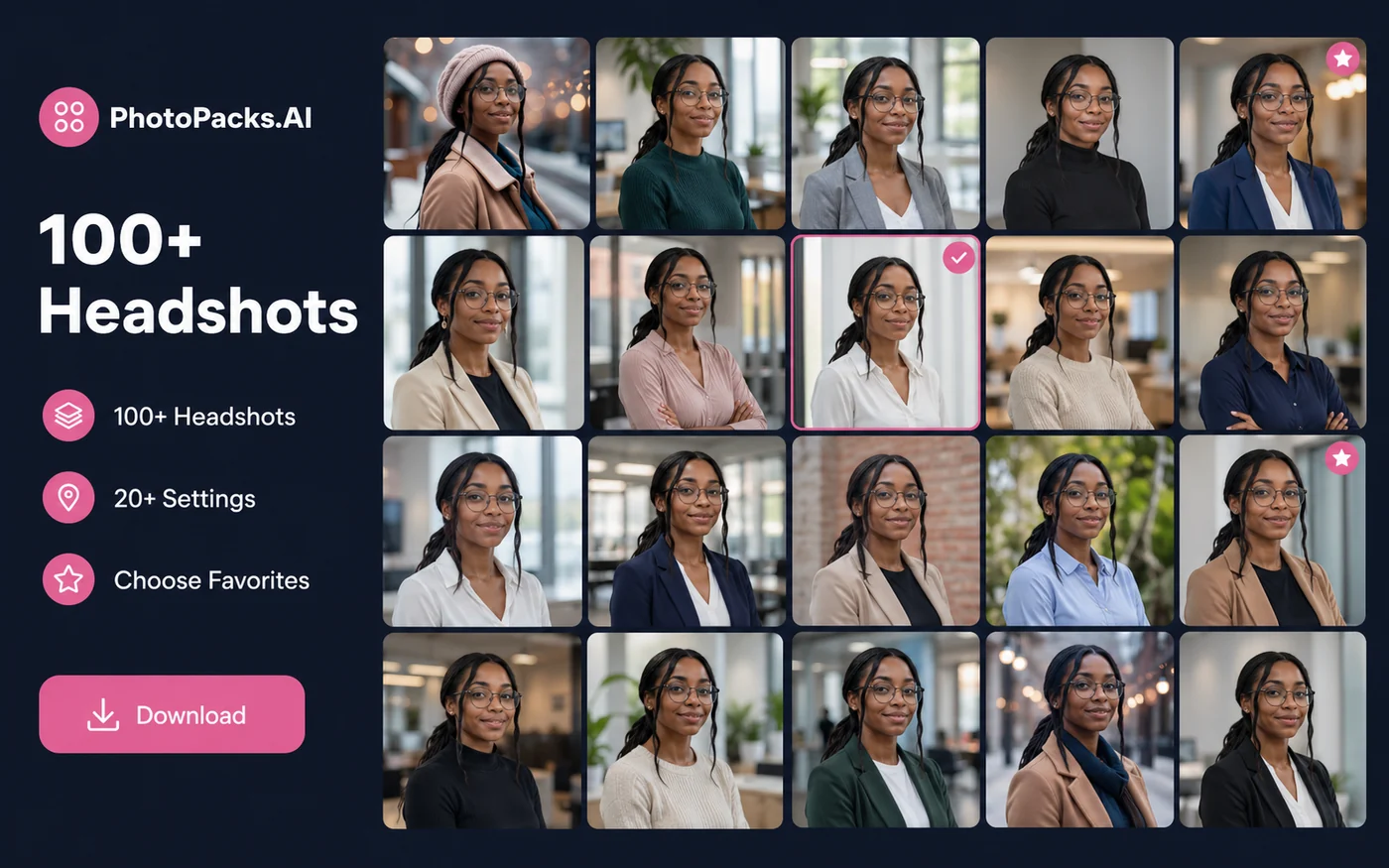
PhotoPacks.AI is a focused AI headshot generator. The buyer uploads ordinary personal photos, and the service creates a larger gallery of professional-looking headshots with different backgrounds, outfits, expressions, and settings.
The most important word there is “focused.”
PhotoPacks.AI is not trying to be a general AI design suite. It is not a manual retouching tool. It is not a replacement for a photographer when you need art direction, custom lighting, wardrobe planning, or a highly controlled executive portrait session. It is a faster, lower-cost way to create a set of profile-photo options from existing photos.
That makes the product easy to understand, but not automatic to buy.
A good AI headshot is not only polished. It still needs to look like the person. It needs to feel appropriate for the setting where it will be used. A LinkedIn photo can be slightly polished and still believable. A law firm partner profile, investor deck, or corporate leadership page may need stricter visual control.
Our review approach compares public product pages, pricing details, refund terms, data and ownership language, buyer workflow fit, and nearby alternatives. We do not treat a low one-time price as proof that the product fits every buyer.
The common wrong expectation is thinking the buyer is paying for one perfect portrait. The healthier expectation is that PhotoPacks.AI creates many options, and the buyer chooses the best few.
Who should use PhotoPacks.AI?
PhotoPacks.AI makes the most sense for buyers who need a profile-photo upgrade but do not need the full overhead of a studio session.
Job seekers are the clearest fit. If your LinkedIn, resume, portfolio, or job application profile feels unfinished because the photo looks casual or outdated, PhotoPacks.AI can be a practical shortcut. The condition is simple: you need enough clear, recent source photos for the AI to work with.
Solo professionals are another good fit. Consultants, coaches, founders, real estate agents, recruiters, and public speakers often need more than one profile image. One image may go on LinkedIn. Another may work for a website bio. Another may fit a speaker page, newsletter, or pitch deck. A large gallery is useful when each platform needs a slightly different feel.
Remote teams can also consider it. Coordinating a physical shoot for distributed employees is annoying and expensive. A team headshot workflow can make sense if the goal is “consistent enough for the company page,” not “identical to a photographer-led brand shoot.” Team buyers should be more careful, though, because credit usage, approval expectations, and refund rules matter more when multiple people are involved.
Creators and personal-brand builders may also find it useful. The tool can help create polished profile images for newsletters, social accounts, media kits, and business pages. I would not use it as the only visual asset system for a campaign, but it can clean up the first impression quickly.
Who should avoid PhotoPacks.AI?
You should avoid PhotoPacks.AI if you expect every generated image to be usable. AI headshot tools usually create a range. The value comes from finding enough strong results, not from assuming the whole gallery will be perfect.
You should also be careful if you cannot provide good source photos. The official guidance points buyers toward clear, well-lit photos with variety in angle, expression, clothing, and background. That is not a small detail. It is the input layer that determines how believable the final outputs can be.
I would also be cautious if the headshot will be used in a high-trust professional setting. Executive leadership pages, legal profiles, medical websites, investor-facing bios, and heavily regulated industries may need more control than a fast AI pack can provide. In those cases, an AI headshot may still be useful as a temporary profile refresh, but it should not replace a professional shoot without careful review.
Teams should avoid rushing into a bulk order unless the process is clear. Someone needs to decide how employees will upload photos, what quality standard is acceptable, how replacements are handled, and whether unused credits can be refunded. A simple per-person price can hide workflow friction.
Finally, avoid buying only because the checkout price looks low. A cheap headshot pack is still wasted money if the likeness is wrong, the input photos are weak, or the result does not match the professional context.
How PhotoPacks.AI fits into a real workflow
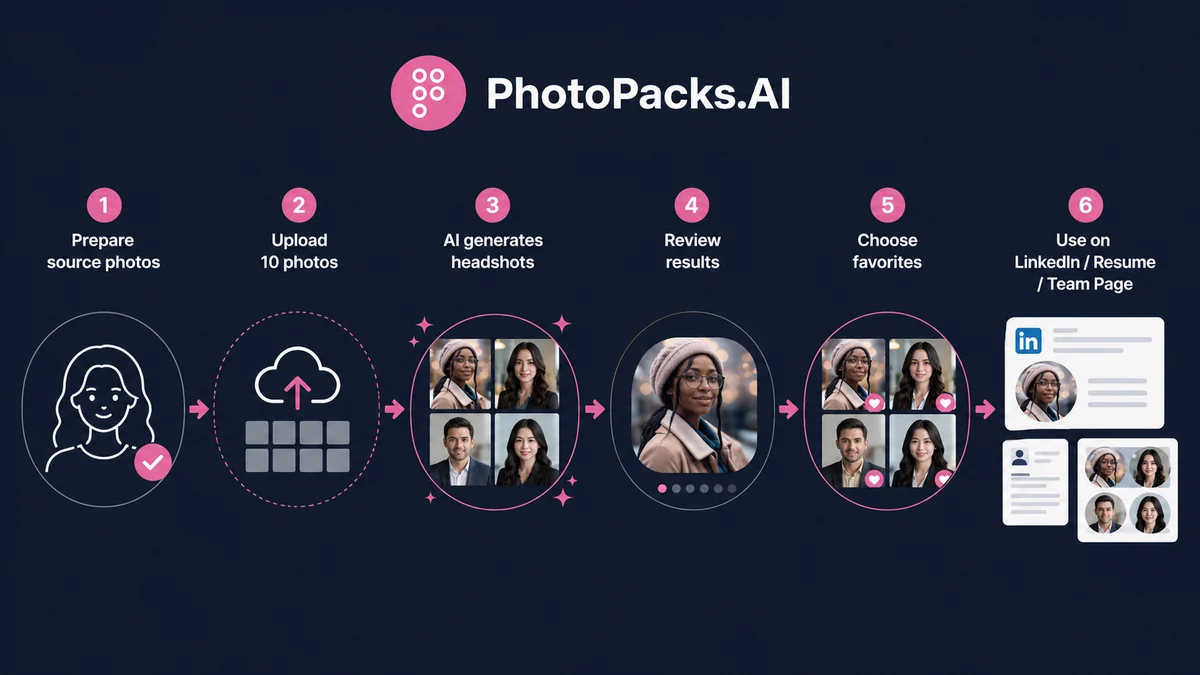
A good PhotoPacks.AI workflow starts before the upload screen.
The buyer should first decide where the headshots will be used. LinkedIn and resume use are different from a team page. A speaker bio is different from a dating profile. A founder headshot for a pitch deck is different from a casual social avatar.
Then comes the source-photo check. I would gather more than 10 possible photos first, then narrow them down to the strongest set. The ideal inputs are recent, sharp, well-lit, and varied. Same-angle selfies, heavy filters, sunglasses, harsh shadows, screenshots, group photos, and low-resolution images weaken the odds.
After upload, the service generates the headshot gallery. The buyer should not judge the product by the weakest output. The better review process is to look for a small set of images that are recognizable, professional, and usable in the intended context.
Then comes the final human check:
- Does this still look like me?
- Would I feel comfortable using it publicly?
- Does the expression feel natural?
- Does the image match the level of professionalism I need?
- Does it look polished without looking obviously artificial?
That last step matters. AI can create the image. It cannot decide whether the image is appropriate for your career, brand, team page, or audience.
Workflow check: If you already have strong source photos and a clear profile use case, open the official route and verify the current package terms.
Real-world buyer scenarios
Job seeker refreshing LinkedIn
This is probably the cleanest scenario. A job seeker does not need a full brand shoot. They need a headshot that looks current, polished, and credible enough for recruiters and hiring managers.
PhotoPacks.AI may fit if the buyer has clear source photos and wants several options quickly. It may fail if the final images look too stylized, too generic, or less recognizable than the original person.
Solo consultant or founder
A consultant, founder, or coach may need profile images across LinkedIn, website bios, webinar pages, newsletter profiles, and slide decks. In that workflow, having multiple usable headshots is more valuable than getting one perfect image.
The buyer should still check whether the style feels aligned with the service being sold. A personal brand that depends on warmth and trust cannot use an image that feels polished but oddly artificial.
Remote team headshot rollout
PhotoPacks.AI can be attractive for remote teams because everyone can submit photos without gathering in one location. The team pricing also makes the per-person cost easier to understand.
The risk is process. Team buyers need upload guidance, image approval rules, replacement expectations, and a clear understanding of how credits are counted. A team page with inconsistent AI outputs can still look messy if nobody manages the final selection.
Creator or public speaker profile
Creators and speakers often need professional photos but may not need a traditional shoot right away. PhotoPacks.AI can help create a cleaner first impression for bios, media kits, podcast pages, and social profiles.
The caution is authenticity. If the AI image looks too corporate for the creator’s actual voice, it can create a mismatch. A polished image is only useful if it still feels believable.
Key features that actually matter
100+ generated headshots
The large output count matters because AI headshots are a selection game. You are not paying for every image to become your main profile photo. You are paying for enough variety to find several strong options.
Buyer note: judge the tool by the best usable images, not by the average image in the gallery.
10-photo upload workflow
The 10-photo requirement keeps the process simple, but it also puts responsibility on the buyer. Better source photos usually produce better outputs.
Buyer note: do not start checkout if you only have low-light selfies, filtered images, or repeated same-angle photos.
Multiple settings, outfits, and backgrounds
Variety is useful when you need images for different contexts. A LinkedIn image may need a different tone than a website bio or speaker profile.
Buyer note: variety is helpful only if the final images still look like you and match the professional setting.
One-time pricing
The individual package is easier to understand than a subscription. For a profile refresh, that is a good fit. Most buyers do not need monthly AI headshot generation.
Buyer note: a one-time price is simple, but refund and likeness expectations still matter.
Team pricing
Team pricing can help distributed teams refresh employee headshots without arranging a physical shoot.
Buyer note: teams should confirm headcount tiers, credit usage, approval workflow, and refund handling before placing a bulk order.
Pricing and plan value
The current public PhotoPacks.AI homepage presents the individual headshot package at $24 as a one-time payment. The package is described as including 100+ headshots, 20 unique settings, high-resolution images, photorealistic results, and a typical turnaround of less than one hour.
That is a simple buyer proposition.
For individuals, the value question is not whether $24 is cheaper than a photographer. It usually is. The better question is whether the buyer has a clear use case and enough good input photos to make the order worthwhile.
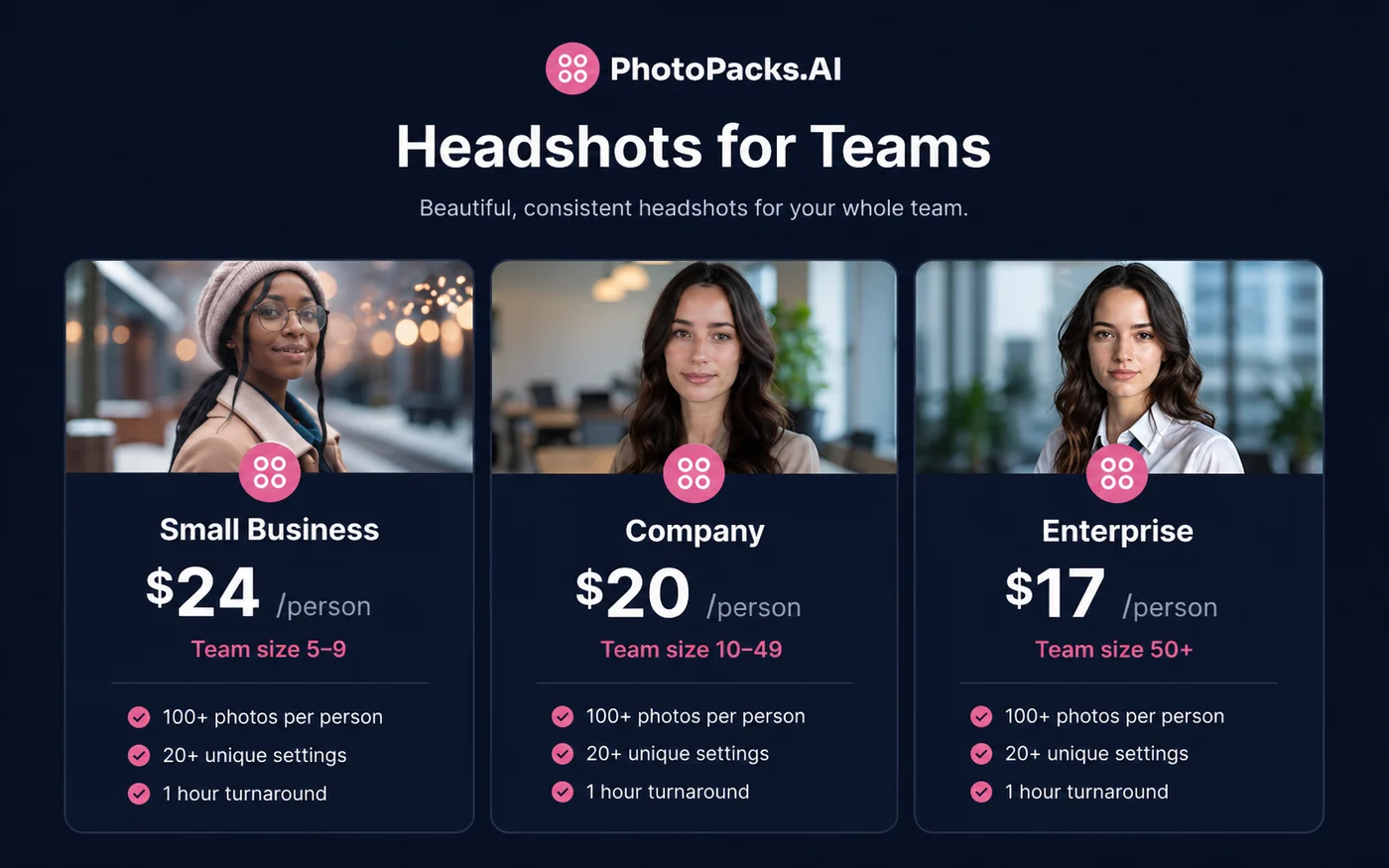
For teams, the pricing needs a separate look. The official team page presents small-business pricing at $24 per person for 5 to 9 people, company pricing at $20 per person for 10 to 49 people, and enterprise pricing at $17 per person for 50 or more people. The larger the order, the more important it becomes to understand credits, usage, and refund handling.
I would not treat team pricing as just “multiply the price by headcount.” Team buying also involves coordination. Someone needs to collect photos, set expectations, review outputs, and decide what happens if a team member dislikes their results.
There is no broad free trial presented as the main paid-package evaluation route. That does not make the product bad, but it changes the buying decision. You are paying before seeing your own final gallery, so source-photo preparation and refund-term review become more important.
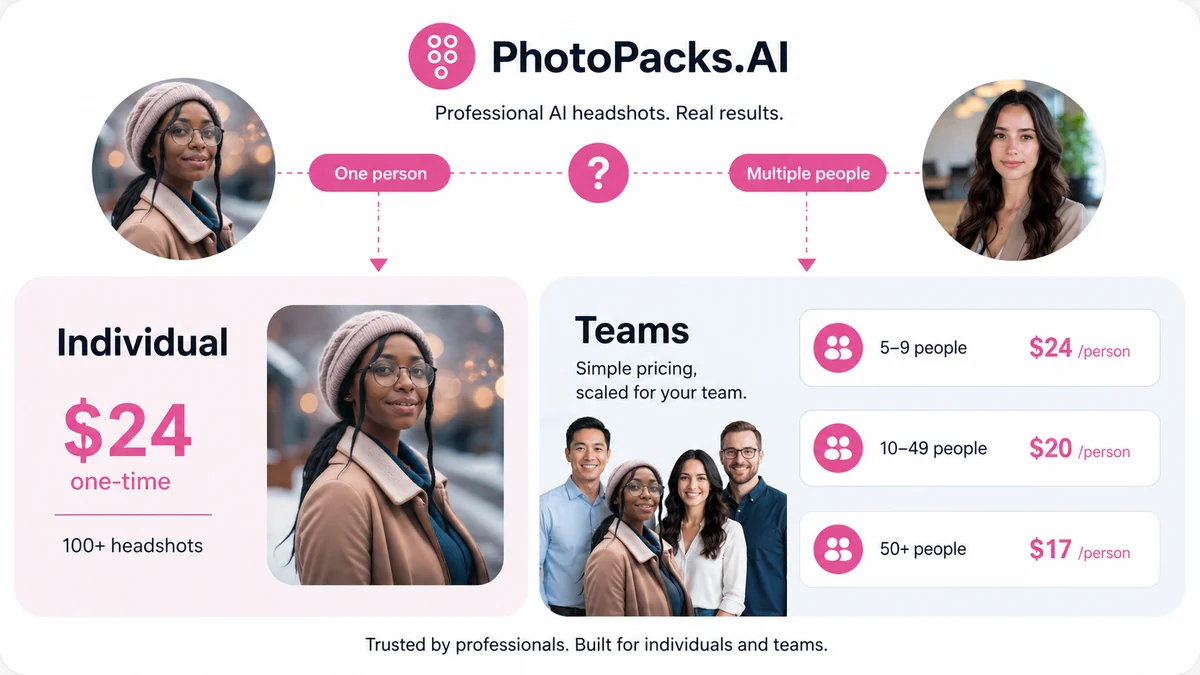
Pricing check: If the one-time package still makes sense, verify the live checkout price, team tier, and refund language before paying.
Free plan, trial, coupon, and checkout notes
PhotoPacks.AI should not be judged like a subscription tool with a long free trial. The core buying path is a paid headshot package. That means the buyer needs to do the evaluation before checkout, not after weeks of testing.
A coupon or offer route may help if a live checkout deal exists, but I would not make a coupon the reason to buy. The more important savings question is whether you are buying the correct order type.
Individual buyers should check the standard package route. Team buyers should check whether volume pricing is more relevant than a public coupon. A team discount may matter more than a small code if several people need headshots at the same time.
The checkout order I would use is:
- Decide whether this is an individual or team order.
- Prepare 10 strong source photos before paying.
- Read the current refund language.
- Check the store or coupon route for any current offer.
- Pay only if the headshot use case is clear.
That order protects the buyer better than searching for a discount first.
What I would check before buying PhotoPacks.AI
If I were buying this for a real profile refresh, I would check seven things before placing the order:
- Source-photo quality. Do I have at least 10 clear, recent, varied photos with good lighting and visible facial detail?
- Professional context. Am I using these for LinkedIn, resumes, bios, team pages, or a context that needs stricter photography?
- Likeness expectations. Am I comfortable selecting the best few images from a larger generated gallery?
- Refund terms. Do I understand the 7-day request window and the language saying order results may be considered?
- Team credits. For a team order, do I know when credits count as used and whether unused credits are refundable?
- Data comfort. Am I comfortable uploading personal images to an AI photo service after reading the privacy and terms pages?
- Alternative fit. Should I compare Aragon, Headshot Pro, Studioshot, or Photo AI before ordering?
The first check is the most important. Bad input photos can weaken the whole purchase.
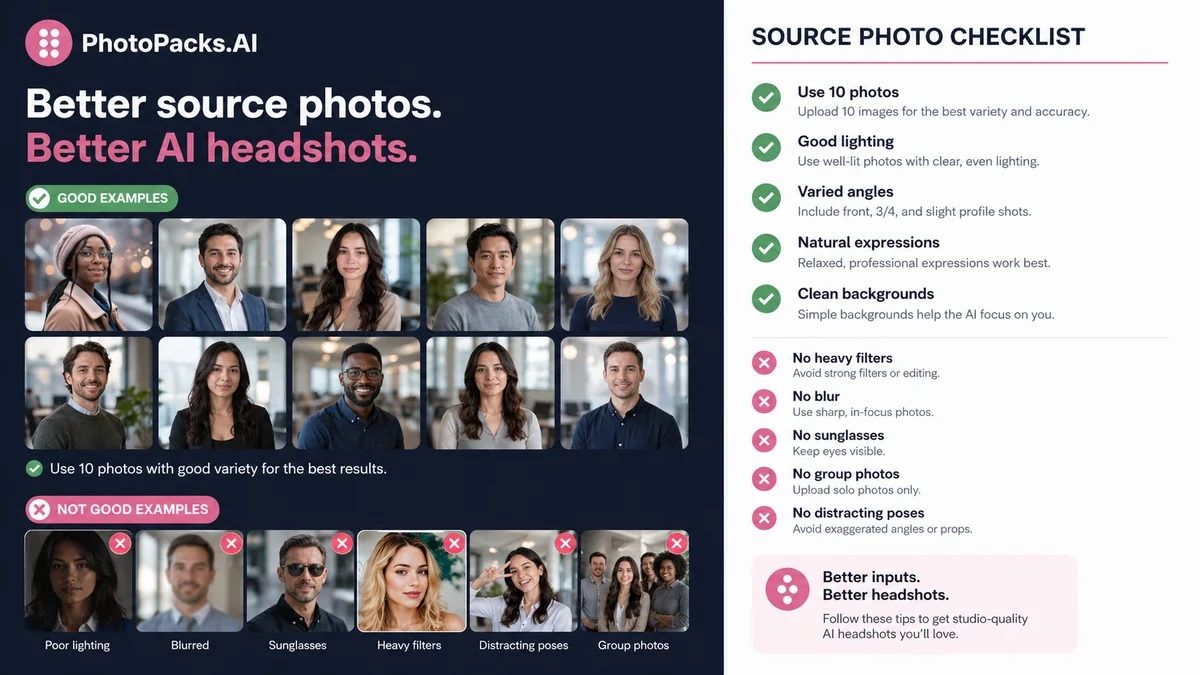
A simple test before paying
Before paying, I would run a small preparation test like this:
- Pick 15 to 20 possible source photos from your phone or computer.
- Remove blurry, filtered, dark, cropped, or same-angle images.
- Keep at least 10 photos with different expressions, angles, clothing, and lighting.
- Decide where the final headshots will be used.
- Compare that use case against the official examples.
- Read the refund terms and team-credit rules if relevant.
- Only then open the live checkout page.
This does not guarantee perfect output. It simply gives the product a fairer chance and reduces the odds of paying with weak inputs.
Pros explained
The first real advantage is simplicity. PhotoPacks.AI is easy to understand: upload photos, receive many headshots, choose the best ones. That matters for buyers who do not want a complex design tool or recurring subscription.
The second advantage is price clarity. The individual package is presented as a one-time purchase, which fits the job-to-be-done. Most people need a profile refresh occasionally, not a monthly headshot platform.
The third advantage is variety. Getting 100+ outputs gives the buyer room to choose different images for LinkedIn, resumes, bios, social profiles, or internal company use.
The fourth advantage is team positioning. For remote companies, even a “good enough and consistent” headshot system can be more practical than coordinating a traditional shoot.
The fifth advantage is ownership language. The terms present generated images as the buyer’s property with broad usage rights. That is important when headshots are used commercially or professionally.
Cons explained
The biggest drawback is output uncertainty. AI headshots can look polished and still miss subtle likeness. That matters because a professional headshot has to feel credible, not merely attractive.
The second drawback is input dependency. Buyers who do not have good source photos may blame the tool when the real weakness started before upload. PhotoPacks.AI is simple, but it is not immune to bad input quality.
The third drawback is limited pre-purchase evaluation. Because the main paid package is not a full free trial, buyers cannot fully judge their own final results before paying.
The fourth drawback is refund nuance. The homepage language sounds reassuring, but the terms say refund requests must be made within 7 days and that results may be considered. Team refunds also depend on unused credits, while used or redeemed credits are non-refundable.
The fifth drawback is limited creative control. If the buyer needs a specific lighting setup, wardrobe direction, backdrop, brand style, or manual editing, a dedicated photographer or a higher-control headshot service may be safer.
Green flags and red flags
Green flags:
- You need a quick LinkedIn, resume, or company-bio upgrade.
- You have 10 strong input photos ready before checkout.
- You want several usable options, not one hand-edited portrait.
- Your professional use case is visible but not extremely brand-sensitive.
- Your team needs consistency more than full photographer-led control.
Red flags:
- You only have blurry, filtered, or repetitive selfies.
- You need a strict executive portrait or regulated-industry headshot.
- You expect every generated result to look perfect.
- You are ordering for a team without clear upload and approval rules.
- You have not read the refund and credit language.
The green flags are about workflow fit. The red flags are about expectation management.
PhotoPacks.AI vs alternatives
PhotoPacks.AI has a clear place in the AI headshot market: simple, affordable, fast, and focused. The alternatives matter when the buyer needs more control, a different package structure, broader photo generation, or stronger brand confidence.
Aragon vs PhotoPacks.AI
Aragon is a direct comparison for buyers who want a more established AI headshot workflow and are willing to compare package depth, team handling, refund terms, and final-output expectations. PhotoPacks.AI may still make more sense if the buyer wants a simple, lower-cost headshot pack and does not need extra layers of positioning.
Headshot Pro vs PhotoPacks.AI
Headshot Pro is another direct AI headshot comparison. It may be worth checking if the buyer wants a different package structure, business-headshot positioning, or a stronger sense of how team profiles are managed. PhotoPacks.AI remains attractive if the buyer wants a straightforward flat-fee route.
Studioshot vs PhotoPacks.AI
Studioshot is relevant for buyers who care more about studio-style positioning and a polished professional image. PhotoPacks.AI may be the faster, simpler option; Studioshot may be the comparison when presentation control matters more.
Photo AI vs PhotoPacks.AI
Photo AI is an adjacent route, not a one-to-one headshot-only replacement. It is better to compare when the buyer wants broader AI photo generation beyond headshots. PhotoPacks.AI is cleaner when the buyer’s job is specifically professional profile photos.
ProfilePicture.AI vs PhotoPacks.AI
ProfilePicture.AI is useful when the buyer wants profile-photo generation with a potentially broader avatar or style angle. PhotoPacks.AI is more directly positioned around professional headshots for LinkedIn, resumes, bios, and team pages.
Trust, refund, and buyer-risk notes
The trust question with PhotoPacks.AI is not only “does the site look legitimate?” The more practical question is whether the buyer understands the limits of AI-generated portraits.
The public terms say generated images are the customer’s property and grant broad usage rights. That is helpful for LinkedIn, company websites, social profiles, press use, and business pages. The about page also says uploads and trained models are discarded after image generation and that images are not shared with third parties. Those are useful trust signals, though buyers should still read the current privacy and terms pages because this category involves personal images.
Refund handling needs a careful read. The homepage presents a satisfaction guarantee, but the terms add more specific language: refund requests can be made within 7 days, and the results of the order may be considered before a refund is issued. For team orders, refunds are prorated based on unused credits only, and used or redeemed credits are non-refundable.
That does not mean buyers should assume the policy is unfair. It means they should not treat the refund line as a no-risk preview system.
Team buyers should be especially careful. If several people redeem credits quickly and dislike their results, the refund math may not work the way a casual buyer expects. Set source-photo standards, approval expectations, and rollout timing before ordering.
Data privacy also matters. AI headshots require uploading personal images. Even when a service makes reassuring privacy statements, a careful buyer should still decide whether the use case is appropriate for AI processing.
Final verdict
PhotoPacks.AI is a practical option if you need a fast, affordable headshot refresh and you understand the tradeoff: you are buying a generated gallery, not a photographer-led shoot.
I would consider it if you are a job seeker, solo professional, founder, consultant, creator, real estate agent, speaker, or remote team looking for cleaner public profile images without spending hundreds of dollars or coordinating a studio session.
I would skip it if the headshot will represent a high-trust executive role, a regulated professional profile, a strict corporate brand, or a campaign where manual direction and retouching matter. In those cases, the safer comparison may be a more controlled AI headshot service or a traditional photographer.
I would compare PhotoPacks.AI with Aragon, Headshot Pro, and Studioshot if the buying decision is mainly about professional headshots. I would compare it with Photo AI only if the buyer wants broader creative photo generation beyond profile images.
The safest next step is simple: prepare 10 strong source photos first. If those inputs are ready, then check the current package price, read the refund terms, and order only if the headshot use case is clear.