
Photo AI Pricing, Plans & Creator Fit
Photo AI is best understood as an AI photoshoot and AI video tool for people who want realistic images of themselves, creator profile photos, dating photos, social media visuals, AI influencer content, or product and clothing visuals without booking a traditional shoot. The store decision should focus on likeness quality, credit volume, refund risk, and whether monthly or yearly billing matches the buyer's real content workload.
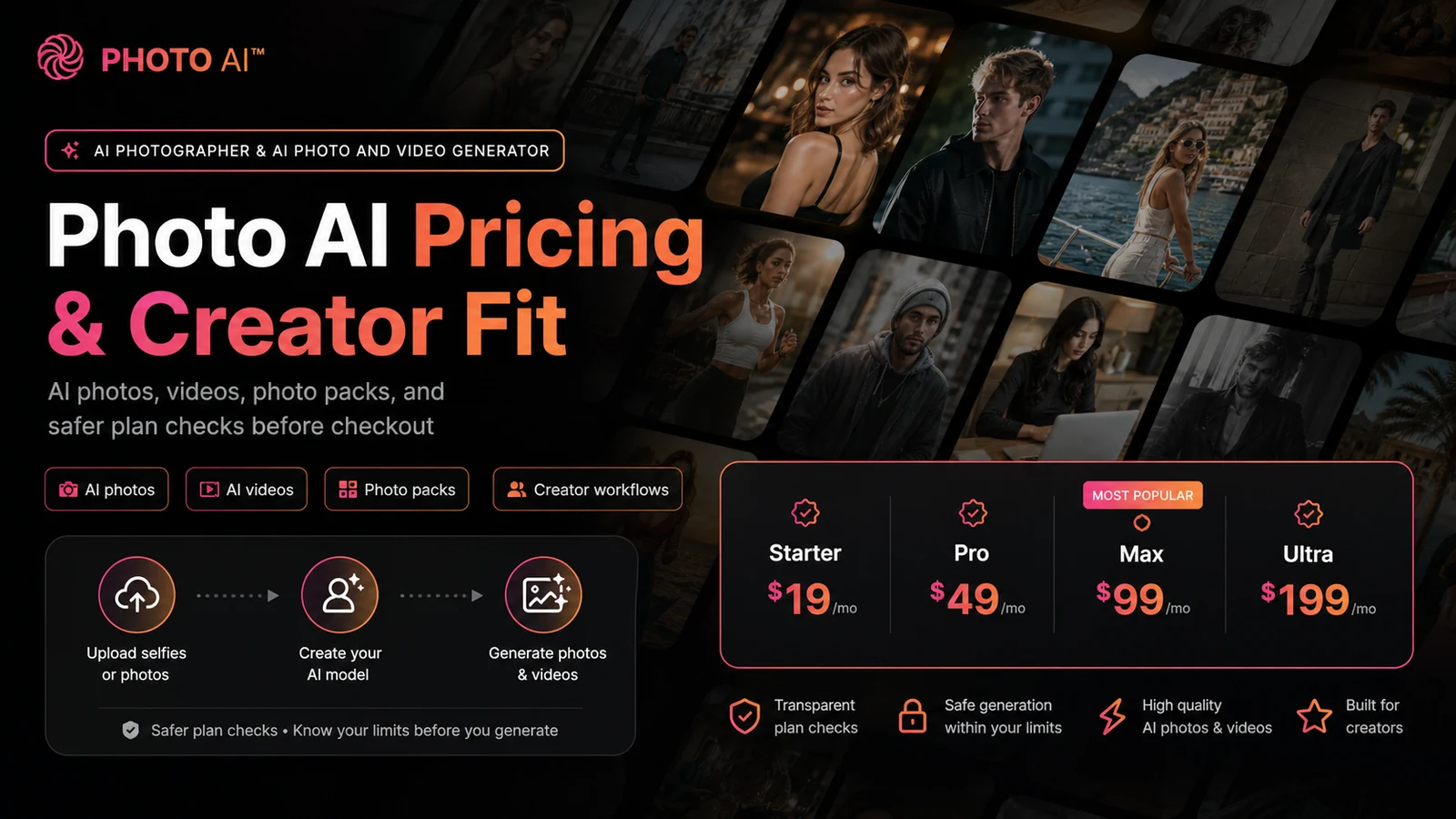
Fit → price → checkout
Use these routes after the official-site check: coupon first, review for fit, compare if unsure.
Photo AI pricing snapshot
Fast commercial checks before pricing, coupons, or a deeper review.
Starter monthly plan on the public pricing page.
Shown as $9/month equivalent when billed annually.
Free photos are tied to subscription/model creation, not a standalone free plan.
Official FAQ points buyers to annual-plan savings instead.
Photo AI product tour for creator-fit buyers
Watch this getting-started walkthrough as a practical buying filter. It is most useful if you pay attention to how the model setup feels, how much input quality matters, and whether the output workflow looks like something you would use repeatedly. That matters because Photo AI is not priced like a one-click free editor. The video should help you decide whether a paid test makes sense before you commit to monthly or yearly billing.
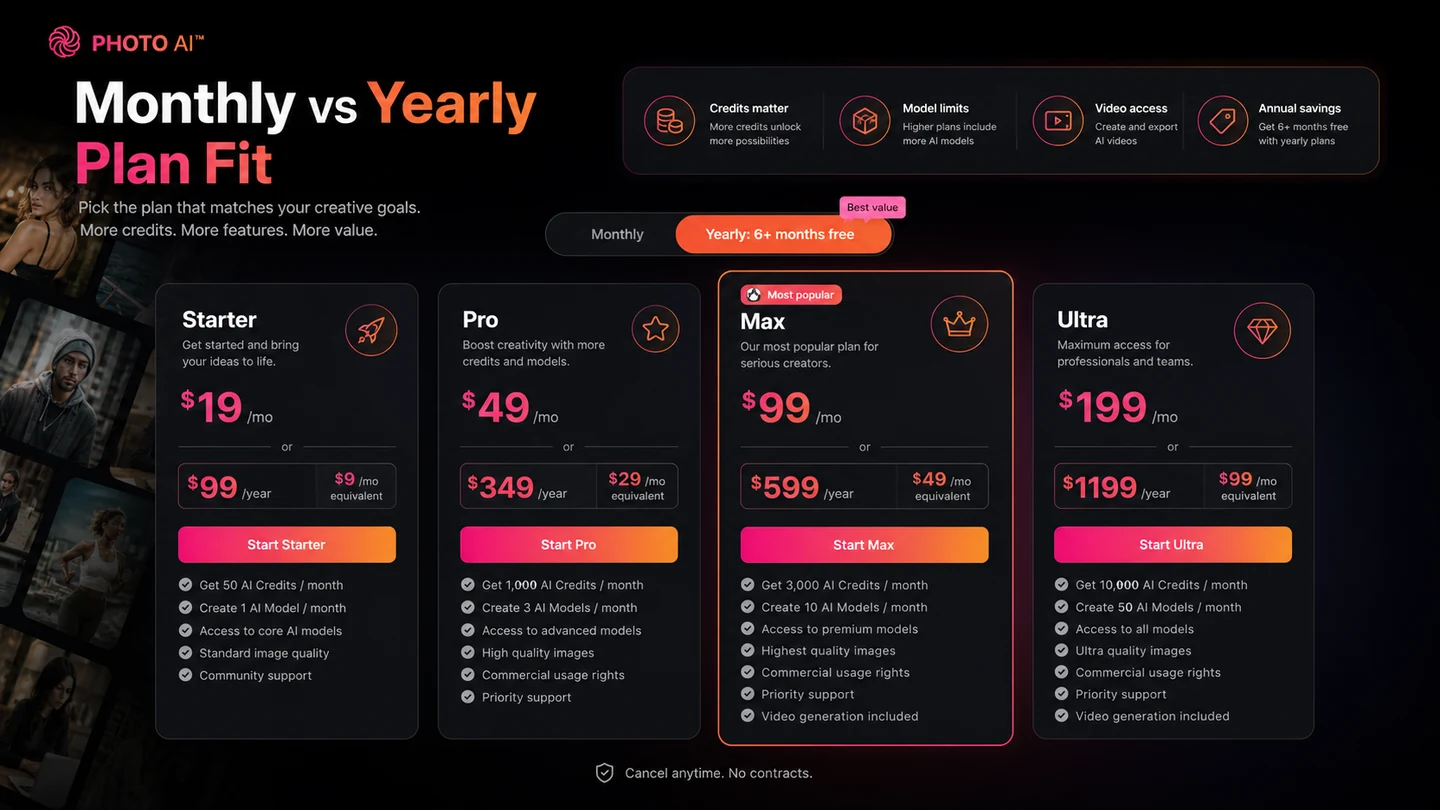
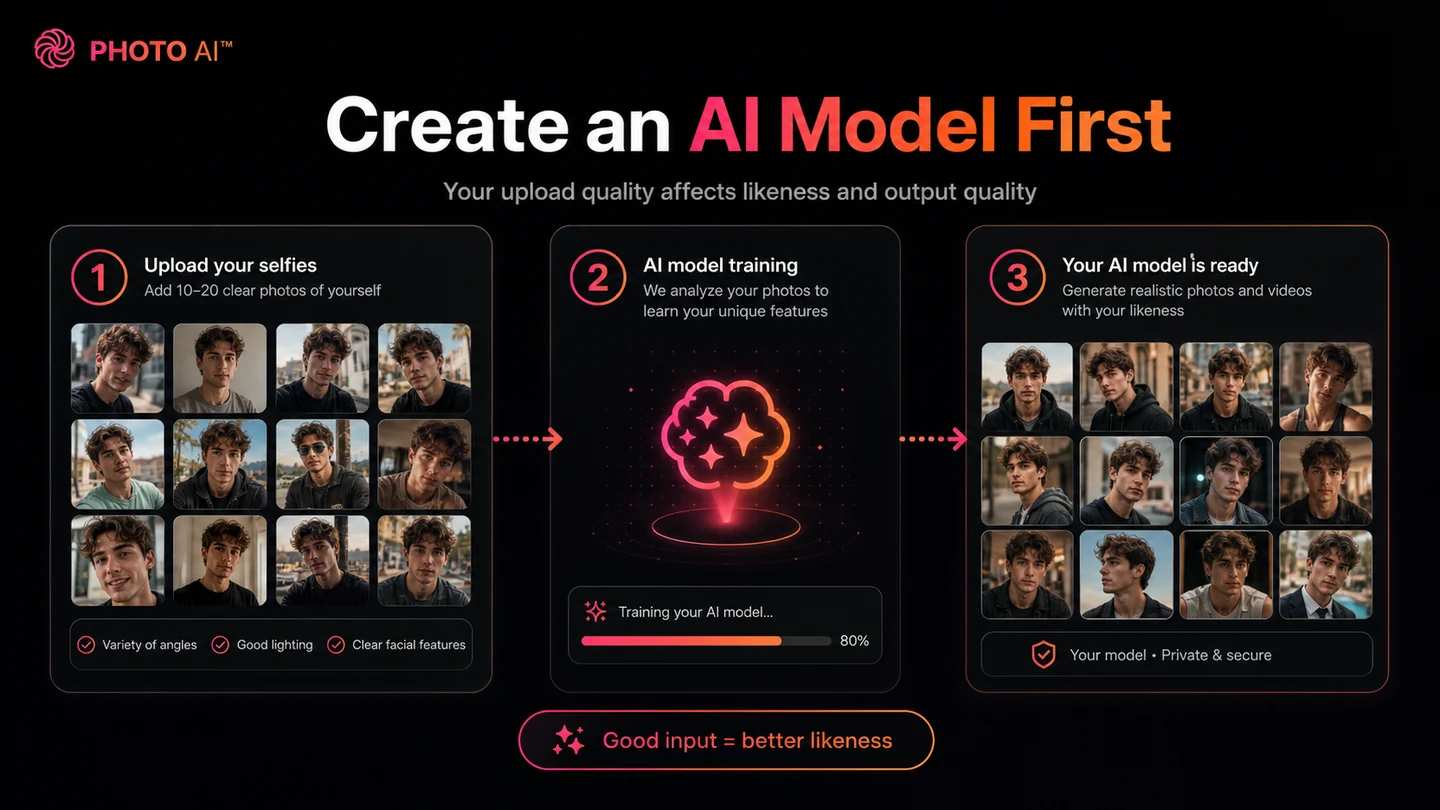
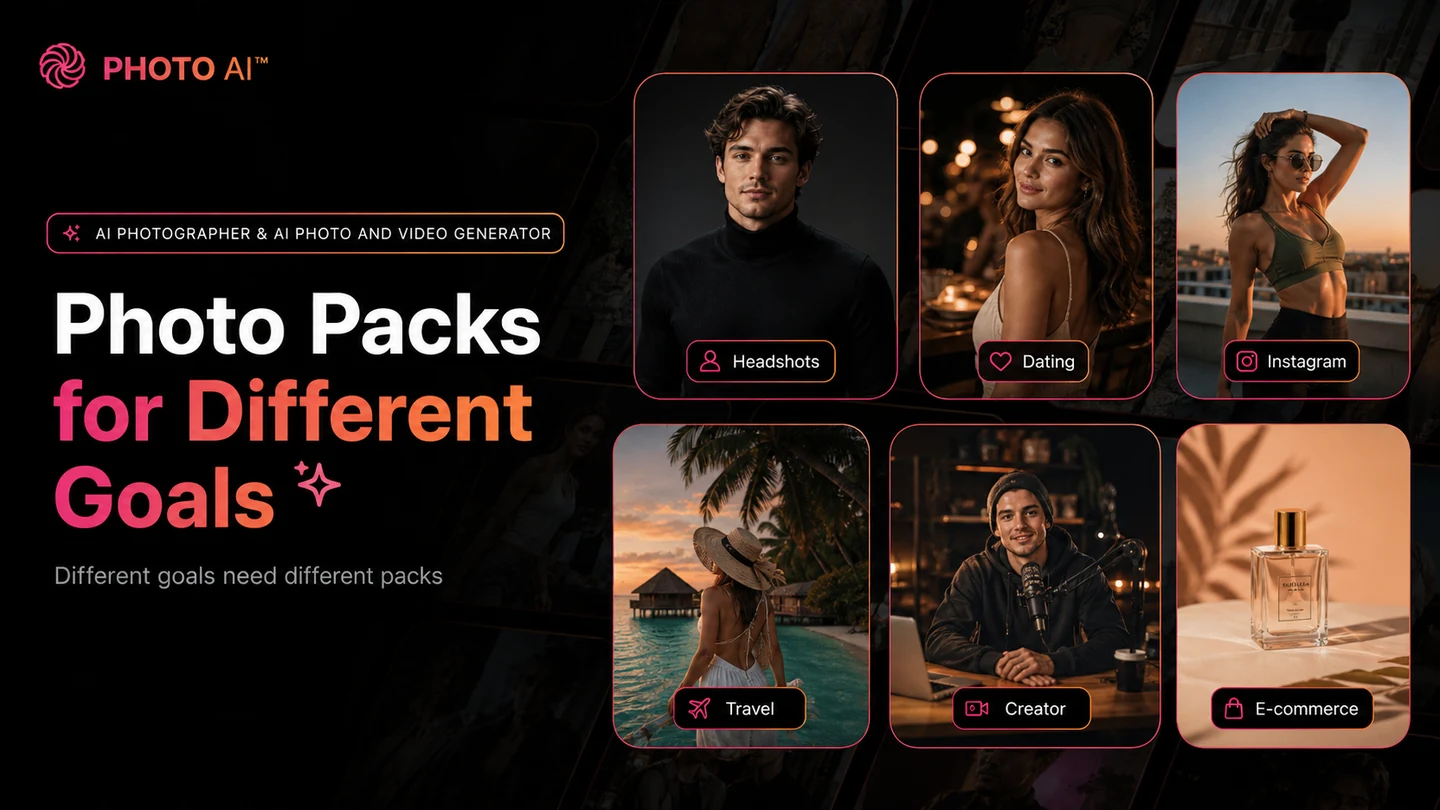
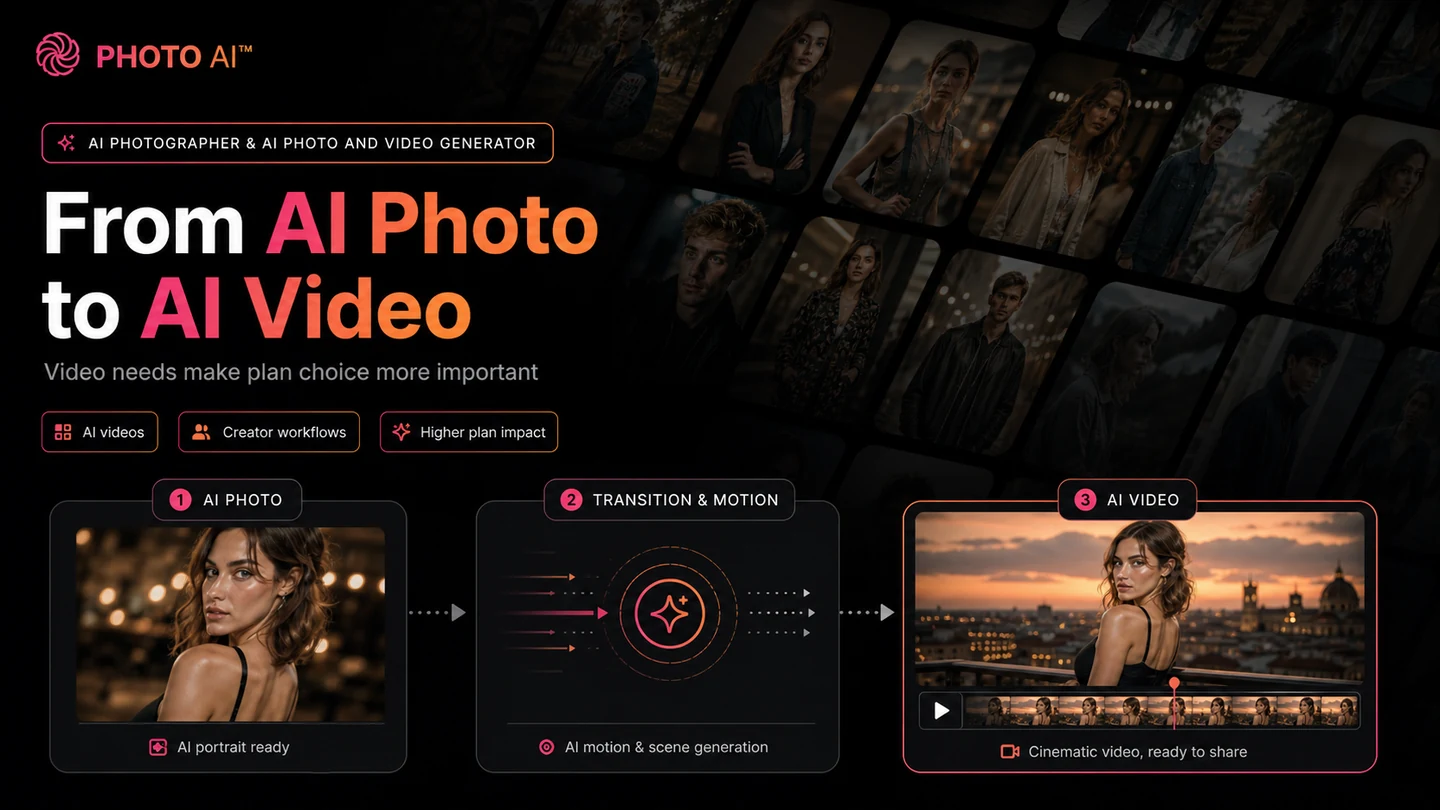
Photo AI should be evaluated as a paid AI photoshoot system, not as a lightweight free photo editor. The strongest buyer question is whether you need repeatable AI images or videos of yourself, a model, or a synthetic influencer often enough to justify credits, model limits, and subscription billing.
For most buyers, the safest path is to verify the current pricing page, understand the refund limits before heavy testing, and compare the Starter plan against the amount of headshot, social, video, or e-commerce content you actually expect to create.
What Photo AI actually does
Photo AI lets users upload selfies, train an AI model of themselves, and generate photorealistic images or videos in different outfits, places, expressions, actions, and styles. That makes it more like an AI photoshoot workflow than a normal image enhancer.
The product is especially relevant when a buyer wants recurring personal-brand content, dating photos, social visuals, founder headshots, or AI model content without arranging a physical shoot. It is less compelling if the job is only to crop, resize, or lightly retouch one existing image.
- Creates AI models from uploaded selfies.
- Generates photos and videos using those models.
- Supports photo packs for headshots, dating photos, social media, travel, and creator visuals.
Who Photo AI fits best
Photo AI fits creators, solo founders, marketers, and e-commerce sellers who need a repeatable way to generate realistic people-focused visuals. A LinkedIn creator may use it for headshots and lifestyle images. A dating-app user may care about natural profile photos. A Shopify seller may care about model-style product or clothing visuals.
That variety is useful, but it also means buyers should start from one specific use case. If you only have a vague interest in AI photos, a monthly subscription can become easy to underuse.
- Personal-brand and creator profile visuals.
- Dating, lifestyle, and social media photo packs.
- Product and clothing visuals where AI model imagery is useful.
Pricing is mostly a credit and model-count decision
Photo AI's pricing page currently shows Starter at $19 per month, Pro at $49 per month, Max at $99 per month, and Ultra at $199 per month. The annual page shows lower effective monthly prices, including $99 per year for Starter, but yearly billing only makes sense when the workflow is proven.
The plan choice should not be based only on the first visible price. Compare credits, number of AI models, parallel generation, likeness level, commercial use, video access, and storage needs. A casual user may only need Starter to test the product. A creator producing frequent videos or multiple models may outgrow that quickly.
- Starter is the lowest paid test path.
- Pro and Max make more sense when volume and commercial use are predictable.
- Ultra is a high-access path, not a normal beginner recommendation.
Watch a hands-on review before choosing yearly billing
This second video is useful if your real hesitation is whether Photo AI is worth paying for beyond the sales page. Watch for the quality of generated results, how much prompt and setup work is needed, and whether the reviewer treats the annual plan as good value or a risk.
The benefit is practical: it gives you a buyer's-eye check before checkout. If the examples look close to your intended use case, then testing Starter may be reasonable. If the results feel inconsistent for your needs, the safer next step is to compare headshot-specific or image-generation alternatives first.
Refund and cancellation rules need a slow read
Photo AI's refund FAQ says eligible users can self-request a refund, but the eligibility is narrow. The buyer must not have created a model yet, must have generated fewer than 20 photos over the lifetime of the account, and must not have signed up through someone's referral link. Once models, photos, or videos are created, refunds may not be available because of generative AI processing costs.
That changes how you should test the product. Before creating a model or running a large batch, read the refund page and decide whether you are comfortable paying even if the output is not perfect.
- Check refund eligibility before creating a model.
- Avoid heavy generation until you know whether the result is useful.
- Use billing settings to cancel if you do not want renewal.
Coupon codes are not the safest savings path
Photo AI's own coupon FAQ says it does not have coupon codes and instead offers a larger discount through yearly plans. That is important because many coupon pages may frame Photo AI as if a checkout code is the main path.
The safer commercial interpretation is simple: check the live pricing page, compare monthly against yearly, and only use a code if the official checkout path confirms one. For this store page, annual billing and plan selection should be treated as the verified savings route.
- Official coupon FAQ says there are no coupon codes.
- Annual billing is the main verified discount route.
- Third-party coupon claims should be tested, not trusted blindly.
Best savings path from this store page
This is the clearest savings route to check once the product already looks like a fit.
Photo AI states that yearly subscribers get more than 50% cheaper pricing compared with regular monthly billing. This is the safest official savings path because Photo AI also says it does not use public coupon codes.
Use this offer as a buyer-safe entry point. Pricing, plan limits, and promotional availability can change at checkout.
Official pricing lists Starter from $19 per month
Official pricing adds commercial use license and more credits on Pro
Use comparison routes when the category fit is still open
Use these comparison routes when the product still looks plausible, but the category fit is not fully settled.
Headshot Pro is usually the cleaner comparison when the buyer only wants professional headshots and does not need broader AI photo packs or video generation.
ProfilePicture.AI is a simpler profile-image path for buyers who want avatar-style outputs without judging Photo AI's broader creator workflow.
Aragon deserves a look when the priority is business headshots and professional branding rather than social, dating, video, or creator content.
Studioshot may fit buyers who want a more guided headshot experience and less experimentation with prompts, packs, or AI video output.
Verification points worth checking before you click out
Where this store usually fits best in the workflow
Photo AI can help creators generate fresh profile photos, lifestyle visuals, and social media images without booking repeated shoots. The buyer should still test likeness and artifacts before paying for a larger plan.
Solo founders and professionals can use Photo AI to test headshot concepts, but headshot-specific alternatives may be safer when the only goal is a polished business portrait.
Photo AI's preset packs make sense for buyers who want dating app, Instagram, or lifestyle variations. The main checkpoint is whether the output looks natural enough for public use.
Sellers can explore model-style visuals and clothing try-on concepts, but they should verify commercial-use rights, output quality, and brand consistency before relying on generated assets.
Practical checkpoints before and after signup
- Pick one real use case, such as LinkedIn headshots, dating photos, creator content, or product visuals.
- Check the pricing page for current monthly and yearly plan differences.
- Read refund eligibility before creating a model or generating many photos.
- Upload varied, clear selfies so the model has a fair chance of matching your likeness.
- Generate a small set first and judge artifacts, lighting, face consistency, and usefulness.
- Avoid annual billing until the output is good enough for repeated use.
- Move beyond Starter only when credits, parallel generation, video features, or model volume become real constraints.
- Recheck commercial-use needs before using images in ads, product pages, or paid campaigns.
- Cancel through billing settings if the workflow is not becoming part of your regular content process.
Fast-read signals for workflow fit and buying friction
Questions readers usually ask before choosing this store
What is Photo AI best for?
Photo AI is best for buyers who want repeatable AI photos or videos of themselves, a model, or an AI influencer style persona. It is especially relevant for creator profiles, social media visuals, dating photos, personal-brand content, and some e-commerce model-style experiments.
Does Photo AI have a free plan?
A standalone free plan is not clearly listed on the pricing page. Photo AI discusses free photos tied to subscription and model creation, but buyers should treat the product as paid software and verify the current entry path on the official pricing page.
Does Photo AI offer coupon codes?
Photo AI's own coupon FAQ says it does not have coupon codes. The main verified savings route is annual billing, which the site describes as more than 50% cheaper than regular monthly pricing.
What should I verify before paying for Photo AI?
Check the current plan price, annual versus monthly billing, credit limits, model limits, video access, commercial-use needs, and refund eligibility. The refund rules are important because creating a model or generating many photos can affect whether a refund is available.
What is a simpler alternative to Photo AI?
If you only need professional headshots, compare Headshot Pro, Aragon, Studioshot, or ProfilePicture.AI before choosing Photo AI. Photo AI is more attractive when you want broader AI photoshoot, photo pack, creator, and video workflows.
Choose the next route that matches what you still need to decide
The strongest next click depends on whether you still need product judgment, a savings route, or a broader category comparison.