Quick verdict
FindDataSet is not the kind of product I would judge like a normal SaaS tool.
That is the most important starting point.
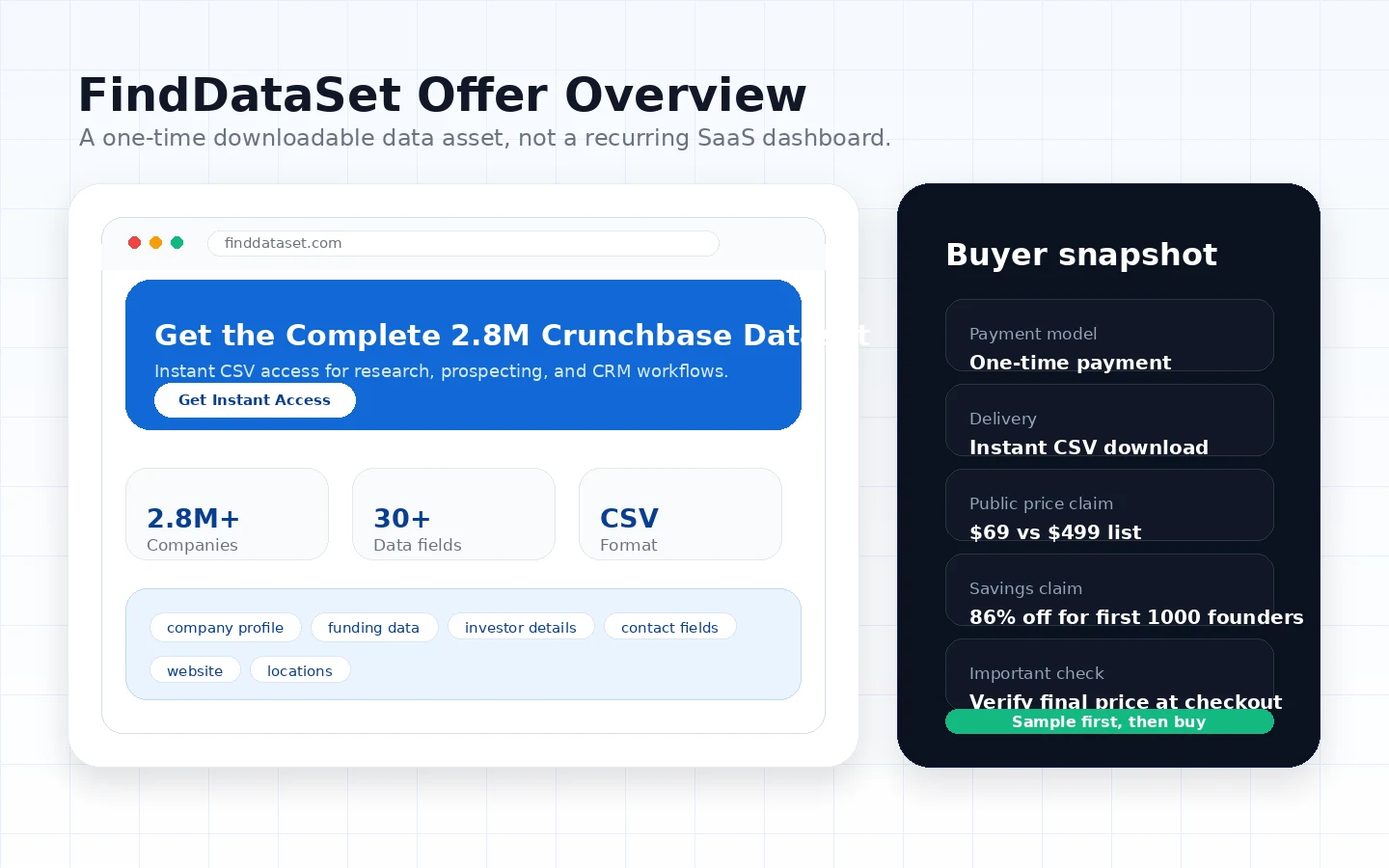
The product is presented as a one-time downloadable company dataset, not a hosted prospecting dashboard, CRM, outreach platform, or live enrichment engine. If you already know how you will use a large CSV file — clean it, validate it, dedupe it, segment it, import it, and keep your outreach compliant — FindDataSet can be worth a closer look. If you are hoping the purchase itself will solve your lead-generation workflow, I would slow down.
The strongest reason to consider FindDataSet is simple: it gives data-oriented buyers a file-based route instead of another monthly subscription. The current public page presents the product around a large Crunchbase-style database, one-time payment, instant CSV delivery, company profiles, funding fields, investor information, and contact details. That can be useful for sales research, startup market mapping, investor research, CRM enrichment preparation, or a one-off research project.
The main risk is also simple: once you buy a digital dataset, the refund safety net is thin. The product’s own terms and FAQ make the sample and checkout review more important than the headline discount. For my money, the right question is not “is the dataset large?” The right question is “can I turn this file into clean, legal, useful business action?”
Next step: If FindDataSet still fits your workflow, inspect the sample and verify the current buyer route before accepting final-sale digital delivery.
Review snapshot
| Review point | Practical take |
|---|---|
| Best for | Buyers who want a large one-time company dataset and already have a data-cleaning workflow |
| Not ideal for | Beginners expecting a polished SaaS dashboard, live enrichment, built-in outreach, or easy refunds |
| Main use case | B2B prospect research, startup mapping, CRM import preparation, and market analysis |
| Pricing note | Current public page presents a discounted one-time price against a higher reference price; live checkout should be verified |
| Free path | No normal SaaS free plan; sample or preview path matters more |
| Main strength | File ownership and CSV portability for buyers who know what to do after download |
| Main concern | Data accuracy, freshness, compliance, refund risk, and final checkout price all need verification |
| Direct comparison route | Other business data providers or licensed dataset sources |
| Adjacent routes | FinalScout, SalesBlink, Mailshake, and NetHunt CRM depending on the buyer’s real job |
| Safest next step | Inspect sample data, check terms, and map the CSV into your CRM or research process before paying |
What is FindDataSet?
FindDataSet is a downloadable B2B company dataset sold as a one-time digital product.
That sounds obvious, but it changes the entire review.
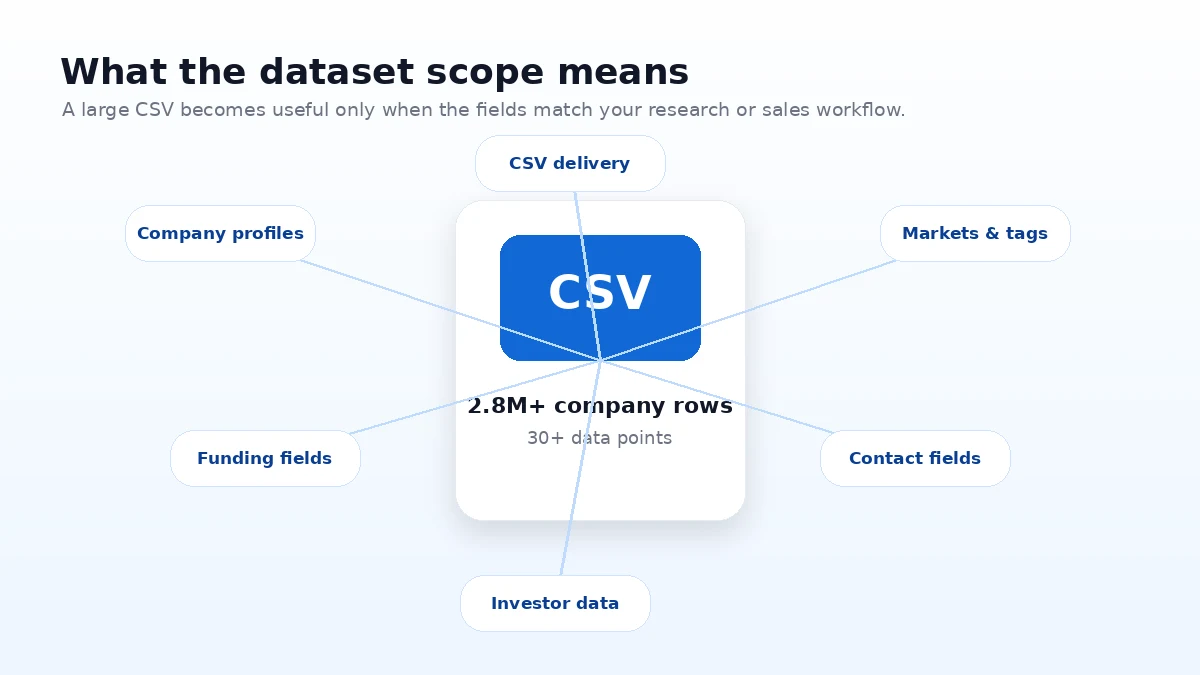
A SaaS tool usually gives you a login, a dashboard, support workflows, feature updates, user seats, and subscription controls. FindDataSet is different. The current public positioning is closer to a business data asset: a large company database delivered in CSV form, with fields around company profiles, funding data, investors, contact details, and firmographic information.
That makes it potentially useful, but only for the right buyer.
A sales team might use it as a broad starting list before enrichment and validation. A founder might use it to map a startup category. A researcher might use it to study funding patterns. A growth operator might import a subset into a CRM after cleaning and segmenting the file.
What it is not: a live lead-generation platform that automatically verifies every contact before every campaign. It is not a CRM. It is not a cold email sequencer. It is not a compliance engine. It is not a guaranteed replacement for official licensed data access or a platform with daily refreshes.
The common mistake is to judge FindDataSet by the number of records alone. A big dataset can look like a shortcut. In real work, the shortcut only matters if the rows are relevant, the columns are usable, the contacts can be validated, and the buyer has a responsible plan for using the data.
Our review approach compares public product pages, pricing details, terms, privacy language, buyer workflow fit, and nearby alternatives. We do not treat a discount, sample table, or large record count as proof that the dataset fits every buyer.
Who should use FindDataSet?
FindDataSet makes the most sense for buyers who already know why they want a raw business dataset.
Sales operators with a cleaning workflow are probably the cleanest fit. If you can import CSV data into a controlled spreadsheet or CRM, dedupe company names, validate emails, tag segments, and suppress risky contacts, FindDataSet may save research time. If you cannot do those steps, the file may create more work than value.
Founders and market researchers may also find a practical use case. A broad company database can help with startup mapping, category research, competitor discovery, funding-pattern analysis, or early market sizing. The condition is that the buyer needs a landscape view, not a perfectly curated list of ten accounts.
Growth teams with existing CRM infrastructure can use a raw CSV as an input layer. The dataset becomes more useful when you already have rules for import mapping, duplicate handling, data validation, segmentation, and campaign eligibility.
Analysts who prefer file-based data may like the one-time structure. Not every project needs an ongoing SaaS database subscription. Some research tasks only need a broad export that can be filtered, joined, or analyzed offline.
Budget-sensitive buyers comparing data access costs may consider FindDataSet if the live checkout price is still meaningfully lower than subscription or enterprise data routes. But the lower price only helps if the dataset quality and license terms match the work.
Who should avoid FindDataSet?
I would avoid FindDataSet if you expect software to do the hard parts after purchase.
If you need live enrichment, current company updates, verified contacts refreshed over time, campaign automation, inbox sequencing, or team workflows, this is probably not the cleanest fit. A one-time CSV can support that workflow, but it does not replace it.
I would also be careful if you are new to B2B data. Raw company data sounds exciting until you realize how much cleanup is involved. Duplicates, outdated contacts, irrelevant segments, field mismatches, bounce risk, and compliance review all sit on the buyer’s side.
Buyers who need refund flexibility should be especially cautious. Digital-download products are different from SaaS subscriptions. Once the file is delivered, the ability to undo the purchase is limited. That is not automatically unfair, but it means the sample and terms matter more before checkout.
I would not use FindDataSet as a shortcut around privacy or outreach rules. Any dataset containing contact information needs responsible handling. Your region, industry, outreach channel, CRM policy, and customer expectations matter.
Finally, I would skip it if your real need is a small curated lead list. A large export is not automatically better than a smaller, cleaner, more relevant set of accounts.
How FindDataSet fits into a real workflow
A realistic FindDataSet workflow should start before the purchase.
The better process looks like this:
- Define the target market or research question.
- Inspect the sample file or public preview.
- Check whether the columns map to your CRM, spreadsheet, or analysis tool.
- Verify the current checkout price, delivery model, and refund language.
- Buy only if the file structure fits the job.
- Import the CSV into a staging workspace, not directly into a live outreach sequence.
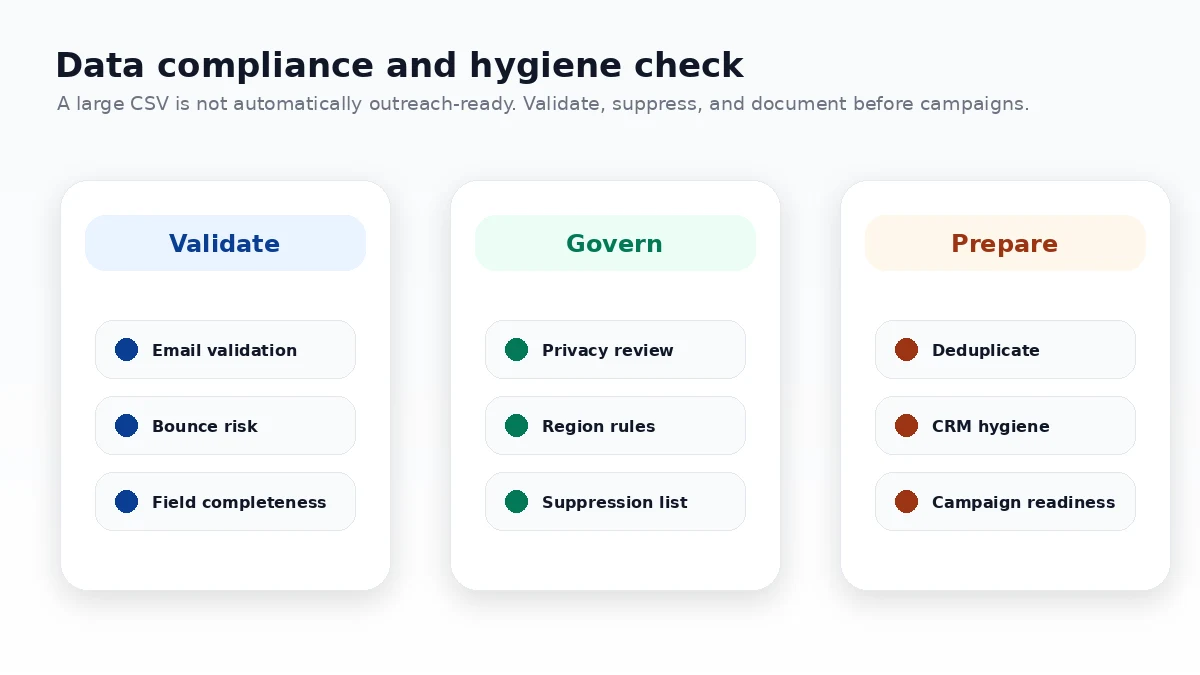
- Deduplicate, validate, segment, and suppress risky rows.
- Use the cleaned subset for research, CRM enrichment, or compliant outreach preparation.
That workflow is less exciting than “buy 2.8 million leads.” It is also the difference between a useful data asset and a messy export that sits unused.
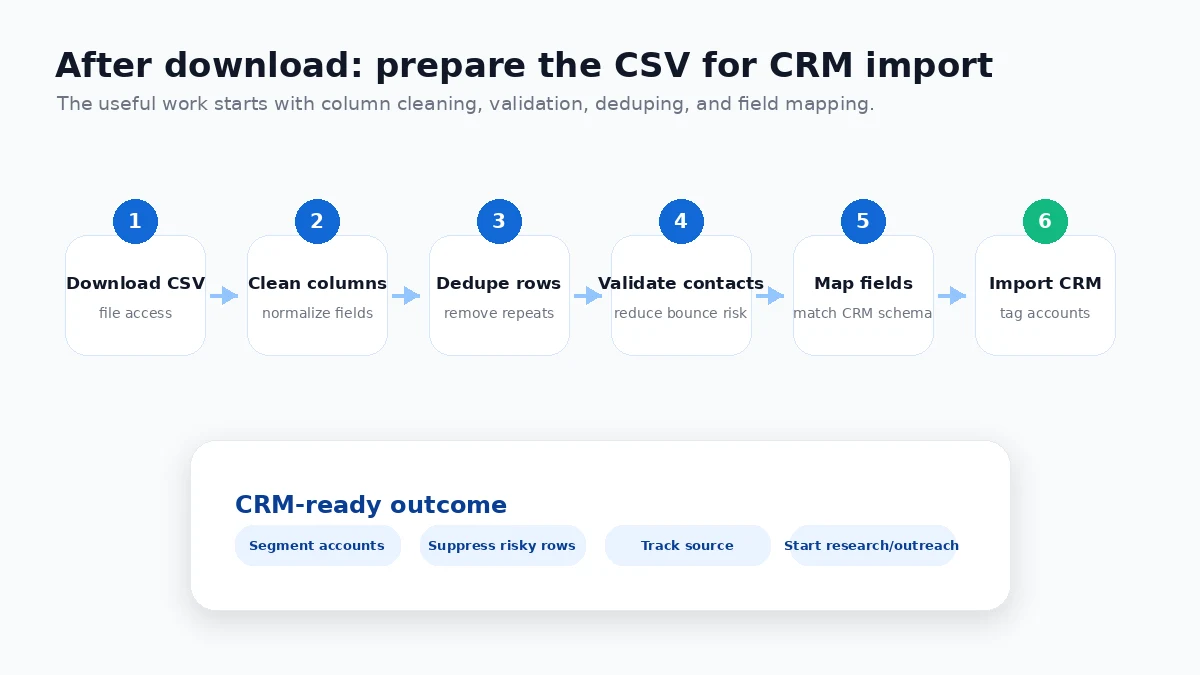
The place where FindDataSet can save time is research breadth. Instead of manually gathering company rows one by one, you start with a broad file. The place where it can disappoint is execution. If you do not have a process after download, the dataset does not magically become pipeline.
Workflow check: Use FindDataSet only after you know how the CSV will move from sample review to cleaned records and practical business use.
Real-world buyer scenarios
A founder researching a market may get useful value from FindDataSet. The job is not to email every contact in the file. The job is to filter companies by category, funding signals, location, and size, then build a better picture of a market. In that scenario, a large CSV can be useful even if only a fraction of the rows become actionable.
A sales team building an outbound list needs more discipline. FindDataSet may provide a starting database, but the team still needs to validate contact data, remove bad fits, respect suppression lists, and avoid turning raw data into careless outreach. If the team already has those processes, the dataset may be efficient. Without them, a tool like SalesBlink or Mailshake may be more relevant after lead selection.
An analyst doing startup or investor research may use the dataset differently. Funding history, investor fields, company categories, and geographic signals can help with trend research. The main risk is assuming the file is current enough for every decision. For critical research, I would independently verify important rows before drawing conclusions.
A small business owner who simply wants “more leads” should be careful. More rows do not equal better sales. If you do not know your ideal customer profile, buying a large database can delay the harder work of segmentation and messaging.
Key features that actually matter
One-time CSV delivery
The biggest feature is not a dashboard feature. It is the purchase model.
FindDataSet is presented as a one-time downloadable dataset. That can be attractive for buyers who do not want an ongoing subscription, especially for a specific research cycle or data import project.
Buyer note: one-time delivery also means one-time risk. If updates are not included, you should not assume the file will stay fresh for future campaigns.
Large company-database positioning
The public page presents the dataset around millions of company profiles and dozens of data points. For market mapping and broad prospect research, coverage can matter.
Buyer note: coverage is not the same as relevance. A huge dataset still needs filtering by industry, geography, company size, funding status, and outreach eligibility.
Funding and investor fields
Funding and investor information can be useful for startup research, sales prioritization, partnership mapping, or venture-style analysis.
Buyer note: use these fields as a research starting point, not a final source of truth for high-stakes decisions.
Contact and firmographic data
Contact fields and company attributes are the reason many buyers will look at FindDataSet in the first place. They can help build segments for sales or market research.
Buyer note: contact data must be validated before use. Deliverability and compliance are not solved by the existence of an email column.
Sample-first evaluation path
The sample or preview is more important than the marketing copy. It gives the buyer a chance to inspect row structure, field names, and practical import fit.
Buyer note: if the sample does not map cleanly into your workflow, do not assume the full file will fix that problem.
Pricing and plan value
The current public pricing story is straightforward on the surface but still needs live verification.
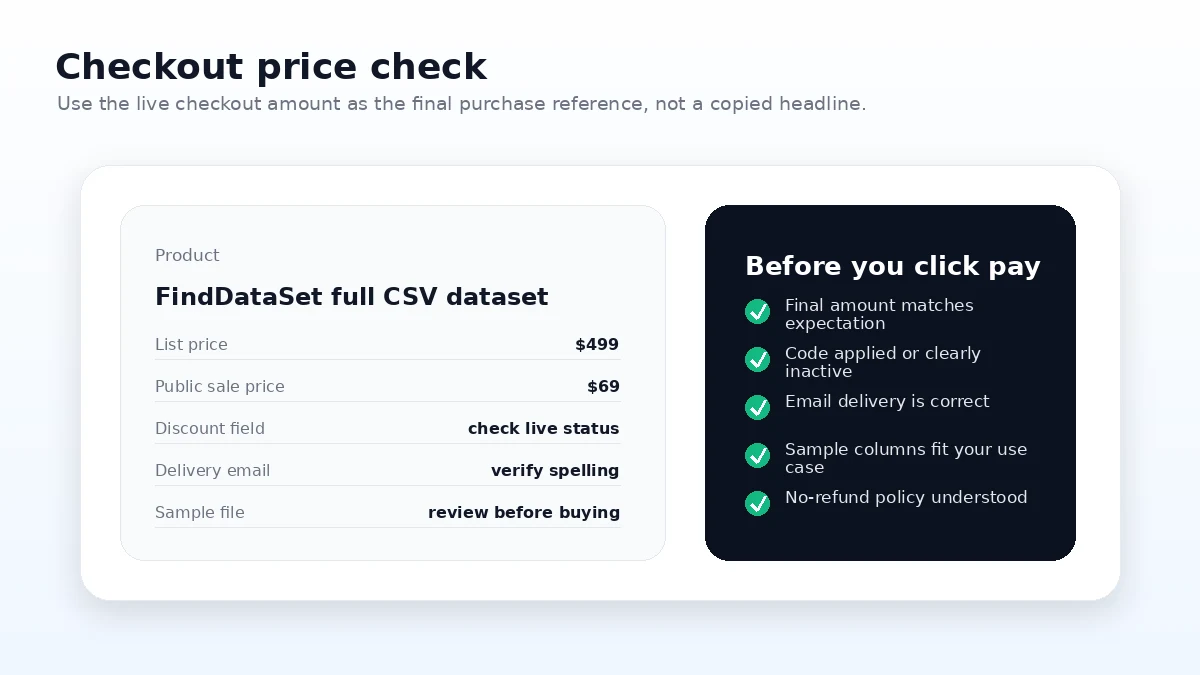
FindDataSet is presented as a one-time purchase rather than a monthly subscription. The public page shows a discounted price against a higher reference price and repeatedly frames the offer as a limited-time deal. The checkout route may present the full dataset price and an active discount path separately. That means the live checkout screen is the only price I would treat as final.
For a normal SaaS review, I would ask whether the entry plan has enough seats, credits, projects, API calls, or automation limits. For FindDataSet, the questions are different:
- Is the final checkout price what you expected?
- Is the delivery instant and final sale?
- Does the sample match the full-file promise closely enough?
- Are updates included or excluded?
- Can you legally and practically use the data for your intended purpose?
- Do you have a workflow for validation and cleanup?
The cheaper headline price is not automatically the best deal. A $69 file that you cannot use is more expensive than it looks. A higher-priced data platform with live updates, support, and compliance tooling may be the better route for some teams.
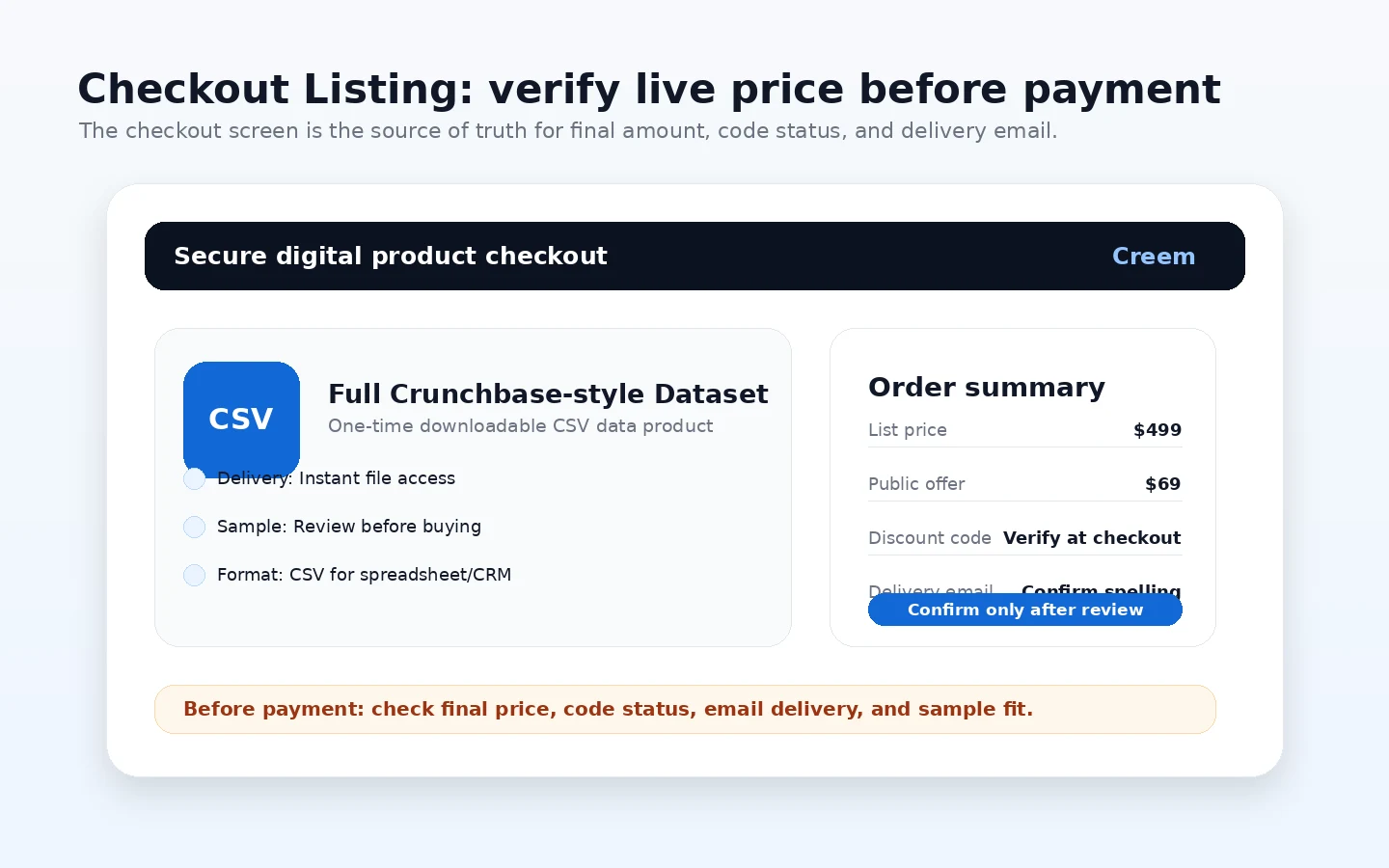
Pricing check: Before paying, verify the final checkout total, sample access, delivery terms, and whether a one-time CSV is enough for your current project.
Free plan, trial, coupon, and checkout notes
FindDataSet does not behave like a typical SaaS product with a free plan or trial account.
The safer evaluation path is the sample or preview. That is where you check whether the file shape makes sense: columns, rows, contact fields, company fields, funding fields, and import readiness. If the sample does not help you picture the workflow, buying the full dataset is a bigger gamble.
The coupon or discount path should come after workflow fit. A lower checkout price can make a good data purchase more attractive. It should not be the reason you buy a dataset you have not inspected.
I would use this order:
- Read the landing page and terms.
- Inspect the sample or preview.
- Decide whether a one-time CSV is enough.
- Verify the live checkout price and current offer path.
- Purchase only if the no-refund risk is acceptable.
Do not put the coupon first. With a final-sale digital product, the discount is secondary to fit.
What I would check before buying FindDataSet
If I were buying FindDataSet for a real workflow, I would check these items first:
- Sample structure: Are the columns useful for your CRM, spreadsheet, or research tool?
- Data freshness: Is one-time delivery enough, or do you need ongoing updates?
- Contact validation: Do you have email verification and bounce-control steps before outreach?
- License limits: Are you using the file internally, not reselling, redistributing, or using it for spam?
- Refund risk: Are you comfortable with final-sale digital delivery?
- Compliance process: Does your team have rules for privacy, consent, suppression, and regional outreach restrictions?
- Alternative fit: Would a live prospecting, CRM, or outreach platform solve the real problem better?
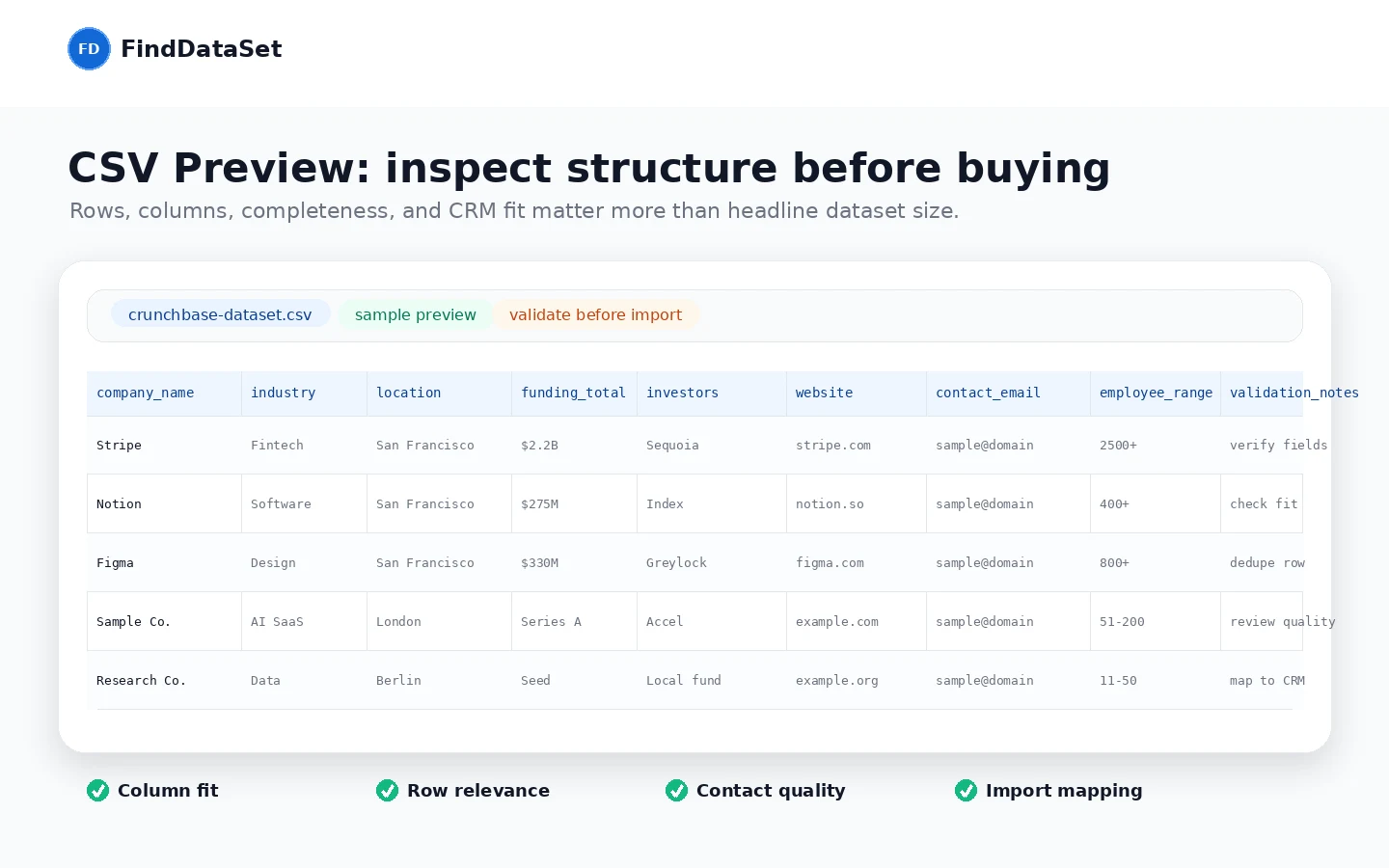
The part I would check first is the sample. Marketing copy can tell you what the dataset claims to include. The sample shows whether the structure feels usable for your actual work.
A simple test before paying
Before paying, I would run a small test like this:
- Write down one exact use case: prospecting, market mapping, CRM enrichment, investor research, or category analysis.
- Open the sample or preview and check whether the visible fields support that use case.
- Map the sample columns to your CRM or spreadsheet fields.
- Identify which fields must be validated before use.
- Decide how you will handle duplicates, stale contacts, and irrelevant rows.
- Read the terms and refund language before checkout.
- Compare FindDataSet with at least one live data or outreach workflow alternative.
This test is not complicated, but it protects the buyer from the most common mistake: buying a large file before knowing how it will become useful.
Pros explained
The first real pro is the one-time purchase model. For a buyer with a defined project, avoiding another subscription can be appealing. If you need a broad dataset for one research cycle, paying once may be cleaner than maintaining a monthly database subscription.
The second pro is portability. CSV is not glamorous, but it is practical. You can open it in spreadsheets, import subsets into CRMs, connect it to business intelligence tools, or build a custom cleaning workflow around it.
The third pro is broad research potential. Company profiles, funding fields, investor details, and firmographic data can support several jobs: sales prospecting, category research, startup analysis, partner discovery, and competitor mapping.
The fourth pro is the sample-first path. For a final-sale dataset, a preview is not a small detail. It is the buyer’s main risk-reduction step.
The fifth pro is clarity of format. FindDataSet is not pretending to be a full marketing automation suite. The buyer can judge it as a file-based data product, which makes the decision more honest.
Cons explained
The biggest con is refund risk. The product is digital and delivered instantly, so the buyer should not assume a flexible refund path. That pushes the evaluation burden before checkout.
The second con is that data quality is hard to prove from a sales page. Even if a dataset is large, buyers still need to validate critical rows and contact fields. A stale or irrelevant row can waste time. A risky email can hurt deliverability.
The third con is lack of live workflow. FindDataSet does not replace a prospecting platform, CRM, or outreach sequencer. It provides input data. Execution still happens elsewhere.
The fourth con is compliance responsibility. Data use rules vary by region, channel, and purpose. A buyer should not treat any contact dataset as automatically safe for every campaign.
The fifth con is update uncertainty. A one-time file can be useful for a project, but it is weaker for teams that need continuously refreshed data.
Green flags and red flags
Green flags:
- You have a specific research or prospecting project.
- You can inspect the sample and understand the columns.
- You already have a CRM, spreadsheet, or data-cleaning workflow.
- You know how to validate contact fields before outreach.
- You understand that a one-time dataset is not a live enrichment system.
Red flags:
- You are buying only because the discount looks attractive.
- You need guaranteed refunds after download.
- You expect the file to be ready for outreach without cleaning.
- You need ongoing updates, live verification, or team collaboration features.
- You have not reviewed the license and compliance implications.
The green flags are workflow signals. The red flags are expectation signals. FindDataSet is easier to judge once you separate those two.
FindDataSet vs alternatives
FindDataSet’s alternatives are tricky because not every nearby product solves the same job.
A raw dataset is not the same thing as a prospecting tool, outreach platform, CRM, or official licensed data access route. I would separate direct data routes from adjacent workflow routes.
Official or licensed dataset routes vs FindDataSet
Official or enterprise-grade dataset routes may be stronger when data licensing, updates, support, and compliance confidence matter more than upfront cost. They may also be more expensive or sales-led.
FindDataSet may still make sense if you want a lower-friction one-time file and you are comfortable validating fit before use.
FinalScout vs FindDataSet
FinalScout is a better internal comparison if your real job is LinkedIn-style prospecting and email discovery. It is closer to an active prospecting workflow than a raw company database.
FindDataSet may make more sense if you want a broader CSV for research, segmentation, or offline analysis.
SalesBlink vs FindDataSet
SalesBlink is an adjacent route for teams that need outbound execution. If your real bottleneck is sequencing, campaign management, or sales engagement, a dataset alone will not solve it.
FindDataSet is more relevant before that stage, when you are building or researching the account universe.
Mailshake vs FindDataSet
Mailshake is not a direct dataset alternative. It is better for teams that already have contacts and need cold email workflow support.
FindDataSet may feed a list-building process, but Mailshake supports what happens after the list is selected and cleaned.
NetHunt CRM vs FindDataSet
NetHunt CRM is a better fit when the buyer needs pipeline management, Gmail-based CRM workflows, and ongoing relationship tracking.
FindDataSet is a data input. NetHunt is a workflow system. Some teams may need both, but they should not confuse one for the other.
Trust, refund, and buyer-risk notes
FindDataSet is a higher-caution purchase because the product is a digital download.
The current public terms present the data license for internal business research, lead generation and sales prospecting, market analysis, and competitive research. They also prohibit reselling, redistributing, sharing with third parties, spam, or illegal use. That matters because buyers should not treat a downloadable dataset as unrestricted property.
The refund language is also important. Public terms state that purchases are final because of the digital nature of the product, with an exception framed around material defect or download problems. The FAQ language is even stricter. In practical terms, this means the sample and checkout preview are the buyer’s main safety tools.
The privacy page says payment information is processed through Creem and FindDataSet does not store payment information on its own servers. That helps explain the checkout route, but buyers should still verify the live payment page before submitting payment.
The product’s own terms also say users should verify critical information independently and that completeness, accuracy, or reliability is not guaranteed. I actually appreciate seeing that kind of caution because it matches the reality of business data. Any large dataset can contain stale rows, incomplete fields, or contacts that need validation.
The practical buyer-risk list is clear:
- verify live pricing before payment;
- inspect the sample before full purchase;
- understand that updates may not be included;
- validate data before outreach;
- respect license limits;
- confirm compliance rules for your region and use case;
- do not rely on refund flexibility after instant delivery.
This is not a reason to dismiss FindDataSet. It is a reason to buy it like a data operator, not like someone impulse-buying a cheap software deal.
Final verdict
I would consider FindDataSet if you need a large one-time company dataset and you already have a clear plan for cleaning, validating, segmenting, and using CSV data.
I would skip it if you need a polished SaaS dashboard, live enrichment, built-in outreach, ongoing updates, team workflows, or a forgiving refund policy.
I would compare it with a live prospecting tool if your real problem is finding verified contacts inside an active workflow. I would compare it with an outreach tool if your real problem is campaign execution. I would compare it with a CRM if your real problem is pipeline management.
The safest next step is not to chase the discount first. Inspect the sample, check the live checkout terms, read the license and refund language, and map the data into your real workflow. If that workflow is clear, FindDataSet can be a useful one-time data asset. If the workflow is vague, the same file can become an expensive CSV you never turn into useful research or revenue.
