NetHunt CRM Pricing, Plans & Gmail Fit
NetHunt CRM is best understood as a Gmail-native sales CRM rather than a generic pipeline database. It brings leads, deals, email conversations, tasks, reports, sales automation, email campaigns, and multichannel communication into a workflow that sits close to Google Workspace. The store-page decision is not whether CRM sounds useful in general. The sharper question is whether the buyer's sales team already lives in Gmail and needs a CRM that reduces tab switching without forcing a full enterprise CRM rollout.
Fit → price → checkout
Use these routes after the official-site check: coupon first, review for fit, compare if unsure.
NetHunt CRM pricing snapshot
Fast commercial checks before pricing, coupons, or a deeper review.
NetHunt CRM product tour
The useful media path for NetHunt CRM should show more than a polished CRM dashboard. Buyers need to see how the tool behaves inside Gmail, how pipelines and customer timelines work, how pricing separates core CRM from automation, and where integrations or API access enter the decision.
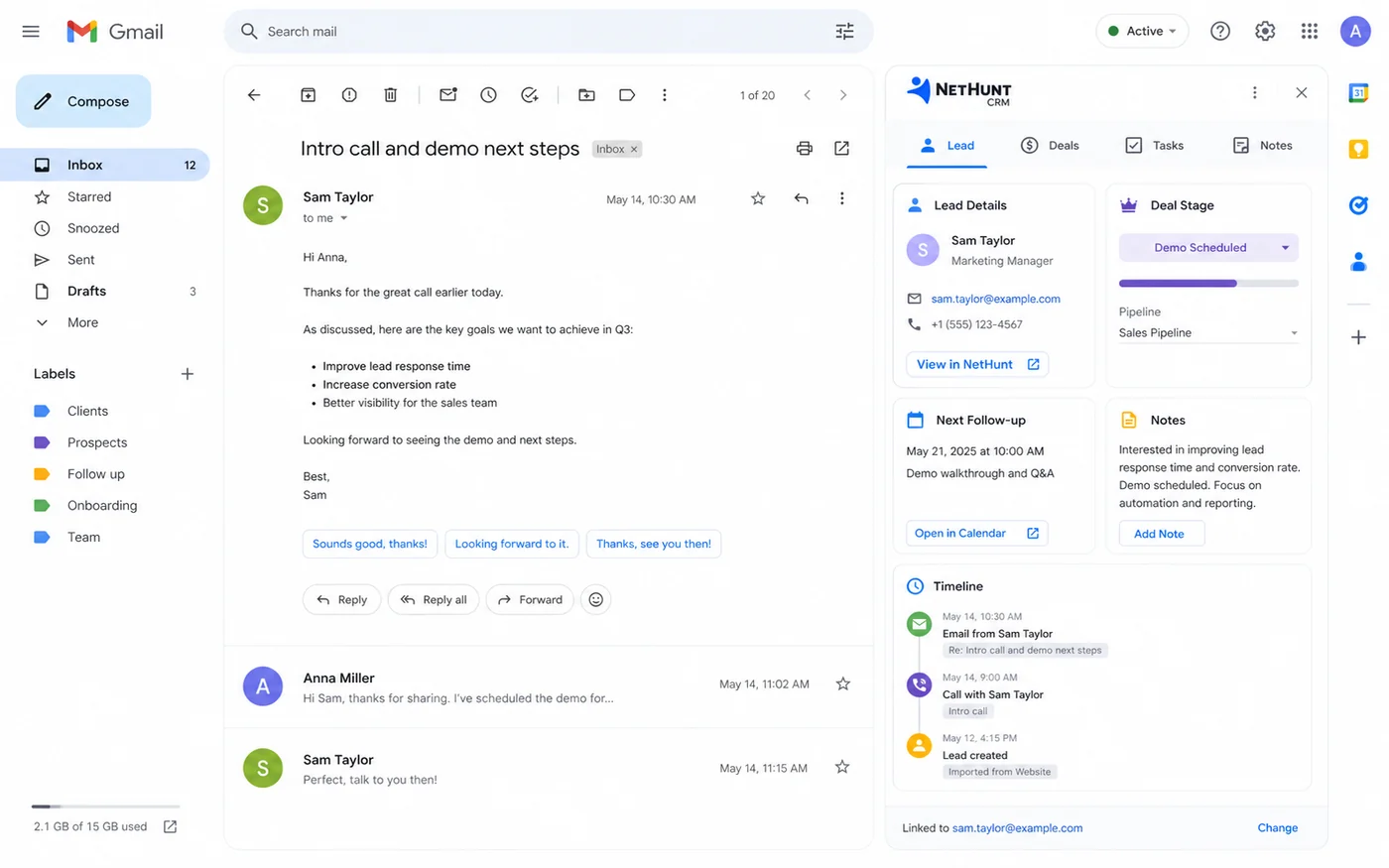
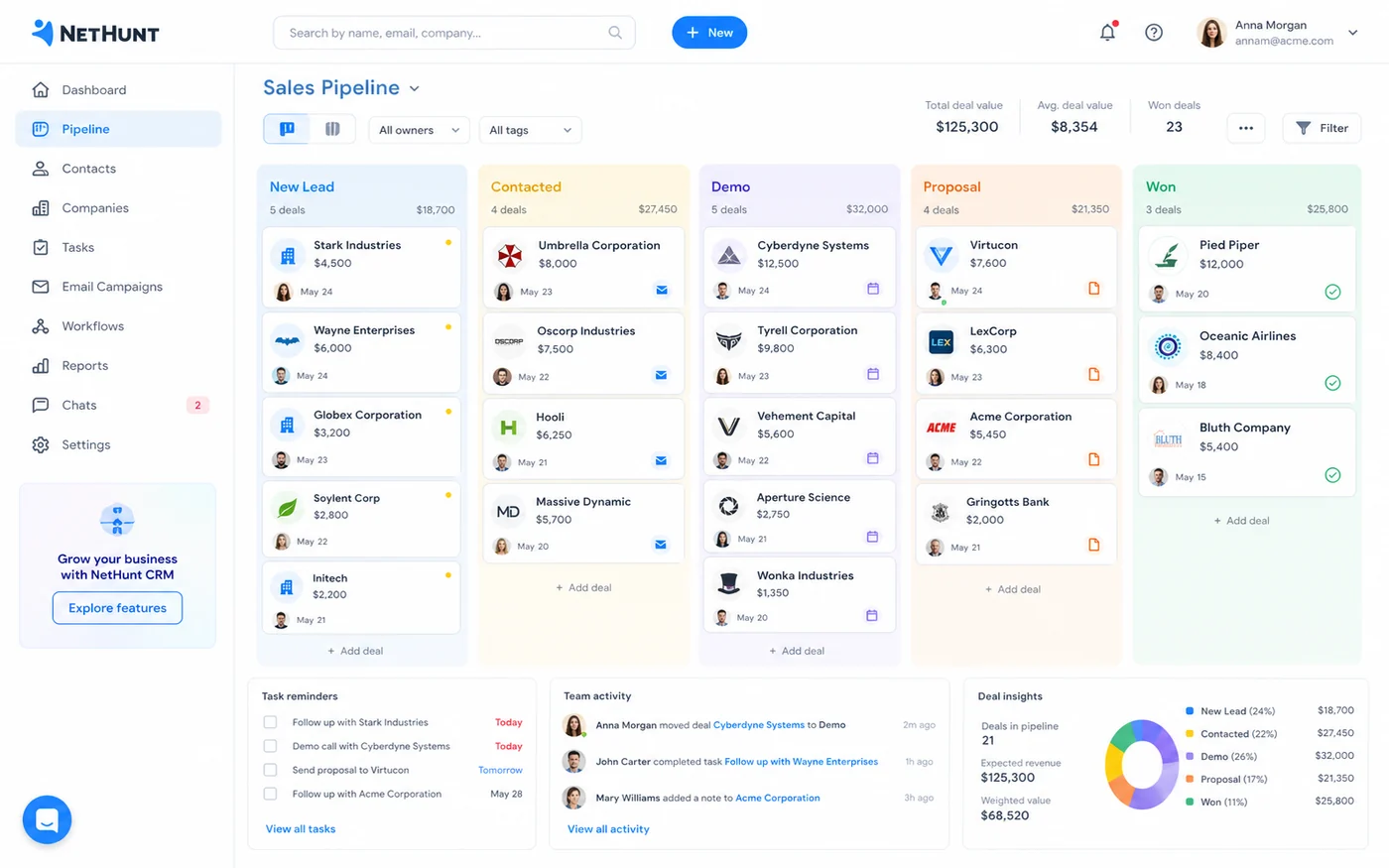
NetHunt CRM is a store-page fit question before it is a coupon question. The product is attractive when a sales team already lives in Gmail and wants leads, deals, customer history, outreach, tasks, and automation closer to the inbox. The risk is buying CRM software because the feature grid looks complete, then discovering the team never changes its follow-up habits. This page should help buyers check plan fit, trial fit, and the safest next click before paying.
What NetHunt CRM actually does
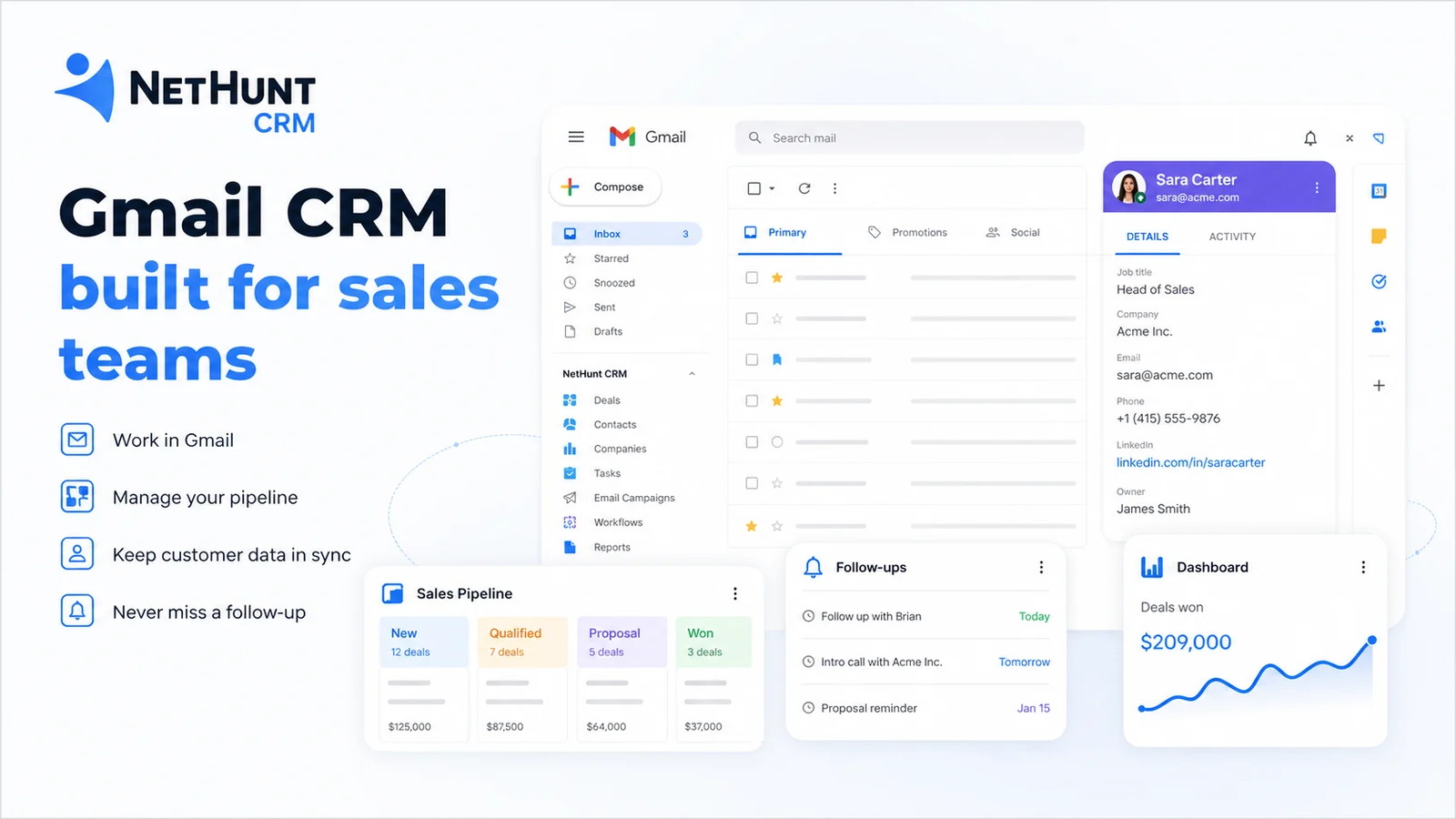
NetHunt CRM turns Gmail and Google Workspace into a structured sales CRM. It helps teams capture leads, manage contacts and companies, track deals through pipelines, create tasks and reminders, send or analyze email campaigns, automate follow-ups, and keep customer conversations in one shared workspace. Its strongest angle is not novelty. It is the practical idea that salespeople are more likely to use CRM if the records, pipeline, and follow-up work live close to the inbox they already open all day.
- Sales CRM built around Gmail and Google Workspace
- Lead and deal management with pipelines, tasks, reminders, and shared views
- Email campaigns, automation, reporting, and API access on higher plans
Pricing and plan fit
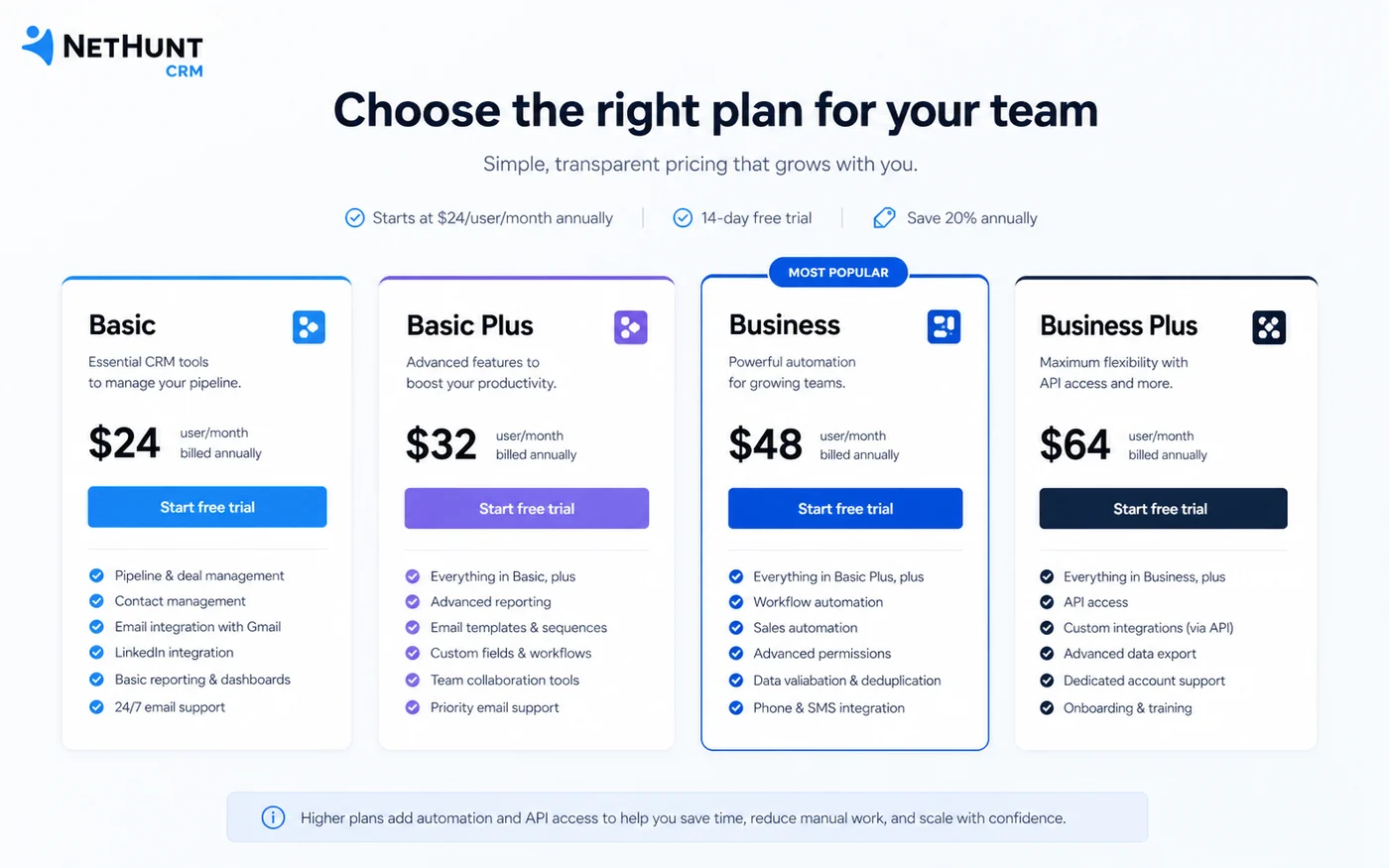
NetHunt CRM does not present itself as a permanently free CRM. The public path is a 14-day trial followed by a paid subscription. Basic is the entry plan for core CRM work, Basic Plus adds more growth and email-campaign capability, and Business level plans become more relevant when automation, multi-channel sequences, contact enrichment, VoIP, reporting, and API access matter. The best plan is not necessarily the cheapest one. It is the plan that includes the workflow your team will use every week.
- Basic starts at $24 per user per month annually or $30 monthly
- Basic Plus adds email campaigns, WhatsApp, personal messengers, and custom roles
- Business is where deeper automation, reporting, and API access become more relevant
Free trial, annual savings, and coupon reality
The cleanest savings path is the 14-day trial, then annual billing only after the team proves that the CRM fits. NetHunt says annual billing offers a 20% discount compared to monthly billing, and the pricing page also mentions a startup discount path for companies under three years old. Public coupon claims can appear on third-party sites, but they are not as safe as official pricing and checkout verification. For a store page, the honest message is simple: trial first, verify plan limits, then check whether annual billing or startup eligibility gives a real saving.
- Use the trial as an implementation test, not a casual product tour
- Annual billing is a savings path only when the team will actually use the CRM
- Startup discount eligibility should be checked directly through NetHunt's application path
Workflow fit for sales teams
NetHunt CRM is most convincing when the sales process depends on email, follow-ups, pipeline visibility, and team activity. A founder-led sales team can use it to bring structure into Gmail. A small sales team can use it to standardize pipelines and next steps. A growth team can use it for campaigns and sequences when the plan supports those features. It is less compelling when the buyer only wants a simple list of contacts or when the team needs a CRM that is independent of Google Workspace.
- Good fit for Gmail-heavy teams moving away from spreadsheets
- Useful when pipeline discipline and follow-up visibility are current problems
- Less useful if the team does not want CRM activity inside the inbox
Integrations, API, and rollout risk
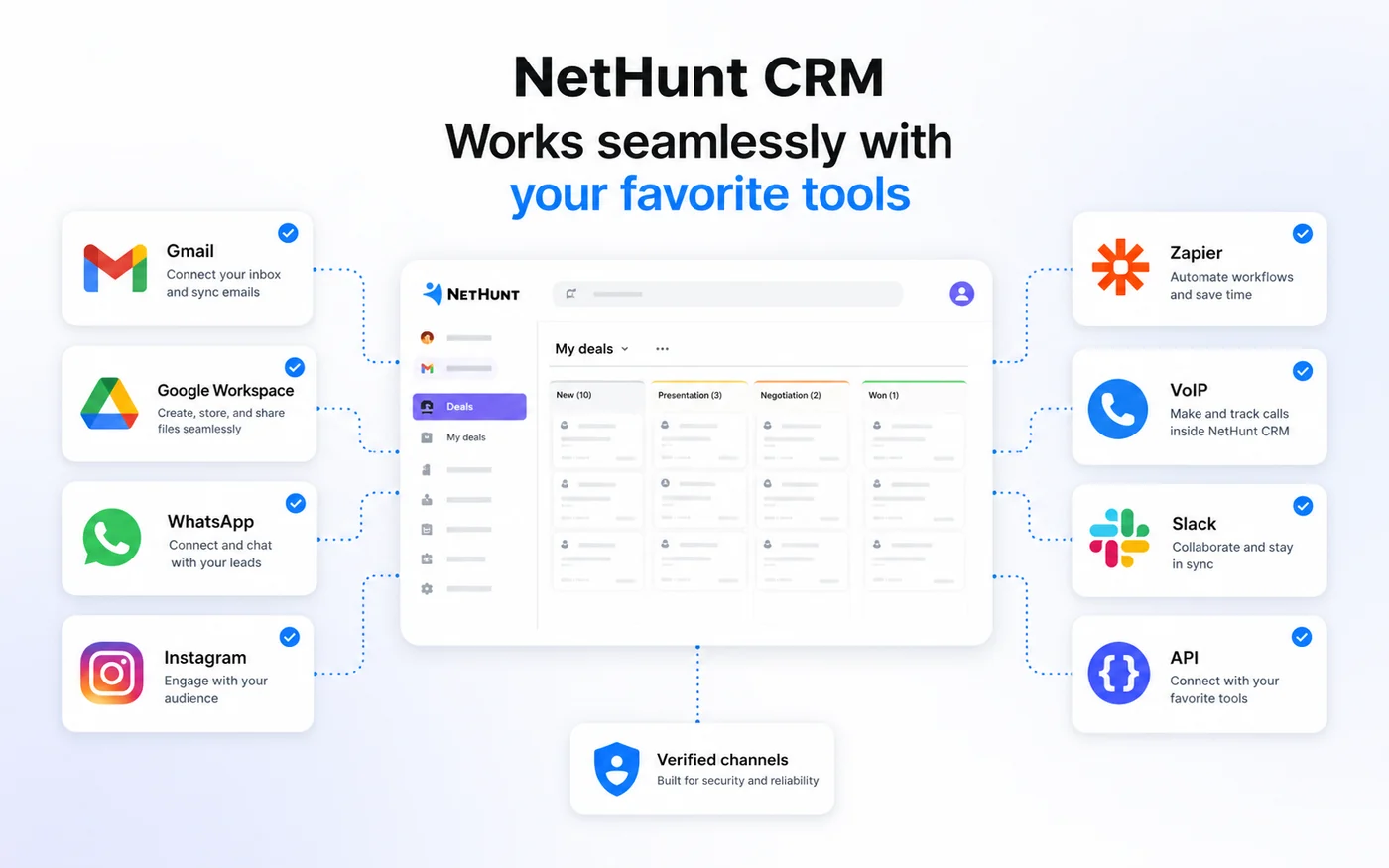
NetHunt CRM becomes more valuable when it connects the channels the team already uses: Gmail, Google Workspace, WhatsApp, Instagram, VoIP, Slack, Zapier, and related sales tools. API access is listed at the Business level, which matters for teams that need custom reporting, data sync, or automation beyond the standard interface. The risk is assuming every integration is included in every plan. Buyers should check the exact plan, workspace permissions, channel accounts, and rollout support before committing.
- API access appears in the Business plan feature set
- Integrations include Gmail, Google Workspace, WhatsApp, Instagram, Slack, Zapier, Hunter, and Intercom on public product pages
- Teams should verify whether their exact channel, workspace, and reporting needs require a higher plan
Alternatives worth comparing
NetHunt CRM should be compared against tools that match the buyer's real operating style. HubSpot CRM can make sense for teams that want a broader inbound marketing and sales platform. Pipedrive is often a cleaner comparison for pipeline-focused sales teams. Streak is relevant when the buyer wants a lighter Gmail-based CRM path. ActiveCampaign is worth considering when marketing automation and email lifecycle work matter more than inbox-native sales CRM. The right comparison is not a random CRM list. It depends on whether Gmail workflow, pipeline simplicity, marketing automation, or broader platform depth is the actual priority.
- Compare HubSpot if the buyer wants a broader marketing and CRM platform
- Compare Pipedrive if pipeline-focused selling is the main need
- Compare Streak if the buyer wants a simpler Gmail-native CRM option
Safest next step before checkout
The safest next step is to open the official pricing page, start the 14-day trial, and test one real sales workflow before buying. That test should include Gmail connection, pipeline setup, a few live contacts or deals, task reminders, team access if relevant, and one follow-up or campaign flow. If the CRM saves time and the team keeps using it during the trial, then compare monthly versus annual billing. If the team does not update records without being pushed, it is better to compare lighter CRM options before paying.
- Start with a focused trial workflow
- Test team adoption before annual billing
- Move to coupon or deal pages only after product fit is clear
Best savings path from this store page
This is the clearest savings route to check once the product already looks like a fit.
A public coupon directory reports a NetHunt CRM checkout code for eligible orders. Treat it as researched, not guaranteed, and verify it at checkout.
Try NetHunt CRM before paying
Basic annual billing path
Use comparison routes when the category fit is still open
Use these comparison routes when the product still looks plausible, but the category fit is not fully settled.
Better for buyers who want a broader CRM, marketing, sales, service, and operations platform rather than a Gmail-native sales workflow.
Often cleaner for sales teams that mainly want visual pipeline management and deal discipline without Gmail-native positioning as the main reason to buy.
A closer Gmail CRM comparison for buyers who want a lighter inbox-native CRM experience before choosing a more structured sales CRM.
More relevant when lifecycle email automation and marketing journeys matter more than sales records inside Gmail.
Verification points worth checking before you click out
Where this store usually fits best in the workflow
A small sales team can use NetHunt CRM to manage leads, deals, tasks, and customer history close to Gmail instead of switching between an inbox and a separate CRM all day.
A founder or lean team can bring order to prospects, follow-up reminders, and pipeline stages without immediately adopting a heavy enterprise CRM stack.
Teams using Gmail alongside messengers, Professional Network outreach, WhatsApp, Instagram, or VoIP can evaluate whether NetHunt CRM centralizes enough communication to justify the plan.
Buyers on higher plans can test whether automation, sequences, contact enrichment, activity reports, and API access reduce manual sales work and improve visibility.
Practical checkpoints before and after signup
- Define one real sales workflow to test, including pipeline stages, user roles, lead sources, and follow-up steps.
- Decide which features are must-haves before opening the pricing page: email campaigns, WhatsApp, automation, API, reporting, or messenger accounts.
- Connect Gmail, import a small contact set, build one pipeline, invite key teammates, and test reminders or automation on live records.
- Watch whether the team updates CRM records naturally inside the Gmail workflow or treats it as another admin task.
- Compare Basic, Basic Plus, Business, and Business Plus against the exact features used during the trial.
- Read refund and cancellation language, then decide whether monthly billing or annual billing is safer for the first paid period.
- Standardize pipeline stages, owner rules, required fields, reporting cadence, and follow-up responsibilities before adding more seats.
- Review integrations and API needs before building custom automation around the CRM.
Fast-read signals for workflow fit and buying friction
Questions readers usually ask before choosing this store
What is NetHunt CRM best for?
NetHunt CRM is best for sales teams that already use Gmail and Google Workspace heavily and want leads, deals, customer history, tasks, campaigns, and automation closer to the inbox. It is especially useful when adoption friction is a bigger problem than feature quantity.
Does NetHunt CRM have a free plan?
A permanent free plan was not verified on the official pricing page. NetHunt offers a 14-day free trial, then the workspace needs a paid subscription plan to continue. Buyers should treat the trial as a serious fit test before paying.
How much does NetHunt CRM cost?
Public pricing starts with Basic at $24 per user per month when billed annually or $30 per user per month when billed monthly. Basic Plus is listed at $34 annually or $42 monthly, while higher plans add automation, reporting, API access, and deeper sales-channel support.
Are NetHunt CRM coupon codes publicly available?
A reliable official public coupon-code path was not verified during this pass. The safer savings path is to use the 14-day trial, compare annual billing, check startup discount eligibility if relevant, and verify the final checkout or DealBestDaily route before buying.
What should buyers verify before choosing NetHunt CRM?
Buyers should verify user count, Gmail and Google Workspace fit, exact plan feature gates, automation requirements, API needs, messenger or VoIP integrations, annual discount, startup discount eligibility, cancellation terms, and the no-refund language before checkout.
Choose the next route that matches what you still need to decide
The strongest next click depends on whether you still need product judgment, a savings route, or a broader category comparison.