Quick verdict
DupDub is worth considering if you want one AI media workspace for voiceovers, video dubbing, talking-photo or avatar content, transcription, subtitles, and developer API access. I would be much more cautious if your real need is only one quick narration or a few casual social clips.
The buying decision is not simply “does DupDub have a lot of features?” It does. The real question is whether one of those features becomes a repeatable production workflow for you.
That distinction matters because DupDub is broad. A YouTube creator may care most about AI voiceovers. A course creator may care about narration updates and transcription. A marketer may care about short avatar explainers. A localization team may care about video translation, subtitles, and voice consistency. A developer may care about text-to-speech or avatar APIs. Those are different buying decisions, even though they sit inside the same product.
For my money, DupDub makes the most sense when you can test a real asset during the short trial, measure output quality, check credit usage, and then decide whether a subscription, pay-as-you-go credit pack, or API path fits. I would not choose a paid plan only because the homepage looks broad or because a deal path appears. With credit-based AI media tools, the expensive mistake is buying before you understand your actual cost per usable output.
Next step: If DupDub still fits your creator workflow, test one real asset and verify the current buyer route before choosing a paid plan.
Review snapshot
| Review point | Practical take |
|---|---|
| Best for | Creators, marketers, educators, podcasters, localization teams, and product teams that need repeatable AI audio or video output |
| Not ideal for | One-off voiceover users, buyers who hate credit math, or teams needing studio-level manual editing and localization QA |
| Main use case | Turning scripts, videos, photos, lessons, or product content into AI voice, dubbing, avatar, transcription, subtitle, or API-based media workflows |
| Trial path | DupDub publicly promotes a short 3-day trial with no credit card required |
| Pricing caution | Plan value depends on credits, output type, billing interval, export needs, and API or commercial-use requirements |
| Main strength | Wide tool coverage in one AI media platform |
| Main concern | Credit usage and refund/unused-credit expectations need live verification |
| Direct alternatives | ElevenLabs, HeyGen, Synthesia, Fliki |
| Best next step | Test one real workflow before moving to monthly, annual, credit-pack, or API usage |
What is DupDub?
DupDub is an AI content creation platform for people who want to create audio and video assets without recording, editing, translating, or narrating everything manually. Its public positioning centers on idea-to-text, text-to-speech, AI voiceover, voice cloning, AI avatars, video translation, transcription, subtitles, video editing, and API access.
That makes DupDub broader than a standard text-to-speech tool.
It is better understood as a multi-tool media workspace. You can start with a script, a video, a photo, an audio file, or a production idea, then use different parts of the platform to generate narration, dub a clip, create a talking avatar, transcribe media, align subtitles, or connect functionality through APIs.
The common misunderstanding is assuming that “all-in-one” automatically means better value. Sometimes it does. If you already need voiceover, dubbing, transcription, and avatar content, one platform can reduce tool switching. But if you only need one narrow job, a specialist tool may be cleaner.
Our review approach compares public product pages, pricing details, terms, buyer workflow fit, and nearby alternatives. I do not treat a trial, coupon path, or low entry price as proof that the product fits. For a tool like DupDub, the better test is whether the output quality, credit burn, rights requirements, and editing control match your actual media process.
Who should use DupDub?
DupDub makes the most sense for creators who produce voice-led content repeatedly. A faceless YouTube channel, short-form video workflow, podcast repurposing process, or narration-heavy content calendar can benefit if the voices sound good enough for the audience and the credit model remains predictable.
It also fits marketers who need fast voiceovers, explainers, ads, product videos, and localized clips. The condition is that the brand can accept AI-generated media quality and has a review step before publishing. I would not let generated output go straight to paid ads without checking tone, pronunciation, captions, rights, and message accuracy.
Educators and training teams are another logical buyer group. DupDub can help update lesson narration, convert scripts into audio, create subtitles, and translate training clips. The buyer still needs to verify terminology, pronunciation, accessibility, and whether the synthetic voice matches the seriousness of the material.
Localization teams may find DupDub useful when they want to translate, dub, and subtitle existing videos faster. This is where DupDub’s broader video workflow becomes more interesting. The buyer check is quality control: speaker separation, lip sync, subtitle alignment, voice style, and review before publication.
Developers and product teams should consider DupDub only when API access is part of a real roadmap. Text-to-speech, voice cloning, avatar, transcription, and video translation APIs can be useful, but they introduce a different buying question: quota, latency, cost, rights, support, and reliability matter more than the creator dashboard.
Who should avoid DupDub?
I would avoid DupDub if you only need one small voiceover and do not expect to repeat the workflow. A broad AI media suite can be too much tool for a tiny job.
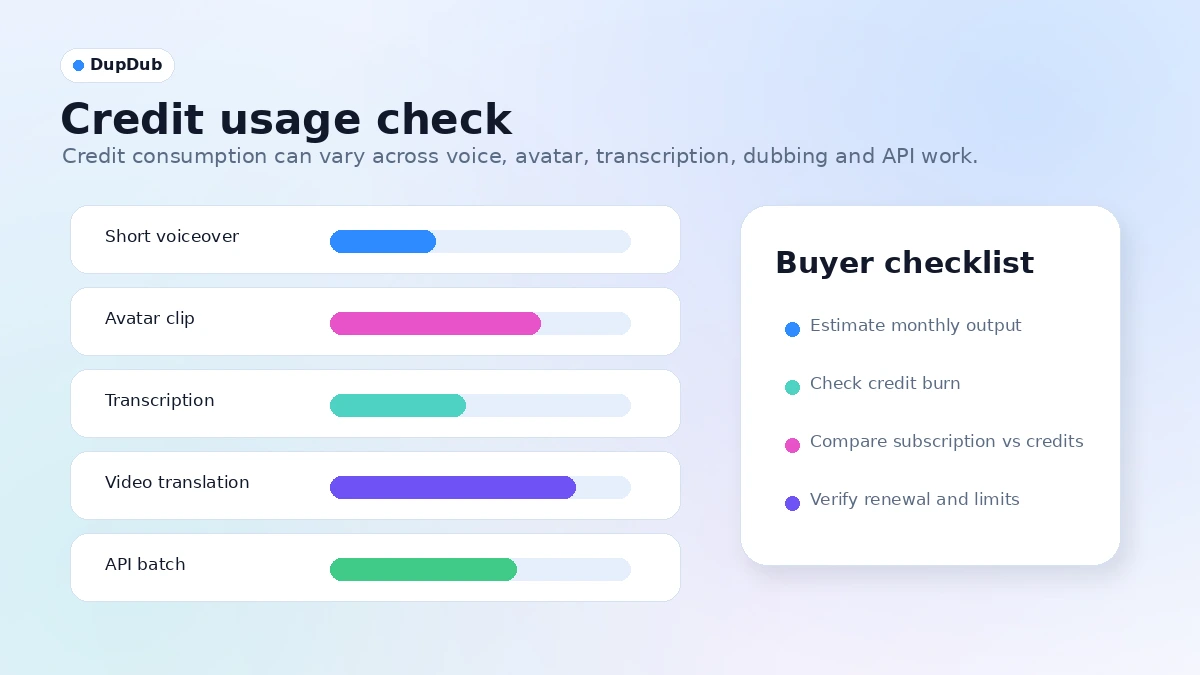
I would also be careful if you dislike credit-based pricing. Credits can be reasonable when usage is predictable, but they can feel frustrating when different features consume value differently. A short voiceover test does not tell you much about the cost of frequent video translation, avatar generation, transcription, or API usage.
DupDub is not the cleanest fit for buyers who need deep manual video editing control. It can help create and transform media, but it should not be confused with a full professional editing environment where editors manually control every frame, layer, color pass, sound mix, and localization review.
Teams with strict legal, consent, or brand-safety requirements should slow down before using voice cloning, avatar, dubbing, or likeness-based workflows. Those features are useful only when the buyer has permission to use the voice, face, video, script, and source material.
I would also avoid annual billing until the workflow is proven. The trial can tell you whether DupDub is promising. It cannot automatically prove long-term cost, credit needs, output consistency, support expectations, or renewal value.
How DupDub fits into a real workflow
A practical DupDub workflow should start narrow.
Pick one real output type first: a 60-second voiceover, one short translated video, one avatar clip, one transcription job, or one API prototype. Do not judge the platform by clicking through every tool with sample content. That creates excitement, not buying clarity.
A cleaner workflow looks like this:
- Choose one real script, clip, lesson, ad, or product video.
- Run it through the DupDub feature you actually expect to use.
- Check output quality before editing.
- Adjust voice, language, subtitle, timing, pronunciation, or script details.
- Track how many credits the job consumed.
- Export or preview the result in the format you need.
- Review permissions, voice or likeness consent, and commercial-use requirements.
- Decide whether the result is good enough to repeat.
The value appears when DupDub reduces production friction. The risk appears when buyers mistake a good demo for a stable process.
For example, a creator may generate a narration that sounds impressive in a short sample. But if the voice mispronounces niche terms, burns credits quickly, or needs heavy editing, the plan value changes. A course creator may find transcription and narration helpful, but only if updating lessons is faster than recording manually. A marketer may like avatars, but only if the final video feels on-brand instead of generic.
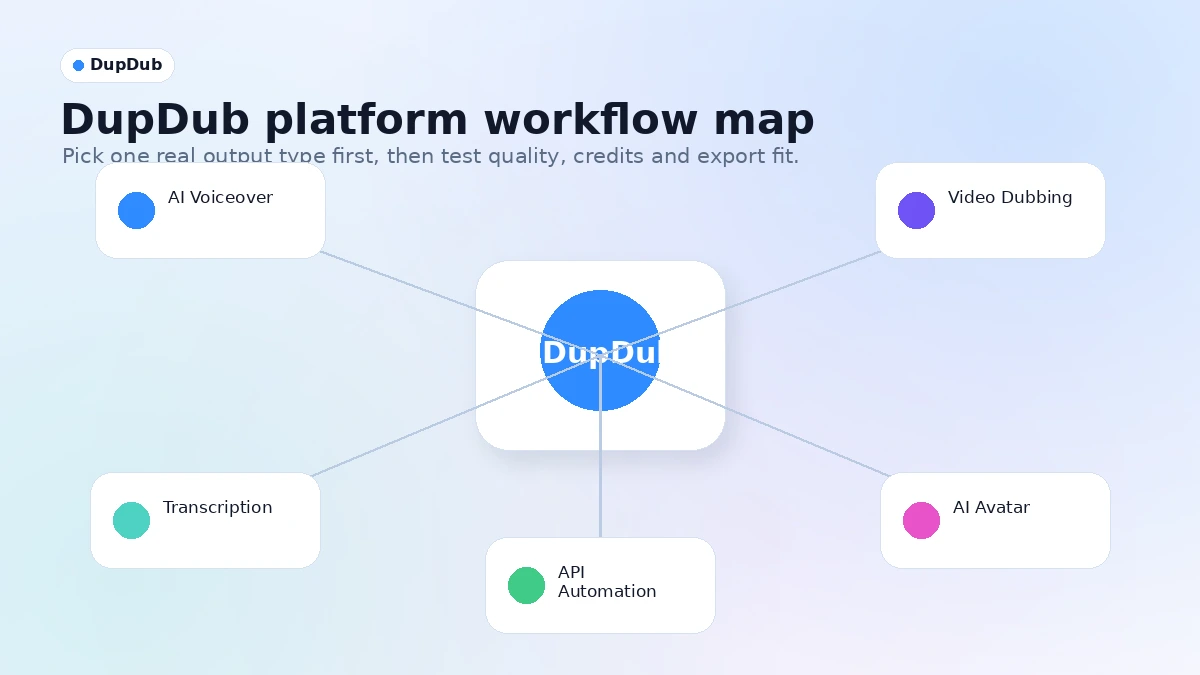
Workflow check: If you are evaluating DupDub, start with the one media task you would repeat every month and compare the output against your current process.
Real-world buyer scenarios
Faceless YouTube or short-form creator
DupDub can fit if your bottleneck is narration, subtitles, dubbing, or fast video repurposing. The platform is useful when voice and language output help you publish more consistently.
Where it may fail: voice quality, tone, or credit use may not match your content volume. If your audience notices synthetic narration in a bad way, the time saving may not be worth it.
Course creator or training team
DupDub can help update lessons, create AI narration, transcribe existing videos, and localize training material. This is especially useful when content changes often and re-recording human narration is expensive.
Where it may fail: technical terms, compliance language, names, and instructional tone still need review. I would not rely on AI narration alone for sensitive or regulated training content.
Marketer producing ads and explainers
The platform can help turn scripts into voiceovers, avatar clips, short explainers, or localized product videos. That can be useful for campaign testing.
Where it may fail: generic AI voice or avatar content can hurt brand perception if the final asset feels too synthetic. The buyer should test with real campaign copy, not a neutral demo script.
Product team exploring API media generation
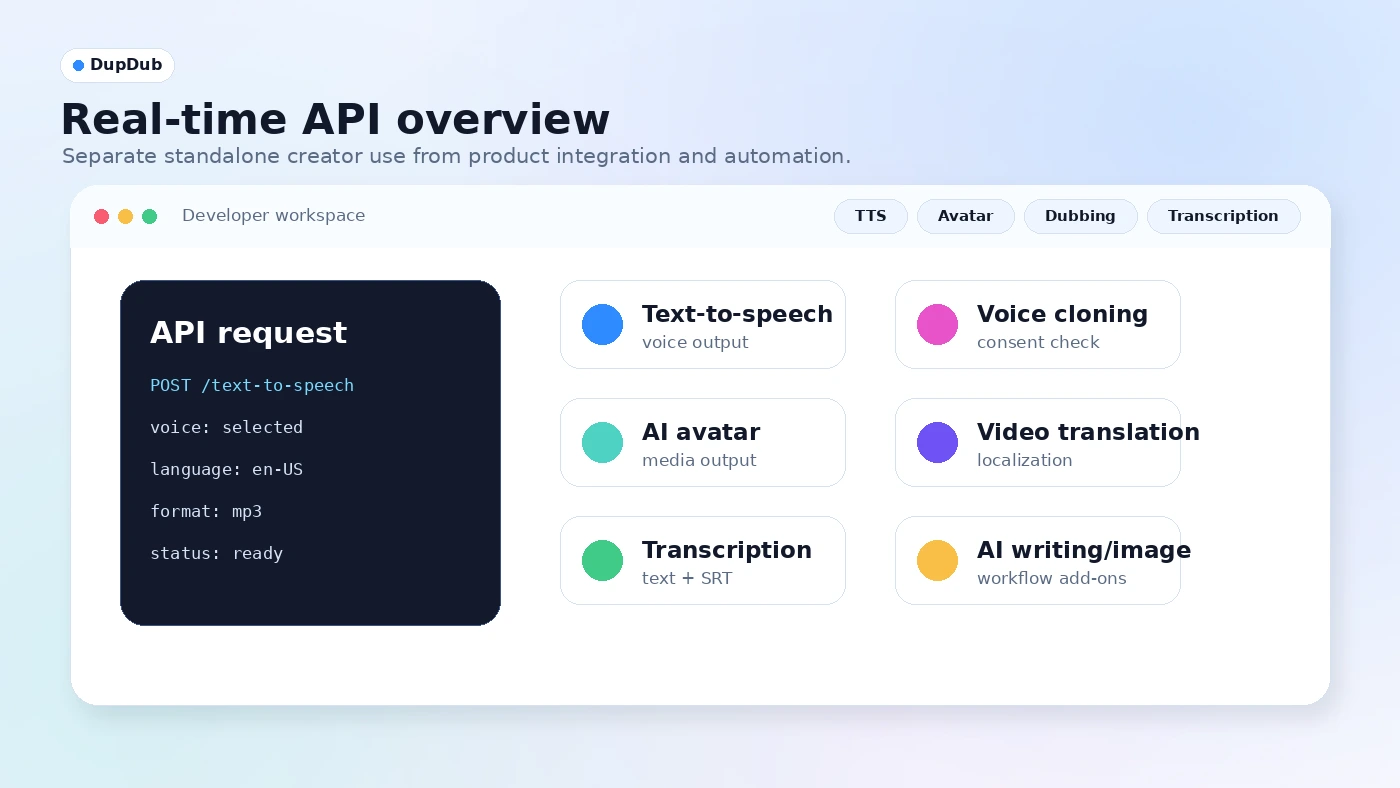
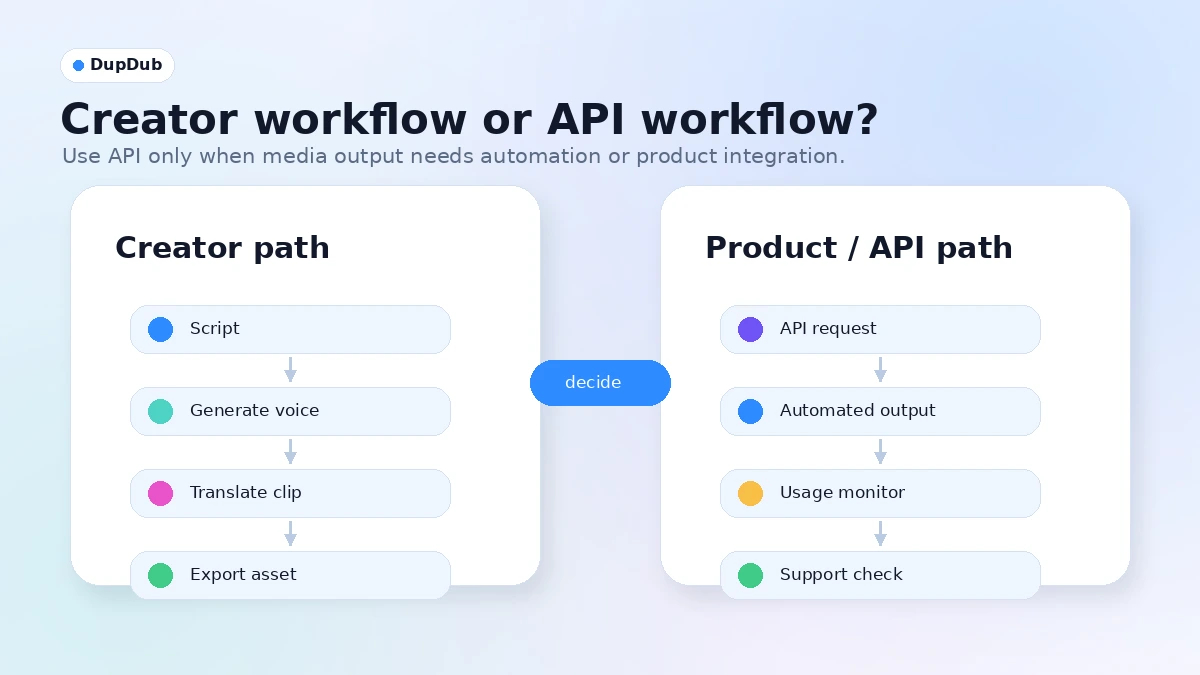
DupDub’s API path may matter if a product needs text-to-speech, voice cloning, avatar, transcription, translation, or writing features embedded into a workflow.
Where it may fail: API pricing, rate limits, support, latency, rights, and output reliability can change the economics. This is not a casual creator-plan decision.
Key features that actually matter
Text-to-speech and AI voiceovers
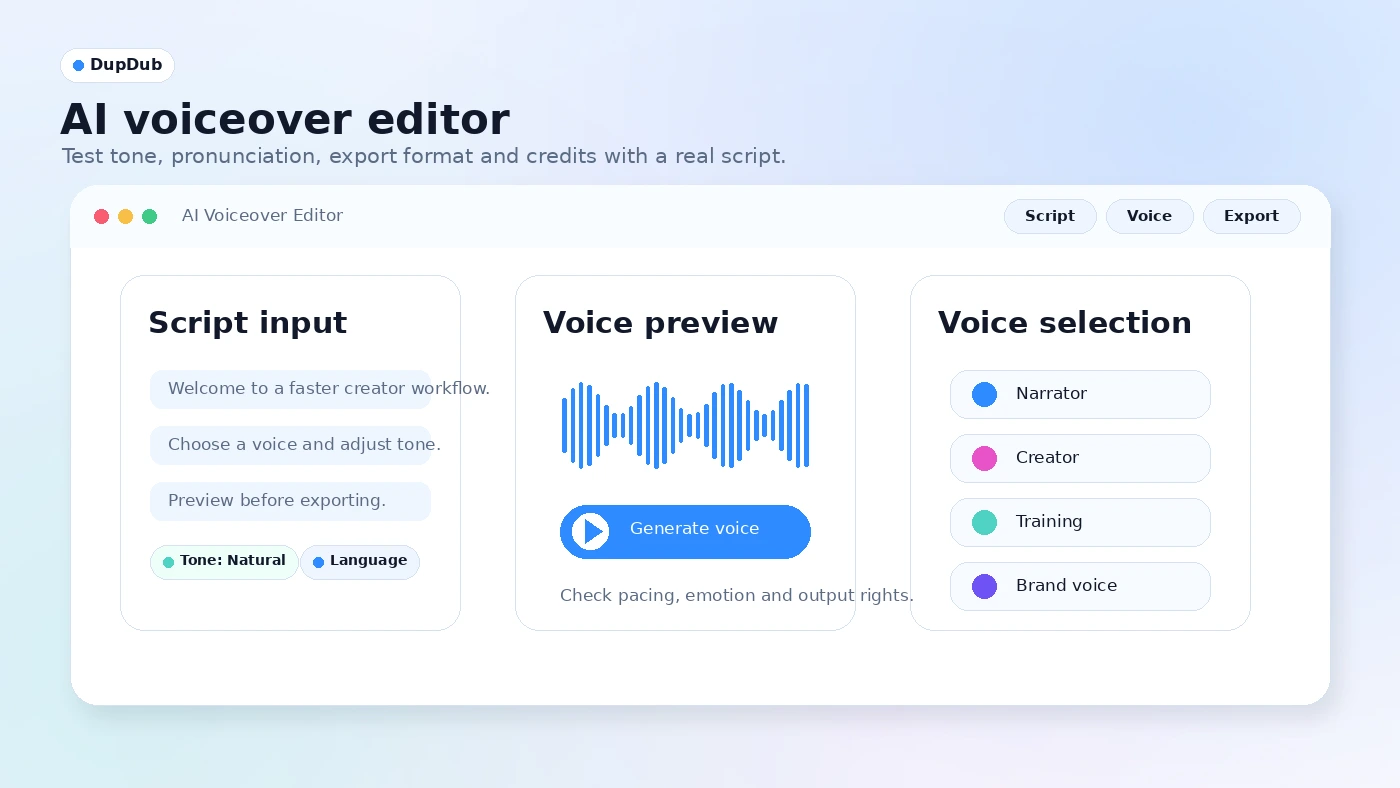
This is likely the first feature many buyers will test. DupDub promotes a large voice library and AI-powered voice generation for creators who want narration without booking voice talent.
Buyer note: test the voice with your own script. A voice can sound good in a demo and still struggle with brand names, acronyms, humor, emotional tone, or long-form pacing.
Voice cloning
Voice cloning is useful when a creator, educator, or brand wants a consistent voice across updates, languages, or repeated content. It can save time when re-recording is impractical.
Buyer note: consent and rights are not optional. Only use voice cloning when you have permission and a legitimate use case. Also verify whether the plan, export rights, and commercial terms fit your intended use.
Video translation and dubbing
DupDub’s video translation workflow is one of the more important reasons to look beyond simple TTS alternatives. Dubbing, subtitle translation, speaker handling, and lip sync can help creators reach additional languages.
Buyer note: localization quality needs human review. Check translations, tone, names, cultural context, subtitle timing, speaker separation, and whether the voice output feels acceptable for the target audience.
AI avatars and talking-photo output
Avatar and talking-photo tools can help produce explainers, social clips, training summaries, or simple presenter-style content without filming a person every time.
Buyer note: this is where brand fit matters. A useful avatar clip for a quick social post may not be appropriate for a premium sales video or formal training module.
Transcription, subtitles, and supporting tools
Transcription and subtitle tools can be easy to undervalue, but they often determine whether a video workflow is usable. Creators need text, captions, alignment, and editing control, not only generated audio.
Buyer note: run one real file through the workflow. Check language support, timing, editability, file limits, and export formats before assuming it fits your publishing process.
API access
The API path matters for buyers who want DupDub inside an app, customer workflow, training platform, or internal automation system. Public DupDub API pages mention speech, voice cloning, avatar, video translation, transcription, image, and writing capabilities.
Buyer note: API access is a separate buying decision. Confirm pricing, quota, support, latency, terms, and production readiness before building on it.
Pricing and plan value
DupDub pricing should be judged through credits and output volume, not only the plan name.
The current public pages promote a 3-day free trial with no credit card required. Public pricing references also show creator tiers, annual billing paths, pay-as-you-go credits, and company or API-oriented buying paths. Because pricing tables can change by billing interval, feature, credit amount, and checkout offer, I would verify the live pricing page before treating any monthly number as final.
The big buyer question is not “what is the cheapest plan?” It is “how many usable outputs do I get for the job I actually need?”
A short narration may consume value differently from a translated video. An avatar clip may not behave like transcription. API usage may have a different cost structure from creator dashboard usage. If you compare plans only by headline price, you may miss the real constraint.
For light creators, the trial is useful as a quality check. For repeated voiceover work, a subscription may make sense if the output quality is stable and the credits cover monthly production. For seasonal campaigns, pay-as-you-go credits may be safer than annual billing. For product teams, API/custom pricing should be evaluated separately.
Annual billing is not automatically the best deal. It can reduce the effective monthly cost, but only after you know DupDub will be used consistently. I would start with the lowest-risk path that lets you test the exact workflow: voiceover, dubbing, avatar, transcription, or API.
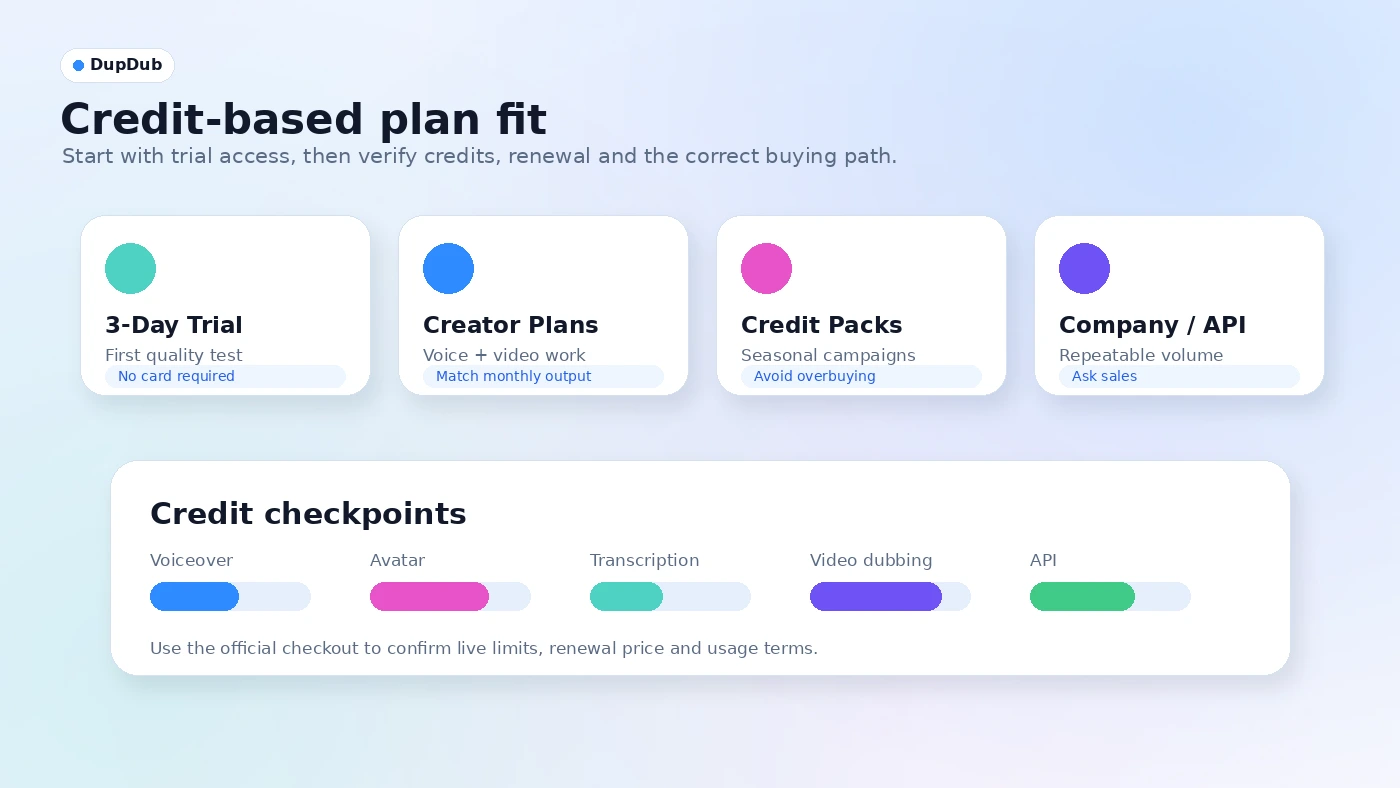
Pricing check: Before paying, compare the live plan page against your expected voiceover, dubbing, avatar, transcription, or API workload.
Free plan, trial, coupon, and checkout notes
DupDub’s public trial path is useful because it lowers the first testing barrier. No credit card required is a good signal for cautious buyers who want to check output before paying.
But the trial is short.
A three-day window can tell you whether the interface and output quality are promising. It may not be enough to validate a full localization workflow, client approval cycle, training update process, or API integration. If the work involves team review, multiple languages, brand approval, or commercial deliverables, treat the trial as a first filter rather than a final proof.
The coupon path should be secondary. A checkout code or current offer may reduce cost, but it does not solve credit mismatch, rights questions, refund uncertainty, or poor output fit. For DupDub, the safest order is:
- Test one real asset.
- Estimate credit usage.
- Check plan limits and renewal terms.
- Verify commercial-use and rights expectations.
- Compare alternatives.
- Then check the coupon page or active offer path.
Do not expose sensitive client content just because a trial is available. Use a representative but safe asset when testing.
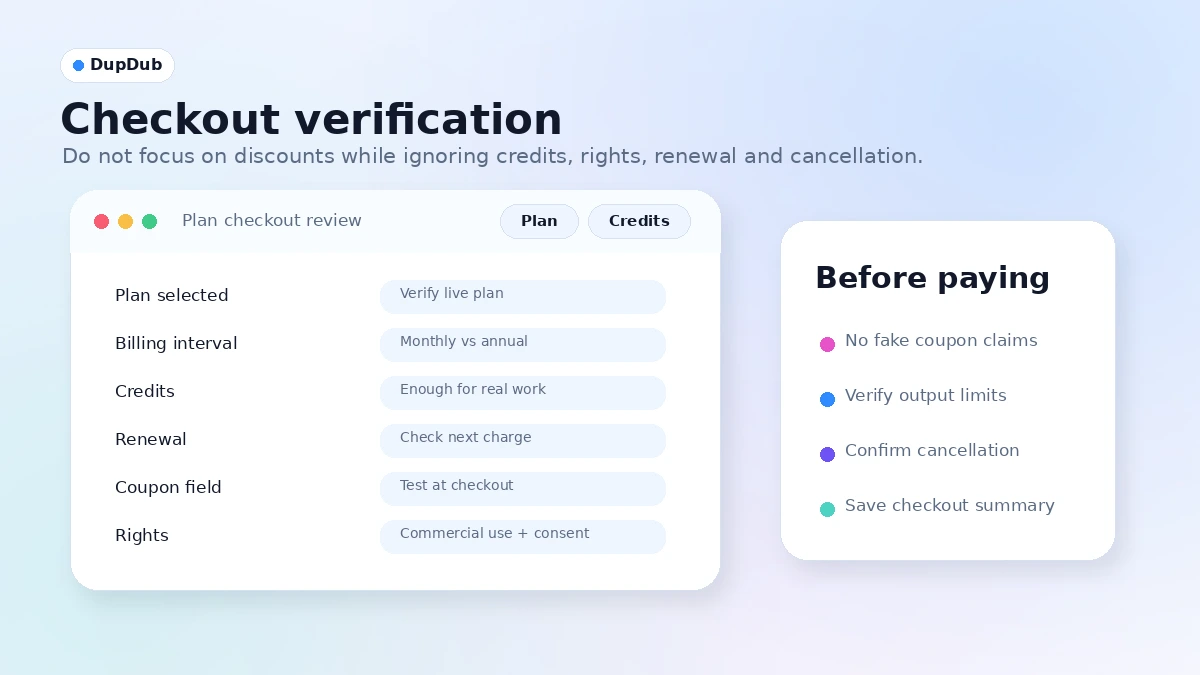
What I would check before buying DupDub
If I were buying DupDub for a real media workflow, I would check these before paying:
- Whether the trial credits are enough to test the feature I actually need.
- How credits convert into voiceover, avatar, transcription, dubbing, and translation work.
- Whether generated voices handle my niche terms, names, pacing, and tone.
- Whether video dubbing and subtitles remain accurate after editing.
- Whether commercial-use rights, voice consent, likeness rights, and source-video permissions are clear.
- Whether the refund, cancellation, renewal, and unused-credit rules are acceptable.
- Whether API pricing, quotas, latency, and support are clear enough for production use.
The first thing I would not do is buy the biggest plan because the feature list looks impressive. Broad tools create broad temptation. The safer move is to prove one workflow first.
A simple test before paying
Before paying, I would run a small test like this:
- Pick one real asset: a script, video, lesson, ad, or narration task.
- Generate the output using the DupDub feature you expect to use most.
- Track how many credits the task consumes.
- Review pronunciation, tone, language quality, subtitle timing, and edit control.
- Export or preview the result in the format you need.
- Check whether any rights, consent, or client approval issues appear.
- Compare the time saved against the plan cost.
That test does not need to be perfect. It needs to answer one question: would you repeat this process often enough to justify paying?
If the answer is yes, DupDub becomes much easier to evaluate. If the answer is no, a discount will not fix the mismatch.
Pros explained
DupDub’s biggest advantage is breadth. It combines voiceover, voice cloning, avatars, video translation, transcription, subtitles, writing, video tools, and API access in one place. That matters when the buyer genuinely needs several of those tasks connected.
The short no-credit-card trial is also useful. Many AI media tools look good in demos but feel different with real content. A low-friction trial gives buyers a way to test sound, language, and workflow without immediately entering card details.
The platform is especially interesting for content teams that want to repurpose media. A script can become a voiceover. A video can become a translated clip. A lesson can become narrated training. A product team can explore API integration. That kind of workflow range is more valuable than a single shiny feature.
DupDub’s API coverage is another strength for technical buyers. It gives the platform a path beyond manual dashboard use. The caveat is that API value depends on production economics, not just availability.
Finally, DupDub fits the direction content production is moving: faster localization, synthetic narration, short-form variants, and creator workflows that combine audio, video, text, and automation.
Cons explained
The biggest drawback is pricing clarity through credits. Credit models can be fair, but they demand more buyer discipline. If different tasks burn credits differently, you need usage math before choosing a plan.
The trial window is also short. Three days is enough for first impressions. It is not always enough for a serious course, agency, multilingual video, or product integration decision.
Voice cloning and avatar features create rights and trust concerns. This is not a reason to reject DupDub. It is a reason to use it carefully. Consent, likeness, copyright, commercial-use rights, and synthetic-media expectations should be checked before publishing.
DupDub may also be too broad for buyers who need one narrow feature. If voice quality is the only concern, ElevenLabs may be a cleaner comparison. If avatar presentation is the main job, HeyGen or Synthesia may be closer. If simple social text-to-video is the goal, Fliki may be easier to judge.
The last caution is refund and unused-credit expectation. I would verify current checkout and terms before assuming unused credits, subscriptions, renewals, or API usage will be handled in the way you expect.
Green flags and red flags
Green flags:
- You already create audio or video content every month.
- You need more than one media function, such as voiceover plus transcription or dubbing plus subtitles.
- You can test DupDub with a real asset during the trial.
- You are willing to track credit usage before upgrading.
- You have clear rights to the voices, faces, videos, and scripts you plan to use.
Red flags:
- You are buying only because of a discount or broad feature list.
- You have no repeatable media workflow yet.
- You need exact budget predictability but have not checked credit consumption.
- You plan to clone voices or use likeness-based media without a consent process.
- You need professional video editing depth more than AI-assisted media generation.
- You are considering annual billing before testing real output.
The green flags are about workflow clarity. The red flags are about buying too early.
DupDub vs alternatives
DupDub’s alternatives depend on the job. A pure voiceover buyer should not compare the same way as an avatar video buyer or a training localization team.
ElevenLabs vs DupDub
ElevenLabs is usually the stronger direct comparison if voice quality, voice cloning, dubbing, and audio API depth are the main buying reasons. It is more focused around speech.
DupDub may still make more sense if you want voice plus avatars, transcription, subtitles, video translation, writing, and broader creator tools in one workspace. Compare ElevenLabs if voice quality is your first priority.
HeyGen vs DupDub
HeyGen is a closer comparison for avatar-led business video, presenter clips, sales explainers, and localized avatar content. If your buyer job is “make professional avatar videos,” HeyGen deserves a serious look.
DupDub may fit better when avatar is only one part of a wider voice, dubbing, transcription, and creator media workflow. Compare HeyGen if avatar video is the main output.
Synthesia vs DupDub
Synthesia is often more relevant for structured training videos, corporate presentations, and enterprise-style video workflows. It may feel more focused for teams that want repeatable internal video production.
DupDub may fit smaller creator teams that want more flexible AI media tools instead of a primarily corporate video platform. Compare Synthesia if training video and business presentation workflow matter most.
Fliki vs DupDub
Fliki is worth comparing when the buyer wants simpler text-to-video or social video creation with voiceover included. It may be easier for lightweight content operations.
DupDub is broader and potentially stronger when voice cloning, dubbing, transcription, avatars, and API paths matter. Compare Fliki if you want a simpler creator workflow rather than a wide AI media suite.
Trust, refund, and buyer-risk notes
DupDub is not a product I would judge only by homepage breadth. The feature set is wide enough that buyers need a risk check before checkout.
First, verify pricing live. Public pricing references can lag behind current plan tables, billing intervals, credit rules, and checkout offers. This matters because a credit-based platform can feel cheap or expensive depending on actual output volume.
Second, check refund and cancellation expectations directly. A clear self-serve money-back window was not obvious enough for me to treat as guaranteed from the public terms alone. Before paying, confirm renewal, unused credits, refund eligibility, cancellation timing, and whether plan changes affect existing credits.
Third, check rights. AI voice cloning, avatars, dubbing, subtitles, and video translation can involve voice, likeness, copyrighted source media, client assets, or third-party content. The buyer remains responsible for permissions and lawful use.
Fourth, check data sensitivity. Do not upload confidential, client-sensitive, unreleased, or regulated material until you understand privacy, storage, and account terms well enough for your use case.
Fifth, check API assumptions. API availability does not automatically mean production readiness. Product teams should confirm pricing, quotas, latency, support, uptime expectations, commercial rights, and error handling before relying on DupDub in customer-facing systems.
Finally, treat coupons as secondary. A current offer can improve the purchase, but it should not decide the purchase. Workflow fit, credit math, rights, and output quality matter more.
Final verdict
I would consider DupDub if you create audio or video content often enough that voiceovers, dubbing, avatars, transcription, subtitles, and related AI media tools can save real production time.
I would skip it if you only need one quick voiceover, dislike credit models, need professional manual video editing depth, or cannot clearly verify rights for the media you plan to create.
I would compare it with ElevenLabs if voice quality is the main decision, HeyGen if avatar business video matters most, Synthesia if training video is the core workflow, and Fliki if you want simpler text-to-video content creation.
The safest next step is not buying the largest plan. It is testing one real asset, checking credit consumption, confirming rights and export needs, and then deciding whether DupDub deserves a place in your monthly production workflow.
