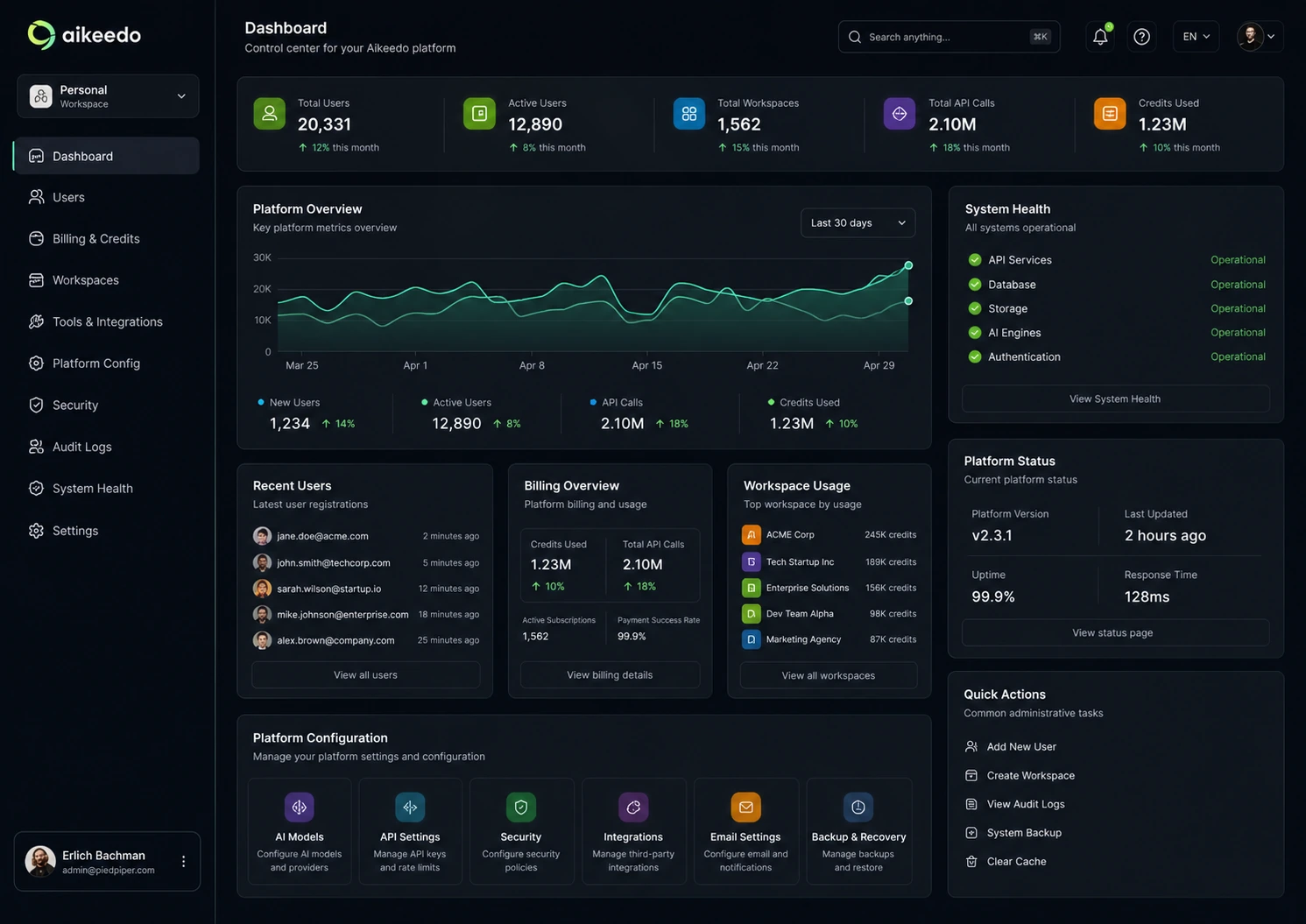
Quick verdict
Aikeedo is worth considering if you are not just looking for an AI tool, but trying to launch something that behaves like your own AI SaaS product.
That distinction matters.
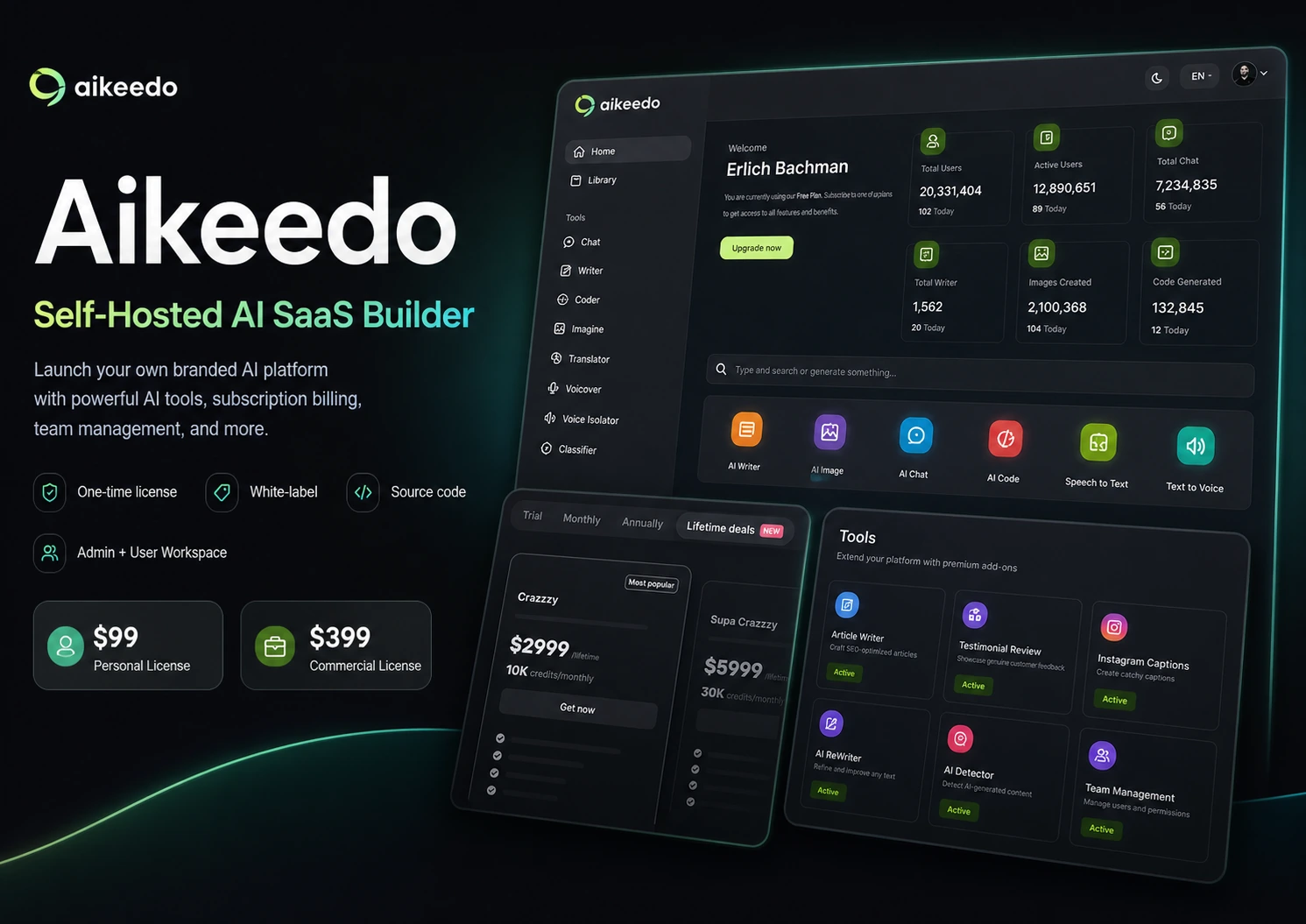
A normal AI assistant helps you write, chat, generate images, or automate parts of your workflow. Aikeedo is a heavier decision. It is a self-hosted software license with source code, admin controls, user workspaces, billing logic, provider integrations, and a Commercial License path for buyers who want to monetize the platform under their own brand.
That can be attractive. It can also be easy to underestimate.
For my money, Aikeedo only makes sense if you are prepared to think like an operator: hosting, installation, payment setup, AI provider keys, credits, support, add-ons, updates, and customer experience. If you only want to use AI tools for yourself, a hosted AI workspace will be simpler. If you want to build a real AI SaaS offer without starting from zero, Aikeedo becomes more interesting.
The safest next step is to test the live demo, read the docs, compare Personal versus Commercial rights, and only then check the current buyer route on the Aikeedo store page.
Next step: If Aikeedo still sounds like the kind of platform you want to operate, verify the current license path before checkout.
Review snapshot
| Review point | Practical take |
|---|---|
| Best for | Founders, agencies, and technical buyers who want a self-hosted AI SaaS foundation |
| Not ideal for | Beginners who want a hosted AI app with no setup or server responsibility |
| Main use case | Launching a branded AI workspace with billing, users, admin controls, and AI provider integrations |
| Pricing model | One-time license model with Personal and Commercial paths |
| Free plan or trial | No normal free plan; use the live demo as the evaluation lane |
| Main strength | Ownership, white-label deployment, billing control, and source-code access |
| Main concern | Final license sales, support scope, hosting work, add-ons, and real launch budget |
| Direct alternatives | AnotherWrapper, Emergent, Base44 |
| Adjacent route | Pineapple Builder if you need a simpler site or business-builder path |
| Best next step | Test the demo, read the docs, choose the license by use case, then verify checkout |
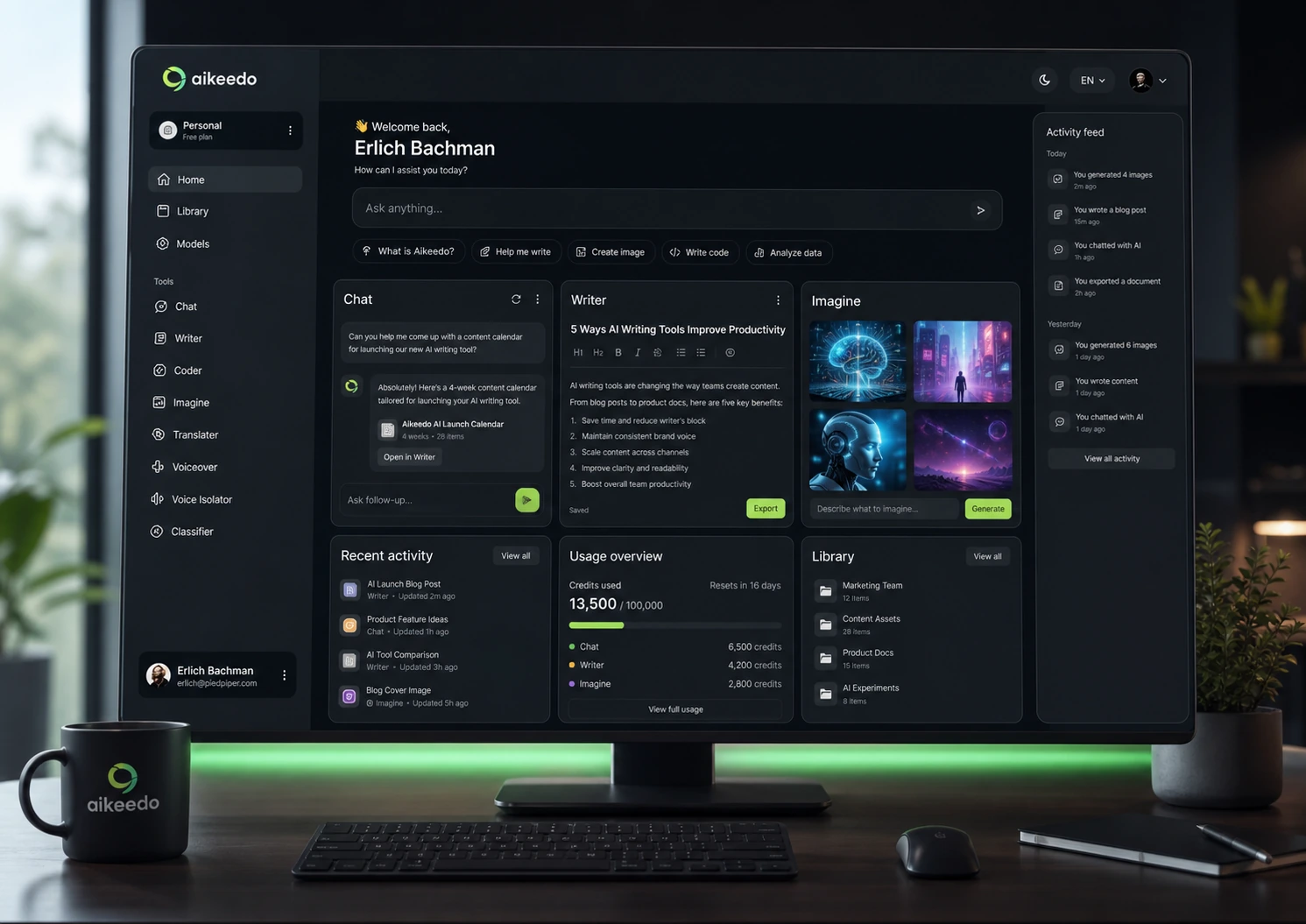
This snapshot helps buyers separate Aikeedo’s real platform value from the surface appeal of a one-time software license. The decision is not only “is the price low?” It is “am I ready to operate this as a product?”
What is Aikeedo?
Aikeedo is best understood as a self-hosted AI SaaS platform for people who want to launch an AI workspace under their own brand.
It is not a normal AI writing app.
The product gives buyers a software foundation they can install on their own server, connect to AI providers, configure for users, and potentially monetize. The public positioning is built around a familiar idea: give your customers an AI workspace that feels like a branded version of a modern AI app, but with your own domain, settings, billing structure, and business route.
Our review approach compares public product pages, pricing details, help documentation, license terms, support scope, buyer workflow fit, and nearby alternatives. We do not treat a low one-time price, a coupon page, or a polished demo as proof that the product fits the buyer.
My confidence is strongest around Aikeedo’s product role: it is clearly meant for buyers who want a self-hosted AI SaaS foundation. I am more cautious around long-term value because setup effort, support needs, add-ons, AI provider costs, and the buyer’s launch plan can change the economics quickly.
Who should use Aikeedo?
Aikeedo makes the most sense for buyers who already have a reason to own the platform experience.
A founder testing an AI SaaS idea is the obvious fit. If you want to launch a branded AI workspace for a niche audience, Aikeedo may shorten the road compared with building the admin panel, user workspace, credit logic, AI integrations, and billing structure from scratch.
An agency may also find Aikeedo interesting. A white-label AI workspace can become a client-facing offer, an internal tool, or a niche vertical product. But this only works if the agency is honest about setup, support, and customization.
A technical solo operator may get a cleaner evaluation path. This buyer can inspect the docs, test the demo, evaluate the Personal License for development, and move toward Commercial only if the project has a real monetization path.
A business with internal AI workflow needs may consider it too, especially if it wants control over users, models, credits, branding, and provider connections. The caution is that internal tools still require maintenance.
Who should avoid Aikeedo?
I would avoid Aikeedo if you mainly want a simple AI assistant for personal productivity. There are easier tools for that.
I would also be careful if you are not technical and do not have access to someone who is. The homepage may make setup feel approachable, but a self-hosted platform still has server requirements, database setup, file permissions, cron jobs, payment configuration, provider keys, and ongoing updates.
Aikeedo is not ideal for buyers who need a refund-friendly test period. With final license sales, the demo and documentation become your main safety layer.
I would slow down if you are buying only because a one-time price feels cheaper than custom development. It probably is cheaper than building from zero, but support subscriptions, installation help, add-ons, hosting, AI usage, and payment processing all matter.
Finally, Aikeedo may be the wrong first choice if your real goal is “build an AI app from prompts.” In that case, AI app builders such as Emergent or Base44 may be more natural comparison points.
How Aikeedo fits into a real workflow
A good Aikeedo workflow does not start at checkout. It starts with a business model.
The buyer should first decide what they are trying to launch: a public AI SaaS, a client portal, a niche AI workspace, an internal platform, or a test build. That answer changes the license, support needs, add-on budget, and setup risk.
The next step is demo review. Open the live demo and inspect both sides of the product: the user workspace and the admin area. The user side tells you whether customers would understand the AI tools. The admin side tells you whether you can manage users, subscriptions, settings, credit behavior, and integrations.
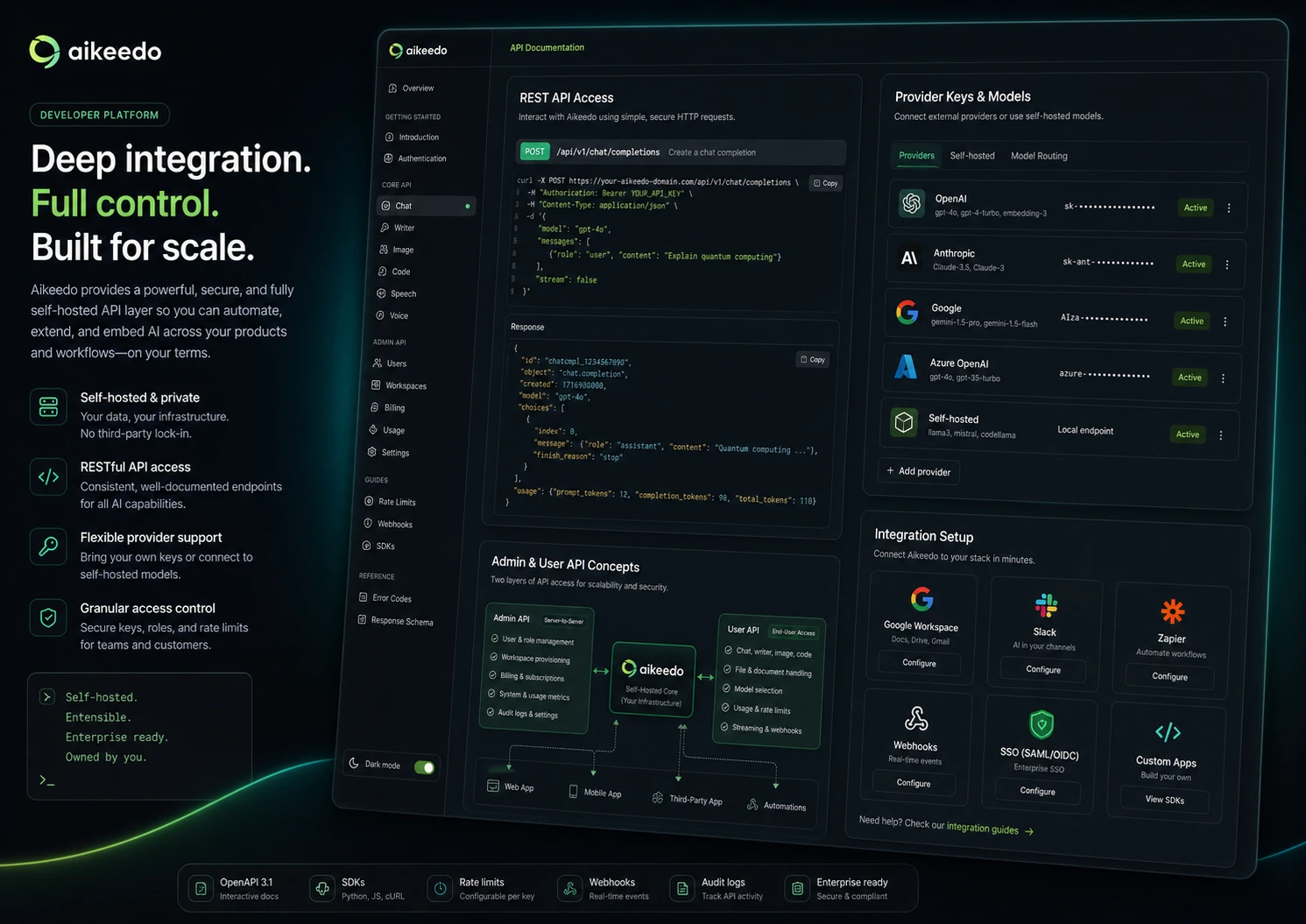
After that, read the docs like an operator. Check server requirements, installation steps, billing setup, credit ratios, payment gateways, provider integrations, REST API options, and update paths.
Then price the real launch. The license is only one line item. You may also need hosting, SSL, AI provider usage, support, marketplace plugins, paid installation, email delivery, payment processing, and time for testing.
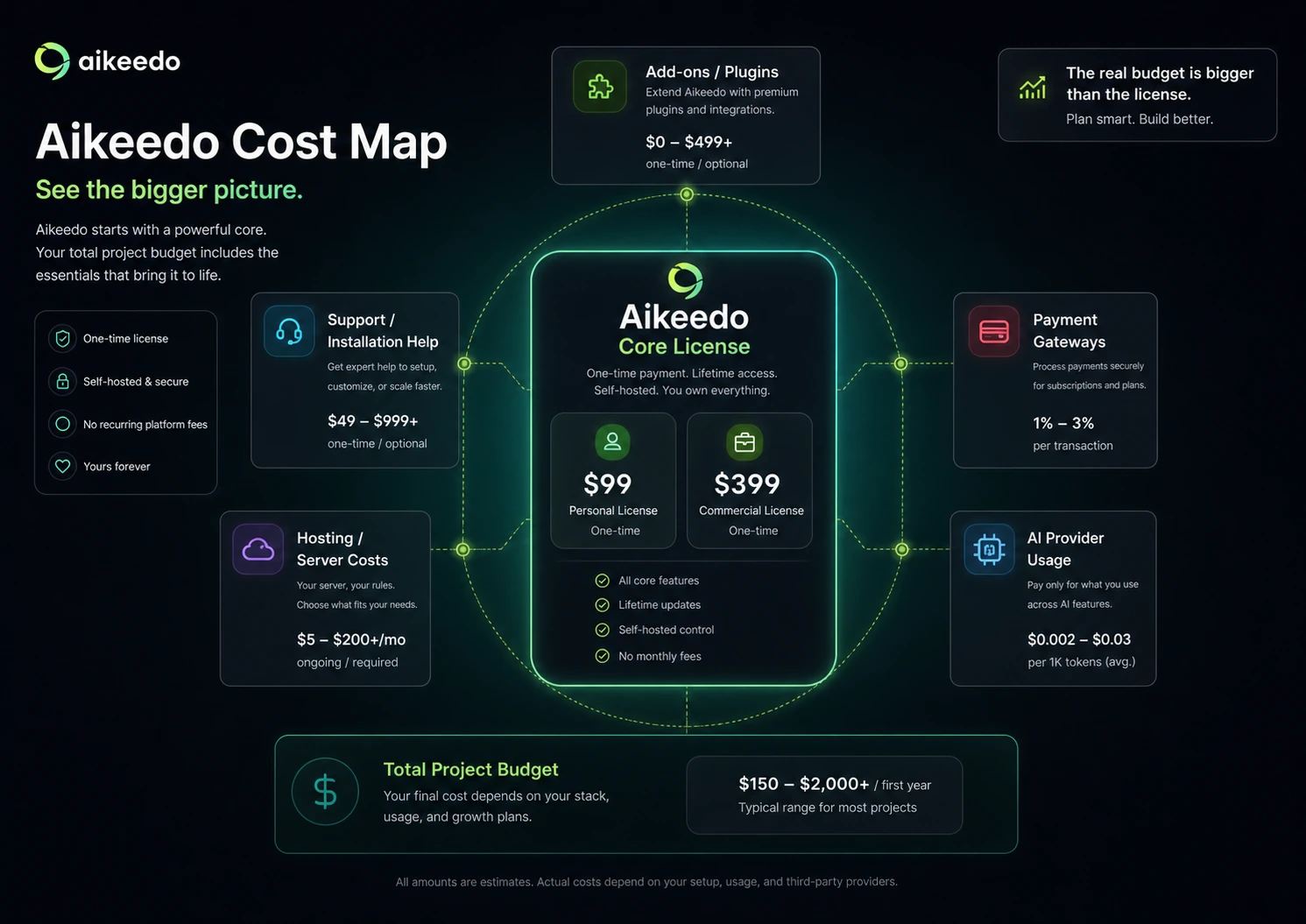
This workflow map matters because Aikeedo is not a one-click AI subscription. Buyers should understand where the platform helps, where setup work begins, and where ongoing operational responsibility stays with them.
Workflow check: Test the demo and docs before judging Aikeedo by the license price alone.
Real-world buyer scenarios
Founder launching a niche AI SaaS
A founder with a clear audience may find Aikeedo useful. The platform gives you a starting point instead of a blank codebase.
The risk is assuming the software alone creates the business. You still need positioning, onboarding, customer acquisition, support, payment flow, and model cost control.
Agency building a white-label offer
An agency could use Aikeedo as a base for client-facing AI workspaces. This is attractive if the agency can package implementation, branding, training, and support.
The failure point is delivery. I would not promise a client launch until the agency has tested a real internal deployment.
Developer-led product experiment
A developer or technical founder can judge Aikeedo more realistically. This buyer can test installation, payment logic, provider keys, API access, and extension limits before deciding whether the Commercial License makes sense.
Non-technical buyer with a SaaS idea
This is the most delicate scenario. Aikeedo can look like a shortcut to owning an AI business, but a non-technical buyer still needs help with hosting, setup, configuration, and maintenance.
The safer path is to price technical help before buying, not after.
Key features that actually matter
Self-hosted ownership
The biggest feature is not chat, image generation, or content creation. It is ownership of a self-hosted platform.
That matters for founders and agencies. It stops being enough when the buyer wants convenience more than control.
Buyer note: ownership is valuable only when you are ready to take responsibility for setup, maintenance, and customer experience.
Commercial License path
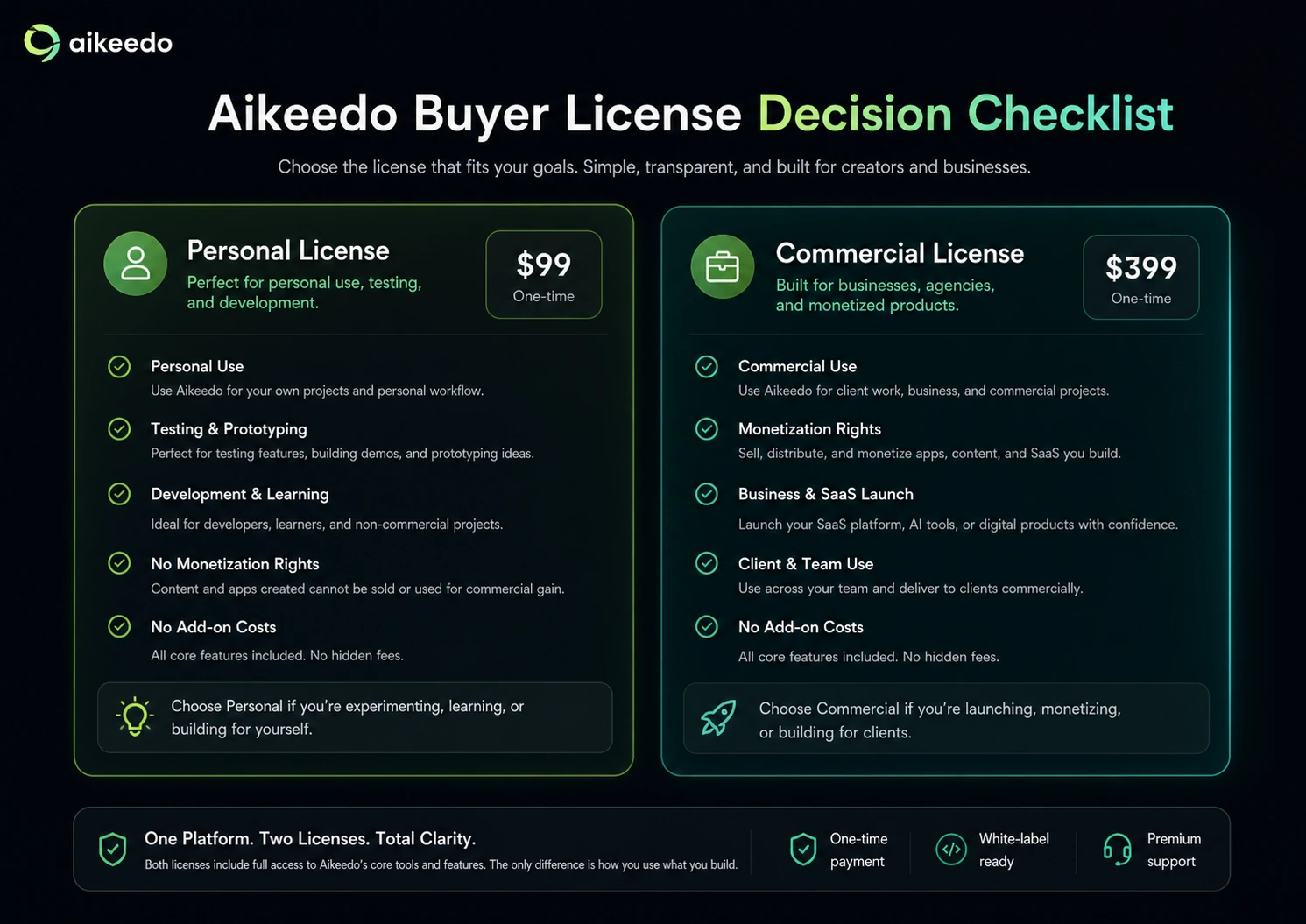
Aikeedo separates personal/testing use from commercial use. This is useful because it makes the buyer ask the right question earlier.
If you want to monetize the platform, the Commercial License is the decision baseline. If you only want to test the direction, the Personal License may be enough for development.
Buyer note: do not anchor your business budget on the testing license.
Admin and user workspace
Aikeedo has two sides: the customer workspace and the operator dashboard.
The customer side needs to feel clear enough for your niche. The admin side needs to help you manage users, subscriptions, credits, settings, and integrations.
Buyer note: a polished user interface is not enough. Test the admin flow because that is where business operations happen.
Billing and credit logic
Billing settings, subscription plans, credit ratios, trial behavior, overuse handling, and custom credit purchases affect whether your AI SaaS can be profitable.
Buyer note: model your customer pricing against provider costs before launch. Do not assume the default credit setup fits your business.
AI provider and integration setup
Aikeedo’s provider-connected model can be useful because you are not only using one generic AI experience. But provider flexibility also means setup responsibility.
Buyer note: provider choices shape quality, speed, cost, and margin.
REST API and extension potential
The REST API path matters for technical buyers who want to connect Aikeedo to custom workflows or external applications.
Buyer note: do not buy for the API unless you know how you will use it.
Pricing and plan value
Aikeedo’s pricing is easier to understand than many SaaS tools, but harder to judge.
The official model is built around one-time licenses. The Personal License is positioned for personal use, testing, and development. The Commercial License is the path for buyers who want to monetize the software. That distinction is the heart of the pricing decision.
The public starting price is attractive because it makes Aikeedo feel accessible. But if your goal is to launch an AI SaaS business, the Commercial License, add-ons, hosting, support, installation help, AI provider usage, and payment infrastructure are the real budget frame.
There is no normal free plan or free trial in the way buyers might expect from a hosted SaaS tool. The live demo is the practical evaluation path.
Annual billing is not the main issue here. License fit is the issue. The better question is whether you are buying a test license, a commercial foundation, or a project that will need technical help.
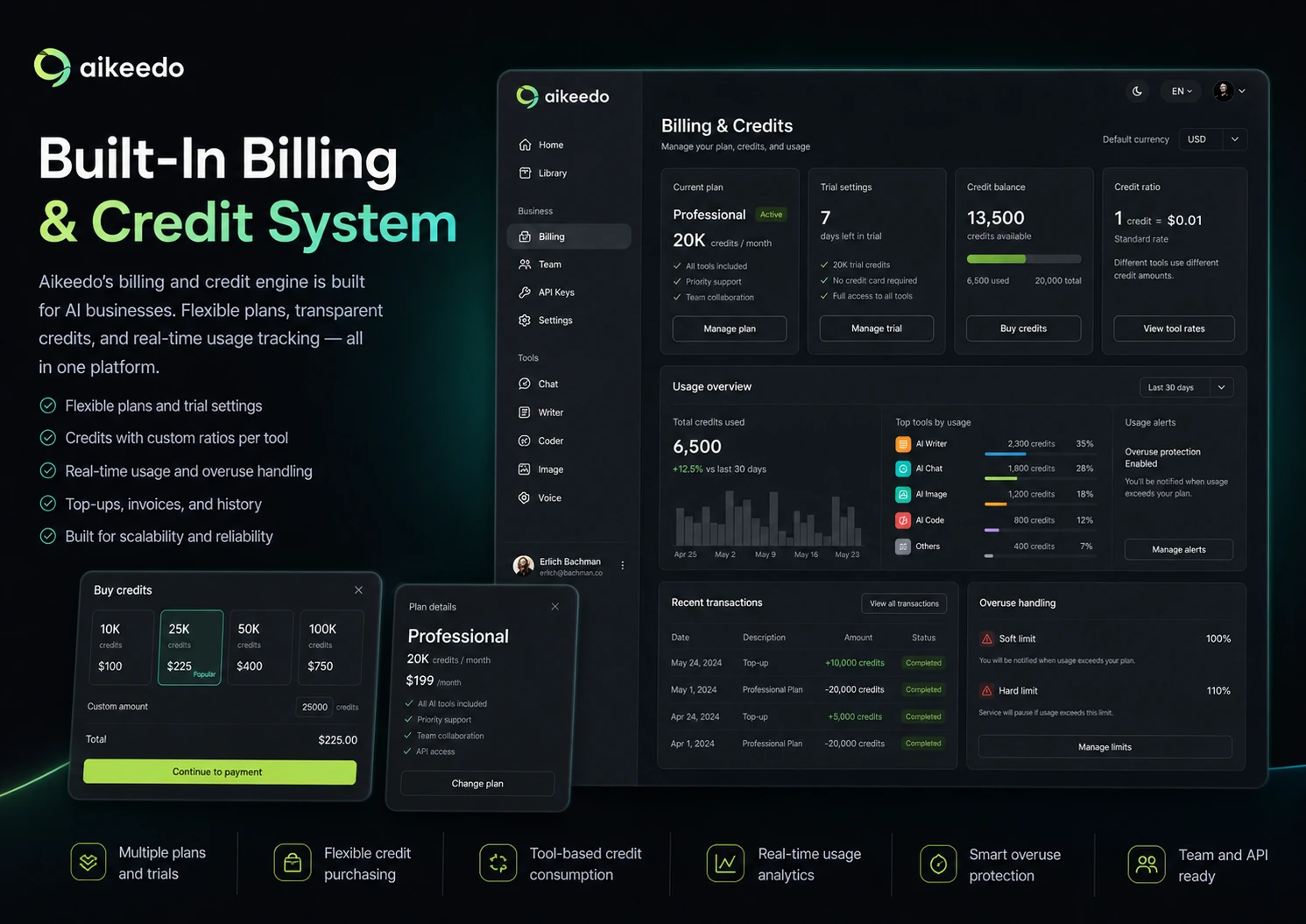
This pricing decision map helps buyers judge Aikeedo by real project cost, not just the lowest visible license price. The Commercial License, support scope, marketplace add-ons, hosting, and AI provider usage can all affect the final budget.
Pricing check: If your plan is to monetize an AI platform, evaluate the Commercial License and required add-ons before treating the entry price as your real budget.
Free plan, trial, coupon, and checkout notes
Aikeedo is not the kind of product where I would put the coupon first.
The demo comes first. The docs come second. The license decision comes third. Only after those checks would I look at the current deal or coupon route.
There is no public free plan that lets you operate Aikeedo like a hosted AI app. That is normal for self-hosted software, but it changes the buying process. You should use the live demo to inspect the interface, then use the documentation to understand installation and configuration.
The coupon path should be treated as checkout verification, not the reason to buy. If an active offer exists, it may improve the purchase. It does not reduce the need to verify license rights, support coverage, server requirements, or refund terms.
For current deal routing, use the Aikeedo coupon page only after the platform fit is clear.
Checkout note: Use the coupon route only after you know which license you need and what extra costs may apply.
What I would check before buying Aikeedo
If I were buying Aikeedo for a real workflow, I would check these items before payment:
- Whether the Personal License or Commercial License matches the intended use.
- Whether monetization rights are required now or only later.
- Whether the live demo feels good enough for the niche audience.
- Whether the server requirements match the hosting environment.
- Whether installation requires paid help.
- Whether support coverage is enough without custom development or server setup.
- Whether payment gateways, plugins, themes, chatbot features, storage, or other add-ons are needed.
- Whether AI provider costs can be controlled through credits and plan limits.
- Whether the refund policy leaves enough comfort to proceed.
- Whether an adjacent hosted builder would be simpler.
This checklist helps buyers slow down before checkout. Aikeedo can be useful, but the purchase is safer when the license, setup work, support scope, add-ons, and refund limits are understood before money leaves the account.
A simple test before paying
Before buying, I would run a small evaluation like this:
- Open the live demo and inspect the user workspace.
- Check the admin side for settings you would actually manage.
- List the AI tools you would offer to customers.
- Read the installation and server requirements.
- Check billing, credit ratios, plan setup, and provider integration docs.
- Price the Commercial License if monetization is the goal.
- Add expected costs for hosting, support, installation help, add-ons, payment gateways, and AI usage.
- Compare Aikeedo with at least two alternatives before paying.
The point is not to prove that Aikeedo is perfect. The point is to learn whether it fits your actual launch plan.
Pros explained
Ownership is the real advantage
Aikeedo’s strongest pro is that it gives buyers more ownership than a hosted AI subscription. You are evaluating software that can become your own branded AI workspace.
This matters for founders and agencies. It matters less if you only want personal AI productivity.
The Commercial License gives a clearer SaaS path
The Personal versus Commercial split helps buyers avoid confusing testing with monetization.
This clarity is useful because many software deals blur the line between personal use and resale. Aikeedo makes the buyer ask that question earlier.
Billing and credit controls make it more operational
AI products can become expensive quickly if usage is not controlled. Credit ratios, plan limits, overuse handling, trial settings, and subscription logic are not cosmetic features.
They are part of the business model.
Public docs and demo reduce uncertainty
The live demo and documentation are useful because Aikeedo is not refund-friendly in the normal SaaS sense.
They do not remove risk, but they give the buyer a better evaluation route than marketing copy alone.
Cons explained
Final license sales raise the buying pressure
The biggest caution is refund safety. When license sales are final, the buyer has to do more homework before paying.
The way to reduce this risk is simple: demo first, docs second, checkout last.
The real budget can exceed the license
Aikeedo can look inexpensive compared with custom development, but the license is not necessarily the full launch cost.
Hosting, support, installation service, marketplace add-ons, AI provider usage, email delivery, payment fees, and maintenance all matter.
It is not beginner-simple
Aikeedo may be easier than building a platform from scratch, but it is still self-hosted software.
Server requirements, database setup, cron jobs, file permissions, SSL, provider keys, payment settings, and updates affect whether the product works smoothly.
It may be too much if you only need app building
If your goal is to create an AI app quickly rather than operate a full AI SaaS workspace, Aikeedo may be heavier than necessary.
This is where adjacent builders become important.
Green flags and red flags
Green flags
Aikeedo is a stronger fit if you already know the niche audience you want to serve.
It is also a better signal if you can test the demo and immediately understand how you would structure plans, credits, tools, and onboarding.
The product looks more compelling when the buyer has technical help, understands hosting, and wants source-code access or white-label control.
Red flags
Aikeedo is a weaker fit if you are buying because the license looks cheap but you have no launch plan.
It is also a red flag if you cannot explain who will install, maintain, update, and support the platform.
I would be careful if you need a refund cushion to feel safe. The better safety layer is demo testing and documentation review before payment.
Aikeedo vs alternatives
This alternatives map helps buyers compare by job-to-be-done. Aikeedo is strongest when ownership and SaaS operation matter, while adjacent builders may fit better when the buyer wants less hosting and maintenance responsibility.
AnotherWrapper vs Aikeedo
AnotherWrapper is one of the more direct alternatives if your goal is launching AI products faster without building every layer from scratch.
Aikeedo is more interesting if you want a self-hosted, white-label platform with admin, billing, and user workspace logic. AnotherWrapper may be easier if your priority is packaging AI apps or wrappers without the same platform responsibility.
Emergent vs Aikeedo
Emergent is more relevant if you want AI-assisted app creation rather than a deployable AI SaaS codebase.
Aikeedo starts from the idea that you are operating an AI workspace platform. Emergent points more toward building and deploying apps from prompts or agent-assisted development workflows.
Base44 vs Aikeedo
Base44 is another adjacent comparison for buyers who want to build apps with less emphasis on owning and maintaining a self-hosted software stack.
The main question is whether you want to operate the platform or simply create an application.
Pineapple Builder vs Aikeedo
Pineapple Builder is not a one-to-one replacement for Aikeedo.
It is an adjacent route for buyers who need a simpler business website or launch presence rather than a full AI SaaS platform.
Hosted AI workspaces vs Aikeedo
A hosted AI workspace can be better if you only need to use AI tools, not sell them.
Aikeedo makes sense when the goal moves from “I want to use AI” to “I want to offer AI tools under my own brand.”
Trust, refund, and buyer-risk notes
The refund policy is the first risk to understand. License sales being final does not make Aikeedo unusual for self-hosted software, but it does change buyer behavior. Do not buy casually and hope to sort out the details later.
Support scope is the second risk. Support may help with software-related questions, but buyers should not assume it includes custom development, third-party integration work, server setup, or full installation unless that is purchased or explicitly confirmed.
Technical readiness is the third risk. PHP, MySQL, server configuration, cron behavior, SSL, file permissions, payment gateways, and provider keys are not optional details for a live SaaS product.
The fourth risk is budget drift. Marketplace plugins, support subscriptions, hosting, AI usage, email delivery, payment processor fees, and technical help can change the real cost.
For broader category research, the AI productivity hub is a better route if you are still deciding whether you need a SaaS builder, app builder, or normal AI workspace.
Final verdict
This final verdict card helps buyers decide whether to test Aikeedo, compare lighter builders, or stop before checkout if the self-hosted platform responsibility is too heavy.
I would consider Aikeedo if you want to launch a branded AI SaaS platform, you understand the difference between testing and commercial use, and you are ready to deal with hosting, setup, billing, provider keys, add-ons, and support planning.
I would skip it if you only need a simple AI assistant, a writing tool, or a hosted app that works without technical ownership.
I would compare it with AnotherWrapper if you want to launch AI products with a different builder-style route. I would compare it with Emergent or Base44 if you want AI-assisted app creation rather than a self-hosted SaaS workspace. I would look at Pineapple Builder only if the real need is a simpler website or business-launch path, not a full AI platform.
The safer judgment is this: Aikeedo can be a strong shortcut for the right operator, but it is not a shortcut around operating. Test the demo, read the docs, check the license, price the full launch stack, and only then decide whether the current buyer route makes sense.
