
Pineapple Builder Pricing & Website Fit
Pineapple Builder is a no-code AI website builder for small business owners, freelancers, creators, service businesses, and solo operators who need a basic business site online quickly. Its strongest angle is speed: describe the business, generate a site, edit it with a simple AI-assisted editor, then add essentials such as custom domain, SEO, forms, analytics, widgets, blogging, and hosting depending on plan. The buying decision is not whether Pineapple can make a nice first draft. The real decision is whether its simpler builder, AI content workflow, and paid plan limits are enough for the website you need to maintain after launch.
Fit → price → checkout
Use these routes after the official-site check: coupon first, review for fit, compare if unsure.
Pineapple Builder pricing snapshot
Fast commercial checks before pricing, coupons, or a deeper review.
Pineapple Builder product tour
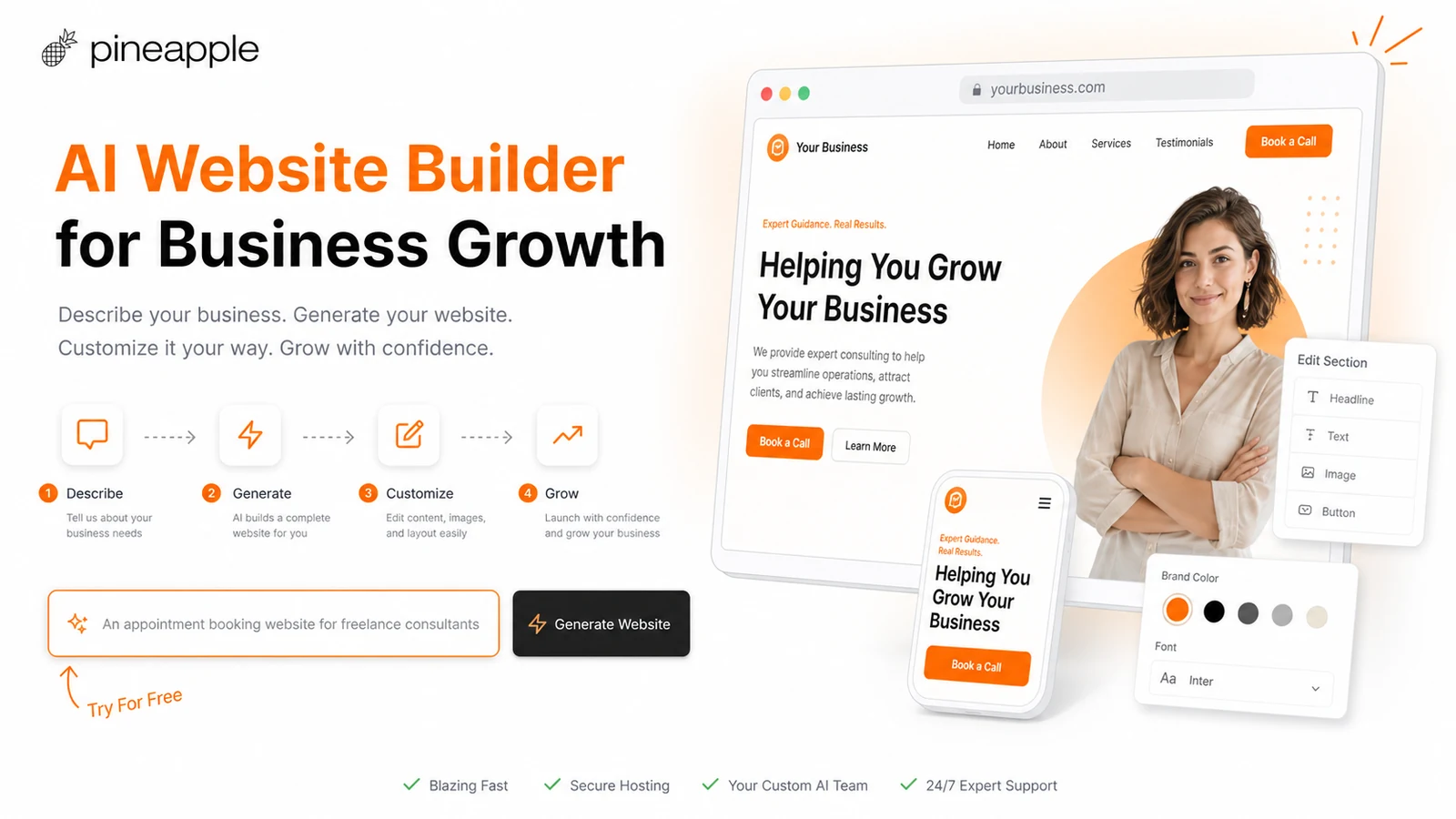
The product tour video is useful if you are deciding whether Pineapple Builder is only a quick landing-page generator or a workable first website system for a real small business. Watch how the demo starts from a business idea, creates the site, and moves into editing. The important buyer question is whether you can control the generated page after the first draft. If the editing workflow feels clear, Basic or Grow may be worth comparing. If you need deep design control or advanced site logic, a heavier website platform may be safer.
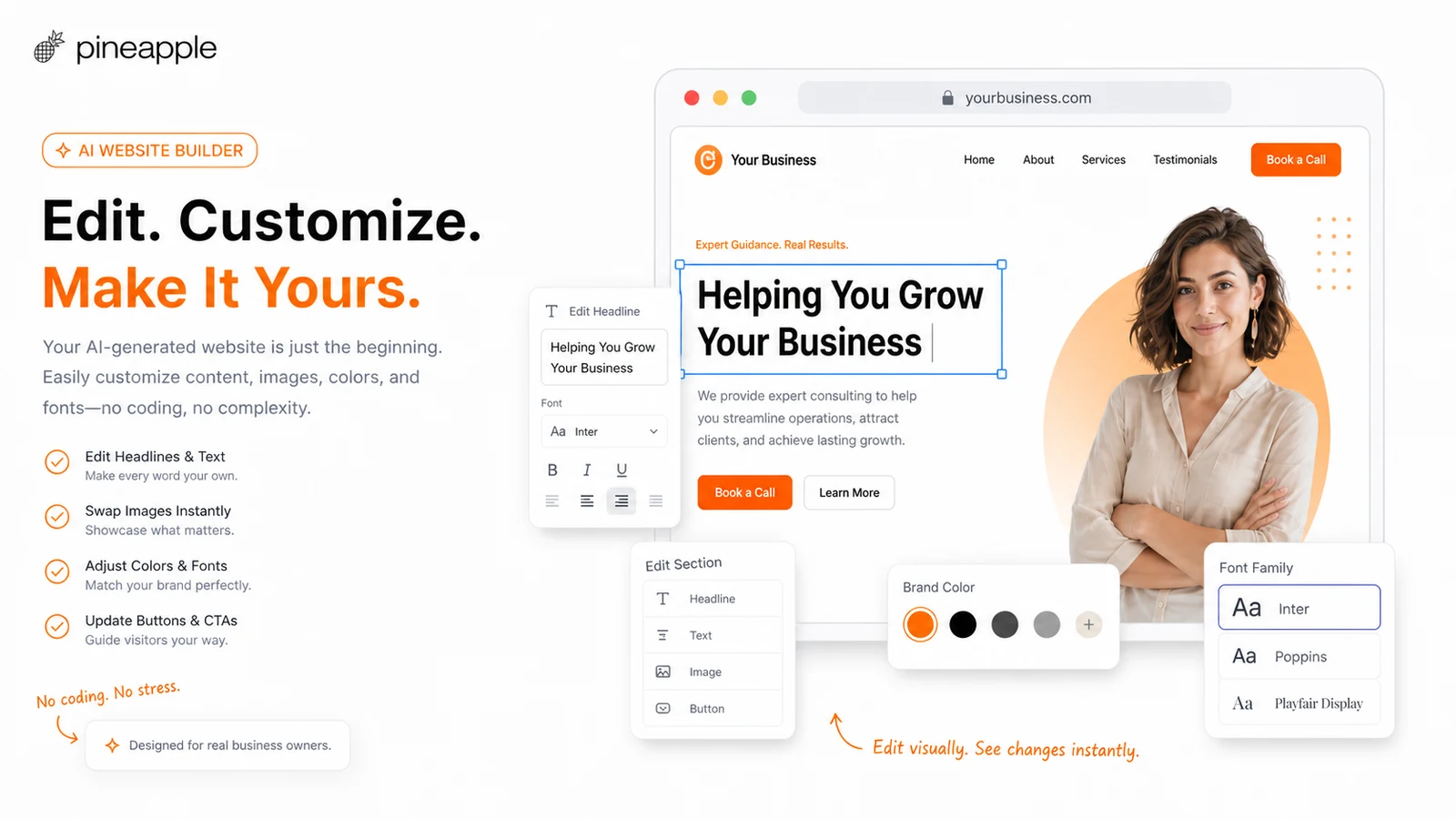
Pineapple Builder is best read as a practical AI website builder for buyers who need a fast business site, not as a full replacement for a mature design platform. It can help you move from a business description to a hosted website with AI-generated copy, design direction, SEO support, analytics, contact forms, widgets, and blogging depending on plan. The store decision is simple: test whether the free editor gives you a usable first draft, then check whether Basic or Grow has the plan limits your real website will need after launch.
What Pineapple Builder actually does
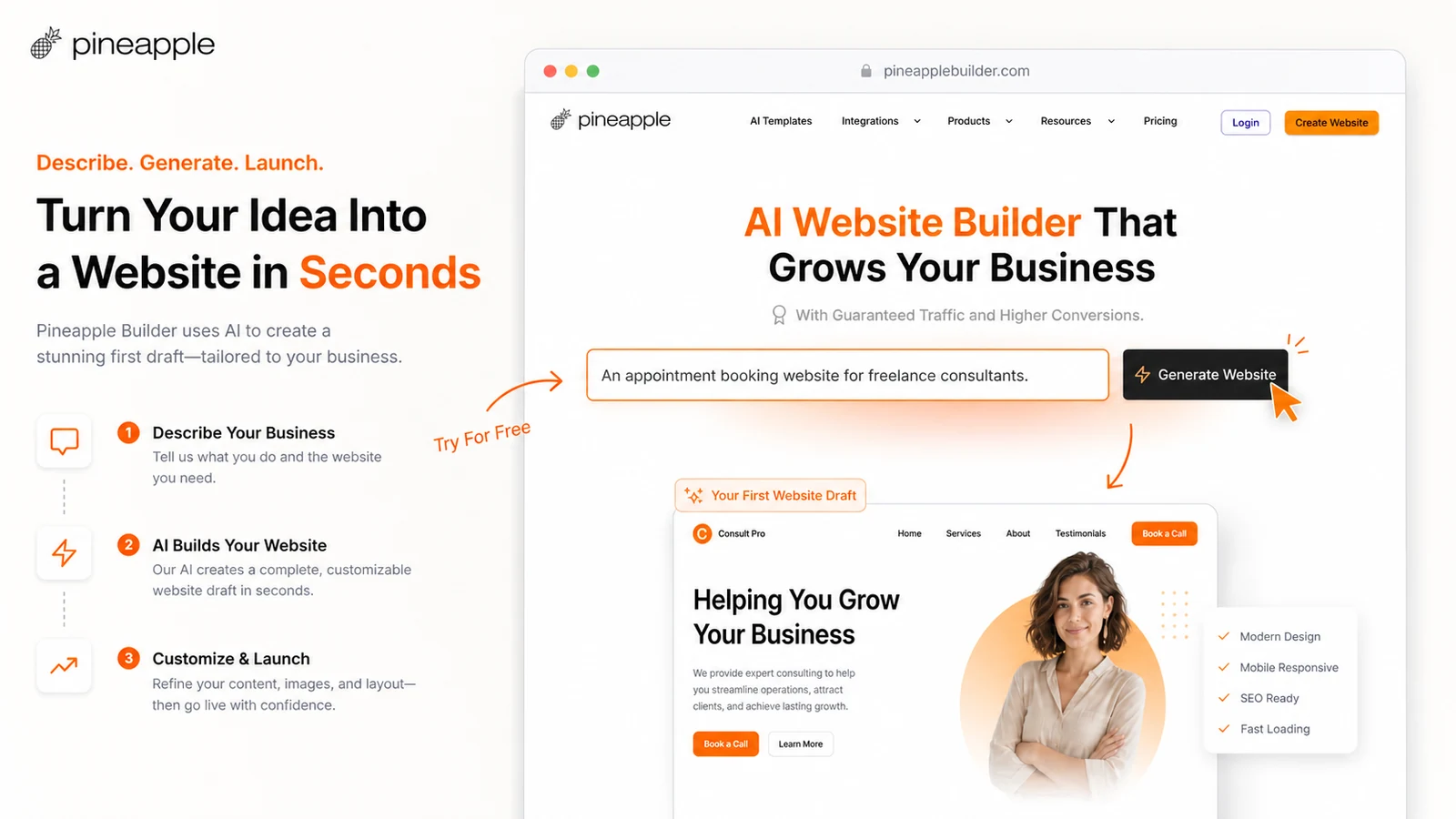
Pineapple Builder helps you generate a business website from a short description, then customize it through a simpler editor and AI-assisted tools. The official site frames the workflow around three steps: generate, customize, and grow. That matters for buyers who do not want to manage hosting, SSL, SEO setup, blog structure, analytics, and integrations across several tools just to publish a basic business site.
- Use it for simple business websites, service pages, landing pages, portfolios, blogs, and digital product pages.
- Expect faster setup than a traditional builder, but verify how much control you have after the AI draft is generated.
- Judge the product by the site you can maintain after launch, not only the first AI output.
How the free plan changes the buying path
The free Starter plan is useful because it lets buyers publish one simple page without paying first. The catch is important: the pricing page lists no AI features, no SEO, no analytics, no contact forms, no widgets or code embeds, Pineapple branding, and a Pineapple domain on the free path. That makes Starter a fit check, not proof that the product can run your business site long term.
- Use Starter to test the editor, basic layout, and publishing flow.
- Move to Basic only when you need a custom domain, AI editor, SEO, forms, widgets, hosting, SSL, and analytics.
- Move to Grow when blogging, CMS pages, larger email collection, larger uploads, or more AI tokens matter.
Pricing and plan fit
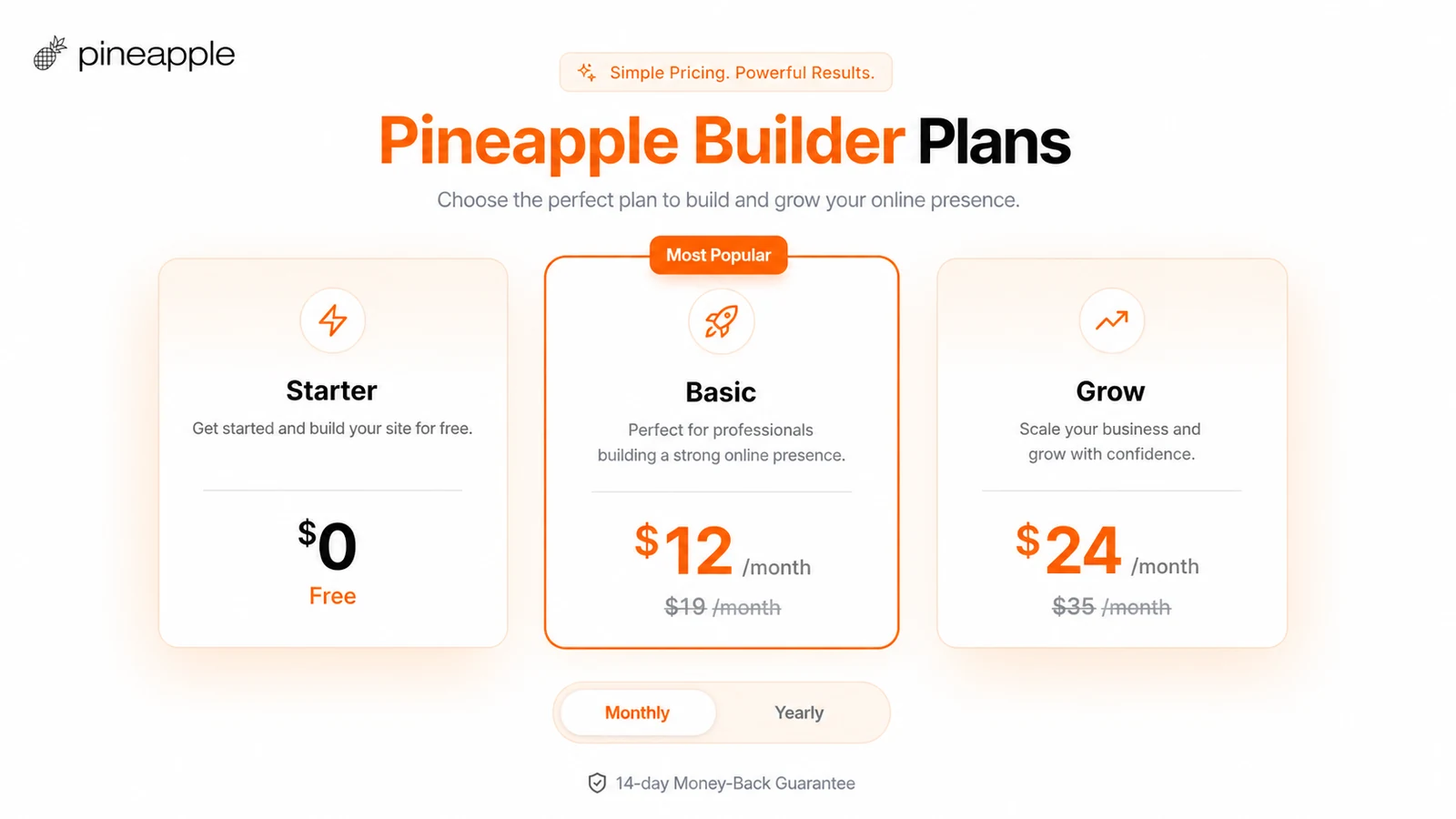
Official pricing currently shows Starter as free, Basic at $12 per month with a higher $19 monthly reference price, and Grow at $24 per month with a higher $35 monthly reference price. The page also promotes a 14-day money-back guarantee. The real comparison is not only price. Basic is more natural for landing pages and small business sites. Grow makes more sense if blogging, CMS pages, more AI tokens, larger email collection, and larger video uploads are part of the plan.
- Compare Basic and Grow by the website workload, not only the headline price.
- Check whether the displayed price is monthly or yearly before relying on it.
- Verify refund and cancellation terms before choosing annual billing.
AI SEO, blogging, and growth workflow
Pineapple Builder is more interesting when you need a website that can keep growing after launch. Official feature pages mention SEO tags, social cards, sitemap and robots file support, simple analytics, conversion tracking, integrations, and a blog workflow. That gives Pineapple more depth than a one-page AI generator, but it still needs a realistic test. If content growth is central, compare the Grow plan carefully against a dedicated CMS or WordPress setup before committing.
- Use AI SEO and blog tools when the site needs regular content, not just a static brochure.
- Check whether analytics and funnel tracking are detailed enough for the business.
- Compare Pineapple's simpler CMS path against heavier tools if content scale matters.
Tutorial video and buyer workflow check
The tutorial video below is useful if you want to see Pineapple Builder from a practical beginner angle rather than only from the official sales page. Watch how the workflow handles setup, generation, editing, and basic page control. The benefit for a buyer is simple: you can see whether the builder feels manageable before paying, and whether the paid plan would remove the limits that matter for your own site.
- Watch the setup steps and compare them with your own comfort level.
- Check how much manual editing is needed after the AI draft.
- Use the video to decide whether the free plan is enough for testing or whether Basic needs a closer look.
Integrations, forms, and real business use
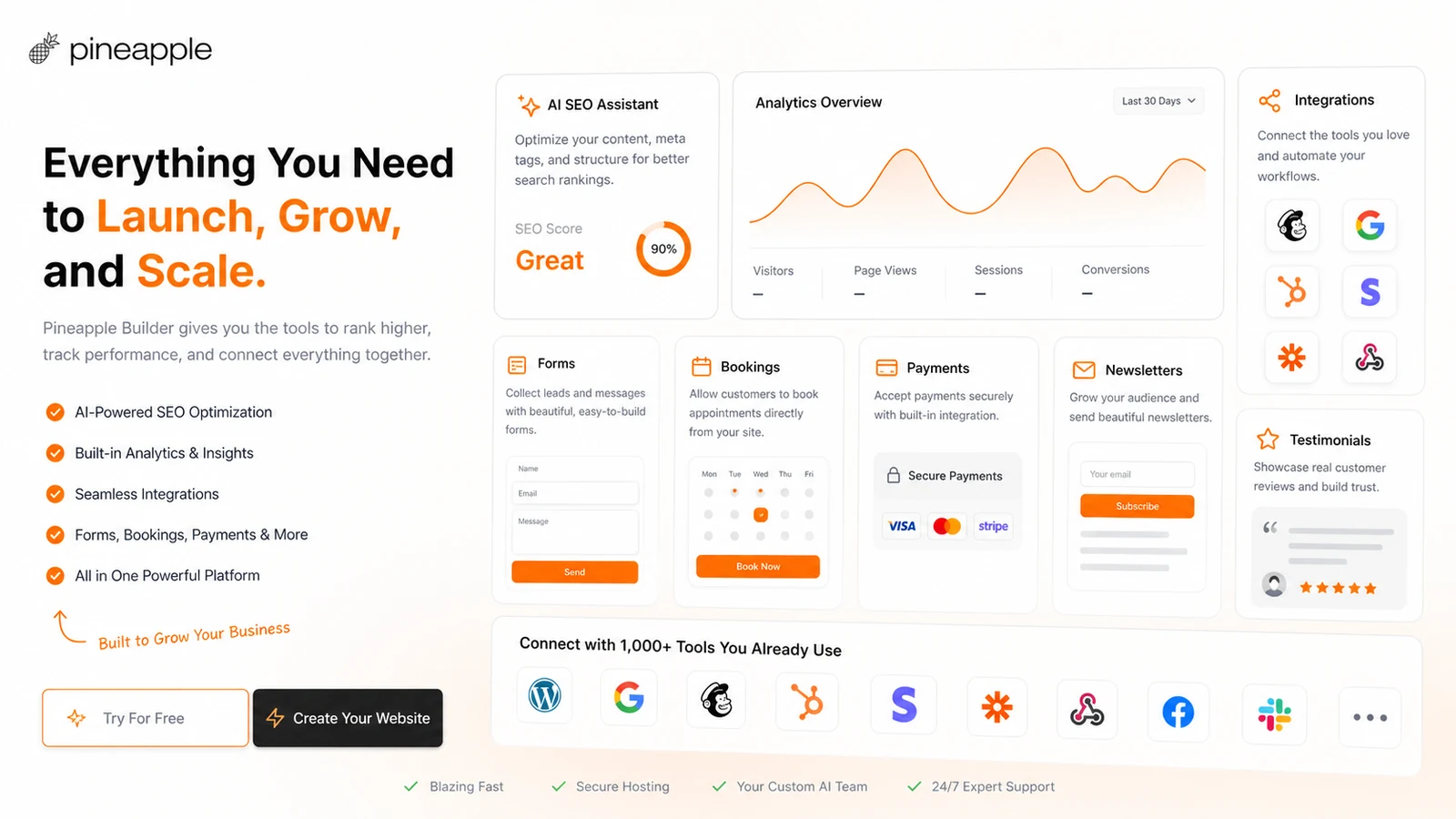
Pineapple Builder is stronger for small business use when the site can handle practical jobs like forms, bookings, payments, newsletters, analytics, testimonials, and third-party widgets. Official feature pages mention these integration paths, plus custom code on paid plans. That is the part buyers should verify if the website must capture leads, book appointments, sell simple products, or support newsletter growth.
- Check whether the integrations you need are supported directly or through embeds.
- Confirm whether custom code is available on the plan you intend to buy.
- Do not assume it replaces a complex ecommerce or app platform.
Best next step before checkout
The safest next step is to build one free test page and decide whether the editor, copy, sections, and publishing flow feel usable. If the site is only a simple landing page, Basic may be the next plan to compare. If the site needs blogging, larger email capture, more AI tokens, or CMS-style growth, compare Grow. Before paying, verify live pricing, billing interval, coupon behavior, refund wording, and whether your final site needs features that Pineapple's simpler builder does not handle well.
- Build a harmless test page first, preferably for a real business offer or service.
- Compare Basic and Grow only after the free workflow feels good enough.
- Check refund, renewal, coupon, and cancellation details before entering payment.
Use comparison routes when the category fit is still open
Use these comparison routes when the product still looks plausible, but the category fit is not fully settled.
1min.AI is broader for buyers who want many AI tools in one workspace, while Pineapple Builder is more focused on generating and hosting a simple business website.
Aikeedo fits buyers who want to build or own an AI SaaS product, while Pineapple Builder fits buyers who want a hosted no-code website for a business, offer, blog, or portfolio.
Verification points worth checking before you click out
Where this store usually fits best in the workflow
Pineapple Builder fits owners who need a fast service website with copy, layout, hosting, SSL, forms, and basic SEO without hiring a developer.
Freelancers and creators can use Pineapple Builder to publish a portfolio, offer page, digital product page, or simple personal site with less setup than a traditional builder.
Founders and solo operators can test an idea with a simple landing page, email capture, and clear call to action before investing in a deeper website stack.
Grow is more relevant when the buyer plans to publish blog posts, use AI Blogger, collect more emails, and build a content-driven business presence.
Practical checkpoints before and after signup
- Create one free test page and check whether the AI-generated copy, layout, and editing controls feel usable.
- List required business features, including domain, forms, widgets, analytics, SEO, blogging, uploads, and email collection.
- Compare Basic and Grow by feature limits, not only by the displayed monthly price.
- Confirm whether the price shown is monthly or yearly and whether the renewal price changes.
- Verify the 14-day guarantee wording, cancellation terms, and any prepaid-fee restrictions on the live checkout path.
- Test any public coupon path at checkout, but do not rely on third-party coupon claims as guaranteed savings.
- Review whether the site supports the business outcome: leads, bookings, payments, newsletter capture, or blog growth.
- Track analytics and conversion events to decide whether the site needs more pages, better copy, or a heavier website platform.
- Revisit plan fit before renewal if blogging, email collection, custom code, or AI token usage grows.
Fast-read signals for workflow fit and buying friction
Questions readers usually ask before choosing this store
What does Pineapple Builder actually do?
Pineapple Builder uses AI to generate a hosted business website from a short description, then lets you customize the site through a simple editor. Paid plans add practical website features such as custom domains, hosting, SSL, SEO, analytics, forms, widgets, code embeds, blogging, and more AI capacity.
Is Pineapple Builder free?
Yes, Pineapple Builder has a free Starter plan. It is useful for testing the editor and publishing a simple Pineapple-branded page, but it is limited to one page and does not include AI features, SEO, analytics, contact forms, widgets, or code embeds according to the pricing page.
Which Pineapple Builder plan should buyers compare first?
Basic is the natural first paid plan for a landing page or small business website because it adds unlimited pages, a custom domain, contact forms, widgets, SEO, analytics, hosting, SSL, and AI-powered editing. Grow is the better comparison when blogging, CMS-style pages, larger email collection, larger uploads, and more AI tokens are part of the real workflow.
Does Pineapple Builder have coupon codes or discounts?
Pineapple Builder has official plan-based savings through its pricing page, and public coupon sources report additional checkout paths. Buyers should treat public coupons as checkout tests, not guaranteed official offers, and should compare any coupon against the live Basic or Grow price before paying.
What should buyers verify before checkout?
Buyers should verify the live billing interval, renewal price, annual savings, page token and AI token limits, domain support, forms, widgets, analytics, blogging, refund wording, cancellation rules, and whether the site can support the business outcome they need after launch.
Choose the next route that matches what you still need to decide
The strongest next click depends on whether you still need product judgment, a savings route, or a broader category comparison.