Emergent Pricing, Plans & Builder Fit
Emergent is an AI app builder for turning plain-language ideas into full-stack web and mobile applications. The product is closer to a vibe-coding and no-code development platform than a simple AI productivity assistant, so the buying decision should start with the kind of application you want to ship, not with a coupon headline. The practical question is whether Emergent can move a real idea from prompt to usable app, with enough planning, frontend, backend, testing, deployment, hosting, GitHub, and credit capacity for your workflow. Its Free plan makes initial testing low-risk, while the paid decision depends on credits, annual billing, hosting needs, code ownership comfort, refund language, and whether you need Standard, Pro, or Enterprise depth.
Fit → price → checkout
Use these routes after the official-site check: coupon first, review for fit, compare if unsure.
Emergent pricing snapshot
Fast commercial checks before pricing, coupons, or a deeper review.
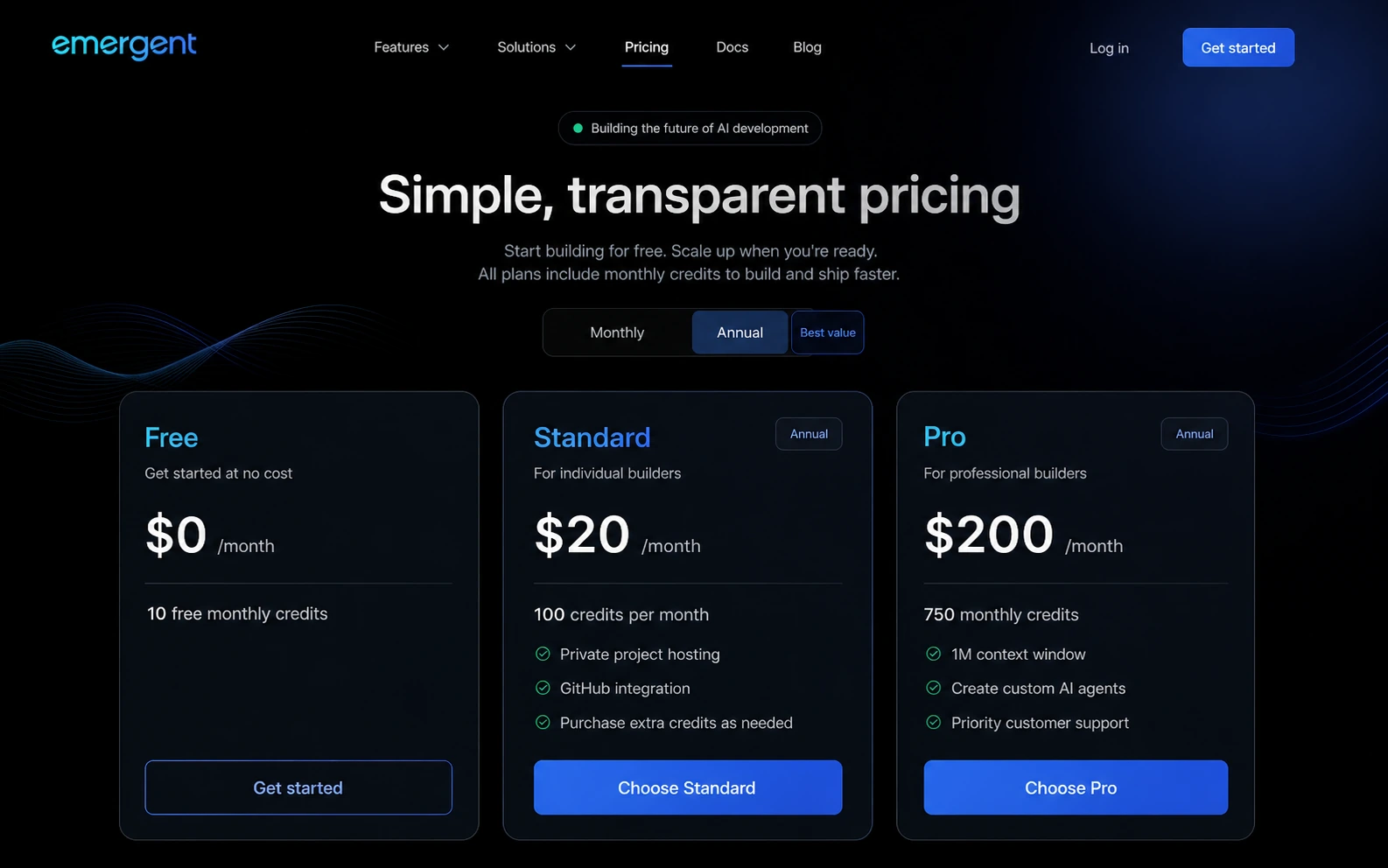
Includes 10 monthly credits and lets buyers test the app-building workflow before upgrading.
Includes 100 monthly credits, private project hosting, GitHub integration, fork tasks, and extra-credit purchasing.
Includes 750 monthly credits, 1M context window, ultra thinking, custom AI agents, and priority support.
Verify annual billing, renewal price, extra credits, and any coupon code directly in checkout.
Emergent product tour for app-builder buyers
Watch this official Emergent video as a practical prompt-quality check before thinking about a paid plan. Pay attention to how the builder guides an idea into requirements, how much detail the prompt needs, and whether the workflow feels understandable for the kind of app you want to create. The benefit for the buyer is that it turns a vague promise, build an app with AI, into a clearer test: can you describe your project well enough for the platform to build something useful?
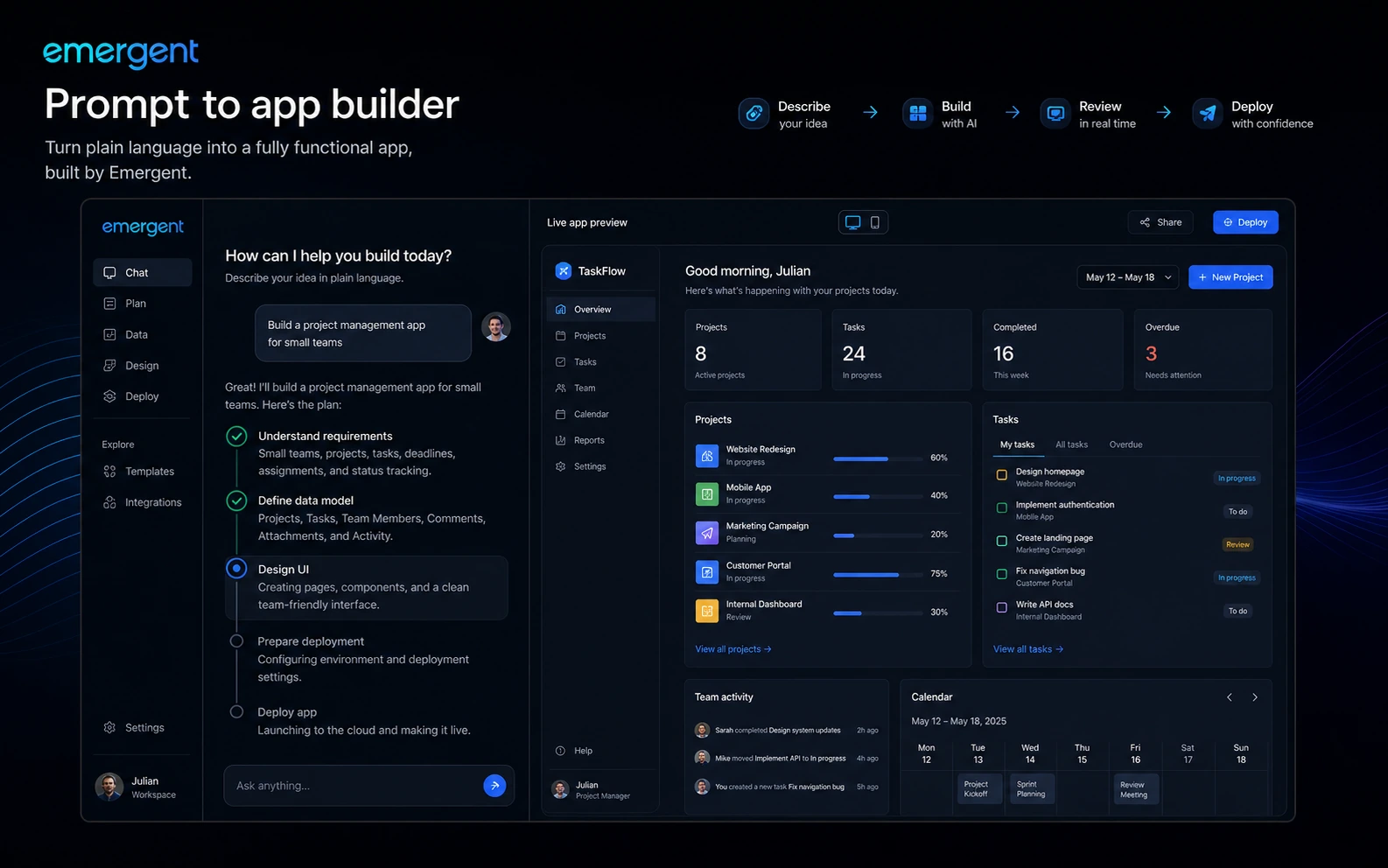
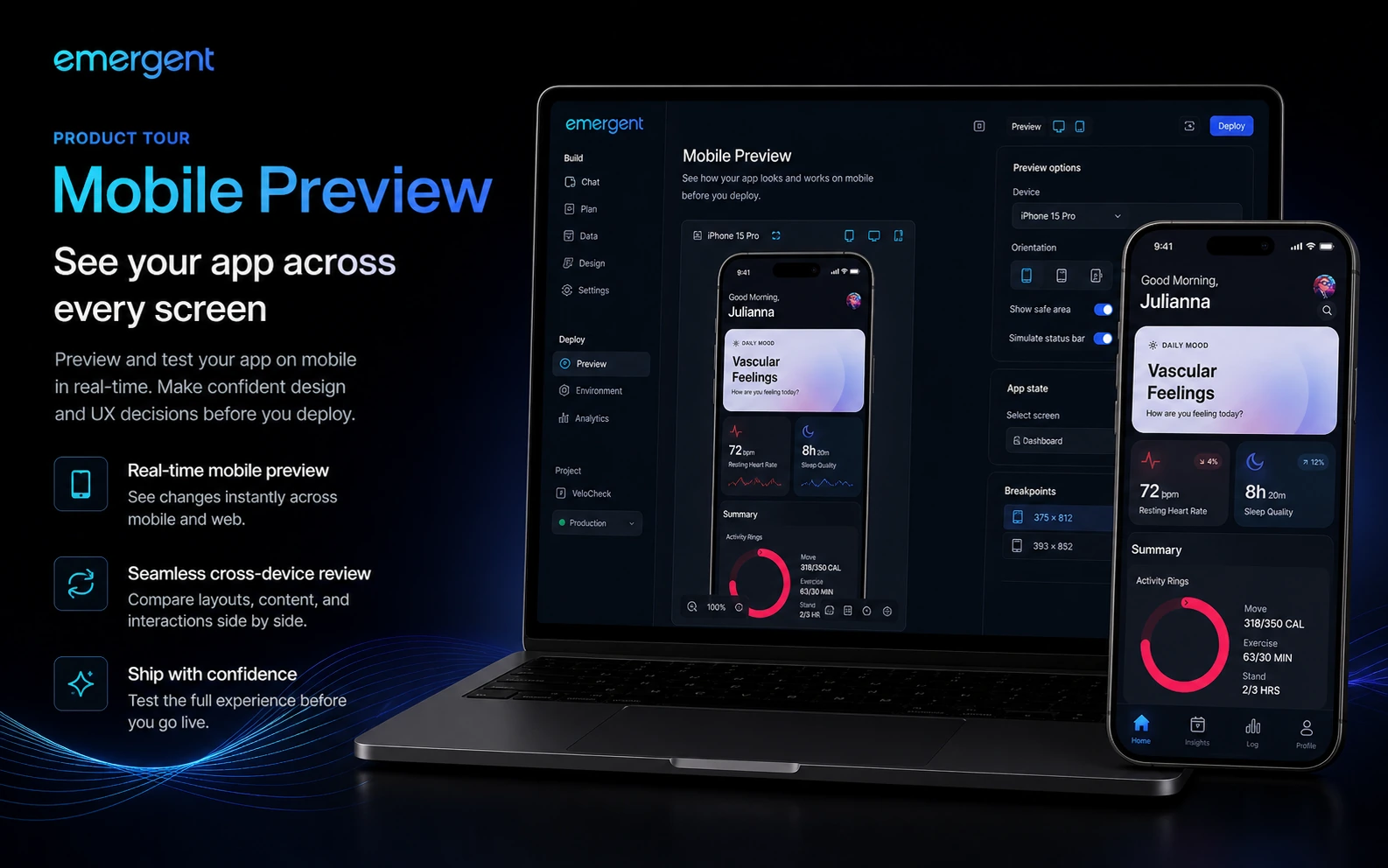
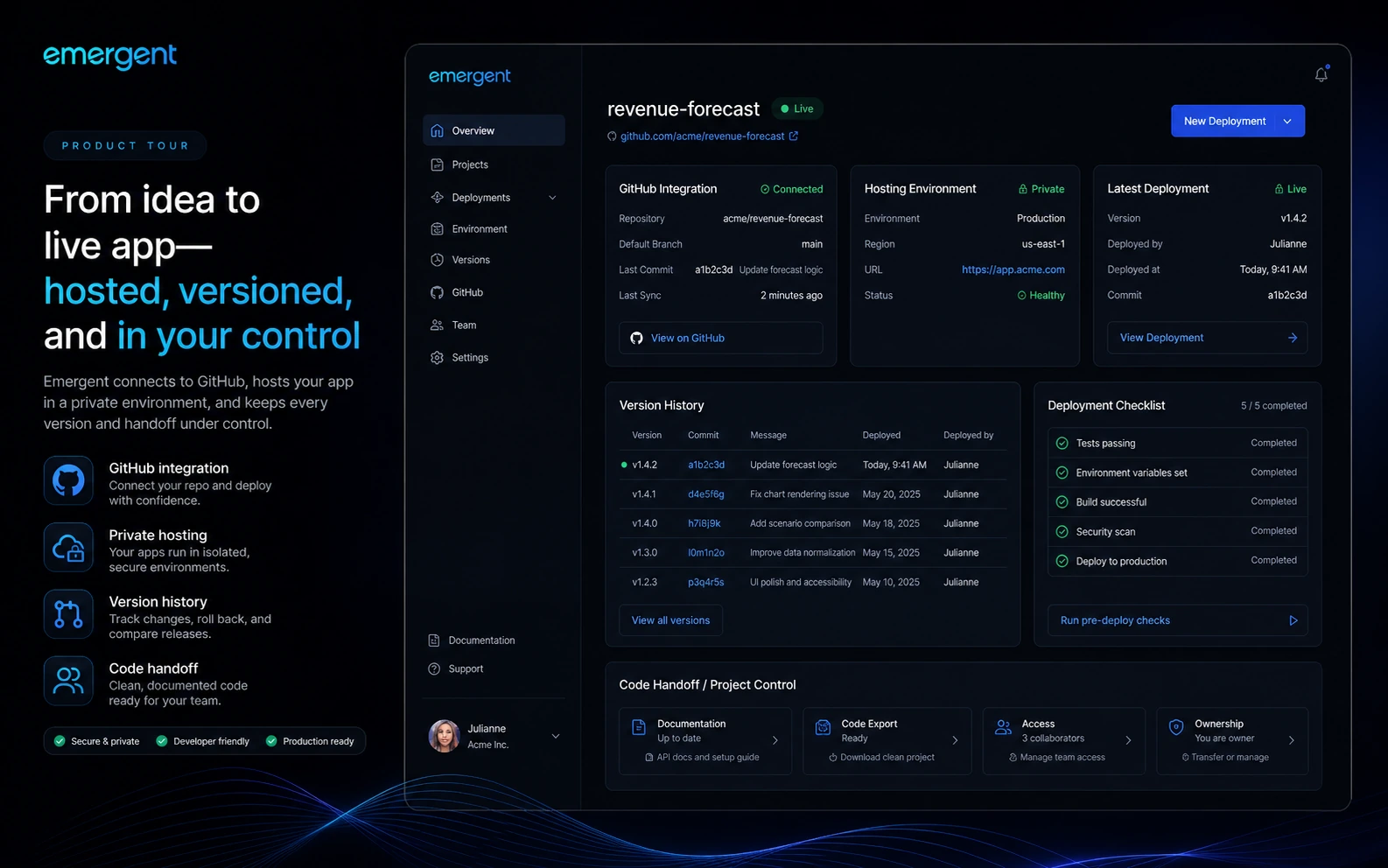
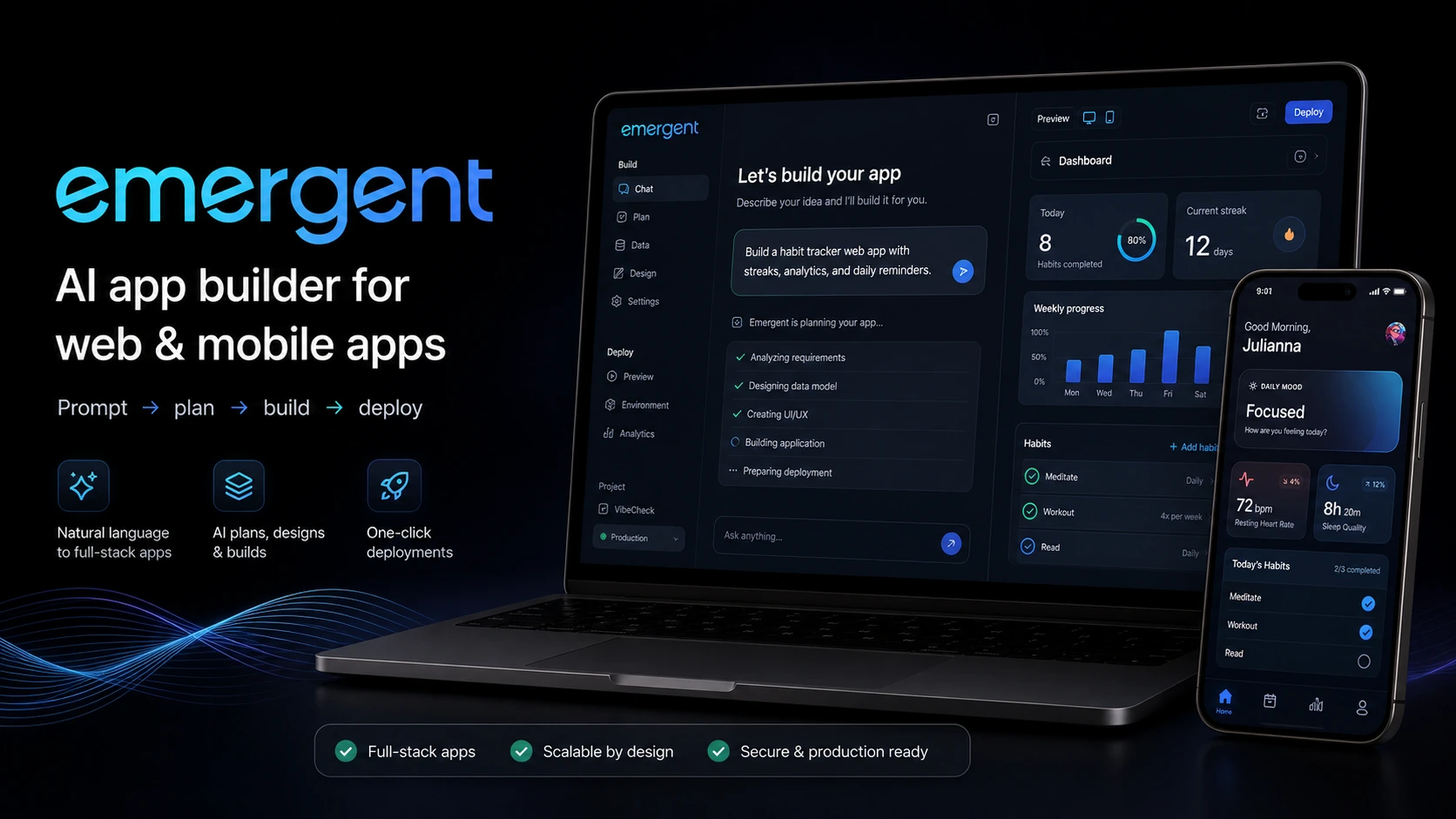
Emergent should be evaluated as an AI app builder, not as a generic productivity assistant. It is built for turning a plain-language product idea into a web or mobile app with AI help across planning, interface building, backend work, testing, and deployment.
The store decision has three parts. First, can Emergent build the kind of app you actually need? Second, will your project fit inside the Free, Standard, or Pro credit limits? Third, are you comfortable with annual billing, extra-credit purchases, coupon uncertainty, and refund risk before checkout?
What Emergent actually does
Emergent lets a buyer describe an app idea in natural language and uses AI agents to move that idea toward a working software project. The official site frames it around production-ready full-stack apps, while the mobile listing describes agents for planning, frontend, backend, testing, and deployment.
That makes Emergent more serious than a simple website mockup generator. It can be useful for landing pages, internal tools, dashboards, cross-platform mobile apps, and early SaaS products. The buyer still needs to judge output quality carefully, because an AI-built app can reduce development friction without replacing product thinking, validation, security review, and long-term maintenance.
- Turns app ideas into web and mobile projects through conversational prompts.
- Uses an agent-style workflow for planning, interface, backend, testing, and deployment steps.
- Fits buyers who need a working app direction, not just AI-written notes or documents.
Who Emergent fits best
Emergent fits non-technical founders, small business owners, startup teams, product managers, agencies, and builders who need faster software creation without immediately hiring a full development team. It can also help developers move faster when the goal is rapid prototyping, internal tools, or early product validation.
The fit is weaker when the buyer needs strict engineering architecture, regulated data handling, complex legacy integrations, or a full human development process from day one. Emergent can help create the first working version, but buyers should not confuse that with a finished engineering organization.
- Best for people with a clear app idea and limited development bandwidth.
- Useful for MVPs, internal tools, admin dashboards, and early SaaS validation.
- Less ideal when enterprise controls, manual architecture, or compliance review are the main requirement.
Pricing and credits need a slower check
The Free plan is useful because it gives buyers 10 monthly credits before they commit. Standard is the first serious paid path, with 100 monthly credits, private project hosting, GitHub integration, extra-credit purchasing, and fork tasks. Pro raises the ceiling with 750 monthly credits, a larger context window, custom agents, system prompt editing, high-performance computing, and priority support.
The risk is that app building is rarely one prompt and done. A buyer may spend credits on iterations, bug fixes, interface changes, backend changes, deployment checks, and experiments. That is why the safer comparison is not Free versus Standard versus Pro in isolation. It is expected monthly build volume, complexity, and tolerance for annual billing.
- Use Free to test one narrow idea before paying.
- Use Standard when private hosting, GitHub integration, and 100 monthly credits match the project.
- Use Pro only when context depth, custom agents, higher compute, support, and 750 monthly credits are likely to matter.
Video check: watch an app being built before buying
This tutorial is useful if you want to see whether Emergent feels practical beyond the marketing page. Watch how the creator turns an app idea into a working build, then focus on the steps that would matter in your own project: how much detail goes into the prompt, how the app is edited, and whether deployment feels clear enough for your comfort level.
The benefit is buyer protection. A video walkthrough can help you decide whether the Free plan is enough for testing, whether Standard gives enough credits for real iteration, or whether your project needs deeper technical support before you pay.
Coupons, annual savings, and checkout risk
Emergent has a verified free entry point and public annual savings on the pricing page. There are also third-party coupon listings across deal sites, but those should be handled carefully. A public coupon claim is useful only if it survives the actual checkout test for the right plan, region, account type, and billing interval.
For the store page, the cleanest buyer guidance is to treat free credits and annual billing as the primary visible savings paths, then treat coupon codes as a separate verification layer inside the offer system. That keeps the page useful without turning it into a coupon-only article.
- Free plan and annual billing are visible on official pages.
- Third-party coupon codes should be tested at checkout before promotion.
- Any code value should stay inside the dedicated offer code field, not public store copy.
Safer next step
The safest next step is not to jump straight from the store page to a paid plan. Start with the Free plan, create a small version of the real app you have in mind, and judge whether the planning, UI, backend, testing, and deployment flow are good enough for your project.
If the output is promising, read the Emergent review page next for deeper fit judgment, then move to pricing or the coupon path to check the best current buying route. If the first build feels weak, compare alternatives before spending credits on a larger plan.
- Start with a narrow app idea that represents your real use case.
- Use the review page before the coupon path if workflow fit is still unclear.
- Compare alternatives if you need more manual control, stronger engineering depth, or a simpler prototype tool.
Best savings path from this store page
This is the clearest savings route to check once the product already looks like a fit.
The Standard annual plan is positioned for first-time builders who need web and mobile app building, private project hosting, 100 monthly credits, GitHub integration, and fork tasks.
Pro annual pricing path
Extra credit purchase path
Use comparison routes when the category fit is still open
Use these comparison routes when the product still looks plausible, but the category fit is not fully settled.
Emergent is the stronger fit when the buyer wants to build an app, while 1min.AI is the better comparison when the need is broad AI productivity across many smaller tasks.
Emergent fits prompt-to-app creation, while Aikeedo is more relevant when the buyer is evaluating a self-hosted AI SaaS starter kit and product ownership path.
Verification points worth checking before you click out
Where this store usually fits best in the workflow
Emergent can help founders and product managers test a real app idea before hiring a larger development team. The buyer should keep the first build narrow enough to judge quality without wasting credits.
Operations teams can use Emergent to explore admin dashboards, workflow apps, and internal tools, especially when the cost of waiting for engineering is higher than the cost of a controlled AI build test.
Agencies can use Emergent to create faster proof-of-concept builds for client conversations, but they should confirm code handoff, hosting, and maintenance expectations before promising production delivery.
Buyers who need mobile validation can benefit from Emergent's mobile app positioning and preview workflow, but they should test cross-device behavior and deployment details before upgrading.
Practical checkpoints before and after signup
- Write one clear app brief with user, feature, data, and deployment expectations before opening the builder.
- Decide what a useful first version must prove so the Free plan test does not become a vague experiment.
- Compare Emergent against alternatives if your priority is manual code control or a simpler prototype.
- Track how many credits the first app idea consumes and whether revisions feel predictable.
- Check whether the AI output handles planning, frontend, backend, testing, and deployment in a way you can understand.
- Do not upgrade until you know whether your real app needs Standard, Pro, or a more technical workflow.
- Confirm annual billing, renewal price, credit allowance, extra-credit purchase terms, GitHub needs, and any coupon code in checkout.
- Read the terms before payment because refund flexibility may be limited.
- Keep code claims inside offer YAML fields and do not reveal coupon values in public-facing store copy.
- Review whether the app is maintainable, testable, and suitable for handoff before treating it as production-ready.
- Re-check plan value if the project grows from one prototype into ongoing app development.
Fast-read signals for workflow fit and buying friction
Questions readers usually ask before choosing this store
What does Emergent do?
Emergent is an AI app builder that turns plain-language ideas into web and mobile apps. It uses an agent-style workflow for planning, frontend, backend, testing, and deployment, so it is better understood as a vibe-coding platform than a normal productivity assistant.
Is Emergent free to try?
Yes. The official pricing page lists a Free plan at $0 per month with 10 monthly credits. Treat that as the safest first step because it lets you test the builder before paying for Standard or Pro.
How much does Emergent cost?
At the latest store update, the official pricing page showed Standard at $20 per month on annual billing with 100 monthly credits, and Pro at $200 per month on annual billing with 750 monthly credits. Buyers should verify the live billing interval and renewal price before checkout.
Are Emergent coupon codes reliable?
Public coupon directories list Emergent code paths, but those should be treated as checkout-test claims rather than guaranteed official discounts. The safer visible savings paths are the Free plan, annual billing, and any verified offer stored in DealBestDaily's offer system.
Who should avoid Emergent?
Emergent may not be the right first choice for teams that need full manual engineering control, strict compliance review, guaranteed refund flexibility, or a simple AI writing assistant. It is strongest when the buyer has a real app idea and wants AI help moving it toward working software.
Choose the next route that matches what you still need to decide
The strongest next click depends on whether you still need product judgment, a savings route, or a broader category comparison.