Independent software guides, verified deal paths, and buyer-safe checkout notes.
DB DealBestDaily Curated software deals and buyer paths
Best tools guide AI Design

Best AI Headshot Generators

Compare the best AI headshot generators by portrait workflow, team rollout fit, free or paid test path, privacy checks, refund clarity, and buyer cautions before uploading personal photos.

Published May 11, 2026Updated May 11, 2026AI Design2 picks 2 shortlist picks
Affiliate disclosure. Some links on this page are affiliate links. We may earn a commission at no extra cost to you. Editorial guidance remains independent of commercial relationships. How we review →
Quick picks

Start with the shortlist, not the whole article

These cards turn the long “best tools” decision into practical routes. Pick the workflow first, then open the full mini-review or checkout path.

Best for business headshots

HeadshotPro

1

HeadshotPro is the stronger first pick when you want a straightforward AI headshot workflow for LinkedIn, business profiles, team pages, or corporate rollout needs.

Best forLinkedIn and resume headshot refreshes
Price pathFree path
Best curated photoshoot feel

Studioshot

2

Studioshot is a better fit when you want AI headshots to feel closer to a curated remote photoshoot, with art-directed styles, polished portraits, and a more service-like buying experience.

Best forpolished professional portraits with a photoshoot-style feel
Price pathPaid path
Compare before checkout

Shortlist comparison table

Use this table to narrow the list before opening review, coupon, or store pages. Price and discount paths still need live checkout verification.

ToolBest fitFree pathPricing signalMain cautionNext step
HeadshotPro#1LinkedIn and resume headshot refreshesFree plan$29 one-timeyou expect every generated portrait to be usable
Studioshot#2polished professional portraits with a photoshoot-style feelNo free entry$29.25 one-timeyou only want a casual free avatar
How to choose

Use the shortlist like a buyer, not a browser

You do not need to inspect every tool equally. Start with the workflow you repeat most, check the tradeoff that could matter later, then use the store, review, coupon, or comparison route that matches your next decision.

1Pick the workflow

Choose the tool that matches the job you repeat most often.

2Check the tradeoff

Read the caution before treating a tool as the obvious winner.

3Verify the deal

Use coupon and store pages only after the product fit is clear.

Editorial context

How to use this shortlist

The best AI headshot generators are not just image tools. They handle face photos, professional identity, personal branding, and sometimes employee data.

That makes this category more sensitive than a normal AI design tool. A polished portrait can still be a bad result if it changes your face too much, makes you look generic, creates awkward expressions, or does not fit the profile where you plan to use it.

Use this shortlist by starting with the real job:

  1. Do you need one better LinkedIn or resume photo?
  2. Do you need several portraits for a website, sales page, speaker bio, or founder profile?
  3. Do you need consistent headshots across a remote team?
  4. Do privacy, consent, refund, and data deletion rules matter before anyone uploads photos?

If the answer is mostly personal-business use, start with HeadshotPro. If the answer is a more curated photoshoot-style portrait set, compare Studioshot next.

How we picked these tools

We did not rank these tools only by how good the sample galleries look.

For AI headshots, the more important question is whether the workflow is safe enough for real public use. That means the tool should help a buyer understand input-photo requirements, style choices, usable keeper count, privacy expectations, refund rules, and whether the final images are appropriate for LinkedIn, company bios, proposals, resumes, or team pages.

The shortlist was shaped around five practical checks:

  1. Whether the product is genuinely focused on professional headshots rather than casual avatars.
  2. Whether the pricing or package path is clear enough to evaluate before uploading personal photos.
  3. Whether a free preview, refund signal, or smaller paid package gives buyers a safer first step.
  4. Whether the workflow can support individuals, founders, consultants, sales teams, or distributed companies.
  5. Whether the buyer has a useful next step through a store profile, review, coupon page, or comparison route.

That is why this page separates a business-headshot generator from a curated AI photoshoot service. Both can solve the same surface problem, but they fit different buyer expectations.

Best AI headshot generator by use case

If your main goal is a professional LinkedIn, resume, sales, or company-profile headshot, start with HeadshotPro.

If you want a broader portrait set with a more curated photoshoot feel, stronger style direction, and a polished brand-presentation angle, compare Studioshot.

If you are buying for a distributed team, compare both more carefully. HeadshotPro has stronger signals around team, API, and repeatable workflow. Studioshot is more interesting when visual consistency, retouching, and curated style matter more than a simple self-serve package.

If you only want a fun profile image or casual avatar, this category may be too serious. A broader AI photo app or avatar generator may be enough.

What matters most in this category

AI headshot buyers usually make one of two mistakes.

The first mistake is treating every polished sample as proof that the tool will work for them. The final quality depends heavily on the uploaded photos, lighting, angles, facial consistency, glasses, hair, skin tone, expression, and how strict the buyer is about likeness.

The second mistake is choosing by discount first. A lower price does not help if the images look slightly wrong, if the refund path is unclear, or if a company is uncomfortable with employee photo handling.

For this category, the better buying questions are:

  1. Will the output still look like the real person?
  2. Is the style appropriate for the intended public surface?
  3. How many usable keepers do you realistically need?
  4. What happens if the results are not profile-worthy?
  5. What happens to uploaded photos and generated images after the order?

A good AI headshot generator should reduce friction, not create a new brand or privacy risk.

How these picks are different

HeadshotPro is the more direct business-headshot pick. It makes sense when the buyer wants a practical route from selfies to professional-looking portraits for LinkedIn, CVs, company pages, sales profiles, and team directories.

Studioshot feels closer to a remote photoshoot package. It may suit buyers who care more about curated style, presentation polish, team consistency, retouching, and brand feel.

That distinction matters. A solo professional refreshing a LinkedIn photo may prefer the fastest reliable route. A founder updating several public profiles may want more style variety. A company refreshing a team page needs consistency, consent, and privacy review before rollout.

Pricing and deal path notes

Do not choose an AI headshot generator from a coupon alone.

With headshot tools, the safer sequence is:

  1. Check whether the portrait workflow fits your real use case.
  2. Verify the current package, image count, turnaround, retouch, and refund terms.
  3. Review privacy and deletion language before uploading sensitive photos.
  4. Use any coupon or offer route only after the tool already makes sense.

HeadshotPro has a stronger free-preview angle because it offers a free AI headshot generator, while its professional generator is the serious business-headshot path.

Studioshot is more package-driven. Its public pricing and team pages make the buying decision feel closer to choosing a remote photoshoot, not subscribing to a normal SaaS tool.

Either way, verify the live checkout before paying. Pricing, discount language, refund rules, and package details can change.

Headshot accuracy and privacy checklist

Before using an AI-generated headshot in public, check:

  • Does the final image still look like the real person?
  • Are the eyes, teeth, hairline, skin texture, glasses, facial shape, and expression believable?
  • Does the outfit fit the industry, seniority, and intended profile?
  • Does the background look professional without feeling fake or distracting?
  • Are there any odd details around hands, collars, jewelry, ears, teeth, or eyeglass frames?
  • Can you use the image commercially on LinkedIn, websites, resumes, proposals, or team pages?
  • Does the product explain photo retention, deletion, and privacy clearly enough?
  • For teams, do employees understand consent, upload expectations, and approval rules?
  • Is the refund path clear before downloading or using generated results?
  • Is a traditional photographer still safer for executives, regulated industries, or high-stakes brand use?

A good AI headshot should look professional and believable. If it only looks polished but does not look like the person, it is not a good business image.

Final buyer note

For most buyers, the decision starts with HeadshotPro because it is more clearly positioned around professional business headshots and gives a practical free-preview path before the paid package.

Studioshot is the better second check when the buyer wants a more curated photoshoot-style experience, polished portrait direction, and a stronger brand-presentation feel.

The safest path is not to chase the cheapest headshot. Start with the tool that fits your public-use case, check privacy and refund terms, then use the store or coupon route only after the portrait workflow already makes sense.
Full shortlist

The picks, with practical buying context

Each pick below works as a mini decision card. Open the direct deal only when the fit is already clear; otherwise use the review, store, or comparison route first.

#1 shortlist pick Best for business headshots

HeadshotPro

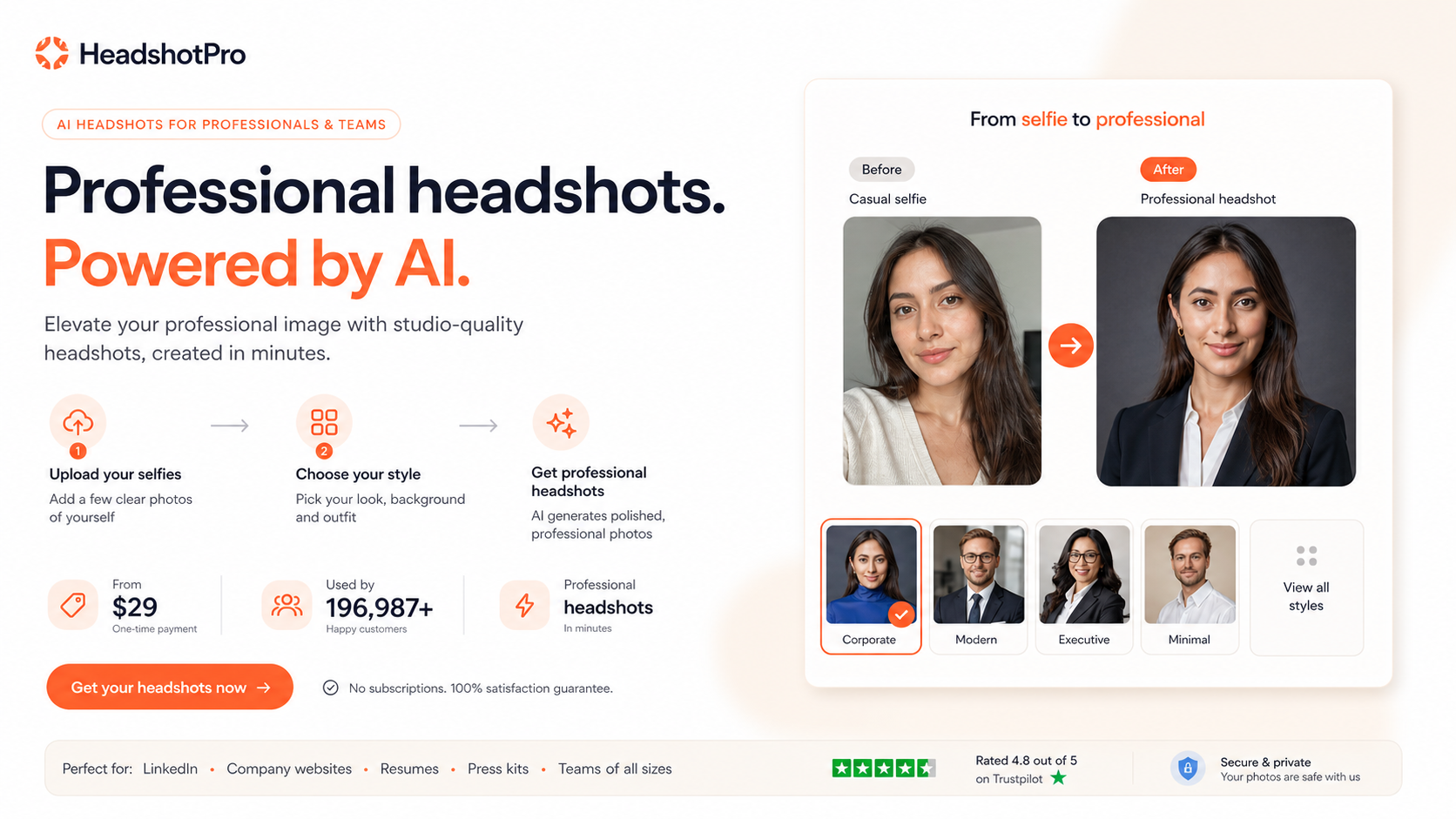
HeadshotPro is the stronger first pick when you want a straightforward AI headshot workflow for LinkedIn, business profiles, team pages, or corporate rollout needs.

HeadshotPro product view
Why it made the list

HeadshotPro belongs at the top of this shortlist because it is clearly positioned around professional business headshots rather than broad avatar play. It gives buyers a recognizable path: upload selfies, choose styles, review a batch of generated portraits, and keep the images that are strong enough for public professional use.

Good fit when

  • LinkedIn and resume headshot refreshes
  • business portraits for founders, consultants, and sales teams
  • company team pages and repeatable headshot workflows
  • buyers who want a free preview before checking the paid package

Be careful when

  • you expect every generated portrait to be usable
  • you need full manual photographer-style direction
  • your company cannot review privacy and employee-photo handling before rollout

Strengths

  • Clear business-headshot positioning for professional use cases
  • Free AI headshot generator can help buyers test the basic idea first
  • Team, API, and corporate workflow signals make it more relevant for organizations
  • Refund language is more visible than many AI portrait tools

Tradeoffs

  • Buyers still need to sort the batch and discard weak or odd outputs
  • The free tool should not be treated as equivalent to the paid professional generator
  • Face-photo privacy checks matter before uploading personal or employee images
  • Coupon paths should be tested only after the portrait workflow already fits
#2 shortlist pick Best curated photoshoot feel

Studioshot

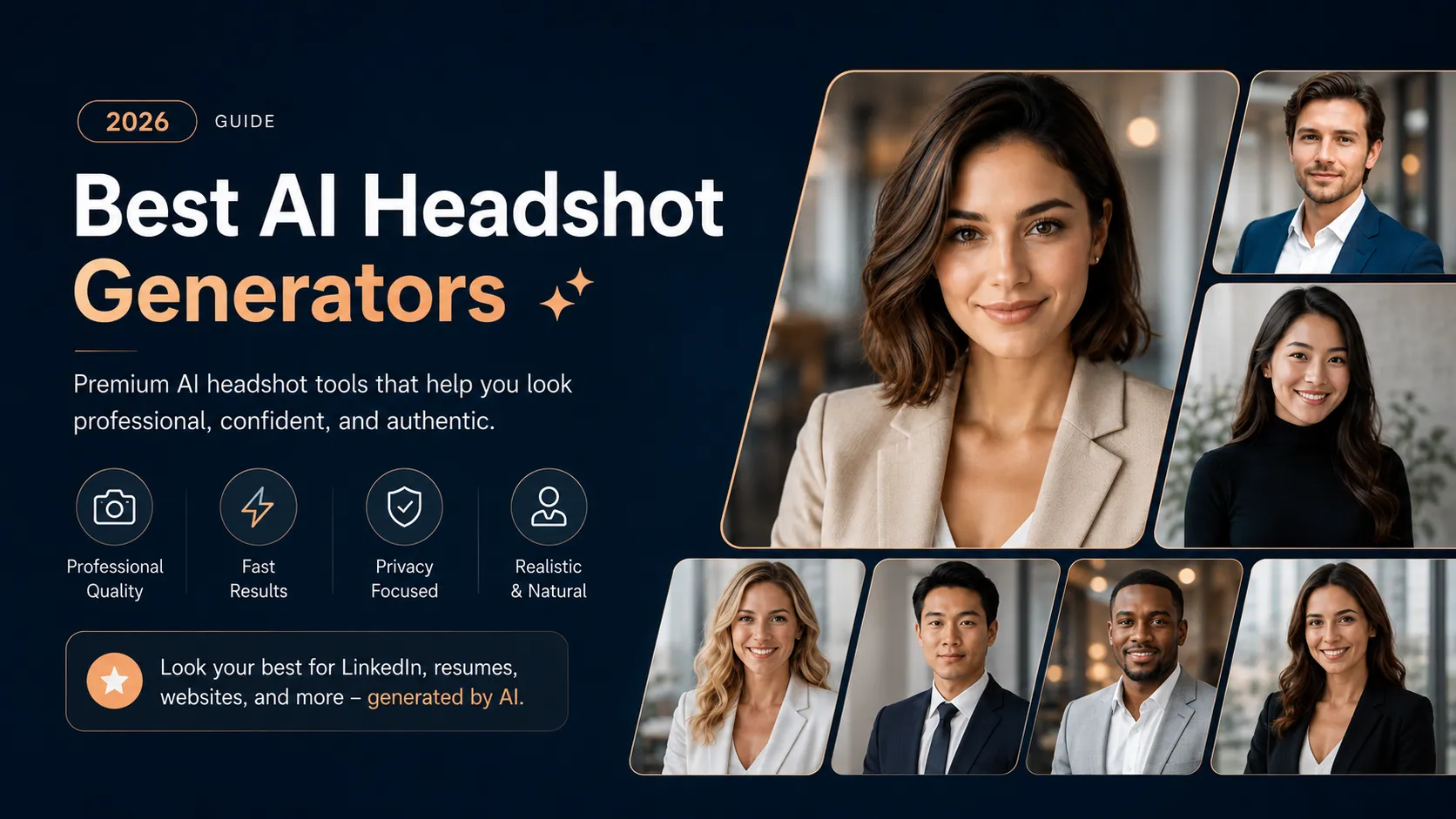
Studioshot is a better fit when you want AI headshots to feel closer to a curated remote photoshoot, with art-directed styles, polished portraits, and a more service-like buying experience.

Studioshot product view
Why it made the list

Studioshot earns its place because not every buyer wants a pure self-serve generator. Some professionals, founders, and teams want a more curated portrait package with style direction, human-led retouching language, and team-ready brand consistency. That makes Studioshot especially useful when polish and presentation matter more than the cheapest first click.

Good fit when

  • polished professional portraits with a photoshoot-style feel
  • founders, consultants, and executives refreshing public profiles
  • distributed teams that need more consistent employee portraits
  • buyers who care about style direction, retouching, and brand fit

Be careful when

  • you only want a casual free avatar
  • you are looking for the lowest-risk free test path
  • you need exact manual control over every facial, outfit, and lighting detail

Strengths

  • More curated photoshoot positioning than a basic avatar generator
  • Useful for LinkedIn, websites, team bios, social profiles, and public-facing brand assets
  • Team workflow can help distributed companies create more consistent portraits
  • Starting-price path is visible enough for an initial buyer check

Tradeoffs

  • No public free plan or free trial is clearly presented
  • Final value depends heavily on likeness accuracy and uploaded photo quality
  • Refund and privacy language should be checked before ordering
  • May be more polished than necessary for buyers who only need one casual profile image
Checkout safety

Best-page checkout checklist

Run this checklist before turning a shortlist recommendation into a paid checkout decision.

1

Start with the tool that fits your workflow, not the largest discount headline.

2

Open the store or review page when you still need feature, pricing, refund, or plan-limit context.

3

Use coupon pages only after the shortlist is narrow enough that the product already makes sense.

4

Verify free-plan, trial, credit, usage, and annual-billing limits on the live checkout page.

5

Compare at least two tools if the category fit is still unclear or the top pick feels too expensive.

FAQ

Common questions

What is the best AI headshot generator overall?

For most business-profile buyers, HeadshotPro is the safer first check because it is clearly built around professional headshots, has a free preview path, and supports team or API workflows. Studioshot is stronger when you want a more curated, photoshoot-style portrait experience.

Are AI headshot generators good enough for LinkedIn?

They can be good enough for LinkedIn when the final image still looks like you, fits your industry, and avoids overprocessed facial details. Buyers should judge likeness and professional fit, not just image polish.

Should I use a free AI headshot generator or pay for a package?

A free generator is useful for testing the idea, but it may not match the realism, output volume, or professional polish of a paid package. Use the free path for preview, then verify the paid package only if you need public-facing results.

Can AI headshots replace a real photographer?

AI headshots can reduce cost and time for many profile-photo needs, but they should not be treated as a perfect replacement for every photographer-led session. Executives, regulated industries, and brand-sensitive teams may still need human review or a traditional shoot.

What should I check before uploading photos?

Check privacy policy, data retention, deletion options, commercial usage rights, refund rules, employee consent needs, and whether your input photos are clear enough to give the generator a fair chance.

Are coupon pages enough to choose an AI headshot generator?

No. A coupon can reduce the final price, but the first decision should be portrait fit, likeness risk, privacy comfort, and refund clarity. Use coupon pages only after the tool already fits your real use case.

Steven
Author
Steven
Editorial reviewer

Practical affiliate editor focused on realistic reviews, store architecture, and offer-aware buying paths.

Related reading

Keep browsing

View top pick ↗