
Revid AI Pricing, Plans & Creator Workflow Fit
Revid AI is best understood as an AI short-form video creation platform for creators, marketers, and operators who want to turn ideas, scripts, links, recordings, or source content into TikTok, Instagram Reels, and YouTube Shorts style videos. The store decision is not just whether the tool can generate a video. The real decision is whether its credits, templates, AI models, direct publishing, and automation workers match the amount of content the buyer plans to produce.
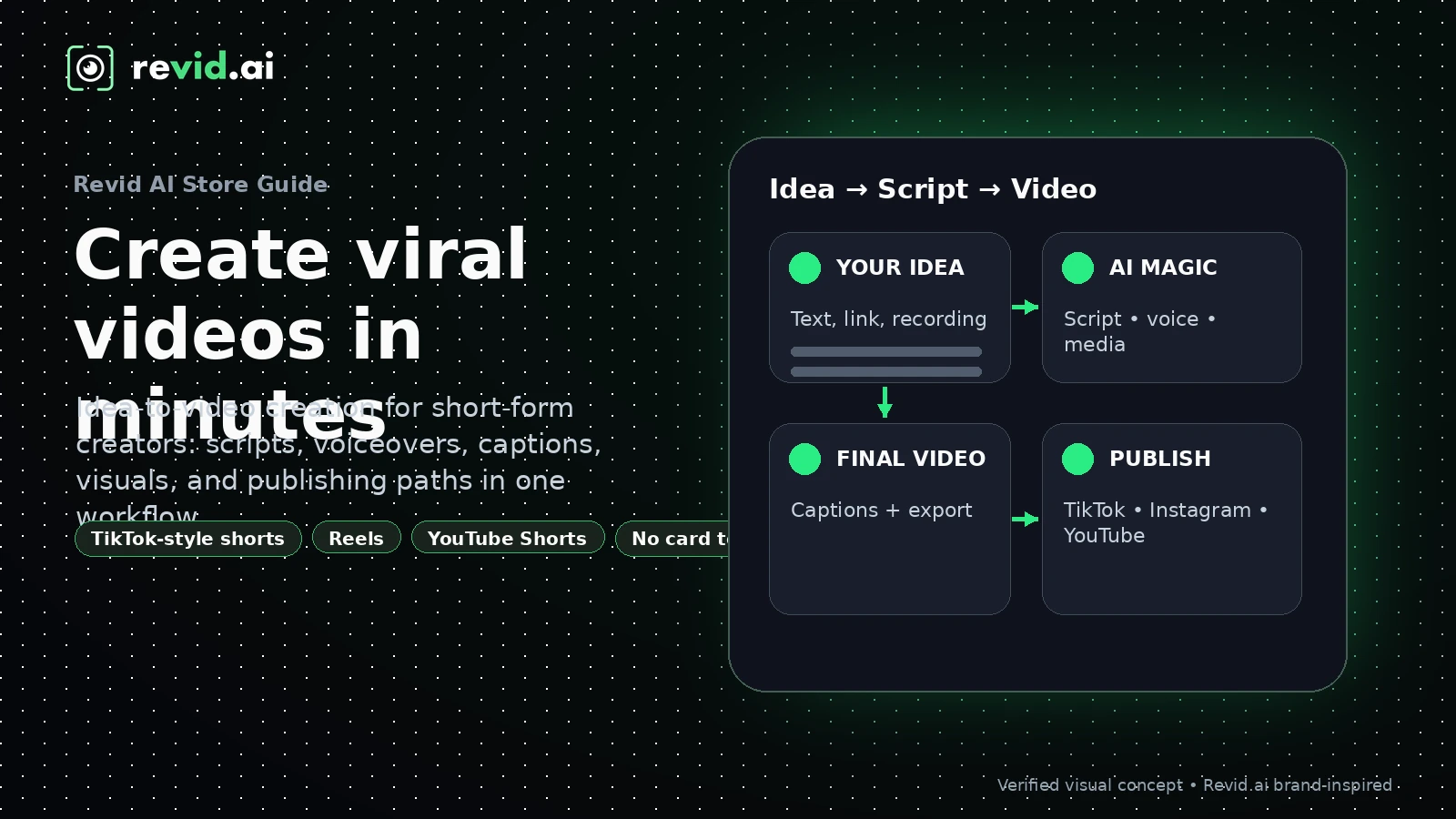
Fit → price → checkout
Use these routes after the official-site check: coupon first, review for fit, compare if unsure.
Revid AI pricing snapshot
Fast commercial checks before pricing, coupons, or a deeper review.
Revid AI product tour
These Revid AI visuals focus on the buyer's practical question: whether the platform can move from idea to publishable short video fast enough to justify a credit-based subscription. Buyers should look closely at input options, template selection, credit usage, export quality, and publishing flow before upgrading.
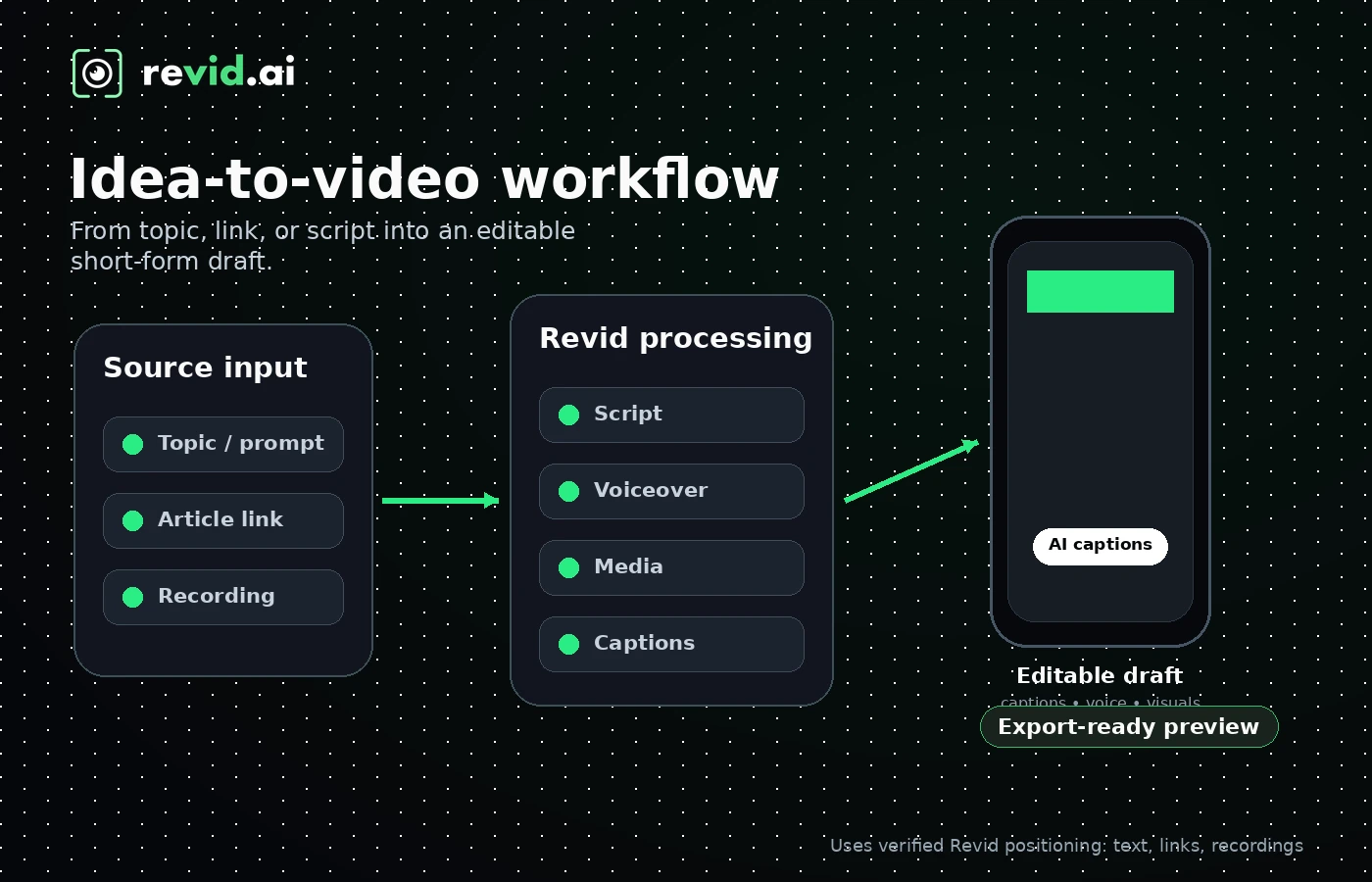
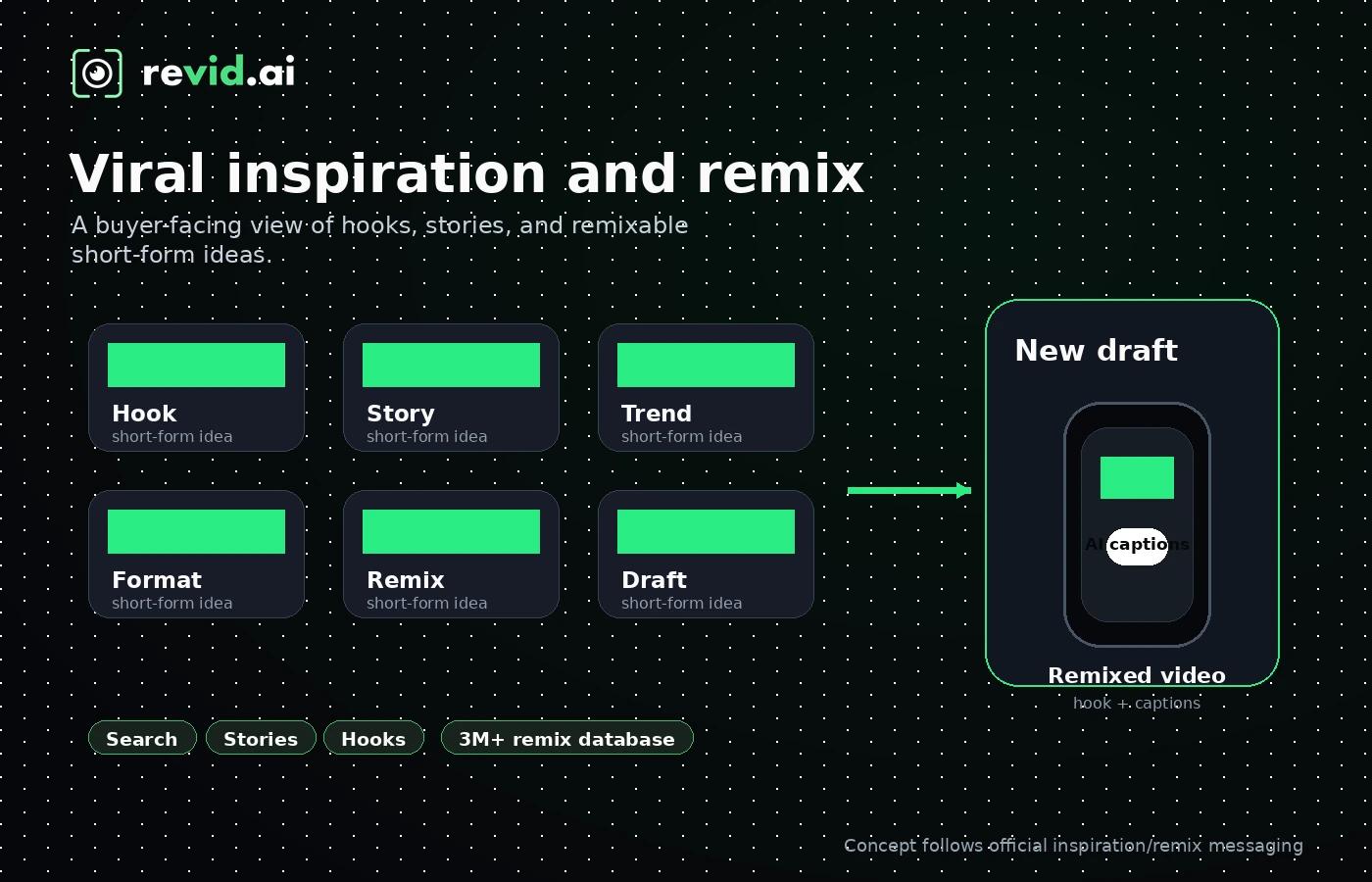
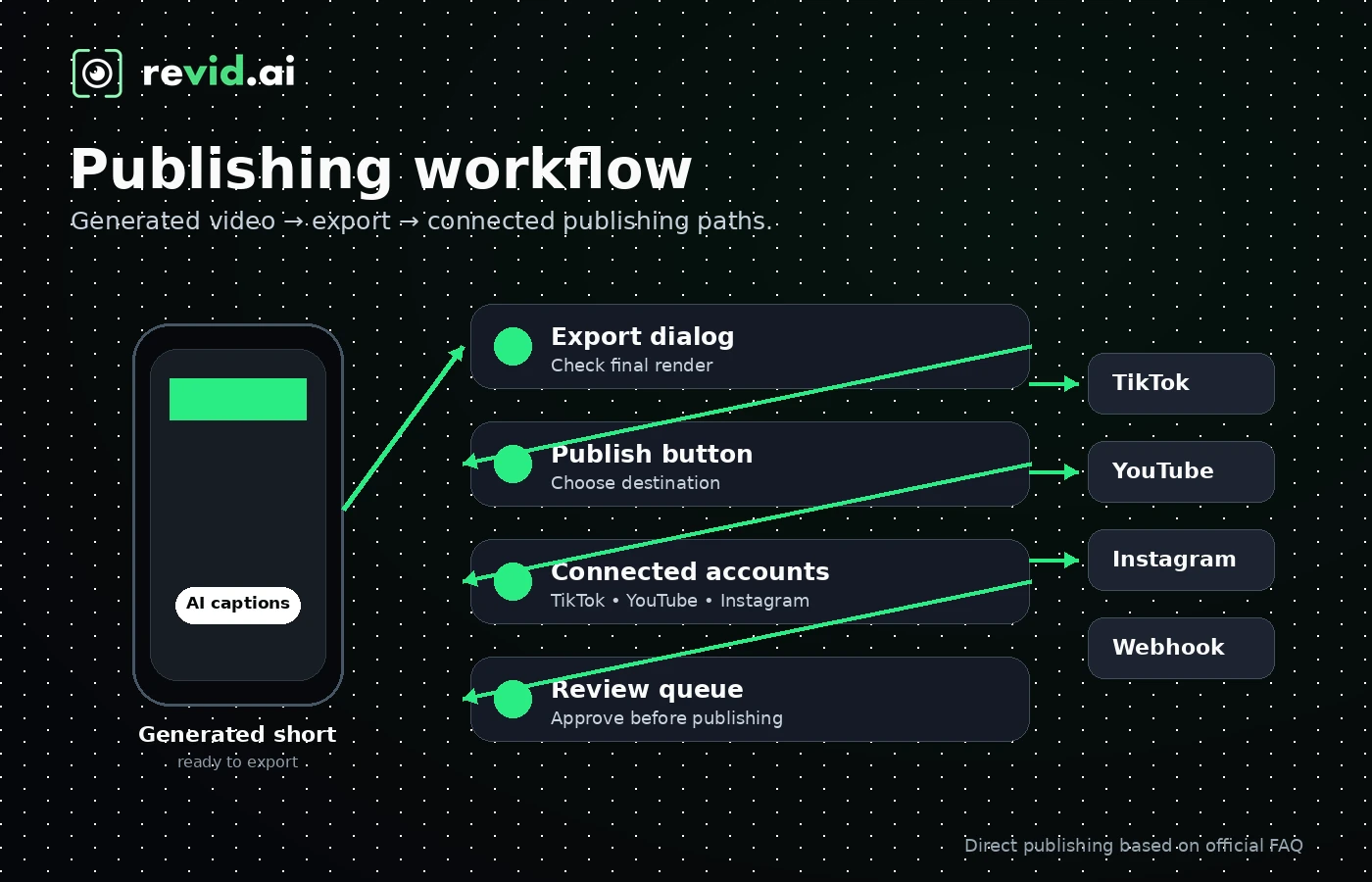
Revid AI sits in the AI video and creator workflow category, but the better way to judge it is as a short-form publishing engine. It tries to reduce the gap between idea, script, voice, visuals, captions, export, and posting. That can be valuable for creators who publish often, but it also means the buyer should verify credit usage, plan gates, and output quality with a real test before treating the paid plan as obvious value.
What Revid AI actually does
Revid AI turns simple ideas, scripts, links, recordings, and source content into social-first videos for TikTok, Instagram, YouTube Shorts, and related short-form workflows. Its official FAQ describes a wide range of creation paths, including short video generation, YouTube long-to-shorts, music to video, article to video, AI talking avatars, prompt to video, face swap, captions, and many niche generators. That breadth is useful, but it also makes the first buying question very practical: which two or three workflows will you actually use every week?
- Best evaluated with a real topic, not only the homepage demo
- Stronger for fast short-form production than deep timeline editing
- Useful when templates, hooks, voiceovers, and publishing speed matter
Pricing and credit logic to verify
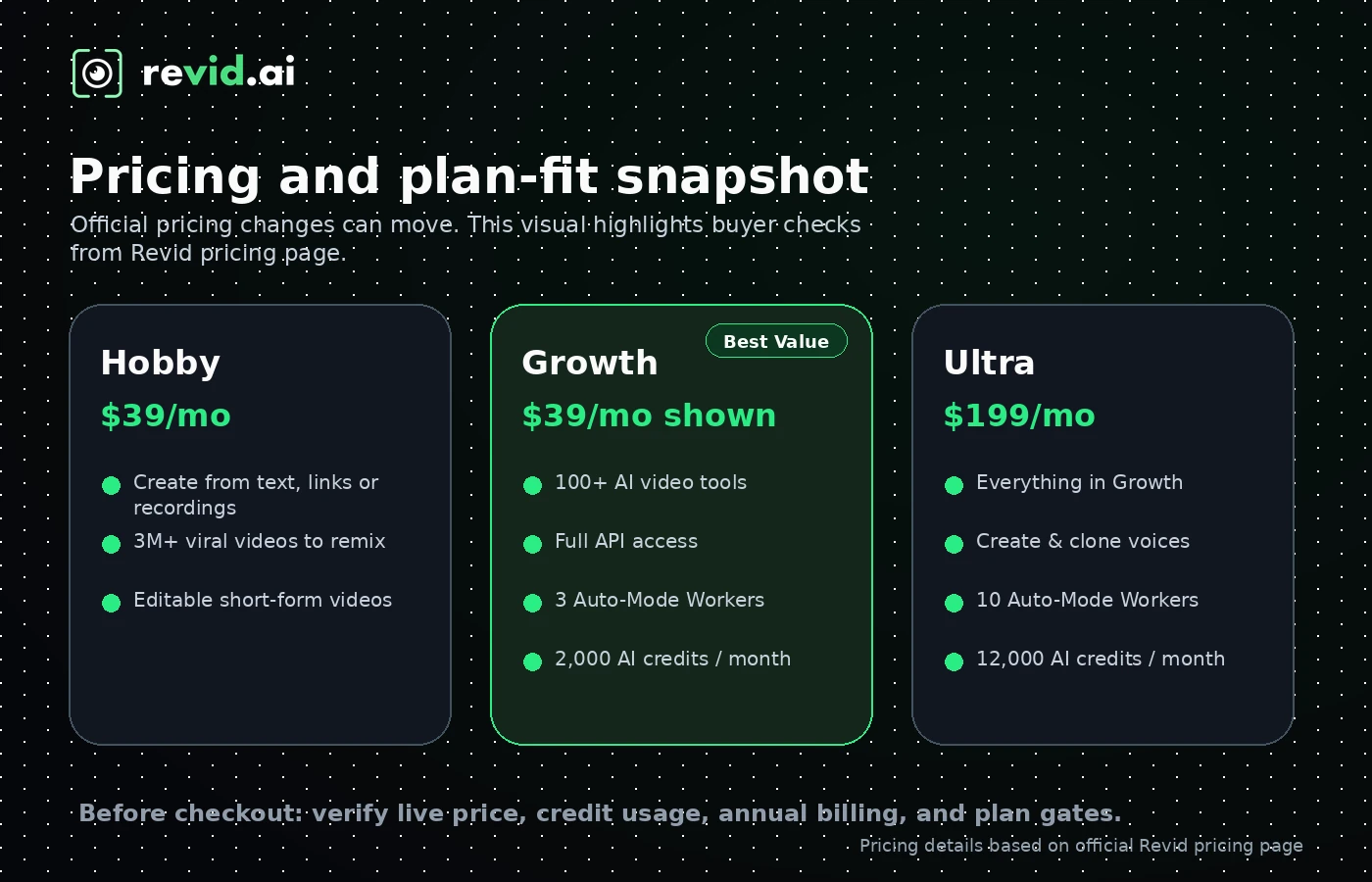
The current pricing page shows paid tiers with monthly prices and AI credits, while also promoting yearly savings. The key friction is that the live pricing page and FAQ can show different plan names or older plan labels, so the final decision should happen at checkout. For buyers, the practical comparison is not just Hobby versus Growth versus Ultra. It is how many videos you can make, which models or tools consume more credits, whether API access matters, and whether the monthly credits line up with your content calendar.
- Hobby is shown at $39 per month on the pricing page
- Growth is highlighted with 2,000 AI credits per month and full API access
- Ultra is positioned for larger scale with 12,000 monthly credits
- Credits do not roll over at renewal according to the Terms
When the free entry path is enough
Revid AI's homepage says buyers can try it for free without a credit card. That makes the first step simple: test one real video idea before comparing paid plans. The free path is best for checking whether Revid understands your topic, whether the generated script feels usable, whether the visual style fits your niche, and whether export or publishing workflow feels comfortable. It should not be treated as proof that the paid plan is good value until you understand credit consumption.
- Use free access to test script quality, visual style, voiceover, and edit control
- Watch whether one normal video consumes more credits than expected
- Upgrade only after the output is close enough to publish or refine
API and automation fit
Revid AI is more than a casual web app for some buyers because the pricing page mentions full API access and the site links to a public API collection. That matters for agencies, internal content teams, and builders who want to generate or manage video workflows programmatically. Still, API access is not the same as unlimited output. Buyers should confirm authentication, endpoints, rate limits, credit consumption, and whether the chosen plan actually includes the workflow they want to automate.
- API access appears in Revid's public pricing and documentation path
- Automation buyers should test endpoints before assuming production readiness
- Credit cost and model choice can affect the true cost of automated generation
Music, avatars, and niche generators
Revid AI's product surface is broad. The tools directory and FAQ include music-to-video, lyrics videos, AI talking avatars, article-to-video, prompt-to-video, faceless formats, social post converters, and many niche generators. This is useful for creators who test many formats, but it can distract buyers who only need one workflow. A smart evaluation is to pick one content lane, such as music videos, educational shorts, faceless explainers, or social ads, then test that lane against plan limits.
- Good fit for creators who experiment across multiple short-form formats
- Potentially distracting if the buyer only needs one narrow video type
- Best tested by creating a video in the same format you plan to publish
Safest buyer next step
The safest next step is to open Revid AI, create one real test video, and track three things: output quality, credit usage, and editing effort after generation. If the test video is close to publishable and the credit cost looks predictable, compare Hobby, Growth, and Ultra at checkout. If the result still needs too much manual repair, compare Gling for talking-head cleanup, Pictory or Fliki for more structured content repurposing, or AutoShorts.ai for faceless channel automation.
- Start with a real topic, not a toy prompt
- Record credit usage and manual cleanup time
- Move to pricing only after the workflow passes the fit test
Best savings path from this store page
This is the clearest savings route to check once the product already looks like a fit.
A coupon tracking community reports recent Revid AI storewide codes. Treat this as a checkout-test option rather than a guaranteed discount.
$39 per month entry plan
$199 per month premium plan
Use comparison routes when the category fit is still open
Use these comparison routes when the product still looks plausible, but the category fit is not fully settled.
Better fit when the buyer wants recurring faceless channel automation rather than a broad toolkit of AI video generators.
Worth comparing for template-led AI Shorts and faceless video workflows with a different credit and pricing model.
Often more natural for script-to-video, voiceover, and content repurposing buyers who prefer a more structured editor.
A stronger comparison when the buyer wants article, webinar, or long-form content repurposing into social clips.
Verification points worth checking before you click out
Where this store usually fits best in the workflow
Revid AI fits creators who start with an idea, hook, or script and want a fast path to a short-form video draft for TikTok, Reels, or Shorts.
Revid AI can support faceless channel testing when the buyer wants templates, voiceovers, visual generation, captions, and inspiration in one place.
Marketers can use Revid AI to test product, UGC-style, trend, or explainer video ideas before committing to a heavier production workflow.
Technical buyers can explore Revid AI when they need API-based video generation, but should validate endpoint coverage and credit behavior before rollout.
Practical checkpoints before and after signup
- Pick one realistic video format that you would actually publish.
- Write down the expected output quality, length, voice style, and platform before generating.
- Check whether your workflow needs API access, Auto-Mode workers, or only manual creation.
- Generate one real video and track script quality, media fit, voiceover quality, captions, and cleanup time.
- Watch how many credits the workflow consumes when using the settings you prefer.
- Export or preview the video far enough to judge whether it can support a real publishing schedule.
- Verify the live plan name, price, monthly credits, annual billing terms, and credit pack options.
- Read the refund language before using a meaningful share of paid credits.
- Compare Revid AI against alternatives if your main workflow is only editing, repurposing, or faceless automation.
- Track credit consumption per video and review it before renewal.
- Use the plan only for repeatable formats that pass your quality threshold.
- Re-check checkout and Terms before moving from a creator plan into a higher-volume workflow.
Fast-read signals for workflow fit and buying friction
Questions readers usually ask before choosing this store
What is Revid AI best for?
Revid AI is best for creators and marketers who want to turn ideas, links, scripts, or source content into short-form social videos quickly. It is strongest when the buyer publishes often enough for templates, hooks, voiceovers, inspiration, and credit-based generation to matter.
Does Revid AI have a free plan or free trial?
Revid AI promotes a free entry path and says no credit card is required to try it. For buying purposes, treat that as a testing path rather than proof that the paid plan is worth it. Generate a real sample video and check credit usage before upgrading.
How much does Revid AI cost?
The current pricing page shows Hobby at $39 per month, Growth displayed as $99 crossed to $39 per month with 2,000 AI credits, and Ultra at $199 per month with 12,000 AI credits. Because the FAQ can show different plan labels, buyers should confirm the final price and plan names at checkout.
What is the main risk before paying for Revid AI?
The main risk is buying too much subscription before understanding credit consumption and output quality. Credits do not roll over at renewal, and refunds are generally non-refundable except under discretionary conditions, so buyers should test before consuming many credits.
Which Revid AI alternative should I compare first?
Compare AutoShorts.ai if you mainly want faceless channel automation, Gling if you need talking-head editing cleanup, Fliki if your workflow is script-to-video and voiceover-led, and Pictory if you repurpose articles or long-form content into social clips.
Choose the next route that matches what you still need to decide
The strongest next click depends on whether you still need product judgment, a savings route, or a broader category comparison.