Quick verdict
Revid AI is worth considering if your real problem is short-form video volume, not just curiosity about another AI video tool.
That distinction matters. Revid looks useful because it promises a fast path from idea to TikTok, Instagram Reels, YouTube Shorts, music videos, faceless content, avatars, captions, scripts, and direct publishing. But the buyer decision is not simply whether the platform can generate a video. The better question is whether it can generate the kind of video you would publish repeatedly without burning through credits or spending too much time repairing the result.
For my money, Revid AI makes the most sense for creators and marketers who already know they need a repeatable short-form workflow. If you publish several videos a week, test hooks, remix viral formats, or turn links and scripts into social clips, the platform has a clear role. If you only need one occasional video, a credit-based subscription can feel heavier than it first appears.
The strongest reason to consider Revid AI is speed plus breadth. The main caution is pricing clarity. Current public pages show a free no-card entry path and paid tiers, but plan labels, credit counts, API access, Auto-Mode workers, credit rollover, and refund conditions all need live verification before checkout.
I would first create one real video, check credit usage, judge the cleanup effort, and only then decide whether the paid plan fits your publishing volume.
Next step: If Revid AI sounds useful for your short-form workflow, test the official product first and compare the current buyer route before checkout.
Review snapshot
| Review point | Practical take |
|---|---|
| Best for | Short-form creators, faceless channel builders, marketers, and automation-minded operators |
| Not ideal for | One-off users, traditional editors, teams needing strict brand approvals, or buyers who dislike credits |
| Main use case | Turning ideas, scripts, links, recordings, or source content into social-first videos |
| Free path | Revid promotes a free entry path with no credit card required |
| Pricing note | Current public pricing shows Hobby, Growth, and Ultra paths, but live checkout should be treated as final |
| Main strength | Fast creator workflow with templates, scripts, voiceovers, captions, direct publishing, and niche tools |
| Main concern | Credit usage, plan-label mismatch, refund limits, and inconsistent AI output can change real value |
| Direct alternatives | AutoShorts.ai, Korpiai, Fliki, Pictory |
| Best next step | Generate one real video and measure output quality, cleanup time, and credit consumption before paying |
What is Revid AI?
Revid AI is best understood as an AI video creation platform for short-form social content. Its public positioning is built around turning creative ideas into TikTok, Instagram, and YouTube-style videos, with a guided process for scripts, visuals, voiceovers, captions, templates, and publishing.
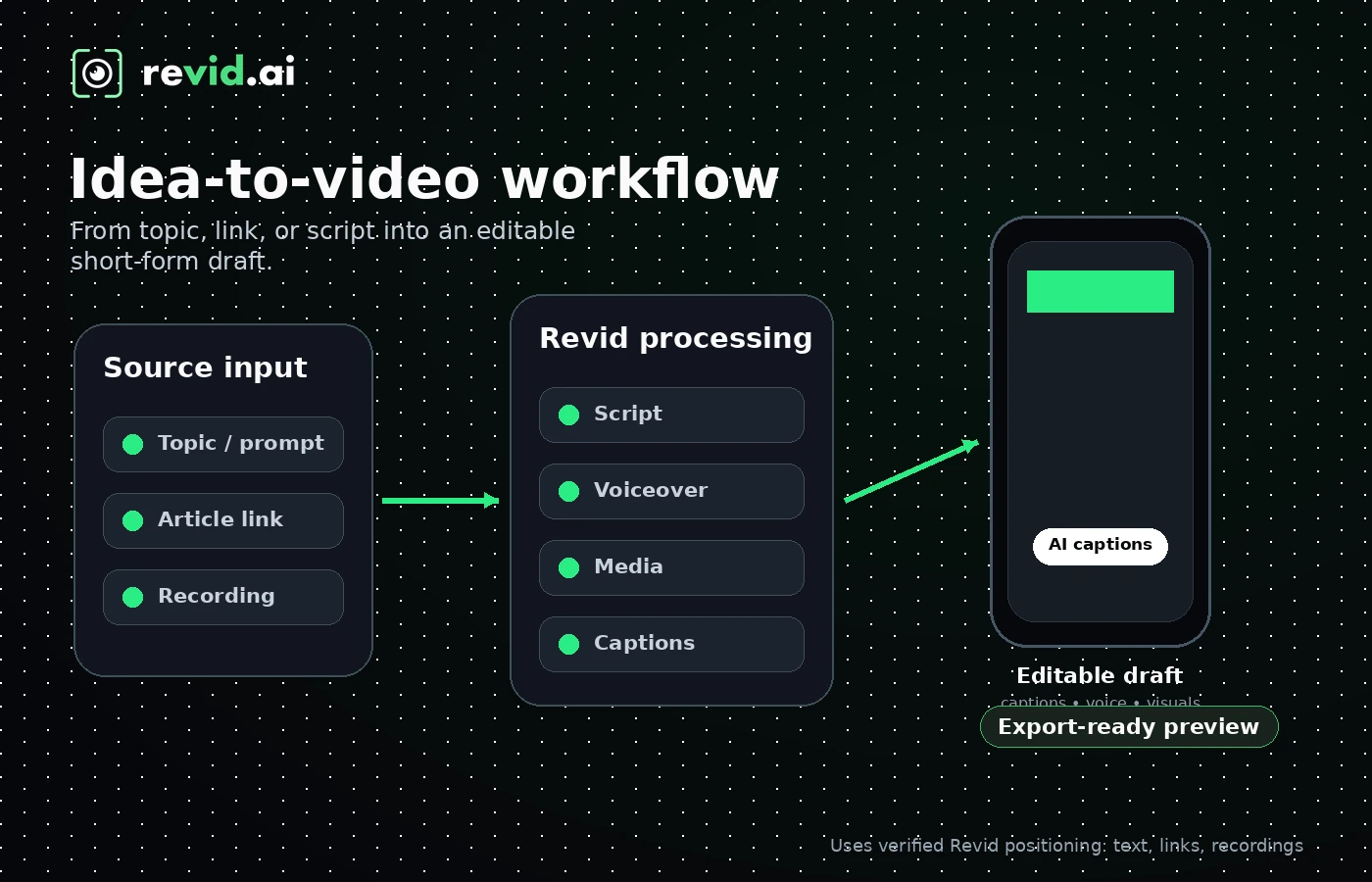
It is not a traditional video editor in the Premiere Pro or DaVinci Resolve sense. It is also not only a simple text-to-video generator. The product sits closer to a creator workflow suite: you bring an idea, source link, script, recording, article, song, or prompt, and Revid tries to move you toward a finished social video faster than a manual editing process would.
That creates real upside for the right buyer. A creator can test multiple hooks. A marketer can turn a product angle into a short campaign draft. A faceless-channel operator can experiment with formats without building every asset manually. A technical user may care about API, MCP, CLI, and Auto-Mode paths if the goal is video generation at scale.
The wrong expectation is assuming that one generated video proves everything. AI video tools can look impressive in demos and still require manual cleanup when the topic, pacing, visuals, captions, or voiceover needs are specific. The real test is whether Revid can make something close enough to publish, often enough, without credits or cleanup time becoming uncomfortable.
Our review approach compares public product pages, pricing details, help documentation, deal terms, buyer workflow fit, and nearby alternatives. We do not treat a low monthly price, a free path, or an AI demo as proof that the product fits the buyer.
Who should use Revid AI?
Revid AI makes the most sense for creators who publish short-form videos consistently. If your week already includes TikTok, Instagram Reels, YouTube Shorts, faceless videos, music clips, product explainers, or social ad tests, Revid gives you a way to compress ideation, scripting, media selection, captioning, and export into one workflow.
It can also fit faceless channel builders who need lots of variations. The appeal here is the combination of viral inspiration, scripts, hooks, voice options, AI-generated media, captions, and format-specific tools. That matters when you are testing repeatable content lanes rather than making a single clip.
Marketers may find it useful for campaign drafts. If you need to turn product pages, articles, social posts, or rough ideas into quick video concepts, Revid can be a practical first-pass tool before a more polished production pass.
Technical buyers should pay attention if automation is part of the plan. Revid’s public pricing and help content point to API, MCP, CLI, and Auto-Mode workflows. That can make it more interesting for builders, agencies, or internal teams that want video generation beyond a manual web app.
The common condition across all these groups is volume. Revid AI becomes more useful when video creation is a repeated process.
Who should avoid Revid AI?
I would be careful with Revid AI if you only need one quick video. The free path is a better starting point than a paid subscription for that kind of buyer.
I would also avoid it if you expect deep timeline control. Revid has editing controls, templates, caption options, media changes, and export tools, but it is not built for frame-perfect post-production, advanced color grading, detailed motion design, or a full brand approval workflow.
Teams with strict brand governance should slow down. Revid may help create drafts, but approval workflows, legal checks, brand voice, and campaign QA may still need to happen outside the product.
Buyers who dislike credits should also be cautious. Credits are consumed by generation and premium features, and the cost can vary depending on models and settings. If you prefer predictable unlimited usage, Revid’s economics may feel less comfortable.
Finally, I would not treat the refund path as a safety net. The terms say subscriptions are generally non-refundable, credits do not roll over at renewal, and discretionary refund conditions depend on both recent payment timing and low credit usage.
How Revid AI fits into a real workflow
A good Revid AI workflow starts before you click generate.
Pick one realistic content lane: educational Shorts, faceless list videos, music visualizers, product explainers, social ads, Reddit-post videos, article-to-video clips, or YouTube long-to-short repurposing. Do not test with a toy prompt unless your real content is also toy content.
The workflow should look like this: choose one video format you would actually publish, prepare a real idea or source asset, generate the first draft, inspect the script and visuals, edit the parts that feel off, record credit usage, and then decide whether the result is close enough to repeat.
That last word matters: repeat.
AI video generation can produce a good-looking first sample and then behave differently on the next topic. A creator needs to know whether Revid is reliable across the kind of videos they will actually make. A marketer needs to know whether the tool can stay on-brand after generation. An automation buyer needs to know whether the same workflow can run at scale without unpredictable cost.
Real-world buyer scenarios
A creator posting several Shorts per week
A solo creator who publishes several Shorts per week may find Revid AI useful because it reduces blank-page friction with inspiration, hooks, scripts, voiceovers, captions, and templates. It becomes weaker if every generated draft still needs heavy cleanup.
A faceless channel builder testing niches
A faceless-channel builder may like Revid because it supports many repeatable formats. The risk is over-testing. I would choose one channel format, create several videos, and check whether credit usage and output style can support a real schedule.
A marketer creating campaign drafts
A marketer may use Revid to create quick social video drafts from a product idea, landing page, feature announcement, or UGC-style angle. The limitation is brand control; a human editor still needs to catch off-brand visuals, voice, and pacing.
An automation buyer testing API-based generation
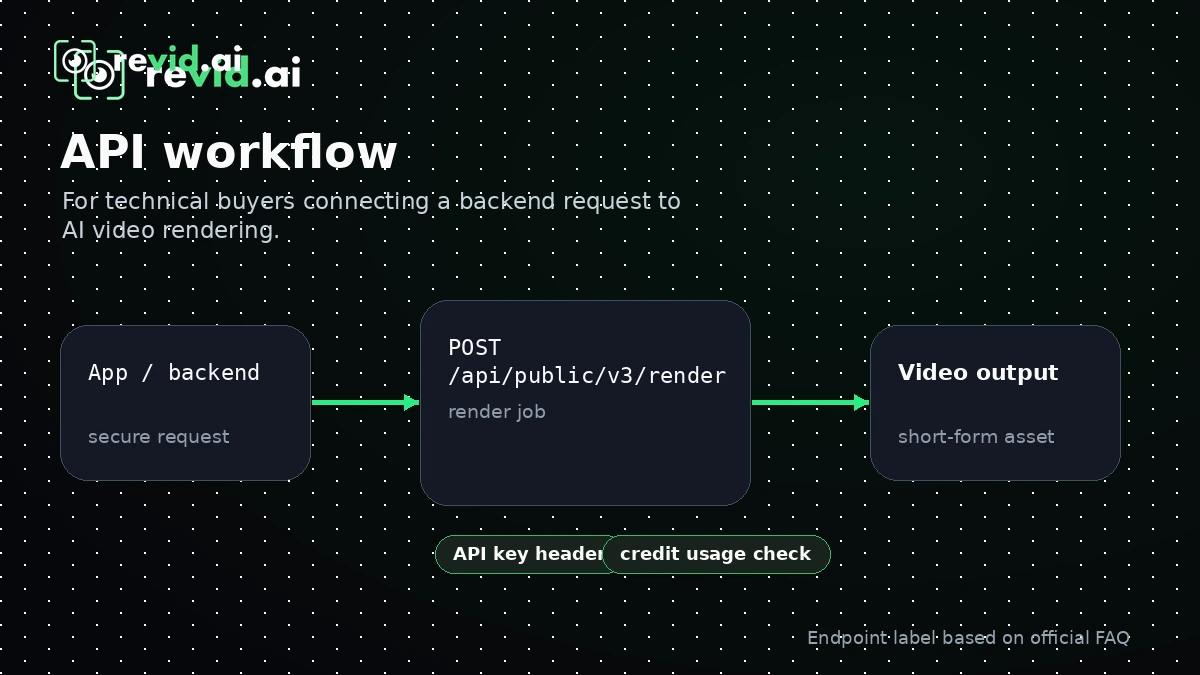
A technical buyer may care about Revid’s public API, MCP, CLI, and Auto-Mode paths. Before paying for automation, I would test endpoint behavior, authentication, credit estimation, render status, export flow, and publishing handoff.
Key features that actually matter
Idea-to-video creation
Revid’s core appeal is that it can turn ideas, scripts, links, recordings, and source content into short-form videos. That matters because creators often lose time between idea, script, visuals, captions, voiceover, export, and posting.
Buyer note: judge this feature with your real topic. A generic demo can look good while a niche topic exposes weak visuals, awkward pacing, or captions that need rewriting.
Viral inspiration and remixable formats
Revid emphasizes viral inspiration and short-form formats. For creators, this can be useful because the hardest part of short-form publishing is often finding repeatable angles, not only editing the clip.
Buyer note: do not confuse inspiration with strategy. A viral-style format still needs to match your audience, platform rules, brand tone, and publishing goal.
Voiceovers, captions, avatars, and editing controls
Revid includes voice options, captions, avatars, media generation, ratio controls, safe zones, and other editor-style tools. These details matter because a short-form video is rarely just visuals.
Buyer note: inspect the final result, not just the feature list. The voice may be usable for one format and too synthetic for another. Captions may need manual adjustment.
API, MCP, CLI, and Auto-Mode
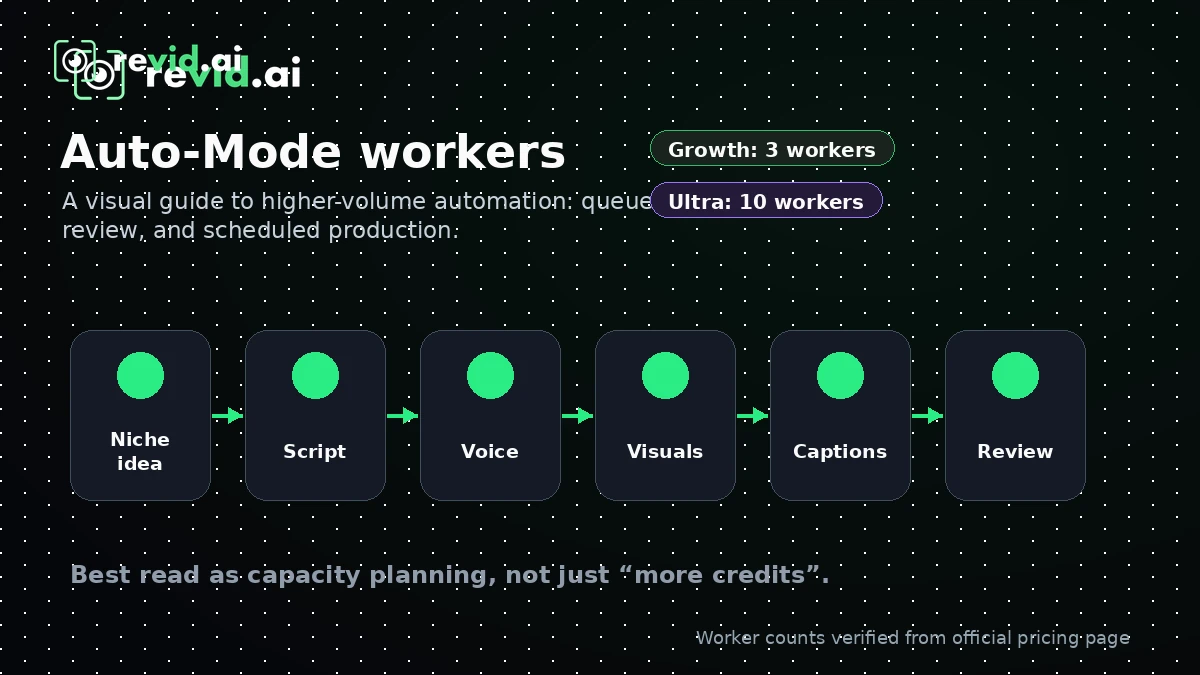
The developer and automation layer is one of the more interesting parts of Revid AI. Public materials reference API access, MCP tools, CLI workflows, Auto-Mode workers, and credit estimation. Buyer note: automation does not remove credit economics, so confirm plan access, endpoint coverage, render behavior, credit usage, and support scope before building around it.
Pricing and plan value
Revid AI is not a product I would judge by headline price alone.
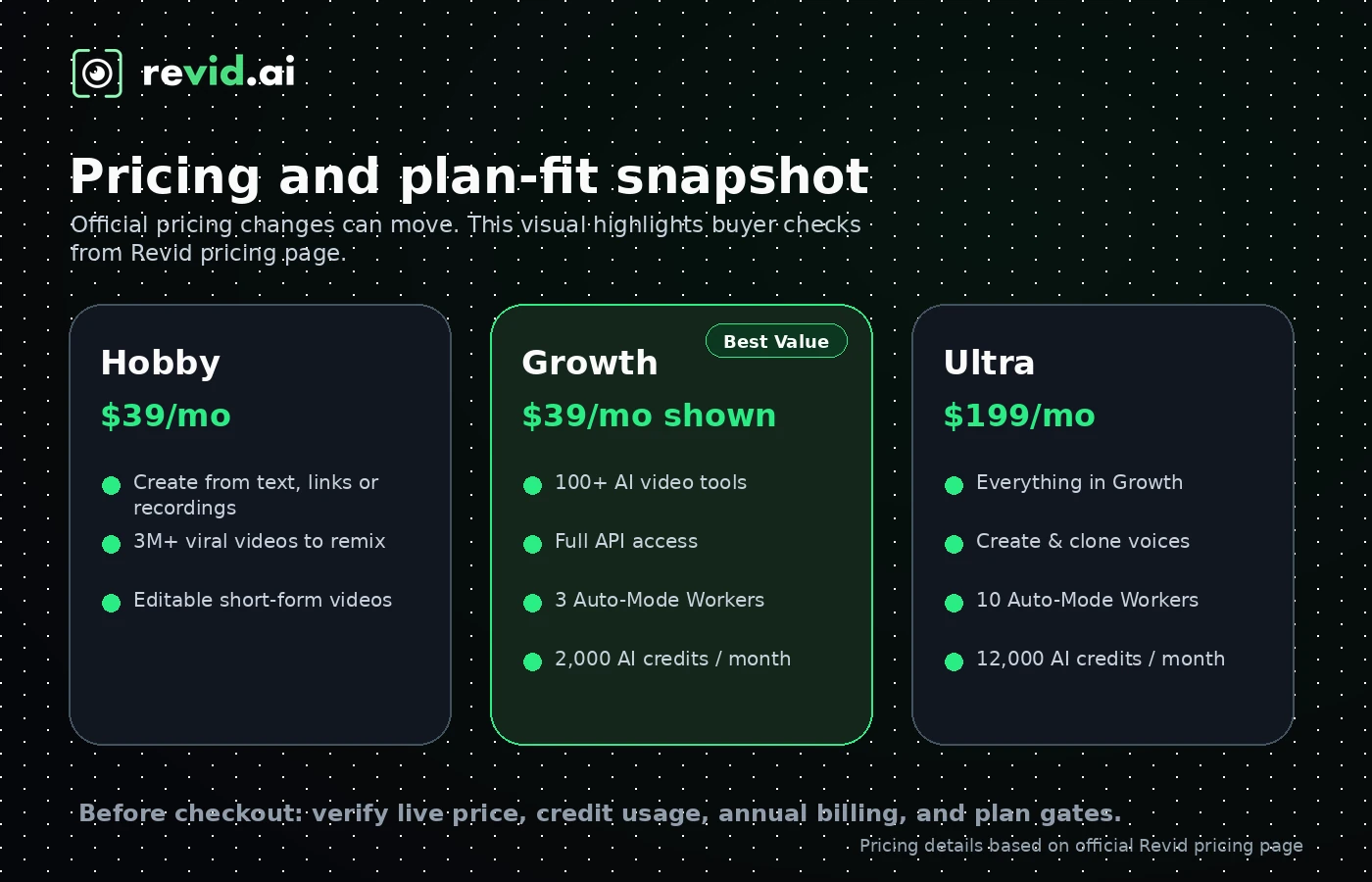
At the time of review, the current public pricing page shows a free no-card entry path and paid tiers including Hobby at $39 per month, Growth displayed with a crossed $99 price and $39 per month current price, and Ultra at $199 per month. Growth highlights 2,000 AI credits, API/MCP/CLI access, and 3 Auto-Mode workers; Ultra shows 12,000 credits and 10 Auto-Mode workers.
That sounds straightforward until you compare it with FAQ-style plan references. The FAQ material can show labels such as Lite, Growth, Elite, and Ultra, so buyers should trust live checkout more than older summaries or third-party pricing notes.
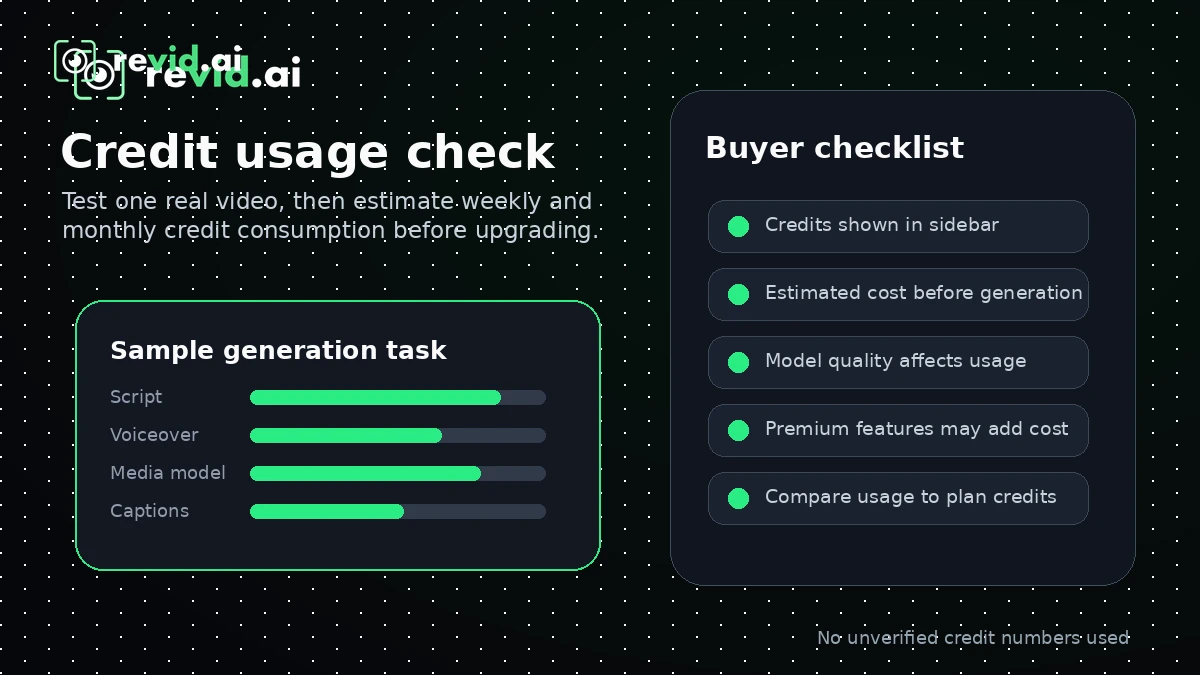
The real pricing question is credit usage. Credits are consumed when generating videos and using premium features, and the credit cost depends on AI models and features used. So the cheapest plan is not automatically the best deal. A buyer who generates lightweight videos may be fine on a smaller plan. A creator using advanced models, revisions, voice features, avatars, or automation may consume credits faster than expected.
Annual billing needs the same caution. I would not move annual until you know how many credits a normal month consumes and whether Revid consistently produces videos close enough to publish.
Pricing check: If Revid AI still fits your workflow, compare the current plan, credits, and offer route before choosing monthly or annual billing.
Free plan, trial, coupon, and checkout notes
Revid AI’s free entry path is the right first step for most buyers. The homepage says no credit card is required, which means the buyer does not need to start with a paid plan just to learn whether the workflow feels useful.
Use the free path to answer five questions: does Revid understand your topic, is the script usable, do the visuals and voice fit your platform, how much cleanup is needed, and how many credits would the same workflow consume if repeated weekly?
The coupon path should come later. A current deal, annual saving, checkout code, or active offer can improve the purchase, but it should not be the reason you buy. If the generated videos are not close enough to publish, a discount will not fix that.
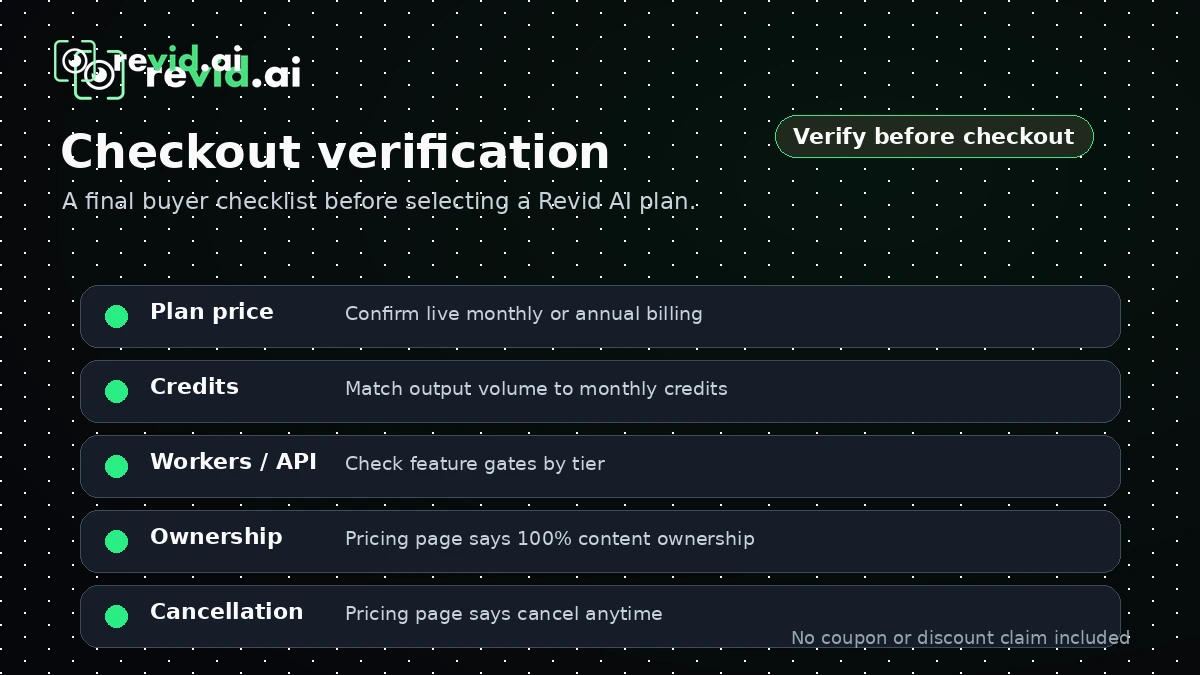
Checkout verification also matters because plan names, credits, annual pricing, API access, Auto-Mode workers, and credit packs can change. The safer order is simple: test the workflow, estimate usage, check live pricing, review terms, then decide.
What I would check before buying Revid AI
If I were buying Revid AI for a real creator or marketing workflow, I would check these points before paying:
- Credit cost per real video. Generate the kind of video you actually plan to publish and record how many credits it consumes.
- Output quality after edits. Do not judge the first draft alone. Check whether the final edited version is good enough for your channel or campaign.
- Plan names at checkout. Compare the pricing page, account upgrade screen, and checkout page before assuming plan labels or included credits.
- API and Auto-Mode access. If automation matters, confirm the exact plan gates, workers, endpoints, and credit behavior before building around it.
- Annual billing risk. Do not choose annual only because the effective monthly price looks better. Prove repeated use first.
- Refund and rollover rules. Credits do not roll over at renewal, and refunds are generally discretionary and conditional.
- Alternative fit. Compare Revid with a narrower tool if your main need is only faceless automation, long-form repurposing, or structured script-to-video.
A simple test before paying
Before paying, I would run a small test like this:
- Pick one real video format you would publish this month.
- Prepare a real prompt, script, link, audio file, or source article.
- Generate the video in Revid using the settings you would normally use.
- Edit only as much as you realistically would in your workflow.
- Record credit usage, render time, cleanup time, and export friction.
- Repeat once with a second topic to check consistency.
- Compare the result against the paid plan you are considering.
This test does not try to prove Revid is the best AI video tool. It answers the only question that matters before checkout: can this tool help you produce the kind of short-form content you actually need, often enough to justify the plan?
Pros explained
Revid AI is built around short-form speed
The biggest advantage is that Revid AI focuses on the messy middle of short-form creation: ideas, hooks, scripts, visuals, voiceovers, captions, and publishing. That can save time for creators who would otherwise move between several tools. It stops being enough if the output needs heavy manual repair every time.
The toolkit is broader than basic text-to-video
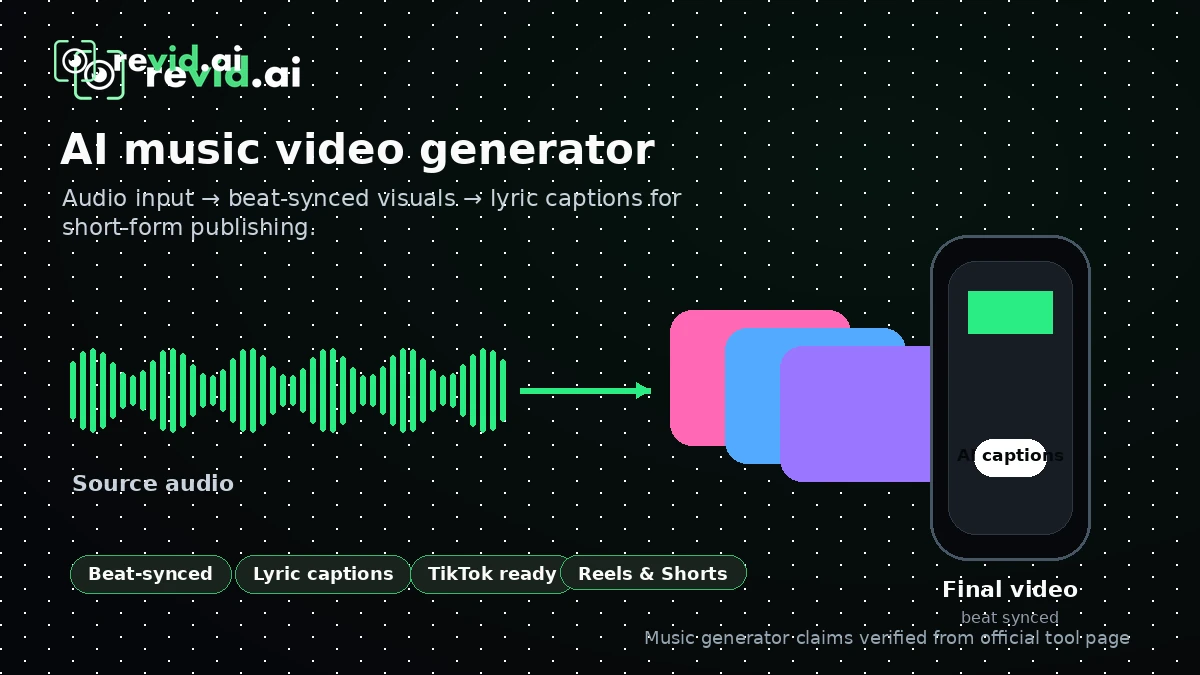
Revid includes many creation paths: short video generation, YouTube long-to-shorts, music to video, article to video, prompt to video, avatars, face swap, captions, niche generators, and automation routes. That breadth is helpful for creators who test multiple formats, but it can distract buyers who have not chosen a content lane.
The free entry path lowers the first decision risk
The no-card free path matters because AI video quality is hard to judge from a homepage. Buyers need to test their own subject matter, not only watch polished examples. The free path does not prove paid value by itself; it only makes the first evaluation safer.
Developer and automation options make Revid more serious
API, MCP, CLI, and Auto-Mode references make Revid more interesting for technical buyers than a basic creator app. The caution is that technical use requires more verification around plan gates, credit costs, endpoint behavior, and support expectations.
Cons explained
Credit-based pricing can surprise inconsistent creators
Credits are the biggest buying risk. If you generate many drafts, use advanced models, revise often, or run automation, your real cost may be different from the plan headline. This matters most for creators who are still experimenting.
Pricing references can be hard to reconcile
The current public pricing page and FAQ-style plan explanations do not always present plan labels in the same way. Buyers should not base a purchase on old screenshots, directory pages, or third-party pricing summaries. Check the current upgrade screen before paying.
Refund protection is limited
The terms say subscriptions are generally non-refundable, and discretionary refunds depend on recent payment timing plus low credit usage. Credits also do not roll over at renewal. That creates a simple rule: test before you consume.
Revid is not a full production governance platform
Revid can help create and publish videos faster, but it is not automatically a replacement for brand review, legal approval, collaboration, creative direction, or detailed post-production.
Green flags and red flags
Green flags
Good buying signals include a repeatable short-form workflow, strong free-path output, and a real automation need. If you already know your channel, format, cadence, and platform, Revid has a clearer job. If the first real test video is close to publishable and credit usage feels reasonable, the paid plan becomes easier to judge.
Red flags
Red flags include buying before testing credit usage, expecting perfect AI consistency, or moving annual too early. Public user feedback around AI video tools often mixes praise for ease of use with complaints about prompt-following, character consistency, pricing, or value. Your own workflow test is safer than broad marketing claims.
Revid AI vs alternatives
Revid AI should be compared with tools that match your actual video job. Not every AI video product is trying to solve the same problem.
AutoShorts.ai vs Revid AI
AutoShorts.ai is the cleaner comparison if your main goal is recurring faceless channel automation. Revid AI may still make more sense if you want broader format testing, more creative control, multiple generator types, and a toolkit that can support social video experimentation beyond one faceless channel workflow.
Korpiai vs Revid AI
Korpiai is worth comparing if your buyer job is template-led AI Shorts and faceless video creation with a different pricing and workflow model. Revid AI may be the stronger fit if you want many creation paths, remix inspiration, direct publishing, API-related options, and a broader creator toolkit.
Fliki vs Revid AI
Fliki is a stronger comparison for buyers whose workflow starts with scripts, voiceovers, and structured text-to-video production. Revid AI may be better if your workflow is more social-first: viral ideas, hooks, templates, AI-generated visuals, avatars, captions, and platform publishing.
Pictory vs Revid AI
Pictory is usually the stronger comparison when the buyer wants to turn articles, webinars, scripts, or long-form content into polished social clips. Revid AI may make more sense if you are starting from ideas, prompts, trends, social formats, faceless concepts, or music/video generator workflows.
Trust, refund, and buyer-risk notes
The biggest trust note with Revid AI is not whether the product has features. It clearly has a broad product surface. The bigger question is whether the plan economics and output consistency fit your real workflow.
Pricing should be verified at checkout because public pages can change and plan labels may not always match across every official page. Do not rely on stale third-party pricing references if the live pricing page says something different.
Credits are the second major issue. They do not roll over at subscription renewal, and credit consumption depends on the models and features you use. That means a creator who tests heavily can spend value quickly before reaching a stable format.
Refund language is also important. Revid’s terms say subscriptions are generally non-refundable, although discretionary refunds may be granted under limited conditions tied to low credit usage and recent payment timing. EU consumers are also told they lose the withdrawal period once they begin using the digital service.
Data, content, and support expectations deserve normal SaaS caution. Revid says users own the content they create, but new exports require an active subscription. Teams with confidential material, brand-sensitive campaigns, or client data should review the current privacy and terms pages before uploading source material. Public review patterns also show why buyers should test their own content before paying for a larger plan.
Final verdict
Revid AI is a serious short-form creation tool, but it is not a tool I would buy casually from the pricing table alone.
I would consider Revid AI if you publish short-form videos regularly, want to move faster from idea to draft, need many creative starting points, and are willing to test credit usage with your real formats. It becomes more interesting if API, MCP, CLI, Auto-Mode, or direct publishing can remove repeated manual work from your content operation.
I would skip it if you only need one video, want predictable unlimited output, need deep timeline editing, or are not ready to evaluate credit usage. I would also be careful if you are tempted by annual billing before proving that Revid can produce several usable videos in your own niche.
I would compare Revid AI with AutoShorts.ai if your goal is faceless automation, Fliki if your workflow is script-and-voiceover-led, and Pictory if you mainly repurpose existing long-form content.
The safest next step is simple: start free, generate one real video, measure the cleanup time and credit usage, then decide whether the paid plan fits your actual publishing volume. If that small test passes, Revid AI deserves a closer look. If it fails, the better move is to compare a narrower alternative before spending more credits or moving into annual billing.
