
AutoShorts.ai Pricing & Faceless Video Fit
AutoShorts.ai is a faceless short-form video automation tool for creators who want topic-to-video production and scheduled posting without filming themselves. The product is not mainly for detailed manual editing. It is best judged as a cadence tool: can it produce enough acceptable vertical videos for the channel strategy, at a posting frequency and monthly cost that still makes sense?
Fit → price → checkout
Use these routes after the official-site check: coupon first, review for fit, compare if unsure.
AutoShorts.ai pricing snapshot
Fast commercial checks before pricing, coupons, or a deeper review.
AutoShorts.ai product tour
These AutoShorts.ai visuals focus on the buying questions that matter most: what a faceless video workflow looks like, how the pricing ladder maps to posting cadence, and where the buyer needs to review output quality before turning on regular publishing.
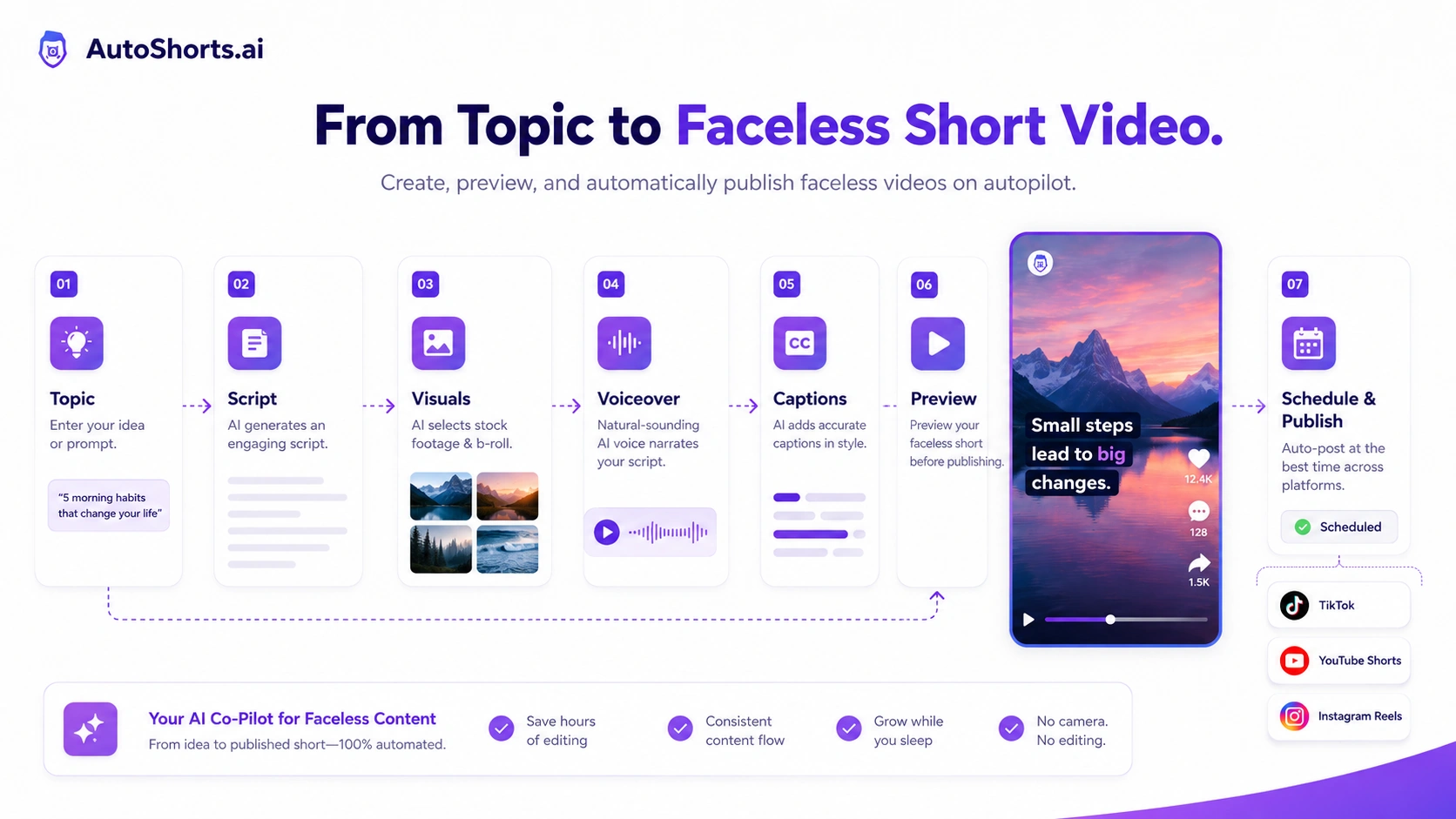
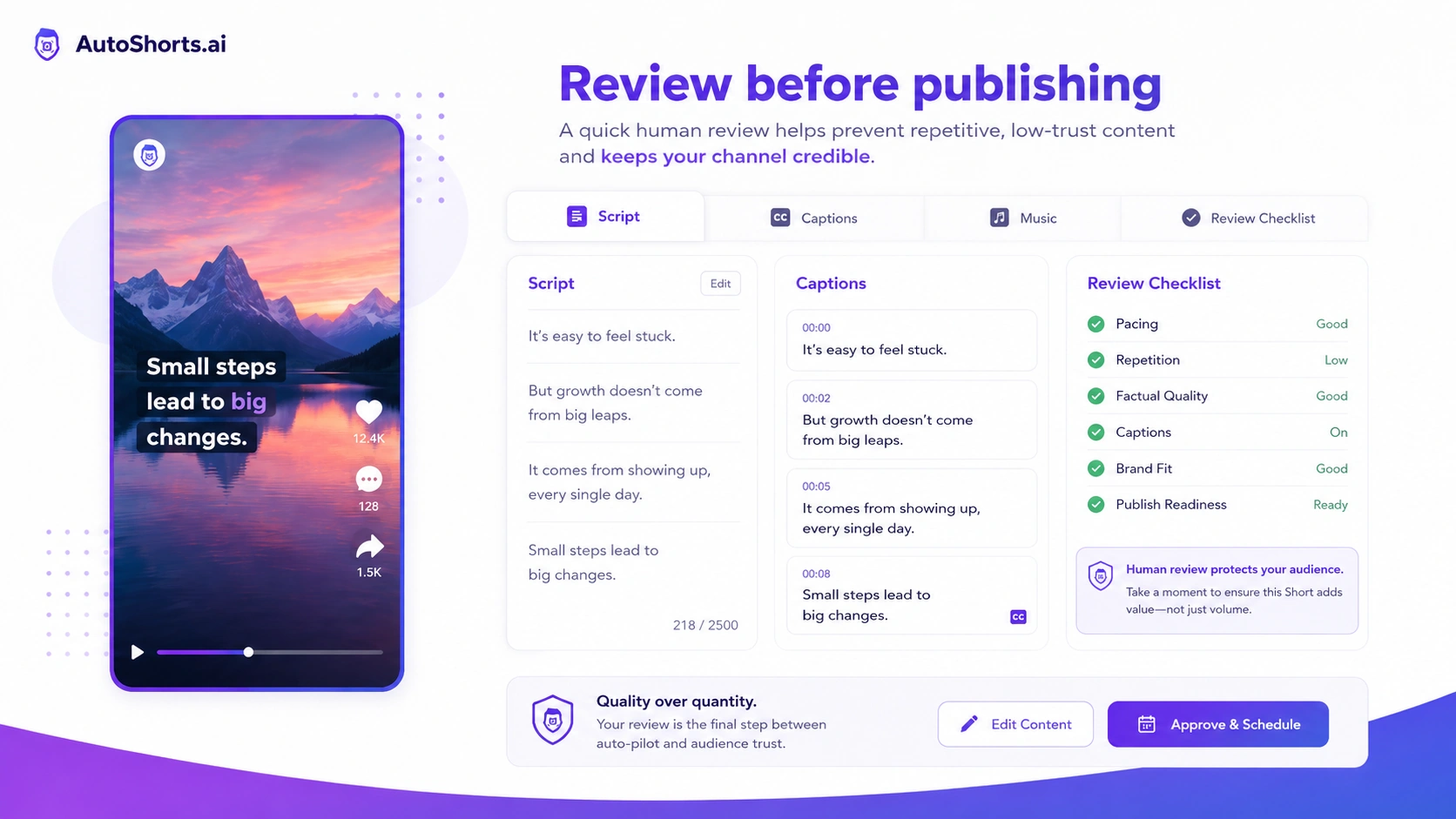
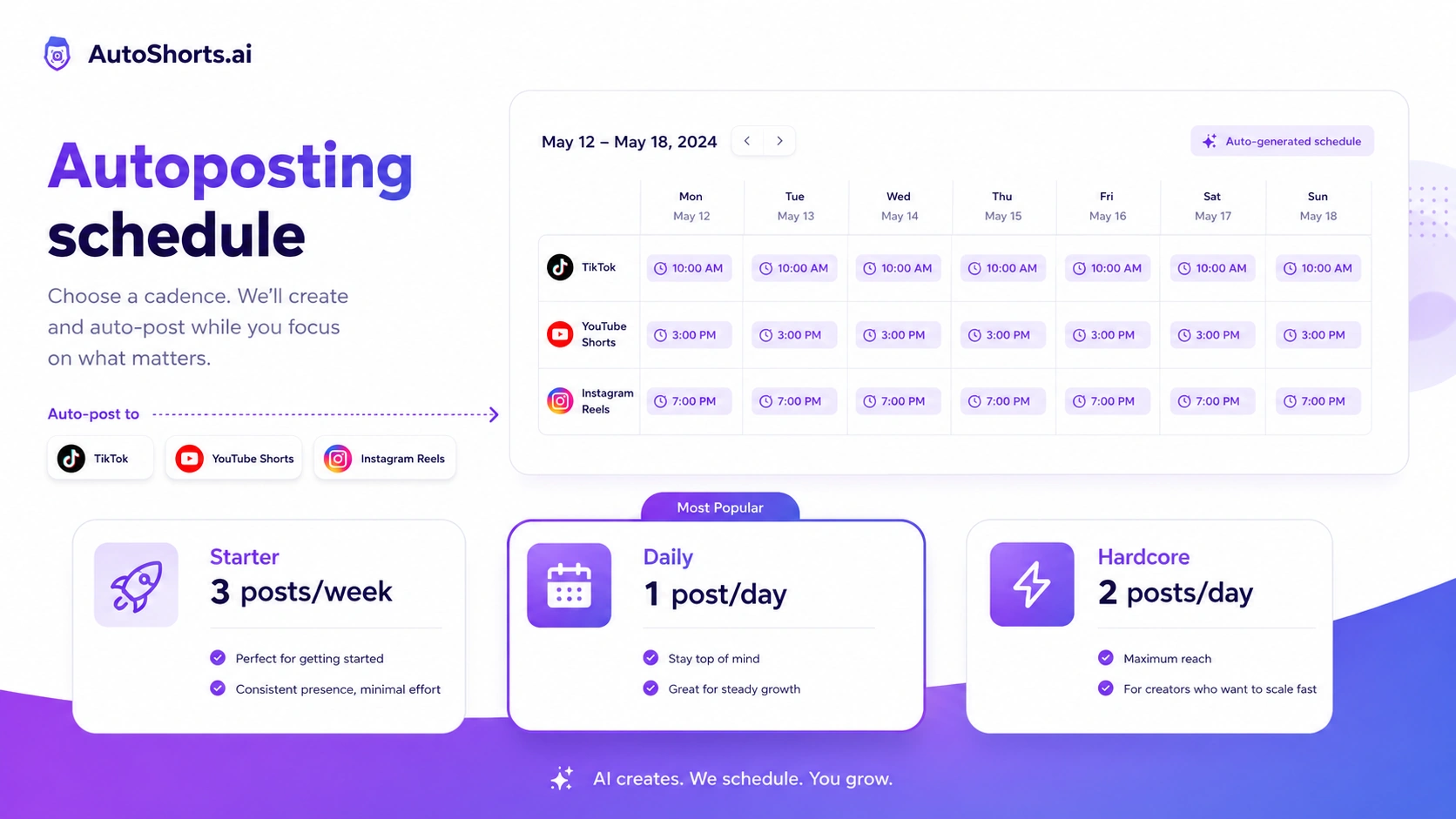
AutoShorts.ai should be evaluated as a faceless channel automation tool rather than a normal video editor. The product promises a shortcut from topic to short-form video, then into a posting schedule. That can be useful for creators and marketers, but it also creates a clear risk: the easier it is to make volume content, the easier it is to publish generic volume content.
What AutoShorts.ai actually does
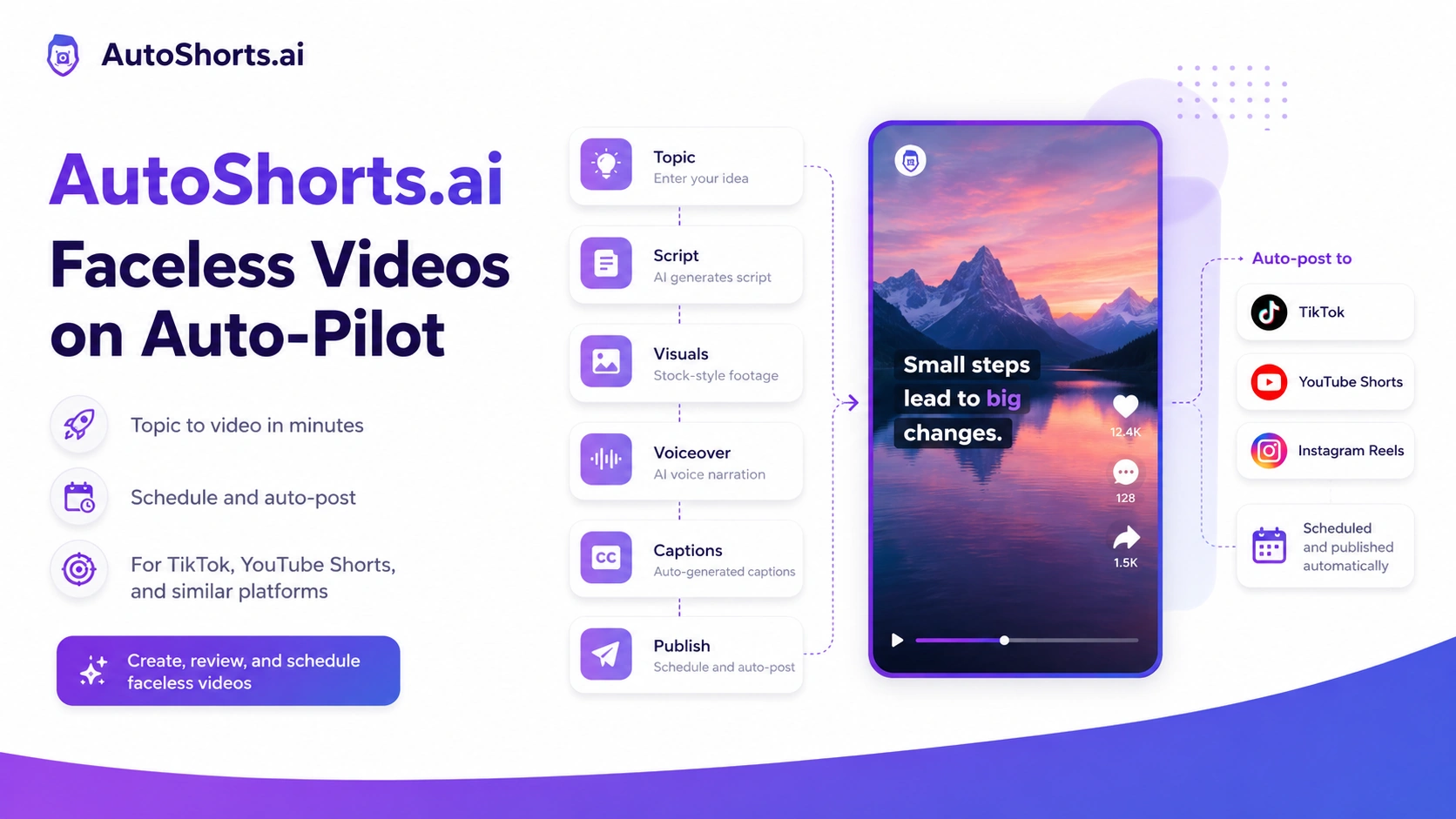
AutoShorts.ai creates short faceless videos from a topic, prompt, or script direction, then supports scheduling and posting to short-form platforms. The buyer is paying for a workflow that combines script generation, AI voiceover, matching visuals, captions, background music, and publishing cadence. That is different from tools that only clip long videos or only add captions to existing footage.
- Generate faceless vertical videos from a topic or prompt
- Use AI voiceover, captions, music, and stock-style visuals
- Preview and adjust before posting
- Schedule videos for a repeatable short-form publishing cadence
Who AutoShorts.ai fits best
The strongest fit is a creator or small marketing team that wants to test a faceless content channel quickly. It works best when the buyer already has a niche, a posting angle, and a simple quality checklist. Without that, the tool can still generate videos, but the buyer may end up testing random topics instead of building a channel strategy.
- Good fit for faceless niche channels
- Good fit for simple educational, list, facts, and explainer formats
- Good fit when speed matters more than custom editing depth
- Weaker fit for personal brands that need face, voice, or original footage
Pricing and plan fit
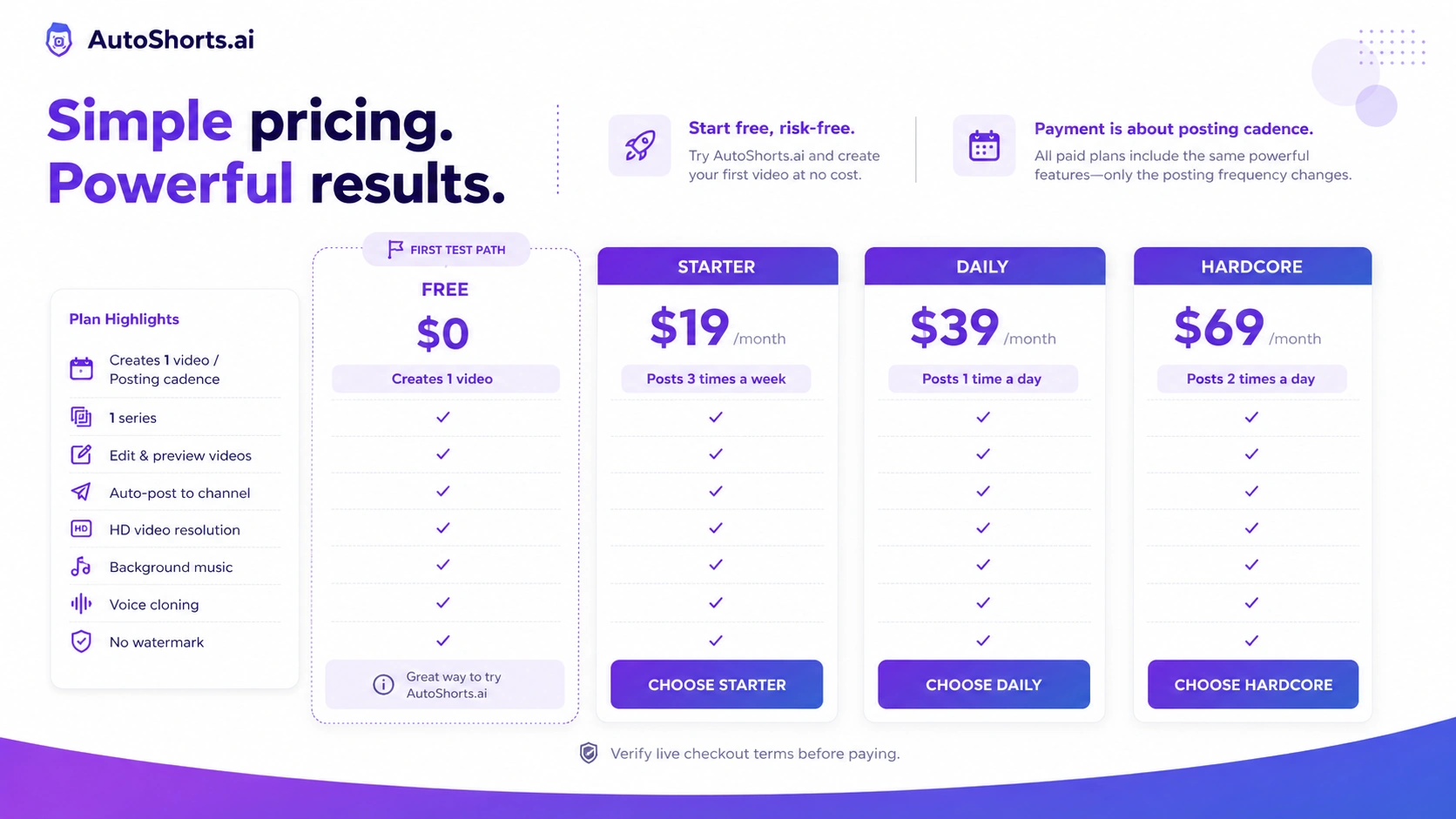
AutoShorts.ai pricing is easy to understand on the surface: free for one video, then paid monthly plans based on posting frequency. The problem is that posting frequency is not the same as business value. A buyer should only move from Free to Starter, Daily, or Hardcore after checking whether the generated output is good enough and whether the channel really needs that many posts.
- Free is for first-output testing
- Starter is the lower-risk paid cadence test
- Daily is for creators with an active publishing plan
- Hardcore only makes sense when twice-daily volume will not lower quality
Video walkthrough worth watching before checkout
This second YouTube walkthrough is useful because it shows AutoShorts.ai from a buyer's point of view rather than only repeating the homepage promise. Watch for the setup steps, the preview stage, the amount of control before publishing, and whether the final video feels differentiated enough for the niche. That video helps clarify whether AutoShorts.ai is a practical channel tool or just an interesting automation demo for your use case.
Coupon, free plan, and savings path
AutoShorts.ai does not need a public coupon code to be worth testing because the free video is the real first savings path. The more important check is whether the live checkout confirms the current monthly price and whether any offer route changes the first paid month. If no official code appears, the buyer should treat plan selection as the savings lever.
- Start with the free video instead of hunting for a code first
- Check whether the live checkout changes the first-month price
- Confirm whether cancellation and renewal rules match the buying risk
- Use the coupon page only after the product fit is already clear
Best next step for buyers
The safest next step is to create one free video, watch it like a viewer, and decide whether the format fits the channel. If it passes that test, read the review page for deeper workflow tradeoffs, then use the pricing or coupon route to check the current offer. If the output feels too generic, compare tools built for repurposing footage, captioning existing clips, or avatar-based videos instead.
- Create one free test video
- Review the output before enabling frequent posting
- Compare alternatives if you need more control or personal branding
- Move to the coupon or pricing path only after fit is clear
Best savings path from this store page
This is the clearest savings route to check once the product already looks like a fit.
A partner deal source reports yearly savings paths for AutoShorts AI plans, including plan-specific annual savings. This is safer to test than relying only on coupon codes.
Use this as the main fallback when a coupon code is rejected or not visible in checkout.
Free video/testing route
Starter plan from reported $19/month
Use comparison routes when the category fit is still open
Use these comparison routes when the product still looks plausible, but the category fit is not fully settled.
Worth comparing when the buyer wants another faceless text-to-video workflow before committing to AutoShorts.ai.
Better to check when the buyer wants broader short-form creation tools and more viral-video workflow options.
More relevant when the buyer already has long-form footage and wants to repurpose it into shorts instead of generating faceless videos from scratch.
A stronger fit when the buyer already records videos and mainly needs captions, editing polish, and short-form enhancement.
Verification points worth checking before you click out
Where this store usually fits best in the workflow
AutoShorts.ai fits a buyer who wants to test whether a faceless Shorts channel can produce acceptable videos from a repeatable topic format before investing in a full editing workflow.
The tool can help creators keep a simple niche content schedule moving, as long as they review generated scripts and visuals before publishing.
Small teams can use AutoShorts.ai to test short-form content angles quickly, then keep the ideas that deserve deeper production.
Beginners can use the free output to understand what automated faceless video production feels like before learning more advanced video tools.
Practical checkpoints before and after signup
- Clarify whether the buyer wants faceless generation, long-form clipping, avatar video, or caption enhancement.
- Watch at least one walkthrough before assuming the product will fit the channel style.
- Compare AutoShorts.ai against nearby creator-video tools if personal branding or editing control matters.
- Generate one video and review the script, voice, footage, captions, music, and pacing.
- Check whether the result feels publishable without heavy manual correction.
- Decide whether three posts per week is enough for the first paid test.
- Choose the plan by posting cadence and review capacity, not only by price.
- Track whether generated videos improve channel output or simply increase low-quality volume.
- Re-check cancellation, renewal, and checkout terms before upgrading cadence.
- Choose clipping tools when the buyer already has long-form footage.
- Choose caption or editing tools when the buyer films original content.
- Choose avatar or personal-brand tools when the buyer needs recognizable face and voice assets.
Fast-read signals for workflow fit and buying friction
Questions readers usually ask before choosing this store
What is AutoShorts.ai best for?
AutoShorts.ai is best for creators and marketers who want to test or run faceless short-form channels without filming themselves. It is strongest when the buyer already has a niche and wants a faster way to create and schedule vertical videos.
Does AutoShorts.ai have a free plan or free trial?
AutoShorts.ai publicly shows a free plan that creates one video. That is better treated as a free test path rather than a full trial of long-term channel value. Paid plans start at the Starter level for regular weekly posting.
Are AutoShorts.ai coupon codes publicly available?
A reliable public coupon code was not confirmed for this store page. Buyers should first use the free video, then check the live pricing or DealBestDaily offer route to see whether an official no-code deal appears at checkout.
What is the main limitation of AutoShorts.ai?
The main limitation is creative sameness. AutoShorts.ai can make faceless videos quickly, but buyers still need to review scripts, visuals, voice, captions, and niche fit so the channel does not become generic volume content.
Should I compare AutoShorts.ai with a clipping or caption tool?
Yes, if you already have footage. AutoShorts.ai is for generating faceless videos from prompts or topics. Tools like Klap or Submagic make more sense when you already record or publish long-form content and want to turn it into stronger short clips.
Choose the next route that matches what you still need to decide
The strongest next click depends on whether you still need product judgment, a savings route, or a broader category comparison.