Klap Pricing, Plans & Shorts Workflow Fit
Klap is an AI video repurposing tool built around a simple promise: take long-form videos and turn them into short vertical clips for TikTok, Instagram Reels, YouTube Shorts, and other short-form channels. It is best judged as a speed tool for creators and marketers, not as a full manual video editor.
Fit → price → checkout
Use these routes after the official-site check: coupon first, review for fit, compare if unsure.
Klap pricing snapshot
Fast commercial checks before pricing, coupons, or a deeper review.
Klap product tour for video repurposing buyers
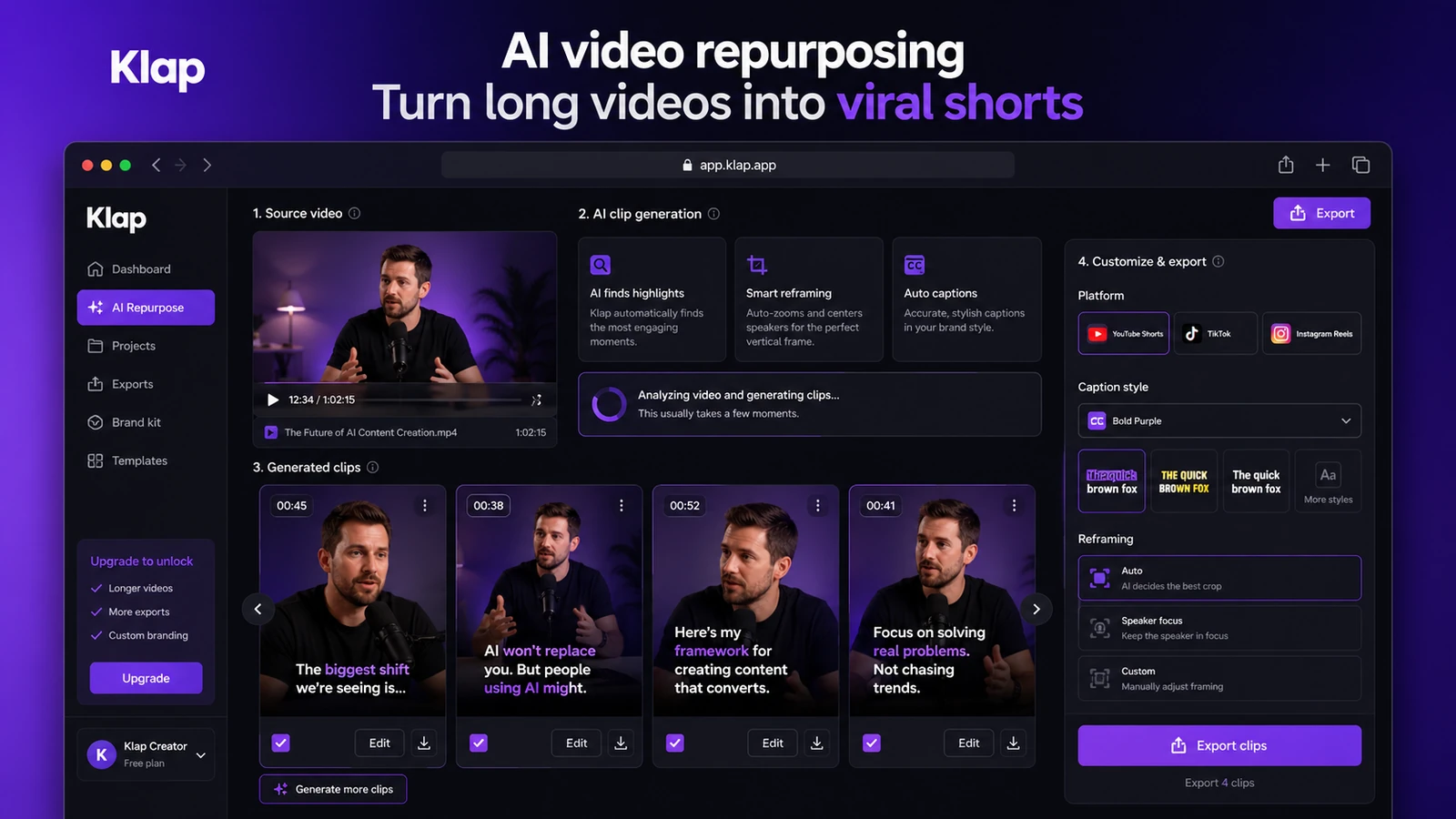
Klap is easiest to evaluate visually because the buying decision depends on clip selection, captions, reframing, export quality, and how much editing remains after the AI pass. The most useful tour views are upload flow, generated clips, the editor, and the pricing limits that control real monthly usage.
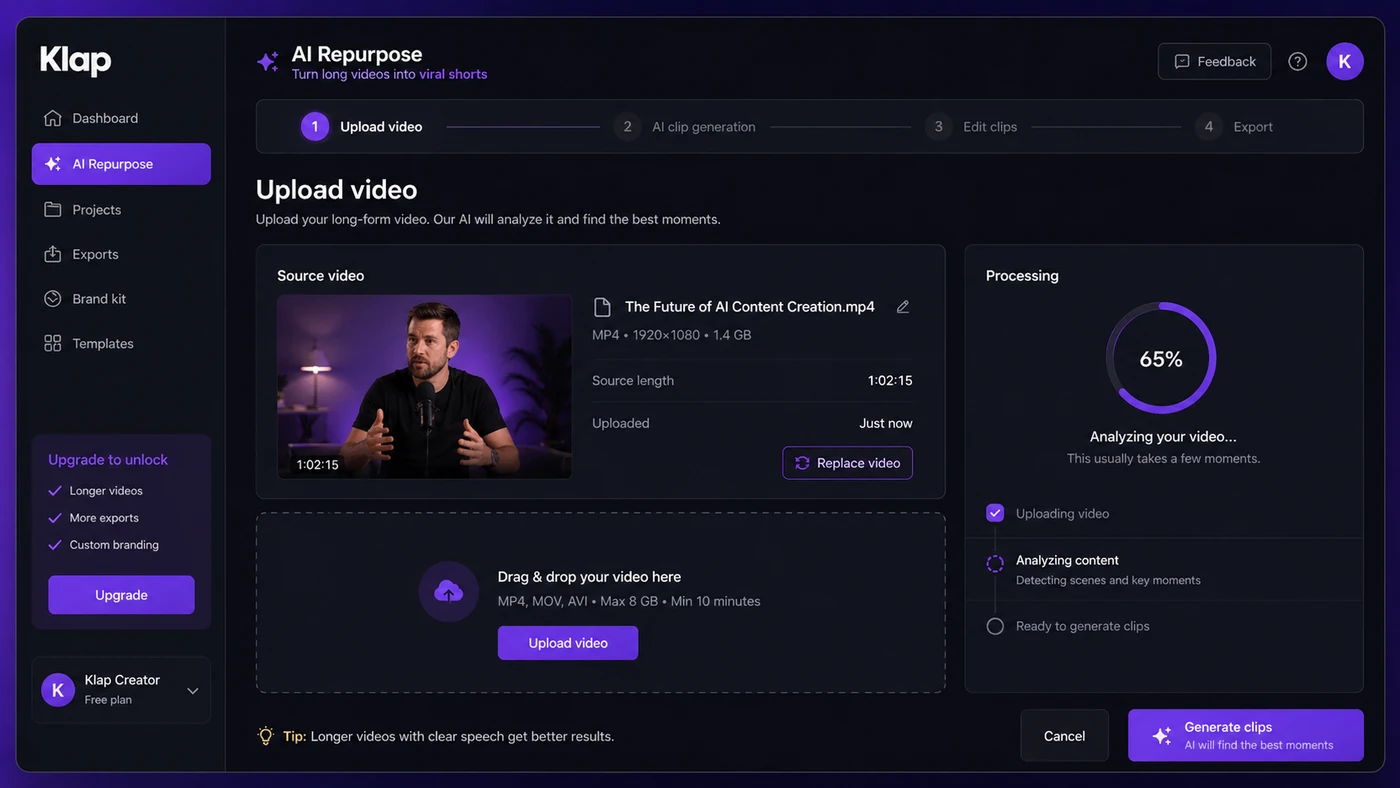
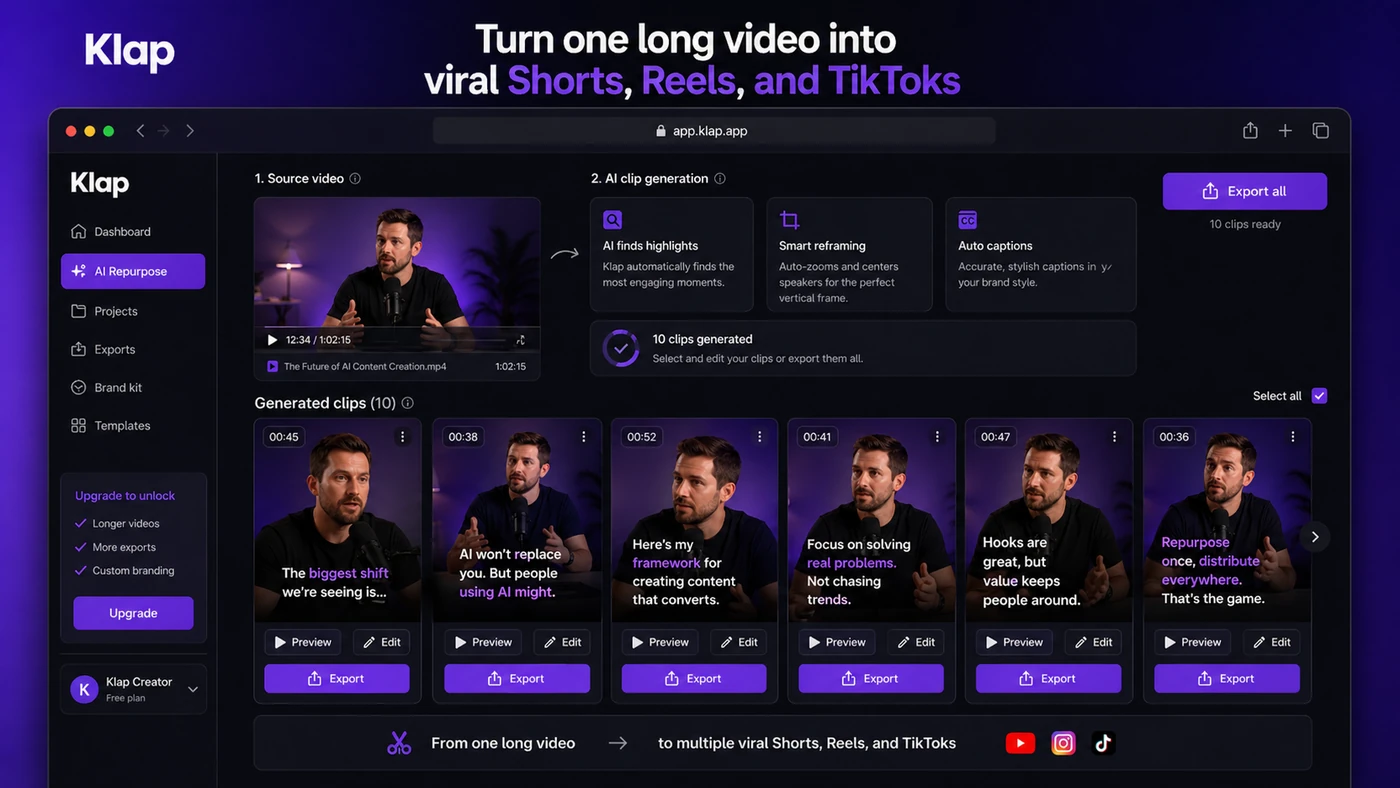
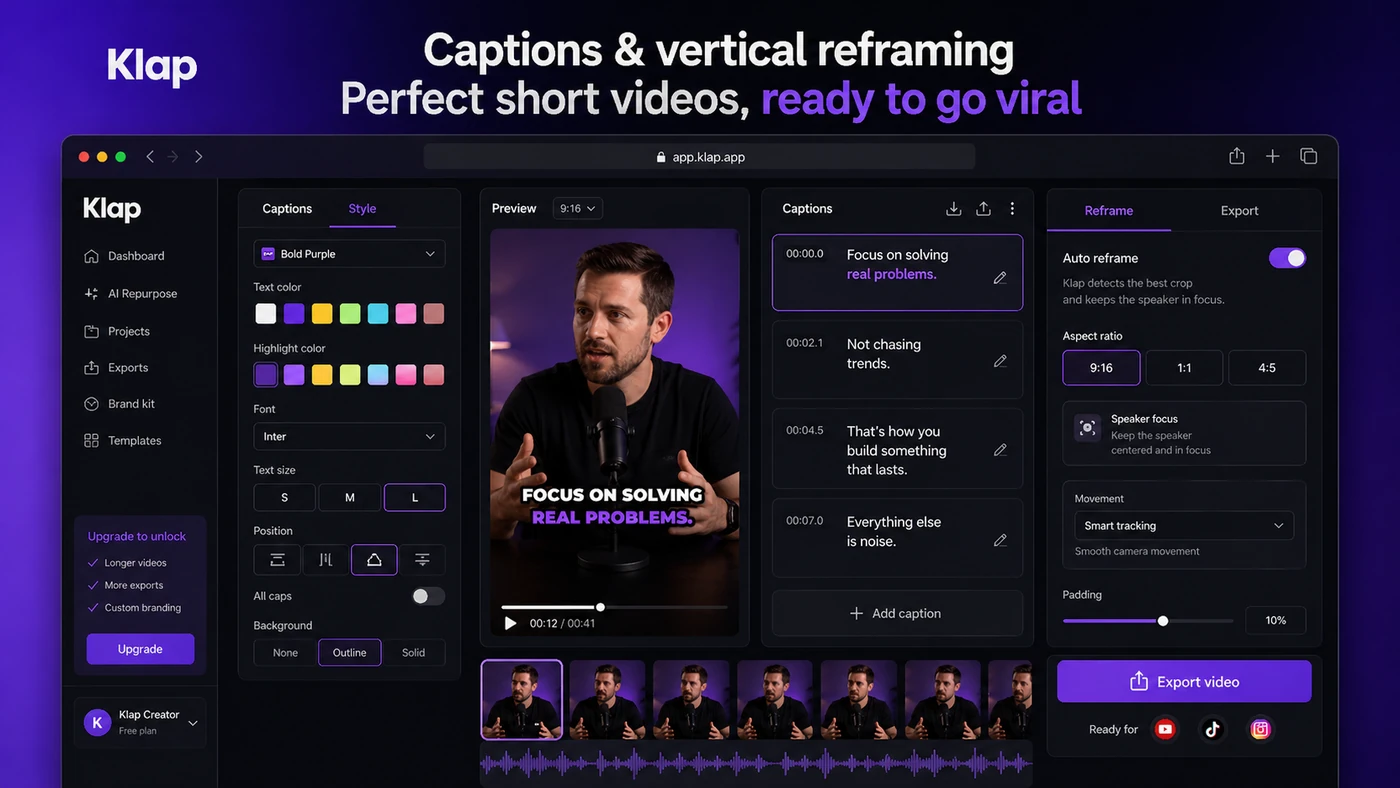
Klap is a useful store-page candidate because the buyer decision is practical, not emotional. The tool is not trying to replace a full editor. It is trying to remove the repetitive work of finding short-form moments inside long videos, reframing them vertically, adding captions, and preparing them for Shorts, Reels, TikTok, LinkedIn, or similar channels.
The right buyer should already have long-form content to repurpose. A podcaster, YouTuber, coach, webinar host, course creator, or social team will understand the value quickly. A buyer with no repeatable video pipeline may find the subscription harder to justify after the first few tests.
What Klap actually does
Klap takes a long video and uses AI to find short moments that can work as social clips. It then prepares those clips with vertical framing, captions, editing adjustments, and export options so the creator does not have to cut every highlight manually.
The strongest fit is speech-driven content. Podcasts, tutorials, interviews, commentary, webinars, and educational videos usually give the AI clearer signals than cinematic footage, music-heavy edits, or visual storytelling where context is harder to infer from speech alone.
- Upload a long video or use a source video workflow.
- Let AI extract candidate short-form clips.
- Review, edit, caption, reframe, and export clips for short-form platforms.
Pricing and plan-fit logic
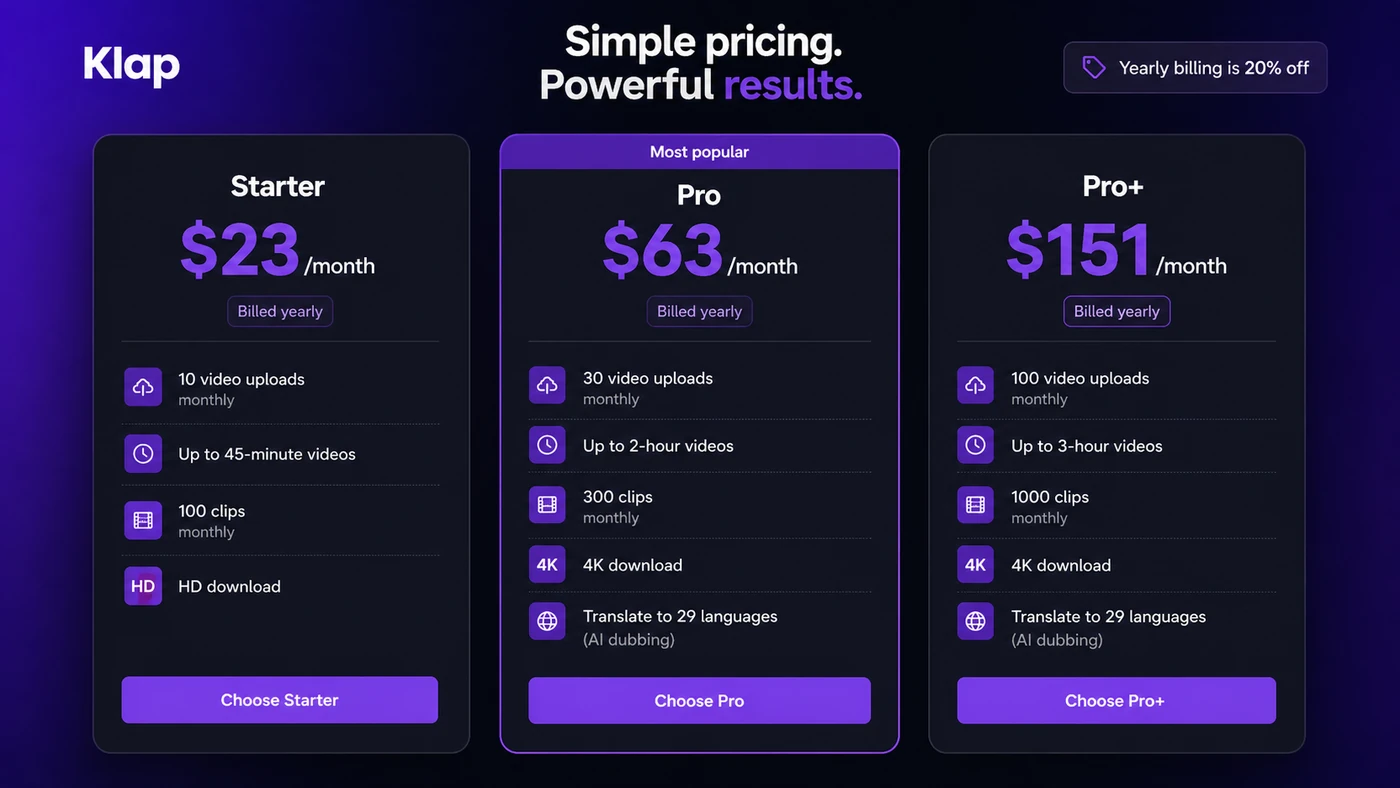
Klap's pricing should be read as a usage-cap decision. The entry plan is not only cheaper; it also limits uploads, source-video length, generated clips, and export quality. That is fine for a solo creator with a predictable schedule, but it can become tight for a podcast editor or marketing team handling several long videos each month.
Pro is the more realistic path when videos run longer than 45 minutes, when 4K download matters, or when AI dubbing translation is part of the workflow. Pro+ is for higher-volume production, not casual testing.
- Entry plan: lower cost, smaller upload and clip allowance, HD download.
- Pro: higher limits, 4K download, and AI dubbing translation.
- Pro+: high-volume clipping for creators or teams producing many videos monthly.
Free path, annual savings, and coupon reality
Klap promotes free creation tools, and third-party free-trial coverage suggests there may be ways to test the workflow before committing. Still, the official pricing page is the stronger buying source because it clearly shows the paid plan limits and annual-billing savings.
For this store update, a dependable public coupon code was not verified. The safer savings route is annual billing only after the workflow has been tested. A low annual price is not a bargain if the AI clips need heavy manual repair or if the buyer runs out of upload capacity halfway through the month.
API and automation fit
Klap has official API documentation, which changes the buyer profile. A solo creator may only need the dashboard, but a technical team can look at the REST API for video-to-shorts, caption/reframe operations, styling presets, project endpoints, and managed-user workflows.
This makes Klap more interesting for agencies, internal media teams, content platforms, or automation builders that want repeatable short-form production. The API path should still be priced separately from the normal dashboard decision because API usage can follow a usage-based model with operation-level costs.
- API docs describe programmatic video-to-shorts generation.
- Caption and reframe workflows can be used on already-cut short videos.
- Styling presets let teams reuse caption, font, color, and logo choices.
Refund, cancellation, and buyer protection
Klap's terms are more specific than many AI tool refund pages. They mention first-month refund requests, non-usage refunds for consecutive unused months, and special yearly-subscription rules. That is useful, but it does not mean every buyer can use the tool heavily and then expect a simple refund.
The buyer-protective move is to test quickly, check whether clips are usable, cancel from the billing page if the fit is wrong, and keep a record of usage. Public user reviews show mixed experiences around billing, limits, and support, so this is not the kind of tool to buy annually without a real workflow test.
- Read the terms before annual billing.
- Check the billing page cancellation flow after signup.
- Track whether you used the service because non-usage matters in the refund wording.
- Do not assume AI clip quality will be consistent across every content style.
Relevant alternatives to compare
Klap sits in the same buyer conversation as Opus Clip, Vizard AI, Vidyo.ai, Qlip, Munch, Submagic, and VEED-style video workflows. The right comparison depends on whether the buyer wants automated clip discovery, subtitle design, manual editing control, team workflows, brand templates, or API access.
Klap is worth shortlisting when speed, vertical reframing, captioning, and simple video-to-shorts flow matter most. It is less ideal when a buyer wants a complete editor, a highly controlled brand review process, or detailed manual storytelling on every short.
- Compare Opus Clip if automated viral clip discovery is the main priority.
- Compare Vizard AI or Vidyo.ai if team-friendly clipping workflows matter.
- Compare Submagic if captions and short-form polish matter more than long-video extraction.
- Compare VEED or Filmora-style editors if manual editing control matters more than automation.
Best savings path from this store page
This is the clearest savings route to check once the product already looks like a fit.
Use this as a checkout-test coupon path, not a guaranteed discount. Confirm the subtotal changes before paying.
Use this offer as a buyer-safe entry point. Pricing, plan limits, and coupon acceptance can change at checkout.
Official yearly billing shows 20% off
Third-party partner deal: 50% off monthly or annual plans for 1 year
Use comparison routes when the category fit is still open
Use these comparison routes when the product still looks plausible, but the category fit is not fully settled.
Often the closest comparison when buyers want automated long-video-to-short clip discovery.
Worth comparing when team workflows and broader repurposing features matter.
Relevant for creators comparing short-form automation, captions, and social-ready outputs.
Better to compare when caption styling and short-form polish matter more than extracting clips from long videos.
Verification points worth checking before you click out
Where this store usually fits best in the workflow
Klap fits creators who publish long YouTube videos and want faster Shorts generation without manually searching for every highlight.
Speech-heavy episodes are a natural fit because Klap can analyze dialogue, extract moments, and prepare vertical clips for social distribution.
Educators can repurpose tutorials, webinars, and lesson clips into shorter promotional or educational videos.
Klap's API path is useful when a team wants to integrate video-to-shorts generation into a larger publishing workflow.
Practical checkpoints before and after signup
- Count how many long videos you realistically process each month.
- Check the average source-video length because the entry plan has a 45-minute limit.
- Decide whether HD download is enough or whether 4K export is required.
- Upload a real video from your channel rather than a polished sample.
- Review whether the AI-selected moments preserve context and make sense as standalone shorts.
- Check caption accuracy, speaker framing, emoji behavior, brand styling, and export quality.
- Read the refund policy and cancellation flow.
- Confirm whether Pro or Pro+ limits are needed before committing to a yearly plan.
- Compare Klap against one or two close alternatives using the same source video.
Fast-read signals for workflow fit and buying friction
Questions readers usually ask before choosing this store
What does Klap do?
Klap turns long videos into short vertical clips for platforms such as TikTok, Instagram Reels, YouTube Shorts, and LinkedIn. It focuses on AI clip selection, reframing, captions, and faster repurposing rather than full manual video editing.
How much does Klap cost?
During this store update, Klap's official pricing page showed plans from $23 per month when billed yearly. Pro was listed at $63 per month billed yearly, and Pro+ at $151 per month billed yearly. Buyers should verify the live monthly and yearly toggle before checkout.
Does Klap have a free plan or free trial?
Klap promotes free creation tools, and public trial coverage suggests buyers may be able to test the workflow before paying. The safest wording is to treat it as a free testing path, not a guaranteed full free plan, until the current signup and export rules are verified.
Is Klap good for teams or developers?
Klap can fit technical teams because official API documentation is available for video-to-shorts, captioning, reframing, styling presets, and managed-user workflows. Standard team collaboration features are less clearly packaged on the public pricing page, so teams should verify requirements before buying.
What should I verify before buying Klap?
Verify upload limits, maximum video length, generated clip count, HD versus 4K export, AI dubbing needs, trial or free export rules, refund eligibility, cancellation flow, and whether Klap produces usable clips from your own video style.
Choose the next route that matches what you still need to decide
The strongest next click depends on whether you still need product judgment, a savings route, or a broader category comparison.