
Boolvideo Pricing, Plans & Creator Fit
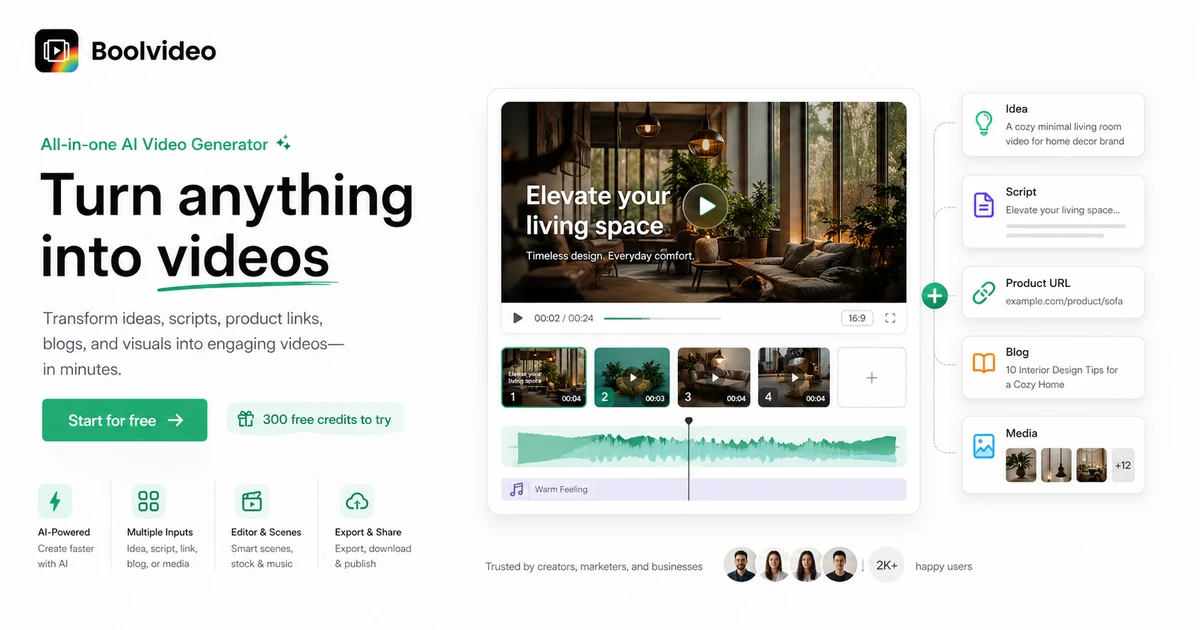
Boolvideo is an AI video generator for turning ideas, scripts, product links, blog posts, and visual assets into social or marketing videos. It is strongest as a speed tool for creators, e-commerce sellers, and marketers who need repeatable video output without learning a full editing suite.
Fit → price → checkout
Use these routes after the official-site check: coupon first, review for fit, compare if unsure.
Boolvideo pricing snapshot
Fast commercial checks before pricing, coupons, or a deeper review.
Boolvideo product tour
Boolvideo's product tour should focus on the practical creation path: starting from an idea, script, product link, blog post, or uploaded media, then checking whether the generated result is strong enough for social, e-commerce, or marketing use.
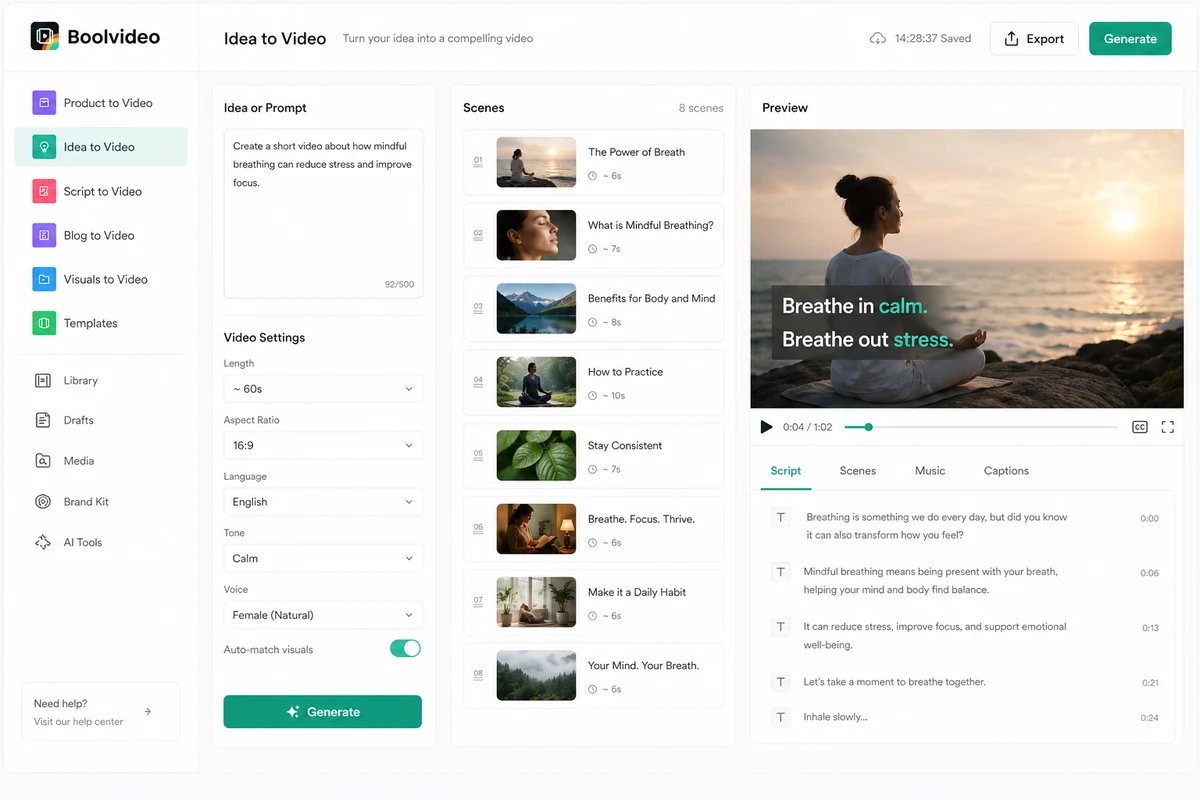
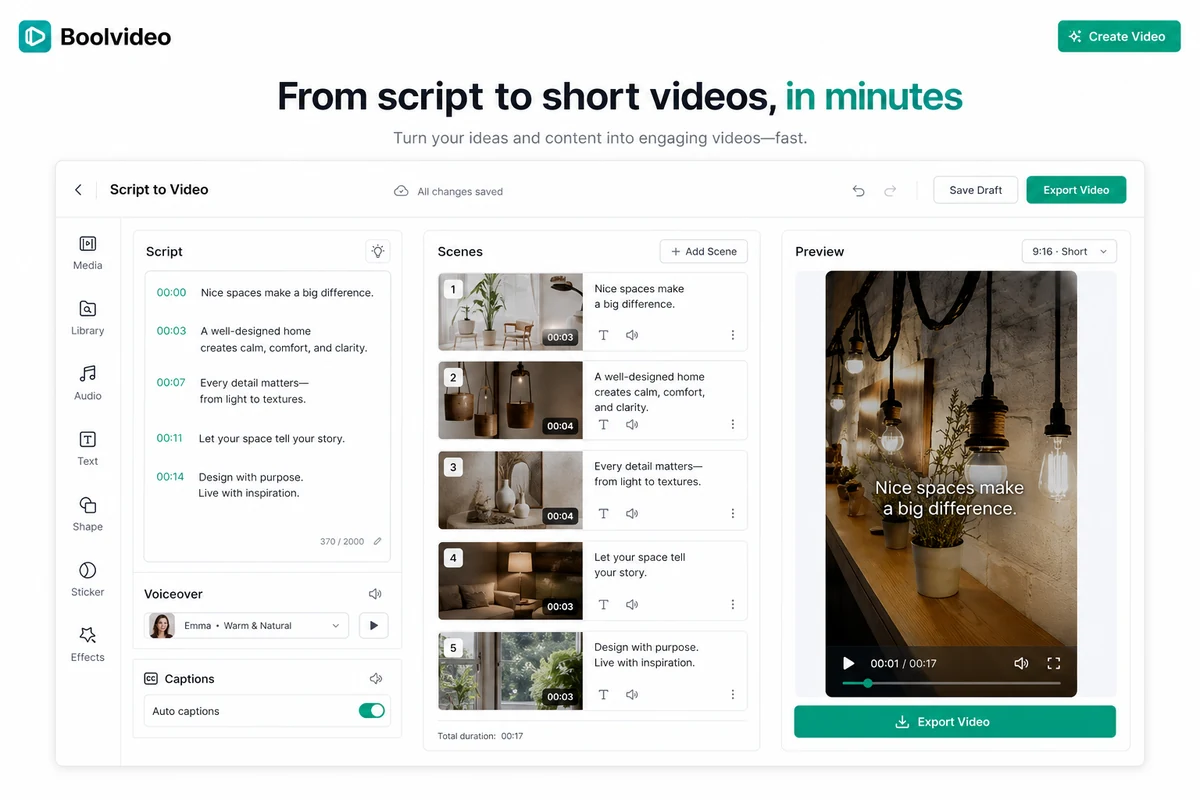
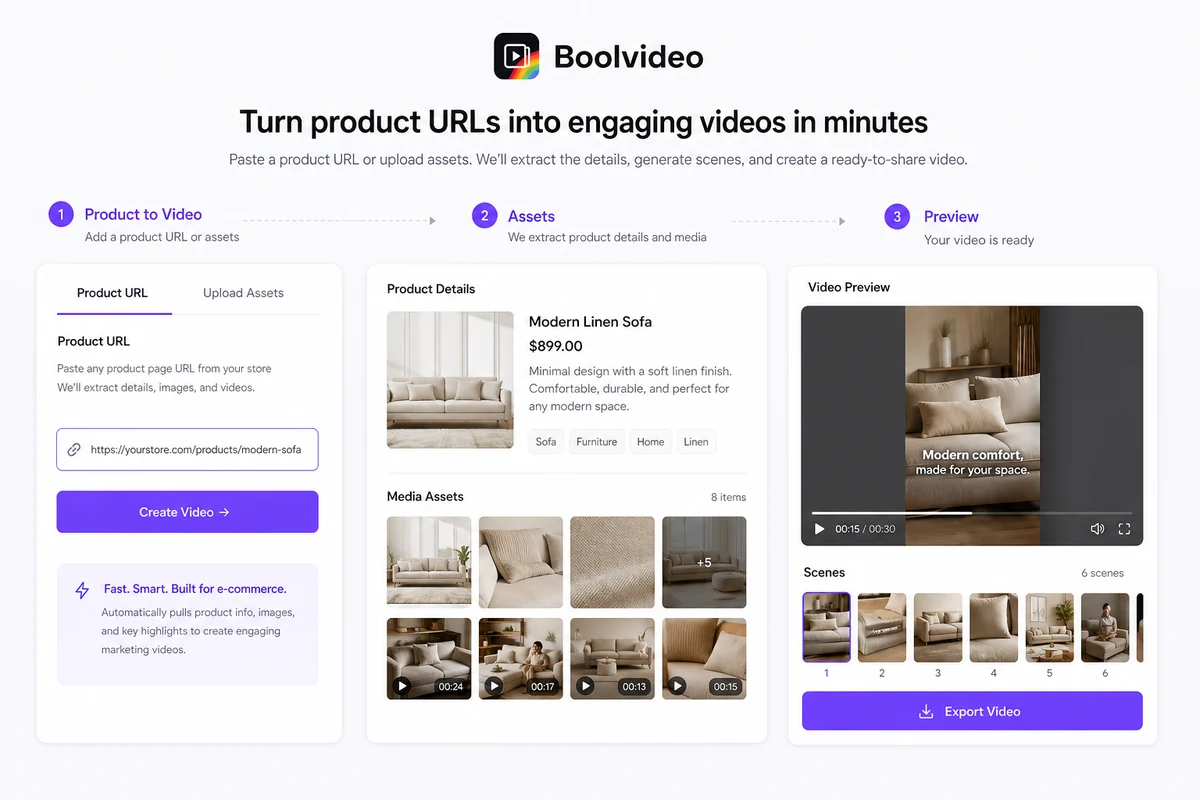
Boolvideo should be evaluated as a production shortcut, not as a magic replacement for every kind of video work. The right buyer is usually trying to turn existing material into more video assets: product pages, images, scripts, blog posts, social ideas, or lightweight ad concepts. The wrong buyer expects full editing control without checking credit limits, export quality, and renewal terms.
What Boolvideo actually does
Boolvideo takes the material a buyer already has and tries to turn it into video faster. That can mean prompting an idea, pasting a script, using a product link, converting a blog post, uploading visuals, or starting from a template. The practical value is speed: it helps a creator reach a usable first video draft before spending time inside a traditional editor.
- Idea to video for quick concept generation.
- Script to video for creators with written content ready.
- Product to video for e-commerce sellers and marketers.
- Blog to video for repurposing existing articles.
Pricing and credits need a live check
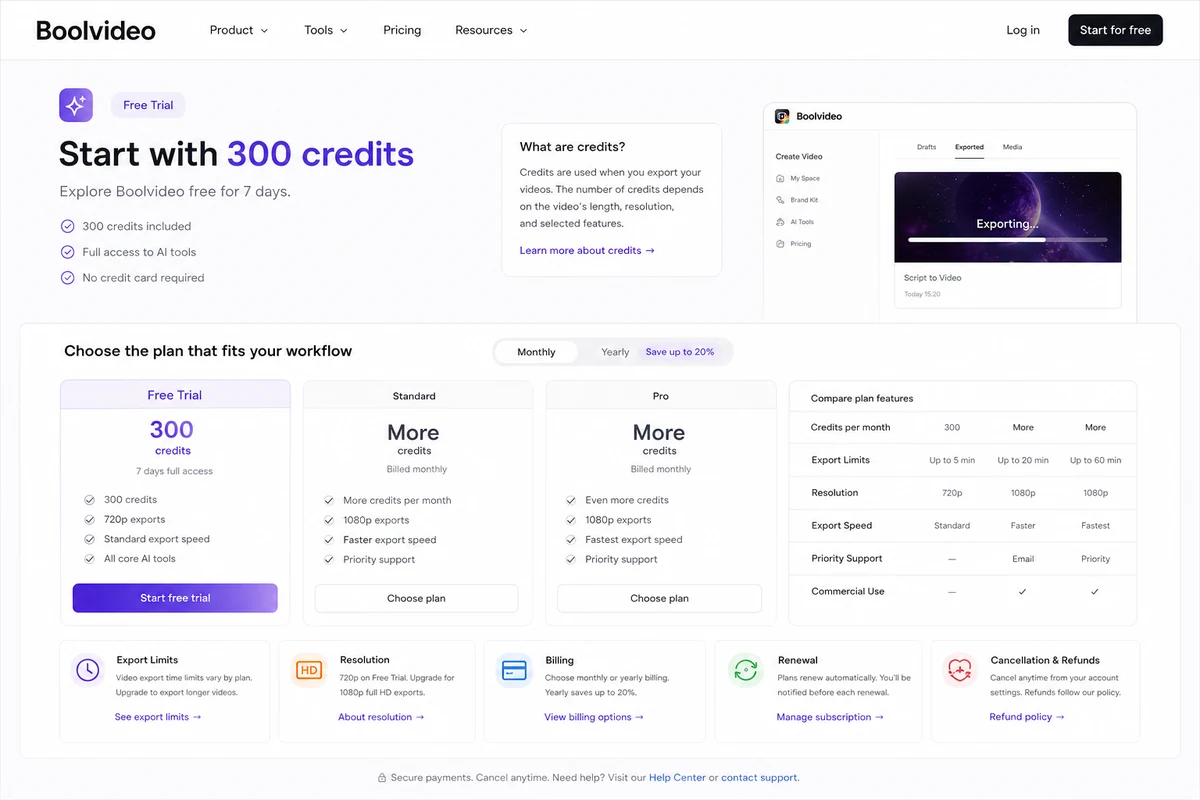
The official homepage points to free signup credits, while Capterra and Software Advice list paid monthly plans. That is enough to understand the broad pricing shape, but not enough to skip checkout verification. Buyers should confirm the current plan price, number of credits, exports per month, resolution, watermark behavior, and renewal terms inside the live pricing flow.
- Use the free credits for one realistic project.
- Estimate monthly export volume before choosing a plan.
- Check whether annual billing changes the renewal price.
- Confirm refund rules before paying for a larger tier.
Where Boolvideo is strongest for e-commerce sellers
Boolvideo is especially interesting for product-led video work because it can work from product URLs, product images, and existing assets. That makes it relevant for sellers who need social clips, product explainers, promo videos, or quick ads without building each scene manually. The buyer still needs to review the generated copy and visuals carefully, because product videos carry more brand and conversion risk than casual social posts.
- Product page to video for faster promo assets.
- Image and visual input for product-focused clips.
- Voiceover and music support for more complete short videos.
- Useful for testing ad angles before deeper production.
Creator workflow fit
For creators, Boolvideo is most useful when there is a steady need for short videos from repeatable inputs. A blogger can test blog-to-video. A marketer can test script-to-video. A seller can test product-to-showcase video. The first test should not be a random prompt; it should be the exact kind of video the buyer expects to publish weekly.
- Start with the content format you already produce.
- Check whether the generated scenes match your style.
- Edit the script and visuals before judging quality.
- Track time saved compared with your normal editing path.
Trust checks before checkout
The buyer should verify three things before paying: the commercial path, the output path, and the support path. The commercial path means pricing, credits, renewal, coupons, and refund terms. The output path means aspect ratio, resolution, MP4 export, watermark rules, language support, and commercial use. The support path means cancellation and refund request steps if the tool does not fit the workflow after testing.
- Confirm plan price and renewal rules.
- Check credits and export limits against real usage.
- Review cancellation and refund request steps.
- Make sure output specs match TikTok, Reels, YouTube, ads, or product pages.
Safest next step
The safest next step is to test Boolvideo with a real asset and then decide which page to open next. If the output quality and workflow feel right, move to pricing and coupon routing. If the workflow still feels uncertain, read the review or compare AKOOL, Pictory, Fliki, and HeyGen before attaching Boolvideo to a recurring production budget.
- Use free credits on a real project first.
- Read the review if workflow fit is still unclear.
- Check the coupon or deal path only after the product clears the fit test.
- Compare nearby AI video tools when customization, avatars, or long-form video matter more.
Best savings path from this store page
This is the clearest savings route to check once the product already looks like a fit.
A coupon verification source reports a yearly-plan deal for Boolvideo Standard and Pro. Treat this as a deal-check path because the same source says no current public promo code is available.
Use this as a reported deal route, not as a guaranteed official promotion. Confirm the live discount on Boolvideo checkout.
Standard plan around $29/month
Pro plan around $69/month
Use comparison routes when the category fit is still open
Use these comparison routes when the product still looks plausible, but the category fit is not fully settled.
AKOOL is better to compare when the buyer wants avatar, face, or AI video personalization workflows rather than simple product and script-to-video production.
Pictory is a closer alternative for blog-to-video and long-form content repurposing when written content is the main input.
Fliki is worth checking when voiceover, text-to-speech, and multilingual video narration are more important than product URL generation.
HeyGen is stronger to evaluate when avatar-led business videos, spokesperson content, or localization workflows are the main use case.
Verification points worth checking before you click out
Where this store usually fits best in the workflow
Boolvideo fits sellers who want to turn product pages, product images, or listing content into quick promotional videos for social channels or ads.
Creators with scripts, captions, or short educational ideas can use Boolvideo to generate a first video draft instead of assembling scenes manually.
Content teams can test Boolvideo when they want to convert written posts into short visual summaries for social distribution.
Marketers can use Boolvideo to test several quick video angles before spending more on higher-control video editing or production.
Practical checkpoints before and after signup
- Clarify whether the real input will be an idea, script, product link, blog post, or uploaded media.
- Compare Boolvideo against AKOOL, Pictory, Fliki, and HeyGen before assuming it is the best AI video workflow.
- Read user feedback for ease of use, rendering speed, customization limits, and billing concerns.
- Use the 300 signup credits on one realistic project that matches the intended production workflow.
- Check whether the exported result needs heavy manual editing before it becomes publishable.
- Track how many credits the test consumes so paid-plan value can be estimated more honestly.
- Open the live pricing page and confirm the current Standard, Pro, or higher-tier plan details.
- Compare monthly and annual billing only after estimating recurring export volume.
- Confirm cancellation, refund, and coupon activation steps before choosing a longer subscription.
- Start with one repeatable content format before expanding Boolvideo across every video workflow.
- Review brand consistency, captions, aspect ratio, and export quality before using videos in paid ads.
- Re-check credit usage and renewal pricing before scaling output across a team or content calendar.
Fast-read signals for workflow fit and buying friction
Questions readers usually ask before choosing this store
What is Boolvideo best for?
Boolvideo is best for creators, marketers, bloggers, and e-commerce sellers who want to turn ideas, scripts, product links, blog posts, or uploaded visuals into short videos faster than a manual editing workflow allows.
Does Boolvideo have a free plan or free trial?
Boolvideo's homepage says new users receive 300 credits when they sign up, enough to test core features such as Idea to Video and Script to Video. Treat this as a free testing path, then verify the current paid plan details before upgrading.
How much does Boolvideo cost?
Third-party pricing listings currently show paid monthly tiers around $29 for Standard and $69 for Pro, while the official app pricing page should remain the final source before checkout. Buyers should verify the live plan price, credits, exports, renewal terms, and annual billing options.
Are there Boolvideo coupon codes?
Public coupon codes should not be assumed. The safer route is to check the current DealBestDaily offer path, Boolvideo's live pricing page, and checkout-level savings before treating any coupon claim as valid.
Who should avoid Boolvideo?
Boolvideo may not fit professional editors who need deep timeline control, teams with strict brand governance, or buyers who only need one one-off video. It is better for repeatable AI-assisted video workflows than for high-control post-production.
Choose the next route that matches what you still need to decide
The strongest next click depends on whether you still need product judgment, a savings route, or a broader category comparison.