Quick verdict
Pikzels is worth considering if YouTube thumbnails are a repeated production problem for you, not just an occasional design task.
That is the main distinction.
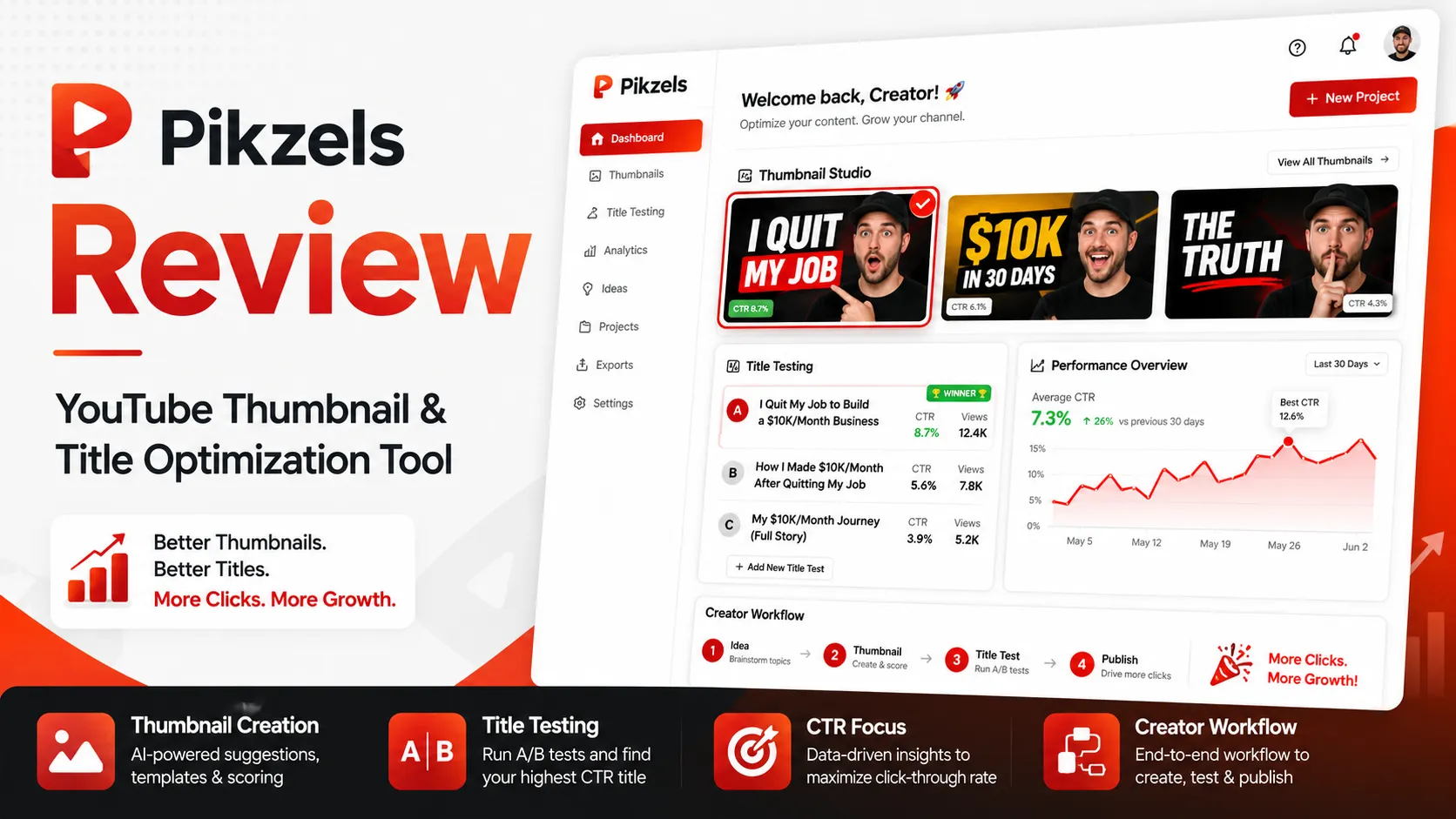
The product looks like an AI image generator at first glance, but the real buyer decision is narrower. Pikzels is built around YouTube packaging: thumbnail generation, title ideas, thumbnail scoring, format recreation, Persona training, Style consistency, FaceSwap, and text-based edits. That can be useful if you publish often enough that every upload needs several thumbnail directions before you choose the final one.
I would be more cautious if you only need one graphic, if you already have a designer, or if you are expecting a full YouTube analytics suite. Pikzels can help create and evaluate packaging assets, but it does not replace your understanding of topic, promise, audience, retention, or brand trust.
The strongest reason to consider Pikzels is focus. It is not trying to be Canva, Midjourney, or VidIQ. It is trying to help creators move faster from video idea to thumbnail and title direction. The main risk is the credit model. A few generations, a Persona setup, a Style setup, FaceSwap, analysis, and title testing can turn pricing into a real production budget quickly.
The safer path is simple: test one real upcoming video before paying. If the workflow saves time and gives you better options, check the Pikzels store guide and current checkout route. If the workflow still feels uncertain, compare it with a packaging analysis tool or broader AI image generator first.
Next step: If Pikzels looks like it fits your YouTube workflow, test the live product route before choosing monthly or annual billing.
Review snapshot
| Review point | Practical take |
|---|---|
| Best for | YouTube creators who need repeated thumbnail and title iteration |
| Not ideal for | One-off thumbnail buyers, broad design-suite users, or teams needing full YouTube analytics |
| Main use case | Turning a video idea into thumbnail concepts, score feedback, edits, and title options |
| Pricing model | Credit-based subscription with Premium and Ultimate plans |
| Free path | Free trial or free-start route for testing before paid checkout |
| Main strength | YouTube-specific packaging workflow rather than generic image generation |
| Main concern | Credit usage, no-refund terms, and annual billing risk |
| Direct comparison | 1of10 for packaging diagnosis and YouTube idea scoring |
| Adjacent comparison | Aitubo for broader AI image and video generation |
| Best next step | Run one real upload through the workflow and estimate credit use before paying |
What is Pikzels?
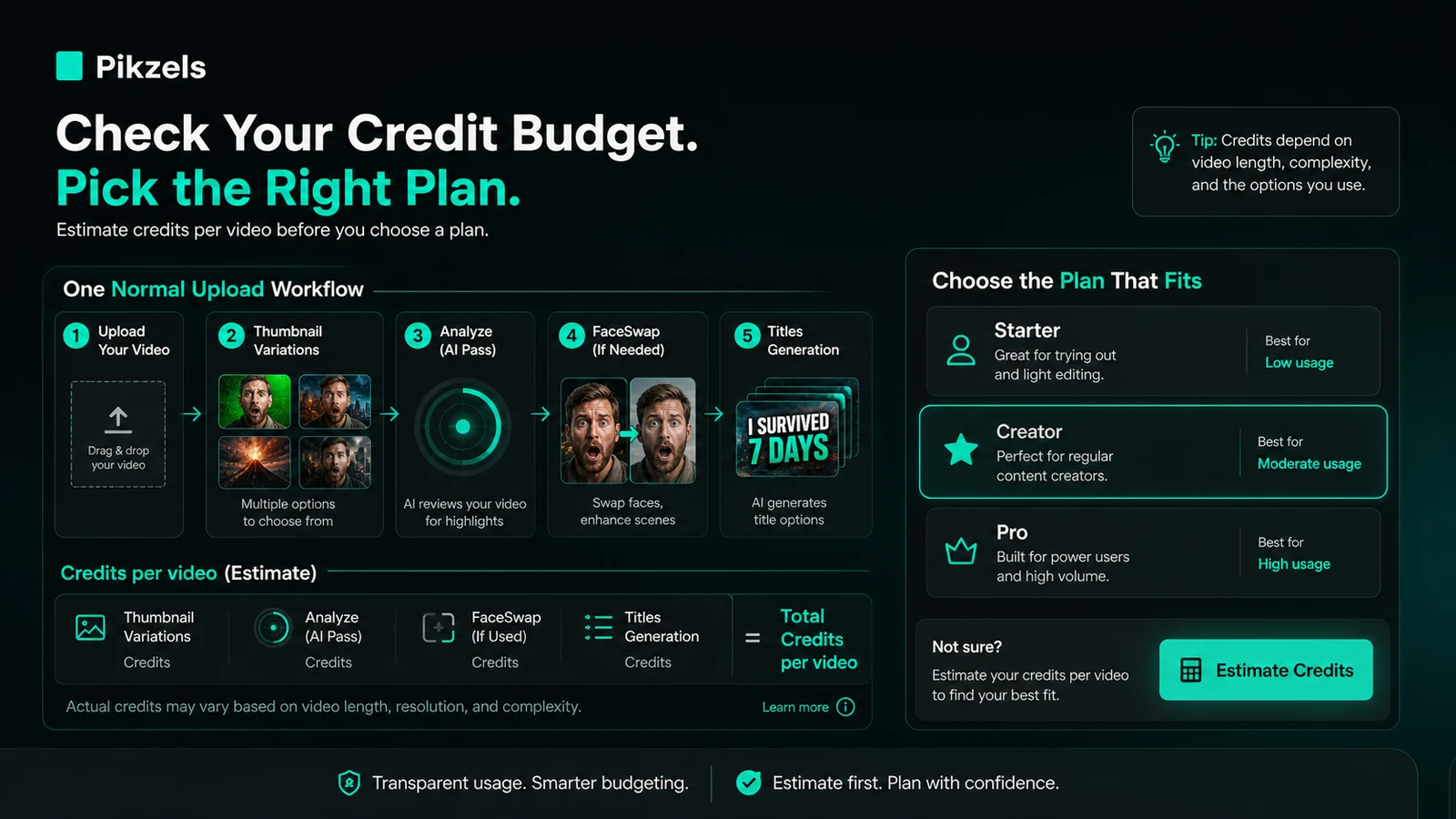
Pikzels is best understood as a YouTube packaging tool for creators who need thumbnails and titles that are ready to test, revise, and compare before publishing.
It is not a generic AI art tool. It is not a full design suite. It is not a complete YouTube SEO or analytics platform. The product is currently presented around a tighter promise: help creators generate thumbnails, recreate formats that already work, edit with text instructions, score thumbnail and title packaging, train repeatable faces and styles, and generate title options.
That focus matters because thumbnails are not just images. A thumbnail is a promise. It has to match the topic, create enough curiosity, stay readable on small screens, and not damage trust by overpromising. Pikzels can support that process, but it cannot decide what your audience actually wants.
Our review approach: we compare public product pages, pricing details, terms, buyer workflow fit, visible reputation signals, and nearby alternatives. We do not treat a free trial, annual discount, or promotional route as proof that the product fits the buyer.
The common wrong expectation is that Pikzels will magically make every video more clickable. I would not judge it that way. The better question is whether it gives you better thumbnail directions faster than your current process.
Who should use Pikzels?
Pikzels makes the most sense for creators who publish often enough to feel thumbnail pressure repeatedly.
A weekly YouTube creator is the clearest fit. If every video needs three to ten thumbnail concepts before the final version, Pikzels can become a practical drafting tool. The value is not only the first image. It is the ability to generate, edit, score, compare, and move toward a better packaging decision without starting from a blank canvas each time.
A personality-led creator may also benefit if Persona and FaceSwap produce a consistent, believable look. Uploading photos once and reusing a recognizable face across thumbnails can save time, but only if the outputs still look natural enough for the channel.
A faceless channel operator may find value in Style and Recreate workflows. If a niche already has visual patterns that perform well, being able to adapt structures without manually rebuilding every layout can speed up ideation. The buyer still has to avoid copying too closely or creating misleading packaging.
A marketing team running YouTube ads, product videos, webinars, or creator-style content may use Pikzels for thumbnail ideation. I would treat it as a concept engine, not final brand approval. Regulated industries, product marketing teams, and agencies should still keep a human review step before assets go live.
A creator trying to rescue underperforming videos may also have a reason to test it. Pikzels Score and Recreate can help diagnose weak packaging and generate a new direction. Just be careful not to assume that thumbnail changes alone fix a weak topic or video promise.
Who should avoid Pikzels?
I would avoid Pikzels if you only need one occasional thumbnail and do not want a subscription or credit model. A simple design template, freelancer, or one-off tool may be cleaner.
I would also be careful if you expect unlimited experimentation. Pikzels runs on credits, and different actions use different amounts. If your normal workflow involves many variants, repeated edits, FaceSwap, analysis, and title testing, the plan can feel tighter than the headline thumbnail count suggests.
It is not the first tool I would choose if your real need is YouTube analytics, keyword research, trend tracking, or competitor performance dashboards. Pikzels is about packaging creation and feedback. A tool like vidIQ or TubeBuddy may be a better adjacent route for analytics-heavy decisions, although those are not one-to-one replacements.
It is also not ideal if every final visual needs pixel-perfect human art direction. Pikzels can help you draft, iterate, and test directions. A serious brand team may still need a designer to polish layout, typography, compliance, and visual consistency.
Finally, I would slow down if refund flexibility matters to you. The official terms describe paid purchases as final. That does not make Pikzels bad, but it changes the buying order. Free test first. Monthly before annual if your workflow is unproven. Annual only after you know the credit economics make sense.
How Pikzels fits into a real workflow
A useful Pikzels workflow starts before you open the app.
First, choose a real upcoming video. Not a random prompt. Not a fake test. A real video with a real topic, audience, and title angle.
Then define what you are trying to improve. Are you stuck on the thumbnail concept? Do you need a face-based image? Do you need to copy the structure of a proven format without copying the actual creative? Do you want to test whether the title and thumbnail promise are clear enough?
A practical workflow might look like this:
- Start with one real video idea.
- Generate several thumbnail directions.
- Use Recreate if you have a format reference from your niche.
- Edit the strongest direction with text notes.
- Use Persona, Style, or FaceSwap only if identity consistency matters.
- Run a packaging score on the thumbnail and title.
- Generate or refine title options.
- Choose the final direction using both the score and your own audience judgment.
- Track how many credits that full cycle consumed.
That last step is easy to skip. It is also the step that tells you whether Pikzels is affordable for your channel.
The tool is strongest when it turns thumbnail work into a repeatable loop: idea, options, edit, score, improve, publish. It becomes weaker when the buyer expects it to replace strategy, taste, or channel knowledge.
Workflow check: Use one real video idea before paying. If the thumbnail and title loop feels useful, then check the current buyer route.
Real-world buyer scenarios
Weekly YouTube creator
A creator publishing once or twice per week is the strongest fit. Thumbnail decisions repeat often, and the cost of a weak thumbnail can be higher than the subscription itself if the creator already has an audience.
Pikzels may help by generating more options quickly, scoring weak ideas, and keeping a consistent visual direction. The thing to verify is credit use per upload. If one video eats far more credits than expected, the plan decision changes.
Small channel still learning packaging
A smaller creator may like Pikzels because it reduces the blank-page problem. The score and title suggestions can teach better packaging habits.
The caution is over-reliance. A small channel still needs to learn why an idea works, not only what a tool says about it. If Pikzels becomes a shortcut around learning your audience, the long-term value drops.
Personality-led creator using face-based thumbnails
Persona and FaceSwap can be useful for creators who are part of the thumbnail promise. If the tool can keep the creator recognizable without constant photoshoots, it may save real production time.
The risk is output believability. A strange facial expression, artificial skin texture, or slightly wrong pose can hurt trust faster than a plain thumbnail would.
Marketing team producing YouTube assets
A marketing team can use Pikzels for rough directions, webinar thumbnails, product video packaging, or campaign concepts.
I would not let the tool become the final approval layer. Brand claims, product visuals, legal copy, and campaign positioning still need human review. Pikzels is useful as an ideation and iteration tool, not as a governance system.
Key features that actually matter
Prompt-to-thumbnail generation
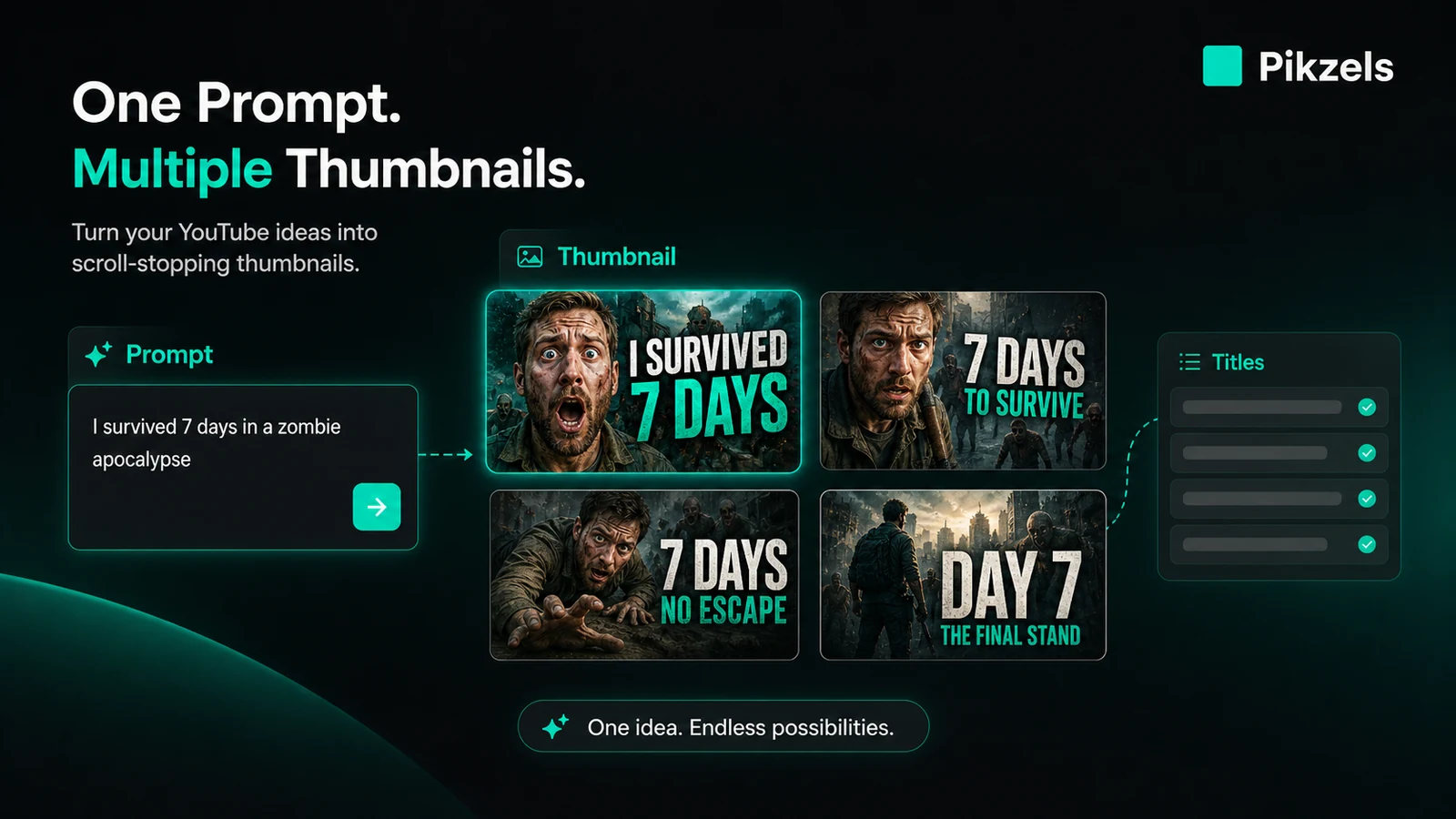
This is the basic promise: describe the video idea and get thumbnail concepts back.
The value is speed. If you normally spend too long staring at a blank canvas, a first batch of visual directions can help you move. The limitation is that “fast” is not the same as “right.” You still need to judge whether the thumbnail matches the audience, topic, and video promise.
Buyer note: test it with a real video idea from your channel, not a generic prompt that would make any AI image tool look decent.
Recreate
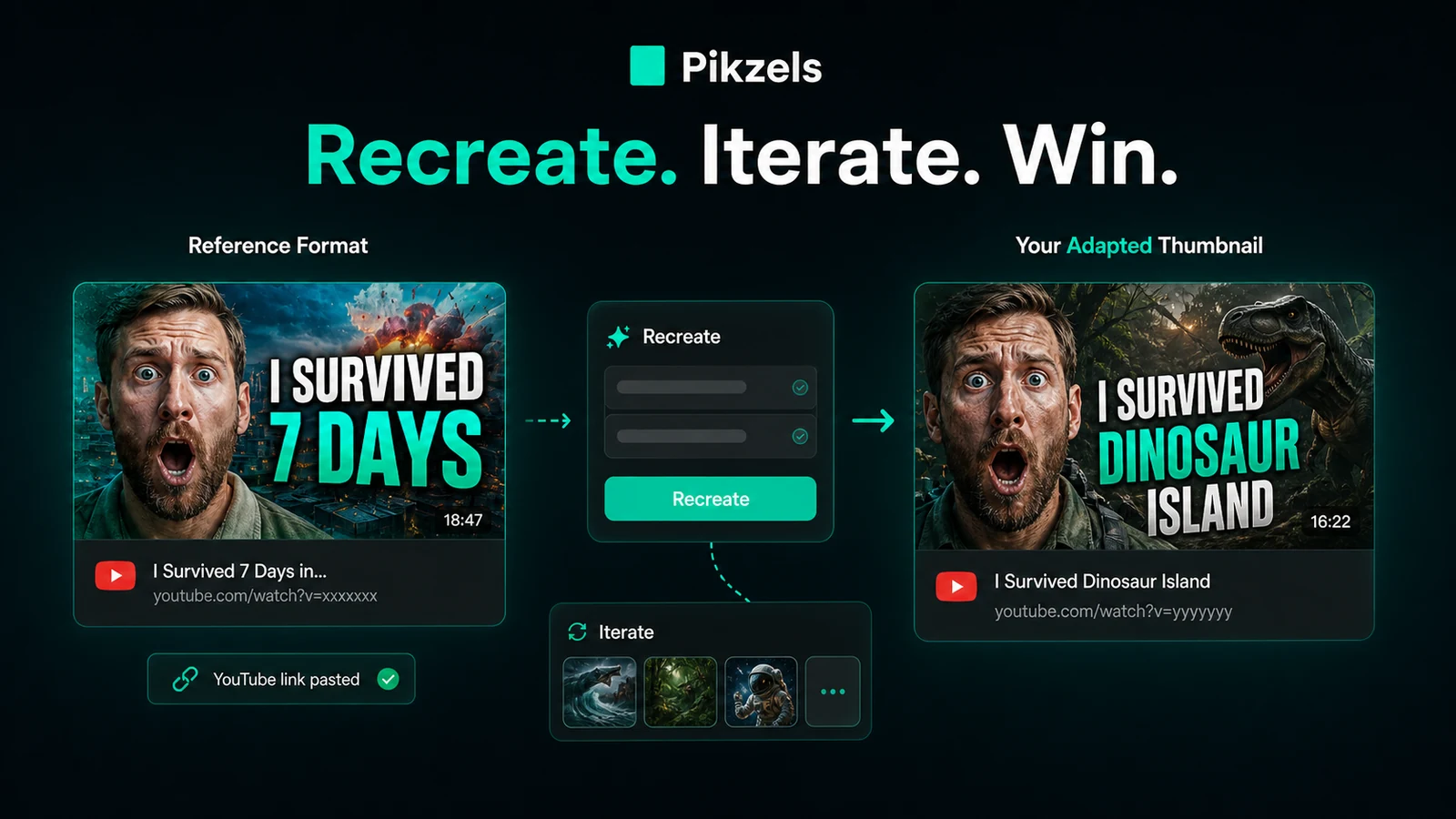
Recreate is useful when you see a thumbnail structure that works and want to adapt the layout logic to your own content.
This is a strong creator feature because YouTube packaging often follows recognizable patterns. The risk is copying too closely or copying without understanding why the original worked. A structure can inspire your direction, but the final asset still needs to be honest to your video.
Buyer note: use Recreate to study formats, not to clone another creator’s identity.
Pikzels Score
Pikzels Score analyzes a thumbnail and title across packaging pillars such as virality, clarity, idea, curiosity, and emotion.
That can be genuinely useful because creators often know a thumbnail feels weak but cannot name why. A structured score can push the revision toward a clearer decision. The limitation is that no score can promise performance. YouTube results still depend on topic, audience, timing, title, watch history, and the video itself.
Buyer note: treat the score as feedback for iteration, not a guarantee of clicks.
Persona, Style, and FaceSwap
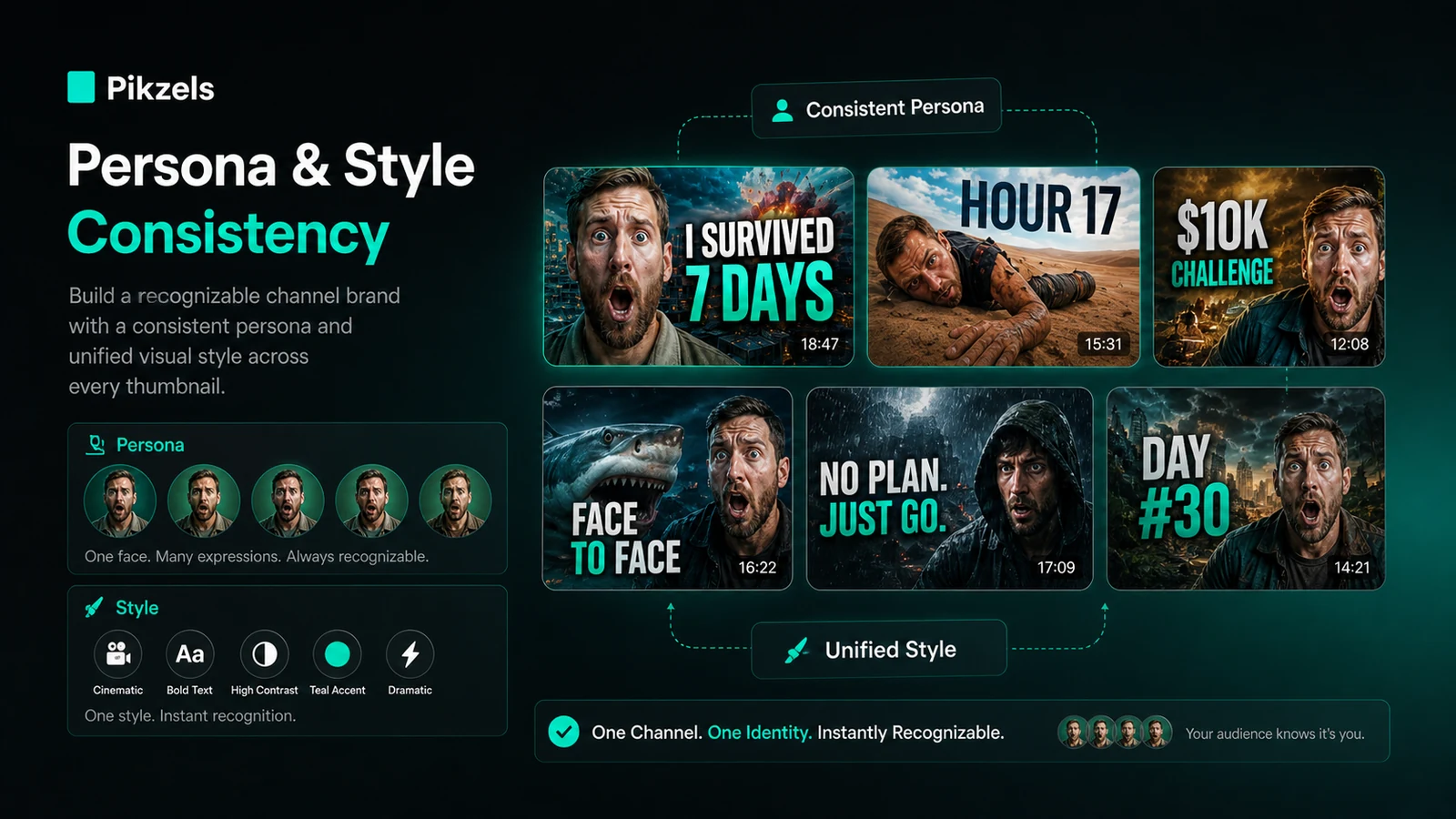
These are the consistency features. Persona is about reusing your face. Style is about keeping a recognizable thumbnail direction. FaceSwap is about adapting a layout while staying visually connected to your channel identity.
This is where Pikzels becomes more interesting than a basic image generator. A creator does not only need one good thumbnail. A creator needs a repeatable look that viewers recognize.
Buyer note: consistency is only valuable if the output still looks credible. Test face quality, expression, and visual tone carefully before using it on important uploads.
Titles
Pikzels also supports title generation tied to the video idea and thumbnail direction.
That matters because thumbnails and titles work together. A strong visual with a weak title can still underperform, and a curiosity-heavy title with a misleading thumbnail can hurt trust.
Buyer note: use the title suggestions as drafts. The final title should still reflect the actual video, not only what sounds clickable.
Pricing and plan value
Pikzels pricing should be evaluated by credit behavior, not only by the displayed monthly number.
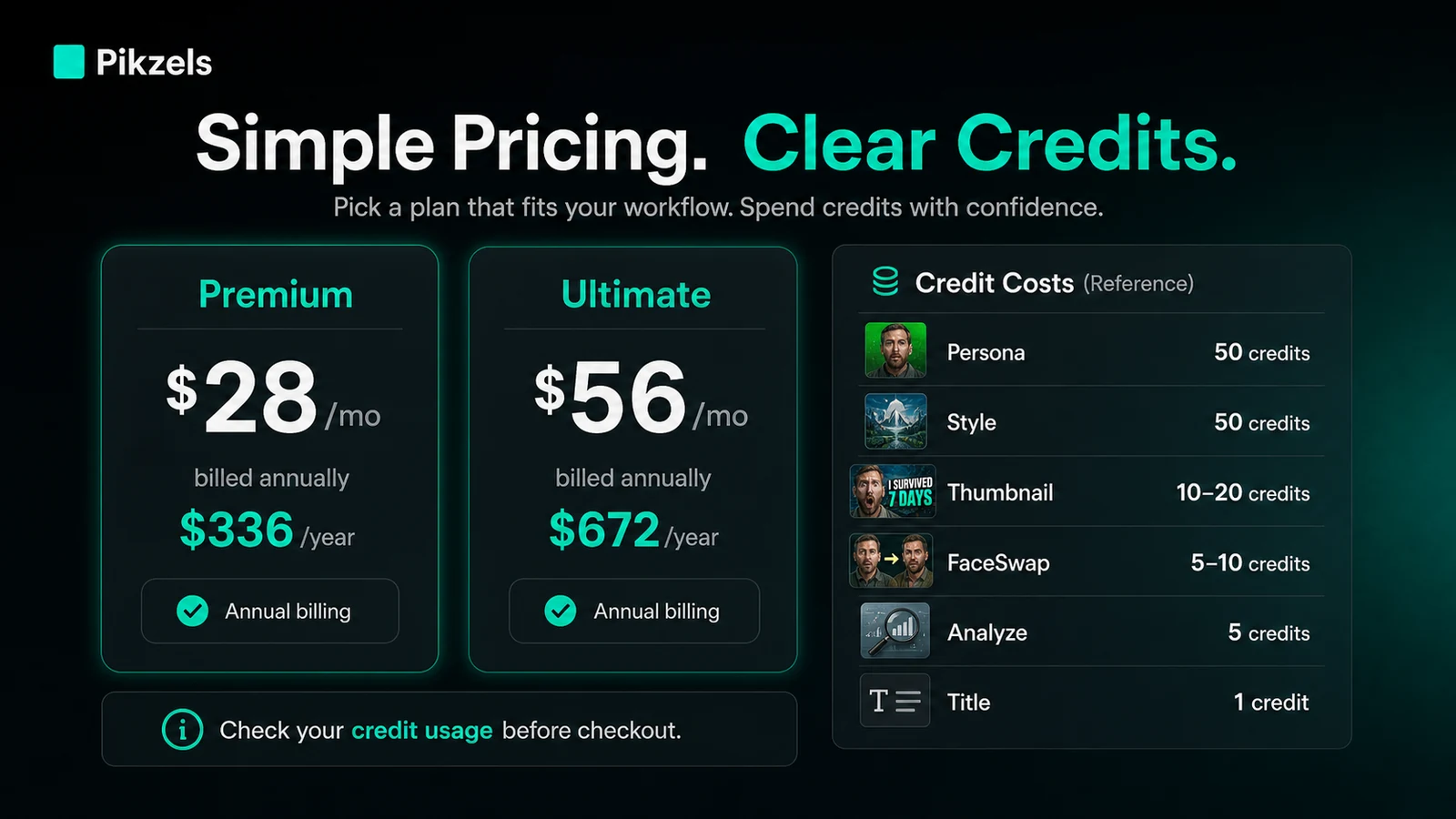
The public pricing page shows Premium at $40/month or $28/month when billed annually at $336, and Ultimate at $80/month or $56/month when billed annually at $672. Annual billing is promoted as a 30% saving. The same public pricing table also explains that the workflow uses credits: Persona training costs 50 credits, Style training costs 50 credits, a thumbnail costs 10 to 20 credits, FaceSwap costs 5 to 10 credits, Analyze costs 5 credits, and a title costs 1 credit.
That mix matters.
A creator who generates one or two thumbnail options per upload may feel very different from a creator who trains Persona, trains Style, creates multiple variants, runs FaceSwap, analyzes several options, and tests titles for every video.
The free-start path is useful for testing, but I would not treat it as proof of paid value. A free test should answer a practical question: does Pikzels make your next real thumbnail easier to create and easier to judge?
Premium is likely the first serious paid comparison for most individual creators. Ultimate makes more sense when the buyer has higher volume, more frequent experimentation, or a heavier channel/agency workload. I would not move to annual billing until the credit math is clear.
One detail I like is that annual plans receive a larger upfront credit allocation at the higher tier rather than building gradually. That can help serious creators. The downside is simple: annual billing is a larger commitment, and the refund terms are not generous.
Pricing check: Before choosing a plan, estimate how many credits one normal upload would use, including generation, edits, analysis, FaceSwap, and title testing.
Free plan, trial, coupon, and checkout notes
The safest Pikzels buying order is: free test first, monthly if needed, annual only after repeated value is clear.
Pikzels promotes a free trial or free-start route, which is the right place for most buyers to begin. Use it with a real video. Generate a few thumbnail options. Run a score. Try a title direction. Then estimate whether the result is good enough to repeat every week.
I would not buy Pikzels because of a coupon alone. A discount can improve the purchase, but it does not fix a mismatch between your channel needs and the credit system. If the product already fits, the Pikzels coupon page can be useful for checking current offers before checkout.
Annual billing deserves extra caution. The lower monthly equivalent looks attractive, but the official terms describe paid purchases as final. The pricing page also notes that credits reset on the renewal date by default, while Credit Rollover can be enabled at checkout. That means buyers should confirm rollover, renewal timing, and cancellation details before paying.
My advice is blunt here: do not make annual billing your first experiment. Use it only after you know Pikzels is part of your normal publishing workflow.
What I would check before buying Pikzels
If I were buying Pikzels for a real channel workflow, I would check these seven things before paying:
- How many credits one normal upload consumes.
- Whether the free trial gives enough room to test a real video concept.
- Whether Persona and Style outputs look natural for my channel.
- Whether Pikzels Score gives useful revision direction or just another number to chase.
- Whether monthly billing is enough before considering annual billing.
- Whether Credit Rollover is enabled and what it costs at checkout.
- Whether the no-refund language fits my risk tolerance.
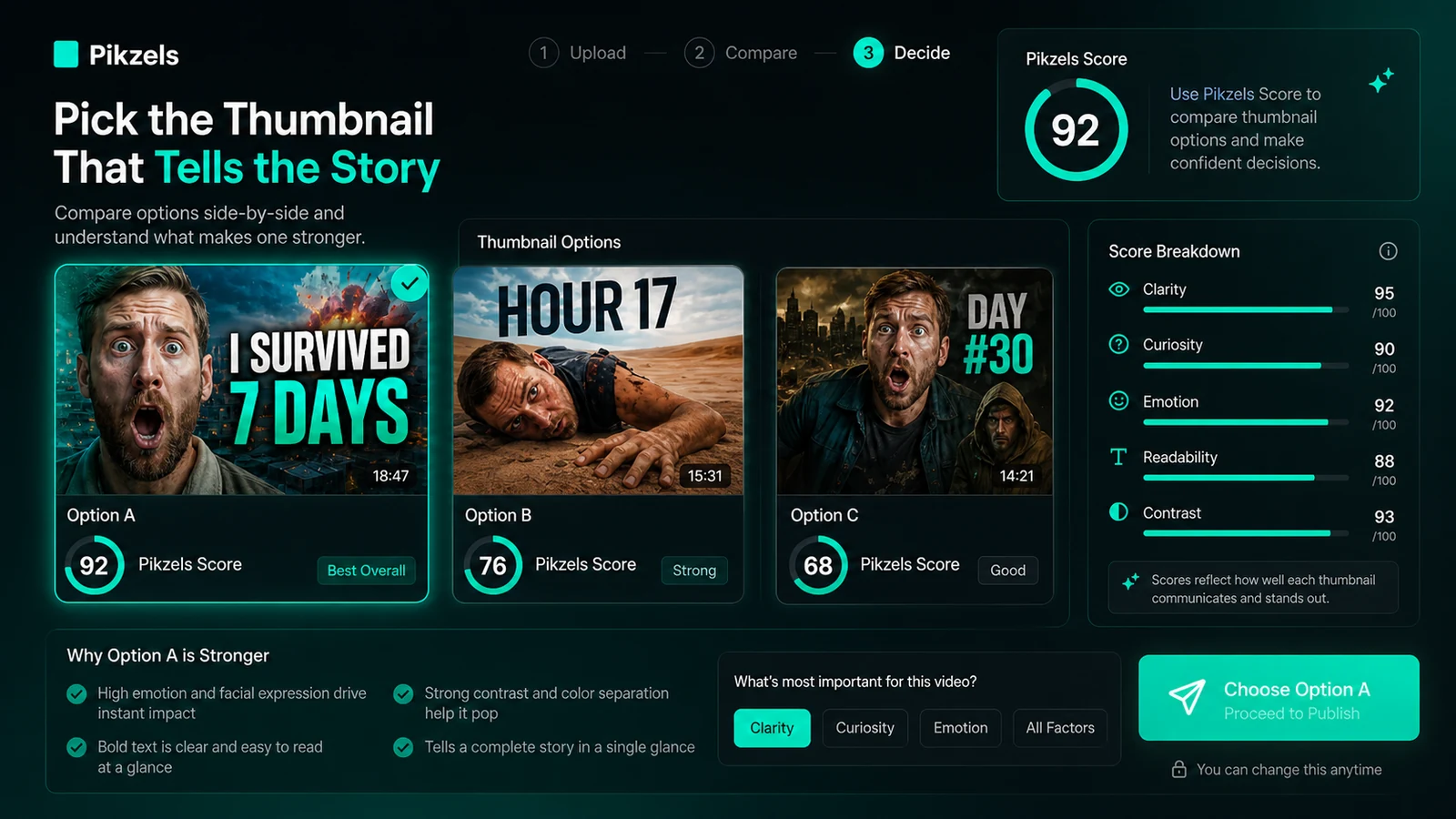
The easy mistake is judging Pikzels by one impressive generated thumbnail. The better test is whether it helps you create a repeatable packaging process without wasting credits or weakening brand trust.
A simple test before paying
Before paying, I would run a small test like this:
- Pick one real upcoming YouTube video.
- Write the current working title and core viewer promise.
- Generate three to five thumbnail directions.
- Edit the strongest direction with simple text notes.
- Run Pikzels Score on the thumbnail and title.
- Generate title alternatives and compare them with your original.
- Record how many credits the full loop used.
Then ask one practical question: would I repeat this workflow for the next five uploads?
If the answer is yes, Pikzels may deserve a paid test. If the answer is no, do not let the annual discount pressure you. The right tool should make your real workflow clearer, not just produce a dramatic-looking image.
Pros explained
The biggest pro is specialization. Pikzels is focused on YouTube thumbnails and titles, which makes it more relevant to creators than a generic image generator when the job is video packaging.
The second pro is iteration. Prompt-to-thumbnail, Recreate, Edit, Score, FaceSwap, Persona, Style, and Titles all point toward the same loop: create, test, adjust, and decide. That is more useful than a tool that only produces a single image and leaves the rest to you.
The third pro is visual consistency. Persona and Style can matter for creators who are trying to make a channel feel recognizable. This becomes especially relevant when the creator’s face or a repeated thumbnail look is part of the channel’s identity.
The fourth pro is the free-start path. Because the refund terms are strict, the ability to test before paying is important. I would use that path seriously, not casually.
The fifth pro is pricing visibility. Pikzels does show credit costs for major actions, which makes it possible to estimate usage. The buyer still has to do the math, but at least the main credit categories are visible.
Cons explained
The biggest con is credit pressure. A tool can look affordable until you use it the way a serious creator actually works: multiple directions, edits, scoring, title variants, face swaps, style tests, and retries. The plan decision should be based on that full loop.
The second con is refund risk. The official terms describe paid purchases as final. That makes the pre-purchase test more important than usual. Do not treat the paid plan as a casual experiment.
The third con is category limitation. Pikzels is not a full design tool, brand system, analytics suite, or YouTube research platform. That focus is a strength for the right buyer and a weakness for anyone expecting one product to handle the entire content operation.
The fourth con is performance uncertainty. Better packaging can help, but YouTube performance is not controlled by the thumbnail alone. Topic quality, audience interest, retention, upload timing, title clarity, and trust all matter.
The fifth con is output judgment. AI-generated creator faces, expressions, hands, background details, and text treatment can still feel off. A thumbnail that looks “viral” but feels artificial may not be the right thumbnail for your audience.
Green flags and red flags
Green flags:
- You publish often enough that thumbnail iteration is a real bottleneck.
- You already know your audience and need faster packaging options.
- Persona or Style consistency would reduce production friction.
- The free test produces usable directions for a real video.
- You can estimate credit use before paying.
Red flags:
- You only need one thumbnail and dislike subscriptions.
- You are buying mainly because of an annual discount or checkout offer.
- You expect the score to guarantee performance.
- You need full YouTube analytics, keyword research, or channel strategy.
- You are uncomfortable with final-sale subscription terms.
My confidence is strongest around Pikzels’ product role and workflow fit. I am more cautious around long-term value because credit usage depends heavily on how many variants, edits, analyses, and title tests each buyer runs.
Pikzels vs alternatives
Pikzels alternatives should be separated carefully. A broad AI image generator is not the same thing as a YouTube packaging tool. A YouTube analytics suite is not the same thing as a thumbnail generator. The right comparison depends on the buyer job.
1of10 vs Pikzels
1of10 is the more direct comparison if your main need is packaging diagnosis, video idea scoring, and understanding why YouTube concepts perform or fail.
Pikzels may be better if you want to generate thumbnails and titles, train a style, reuse a face, and move from idea to asset faster. 1of10 may be better if you care more about analysis, validation, and strategic packaging judgment before making the asset.
The tradeoff is creation versus diagnosis. Some creators may use both types of tools, but if the budget only allows one, choose based on the bottleneck: making thumbnails or understanding the packaging decision.
Aitubo vs Pikzels
Aitubo is an adjacent route, not a clean one-to-one replacement. It makes more sense when the buyer wants broader AI image or video creation rather than a YouTube-specific thumbnail and title workflow.
Pikzels is tighter for YouTube creators because the product is built around thumbnails, titles, scoring, Persona, Style, and Recreate. Aitubo may be more flexible if you need general creative generation across formats.
The tradeoff is specialization versus breadth. If YouTube thumbnails are the job, Pikzels is the clearer fit. If YouTube is only one small part of your creative work, a broader generator may deserve comparison.
Canva as an adjacent design route
Canva is not a direct replacement for Pikzels in the AI-thumbnail-workflow sense. It is better understood as a design and template platform.
Choose Canva-style workflows if you want manual layout control, brand kits, collaborative approvals, and predictable templates. Choose Pikzels if the hard part is generating YouTube-specific thumbnail directions quickly and testing packaging ideas.
The tradeoff is control versus speed. Serious creators may still use both: Pikzels for ideation, Canva or a designer for final polish.
vidIQ as an adjacent YouTube optimization route
vidIQ is also adjacent rather than direct. Its strength is YouTube optimization, analytics, keyword research, competitor insight, and growth workflow.
Pikzels is more focused on the thumbnail and title packaging asset itself. If your main pain is knowing what to make videos about, vidIQ-style tooling may matter more. If your main pain is turning a video idea into clickable packaging, Pikzels is the closer fit.
For more design-focused AI tools, you can also browse the AI design hub or compare broader creative options through the AI tools hub.
Trust, refund, and buyer-risk notes
The public reputation signal for Pikzels is stronger than many small AI tools. Trustpilot shows a large review footprint and a high overall rating, with many users praising ease of use, speed, and thumbnail quality. The same summary also notes some complaints around unrealistic or low-quality outputs, wasted credits from repeated attempts, customer service, and account access issues.
That mixed detail is useful. It matches the buyer risk I would expect from an AI creative tool: many users may get value quickly, while some will burn credits trying to force the tool into a result it cannot reliably produce.
The refund note matters more. Pikzels terms describe purchases as final and say subscription or additional credit purchases are not refunded. The terms also explain that subscriptions can be managed through the customer portal and that cancellation does not necessarily undo the cost already paid.
I would treat this as a test-first product. The free path is not a marketing extra. It is the buyer safety layer.
Also check credit rollover. The official FAQ says credits reset by default on renewal, while Credit Rollover can be enabled at checkout. That could matter a lot if your production schedule is inconsistent.
The practical buyer-risk summary is simple:
- Do not buy annual first unless you already publish often.
- Do not assume unused credits automatically roll over.
- Do not trust a single score as proof a thumbnail will perform.
- Do not skip human review for accuracy and audience fit.
- Do not use a discount as a substitute for workflow validation.
Final verdict
I would consider Pikzels if YouTube thumbnails are a repeated bottleneck and you want a faster way to create, score, edit, and compare packaging ideas before publishing.
I would especially consider it if you are a weekly creator, a faceless channel operator, a personality-led creator who needs reusable face assets, or a marketer producing thumbnail-heavy video campaigns.
I would skip Pikzels if you only need one occasional thumbnail, want a broad design suite, need full YouTube analytics, or do not want to manage credits. I would also skip annual billing until the workflow has proven itself across real uploads.
I would compare Pikzels with 1of10 if diagnosis and packaging scoring matter more than asset creation. I would compare it with Aitubo or a broader image generator if YouTube thumbnails are only one small part of your creative workload.
The safest next step is not to chase a discount first. Start with a real video idea, test the thumbnail-title-score loop, count the credits, and only then decide whether the current Pikzels store route or active offer path makes sense for your channel.
