
Pikzels Pricing, Plans & Creator Workflow Fit
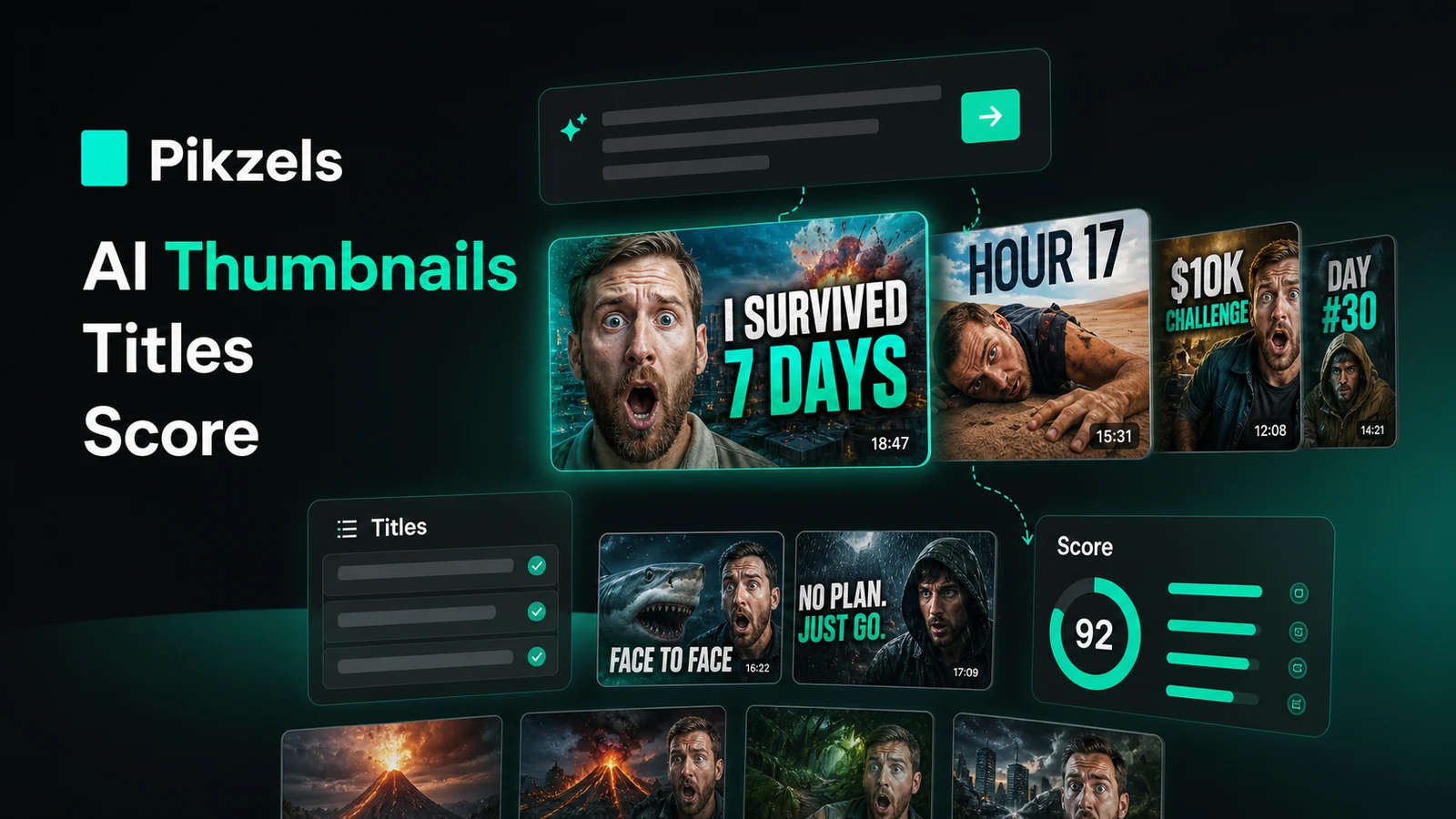
Pikzels is a YouTube packaging tool built around thumbnails, titles, scoring, and repeatable creator visual identity. It should not be treated as a general AI image generator. The better buyer question is whether it can help a creator move faster from video idea to clickable thumbnail and title, then iterate weak packaging without hiring a designer for every upload.
Fit → price → checkout
Use these routes after the official-site check: coupon first, review for fit, compare if unsure.
Pikzels pricing snapshot
Fast commercial checks before pricing, coupons, or a deeper review.
Pikzels product tour
The main video is most useful if you want to see whether Pikzels feels like a repeatable YouTube packaging workflow rather than another image generator. Watch how the tutorial moves from idea to thumbnail output, because that helps you judge whether the product can save time on real uploads or whether you would still need a designer for final polish.
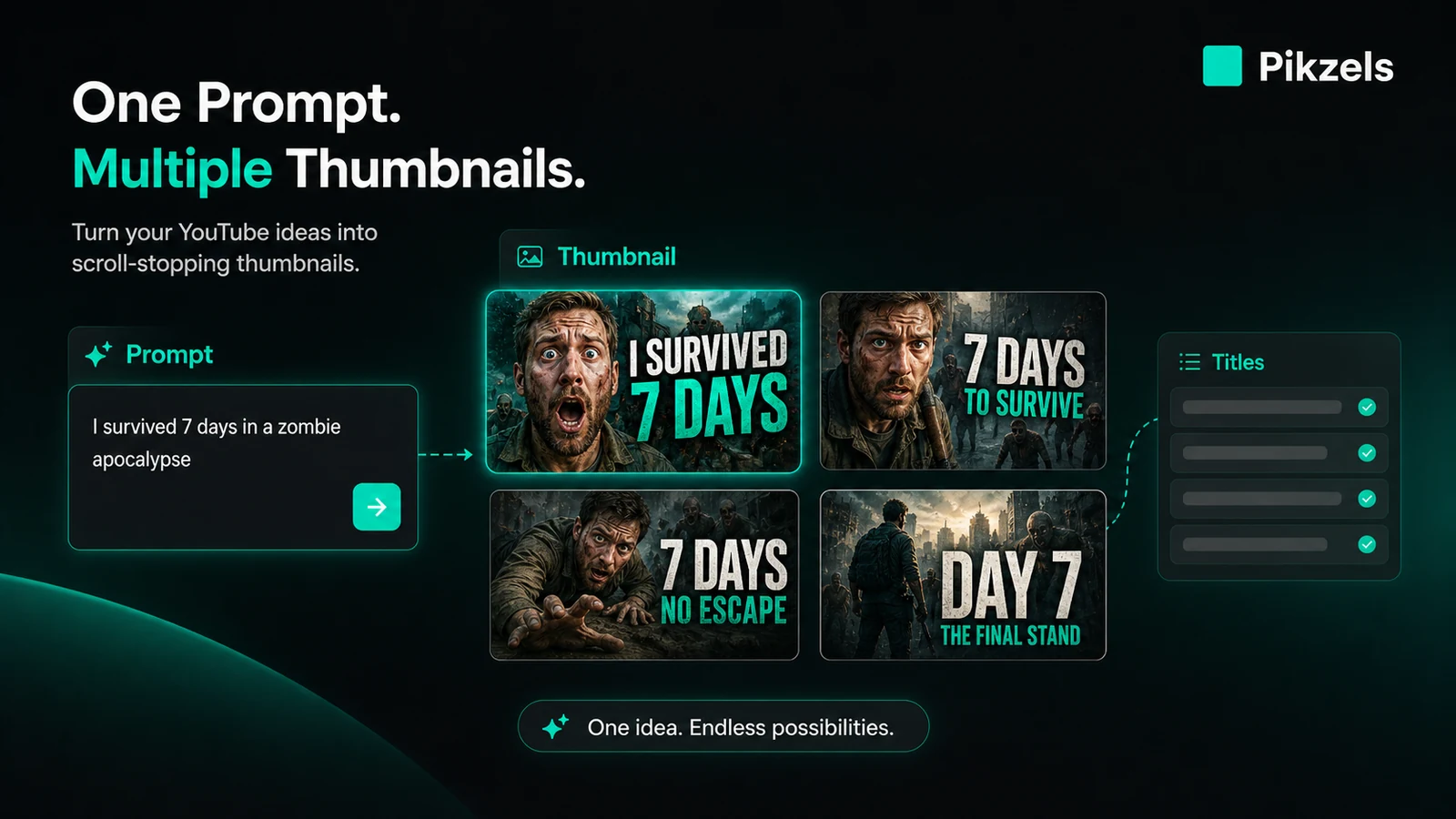
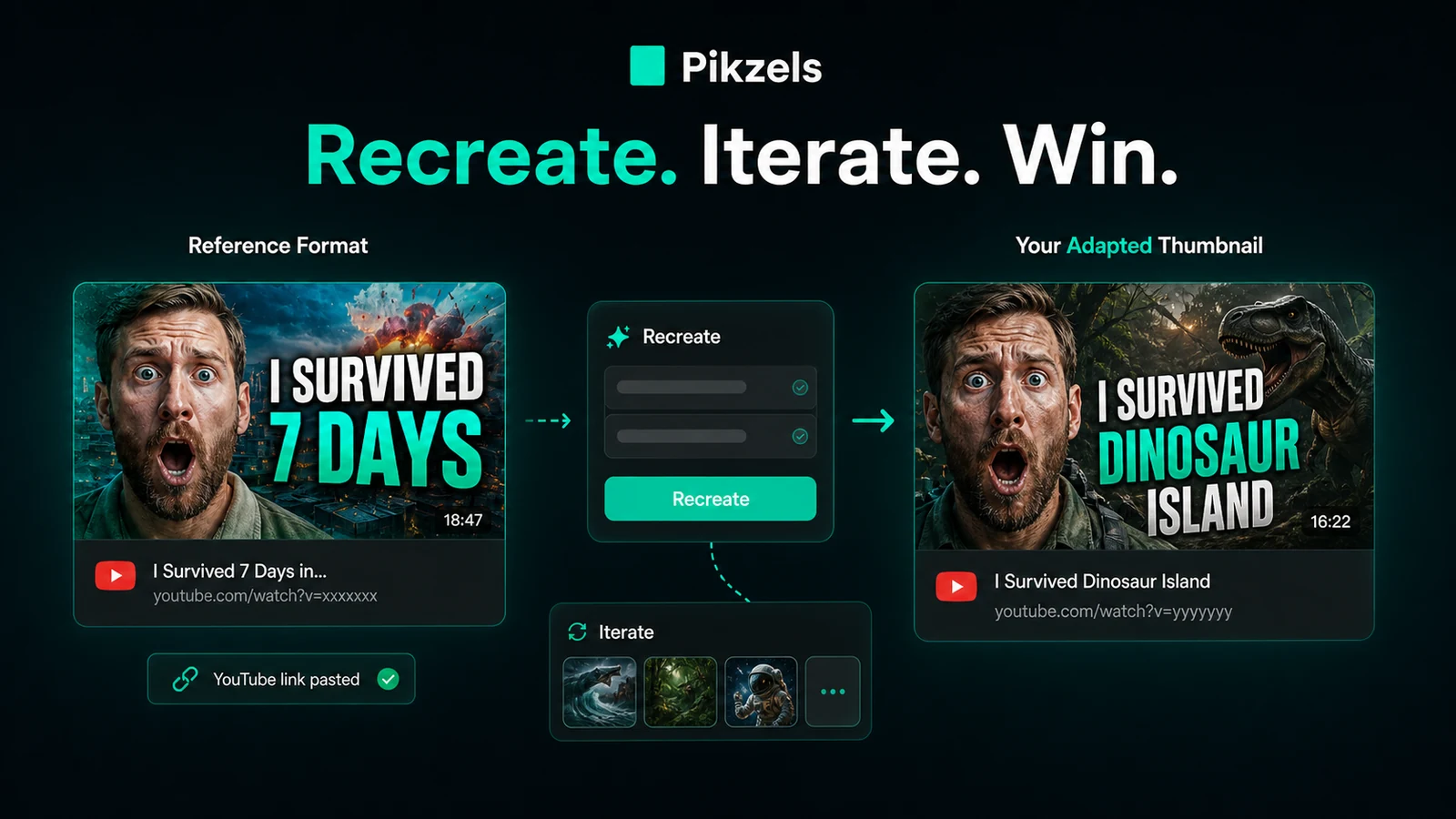
Pikzels deserves a store page that stays focused on the creator buying decision. The product is not trying to be Canva, Midjourney, or a broad image editor. Its promise is narrower: help YouTube creators create thumbnails, test packaging, improve weak concepts, and generate titles with a workflow built around clicks.
What Pikzels actually does
Pikzels helps creators package YouTube videos by generating thumbnails, analyzing thumbnail and title strength, recreating formats, editing with text notes, training visual styles, and producing CTR-focused titles. That makes it closer to a YouTube packaging assistant than a normal design app.
The core decision is whether you publish often enough to benefit from a repeated thumbnail workflow. If you only need a single graphic, the credit system may feel heavy. If you are packaging videos every week, the ability to generate, score, edit, and keep a consistent creator look can become more useful.
- Generate thumbnails from prompts
- Recreate and iterate existing thumbnail structures
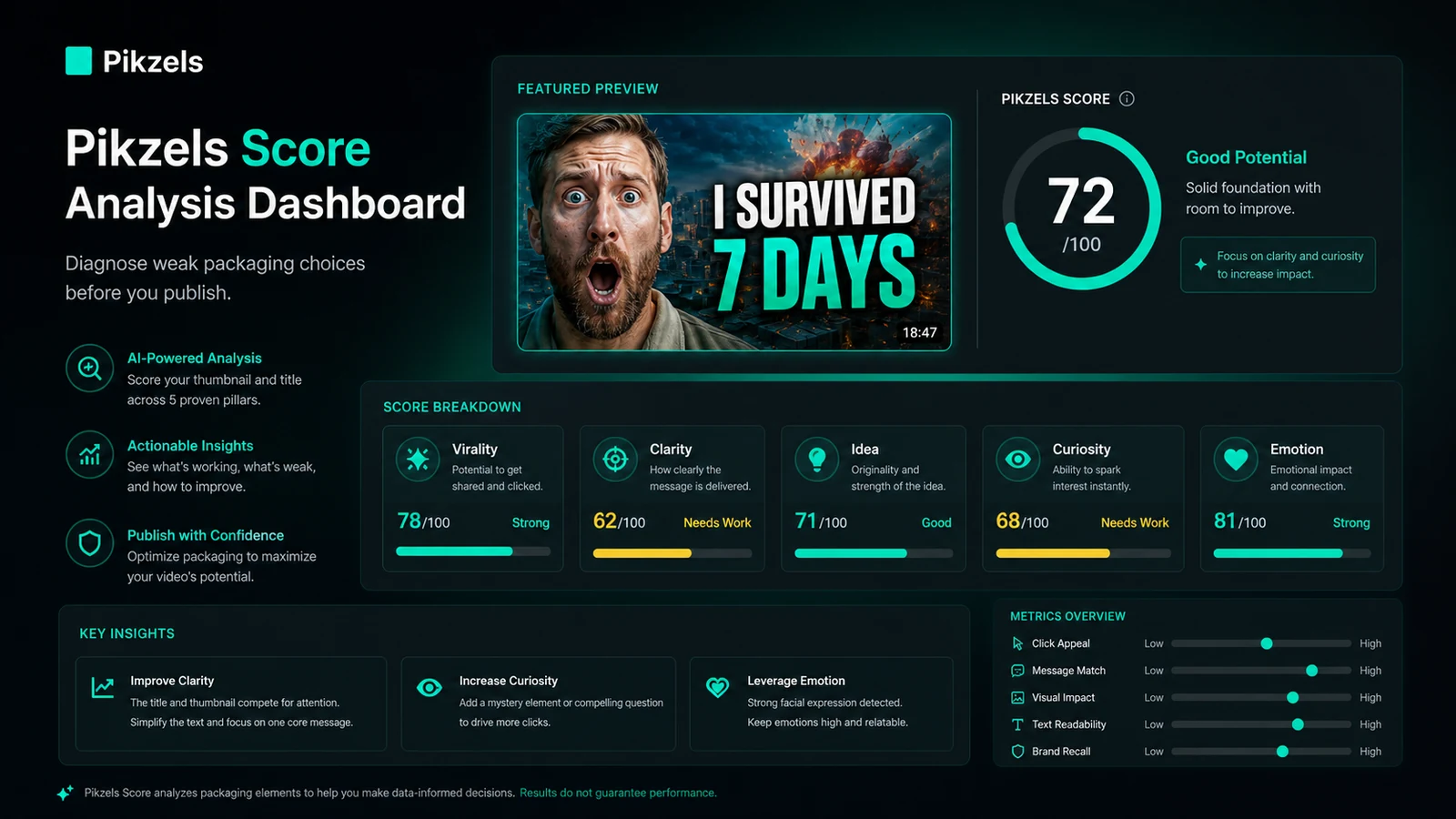
- Analyze thumbnails and titles with Pikzels Score
- Use Persona, Style, and FaceSwap for visual consistency
Pricing depends on credit behavior
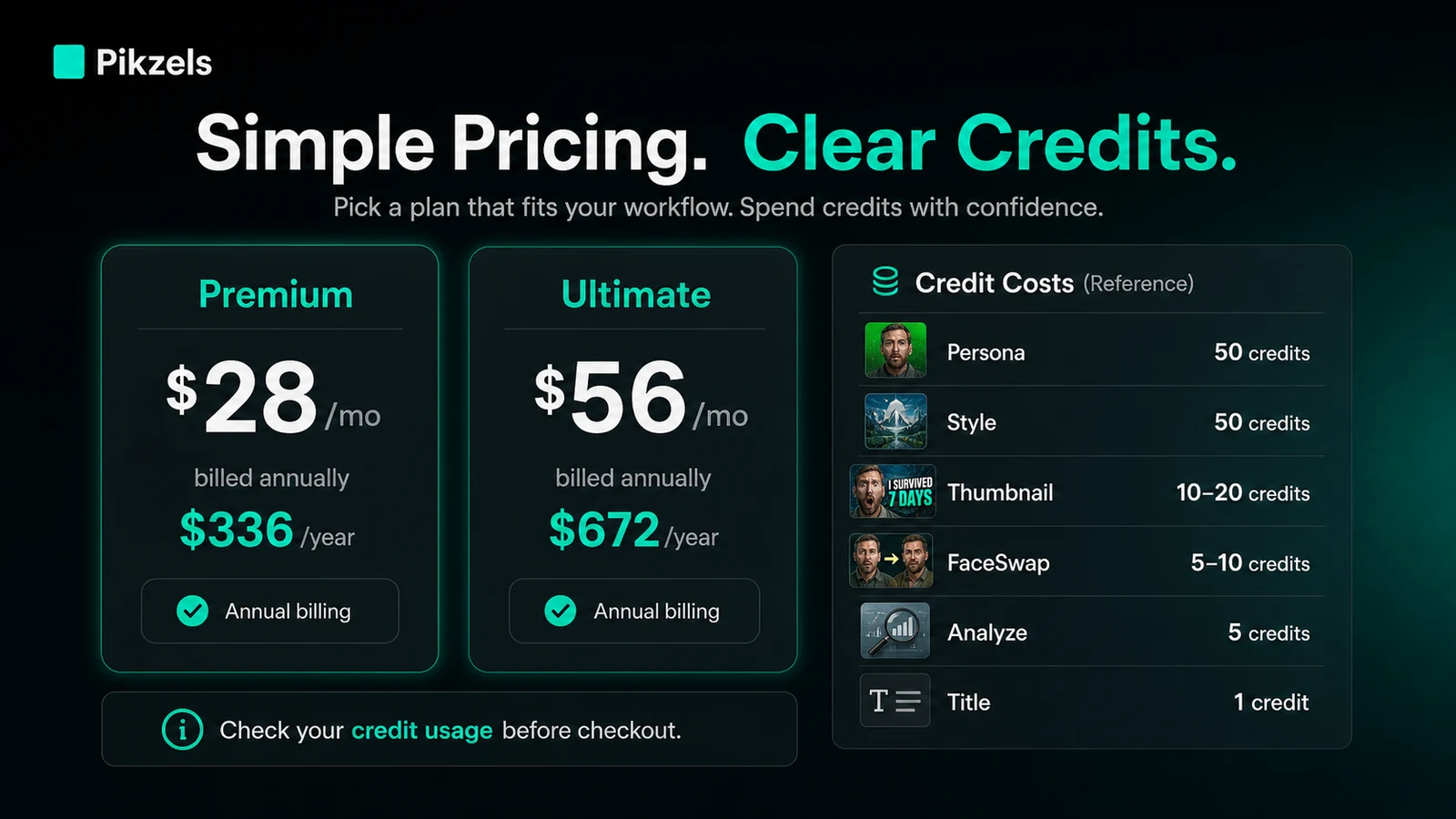
Pikzels pricing is easy to misread if you only look at the monthly number. The public page shows Premium at $40/month or $28/month when billed annually, and Ultimate at $80/month or $56/month when billed annually. But the real cost depends on how many credits you spend per video.
That matters because training a Persona or Style, generating thumbnail variants, running FaceSwap, analyzing a thumbnail, and generating titles all use different credit amounts. A creator who iterates heavily can consume credits much faster than someone who only creates one or two variations per upload.
- Premium annual billing is shown at $336/year
- Ultimate annual billing is shown at $672/year
- One thumbnail costs 10 to 20 credits on the public credit table
- Analyze and title generation use smaller credit amounts but still affect the total
How the video demo helps your decision
Watch this tutorial before choosing a paid plan if your main hesitation is workflow fit. It is useful because it shows how Pikzels behaves beyond the landing page claims: how a thumbnail idea is created, what kind of output appears, and whether the process looks fast enough for your publishing rhythm.
Pay attention to how much editing still happens after the first generation. If the tutorial makes the workflow look like a practical drafting assistant, Pikzels may fit your channel. If you would still need heavy manual design review, the paid plan may not remove as much work as expected.
Persona and Style are the real consistency features
The most interesting part of Pikzels is not only that it generates thumbnails. The more durable value is Persona and Style. Persona lets creators reuse their own face across thumbnails after uploading photos, while Style is meant to keep a recognizable visual direction across multiple uploads.
That matters for personality-led channels because recognizability is part of packaging. Still, the buyer should check whether the trained face and style outputs look natural enough before relying on them for paid production.
- Persona helps reuse your face without repeated photoshoots
- Style helps preserve a recognizable thumbnail look
- FaceSwap can reduce the need to reshoot every pose
- Final output still needs human judgment before publishing
Pikzels Score helps, but it is not a guarantee
Pikzels Score analyzes packaging across pillars such as virality, clarity, idea, curiosity, and emotion. That is useful because it gives creators a structured way to diagnose weak thumbnails and titles instead of guessing why a concept feels flat.
The limitation is simple: no score can promise performance on YouTube. Topic selection, audience timing, viewer history, and the actual video promise still matter. Treat the score as a decision aid, not a guarantee that a thumbnail will win.
- Use the score to spot weak packaging signals
- Compare several thumbnail and title directions before publishing
- Keep human judgment involved for brand, topic, and audience fit
Best next step before checkout
Start with the free path and a real upcoming video. Generate a few thumbnail ideas, run at least one analysis pass, test a title direction, and note how many credits the workflow would likely use if repeated weekly.
Move to the review page when you still need to understand fit and tradeoffs. Move to the coupon or pricing path only when the product already looks right and your remaining question is the current checkout route.
- Use free testing before annual billing
- Check credits per normal video workflow
- Read the no-refund terms before buying
- Compare 1of10 if scoring and packaging analysis are the bigger need
- Compare Aitubo if your main need is broader AI image or video generation
Best savings path from this store page
This is the clearest savings route to check once the product already looks like a fit.
Pikzels Ultimate is the higher annual plan with 54,000 credits and up to 5,400 thumbnails per year for high-volume creators.
Reported Essential yearly savings path
Use credits by generation type
Use comparison routes when the category fit is still open
Use these comparison routes when the product still looks plausible, but the category fit is not fully settled.
1of10 deserves the next tab if the buyer cares more about packaging diagnosis and YouTube idea scoring than generating finished thumbnail assets.
Aitubo makes more sense when the buyer wants broader AI image or video creation rather than a tool focused tightly on YouTube thumbnail and title packaging.
Verification points worth checking before you click out
Where this store usually fits best in the workflow
Pikzels fits creators who publish regularly and need several thumbnail and title options before a video goes live. The value is strongest when the workflow repeats often enough for credits to become a production budget rather than a one-time expense.
Persona, Style, and FaceSwap can help personality-led creators keep a recognizable look across thumbnails. Buyers should still test whether the output feels natural before relying on it for final channel assets.
Pikzels is useful when an existing video has weak packaging and the creator needs to recreate, score, and improve the thumbnail and title direction without starting from scratch.
Marketers can use Pikzels to generate rough thumbnail directions for campaigns, webinars, product videos, or YouTube ads, but final claims and brand review should stay human-controlled.
Practical checkpoints before and after signup
- Choose one real upcoming video idea rather than a generic prompt.
- Collect examples of thumbnail styles that match the channel's audience.
- Decide whether Persona, Style, FaceSwap, scoring, or title testing is the main reason to try Pikzels.
- Track how many credits a normal thumbnail cycle consumes.
- Compare the first output with the edited version after text-based changes.
- Check whether the score feedback changes the final publishing decision.
- Compare monthly and annual checkout prices.
- Read the no-refund and cancellation terms.
- Confirm whether credit rollover is enabled or optional at checkout.
- Measure whether thumbnails are getting approved faster, not just whether they look more dramatic.
- Review click-through data against the old workflow before upgrading to a higher credit tier.
- Keep a human review step for accuracy, brand trust, and audience expectations.
Fast-read signals for workflow fit and buying friction
Questions readers usually ask before choosing this store
What is Pikzels best for?
Pikzels is best for YouTube creators who need to create, test, and improve thumbnails and titles repeatedly. It is strongest when the buyer cares about packaging performance and consistency, not just making a single attractive image.
Does Pikzels have a free plan?
I would not treat Pikzels as a normal free-plan product. The official site promotes a free-start path and free thumbnail generation, but paid use is tied to subscription plans and credits. Buyers should check the current trial limits inside checkout before relying on free usage for real production.
How does Pikzels pricing work?
Pikzels uses paid Premium and Ultimate plans with a credit system. Credits are used for actions such as thumbnails, Persona training, Style training, FaceSwap, Analyze, and title generation. That means the real cost depends on how many complete packaging cycles you run per video.
Can I get a refund if Pikzels is not right for me?
Pikzels terms state that purchases are final and that refunds are not offered for subscriptions or additional credit purchases. Because of that, buyers should test the free path carefully and avoid annual billing until the workflow has already proven useful.
Should I open the Pikzels review or coupon page first?
Open the review first if you still need to judge workflow fit, credit economics, output quality, or creator tradeoffs. Use the coupon or pricing path after Pikzels already looks like the right tool and the only remaining question is the current live checkout route.
Choose the next route that matches what you still need to decide
The strongest next click depends on whether you still need product judgment, a savings route, or a broader category comparison.