Quick verdict
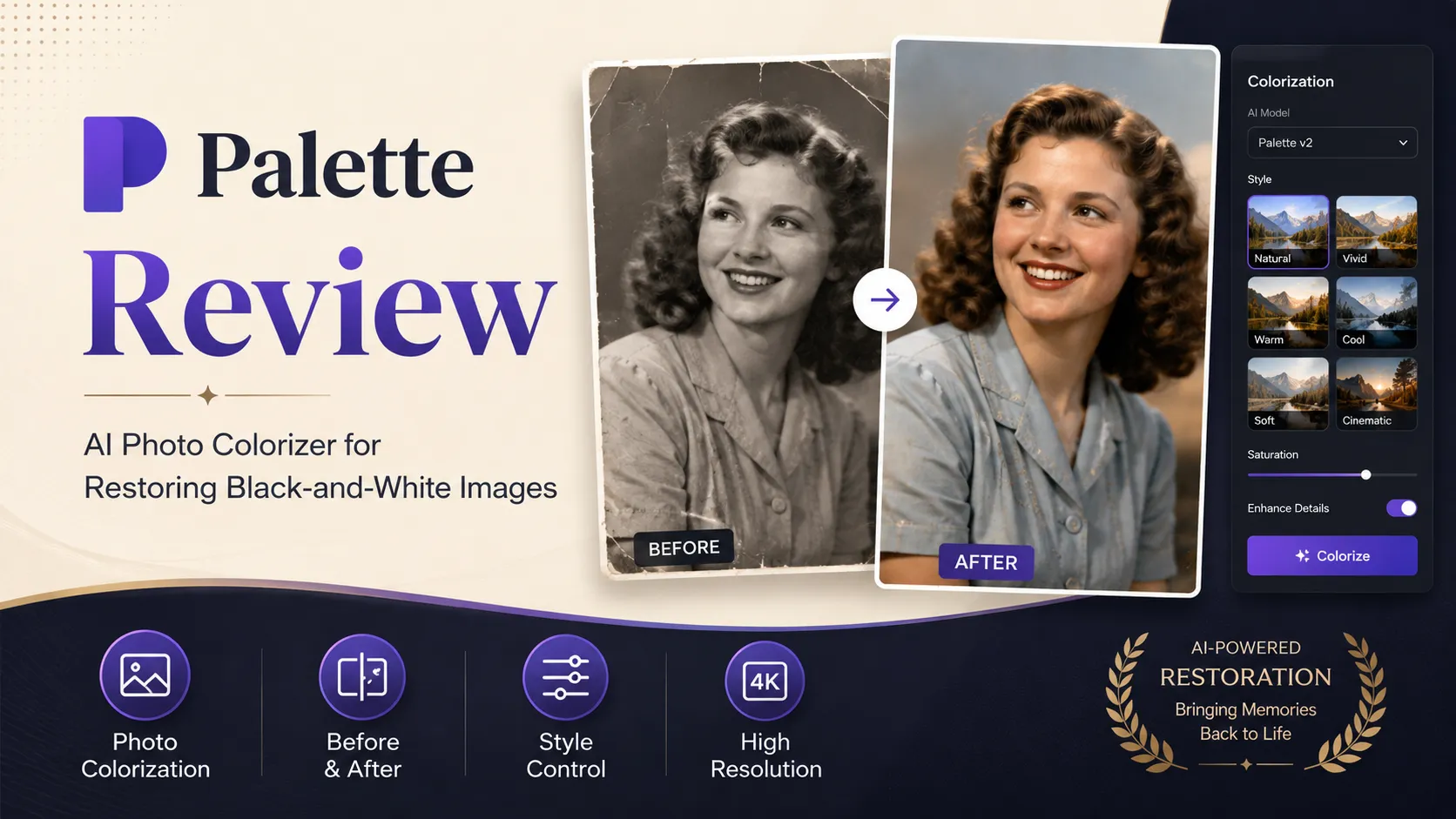
Palette.fm is worth considering if your problem is narrow: you have black-and-white or grayscale photos and you want fast, realistic colorization without opening a full editing suite.
That narrowness is the point.
I would not judge Palette.fm like a general AI image generator. It is not trying to replace Photoshop, Canva, Midjourney, or a full photo restoration service. Its useful job is simpler: upload an existing photo, compare color treatments, adjust the direction, and decide whether the result is good enough to export without the Palette logo in high resolution.
The best buyer is someone with a real photo set to test. A family archive, a historical article, a creator before-and-after post, or a batch workflow can all make sense. A casual user who only wants to experiment may not need to pay beyond the free preview path.
The main pricing caution is credit math. Palette.fm has a free path, a yearly subscription, a pay-once credit pack, and a separate API pricing structure. Those are different buying decisions. A small batch of old photos should not be priced the same way as an automated image pipeline.
My safer take: test several real images first, check whether the color choices look believable, then decide whether one-time credits, annual billing, or API use actually fits your volume.
Next step: If Palette.fm still fits your photo colorization job, test the free workflow first and verify the current buyer route before paying for credits.
Review snapshot
| Review point | Practical take |
|---|---|
| Best for | Old photo colorization, family archives, editorial images, creator before-and-after content |
| Not ideal for | Broad AI image generation, full design production, team approval workflows, historically exact restoration without review |
| Main use case | Turning black-and-white or grayscale photos into believable color images |
| Free path | Free previews plus one free HD credit for testing export value |
| Paid path | Yearly credits or pay-once credits, depending on how many final images you need |
| API path | Separate image-processing API tiers for automation and developer workflows |
| Main strength | Fast color previewing with multiple filters and watermark-free HD export options |
| Main concern | Output realism, credit usage, refund eligibility, and API economics need verification |
| Best direct alternatives to compare | MyHeritage In Color, Cutout.Pro Photo Colorizer, ImageColorizer, Hotpot AI Colorize |
| Adjacent internal routes | 1of10 and Aitubo for broader creative-image workflows, not direct photo colorization replacement |
| Safest next step | Try real photos free, then choose pay-once, annual, or API pricing based on actual volume |
What is Palette.fm?
Palette.fm is an AI photo colorization tool for turning black-and-white or grayscale images into color images. The public workflow is intentionally simple: upload a photo, choose or adjust a color filter, then preview or export the result.
That makes it best understood as a focused photo restoration and colorization helper, not a broad design suite.
The common wrong expectation is that Palette.fm will make every old photo historically accurate by itself. It cannot promise that. AI colorization is interpretation. It may choose a believable jacket color, skin tone, sky, wall, or background, but “believable” is not always the same as “true.” For family memories and creator visuals, that may be acceptable. For archival, educational, or historically sensitive work, human review still matters.
Our review approach: we compare public product pages, pricing details, terms, privacy language, buyer workflow fit, and nearby alternatives. We do not treat a free preview, annual discount, or low per-credit number as proof that the tool fits the buyer.
The reason Palette.fm is still interesting is that it gives buyers a fast way to test the actual issue. You do not have to guess from a landing page. You can upload representative images and see whether the colorization direction is close enough before paying for high-resolution exports.
Who should use Palette.fm?
Palette.fm makes the most sense for buyers with a clear photo colorization job.
Family photo restorers are the most obvious fit. If you have old portraits, family albums, wedding photos, military photos, or inherited black-and-white images, Palette.fm can help you quickly see how those images might feel in color. The condition is simple: use your real photos, not only clean demo images. A damaged, faded, or low-detail image may need more careful review.
Bloggers and publishers can also use it for archive-heavy content. A history article, biography post, genealogy page, or nostalgic brand story may feel more approachable with colorized visuals. The buyer check is accuracy. If the photo represents a real historical moment, you should avoid presenting AI color as verified fact unless you have supporting context.
Creators can use Palette.fm for before-and-after content. This is where the tool can be fun and practical: one image can become a visual story. But if the content needs a consistent brand design system, Palette.fm is not enough by itself.
Small studios and agencies may use it for occasional client restoration work. The question is whether credit cost and output quality match the client’s expectations. For paid client work, I would run a small test batch before promising final results.
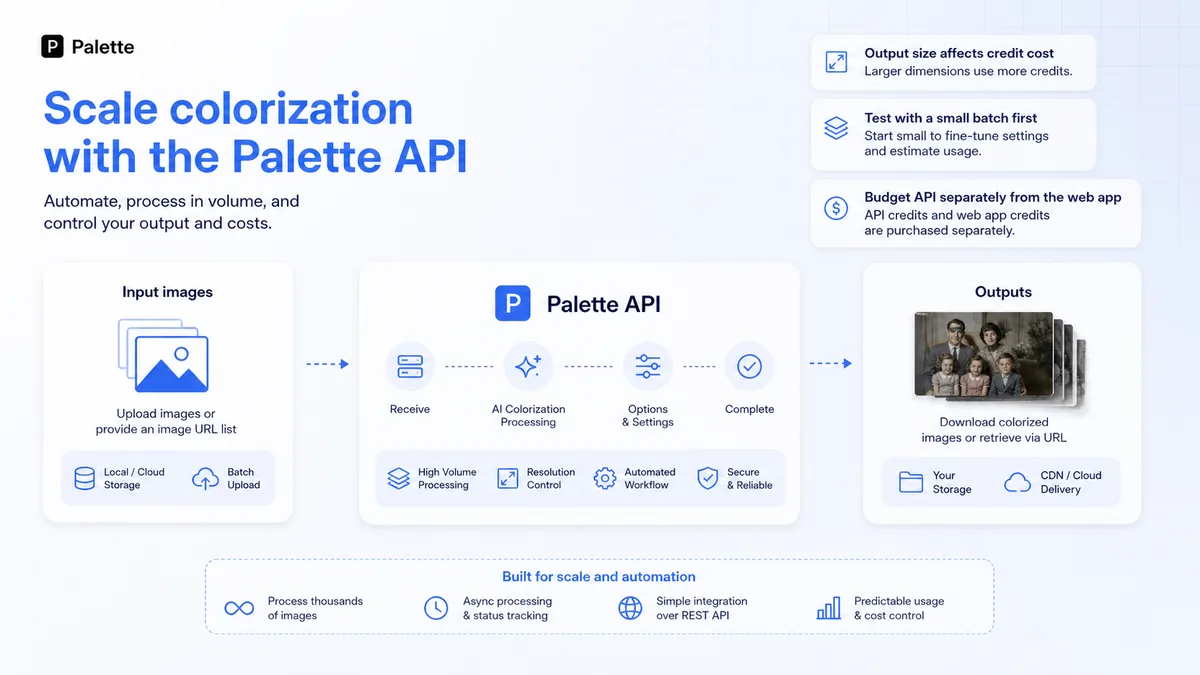
Developers and technical teams may consider Palette.fm’s API when colorization needs to happen inside another app, upload flow, archive system, or content pipeline. That is a different purchase from casual web-app use, and the pricing should be modeled separately.
Who should avoid Palette.fm?
I would avoid Palette.fm if you mainly want a general AI image generator. Palette.fm works with existing images. If the real job is creating new scenes, product mockups, characters, ads, or social graphics from prompts, tools like Aitubo or other creative generators are a more natural comparison.
I would also be careful if you need professional historical accuracy. Palette.fm can make an old photo feel alive, but it does not know every uniform color, building material, fabric shade, or local context. A serious archive project still needs human judgment.
Teams that need approval flows, brand libraries, shared workspaces, or design operations will probably find Palette.fm too narrow. It is better as a focused utility than as the center of a team creative workflow.
Buyers with a very large archive should slow down before paying. A credit model can be reasonable, but only after you estimate how many final exports you need. Previewing many photos is different from exporting hundreds of clean, high-resolution files.
I would also avoid treating the refund window as a casual safety net. Palette.fm’s terms describe a 14-day money-back path, but with conditions. Before buying a larger package, read the current terms rather than assuming every purchase is risk-free.
How Palette.fm fits into a real workflow
A sensible Palette.fm workflow starts before the upload.
First, choose photos that represent the real project: one clean portrait, one damaged photo, one busy background, one group shot, and one image where accurate colors matter. That gives you a better read than testing only the easiest image.
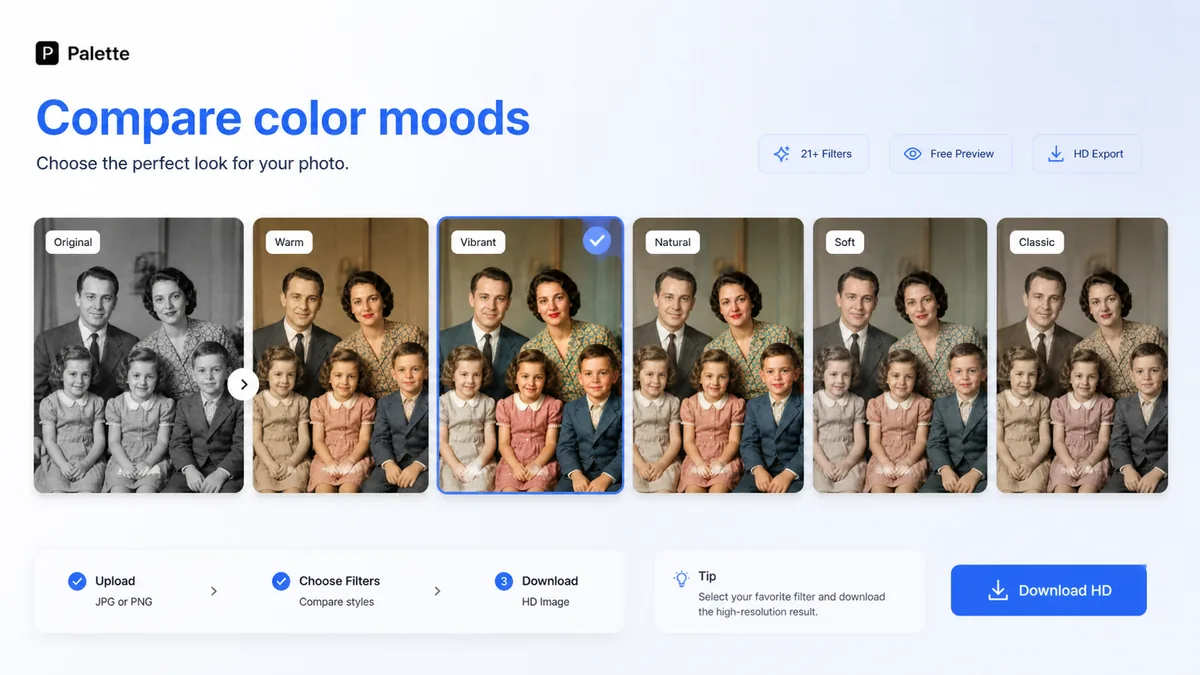
Then upload and compare color filters. Do not accept the first result just because it looks dramatic. Check skin tones, clothing, trees, water, sky, furniture, and small background details. AI colorization can look impressive at a glance and still feel strange when you look closer.
After that, decide whether the image is worth a paid export. Free previews are good for evaluation, but watermark-free high-resolution files require credits. This is where the tool becomes a buying decision, not just a visual toy.
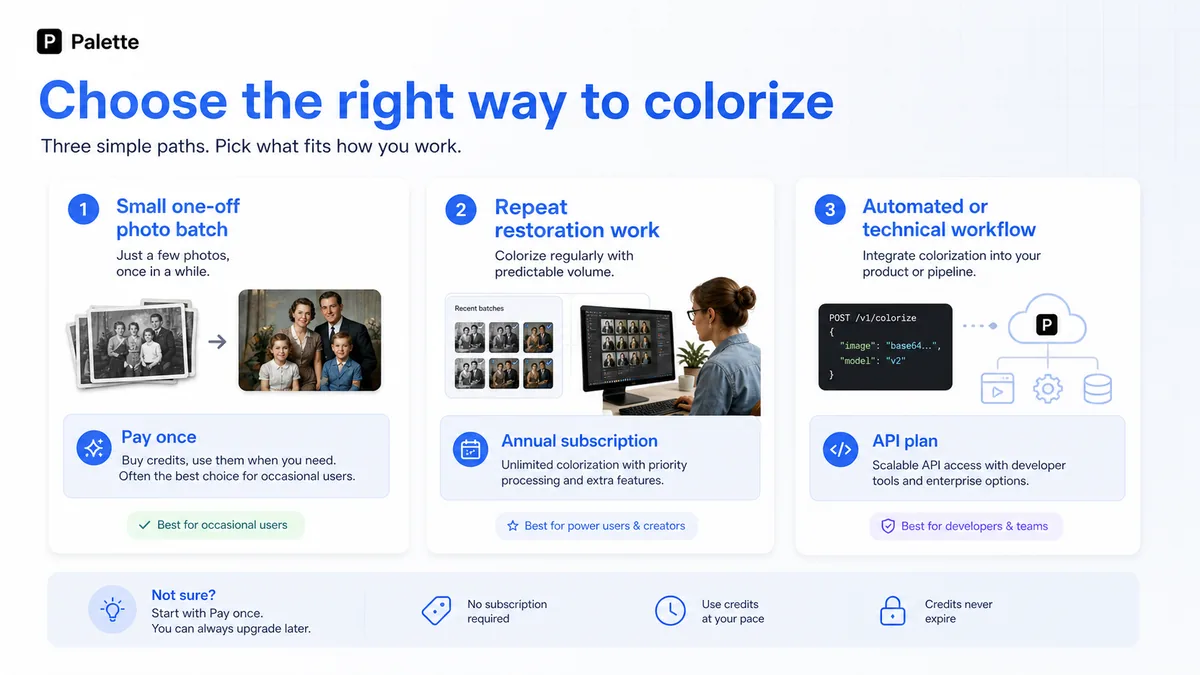
For a small photo set, a pay-once credit pack may be enough. For recurring restoration or content publishing, annual credits may make more sense. For automation, the API pricing path needs its own calculation.
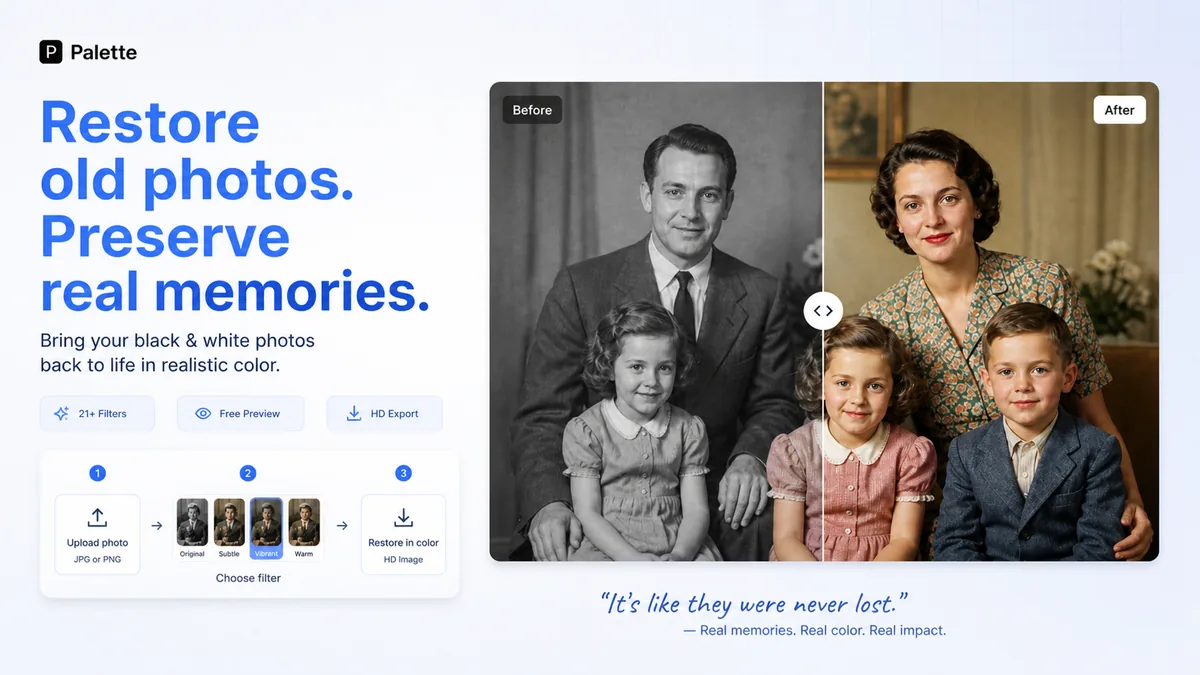
The tool saves time when the colorization result is close enough that manual editing becomes lighter. It becomes weaker when the buyer expects it to make historically perfect choices without review.
Real-world buyer scenarios
A family archive project
A buyer restoring family photos may have 20 to 100 old images and no desire to learn complex editing software. Palette.fm is a good first test here because the free workflow can show whether portraits, clothing, and backgrounds look natural enough.
The risk is emotional overbuying. Old family photos feel important, so it is easy to pay too quickly after one good result. I would test several image types before choosing a pack or annual plan.
A blogger updating historical content
A publisher writing about local history, vintage products, biographies, or old events may use Palette.fm to create more engaging visuals. The tool can help a black-and-white image feel more accessible to modern readers.
The caution is context. If the colors are AI-estimated, the article should not imply that those colors are verified. For serious historical work, keep the original image and be transparent in your own editorial process.
A creator making before-and-after posts
A creator may use Palette.fm to make quick comparison content for social posts, newsletters, thumbnails, or short videos. The tool is useful because it creates a visible transformation quickly.
The weak point is originality. If every post is only “black-and-white to color,” the format can get repetitive. Palette.fm is better as one step inside a content idea than as the whole creative strategy.
A developer adding colorization to a workflow
A developer may want colorization inside a photo app, archive interface, family-history product, or restoration service. Palette.fm’s API path is relevant here, but the buyer should separate consumer credits from API credits.
The real test is volume. Image size, output type, and request frequency can change costs quickly. I would start with a small technical test and calculate expected monthly usage before building around it.
Key features that actually matter
AI photo colorization
The core feature is the ability to colorize black-and-white or grayscale photos quickly. This is the reason to consider Palette.fm at all.
It matters because manual colorization can be slow, expensive, and skill-heavy. Palette.fm gives casual users and creators a simpler starting point.
Buyer note: judge the tool with your own images. Colorization quality can vary based on faces, lighting, damage, background detail, and whether the image contains objects the AI interprets confidently.
Multiple color filters and adjustment prompts
Palette.fm is more useful when you treat the first output as a draft. Its filters and color adjustment options let buyers compare different color moods instead of accepting a single automatic result.
This matters because old photos can have very different emotional tones. A warm family portrait, a formal military photo, and a street scene should not necessarily use the same color treatment.
Buyer note: the best result may be the most believable one, not the most vivid one.
Free previews and one free HD credit
The free path is a meaningful buyer advantage. You can evaluate the workflow without committing immediately.
Free previews help answer the first question: “Does this work well enough on my photos?” The free HD credit helps answer the second question: “Is the final export quality worth paying for?”
Buyer note: do not waste the HD credit on a random test if you have a serious project. Use previews first, then choose one image that deserves a clean export.
Credit-based high-resolution exports
Credits are the commercial center of Palette.fm. One credit is tied to a watermark-free, full-resolution colorization, and the public pricing page separates free previews from paid outputs.
This matters because cost depends on how many final images you actually need, not how many images you casually preview.
Buyer note: make a rough export count before choosing annual billing or one-time credits. The cheapest-looking path may not be the best match for your real archive size.
API access for image processing
Palette.fm’s API documentation is useful for technical buyers who need automated colorization. The API pricing path includes separate tiers, credits, and request limits, so it should not be treated as the same decision as the consumer web app.
This matters for developers, photo platforms, restoration services, and archive workflows that cannot manually upload images one by one.
Buyer note: verify output size, expected volume, and cost per extra credit before adding Palette.fm into a production workflow.
Pricing and plan value
Palette.fm pricing is understandable, but only if you separate three buyer paths.
The first path is free testing. The public page shows a free option with one free trial HD credit, unlimited color previews, more than 21 filters, customization, lower-resolution previews, and a Palette logo watermark on free previews.
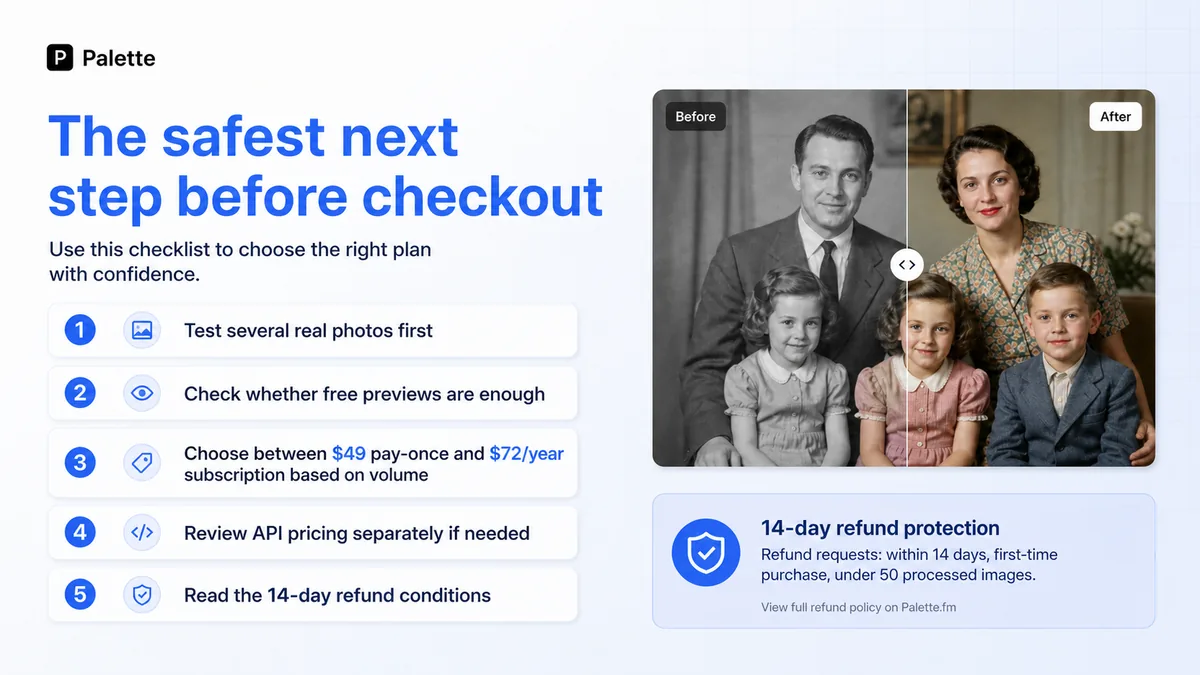
The second path is consumer paid use. The public pricing page shows a yearly subscription at $72/year for 480 credits, and a pay-once option at $49 for 75 credits. The subscription path is better for repeat use; the pay-once path is easier to justify for a limited project.
The third path is API use. Palette’s image-processing documentation lists separate API tiers: Basic with 200 image credits and a free price, then paid Pro, Ultra, and Mega tiers with higher credit volumes, request limits, and different extra-credit pricing.
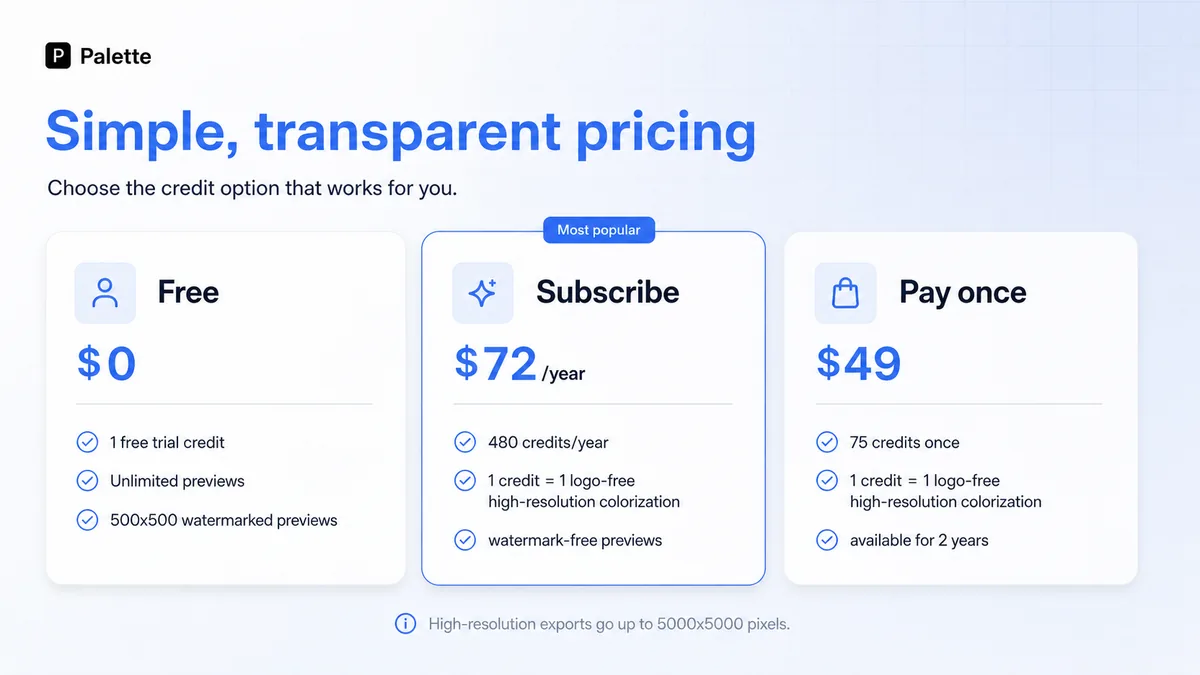
For most buyers, the free path is the right first step. It is enough to test color quality, compare filters, and decide whether the tool is even relevant.
The pay-once pack makes sense when the project has a clear end. For example, a small family album, a handful of article images, or a one-time creator campaign.
The annual plan makes sense only when repeat volume is predictable. If you expect to colorize many photos across the year, the per-credit math may be better. If not, annual billing can become a quiet overbuy.
The API plans belong to a different buyer. Developers should model image size, monthly volume, and output type before paying.
Pricing check: If Palette.fm fits your photo set, compare free previews, pay-once credits, annual credits, and API plans before choosing a payment path.
Free plan, trial, coupon, and checkout notes
Palette.fm is easy to test before paying, and that is the safest way to use it.
The free preview workflow is useful because colorization quality is hard to judge in theory. A product page can show polished examples, but your archive may include faded portraits, unusual lighting, scratches, low resolution, or scenes where the color choices are harder to infer.
I did not see a reason to make a coupon the center of the buying decision. The clearer savings logic is already in the pricing structure: free testing, annual credits for repeat use, pay-once credits for smaller batches, and a separate API plan for automation.
If you want to check whether any current offer exists, use the Palette coupon page only after the tool itself fits your project. A checkout code cannot make poor output quality useful.
The checkout order I would use is simple:
- Test free previews with several real photos.
- Use the free HD credit only on a result worth keeping.
- Count how many clean exports you actually need.
- Compare pay-once credits with annual billing.
- Read the refund terms before paying.
- Check API pricing separately if automation is part of the plan.
Safer checkout order: Test image quality first, then check active offers only after Palette.fm has already proven useful for your actual photos.
What I would check before buying Palette.fm
If I were buying Palette.fm for a real project, I would check seven things before paying.
First, I would test realistic photo types. A clean studio portrait does not tell you how the tool handles damaged images, street scenes, group photos, old paper texture, or low contrast.
Second, I would compare several filters. The first result may look impressive but still be too warm, too modern, or too stylized for the photo.
Third, I would confirm whether free previews are enough for evaluation. If you need final image use, credits become the important cost.
Fourth, I would count final exports, not uploads. You may preview many images but only export the best ones.
Fifth, I would compare annual billing against one-time credits. A subscription can be cheaper per credit, but only if you actually use the credits.
Sixth, I would read refund eligibility. The 14-day path has conditions, including first-time purchase status and usage limits.
Seventh, I would separate API use from personal use. The API path has its own credit and pricing logic.
A simple test before paying
Before paying, I would run a small test like this:
- Choose five representative images: one clean portrait, one damaged image, one group photo, one busy background, and one image where color accuracy matters.
- Upload each image and compare at least three color treatments.
- Look closely at faces, hands, clothing, backgrounds, shadows, and small objects.
- Ask whether the result is only interesting or actually usable.
- Use the free HD credit on the strongest candidate.
- Decide how many images in the project deserve paid export.
- Choose one-time credits, annual credits, or API pricing only after that volume is clear.
This test is better than asking whether Palette.fm is “good” in general. The real question is whether it is good enough for your source photos and your output standard.
Pros explained
Palette.fm’s first strength is focus. Many AI image tools try to be everything at once. Palette.fm is easier to judge because the job is specific: colorize an existing image. That focus helps buyers avoid feature overload.
The second strength is the free test path. In this category, examples are not enough. The buyer needs to see what happens with their own images. Free previews and a free HD credit make that possible before a larger purchase.
The third strength is pricing flexibility. Annual credits and pay-once credits solve different problems. A recurring restoration workflow may justify annual billing, while a small archive may be better served by one-time credits.
The fourth strength is API clarity. Not every casual user needs this, but technical buyers benefit from public documentation that separates image-processing API plans from normal web-app use.
The fifth strength is speed. For non-specialists, Palette.fm can reduce the friction of getting from old black-and-white image to a usable color draft. That matters when the alternative is manual editing work the buyer may never finish.
Cons explained
The biggest limitation is that colorization is still interpretation. A realistic-looking result is not automatically accurate. This matters for historical images, uniforms, official archives, or any photo where the wrong color could mislead the viewer.
The second limitation is that paid value depends on final export volume. If you only need a few images, a subscription may be more than you need. If you need hundreds, you need to count credits carefully.
The third limitation is refund conditions. A 14-day window sounds reassuring, but the terms include eligibility requirements. Buyers should not treat it like an unlimited test period.
The fourth limitation is narrow scope. Palette.fm is not a full restoration suite. It can help with color, but scratches, facial enhancement, object cleanup, composition, and design layout may require other tools.
The fifth limitation is API cost modeling. API access is useful, but it changes the buying decision. Developers need to calculate output size and volume instead of assuming the consumer pricing path applies.
Green flags and red flags
Green flags are easy to spot when the project is narrow.
Palette.fm is a stronger fit when you have existing black-and-white photos, need fast color drafts, can review outputs manually, and know how many final exports you need. It is also a good sign if the free previews quickly show that the color direction is believable on your own source images.
Another green flag is a clear project boundary. “I need to colorize 40 family photos” is easier to price than “I may use this someday.”
The red flags are mostly about expectations.
Slow down if you expect historically perfect color without research. Be careful if you want a full AI design platform. Recheck the decision if you are choosing annual billing before testing several photos. And do not build an automated workflow around the API until you have modeled image size, credit usage, and expected monthly volume.
The easy mistake here is buying because one demo image looks beautiful. The better way to judge Palette.fm is to test the difficult images first.
Palette.fm vs alternatives
Palette.fm should be compared in two layers: direct photo colorization alternatives and adjacent creative-image routes.
MyHeritage In Color vs Palette.fm
MyHeritage In Color is the more natural comparison for genealogy and family-history users. If your photo work is tied to family trees, ancestry research, and stored family albums, MyHeritage may fit the broader context better.
Palette.fm may still make more sense if you want a focused colorization workflow without moving into a genealogy platform.
Cutout.Pro Photo Colorizer vs Palette.fm
Cutout.Pro is a broader visual editing platform with photo colorization among other tools. It may be better if you also need background removal, image enhancement, or other editing utilities.
Palette.fm is cleaner if you only want colorization and want to compare filters quickly without being pulled into a larger editing suite.
ImageColorizer vs Palette.fm
ImageColorizer is a direct restoration-style alternative because it also focuses on old photos, colorization, enhancement, and related repair workflows.
If your project needs broader restoration beyond color, ImageColorizer may be worth comparing. If you want a simple color treatment workflow with clear credit decisions, Palette.fm remains a strong focused option.
Hotpot AI Colorize vs Palette.fm
Hotpot AI Colorize is useful if you want colorization as one tool inside a broader AI graphics platform. It can be attractive for casual users who already use Hotpot’s other creative tools.
Palette.fm is the more focused choice when photo colorization is the main job and you want to judge the purchase around credits, high-resolution exports, and API options.
1of10 and Aitubo as adjacent routes
The internal routes 1of10 and Aitubo are adjacent creative-image options, not direct Palette.fm replacements.
I would compare them only if your real need is broader creative generation, thumbnail variation, or image creation rather than colorizing existing black-and-white photos. If the source image already exists and colorization is the goal, Palette.fm is the more direct workflow.
Trust, refund, and buyer-risk notes
Palette.fm has enough public information to evaluate the main buyer decision, but there are still several areas where caution is healthy.
The pricing page is clear about free previews, annual credits, and pay-once credits, but pricing can change. The current pricing page matters more than old third-party summaries.
The terms page describes a 14-day money-back path for first-time purchases, with conditions such as processing fewer than 50 images and not having used the guarantee before. That is useful, but not the same as a no-questions unlimited refund.
The privacy page says uploaded images may be collected and used to provide the service, while also stating that user uploaded images are not shared with third parties unless required by law. For casual family photos, that may be acceptable. For sensitive archives, client photos, or private historical material, read the current privacy policy before upload.
For API buyers, my confidence is stronger around the existence of the API pricing documentation than around your exact cost. Cost depends on plan, credits, output size, and volume. Treat API pricing as a separate buying model.
For casual users, the safest risk control is simple: preview first, export only the best images, and do not buy more credits than the project needs.
Final verdict
I would consider Palette.fm if your job is clearly photo colorization and you can test the tool with real images before paying. It is especially sensible for old family photos, archive visuals, article images, creator before-and-after content, and focused restoration projects where fast color drafts are useful.
I would skip Palette.fm if you need a full design suite, a broad image generator, professional historical verification, team review workflows, or heavy restoration beyond colorization. In those cases, a broader visual editing or restoration platform may fit better.
I would compare it with MyHeritage In Color if genealogy context matters, Cutout.Pro or ImageColorizer if broader restoration is needed, and Hotpot if you want colorization inside a larger creative AI platform. I would only compare it with 1of10 or Aitubo if your buyer job has shifted from restoring existing photos to creating new creative images.
The safest next step is not complicated: upload a few difficult real photos, compare the outputs, use the free HD credit carefully, and only then decide whether pay-once credits, annual credits, or API pricing matches the work you actually plan to do.
