
Palette Pricing, Plans & Photo Color Fit
Palette.fm is best understood as a focused AI photo colorization tool, not a general design suite. It is strongest when a buyer needs to turn black-and-white or grayscale photos into realistic color images, preview different color styles, and decide whether watermark-free high-resolution exports are worth paying for. The buying decision depends heavily on volume: a casual user may only need the free preview or a pay-once pack, while a restoration workflow or API use case needs a closer credit and renewal check.
Fit → price → checkout
Use these routes after the official-site check: coupon first, review for fit, compare if unsure.
Palette pricing snapshot
Fast commercial checks before pricing, coupons, or a deeper review.
Palette.fm product tour
The main video is useful if you want to see the full colorization flow before spending credits. Watch how an image is uploaded, how filters change the output, and how much manual adjustment is available, because those details help you decide whether Palette.fm is a quick restoration helper or a tool you would rely on for a larger photo archive.
Palette.fm deserves a store page that is narrower than a normal AI design tool page. The core buyer question is not whether AI can colorize photos. It is whether Palette.fm gives you enough control, export quality, and pricing flexibility for the exact photo set you care about.
What Palette.fm actually does
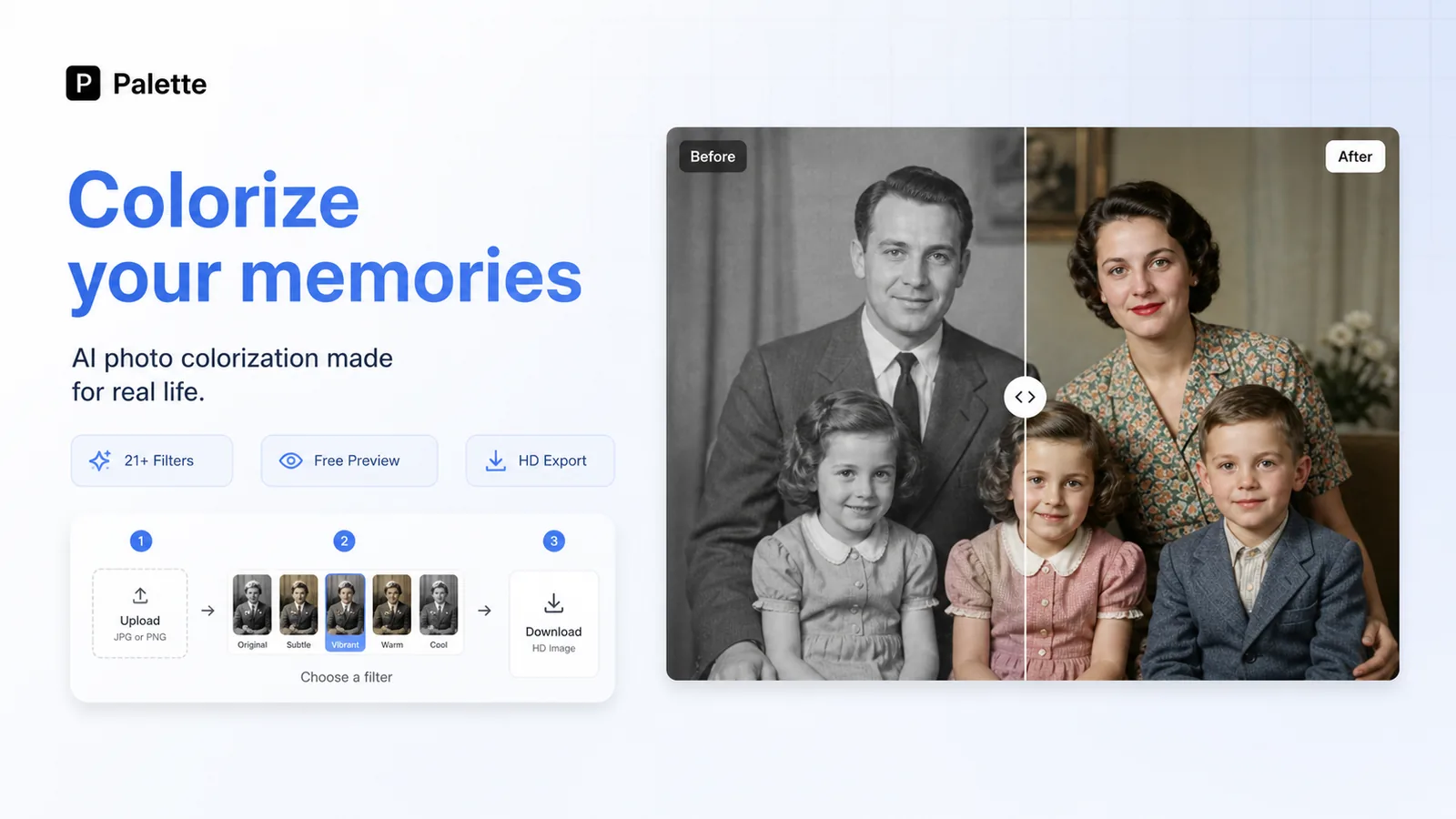
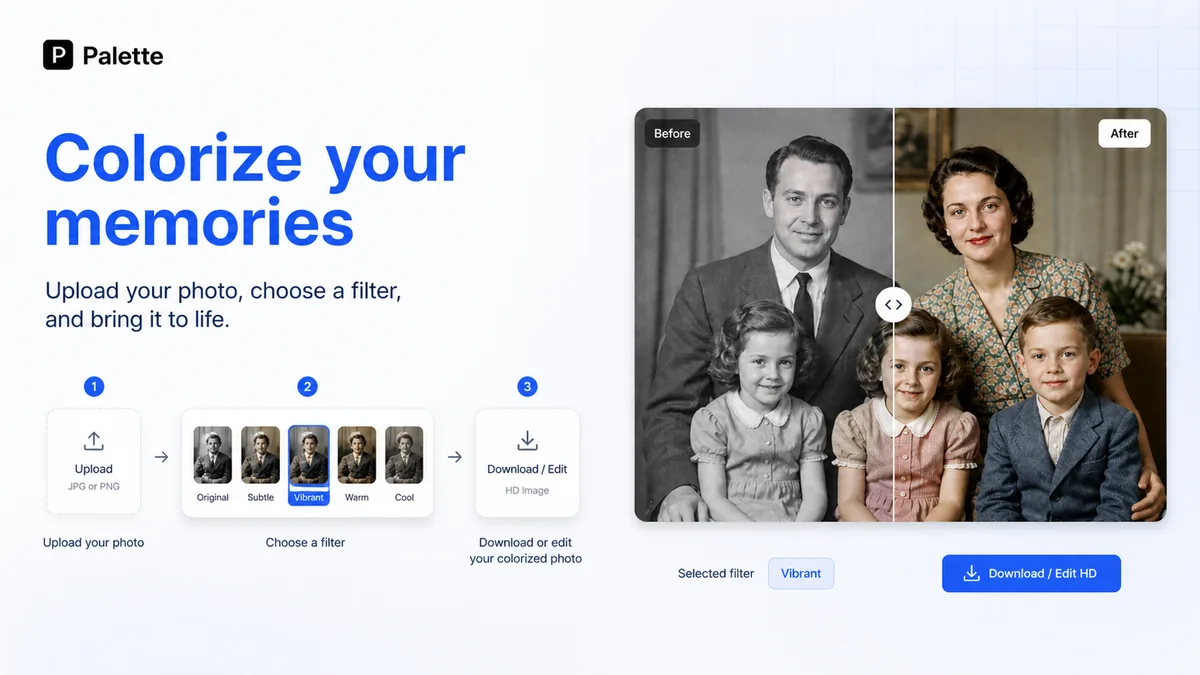
Palette.fm colorizes black-and-white or grayscale photos using AI. The public workflow is simple: upload a photo, choose from color filters, then download or adjust the result. That makes it most useful for old family photos, editorial archives, historical content, and creator projects where realistic color is more valuable than a completely new generated image.
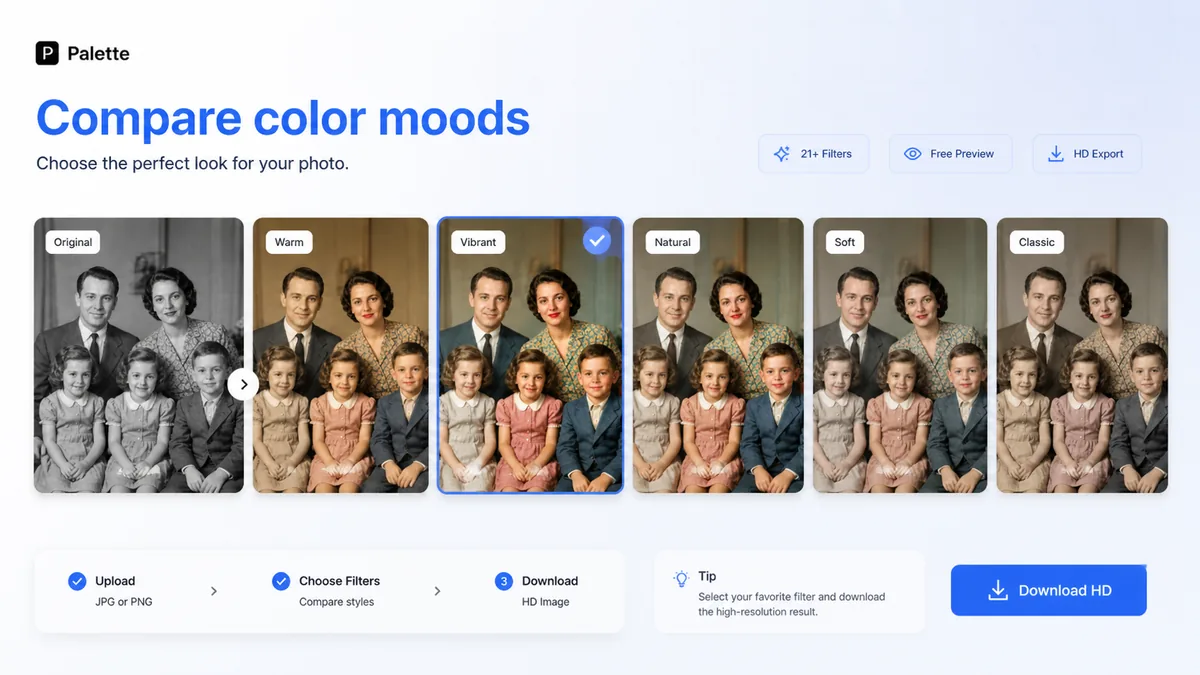
The product should not be judged like a broad image generator. Its value is in speed, color realism, and the ability to compare looks quickly before deciding whether a watermark-free high-resolution export is worth a credit.
- Upload a black-and-white or grayscale image
- Compare color filters and adjust the output with keywords
- Use credits for watermark-free, full-resolution exports
Pricing is credit-based, not a simple flat tool fee
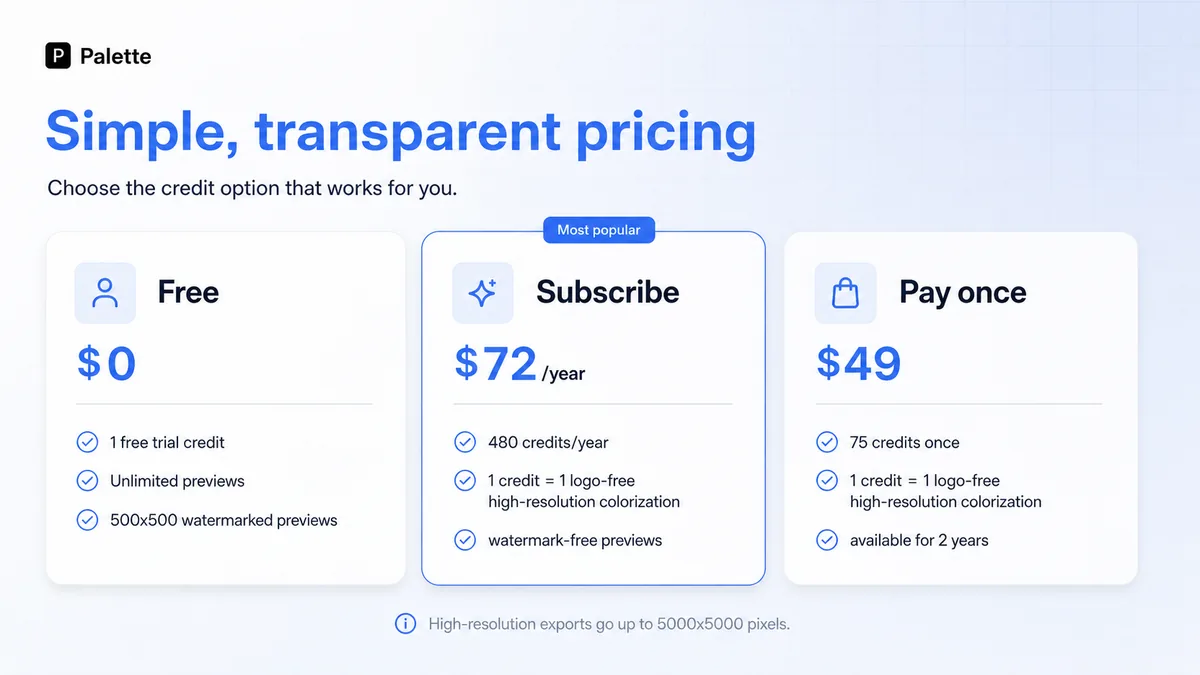
The consumer pricing path currently starts with free previews and one free HD credit. Paid routes include a $72 yearly subscription with 480 credits and a $49 pay-once credit pack for 75 credits. The important detail is that one credit gives one logo-free high-resolution colorization up to 5000x5000 pixels, while free previews are lower resolution and carry the Palette logo.
This makes the buying decision volume-based. If you only need to colorize a small group of photos, a one-time pack may be easier to justify. If you are working through a recurring archive or publishing workflow, annual credits may be more practical.
- Free previews are useful for evaluating color quality
- Paid credits matter when watermark-free HD export is required
- Annual billing and one-time credits solve different buying problems
The second video helps with restoration expectations
This video is useful if your real question is not just how Palette.fm works, but how it fits into a broader restoration workflow. Watch for the before-and-after judgment, the role of manual review, and how colorization may sit beside cleanup or enhancement steps. That perspective helps buyers avoid expecting one click to solve every issue in a damaged or historically sensitive photo.
When the API path matters
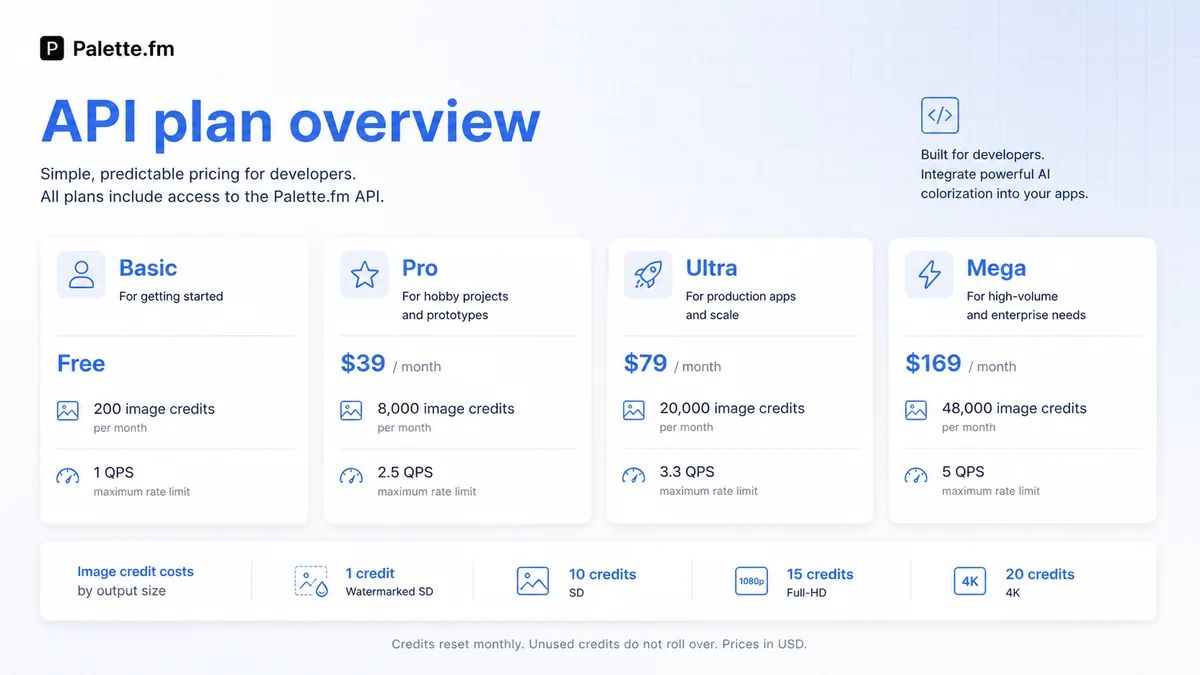
Palette.fm also has API documentation for image processing, and those plans are separate from the normal consumer web app. The docs list a Basic free API tier and paid API plans with different credits, cost per extra credit, and request-per-second limits. That matters if you are adding colorization into an app, batch pipeline, or content workflow instead of manually uploading photos.
API access is a strength, but it also changes the buying math. A developer should calculate output size, image volume, and expected automation before choosing a paid API plan.
- Manual web app use and API use should be budgeted separately
- Output size changes credit consumption in API workflows
- Technical buyers should test with small batches before scaling
Who should use Palette.fm first
Palette.fm is a good first test when your image problem is clearly colorization. It makes less sense when you need full image generation, brand design systems, team approvals, or heavy editing. The free workflow makes the first decision easy: upload a representative photo and see whether the output is close enough before thinking about annual billing or credit packs.
- Good for photo restoration, archive content, and realistic color trials
- Less useful for broad image generation or full design production
- Best evaluated with the exact photo types you plan to export
Safest next step before checkout
Start with the free path, test several real photos, and compare the results across different filters. If the outputs are usable, decide whether you need a few watermark-free exports, a recurring annual credit pool, or API access. Then check refund terms and cancellation steps before paying.
For DealBestDaily routing, use the store page as the commercial hub, read the review if you still need workflow confidence, and only move to the coupon or offer path once Palette.fm already fits the job.
- Test the free preview with real images
- Choose pay-once credits for smaller projects
- Choose annual billing only when repeat volume is clear
- Review API pricing separately for technical workflows
Best savings path from this store page
This is the clearest savings route to check once the product already looks like a fit.
Palette.fm offers free colorization previews at lower resolution with a Palette watermark, giving buyers a safe way to test result quality before paying.
One logo-free full-resolution trial credit
$72/year with annual savings
Use comparison routes when the category fit is still open
Use these comparison routes when the product still looks plausible, but the category fit is not fully settled.
Verification points worth checking before you click out
Where this store usually fits best in the workflow
Use Palette.fm when you want to colorize old black-and-white family photos and compare several realistic color treatments before exporting final images.
Publishers and bloggers can use Palette.fm to prepare older images for modern articles, but should still review outputs for historical accuracy and tone.
Creators can use Palette.fm to produce visual before-and-after examples when the source image is already strong and the output only needs colorization.
Developers can explore the API when image colorization needs to run inside another tool, but volume and resolution should be modeled before scaling.
Practical checkpoints before and after signup
- Pick several representative photos instead of testing only a clean demo image.
- Decide whether the goal is casual restoration, publishing, or technical automation.
- Separate normal web-app use from API use before comparing prices.
- Try multiple filters and check skin tone, background, clothing, and small details.
- Confirm whether a lower-resolution watermarked preview is enough for evaluation.
- Use the free HD credit only after the output looks worth keeping.
- Choose one-time credits for a limited batch of photos.
- Choose annual billing only when repeat colorization volume is predictable.
- Read refund eligibility and cancellation instructions before paying.
- Model credit usage by output size and expected number of images.
- Start with a small test batch before building Palette.fm into a production workflow.
- Recheck API pricing if image volume or resolution requirements change.
Fast-read signals for workflow fit and buying friction
Questions readers usually ask before choosing this store
What is Palette.fm best for?
Palette.fm is best for AI photo colorization, especially black-and-white or grayscale images that need realistic color options. It is not the best match if you want a general AI image generator or a full design platform.
Does Palette.fm have a free plan?
Yes. The public page shows a free path with one free HD credit, unlimited previews, color filters, customization, and lower-resolution watermarked previews. Paid credits are needed for clean high-resolution exports.
How should I choose between subscription and pay-once credits?
Use the pay-once credit pack if you have a small or occasional photo batch. Consider the yearly subscription only if you expect repeat colorization work and can use the credit volume before renewal.
Is Palette.fm useful for developers?
It can be. Palette.fm has separate image-processing API documentation with free and paid API tiers, but API pricing should be evaluated separately from the normal consumer web app because output size and volume change the cost.
What should I verify before paying for Palette.fm?
Verify live pricing, the number of photos you need to export, watermark and resolution requirements, refund eligibility, cancellation steps, and whether you are buying consumer credits or API access.
Choose the next route that matches what you still need to decide
The strongest next click depends on whether you still need product judgment, a savings route, or a broader category comparison.