Quick verdict
Mammoth Club is not the kind of product I would judge as a normal AI productivity tool.
That is the first filter.
The name and category can make it sound like another AI workspace, but the current public positioning is much closer to an AI and tech learning platform: courses, AI paths, certificates, team dashboards, progress tracking, and training rollout support. If you are looking for a tool that writes content, summarizes meetings, automates tasks, or gives your team a direct AI assistant, Mammoth Club is probably not the cleanest fit.
If you are trying to train people, the conversation changes.
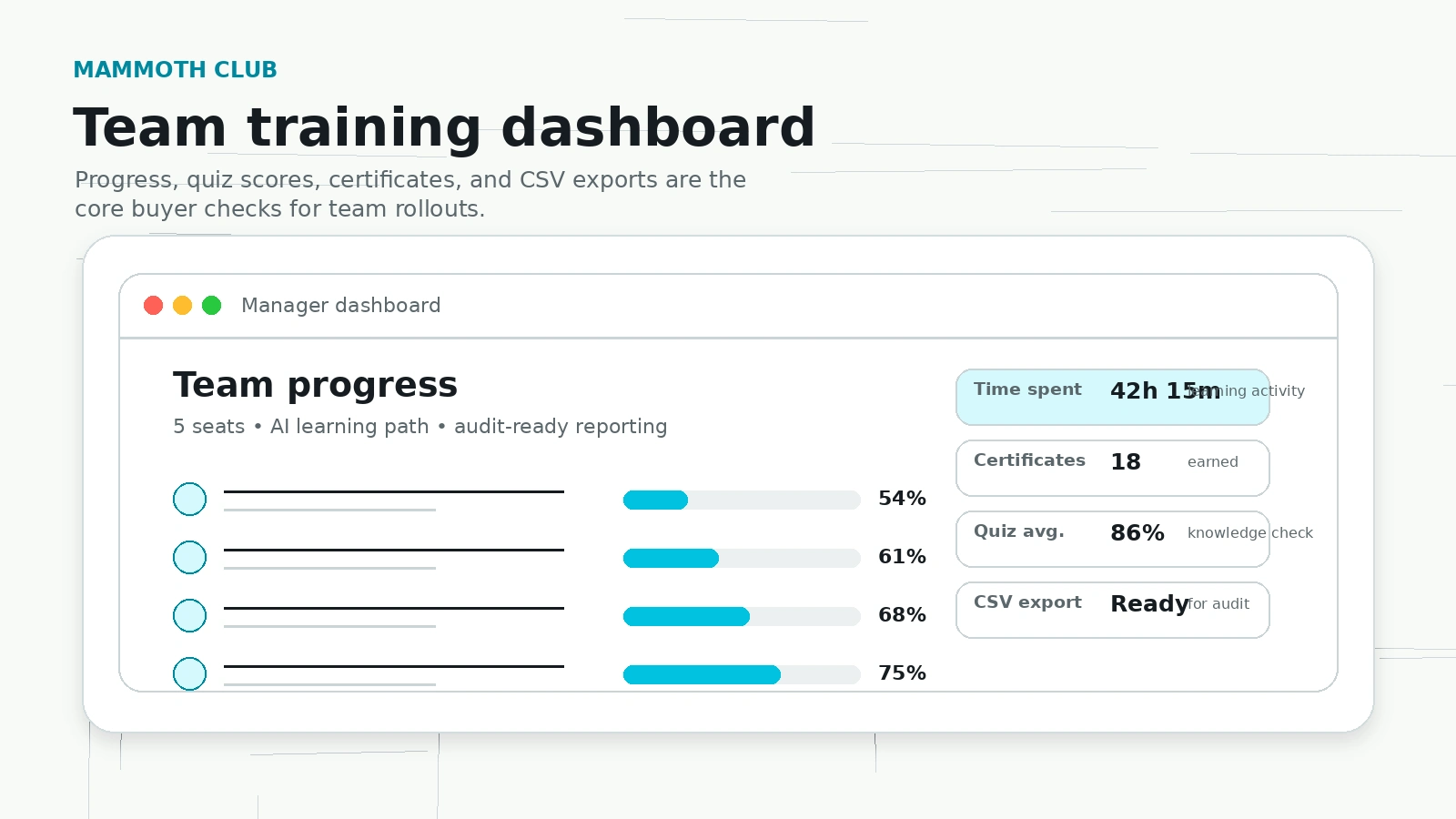
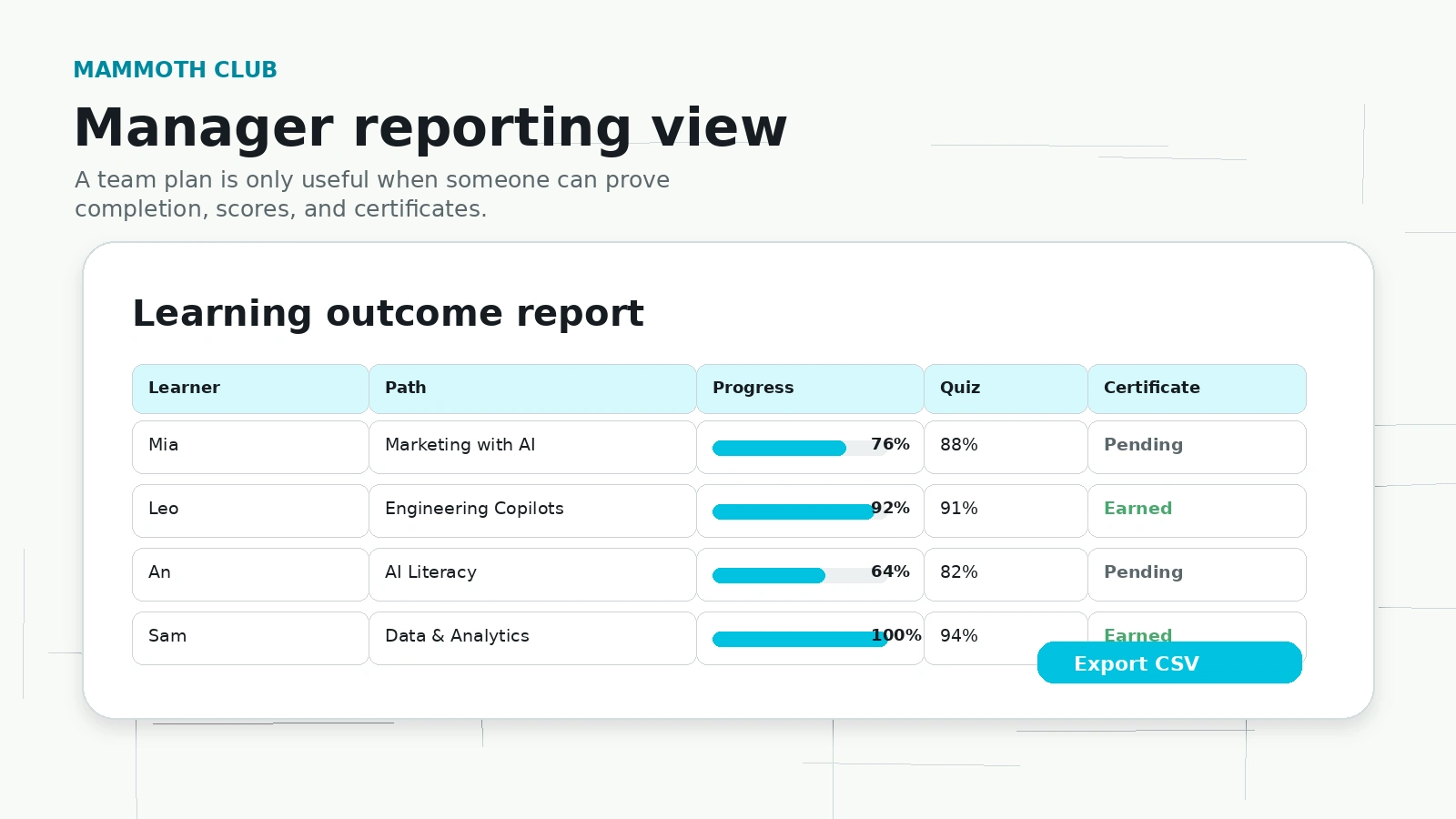
Mammoth Club makes more sense when a team needs structured AI upskilling instead of another folder full of random course links. The stronger buyer case is not “3,000+ courses” by itself. A big catalog can be useful, but only if the paths are current, the learners actually finish them, and the manager can see what happened afterward. The team plan is where Mammoth Club has the clearest shape: 14-day trial, annual seat pricing, role-based AI paths, certificates, dashboards, progress data, quiz scores, and CSV exports.
I would still be careful.
Course platforms are easy to overbuy. Teams pay for access, employees get busy, and six months later the training budget becomes shelfware. With Mammoth Club, I would not buy annual seats just because the pricing looks lower than some better-known training brands. I would first test whether the course quality, path structure, reporting, and learner engagement are strong enough for the group you are paying for.
For a manager who needs a practical AI training rollout, Mammoth Club is worth a structured trial. For an individual who only wants one polished course, I would compare narrower options first.
Next step: If Mammoth Club still matches your training goal, verify the current plan type and trial terms before checkout.
Review snapshot
| Review point | Practical take |
|---|---|
| Best fit | Teams that need AI learning paths, certificates, dashboards, and measurable upskilling |
| Weak fit | Buyers who want a direct AI assistant, one narrow course, or accredited university-style credentials |
| Main buyer question | Will people actually complete the paths and use the skills at work? |
| Team trial | The business plan currently presents a 14-day trial path |
| Team pricing signal | Public pages show $159 per user per year, with example totals based on seat count |
| Individual path | Membership and bundle pricing can differ from team pricing, so checkout context matters |
| Main strength | Training structure for teams, not just content access |
| Main risk | Course quality, plan confusion, refund clarity, and annual seat overbuying |
| Best first test | Put real learners through one role-based path during the trial |
What Mammoth Club actually is
Mammoth Club is best understood as an AI and tech training platform.
That sounds simple, but it matters because the wrong buyer expectation can lead to the wrong purchase. Mammoth Club is not a direct AI writer. It is not a meeting note tool. It is not an automation builder. It is not a chatbot workspace. Its current public pitch is built around AI training, course access, role-based paths, certificates, team dashboards, and learning progress.
The team page makes the business case very clearly: train a group on AI and tech skills, invite learners, assign learning paths by role, measure time spent and progress, track quiz scores, see certificates, and export data when needed. That is a learning-and-development product angle more than a software-utility angle.
That can be valuable.
A team that wants to introduce AI across marketing, engineering, data, IT, operations, or leadership may not need another standalone tool first. It may need a shared learning baseline. People need vocabulary. They need examples. They need to understand where AI helps, where it creates risk, and what a practical workflow looks like.
Mammoth Club is trying to sit in that space.
The buyer mistake would be judging it only by the number of courses. A large library is not automatically a strong learning system. What matters is whether the paths are current, the material is useful, the assignments are clear, the certificates mean anything to your team, and the reporting helps a manager keep the rollout alive after the first week.
Evidence confidence and review method
I would treat the evidence for Mammoth Club as mixed but workable.
The official pages give enough information to understand the team-training offer: AI paths, certificates, dashboards, 14-day trial language, annual seat pricing examples, Stripe checkout, cancellation wording, and enterprise-style features such as SSO availability by request. That is the high-confidence layer.
The more cautious layer is course quality and learner satisfaction. Public community discussion around Mammoth-related bundles and content is not uniformly positive. Some buyers describe low-quality or AI-generated-feeling material, while others treat the courses as organized, affordable learning paths rather than premium instruction. That does not automatically make Mammoth Club a bad fit, but it changes how I would buy it.
I would not buy a training platform only from the homepage.
I would preview the exact courses, assign a real learner during the trial, inspect dashboard output, and ask whether the training actually changes behavior at work. If it does, the team plan becomes easier to justify. If it does not, the course count and certificates will not save the purchase.
Who Mammoth Club is best for
Mammoth Club is strongest for teams that need organized AI training rather than scattered self-study.
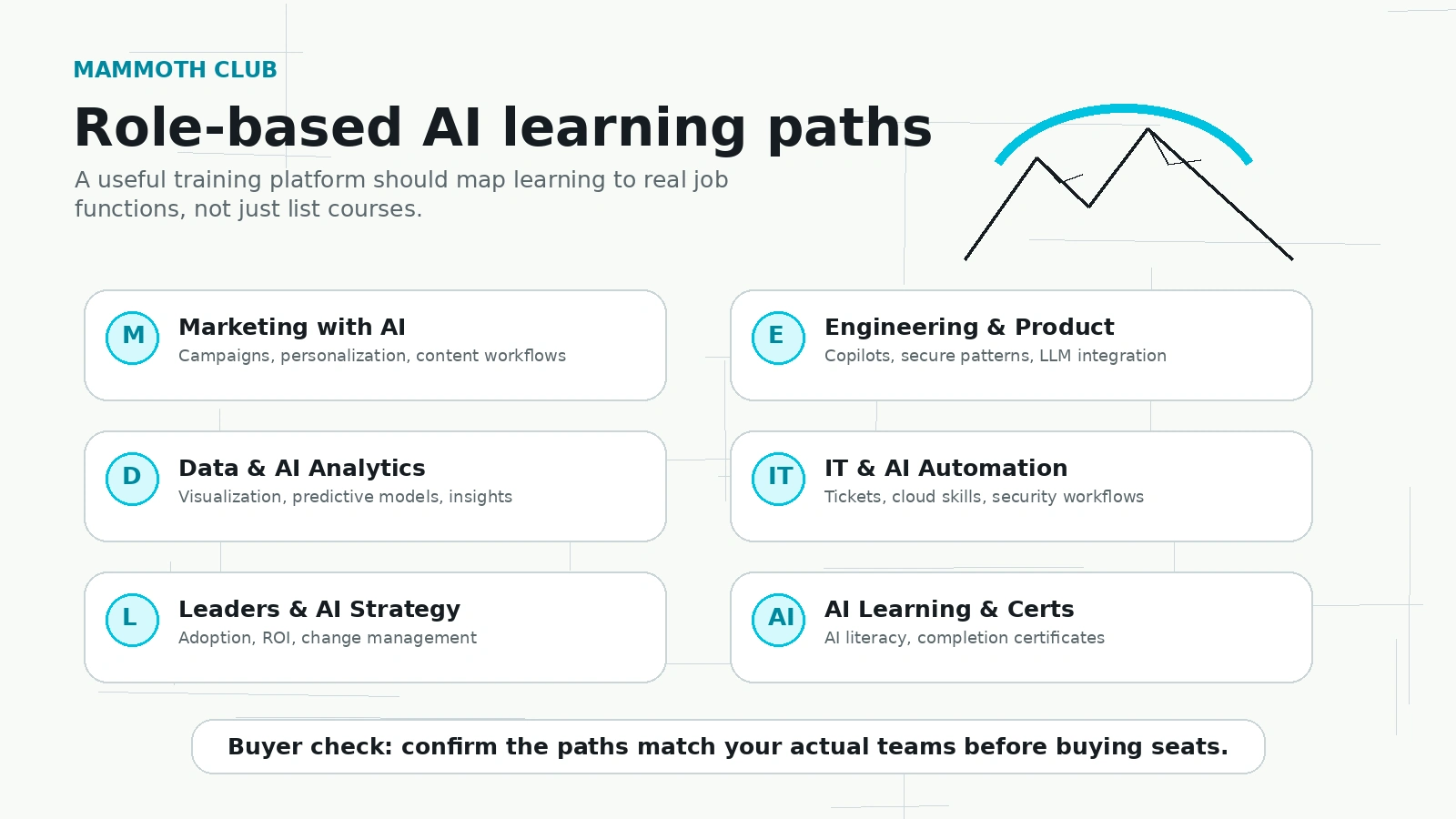
A marketing team might use it to build shared understanding around AI-assisted campaign work, prompt habits, content workflows, and productivity tools. An engineering team might care more about AI copilots, production workflows, automation, or cloud-adjacent skills. A leadership team may need AI literacy without forcing every person into a highly technical course.
That role-based angle is the part I would pay attention to.
If Mammoth Club can give different groups different learning paths while still giving a manager one place to track progress, it becomes more useful than a generic course marketplace. The platform is not just selling “more content.” It is selling a training structure.
It may also fit small businesses that do not have an internal learning team. A founder or operations lead could assign a few courses, track completion, and use certificates as a lightweight accountability layer. That is not the same as a full enterprise learning system, but it may be enough for a practical AI upskilling push.
Individual learners can still use Mammoth Club, especially if they want broad access across AI, coding, automation, game development, data, or cloud topics. I would be more careful there, though. An individual usually does not need team dashboards, CSV exports, seat management, or role-based rollout tools. If you only need one course, a subscription can become expensive simply because you stop using it.
Who should avoid Mammoth Club
I would avoid Mammoth Club if you are actually looking for a direct AI tool.
That sounds obvious, but it is an easy category mistake. If your goal is to generate articles, summarize documents, build automations, create social posts, or run AI workflows today, a tool like 1min.AI or another direct productivity platform may be closer to the job. Mammoth Club may help people learn those skills, but it does not replace the tool itself.
I would also be cautious if you need a formal credential. Mammoth Club certificates may help with completion tracking and internal accountability, but they should not be confused with accredited university credentials or widely recognized professional certifications unless the specific course page proves that status.
A team should also avoid rushing into annual seats if nobody owns follow-through. Dashboards do not create learning culture by themselves. Someone still has to assign paths, remind learners, review progress, and connect the training to actual work.
The biggest caution is course-quality fit.
Mammoth Club has a broad catalog and legacy Mammoth Interactive context. That breadth can be useful, but public community sentiment is mixed enough that I would not assume every course is equally strong. Before paying for many seats, inspect the current catalog, preview the exact courses your people will use, and ask a few learners whether the lessons feel current and practical.
How Mammoth Club fits into a real team workflow
A good Mammoth Club rollout should not begin with buying every seat.
It should begin with a training problem.
For example, a marketing team may need safer AI content workflows. A product team may need better understanding of AI copilots. A support team may need AI literacy before adopting internal automation. A leadership group may need a shared language before making tool decisions. Those are different problems, and the right learning path should match the job.
The workflow I would use is simple:
- Pick one team or role group.
- Choose one relevant AI path.
- Put a small group through it during the trial.
- Track completion, quiz results, and certificates.
- Ask learners what they can now do differently at work.
- Review dashboard and export quality.
- Only then decide whether annual seats make sense.
That is the difference between buying access and buying outcomes.
Mammoth Club is easier to justify if the trial proves three things: people complete the training, managers can measure it, and the lessons translate into real workflow changes. If those three things are weak, the number of courses matters less.
Workflow check: Use the trial to test one real team path before treating Mammoth Club as a company-wide AI training solution.
Features that matter most
The features that matter are not the flashiest ones.
For Mammoth Club, I would focus on five practical areas.
First, role-based AI paths. These matter because a marketing learner, an engineer, a data analyst, and a manager should not all be pushed through the same generic AI course. If the role paths are well organized, Mammoth Club becomes easier to roll out across a mixed team.
Second, manager dashboards. This is where a training platform becomes more serious. Time spent, progress, quiz scores, certificates, and CSV exports can help a manager prove participation and follow-through. Without that, training easily becomes invisible.
Third, certificates. Certificates are not always meaningful in the outside job market, but they can be useful internally. They create a finish line. They help managers see who completed what. They can support compliance-style or HR-style reporting when the organization needs that layer.
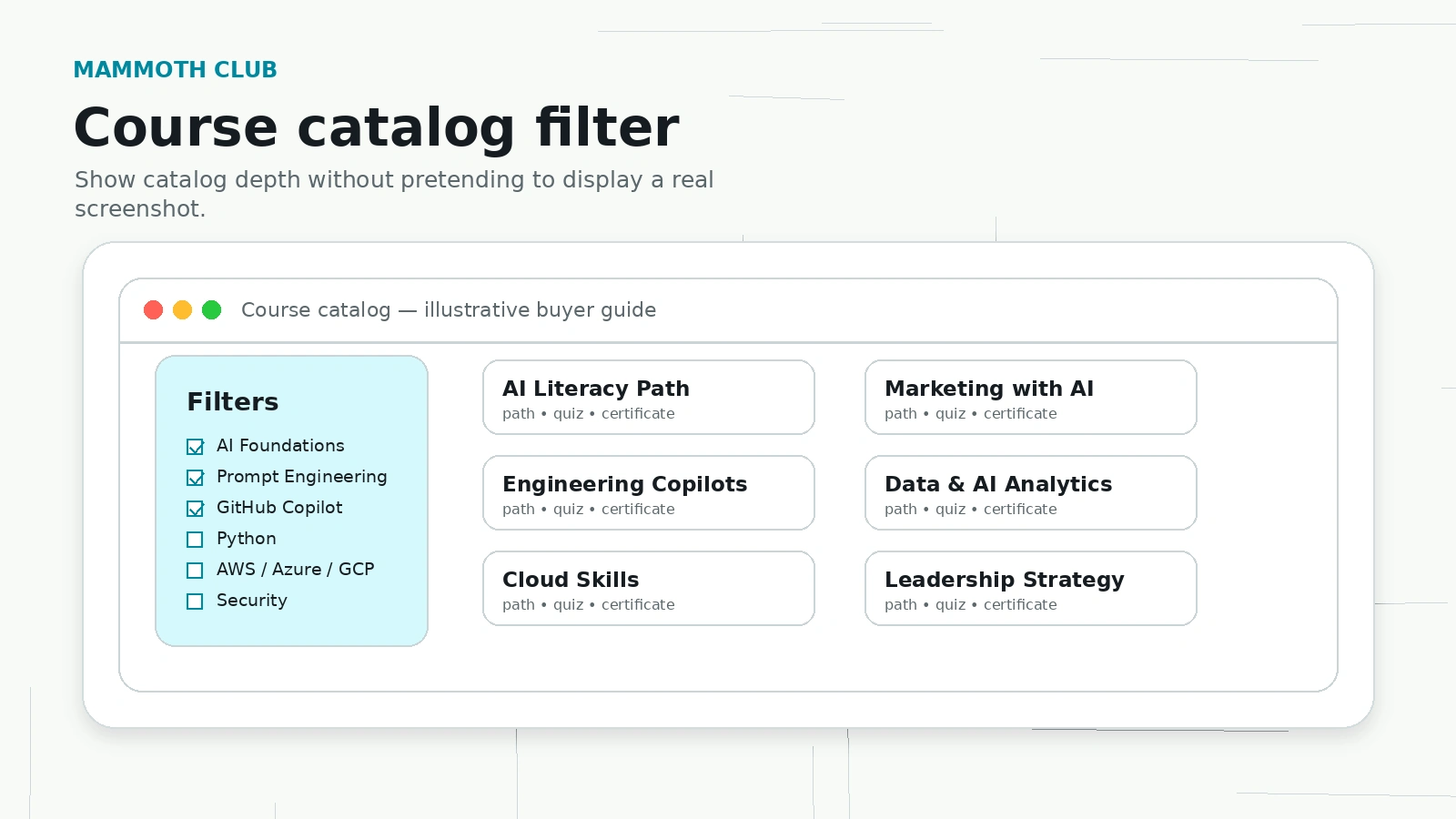
Fourth, catalog breadth. Mammoth Club claims broad coverage across AI, productivity, coding, cloud, data, automation, leadership, and adjacent technical skills. Breadth is useful if your team has varied needs. It is less useful if you only need one excellent course in one narrow topic.
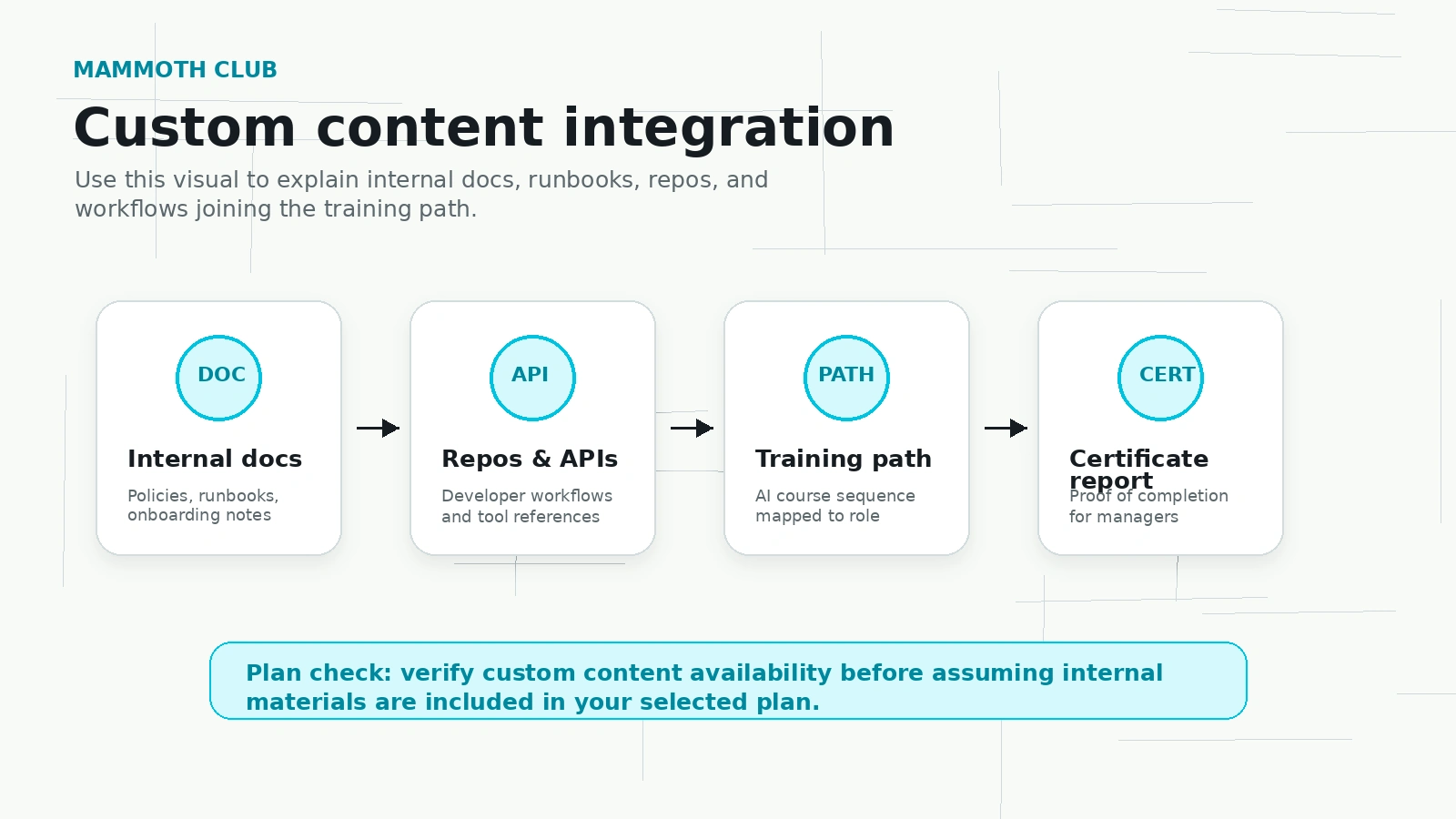
Fifth, custom or enterprise needs. If you care about SSO, custom content, internal materials, larger seat counts, or rollout support, do not assume the public checkout answers everything. Use the strategy-call path and ask direct questions before committing.
Pricing and plan value
Mammoth Club pricing needs a careful read because there are different buying paths.
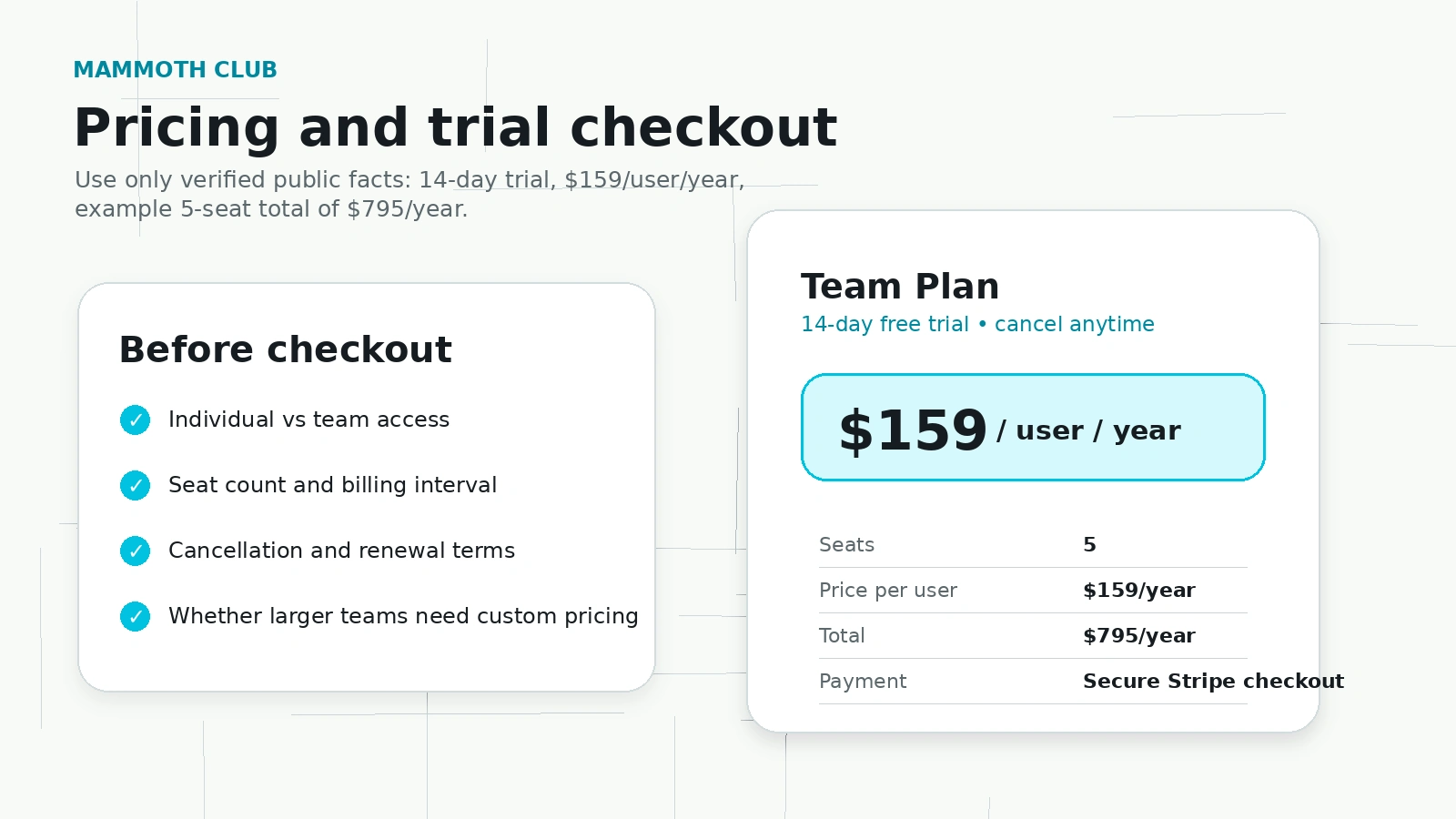
The team/business path is the clearest public signal. Mammoth Club presents a 14-day trial and seat-based pricing around $159 per user per year, with example totals such as 5 seats at $795 per year. It also shows larger seat examples on alternative pages and points teams with 50 or more learners toward a custom conversation.
That is not the same as individual membership pricing or course-bundle pricing.
This distinction matters. A solo learner comparing a monthly membership is making a different decision from a manager buying annual seats. A course bundle buyer is making a different decision again. If you mix those paths together, Mammoth Club can look either cheaper or more confusing than it really is.
For team buyers, the value test is not just price per user. It is price per completed and useful learning path. If 20 people get access and only two finish anything meaningful, the platform is expensive no matter how low the per-seat price looks. If 20 people complete relevant paths, earn certificates, and apply the skills in work, the pricing becomes easier to defend.
For individual buyers, I would start shorter. Monthly access or a small course path is safer than assuming you will use a huge catalog for a full year. The cheapest long-term price is not automatically the best deal if your actual study habit is inconsistent.
Pricing check: Do not compare Mammoth Club only by headline price. Verify the live checkout path, billing interval, trial terms, and seat count before paying.
Free trial, coupon, and checkout notes
The team plan’s 14-day trial is the safest public buying path to evaluate first.
I would not treat a coupon as the main decision point here. A discount can reduce the cost, but it cannot solve poor course fit, weak learner engagement, or plan confusion. With training platforms, the real savings come from not buying seats that nobody uses.
The current store data points to several legitimate savings angles: trial access, annual seat pricing, bundle or membership pricing, and custom pricing for larger teams. Public coupon claims should be treated as secondary until the current checkout or a verified offer path confirms them.
The buyer checks I would make before entering payment details are straightforward:
- Am I buying individual access, a course bundle, team seats, or enterprise access?
- Does the trial require a payment method?
- When does billing start?
- Is the billing interval monthly, yearly, weekly, one-time, or seat-based?
- Can I cancel during the trial?
- What happens after the trial ends?
- Is there a refund policy, or only trial/cancellation language?
- Are certificates, dashboards, exports, and SSO included in the plan I am choosing?
This is where I would slow down.
Mammoth Club’s business pages communicate trial and cancellation language, but I would not treat refund protection as fully confirmed unless the live checkout or terms make it clear. Trial access is useful, but it is not the same as a post-payment refund window.
Checkout note: If Mammoth Club fits your training problem, check the current offer route after confirming the plan type and trial terms.
What I would check before buying Mammoth Club
The first thing I would check is not the price.
I would check the course path my team actually needs.
If a marketing team needs AI campaign workflows, preview that path. If engineers need AI copilot training, preview that path. If leaders need AI strategy, preview that path. Do not judge the whole platform by a generic homepage promise.
The second thing I would check is freshness. AI training ages quickly. A course that sounded current 18 months ago may feel thin now, especially around prompt engineering, copilots, security, automation, and production AI workflows. For fast-moving topics, course freshness is not a small detail.
The third thing is learner behavior. During the trial, assign a real path to real people. If learners do not start, do not finish, or do not find the lessons useful, that tells you more than the sales page.
The fourth thing is reporting. Open the dashboard. Look at progress, quiz scores, certificates, and exports. Ask whether the data is enough for your internal reporting needs.
The fifth thing is cancellation and renewal. For any recurring membership or annual seat plan, confirm what happens after the trial and how renewal is managed.
This is not overthinking. It is how you avoid buying training theater.
Pros and cons explained
Mammoth Club’s biggest strength is focus around AI training for teams.
A lot of course platforms are either too broad or too individual-focused. Mammoth Club’s business pages are at least trying to solve a practical company problem: how do you get people across roles trained on AI and related technical skills without building a curriculum from scratch?
The second strength is visibility. Manager dashboards, progress tracking, quiz scores, certificates, and CSV exports are the right kinds of features for a team-training purchase. They do not prove the courses are good, but they make the rollout easier to manage.
The third strength is the trial. A 14-day trial gives teams a chance to test the workflow before paying for annual seats. I would use that trial aggressively, not passively.
The cons are equally important.
The first con is category confusion. Mammoth Club can be listed near AI productivity tools, but it is not a direct AI utility. If the buyer needs software output right now, training may be the wrong purchase.
The second con is course-quality uncertainty. Outside discussion around Mammoth-related content is mixed enough that I would not accept the catalog size as proof of value. Preview first.
The third con is pricing-path complexity. Individual access, bundles, team seats, and enterprise plans are different things. The live checkout matters.
The fourth con is refund clarity. Trial and cancellation language is visible, but refund terms are not strong enough in the public data to lean on casually.
Green flags and red flags
A green flag is the team-training structure.
Mammoth Club is more compelling when the buyer needs role-based paths, reporting, and certificates. That gives the platform a clearer job than a generic course marketplace.
Another green flag is public seat pricing. Many training platforms push business buyers straight to sales. Mammoth Club’s public examples make it easier to estimate cost before booking a call.
A third green flag is the trial path. A trial is useful because the product needs real learner behavior to be judged.
The red flags are more about buying discipline than the product alone.
If you cannot identify the exact path your learners will use, do not buy yet.
If your team has no internal owner for training follow-through, do not buy many seats yet.
If course quality is the main reason you are considering it, do not rely on catalog size. Preview the lessons.
If refund protection is important, confirm it before payment. Do not assume cancel-anytime language means the same thing as a refund window.
Mammoth Club vs alternatives
Mammoth Club should be compared with training platforms first, not direct AI tools first.
DataCamp is the clearer comparison if your team’s main need is data science, analytics, SQL, Python, and structured data learning. Mammoth Club is more relevant when the training goal is broader AI fluency across business, marketing, sales, operations, leadership, and technical roles.
Pluralsight is a stronger comparison for technical teams that need established developer, cloud, security, and IT training. Mammoth Club may feel more AI-focused and simpler for cross-functional rollout, but Pluralsight may be more familiar to organizations already invested in professional tech training.
Codecademy is worth comparing if the buyer is focused on learning-by-doing coding basics or developer skill building. Mammoth Club’s angle is more team AI training and role-based paths, while Codecademy is better known for individual coding education and structured exercises.
Udacity is the better comparison if the buyer wants project-based programs, nanodegree-style learning, or a more formal skill-development path. Mammoth Club may be faster and cheaper for team AI fluency, but Udacity may feel stronger for learners who want a more defined program format.
Packt and Skillshare are broader content-library comparisons. They may make sense for learners who want cheap breadth or creative/technical variety. Mammoth Club’s stronger pitch is team structure, AI focus, certificates, and management features.
For DealBestDaily internal routing, 1min.AI is not a direct alternative. It is an adjacent route. The comparison is useful only when the buyer is deciding between training people to use AI and giving people direct AI tools. Aikeedo is also adjacent, not direct: it is closer to building or launching an AI SaaS foundation than training employees through a learning platform.
Comparison note: Compare Mammoth Club with training platforms first. Use direct AI tools only if your real goal is immediate software output rather than team learning.
Review Mammoth Club details Compare adjacent AI tool route Compare AI SaaS route
Buyer scenarios
Mammoth Club makes the most sense for a company that knows it needs AI literacy but does not want to build its own training program.
That might be a 15-person agency trying to train writers, account managers, and operations staff on AI workflows. It might be a product team trying to introduce AI copilots without leaving every developer to figure it out alone. It might be a manager who needs enough reporting to show that training happened.
In those cases, Mammoth Club has a credible job.
The more questionable scenario is the solo learner who sees a huge library and assumes that more courses equals more value. It might be true if you study consistently. It will not be true if you watch three lessons, forget the login, and keep paying.
Another questionable scenario is the buyer who mainly wants recognized credentials. Mammoth Club’s certificates may be useful internally, but buyers should not confuse them with established professional certifications unless the specific course or partner claim proves it.
The best scenario is boring but practical: small trial, real learners, one path, dashboard review, then decision.
Is Mammoth Club safe to buy?
I would call Mammoth Club reasonable to evaluate, but not something I would buy blindly.
The official business pages show enough commercial structure to make the trial worth testing: seat pricing, 14-day trial language, cancellation messaging, dashboard features, certificates, and secure checkout claims. That is useful.
The caution is not that Mammoth Club has no clear offer. It does.
The caution is that learning platforms live or die on content quality and completion behavior. Those are hard to judge from a pricing page. Public comments around Mammoth-related content are mixed, which makes trial behavior and course preview more important than usual.
If the courses you preview feel current, the learning paths match your roles, and the dashboard gives you useful reporting, Mammoth Club can be a sensible team-training purchase. If the content feels thin or your learners do not engage during the trial, I would not expect annual access to fix that.
Final verdict
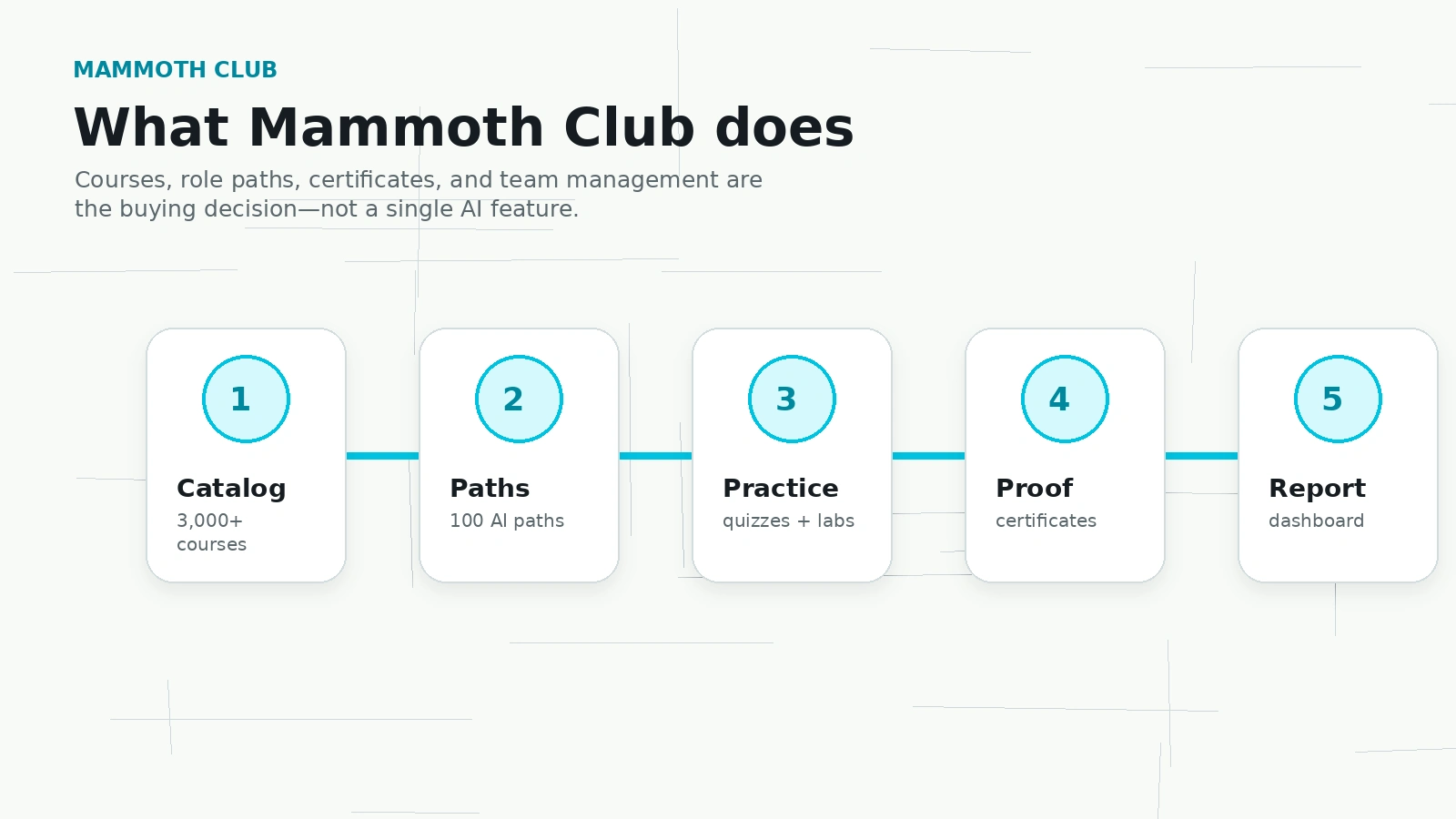
Mammoth Club is worth considering if you need structured AI training for a team and you care about paths, certificates, dashboards, and measurable completion.
I would not frame it as a simple AI productivity tool. That undersells the actual training angle and risks attracting the wrong buyer. Mammoth Club is better judged as a learning platform for AI and technical upskilling.
The strongest buyer is a manager or team lead who wants a faster, more organized way to train people across AI literacy, business use cases, technical workflows, and related skills. The weaker buyer is someone who wants one premium course, a direct AI software tool, or a credential with external recognition.
For my money, the right approach is trial-first.
Use the 14-day team path if you are evaluating it for a company. Assign one real learning path to real people. Look at completion, quiz scores, certificates, and learner feedback. Confirm the checkout terms. Then decide whether annual seats make sense.
I would consider Mammoth Club if the trial proves your team will actually use it.
I would skip it if you are only impressed by the course count.
