Quick verdict
Elai is worth a serious look if your team needs repeatable avatar-led videos for learning, onboarding, customer education, or internal communication. It is not the kind of tool I would judge by one polished avatar demo.
The real question is narrower: can Elai help you turn scripts, slides, URLs, or training material into usable business videos faster than your current production process?
If the answer is yes, Elai can make sense. Its public positioning is now clearly centered on AI video for Learning and Development, with 80+ avatars, 75+ languages, AI storyboard tools, PPTX-to-video, article-to-video, translations, interactivity, voice cloning, custom avatars, API access, and enterprise paths. That is a useful stack when video is a recurring workflow, not a one-off experiment.
The buying caution is pricing discipline. Elai’s plan ladder looks straightforward at first: Free, Creator, Team, and Enterprise. But the practical cost depends on rendered minutes, rerenders after edits, seats, output quality, custom avatar needs, voice cloning, collaboration, and whether you need API or LMS-style workflows. Minutes are not a tiny detail here. They are the meter.
I would consider Elai if you have a real production use case and can test it with a meaningful script. I would be careful if you only want a quick social clip, cinematic editing depth, or a casual avatar video without thinking about render limits. The safest next step is to test one real workflow before choosing Creator, Team, or an annual commitment.
Next step: If Elai still fits your training or business-video workflow, verify the current pricing and buyer route before checkout.
Review snapshot
| Review point | Practical take |
|---|---|
| Best for | L&D teams, product educators, trainers, course creators, and businesses making recurring avatar-led videos |
| Not ideal for | One-off casual users, cinematic editors, buyers who dislike minute limits, or teams needing unlimited experimentation |
| Main use case | Turning scripts, slides, URLs, and learning material into presenter-led videos |
| Free path | Free plan with 1 user, 1 video minute, 80+ avatars, and 75+ languages |
| Paid starting point | Creator is publicly listed at $29/month or $23/month when billed annually |
| Team path | Team is publicly listed at $125/month or $100/month when billed annually |
| Main strength | Strong L&D and business-video workflow around avatars, languages, templates, and automation |
| Main concern | Render-minute usage, rerenders, custom add-ons, and strict no-refund language |
| Direct alternatives | Synthesia, HeyGen, AKOOL |
| Best next step | Run one realistic script through the free path before choosing a paid plan |
What is Elai?
Elai is an AI avatar video generator built mainly for business learning, training, onboarding, customer education, and scalable presenter-led video production.
That matters because Elai is easy to misunderstand. It is not just a “make me a quick AI video” tool. It is also not a full manual video editor meant to replace every creative production layer. The better way to read it is as a structured browser-based video studio where you can start with text, a prompt, a URL, or presentation material, then build scenes with avatars, voices, languages, templates, captions, stock assets, and interactive elements.
The homepage leans heavily into Learning and Development. That tells you something about the intended buyer. Elai wants to help teams create training and business videos without the delay and cost of outsourced production. It also supports broader video use cases such as marketing explainers, product education, corporate communication, and personalized video workflows.
Our review approach compares public product pages, pricing details, help documentation, legal terms, buyer workflow fit, and nearby alternatives. I do not treat a low entry price, free plan, or coupon route as proof that a product fits the buyer. With Elai, the real test is whether the avatar-video workflow saves time in a process you repeat.
The common wrong expectation is thinking that an AI avatar tool removes all production judgment. It does not. Script quality, avatar choice, voice fit, scene design, render timing, and review discipline still matter.
Who should use Elai?
Elai makes the most sense for buyers with recurring video production needs.
L&D and training teams are the cleanest fit. If you regularly turn policies, onboarding material, product knowledge, compliance updates, or learning modules into video, Elai can reduce the friction of filming presenters and localizing updates. The condition is that your team can plan scripts carefully enough to avoid wasting render minutes.
Customer education and product teams should consider Elai when they need tutorial-style videos, product explainers, or localized support content. The value is stronger when the content changes often enough that refilming would be slow or expensive.
Course creators and educators may find Elai useful when slides, lessons, or structured documents need a presenter-led format. I would still test whether the avatar and voice style fits your audience. A course video that feels stiff can hurt trust even if it was fast to produce.
Marketing teams can use Elai for business explainers, sales enablement, internal campaign updates, or lightweight localized content. It is less ideal if the brand depends on cinematic storytelling, high-end motion design, or highly expressive human performance.
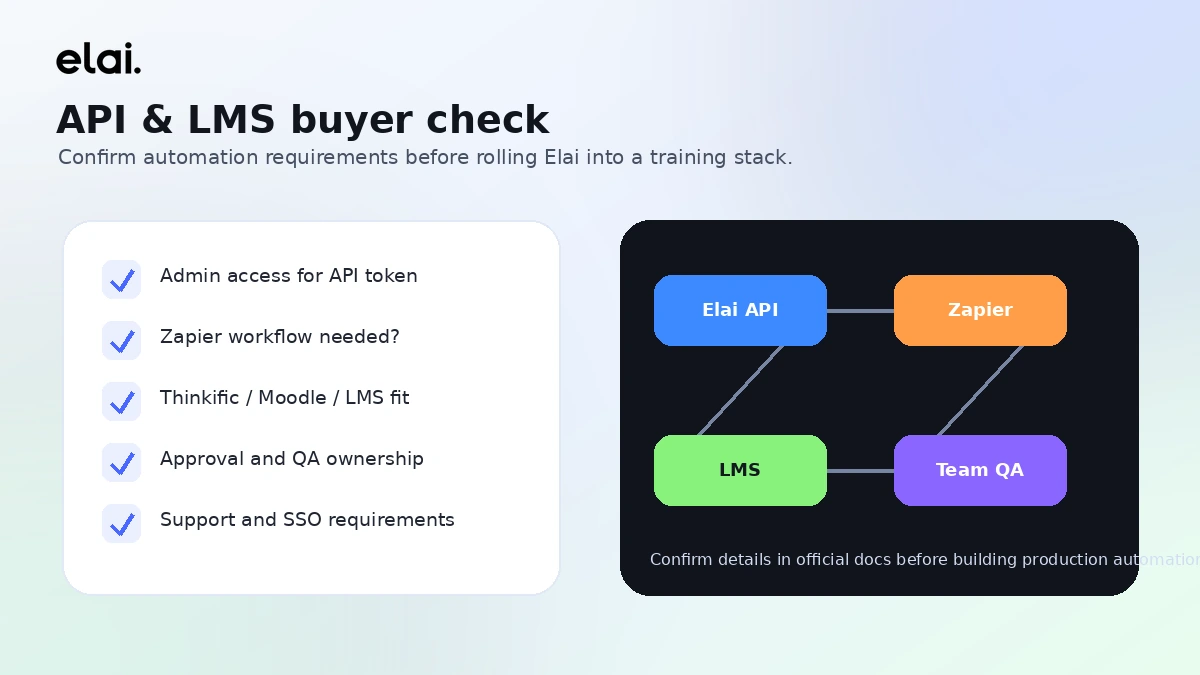
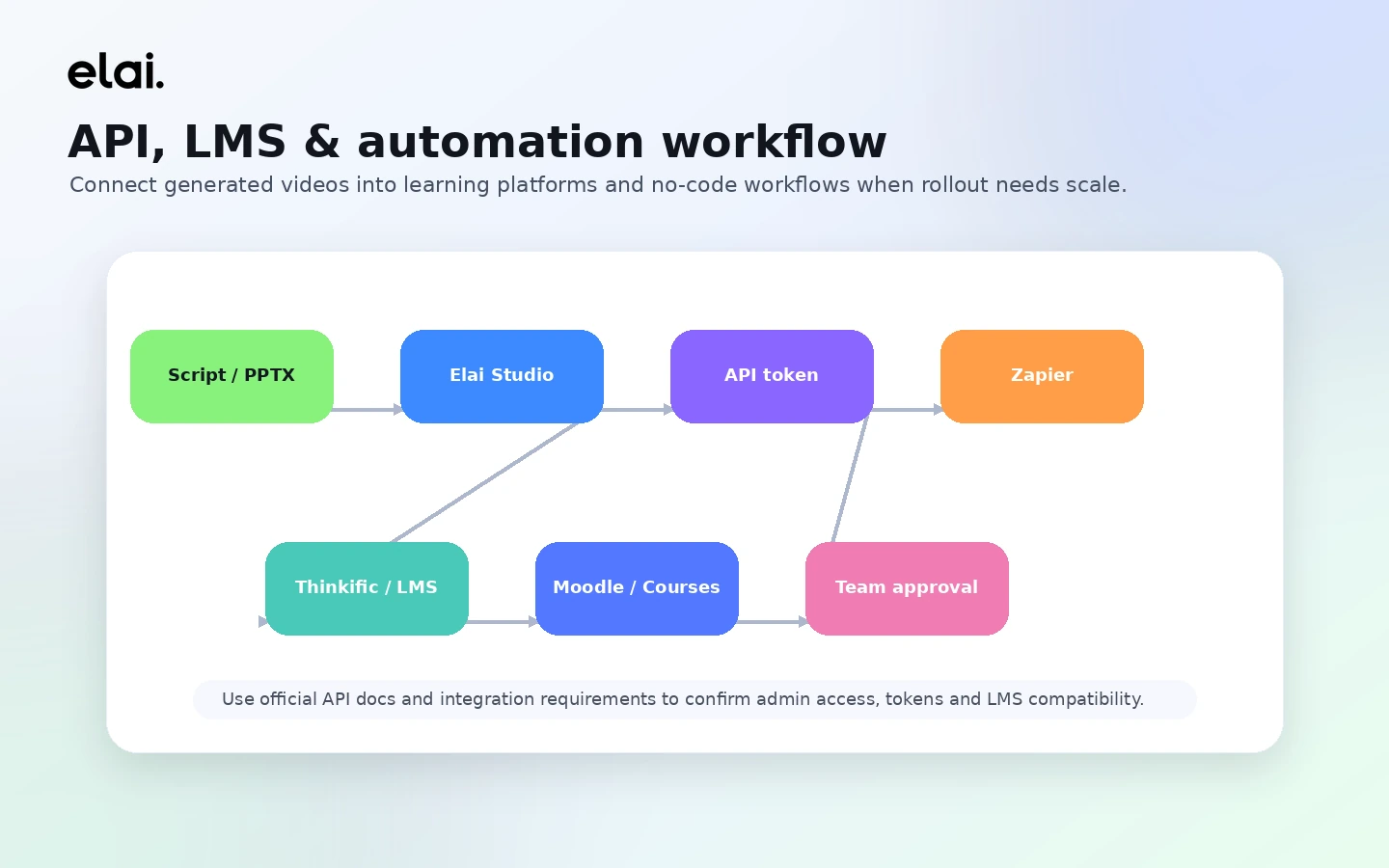
Technical and operations teams may care about API, Zapier, and automation routes. That can be useful for personalized or bulk video workflows, but only if plan access, rate limits, integration needs, and internal approval requirements are verified first.
Who should avoid Elai?
I would be careful with Elai if you only need one video. The Free plan is useful for testing, but buying a paid plan for a one-off output can be overkill unless the project has enough value to justify it.
Buyers who want deep manual editing control should also slow down. Elai helps with structured avatar video production. It is not the same buying decision as choosing a professional editing suite, motion graphics tool, or full creative studio workflow.
I would avoid rushing into annual billing if your team has not tested render-minute usage. The cheapest monthly equivalent is not automatically the best deal when every rerender can consume minutes.
Teams that need enterprise controls should not assume the standard paid plans are enough. If SSO, workspaces, premium support, brand governance, SCORM, LMS delivery, custom avatars, or large-volume workflows matter, the Enterprise path may be the more honest comparison.
Finally, do not buy Elai just because a coupon or annual discount path appears attractive. A discount can improve the purchase, but it should not be the reason you buy a minute-based video platform without testing the workflow first.
How Elai fits into a real workflow
A sensible Elai workflow starts before the tool.
First, choose a real script or training asset. Do not test with a throwaway paragraph that does not represent your work. Then decide what the video is supposed to do: teach a process, onboard an employee, explain a product, localize a lesson, or support a customer success flow.
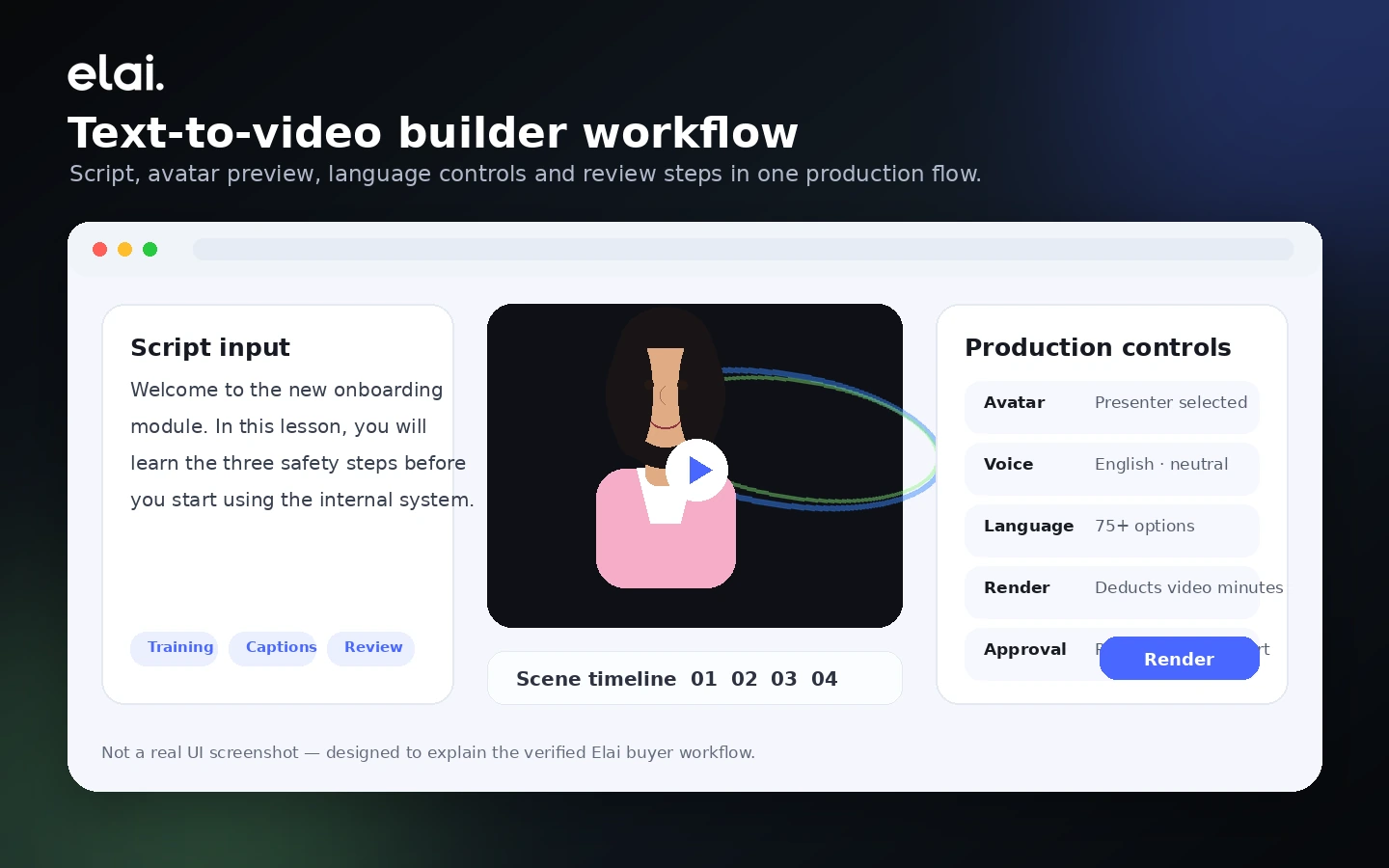
Next, build the video in Elai. You can choose an avatar, select a voice or language, create scenes, add media, use templates, and prepare the video for rendering. This is where Elai can save time compared with booking a presenter, filming, recording voiceover, and rebuilding every update manually.
The decision point comes before render. Since minutes are consumed when you render, the script and scene review stage matters. The mistake buyers often make here is treating render like a free preview button. It is not. Elai’s own pricing FAQ says minutes are used each time you click render, including the same video after edits.
After rendering, a human still needs to review the video. Does the avatar tone fit the content? Is the pronunciation correct? Are the captions clean? Is the pacing acceptable? Does the video feel helpful, or merely “AI-produced”?
That last question matters more than the demo.
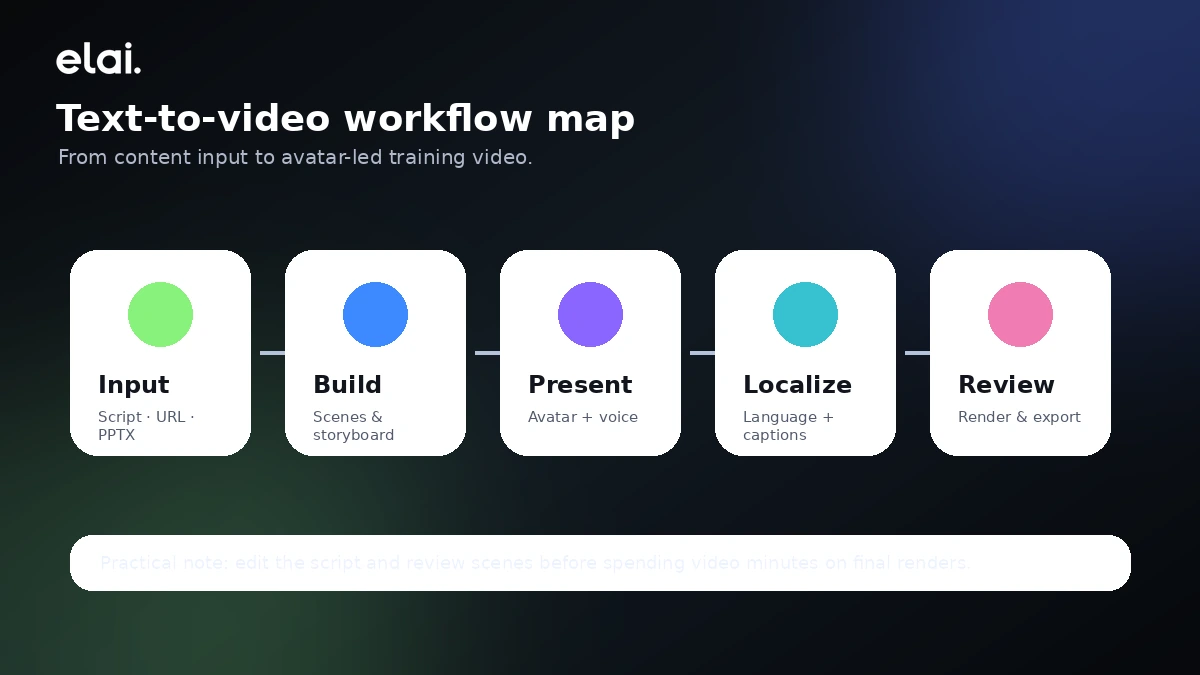
Workflow check: If Elai looks useful, test one real script before deciding whether the Creator or Team plan has enough minutes and collaboration room.
Real-world buyer scenarios
A training manager updating onboarding videos is a strong Elai scenario. The team may already have scripts, policies, and slides. Elai can turn that material into presenter-led videos faster than scheduling a new filming cycle each time. The risk is underestimating how much review and rerendering the first few videos require.
A customer education team creating product tutorials is another good fit. If the videos are mostly structured explanations, Elai’s avatar, voice, template, and translation features can help. If the product requires screen-level technical precision, the buyer should test whether Elai’s scene workflow and export options match the documentation process.
A course creator may use Elai to convert lessons into avatar-led modules. This can work well when the content is educational and structured. It becomes weaker if the course depends heavily on personal charisma, live demonstration, or hands-on visual nuance.
A marketing team considering Elai for multilingual explainer videos should compare it with HeyGen and AKOOL. Elai may be stronger when the use case is training or business education. HeyGen or AKOOL may feel more natural when expressive creator-style marketing output matters more than L&D structure.
Key features that actually matter
AI avatars and presenter-led video
Elai’s avatar library is the core product experience. The platform gives buyers a way to present information without filming a human speaker every time.
Buyer note: avatar quality should be judged against your audience. A corporate training video can tolerate a different style than a founder-led product story or high-trust sales message.
Text, URL, and PPTX-to-video workflows
Elai can support scripts, URLs, and presentation-style material. This is important because many training and business teams already work from documents, slides, and knowledge-base content.
Buyer note: the tool is only as useful as the source material. A messy script can still become a messy video.
Languages, translations, and voice options
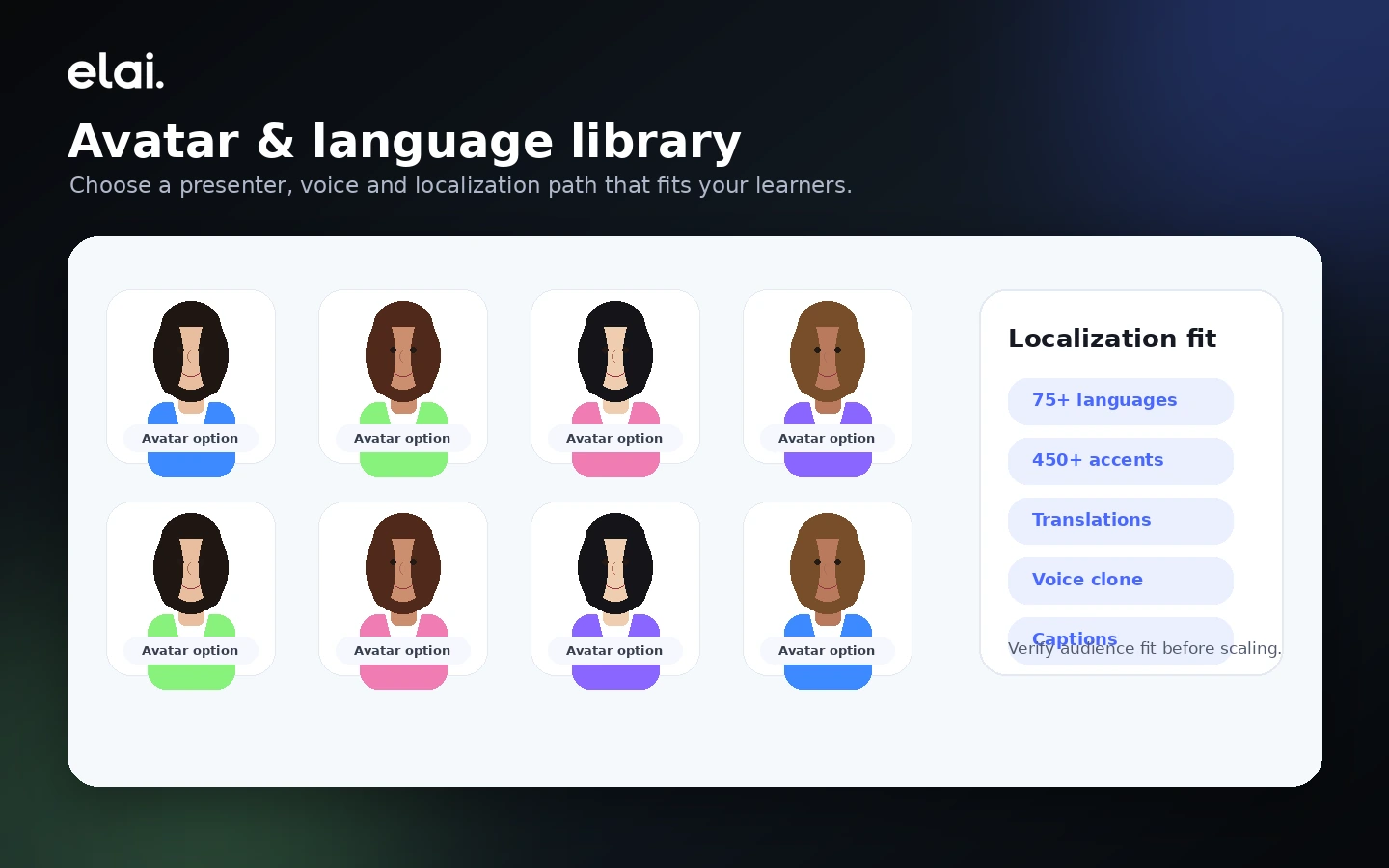
Elai’s localization features matter for global training and multilingual communication. The homepage and pricing material emphasize 75+ languages, voice options, and translation support.
Buyer note: test pronunciation and tone before scaling. A technically translated video can still feel wrong if voice, pacing, or terminology misses the audience.
Team, brand, and enterprise controls
The Team and Enterprise paths matter when production becomes collaborative. Guests, editors, workspaces, SSO, premium support, brand assets, and output quality are not cosmetic details for larger teams.
Buyer note: do not assume the entry paid plan is enough for organizational use. Match the plan to your approval workflow.
API and automation
Elai’s API and Zapier routes can support bulk, personalized, or automated video creation. This is where the product becomes more platform-like.
Buyer note: API access is only valuable if your team has the technical process to use it. Confirm access, limits, and cost before building around it.
Pricing and plan value
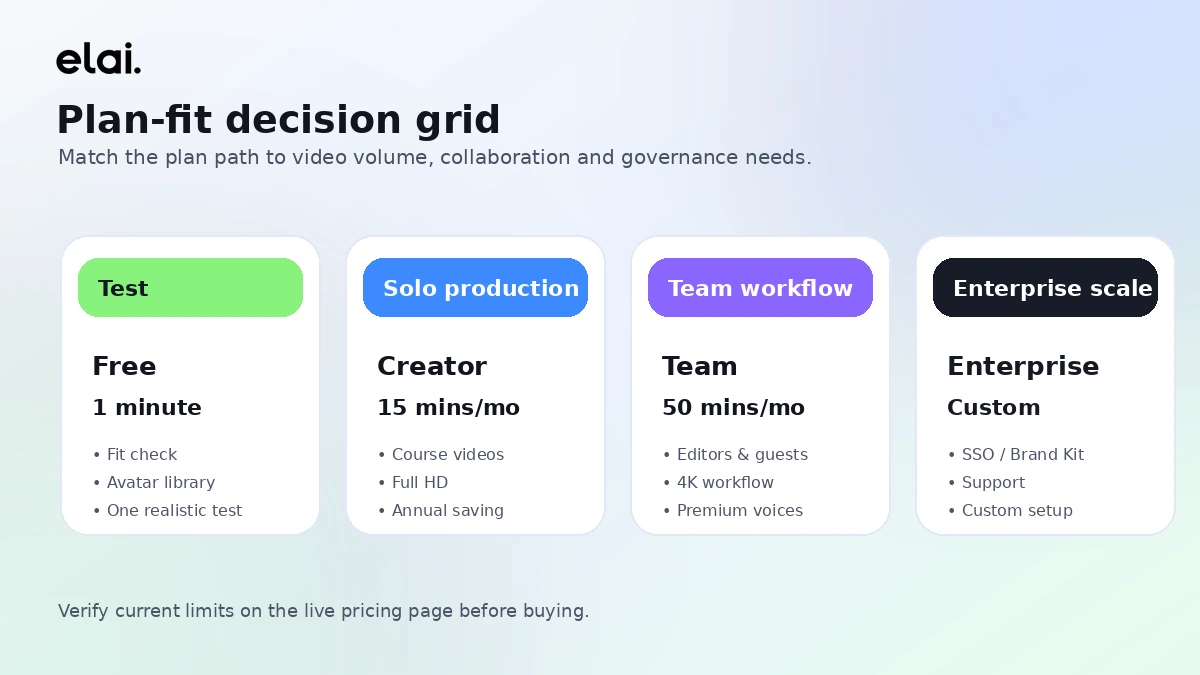
Elai’s current public pricing page shows a Free plan, Creator, Team, and Enterprise.
At the time of review, Free is listed at $0 with 1 user, 1 minute, 80+ avatars, 75+ languages, and all Creator features. Creator is listed at $29/month or $23/month when billed annually, with 15 minutes per month and 1 user. Team is listed at $125/month or $100/month when billed annually, with 50 minutes per month, 3 editors, 3 guests, custom images and fonts, Ultra 4K HD video, premium voices, and 1 selfie avatar plus 1 voice clone in the annual subscription. Enterprise is sales-led and presented for larger team and workspace needs.
That sounds clear, but the real pricing question is usage.
Video minutes are deducted upon rendering. Extra paid minutes may be available, but buyers should verify current top-up pricing and plan terms before relying on that path. Elai’s pricing FAQ also says deleting videos does not restore used credits, and rendering the same video again after edits still consumes minutes.
For a solo buyer, Creator can be reasonable if 15 minutes per month is enough and the video process is planned carefully. For a team, Creator may feel too narrow because it is still a one-user path. Team is the first serious collaboration tier, but the price jump only makes sense if collaboration, 4K output, premium voices, brand assets, guests, or included avatar/voice features matter.
For enterprise buyers, the headline price matters less than governance. SSO, workspaces, premium support, custom video volume, LMS or SCORM needs, and internal approval flows can push the decision toward sales-led evaluation.
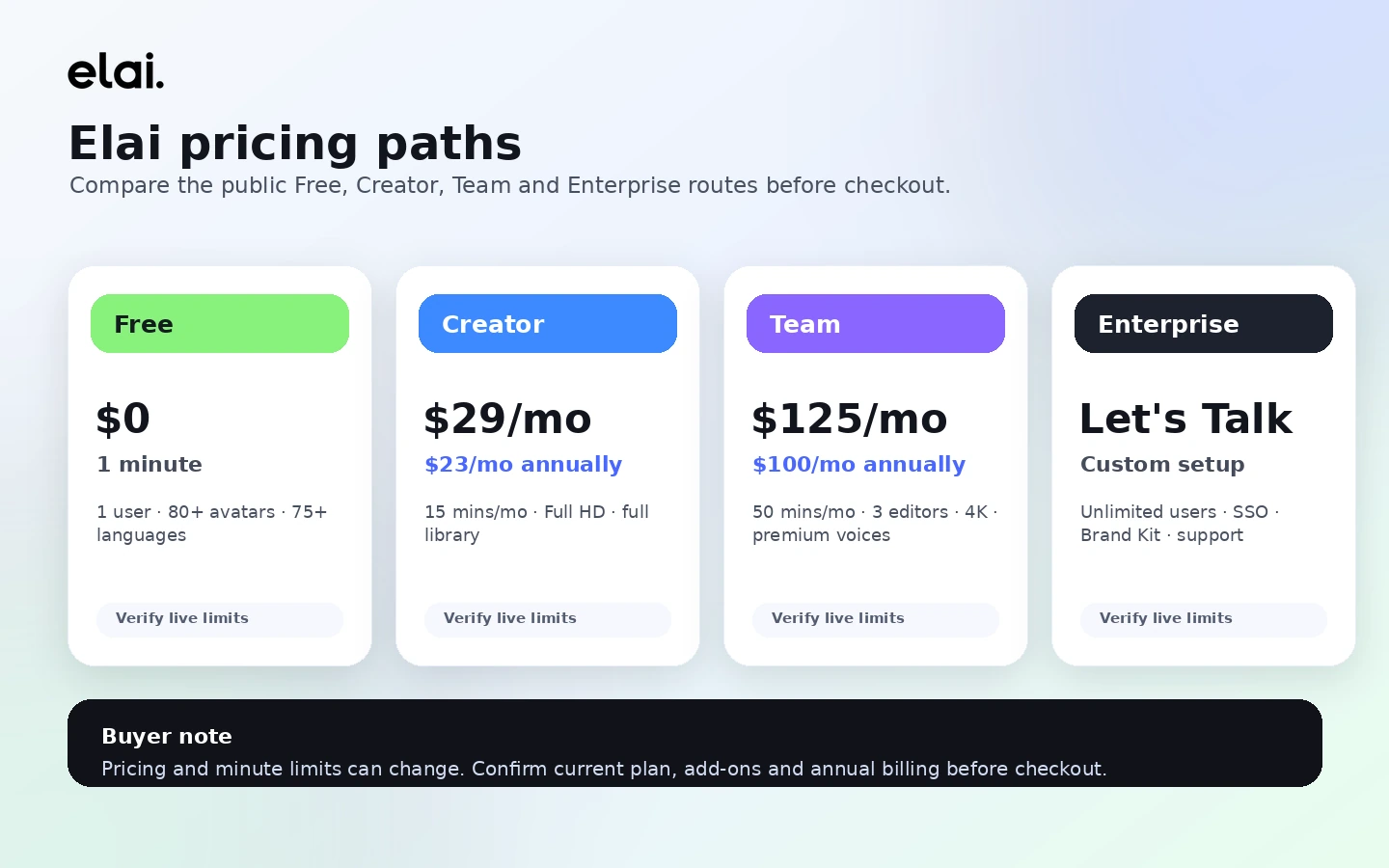
Pricing check: Before paying for Elai, compare the current plan limits against one real month of expected video production.
Free plan, trial, coupon, and checkout notes
The Free plan is useful because it lets buyers test the builder without turning the decision into a paid commitment. But it should be treated as a workflow test, not production capacity.
One minute is enough to answer basic questions: Can you create a scene? Does the avatar style fit? Is the voice acceptable? Does the interface make sense? Do you understand the render flow?
It is not enough to prove a full training library, marketing workflow, or multilingual content system.
I would treat coupons and annual savings as secondary. The current pricing page presents annual billing as a way to lower the monthly equivalent, but annual billing only helps after repeat usage is proven. If your team has not yet rendered real videos, reviewed output quality, and estimated monthly minutes, annual billing can turn a small pricing win into a commitment mistake.
For checkout, verify the current plan, billing interval, minute limit, top-up options, included add-ons, and cancellation terms. Do not expose or rely on random coupon codes in public copy. Use the coupon page or live checkout route only after the workflow and plan tier are clear.
What I would check before buying Elai
If I were buying Elai for a real team workflow, I would check these items before paying:
- Whether the Free plan output is good enough to justify a paid test.
- How many rendered minutes the team realistically needs per month.
- Whether rerenders after script, pronunciation, avatar, or scene edits will create minute pressure.
- Whether Creator’s one-user structure is too narrow for the workflow.
- Whether Team features such as guests, editors, 4K, custom images, premium voices, selfie avatar, or voice cloning are actually needed.
- Whether API, Zapier, SCORM, LMS, SSO, workspaces, or premium support are included in the plan being considered.
- Whether the no-refund terms and unused-minute rules are acceptable before annual billing.
The first thing I would check is not the discount. It is minute behavior.
That is where buyers can easily overestimate value. A tool can look affordable on a pricing table and still feel expensive if the team needs several rerenders to get each video right.
A simple test before paying
Before paying, I would run a small test like this:
- Choose one real training script, product tutorial, or onboarding lesson.
- Build a short avatar video using the Free plan or the lowest-risk evaluation path.
- Check whether the avatar, voice, pacing, captions, and scene flow feel acceptable for your audience.
- Note how many edits you needed before the video felt usable.
- Estimate how many monthly minutes your real workflow would consume after rerenders.
- Compare Creator, Team, and Enterprise against that estimate.
- Only then check the store, coupon, or annual billing path.
This test is intentionally boring. That is the point.
A polished demo can make any avatar platform feel useful. A real internal script exposes the practical friction: pronunciation, scene structure, tone, rerender discipline, stakeholder feedback, and whether the final video is something your audience would actually watch.
Pros explained
Elai’s biggest strength is that it has a clear buyer job. It is not trying to be every kind of creative AI tool. Its best fit is presenter-led business video, especially L&D, onboarding, tutorials, and scalable educational content.
The Free plan is also a real advantage. A one-minute test will not prove everything, but it does give buyers a way to inspect the workflow before paying. That is better than forcing a blind subscription decision.
The plan ladder is relatively understandable. Free, Creator, Team, and Enterprise give buyers a natural path from testing to solo production to collaboration to larger organization needs. The important caveat is that the buyer still has to inspect minute limits and add-ons.
Elai’s automation and integration angle is another strength. API, Zapier, LMS-oriented use cases, SCORM, and enterprise workflow options can matter for teams that want repeatable video production, not just manual one-off videos.
Finally, Elai’s language and avatar coverage makes it more useful for global training than a simple single-language recording workflow. This becomes valuable when a team needs localized material without refilming every version.
Cons explained
The biggest drawback is render-minute pressure. A minute-based model is normal for AI video, but Elai’s rerender behavior means buyers need discipline. If every stakeholder edit creates another render, the real cost can feel different from the pricing table.
The Free plan is narrow. It is useful for testing, but the watermark, one-minute limit, and single-user structure make it a trial path, not a production solution.
Custom avatar and voice features can raise the real cost. If your use case depends on branded presenters, voice cloning, or higher-trust internal communication, the base plan may not reflect the full buying decision.
The refund position is strict. Current terms describe paid service fees and automatic renewal fees as non-refundable, and unused minutes do not carry over or get refunded. That does not mean Elai is a bad product. It does mean buyers should not treat annual billing casually.
The product can also disappoint buyers who expect cinematic realism. Elai is strong as structured avatar-led business video. It is not the same decision as hiring a presenter, editing a high-production brand film, or building heavily stylized creative video content.
Green flags and red flags
Green flags:
- You already have scripts, slides, policies, lessons, or onboarding material ready.
- Your team needs recurring training or customer education videos.
- You can plan scripts carefully before rendering.
- You need multiple languages or presenter-led localization.
- Collaboration, API, Zapier, LMS, or enterprise controls are part of a real workflow.
Red flags:
- You only want one casual AI avatar video.
- You expect unlimited experimentation on a small plan.
- Your stakeholders will require many rerenders per video.
- You need highly cinematic editing or emotional human performance.
- You want to buy annually before understanding actual monthly minute usage.
- You are relying on a coupon instead of checking workflow fit.
The easy mistake here is comparing Elai only by avatar count or monthly price. The better way to judge it is by production rhythm: how often you make videos, how much editing they require, and whether the output actually replaces a slower process.
Elai vs alternatives
Elai’s alternatives depend on the buyer’s real video job. For this review, I would separate direct avatar-video alternatives from broader creative video routes.
Synthesia vs Elai
Synthesia is the more obvious direct comparison for business avatar video, especially when enterprise recognition, formal training workflows, templates, and organizational trust matter. I would compare Synthesia first if the buyer needs a mature corporate avatar-video platform with a larger market presence.
Elai may still make sense when L&D workflow, pricing fit, API use, or specific training-video features feel better aligned with the team’s process.
HeyGen vs Elai
HeyGen is often the stronger comparison for expressive avatar videos, creator-friendly marketing output, translation, and social/business video production that needs a polished presenter feel.
Elai may be the better fit when the buyer is less focused on creator-style output and more focused on repeatable training, onboarding, and educational workflows.
AKOOL vs Elai
AKOOL is an adjacent creative AI video route with broader avatar and visual-generation use cases. It is worth comparing when the buyer wants a wider creative suite rather than an L&D-first avatar-video workflow.
Elai may still be cleaner for teams whose main goal is structured learning content, internal training, or business communication rather than broad creative experimentation. You can also read the AKOOL review if you want the tradeoff from the creative-suite side.
Trust, refund, and buyer-risk notes
Elai is transparent enough to evaluate, but the buyer still needs to read the commercial details carefully.
Pricing is public, but current pricing should always be verified before checkout. Plan limits, annual billing, included features, extra minutes, and add-on costs can change the actual value. The pricing page also states that minutes are deducted when videos are rendered, and rerendering the same video after edits still uses minutes.
Refund risk deserves special attention. Current terms include a no-refund policy for paid services, including initial fees and automatic renewal fees. They also say unused minutes are forfeited at the end of the billing cycle and cannot be carried over or refunded. For my money, that is a strong reason to test monthly or free before annual billing.
Data and privacy should also be reviewed by teams uploading internal training material. Elai’s privacy policy describes account management, payment processing, service improvement, marketing communications, and service-provider sharing. That is not unusual for SaaS, but compliance-sensitive teams should read the latest privacy, security, and acceptable-use documents before uploading sensitive content.
API and automation buyers should be careful with assumptions. Elai presents API and Zapier paths, but a technical workflow needs more than a feature mention. Confirm plan access, rate limits, authentication, video volume, and support scope before making Elai part of a production system.
The coupon path is last, not first. Check active offers only after the use case, plan tier, and terms make sense.
Final verdict
I would consider Elai if your team has a real need for recurring avatar-led videos, especially for training, onboarding, product education, customer enablement, or multilingual business communication.
I would skip it if you only need one casual video, if your workflow depends on cinematic editing depth, or if you are not ready to manage render-minute usage carefully.
I would compare it with Synthesia if enterprise avatar-video maturity matters most. I would compare it with HeyGen if expressive avatar marketing output is the priority. I would compare it with AKOOL if you want a broader creative AI video suite rather than an L&D-first workflow.
The safest path is simple: start with a real script, test the builder, watch how much editing and rendering the video needs, then choose the plan. If the workflow works, Elai can be a practical video production shortcut. If the workflow does not work, a lower monthly equivalent or coupon route will not fix the mismatch.
