Quick verdict
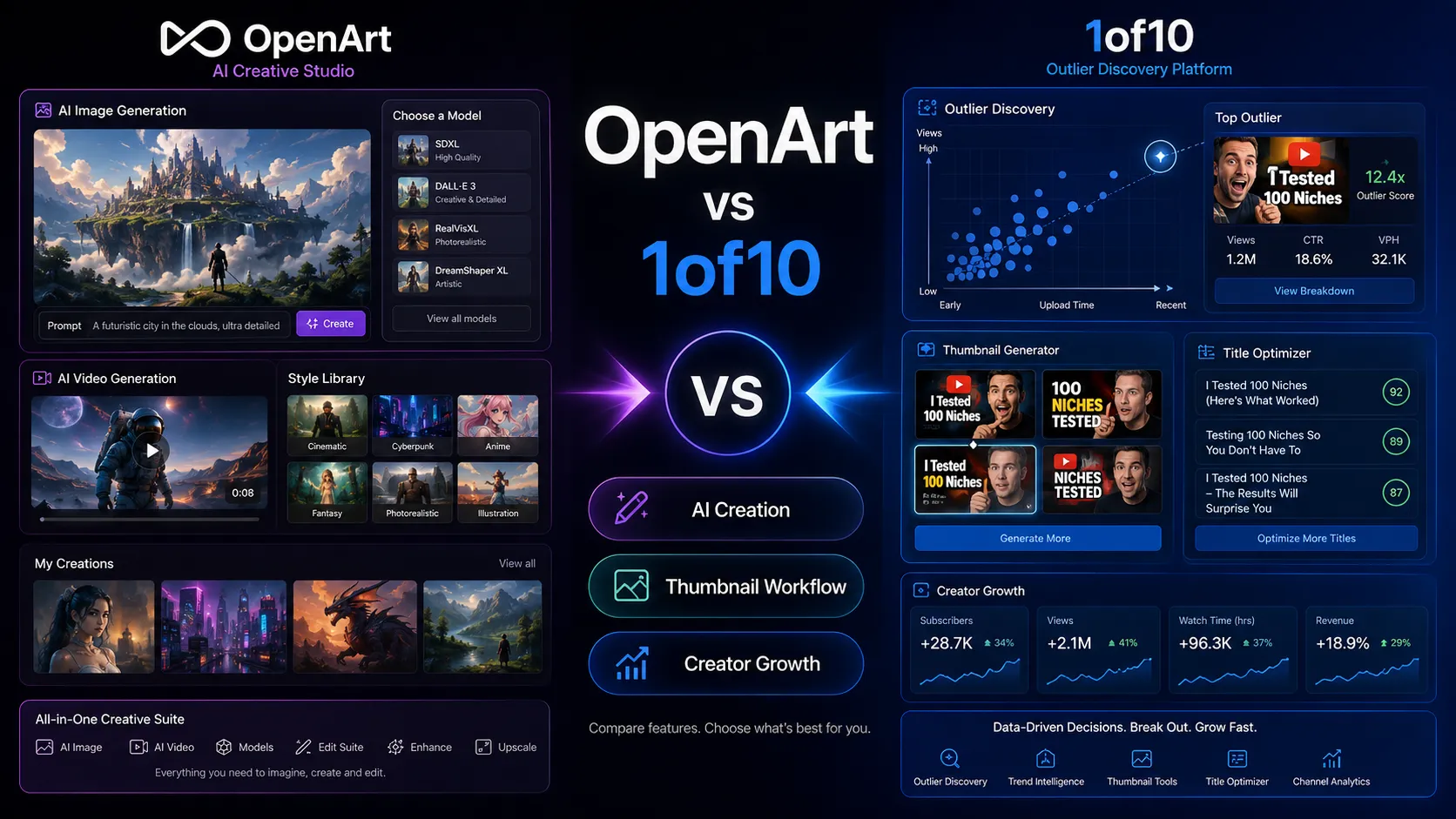
Choose OpenArt if your main goal is visual creation. It is the better fit when you need AI images, video experiments, character consistency, model access, image editing, one-click stories, creative iterations, commercial-use rights, or a broad AI creative workspace.
Choose 1of10 if your main goal is YouTube growth through better packaging. It is the better fit when you need outlier research, competitor tracking, video idea discovery, thumbnail inspiration, AI thumbnails, title generation, and creator-specific content strategy.
The practical split is simple: OpenArt helps you make visual assets. 1of10 helps you decide what YouTube video to make and how to package it.
That difference matters because these tools can both touch thumbnails, images, and creator workflows, but they do not solve the same buying job. A YouTube creator might use OpenArt to create visuals. But if the real question is “what topic, title, and thumbnail pattern is already working on YouTube?” 1of10 is the more direct product.
OpenArt vs 1of10 at a glance
| Decision point | OpenArt | 1of10 |
|---|
| Best fit | AI image, video, audio model, character, editing, and creative asset generation | YouTube outlier research, title generation, thumbnail generation, and idea discovery |
| Primary buyer | Designers, creators, marketers, indie makers, visual storytellers | YouTube creators, faceless channel operators, niche researchers, creator teams |
| Free path | Free plan with trial credits and basic models | Free plan with outlier search, bookmarks, channel tracking, and trial AI credits |
| Pricing logic | Credit-based visual creation plans by credits, parallel generations, model access, and commercial rights | Creator plans by research depth, AI tools, monthly credits, team seats, and enterprise onboarding |
| Main strength | Broad visual AI studio | YouTube-specific growth and packaging intelligence |
| Main risk | Burning credits while experimenting with premium models, videos, or characters | Paying for creator research if you do not publish enough to use it |
| Better first test | Generate or edit one real visual asset | Research one real niche and package one upcoming YouTube idea |
Choose OpenArt if the deliverable is a visual asset
OpenArt is the stronger choice when the output itself is visual.
Its official site positions the product as a free AI image, video, and audio generator. The current pricing page shows Free, Essential, Advanced, Infinite, and Wonder plans. Paid plans include monthly credits, parallel generations, access to 100+ premium image, video, and audio models, one-click story creation, a powerful image editing suite, and commercial-use rights on higher tiers. The page also presents team and enterprise options for shared credits and collaborative workspaces.
That makes OpenArt useful when the buyer needs to create or manipulate visuals, such as:
- AI artwork;
- thumbnails or concept art;
- product visuals;
- campaign images;
- image-to-video experiments;
- consistent characters;
- personalized models;
- story-based visual concepts;
- AI image editing;
- creative variations for ads or social content.
OpenArt can absolutely help a YouTuber create a thumbnail asset. But it will not decide whether that thumbnail concept is strategically strong for a specific niche. It gives you creative generation power. It does not replace YouTube outlier research.
The caution is credit behavior. OpenArt’s plans are credit-based, and heavier creative workflows can consume credits quickly. Videos, characters, premium models, personalized models, and repeated failed generations may cost more than a simple image test. Before upgrading, run a real asset workflow and check whether the plan’s credits, parallel generation limits, and commercial rights match your actual use case.
Choose 1of10 if the deliverable is a better YouTube decision
1of10 is the stronger choice when the hard part is not generating a visual, but choosing and packaging the right YouTube idea.
Its official site is built around YouTube growth. Public pages describe outlier research, AI thumbnail generation, title optimization, idea generation, competitor channel tracking, thumbnail search, niche explorer, virality monitoring, advanced filters, AI repackaging, and a creator workflow trained around large-scale YouTube performance data.
That makes 1of10 useful when the buyer is asking:
- What videos are overperforming in my niche?
- Which topics are getting pushed now?
- What title patterns are working?
- What thumbnail styles are getting attention?
- Which competitors should I track?
- How can I repackage a video idea before upload?
- Should I make this video at all?
This is a different job from OpenArt. 1of10 is closer to a YouTube packaging and strategy assistant. OpenArt is closer to a visual creation studio.
The caution is publishing volume. 1of10 only makes sense if YouTube packaging is a recurring bottleneck. If you upload rarely, do not track competitors, and do not test titles or thumbnails seriously, the paid plans may feel unnecessary. Use the free plan first to see whether outlier research actually changes your next video decision.
Avoid both if you need a full YouTube production system
Avoid OpenArt if your main bottleneck is YouTube strategy. A beautiful generated thumbnail will not help if the topic is weak, the promise is unclear, or the audience does not care.
Avoid 1of10 if your main bottleneck is producing polished visuals outside YouTube. It can help with AI thumbnails and titles, but it is not a full image/video generation studio for broad creative work.
Avoid both if you expect software to replace creator judgment. You still need audience knowledge, channel positioning, content quality, retention, editing, storytelling, and consistency. AI tools can speed up visual creation or idea research, but they do not guarantee a video will perform.
The practical sequence matters. For YouTube creators, research the idea and packaging first, then generate or edit the asset. For general designers or marketers, start with the visual job and only bring in YouTube-specific tools if YouTube packaging is actually part of the workflow.
Pricing and plan fit
OpenArt’s current pricing is built around credits and creative capacity. The Free plan includes trial credits for a limited time. Essential is shown with 4,000 credits per month, Advanced with 12,000 credits per month, Infinite with 24,000 credits per month, and Wonder with 106,000 credits per month. Higher plans add more parallel generations, more image or video capacity estimates, more consistent characters, personalized models, one-click story creation, commercial-use rights on paid tiers, priority support on higher tiers, and team/enterprise paths.
That means OpenArt pricing should be judged by output volume and output type. A casual image user may not need a large plan. A creator testing videos, characters, stories, and premium models may outgrow the starter tier quickly. Buyers should also confirm whether the displayed lower price is annual-equivalent pricing or the current monthly checkout price.
1of10 pricing is built around creator research and YouTube packaging. Its current pricing page shows a Free plan, Basic at $29/month when billed annually, Pro at $69/month when billed annually, and an Enterprise path. Free includes outlier search, bookmarks, channel tracking, and trial credits. Basic adds competitor channel tracking, saved folders, thumbnail search, niche explorer, virality monitoring, and advanced filters. Pro adds AI thumbnail generator, AI title generator, AI idea generator, AI repackaging, 1,000 AI credits/month, and team members on a pay-per-seat basis.
That means 1of10 pricing should be judged by creator cadence. A serious YouTuber who uses research and packaging before every upload may justify Pro. A casual uploader may only need the free plan or should wait until publishing volume increases.
A practical pricing read:
- Pick OpenArt if credits will produce visual assets you actually use.
- Pick 1of10 if YouTube research will improve videos you actually publish.
- Do not compare only monthly price. Compare the cost against the creative asset or YouTube decision each tool improves.
Workflow fit: creative studio vs YouTube packaging lab
OpenArt fits a creative studio workflow:
- Define the visual asset.
- Choose a model or tool.
- Generate images, videos, characters, or edits.
- Iterate with prompts and references.
- Export or use the result in a campaign, thumbnail, product page, social post, or creative project.
1of10 fits a YouTube packaging workflow:
- Research outlier videos in a niche.
- Track competitor channels.
- Study titles, topics, and thumbnails.
- Generate or refine video ideas.
- Create titles and thumbnail concepts.
- Package the next upload based on what is working now.
These workflows can support each other, but they are not interchangeable.
A YouTube creator might use 1of10 to find the angle and OpenArt to generate a thumbnail concept. A designer might use OpenArt every day and never need 1of10. A creator who already has designers but lacks idea research might need 1of10 first.
The key question is: are you missing visuals, or are you missing YouTube direction?
Team and business use
OpenArt can fit creative teams that need shared credits, collaborative workspaces, premium model access, commercial-use rights, parallel generation capacity, and team or enterprise support. This matters for agencies, ecommerce teams, marketing departments, and creative studios where many assets are created every month.
1of10 can fit creator teams when multiple people handle strategy, titles, thumbnails, design, and channel planning. The Pro plan adds AI creation tools and team-seat expansion, while Enterprise offers channel-specific optimization, team access, onboarding, and priority support.
For agencies, the split is clear. If you sell visual assets, OpenArt is more relevant. If you sell YouTube strategy, packaging, or creator growth, 1of10 is more relevant. If you sell YouTube thumbnail packages, you may use both: 1of10 for research and OpenArt for visual ideation.
Buyer checklist before checkout
Before choosing OpenArt, verify:
- Which asset types will you create: images, videos, characters, stories, models, edits, or audio-related model workflows?
- How many credits does a real project consume?
- Do you need commercial-use rights?
- Do you need 8, 16, or 32 parallel generations?
- Do you need consistent characters or personalized models?
- Will you use one-click stories or premium models enough to justify the plan?
- Is the displayed price monthly or annual-equivalent at checkout?
- Are team or enterprise workspaces needed?
Before choosing 1of10, verify:
- Do you publish enough YouTube videos to benefit from repeated outlier research?
- Will competitor tracking, niche explorer, thumbnail search, and saved folders change your content decisions?
- Do you need Basic research tools only, or Pro AI creation tools?
- Are AI thumbnails, AI titles, AI ideas, and repackaging worth the Pro tier?
- Do you need team seats for designers or strategists?
- Do you understand whether billing is annual or monthly at checkout?
- Are you using the tool before ideation and packaging, not after the video is already locked?
Coupon, deal, and next-step path
For OpenArt, start with the free plan and test one real creative job. Do not only generate random images. Try the type of asset you would actually use: a thumbnail concept, product visual, campaign image, character, story, or video experiment. If product fit is still unclear, read the OpenArt review before choosing a paid credit tier.
For 1of10, start with the free plan and research one real niche or upcoming video. Check whether outlier research changes your idea, title, or thumbnail direction. If the free workflow proves useful, compare Basic and Pro based on whether you need research only or AI thumbnail/title/idea generation. If product fit is still unclear, read the 1of10 review.
Useful next steps:
Use coupons only after workflow fit is clear. A discount on the wrong creative layer does not help.
Final verdict
Choose OpenArt if your main need is AI visual creation. It is the better fit for creators, designers, marketers, and teams that need images, videos, characters, models, editing, stories, and visual experiments. Its main buying risk is credit consumption across premium models, video generation, character workflows, and repeated creative iterations.
Choose 1of10 if your main need is YouTube research and packaging. It is the better fit for creators who need to find outlier ideas, track competitors, generate titles, create thumbnails, and improve upload decisions before production. Its main buying risk is paying for research and AI packaging tools without publishing often enough to use them.
My practical call: OpenArt wins when the missing piece is the asset. 1of10 wins when the missing piece is the YouTube decision. For serious YouTube creators, 1of10 can guide what to make, and OpenArt can help generate visuals after that decision is clear.
FAQ
Is OpenArt better than 1of10?
OpenArt is better for AI image, video, editing, character, story, and visual asset creation. 1of10 is better for YouTube outlier research, titles, thumbnails, idea generation, and creator packaging.
Is 1of10 an AI image generator like OpenArt?
No. 1of10 includes AI thumbnail generation, but its main job is YouTube growth and packaging. OpenArt is the broader AI creative studio for images, videos, models, and visual assets.
1of10 is better if you need YouTube-specific thumbnail ideas based on outlier research and creator packaging. OpenArt is better if you already know the thumbnail concept and need to generate or refine the visual asset.
Which one is better for designers?
OpenArt is usually better for designers because it supports broader visual creation and editing. 1of10 is only the better design-adjacent choice when the designer is working specifically on YouTube titles, ideas, and thumbnails.
The cheaper tool depends on the workflow. OpenArt uses credits for visual creation, so cost depends on output type and iteration volume. 1of10 pricing depends on whether you need Free, Basic, Pro, or Enterprise creator features. Verify live checkout before paying.
Should I use both OpenArt and 1of10?
Use both only if you need both layers. A YouTube creator might use 1of10 to decide the video angle and thumbnail direction, then use OpenArt to create or edit visual assets. Most buyers should start with the missing layer first.