
YouLearn AI Pricing, Study Fit & Buyer Path
YouLearn AI is best understood as an AI study tutor for students and lifelong learners who want to turn class materials into notes, summaries, quizzes, flashcards, practice tests, podcasts, transcripts, and grounded AI chat. It is not just a YouTube summarizer. The real buying question is whether the buyer needs a structured study workflow built from their own PDFs, videos, lectures, slides, course pages, and recordings often enough to outgrow the free tier.
Fit → price → checkout
Use these routes after the official-site check: coupon first, review for fit, compare if unsure.
YouLearn AI pricing snapshot
Fast commercial checks before pricing, coupons, or a deeper review.
YouLearn AI product tour
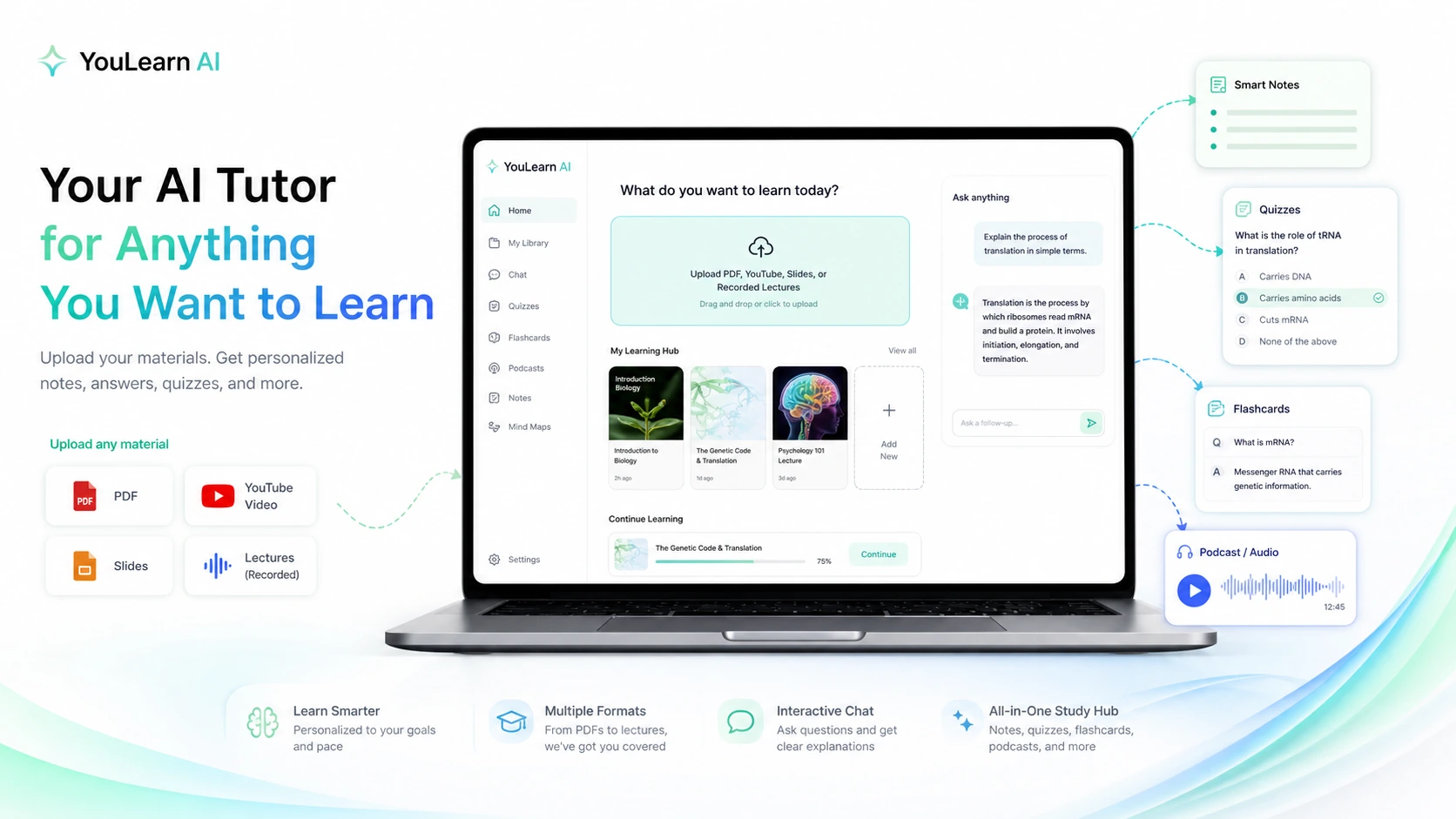
The main tour video is useful because it shows YouLearn as a study workflow, not just a summary button. A buyer should watch for how materials become notes, quizzes, chat, and practice outputs, then ask whether that process matches their real school or self-learning routine. The second video in the content section gives a more practical user-view of using YouLearn with learning material, which helps buyers notice whether the product feels easy enough before upgrading.
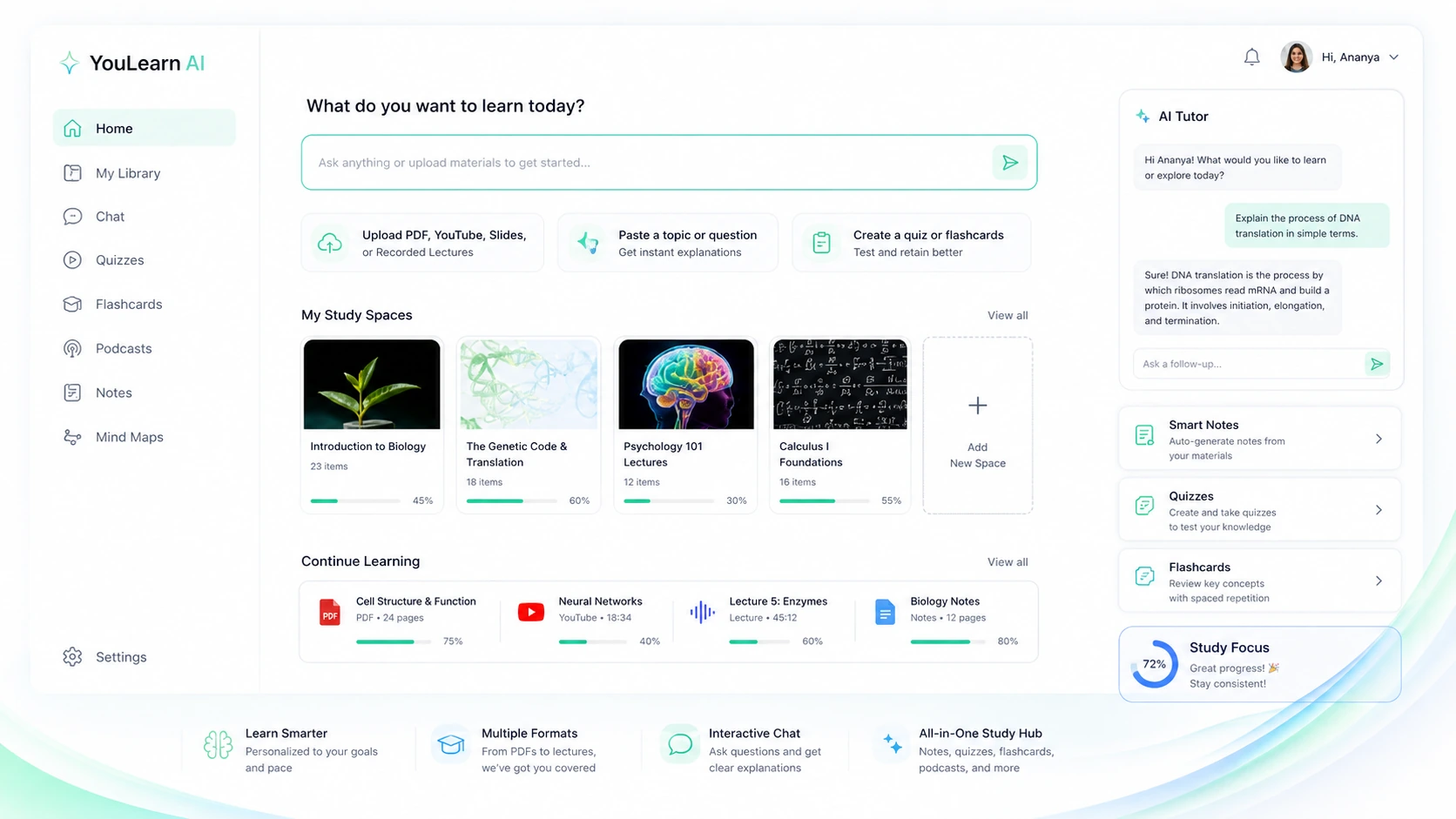
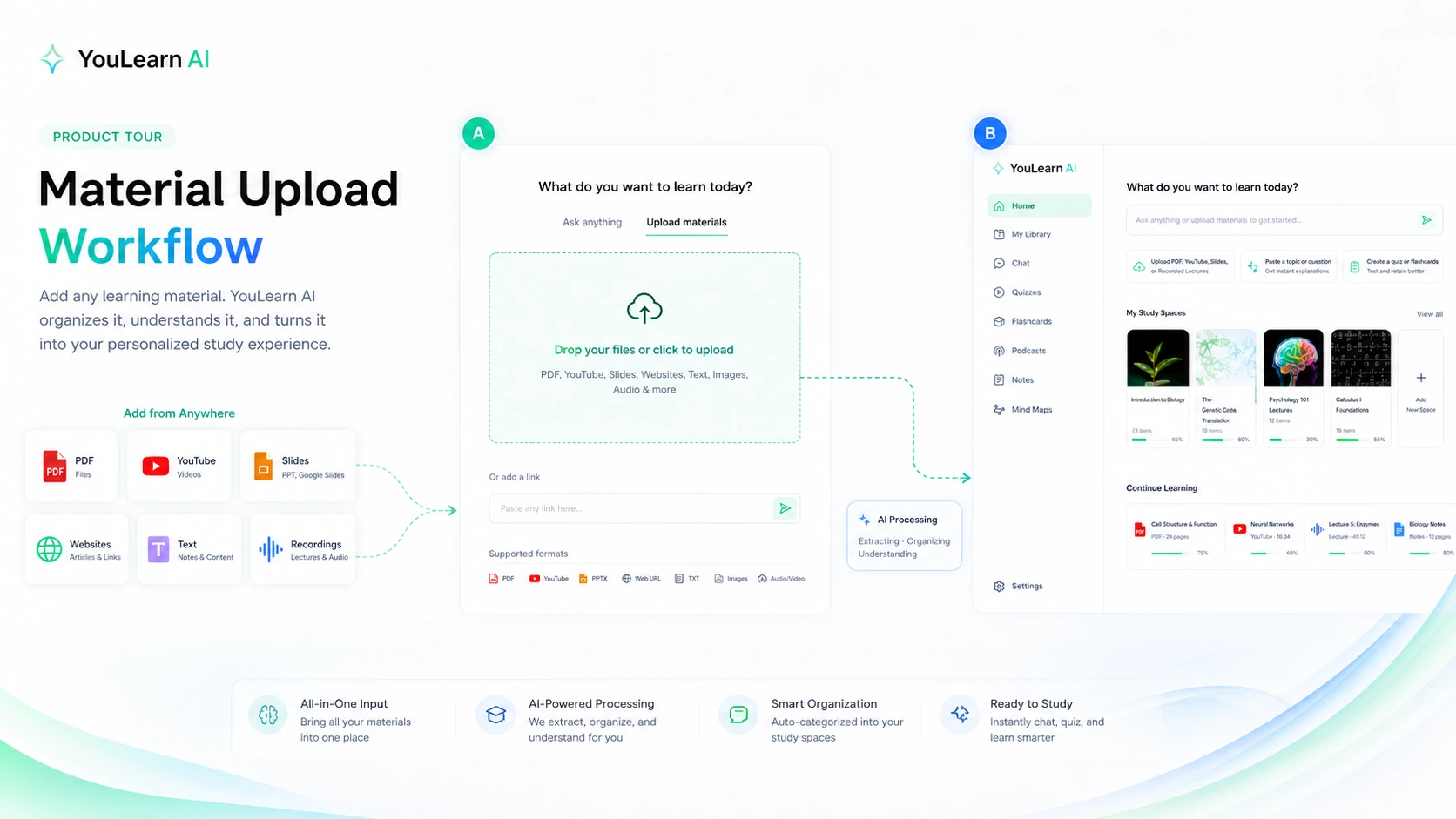
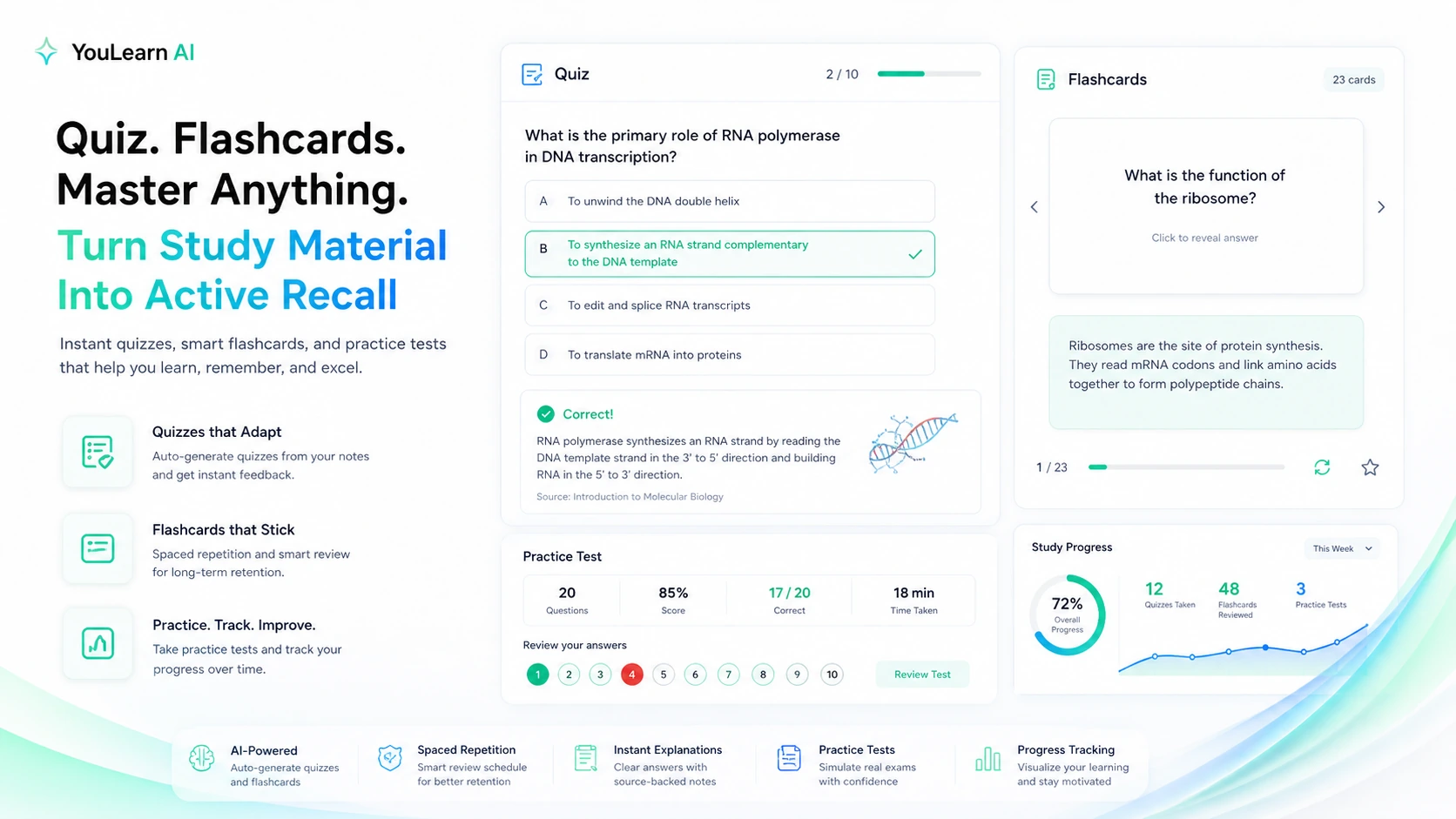
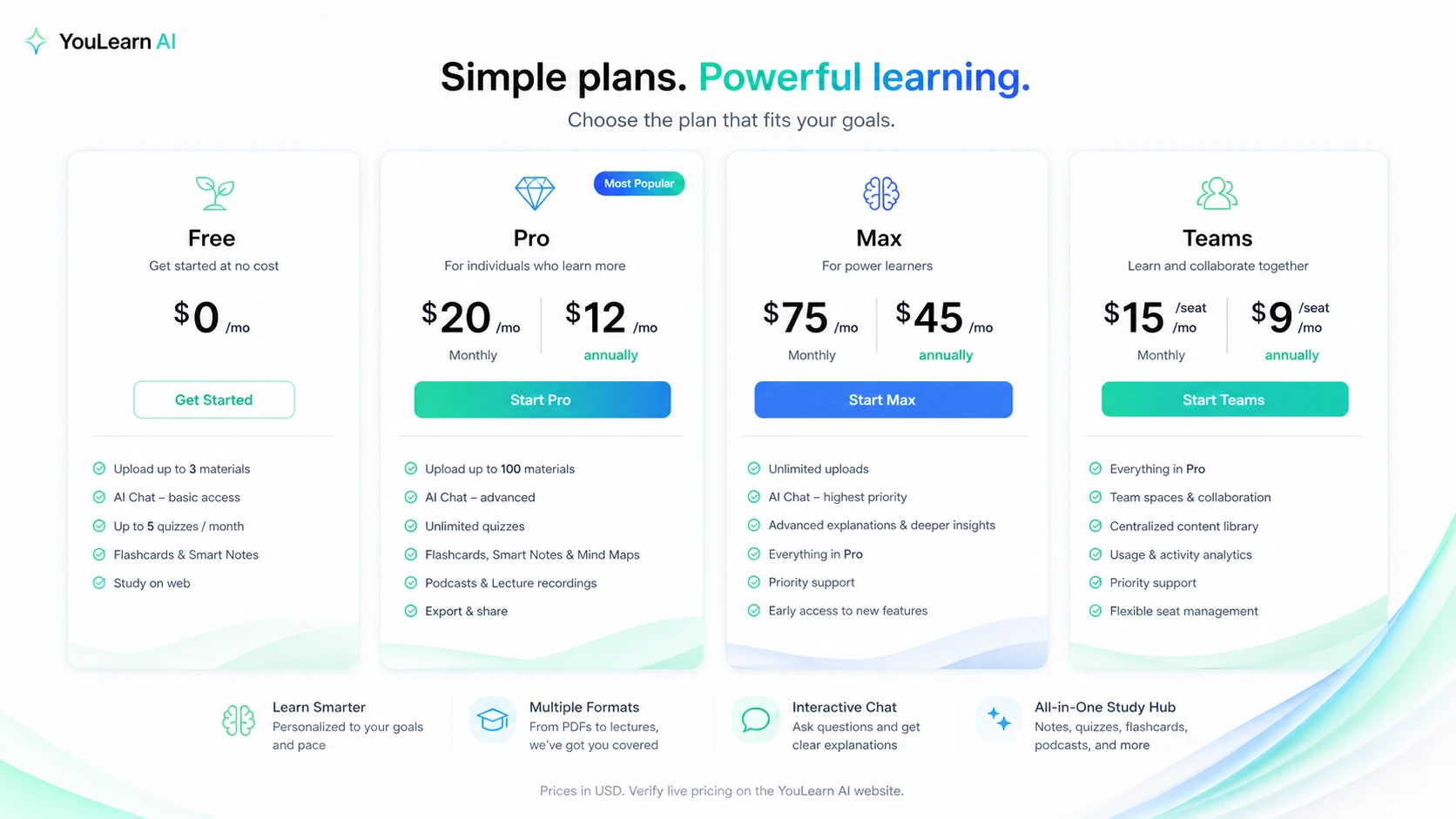
YouLearn AI is a store-page decision for buyers who want a structured study assistant built around their own material. The product can help turn PDFs, lectures, YouTube videos, slides, photos, and text into notes, summaries, flashcards, quizzes, podcasts, transcripts, practice tests, and AI tutor conversations. The right question is not whether AI can summarize content. It is whether YouLearn gives the buyer enough active study value to move beyond the free tier.
What YouLearn AI actually does
YouLearn AI helps students and self-learners study from the material they already have. The official site positions it as an AI tutor that understands PDFs, YouTube videos, recorded lectures, slides, and files, then turns those materials into notes, chats, quizzes, podcasts, and practice outputs.
That makes it different from a plain summarizer. A buyer is not only asking for shorter text. The buyer is asking whether YouLearn can help them understand, test themselves, ask follow-up questions, and return to the material before an exam, assignment, or review session.
- Upload PDFs, YouTube videos, slides, files, photos, text, and recorded lectures.
- Generate notes, summaries, flashcards, quizzes, practice tests, podcasts, transcripts, and explanations.
- Ask an AI tutor questions grounded in the material being studied.
- Use web, mobile, and Chrome extension paths depending on the study workflow.
Pricing, trial, and plan fit
YouLearn has a free entry path, a 7-day trial signal in its terms, and paid Pro, Max, and Teams paths. YouLearn-owned pricing material lists Free with 3 uploads per day, 5 AI chats, and 35 quiz questions, Pro at $20/month or $12/month billed annually, Max at $75/month or $45/month billed annually, and Teams at $15/month per seat or $9/month per seat billed annually.
The practical decision is about study volume. A casual learner can start free. A student using YouLearn across multiple classes may need Pro. A heavy user or group may need Max or Teams. The buyer should verify the live pricing page and selected purchase channel because mobile purchase flows, annual toggles, and team pricing can affect the final cost.
- Free is the safest evaluation path for light testing.
- Pro is the likely paid path for recurring student use.
- Max fits heavier usage if study material, chats, and generated practice volume are high.
- Teams should be checked only when group or seat-based use is real.
Video walkthrough for study workflow
The video below is useful for buyers who want to see how YouLearn behaves in a real learning flow instead of reading only feature bullets. Watch for how quickly material is added, whether the AI tutor responses feel grounded, and whether the output moves beyond passive summaries into active study tools such as quizzes, flashcards, or practice review.
This matters because YouLearn's paid value depends on repeated study use. If the workflow feels too light, the free tier or a simpler summarizer may be enough. If the workflow turns lectures and PDFs into practice material the buyer actually uses, Pro or Max becomes easier to evaluate.
Chrome extension and course imports
YouLearn's Chrome Web Store listing is important because it shows the product moving closer to actual student workflow. The extension can import Canvas or D2L course content, YouTube videos, websites, and public files into YouLearn, reducing the copy-paste friction that usually kills study-tool adoption.
This is most useful for students whose material already lives in a learning management system. If the buyer studies from Canvas, D2L, videos, and class files, the extension can make YouLearn feel more connected to the day-to-day workflow. If the buyer does not use those systems, the extension is less important than the core upload and tutor features.
- Canvas and D2L import can reduce manual setup for students.
- YouTube and public PDF import can speed up lecture-video review.
- The buyer should confirm extension behavior on their own browser, school portal, and account before relying on it.
Mobile study and podcast learning
YouLearn's mobile app listing expands the buying case beyond desktop study sessions. It says users can upload class materials, generate notes and flashcards, review weak spots, turn lessons into AI podcasts, listen with the screen locked, and continue learning from mobile.
This is useful for commuters, students reviewing between classes, and learners who prefer audio review. The buyer should still check whether podcast generation and mobile access are included in the plan they choose, because audio and usage limits can be part of the real value calculation.
- Mobile access helps when study happens away from a laptop.
- Podcast-style review can turn long material into listening sessions.
- Buyers should verify whether audio and mobile features match their plan and purchase channel.
Best next step before checkout
The safest buyer path is to start with a real learning task. Upload a lecture PDF, paste a YouTube lesson, add a slide deck, or import course material through the extension. Then ask three practical questions: does YouLearn explain the material clearly, does it create useful quizzes or flashcards, and does it reduce the time needed to prepare for an exam or assignment?
Only after that test should the buyer compare Pro, Max, or Teams. If the workflow is strong, annual billing may be worth checking. If the workflow is only occasionally useful, free or monthly access is safer. The coupon page should be the final step, not the first one.
- Test YouLearn with real material before comparing plans.
- Check the free limits and trial timing carefully.
- Verify web versus App Store purchase rules before paying.
- Move to the coupon path only after plan fit is clear.
Best savings path from this store page
This is the clearest savings route to check once the product already looks like a fit.
A public promo source reports a YouLearn AI checkout coupon. Treat it as a checkout-test path, not an official guaranteed discount.
Pro from $12/month annually
Max annual plan for power users
Use comparison routes when the category fit is still open
Use these comparison routes when the product still looks plausible, but the category fit is not fully settled.
Mindgrasp is the closer alternative when the buyer wants another student-focused AI study assistant for lectures, PDFs, flashcards, quizzes, and class material.
Myreader is a better comparison when the buyer mainly wants long-form reading, document chat, citations, and audiobook-style review instead of broad exam-prep outputs.
1min.AI is worth checking when the buyer wants a broader all-in-one AI utility bundle rather than a study-first tutor built around coursework.
Aikeedo is a different path for buyers comparing AI platform or SaaS-builder style tools, not a direct study tutor replacement.
Verification points worth checking before you click out
Where this store usually fits best in the workflow
Upload recorded lectures, slides, or course videos, then use YouLearn to generate notes, quizzes, flashcards, and practice questions for review sessions.
Add long educational YouTube videos and turn them into transcripts, summaries, study questions, podcasts, and tutor chat instead of only watching passively.
Use the Chrome extension to bring Canvas or D2L material into YouLearn when the buyer wants fewer manual steps between class content and study outputs.
Turn learning material into mobile-friendly review and podcast-style listening for students who study during commutes, breaks, or screen-off sessions.
Practical checkpoints before and after signup
- Choose one real class, lecture, PDF, video, or topic instead of testing with a tiny sample.
- Check whether the buyer needs summaries only, or active study tools such as quizzes, flashcards, podcasts, and tutor chat.
- Confirm whether Canvas, D2L, YouTube, or mobile access matters to the actual workflow.
- Measure whether YouLearn creates usable notes and practice outputs from real coursework.
- Check the daily upload, chat, and quiz-question limits against the buyer's study habits.
- Set a reminder before the 7-day trial renews if the buyer is still unsure.
- Compare Pro, Max, and Teams on the live pricing screen.
- Verify whether checkout is web, App Store, monthly, annual, student, or team-based.
- Review refund handling and cancellation timing before committing to annual billing.
- Use YouLearn consistently across a defined study routine, not only during one cram session.
- Re-check whether quiz, podcast, and tutor features are actually being used before renewal.
- Downgrade or cancel if the buyer mostly uses simple summaries that free tools can handle.
Fast-read signals for workflow fit and buying friction
Questions readers usually ask before choosing this store
What is YouLearn AI best for?
YouLearn AI is best for students and learners who already have PDFs, YouTube lectures, slides, recordings, photos, or notes and want those materials turned into summaries, quizzes, flashcards, practice tests, podcasts, and AI tutor chat. It is most useful when the buyer wants active study support, not just a short summary.
Does YouLearn AI have a free plan or trial?
Yes. YouLearn-owned pricing material lists a free tier, and the terms mention a 7-day free trial with automatic renewal if the user does not cancel before the trial ends. Buyers should test real study material during the free or trial period and cancel before renewal if the workflow is not a fit.
How much does YouLearn AI cost?
YouLearn-owned pricing material lists Free, Pro, Max, and Teams paths. Public pricing signals include Pro at $20/month or $12/month billed annually, Max at $75/month or $45/month billed annually, and Teams at $15/month per seat or $9/month per seat billed annually. Buyers should verify the live pricing screen before paying.
Is YouLearn AI mainly a YouTube summarizer?
No. YouLearn has a YouTube summarizer use case, but the broader product is an AI study tutor for PDFs, slides, recordings, photos, text, class materials, quizzes, flashcards, podcasts, transcripts, and tutor chat. Buyers who only need quick YouTube summaries may not need a paid plan.
What should buyers verify before checkout?
Buyers should verify live pricing, billing interval, free or trial limits, whether purchase happens through web or App Store, refund request rules, and whether the plan includes enough uploads, chats, quizzes, podcast use, mobile access, and team seats for their actual study workflow.
Choose the next route that matches what you still need to decide
The strongest next click depends on whether you still need product judgment, a savings route, or a broader category comparison.